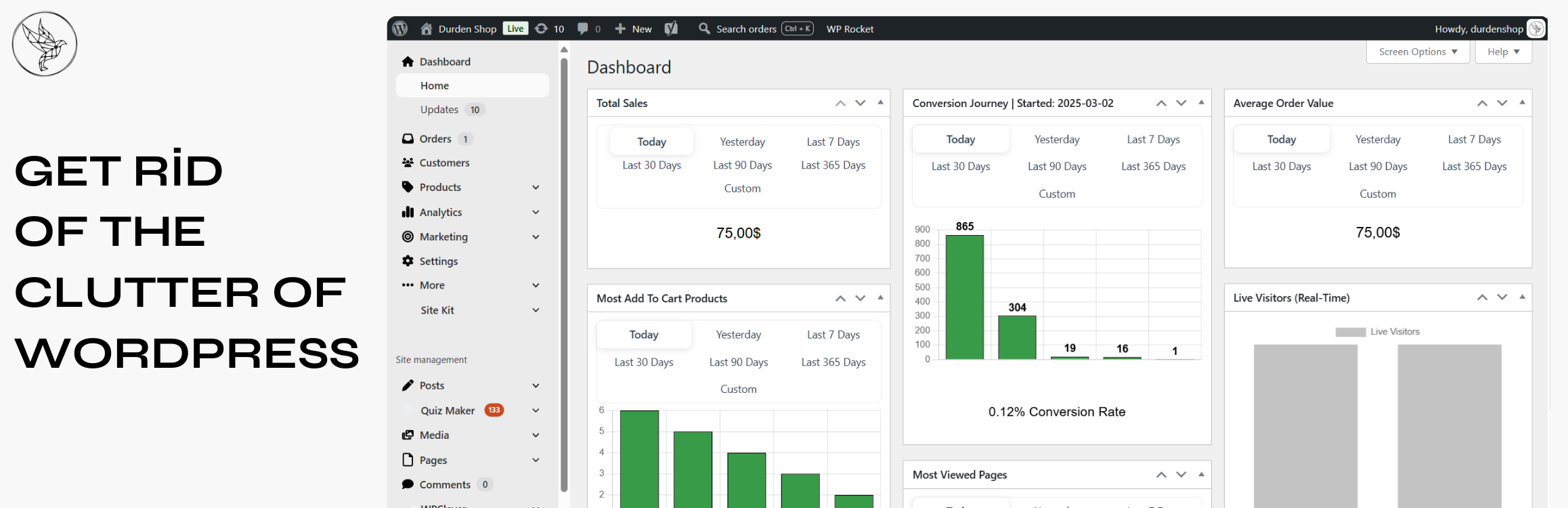
BrikPanel: WooCommerce Dashboard, Abandoned Cart Recovery, Google Sheets Sync, Inventory Management & Bulk Editor
| 开发者 | brksoft |
|---|---|
| 更新时间 | 2026年10月11日 23:11 |
| 捐献地址: | 去捐款 |
| PHP版本: | 7.4 及以上 |
| WordPress版本: | 7.1 |
| 版权: | GPLv2 or later |
| 版权网址: | 版权信息 |
标签
下载
详情介绍:
- Store owners who want a modern WooCommerce dashboard with real numbers, not the slow built-in reports, and a self-hosted WooCommerce analytics solution instead of paying monthly fees to external SaaS tools
- Stores that want a lighter woocommerce inventory management workspace built into a complete admin redesign
- Anyone who needs to bulk edit WooCommerce products, including variations, without a premium plugin
- Agencies handing off stores to non-technical clients who need a simplified WooCommerce admin
- Shop owners migrating from Shopify who want a familiar, modern admin for their WooCommerce store, a free, self-hosted Shopify alternative
安装:
- Upload the plugin files to
/wp-content/plugins/brikpanel-admin-panel-dashboard-for-woocommerce, or install via Plugins → Add Plugin → Upload Plugin. - Activate through the Plugins menu.
- Open Dashboard in the admin sidebar, the BrikPanel dashboard loads immediately.
- (Optional) Visit WooCommerce → Settings → BrikPanel to enable or disable specific modules.
屏幕截图:


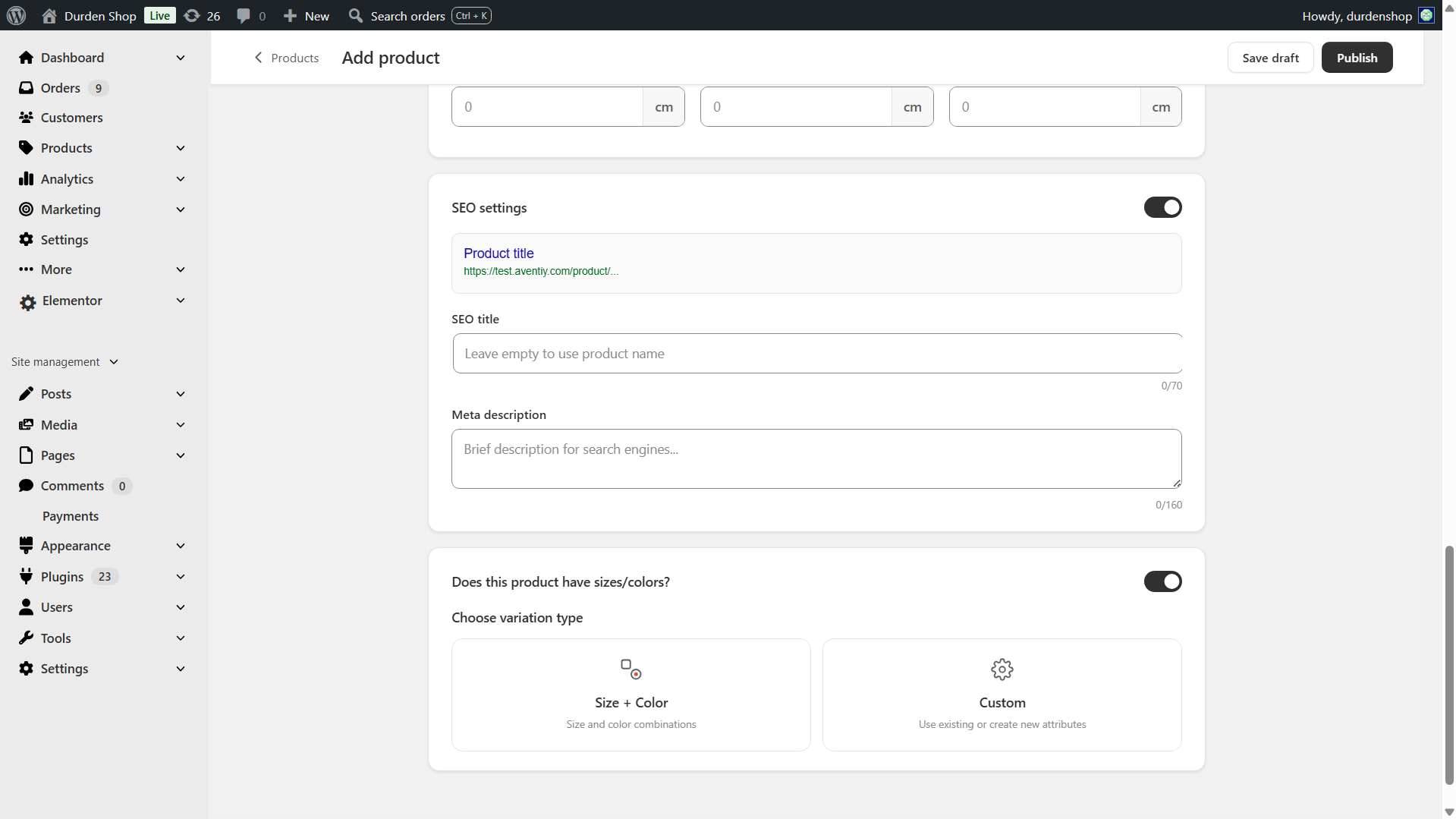
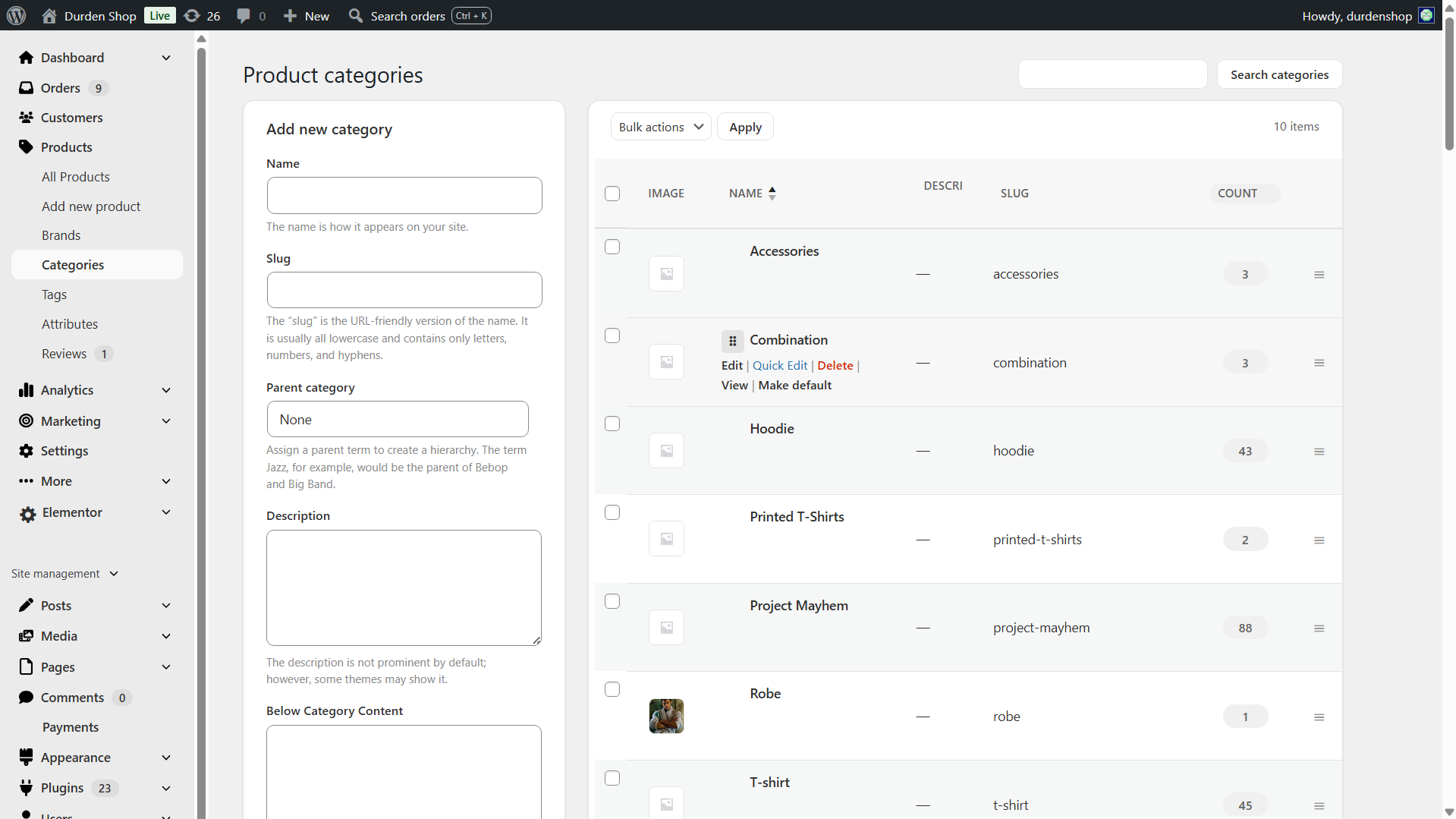
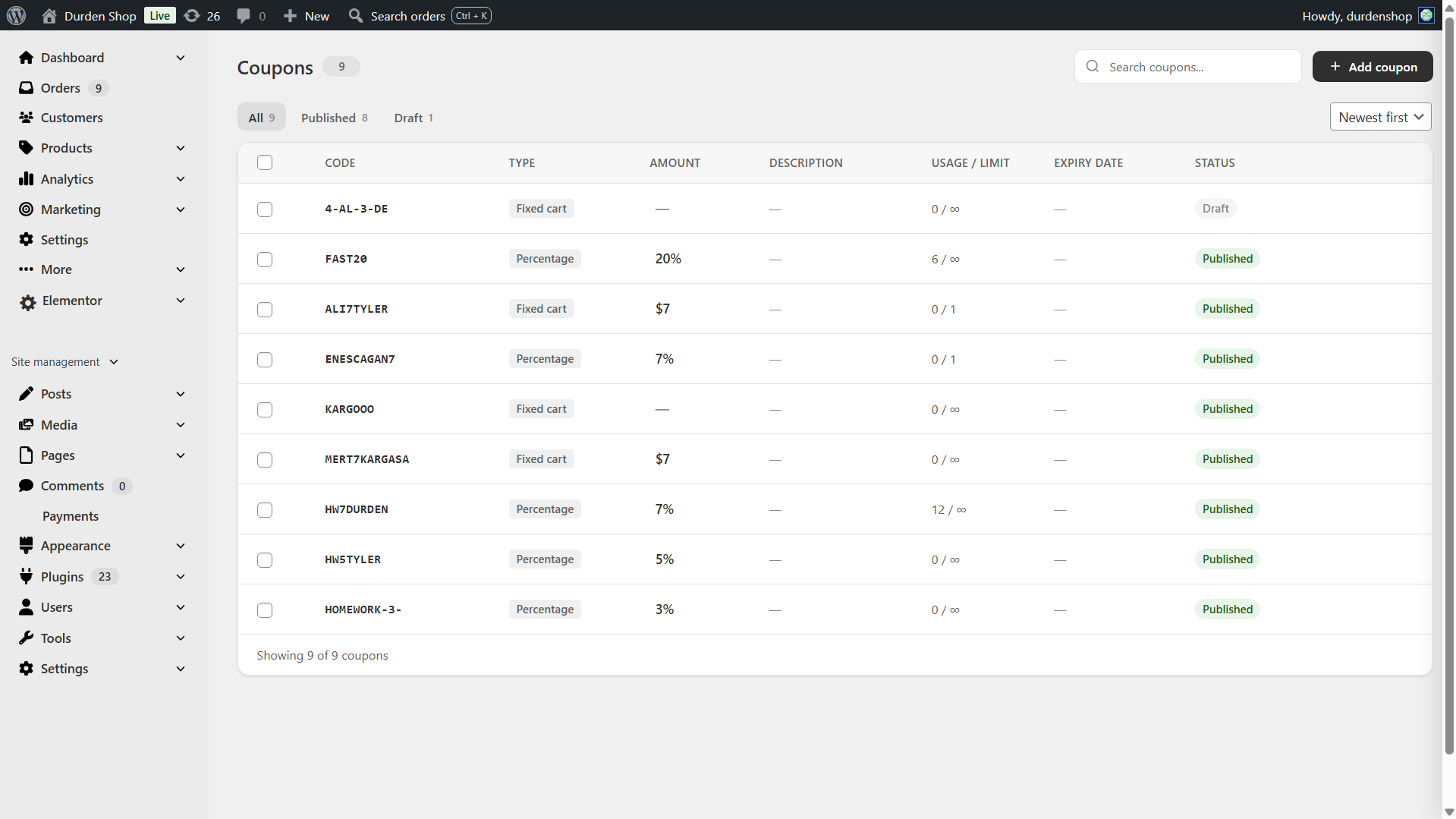






常见问题:
Is BrikPanel really 100% free?
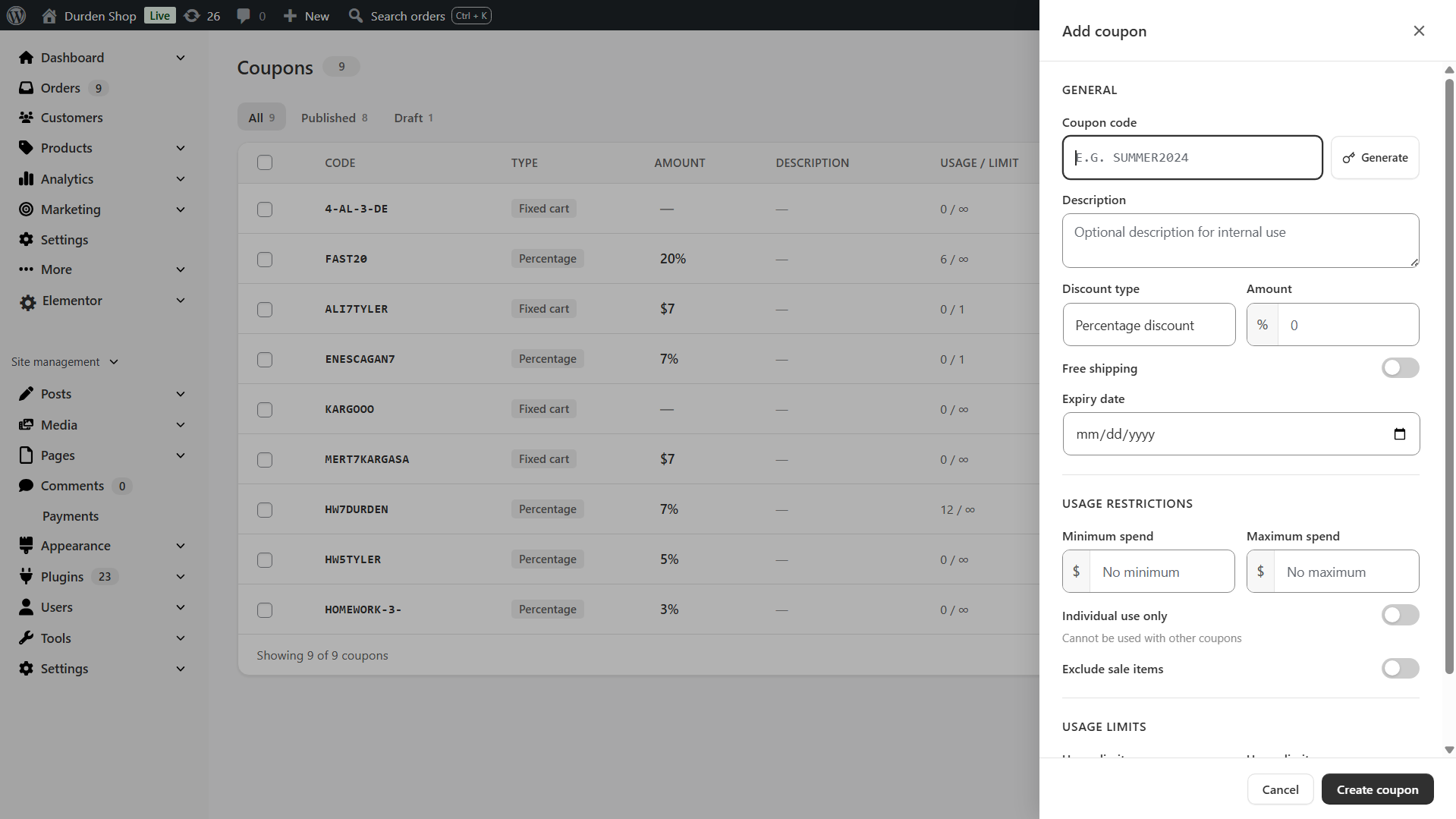
Yes. Every feature on this page is in the free version. There is no premium tier, no feature lock and no trial period. We also make a separate paid plugin, BrikMentor, and BrikPanel shows a small notice about it, which you can switch off under WooCommerce → Settings → BrikPanel → General. We have built 1000+ WooCommerce stores for our clients, learned from every one of them and decided to release BrikPanel.
Does BrikPanel hide WooCommerce's own ads?
Yes, by default. WooCommerce.com places ads in your admin, like the promo card above the Orders list, the sale badge on the Extensions menu and extension suggestions. BrikPanel turns them off with WooCommerce's own switches. To show them again, untick "Hide WooCommerce ads" under WooCommerce → Settings → BrikPanel → General.
Is BrikPanel a self-hosted WooCommerce analytics solution?
Yes. BrikPanel gives you a complete WooCommerce analytics suite that runs entirely on your own server with no external dependencies. Sales analytics, product reports, conversion tracking, customer LTV, RFM segmentation, cohort retention and customer data are all included, nothing is sent to any third-party SaaS.
Does BrikPanel include a WooCommerce sales report?
Yes. The BrikPanel dashboard ships a complete WooCommerce sales report out of the box, total sales, total orders and average order value (AOV), each with a ±% period-over-period delta, plus refunds and net revenue. Filter the sales report by today, yesterday, last 7 days, last 30 days, or any custom date range. The sales chart is rendered with Chart.js and pairs with the order status donut and conversion funnel for a full sales report you can read at a glance, without ever leaving wp-admin and without paying for an external analytics service.
Does BrikPanel offer custom WooCommerce reports, KPIs and a profit report?
Yes. The dashboard goes far beyond the built-in screens with a complete set of WooCommerce reports and WooCommerce sales analytics computed from your own store data: sales, orders, AOV and conversion rate live, plus customer LTV, RFM segments and cohort retention refreshed nightly. Each headline metric (sales, orders, AOV, visitors, conversion rate, net profit) is shown as a WooCommerce KPI card with a period-over-period delta, and a real profit report (revenue minus COGS, ad spend and manual expenses) sits right next to revenue. Because the LTV, RFM, cohort and geographic views are not part of core, BrikPanel effectively ships advanced reports for WooCommerce and custom WooCommerce reports as a free, self-hosted WooCommerce reporting layer, with no external SaaS and nothing sent off your server.
Can I customize the dashboard widgets, sales charts and graphs?
Yes. The BrikPanel admin dashboard is built from modular dashboard widgets (sales, orders, AOV, the conversion funnel, live visitors, the geographic globe, customer analytics and more), and the modules you do not need can be turned off from WooCommerce → Settings → BrikPanel. The sales charts and sales graphs are rendered with Chart.js and redraw for any date range you pick, so your custom dashboard shows exactly the sales charts, KPIs and reports you care about and nothing you do not.
Does BrikPanel work with multi-currency stores (CURCY, WCML)?
Yes. When your store takes orders in more than one currency, BrikPanel converts every order to your store's base currency before summing, so Revenue, AOV and the sales chart are never a meaningless mix of currencies. With CURCY (WooCommerce Multi Currency) the exact day-of-sale rate is read from the snapshot CURCY stores on each order. With WCML (WooCommerce Multilingual & Multicurrency) the current WCML rate is applied and snapshotted onto the order the moment it is placed, and re-applied with the current rate whenever the order is updated or your WCML rates are saved. For any other multi-currency setup you can enter flat fallback rates under WooCommerce → Settings → BrikPanel → Currency, or supply a rate programmatically through the brikpanel_order_base_factor filter (parameters: current factor, WC_Order, order currency, base currency; return the multiplier that converts one unit of the order currency into the base currency).
Where does BrikPanel read Cost of Goods (COGS) from? Can I use my own cost field?
BrikPanel reads product cost from WooCommerce's own native Cost of Goods Sold field (_cogs_total_value, WooCommerce 9.5+) — the same field the WooCommerce product screen edits — so any plugin or import pipeline that writes the native cost is picked up automatically, including direct database writes. Costs saved by older BrikPanel versions are migrated into the native field automatically. Variation costs follow WooCommerce's semantics, including the "additive" flag that adds a variation's cost on top of the parent's. If you keep cost somewhere else entirely, hook the brikpanel_product_cogs filter (parameters: resolved cost or null, product id, variation id) to point BrikPanel's per-product cost reads at your own source.
Can I turn off BrikPanel's front-end visitor tracking?
Yes. If you already run a dedicated analytics tool, disable Visitor tracking under WooCommerce → Settings → BrikPanel → Analytics and BrikPanel stops adding its tracking script, tracking cookies and tracking requests to your storefront. This switch covers analytics only: the shopper-facing features (checkout email capture, the Share cart button, the variation gallery) have their own switches, listed under "Does BrikPanel slow down my WooCommerce store?". You can also keep tracking on but raise the live-visitor refresh interval to reduce server load, or exclude logged-in customer details from the Live view for a fully anonymous setup. If you only want tracking to wait for cookie consent rather than switching it off, see the next question.
Does BrikPanel work with a cookie consent banner? (GDPR / consent mode)
Yes. Tick Wait for cookie consent under WooCommerce → Settings → BrikPanel → Analytics and BrikPanel's visitor tracking creates no cookie, no browser storage and no request at all until the visitor allows analytics. Consent is accepted from any of three sources, so any consent platform can drive it:
- the WordPress Consent API (the
statisticscategory), which BrikPanel also listens to for live changes; - a banner calling
brikpanel_start_tracking()in JavaScript, withbrikpanel_stop_tracking()on withdrawal; - the
brikpanel_frontend_tracking_allowedPHP filter, for agencies wiring up a CMP without touching plugin files.
add_filter( 'brikpanel_frontend_tracking_allowed', function ( $allowed ) {
return isset( $_COOKIE['my_banner_cookie'] ) && $_COOKIE['my_banner_cookie'] === 'accepted';
} );
and in your theme's footer, so a click takes effect without a reload:
document.addEventListener('click', function (e) {
if (e.target.closest('#my-banner-accept') && window.brikpanel_start_tracking) window.brikpanel_start_tracking();
if (e.target.closest('#my-banner-reject') && window.brikpanel_stop_tracking) window.brikpanel_stop_tracking();
}, true);
What visitor tracking stores in the browser, and only after consent when the setting is on: brikpanel_vid (a random id, 1 year, so a visit is counted once instead of once per page), brikpanel_human (30 days: the date and a signature showing the browser was used by a person, and what was already counted for it that day, so bots and repeat counts stay out), brikpanel_consent (the value 1, 30 days, remembering the choice), the local storage key brikpanel_campaign_viewed (the campaign links already counted today), plus, while "Traffic source in Live view" is on, the session storage key brikpanel_entry_src (where the visit came from, until the tab is closed). All of it is first-party and stays on your own site.
This setting governs analytics. Abandoned-cart email capture is a separate feature with its own switch under Cart abandonment. For a guest it saves no cart and sets no cookie until they enter their email address; when they do, it reuses the same brikpanel_vid id to tie the cart to that address. A logged-in customer's email is already on their account, so their cart is saved as soon as it has items. The optional signup popup, if you turn it on, only keeps a few small entries in browser storage (that it was closed or used, the coupon it gave, whether the cookie banner was answered), so it does not keep reappearing.
Does the signup popup appear on top of my cookie banner?
No. Wait for cookie banner under WooCommerce → Settings → BrikPanel → Cart abandonment is on by default, and the popup then holds back until the visitor has answered the banner. Accepting and declining both release it, because signing up for an offer is not tracking. On a store with no cookie banner nothing changes at all: the popup opens after its normal delay, exactly as before.
It cannot be lost. Whatever happens with the banner, the popup opens no later than 30 seconds after the page loads, and the small floating tab that holds a visitor's own coupon code is never held back.
Banners that speak the WordPress Consent API (Complianz, CookieYes, GDPR Cookie Compliance (Moove), WPConsent, Cookiebot, iubenda, Beautiful Cookie Consent Banner) need no setup. For a banner that does not, such as CookieAdmin, Real Cookie Banner or Termly, tell the popup when your banner was answered:
document.addEventListener('click', function (e) {
var answered = e.target.closest('#my-banner-accept') || e.target.closest('#my-banner-reject');
if (answered && window.brikpanel_popup_consent_answered) window.brikpanel_popup_consent_answered();
}, true);
Does BrikPanel support WordPress multisite?
Yes, both ways: network-activate it to run on every store in the network, or activate it on individual subsites only. Each site gets its own tables and settings either way. When network-activated, super admins additionally get network-wide access rules under Network Admin → Settings → BrikPanel Access.
Does BrikPanel show customer LTV, RFM segments and cohort retention?
Yes. BrikPanel ships a full WooCommerce customer analytics suite directly in the dashboard. Customer Lifetime Value (LTV) is calculated for every customer with average, top, and full distribution histogram. RFM segmentation scores every customer on Recency, Frequency and Monetary and groups them into 10 segments such as Champions, Loyal Customers, At Risk, About to Sleep, Hibernating and Lost. Cohort retention shows a month-by-month grid plus an average retention trend line. All three are computed from your own store data, no external service involved.
Is BrikPanel a free Shopify alternative for WooCommerce?
Yes, for store owners who want to stay self-hosted. BrikPanel gives your WooCommerce store the clean, modern admin experience of Shopify: product list with inline editing, bulk price and stock updates, live visitors, conversion tracking, geographic analytics, customer LTV / RFM / cohort reports, a branded login page, but your storefront, your customer data, and your orders stay on your own server. No monthly platform fee, no transaction fee, no vendor lock-in. If you were evaluating Shopify but want to own your stack, this is the Shopify alternative for WooCommerce we built for that exact use case.
Is BrikPanel an ATUM alternative for inventory management?
For most stores, yes. BrikPanel includes complete woocommerce inventory management: stock levels, low stock badges, bulk stock updates, variation stock updates, all integrated into the same dashboard you use for sales and orders. If you only need daily stock work, BrikPanel is a much lighter ATUM alternative, and it also has supplier and purchase order features you can switch on under WooCommerce → Settings → BrikPanel → Suppliers.
How do I get a faster WooCommerce product list with bulk actions and quick edit?
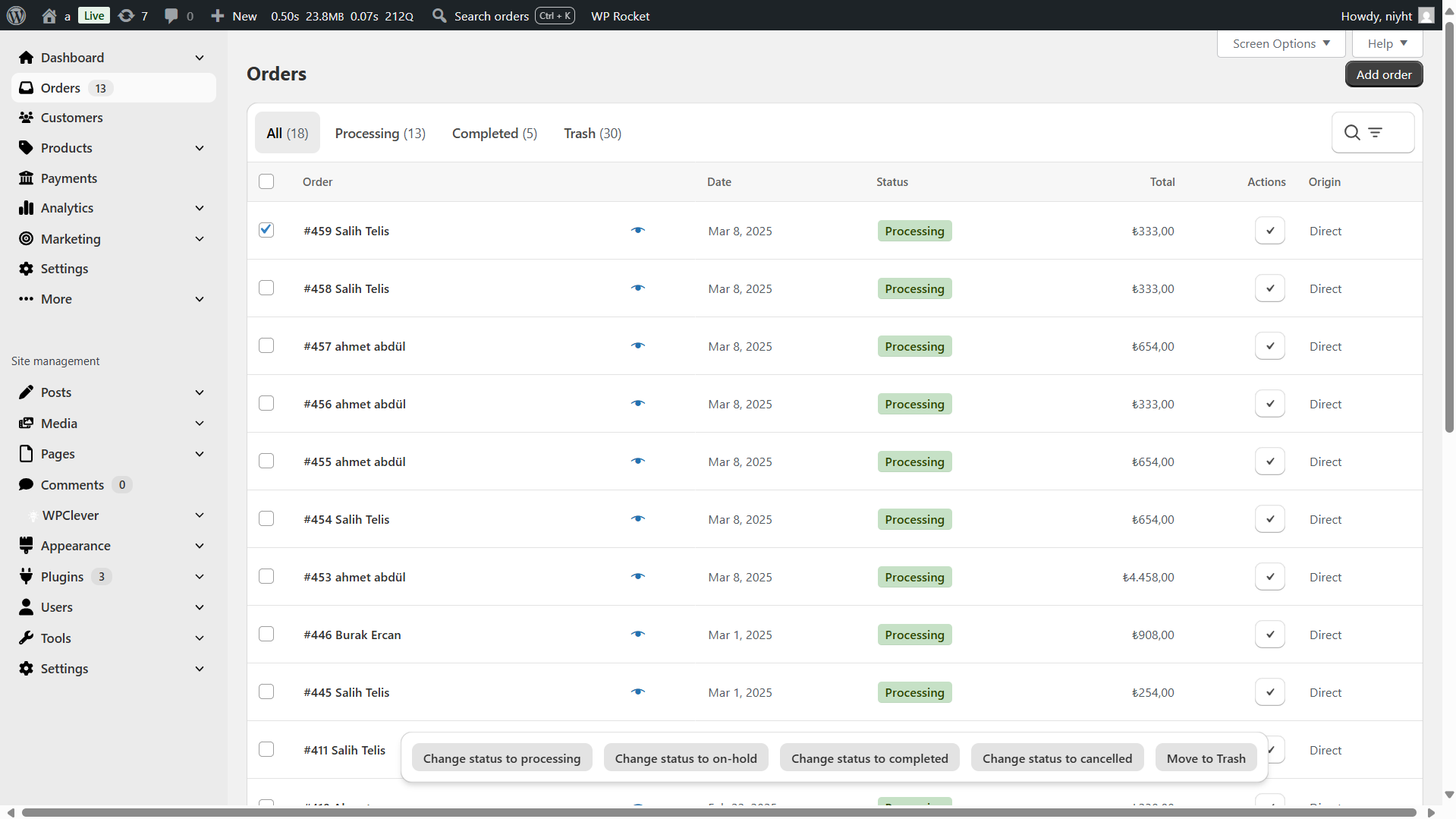
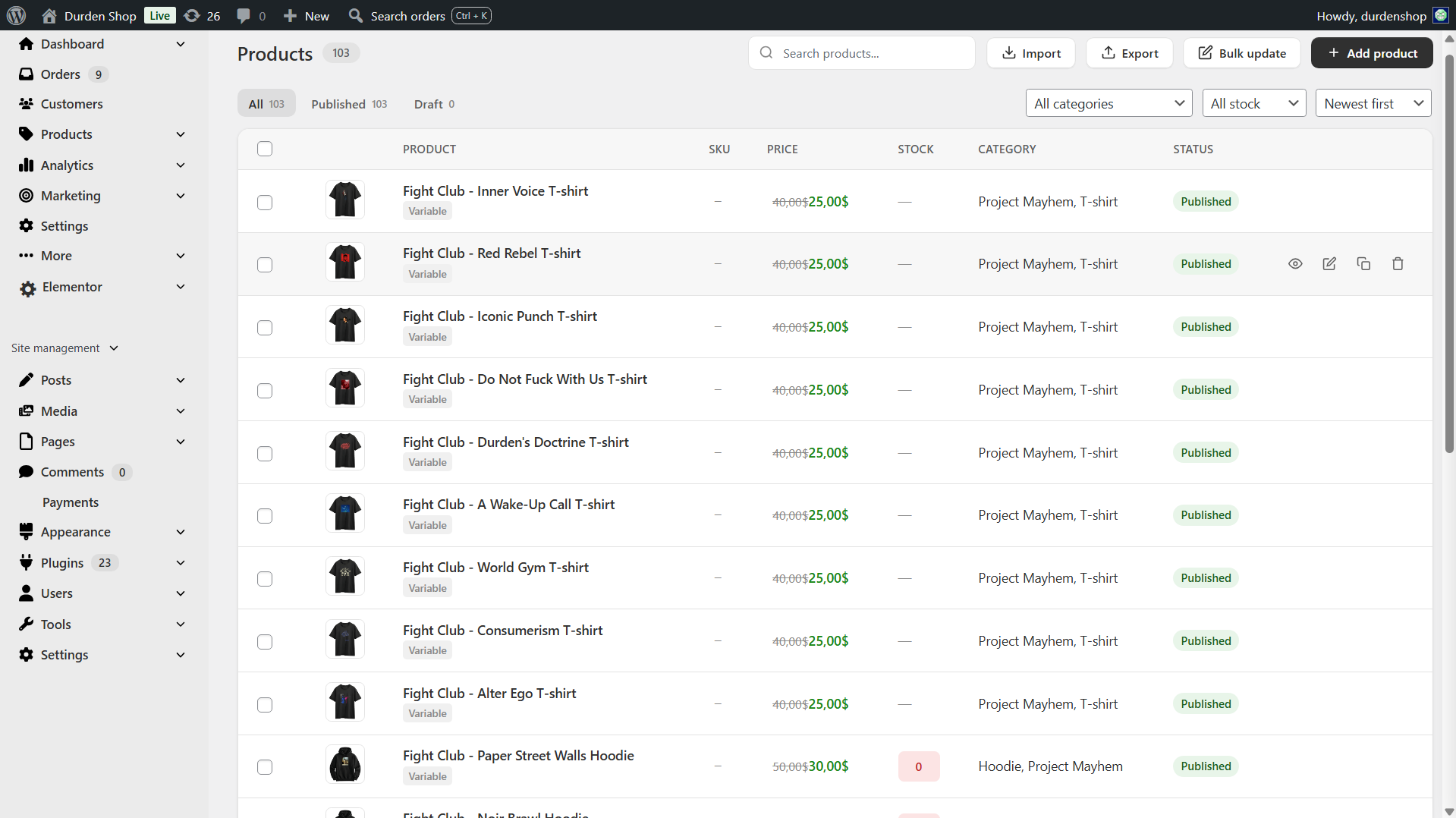
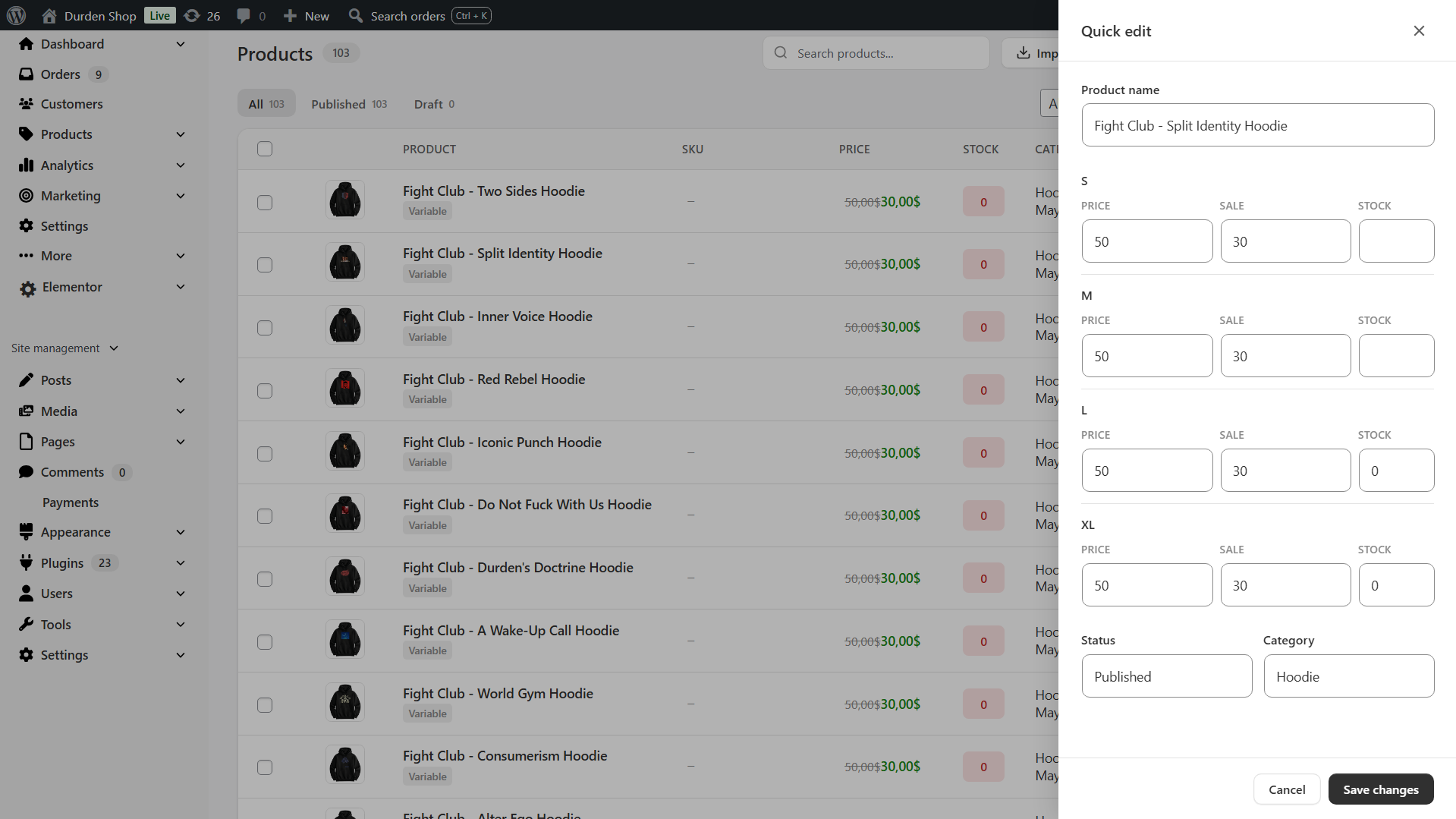
The default WooCommerce product list is built for browsing, but searching, sorting and editing it is slow. BrikPanel ships a complete woocommerce product list plugin with thumbnail, SKU, regular and sale price, stock badge, category, AJAX pagination, live search, status tabs, one-click publish toggle and a slide-in quick edit panel for every row. Works on both simple and variable products, and the same woocommerce product list screen powers the bulk price and bulk stock updates so you never leave the page to edit your catalog.
Can I search products by my own SKU field, like a supplier or manufacturer code?
Yes. The product list search matches the product title, the description and the WooCommerce SKU out of the box, including a variation SKU, which returns the parent product. If your warehouse also stamps a supplier code, a manufacturer part number or an EAN onto each product in its own custom field, point BrikPanel at it with the brikpanel_product_search_meta_keys filter, which receives the list of meta keys (just _sku by default) and the search term. Add your own key to the list and staff can find a product by typing it, on simple and variable products alike, because a match on a variation returns the parent. Up to ten keys are scanned. The filter is documented with a copyable example under WooCommerce, Settings, BrikPanel, Developers.
How do I bulk edit WooCommerce products including variations?
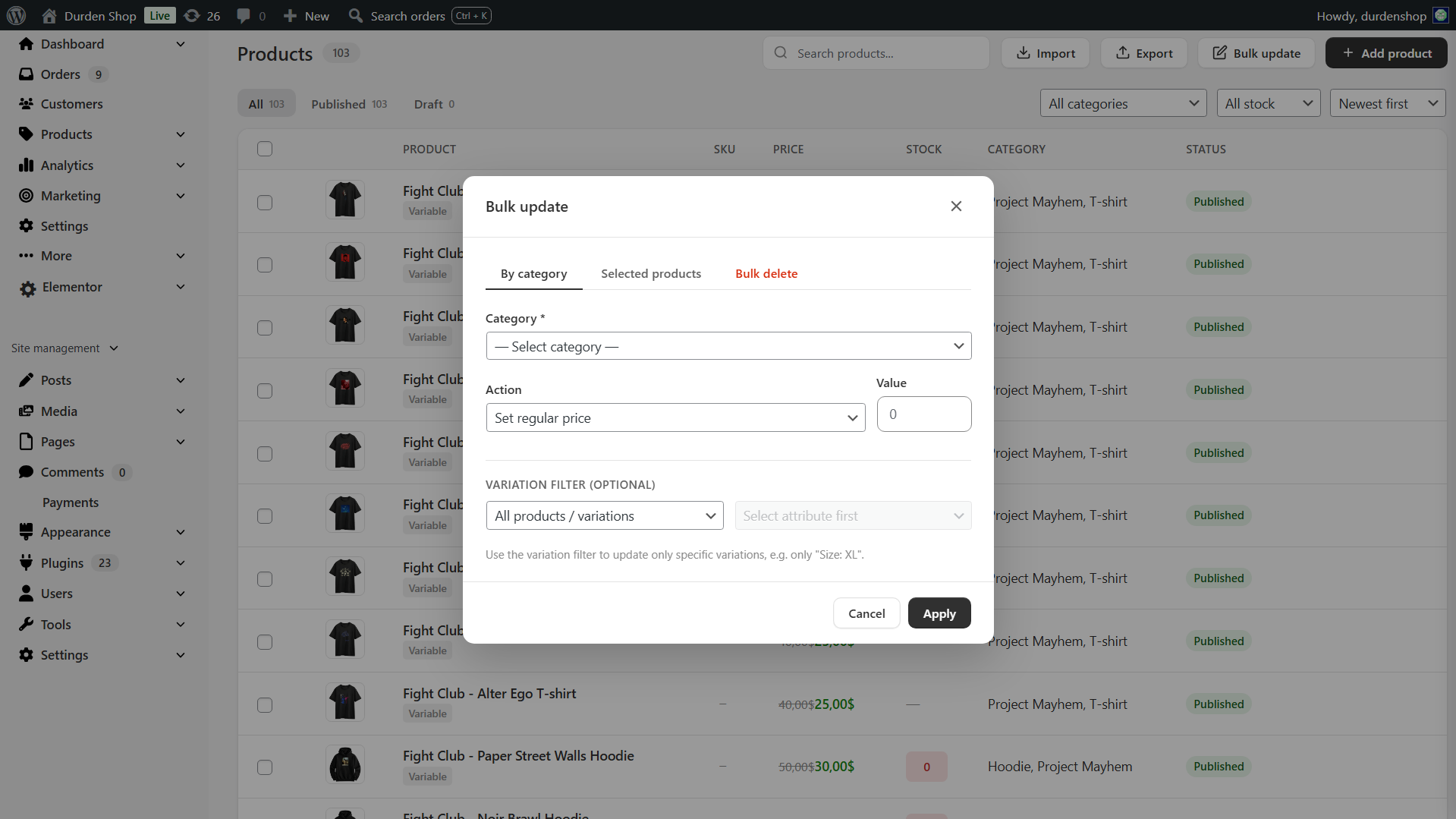
Open Products and click the Bulk update button in the toolbar. You can update prices, sale prices, and stock for all published products, by category, or for selected products. For variable products, click a product's price or stock in the list to edit it for every variation in one modal, or open the product and bulk update prices and stock across every variation from the bar above its variations table. This is the part most free WooCommerce bulk editor plugins do not handle, BrikPanel does.
Can I bulk edit variation prices in WooCommerce with the free version?
Yes. Bulk edit variation prices WooCommerce is a core BrikPanel feature, and it is free. Set a percentage rule, set a fixed price, or update by attribute (every "Red" variation, every "Large" size). The same modal handles bulk update variation stock for the same products.
Does BrikPanel slow down my WooCommerce store?
BrikPanel is built to stay light on your storefront. Everything you use in the admin (dashboard, reports, product list, product and bulk editors) loads only inside wp-admin, so none of it reaches your shoppers. On the storefront, BrikPanel adds only what its shopper-facing features need, and only on the pages that use them:
- Visitor tracking: a small script at the end of every page that sends its data in the background once the page is ready. On by default, switch: Analytics → Visitor tracking.
- Abandoned-cart email capture: a script on the checkout page only. On by default, switch: Cart abandonment → Email collection.
- Share cart button: a script and a small stylesheet on the cart page only. On by default, switch: Cart share → Storefront share button.
- Variation gallery: a small script on product pages. On by default, switch: Products → Multiple images per variation.
- Cart recovery popup: its scripts and stylesheet on your other pages, only if you turn the popup on. Off by default.
- Description image lightbox: a tiny script and stylesheet, only on products where you set a description image to open in a lightbox.
Is BrikPanel compatible with HPOS (High-Performance Order Storage)?
Yes. Every order query either has dual code paths, one for the HPOS order tables and one for the legacy posts table, or uses wc_get_orders(), which handles both. BrikPanel declares HPOS compatibility via FeaturesUtil::declare_compatibility('custom_order_tables', ...) and is tested on stores running both modes.
How do I see WooCommerce sales by country?
Open the BrikPanel dashboard. Scroll to the geographic analytics section. The 3D globe shows the countries your orders come from, and the Top 5 Countries and Top 5 Cities tables (by orders or by customers) update in real time. BrikPanel extracts country and city from the billing address of every order, so this works with no extra setup.
How do I customize the WordPress login page for my WooCommerce store?
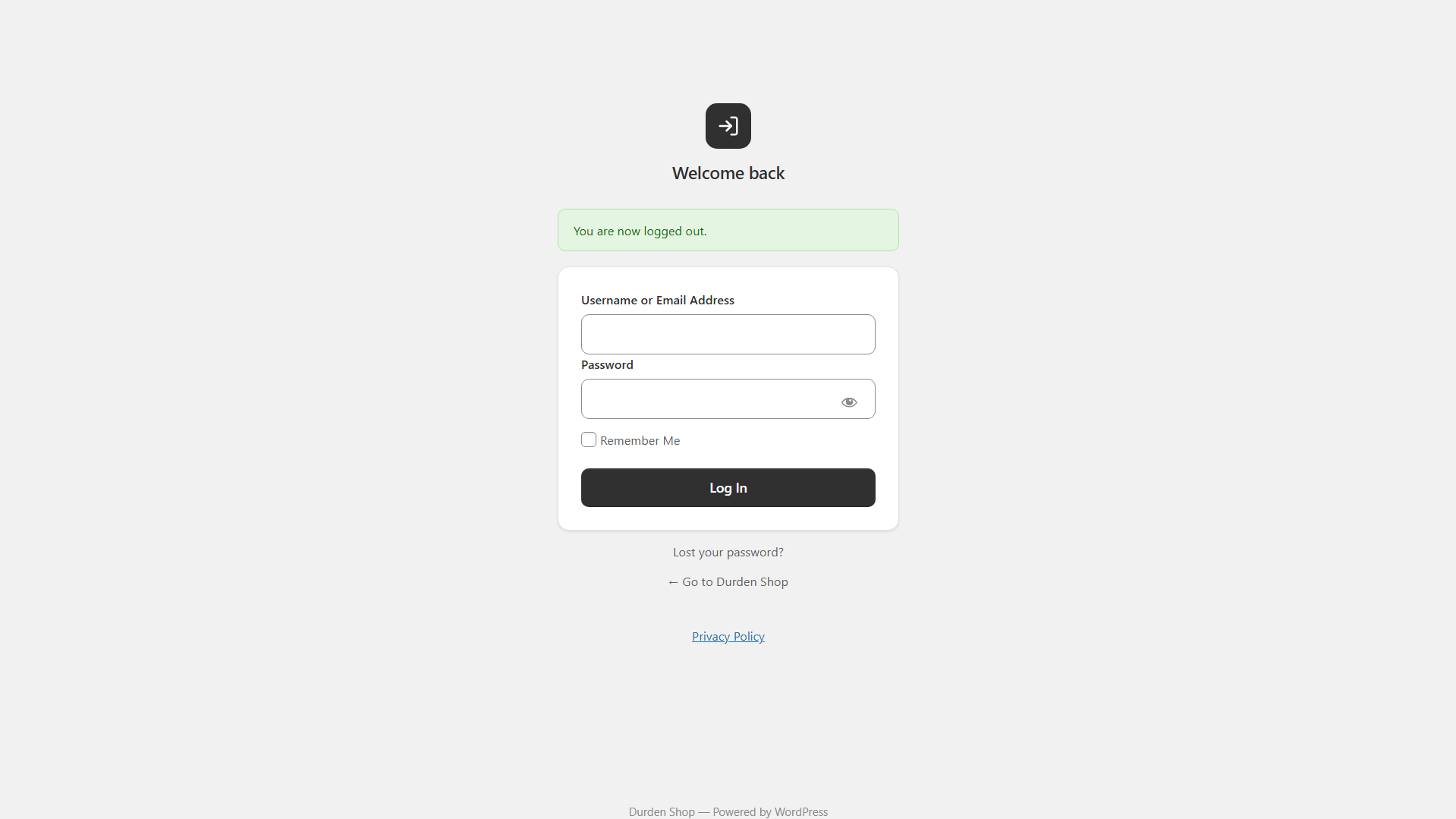
BrikPanel includes a built-in wordpress login customizer. The custom wp login page module is on by default ("Modern login page" in BrikPanel settings), so the default wp-login.php is replaced with a clean, branded login form that matches the rest of the BrikPanel admin. No CSS knowledge required.
How do I search WooCommerce orders by customer name or phone number?
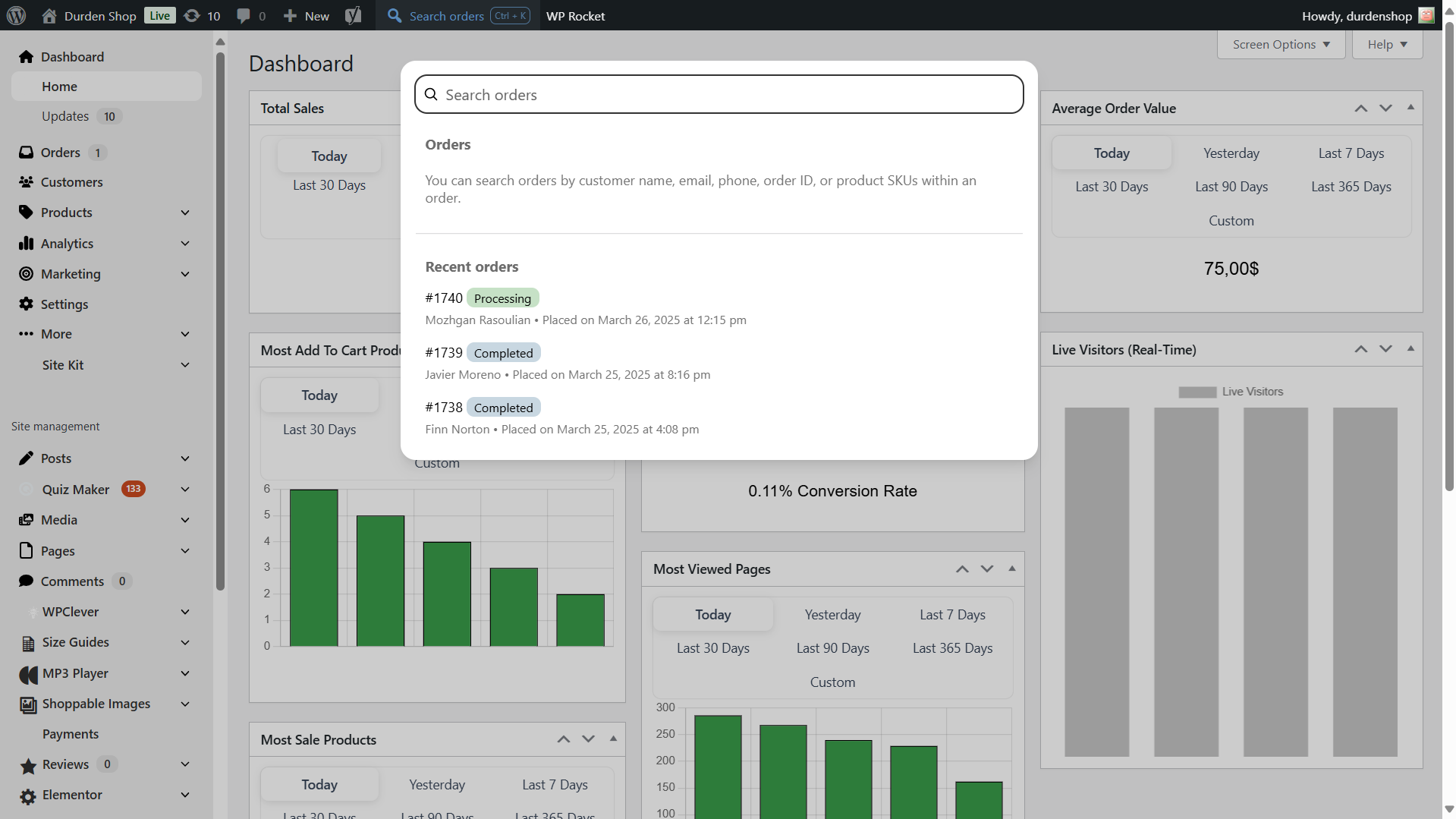
Press Ctrl + K (or Cmd + K on Mac) anywhere inside wp-admin. The BrikPanel quick search overlay opens and searches across order ID, customer name, email, phone, and product SKU at the same time. This is the woocommerce search orders experience the WooCommerce admin should ship with by default.
Can I see who is on my WooCommerce store right now?
Yes. BrikPanel includes a woocommerce live visitors widget on the dashboard that updates every 30 seconds. You can see what page each visitor is on, whether they have items in the cart, and whether they are an existing customer. This is real woocommerce real time visitors tracking, not estimates. A page nobody has touched for 30 minutes drops off the list, so a tab left open on a desk is not counted as someone on your store, and it comes back as soon as the visitor scrolls, clicks, taps or types.
Does BrikPanel track WooCommerce conversion rate and conversion funnel?
Yes. BrikPanel includes a complete woocommerce conversion tracking system that records visitors, add-to-cart events, checkout starts, and completed orders. The dashboard shows your woocommerce conversion funnel as a five-step visual: Visitors → Product Views → Add to Cart → Checkout → Orders, with the count at every step and your overall conversion percentage on the Conversion Rate card.
Is there a free WooCommerce conversion tracking plugin built into BrikPanel?
Yes. BrikPanel ships a free WooCommerce conversion tracking plugin that records every visitor, add-to-cart, checkout start and completed order in your own database, no Google Analytics setup, no Hotjar, no monthly fee. The funnel and conversion-rate widgets on the dashboard are computed from this same dataset in real time.
Does BrikPanel recover abandoned carts?
Yes. BrikPanel includes a built-in WooCommerce cart abandonment and cart recovery system in the free version: no Klaviyo, Mailchimp or external email SaaS. It captures the email of shoppers who begin checkout but do not complete the order (from both the classic shortcode checkout and the newer block checkout, and from logged-in customers the moment they add to cart) and lists every one on a dedicated Abandoned Carts screen. Each entry keeps a full snapshot of the cart, including the exact variation, quantity and total, and moves through Active, Abandoned and Recovered automatically, even if the shopper later checks out with a different email. The screen has search, status, source and date filters, per-row product details, CSV and Excel export, and statistics cards. It works on both simple and variable products.
How does the WooCommerce cart recovery coupon popup work?
Switch on the optional email popup and BrikPanel shows a clean, on-brand sign-up offer to your visitors. Anyone who subscribes is issued their own single-use percentage cart recovery coupon (10% by default, and you set the rate), restricted to their email and valid for 30 days, shown right there with a one-click Copy button. You control the heading, message, button and success text, the delay before it appears, the cooldown after it is dismissed, and which of six animated reveal styles the coupon uses (Sealed envelope, Pocket card, Scratch card, Slot machine, Magnetic assembly or Classic ticket), all of which respect a visitor's reduced-motion preference. Close the popup and it folds into a small floating tab, one click from reopening.
How do I sync WooCommerce orders to Google Sheets for free?
Open Google Sheets in the admin sidebar, click "Connect Google Sheets", pick or create a target spreadsheet, and on the Orders tab toggle "Enable order sync" on ("Real-time append on new order" is on by default). Every new WooCommerce order is then appended to your Sheet within seconds, with one row per order, or one row per line item so variations land in their own rows. Status changes update the existing row in place. No Zapier, no Make, no monthly fee, a real woocommerce google sheets sync built into BrikPanel.
Does BrikPanel work as a free GSheetConnector or WPSyncSheets alternative?
Yes. BrikPanel includes a complete WooCommerce to Google Sheets integration in the free version: real-time order sync, scheduled bulk export, two-way product stock sync, two-way expenses sync, analytics snapshot tabs (Sales Summary, Daily KPIs, Top Products, Funnel, Profit) and a customer + RFM snapshot. All five flows (Orders, Products, Reports, Customers, Expenses) ship free with no row limit on orders, products and customers, no premium tier, and OAuth-based authentication that requests minimum scopes only (drive.file, never full Drive access).
How do I see real ROAS and net profit in WooCommerce?
Connect Google Ads and/or Meta Ads from the BrikPanel Ad Platforms page. BrikPanel then pulls your daily ad spend: Ad Spend is shown per platform in the Expenses card on the dashboard, a WooCommerce ROAS card (store revenue ÷ ad spend summed across every connected platform for the active date range) is added, and Net Profit subtracts it (revenue − refunds − COGS − ad spend − manual and other expenses). COGS comes from WooCommerce's native cost field on each product and variation and expenses from the BrikPanel expenses table, so the woocommerce roas and net profit numbers are real, not estimates. The ROAS card is multi-currency aware: if an ad account reports in a different currency than the store, ROAS shows "Ad currency differs from store" instead of printing a misleading converted number, and that spend is left out of Net Profit.
Is BrikPanel a free Triple Whale alternative for WooCommerce?
For self-hosted stores, yes. BrikPanel gives you the WooCommerce ROAS and net profit view store owners buy Triple Whale, TrueProfit or BeProfit for: daily Google Ads and Meta Ads spend pulled in next to store revenue, COGS and expenses, but it runs on your own server with no monthly fee and no order or customer data sent to a third party: only your ad account ID and token, site address and date range pass through our brksoft.com helper. If you only need true ROAS and profit (not full multi-touch ad attribution), this is the free Triple Whale alternative built for that exact use case.
Does BrikPanel connect to Google Ads and Meta (Facebook / Instagram) Ads?
Yes. BrikPanel connects to both Google Ads and Meta Ads through a secure OAuth proxy (the plugin only ever stores encrypted tokens, never your password). It pulls daily spend per platform, backfills history, and re-syncs recent days automatically so the dashboard ROAS and net profit stay accurate. The integration is spend-and-profit focused, it does not install a Facebook pixel or do multi-touch attribution; it gives you true woocommerce roas and net profit without a paid SaaS.
Is there a free WooCommerce variation editor for bulk price and stock updates?
Yes. BrikPanel includes a complete WooCommerce variation editor in the free version. Open any variable product and you can edit every variation's price, sale price, stock and SKU in one table, or bulk update the price, sale price and stock of every variation at once. The Bulk update modal on the product list adds attribute filtering, handy when a product has 50+ combinations, so the same woocommerce variation editor also supports per-attribute rules ("set every Red variation to $X").
What makes BrikPanel different from the built-in WooCommerce analytics?
The built-in WooCommerce analytics are slow, refresh on a delay, only show historical data, and have no live visitor tracking, no conversion funnel, no geographic globe, no customer LTV / RFM / cohort reports, no Cmd+K order search, no quick edit sidebar, no variation bulk editor, no custom login page, and no modern coupon manager. BrikPanel adds every one of those features inside a single free plugin.
Is BrikPanel just a CSS reskin of the WooCommerce admin?
No. BrikPanel is a real woocommerce admin dashboard plugin with custom database tables for visitor tracking, custom AJAX endpoints for every interaction, real conversion analytics, a working bulk editor, a real product editor, a real coupon manager, and a real custom login system. Other plugins (Dashify, UiPress) mostly restyle the admin. BrikPanel rebuilds the parts of WooCommerce that needed to be rebuilt.
Can I use BrikPanel as a WordPress admin theme or admin skin for my store?
In practice, yes. BrikPanel is built specifically for WooCommerce, but for store owners it behaves like a focused WordPress admin theme: it reskins the WooCommerce parts of wp-admin into a clean, Shopify-style custom admin panel, replaces the default toolbar, and restyles the product, order, customer and coupon screens. If you have been looking for a wp admin theme or an admin skin that makes the WooCommerce admin genuinely pleasant to work in (rather than a generic restyle that breaks on the next WooCommerce update), this is built for exactly that. You can also hide admin menu items for non-technical clients with the simplified mode (Modern navigation, on by default) and the Navigation menu editor, leaving only BrikPanel and WooCommerce in the sidebar.
Does BrikPanel work with Yoast SEO, RankMath, Elementor, WPML, and Polylang?
Yes. BrikPanel does not interfere with frontend rendering, so it works with every page builder and SEO plugin we have tested. Yoast SEO, Rank Math, All in One SEO and SEOPress metaboxes (including their SEO score panels) render and save inside the BrikPanel product editor. It also has its own translation files and is fully compatible with WPML and Polylang for multilingual stores.
Does BrikPanel work with WooCommerce Subscriptions and membership plugins?
Yes. BrikPanel is compatible with WooCommerce Subscriptions, Subscriptions for WooCommerce (WP Swings), MemberPress, Paid Memberships Pro, WooCommerce Memberships, YITH WooCommerce Subscription, SUMO Subscriptions, WebToffee Subscriptions for WooCommerce and Restrict Content Pro. Subscription products and member orders sold through WooCommerce show up in the same product list, order screens and customer analytics as the rest of your catalog. Sales made in MemberPress, Paid Memberships Pro or Restrict Content Pro's own checkout are not WooCommerce orders, so BrikPanel does not count them.
Where does BrikPanel store data?
Everything stays in your WordPress database. Visitor tracking writes to wp_brikpanel_visitors (daily totals), wp_brikpanel_visited_pages, wp_brikpanel_referrers and wp_brikpanel_cart_tracking, all anonymous counters with no visitor identifier in them. Other features have their own tables, created when BrikPanel is activated (expenses, suppliers, customer metrics, abandoned carts). Live visitor data is stored in a transient that auto-expires every 2 minutes and is never written to the database permanently. By default, your store, order, customer and visitor data is never sent anywhere. BrikPanel only contacts an external service for optional features you switch on yourself, described in the next question.
What data does BrikPanel send outside my site?
By default, nothing. BrikPanel only contacts an external service for features you explicitly opt into:
- Newsletter and survey (optional). The Newsletter row in WooCommerce > Settings > BrikPanel offers occasional emails about new features and tips. Only if you type your email and tick the consent box are that address, your site address, site language and BrikPanel version sent to brksoft.com. Unsubscribe from any email. A dashboard card links to a short survey on brksoft.com, carrying only your admin language. Privacy policy: https://brksoft.com/privacy-policy/ . Terms: https://brksoft.com/terms-and-conditions/
- Google Sheets sync and Google / Meta Ads (optional). If you connect these, BrikPanel exchanges data with Google, Meta and our helper at brksoft.com to run the sync and read your ad spend: Google Sheets uses it only for authentication, while every Google Ads and Meta Ads request (ad account ID and token, site address, date range) passes through it. They only run after you connect the relevant account.
- Deactivation survey (optional). Deactivating BrikPanel from the Plugins screen opens a short window asking why. "Skip and deactivate" sends nothing. Only "Send and deactivate" sends your answer, the days BrikPanel was in use, your BrikPanel, WordPress, WooCommerce and PHP versions and your admin language to our server at brksoft.com. Your site address, email and store data are never sent; the request's IP address is used only against floods and is not stored. Privacy policy: https://brksoft.com/privacy-policy/
Does deleting BrikPanel delete my data?
No. Deactivating or deleting BrikPanel keeps your expenses, suppliers, purchase orders, visitor history and settings, so a reinstall picks up where you left off. Deactivating stops its background jobs. Regular ones, such as syncs and nightly scans, start again when you activate it; an import or export that was running, such as a Google Ads history import, must be started again.
Will BrikPanel always be free?
Yes. The dashboard, the bulk editor, the inventory tools, the order management, the coupon manager, the custom login, the conversion tracking, the customer analytics suite, and every other feature listed above will remain free forever. We also sell a separate paid product (BrikMentor) on top of BrikPanel, but it is additive, BrikPanel itself stays 100% free.
Is it BrikPanel or BrickPanel?
BrikPanel, written as one word and without a "c". It is pronounced like "brick panel", so it is often searched for as BrickPanel, Brick Panel or Brik Panel. All of these point to this plugin, made by Brksoft.
更新日志:
- Tweak: Tax is taken out of Revenue and Expenses by default. In the Profit section, Revenue is now shown without tax and Expenses hold only real costs, so Revenue minus Cost of goods minus Expenses is Net profit. Stores that kept tax inside Expenses switch once; Setting: Dashboard → "Tax in the Profit section" changes it back. Net profit is the same with every choice.
- Fix: Refunded tax is counted once. A refund that included tax took that tax off Net profit twice.
- Fix: Shipping tax on HPOS stores. On stores that use WooCommerce's order tables, Tax in the Profit section now includes the tax on shipping.
- Fix: Tax and refunds in other currencies. On multi-currency stores, tax, refunds and coupons in the Profit section are converted to the store currency, like revenue.
- Fix: Ad and campaign days are no longer treated as bot traffic. When at least half of a day's extra visitors came from your ads, social sites, email or campaign links, Store Health and the nightly cleanup leave the day alone, and a day partly from ads is left for you to decide. If an earlier cleanup lowered such a day, the card says so, and "Undo last correction" puts it back.
- New: Mark a day as real. Each day in the Bot traffic list has a "Real day" button: the card, the "Clean up bot traffic" button and the nightly cleanup then leave all of that day's figures alone. "Unmark" puts the day back in the check.
- New: Switch off the nightly bot cleanup. Setting: Store Health → "Clean up bot traffic every night", on by default. When it is off, bot traffic is only listed on the Store Health page until you click "Clean up bot traffic".
- Fix: A lowered day is not lowered again. A day an earlier cleanup lowered is no longer measured against its lowered visitor count, so later nights no longer remove its page views.
- New: New products can start as virtual. Setting: Products → "New products are virtual", off by default. When it is on, a new product in the BrikPanel editor starts with "Virtual (no shipping)" switched on, for simple and variable products.
- Fix: A hidden Digital product section no longer clears Virtual and downloads. With "Digital product (downloadable)" hidden in Visible editor sections, every save, autosave included, switched off Virtual and Downloadable and removed the download files, on simple products and on every variation. They are now left as they are.
- Fix: Downloadable variable products keep their files. The editor showed them an empty file list, and saving removed every variation's files. The list now shows the files the variations share, and an empty list leaves each variation's own files alone.
- Fix: Other plugins' popups on the order screen. Advanced Shipment Tracking's "Add Tracking Info" panel and AfterShip's "Add Tracking Number" window opened behind their own overlay and could not be closed. Popups from the boxes in the side column now open on top, and their dropdowns and color pickers are no longer cut off.
- Fix: Popups on the orders and products lists keep your place. Opening a popup, such as a tracking panel, Thickbox or the media library, no longer throws the list back to the top.
- Fix: WooCommerce Shipping's label window and WooCommerce's order fulfillment drawer no longer open under the BrikPanel top bar.
- Fix: The Email popup on phones. The offer image no longer covers the close button, the popup is the same size on every theme (themes with a smaller base font size, such as OceanWP, shrank it), and the floating tab's close button now shows on touch screens.
- Fix: Paid items no longer come back as an abandoned cart. When a customer paid on the bank's page and never returned to the thank-you page, the paid items stayed in their cart and reappeared as a new abandoned cart. BrikPanel now takes them out of the cart on the customer's next visit, as the thank-you page would have; anything added after the order stays.
- New: Arrange the dashboard box by box. Setting: Dashboard → "Dashboard sections" now lists every box on its own, such as Recent orders, Order rates and the Conversion funnel, so you can move or hide each one. Boxes joined by a line sit side by side, and a new "Customize" link on the dashboard's date line opens the list. Layouts you saved before look the same.
- New: Product weights on the order screen. The order's Items tab shows each product's weight, such as "0.12 kg × 3 = 0.36 kg", and a "Total weight" line under the totals, with a note when a product that ships has no weight. Orders without weighted products look as before.
- New: The products list on phones works like an app. Each row shows the image, name, price and a stock dot, a tap opens the product, and coming back keeps your place. Filters, sorting, quick edit and row actions open from the bottom of the screen, "Select" or a long press picks several products, more load as you scroll, and Undo brings back a trashed product.
- New: The product editor on phones works like an app. Back and ⋯ sit at the top, the status and Save at the bottom, images are square tiles, each variation has its own page, and less used cards such as Organization, Description, Shipping and Linked products open as pages. Computers and tablets look as before.
- New: Ignore BrikPanel's access rules. Setting: Access control → "Ignore BrikPanel's access rules", off by default. Turn it on when a plugin such as Advanced Access Manager or B2BKing decides who sees what: BrikPanel then stops applying its own choices of who sees menu items, top bar controls, dashboard widgets and orders analytics, and stops blocking hidden pages. Your saved rules are kept.
- Tweak: The new order popup works in a background tab. The popup and the chime no longer stop when the BrikPanel tab is in the background. With several tabs open, the chime plays once and the popup shows in the tab you are looking at, after any open window is closed.
- Tweak: The new order popup for every new order. It now also shows for completed orders and for orders on hold, marked "Awaiting payment". On an iPhone the chime works after your first tap, volume 0 is silent, and the item count uses the right plural in every language.
- Fix: Store Health on MySQL 8. On MySQL 8.0.22 and later, the daily "Abandoned cart entries" check failed with a database error: the card stayed Pending, Bot traffic missed fake cart entries, the nightly cleanup could not remove them and the error log got new lines every day. It now works on MySQL 8, MySQL 5.7 and MariaDB.
- Fix: Stock total of variable products. When the main product keeps the stock, it is counted once instead of once per variation, and switched-off variations are left out.
- Fix: Adding a category keeps the brands. In the product editor, "Add new category" emptied the brand list, so the next save removed the product's brands.
- Fix: A status change counts as an unsaved change in the product editor, so you are warned before leaving the page.
- Tweak: Stock badges follow your low stock threshold. In the products list, the stock badge turns amber at the store's low stock threshold instead of a fixed 5, and red below zero.
- Tweak: A survey card instead of the newsletter card. The card at the top of the dashboard opens a 2-minute survey on brksoft.com. The newsletter signup stays in WooCommerce > Settings > BrikPanel, with the survey above it.
- Tweak: One message at a time. The welcome tour, the new store guide, the survey card, the review request and the BrikMentor cards take turns: one at a time, at least 7 days apart, and none while another notice is on the screen.
- Fix: Settings search opens the right row. Six results, such as Dashboard sections and Top bar items, now open at their own row, and a tall row shows from its top.
- Fix: Keyboard focus on the order screen. An item reached with the Tab key no longer hides under the fixed header and tab bar.
- Fix: The dashboard in Firefox. In Firefox, the dashboard's cards stacked one per line and its header took the phone layout on every screen size, and on a phone the Low stock list turned into cards. All of them look as they should again.
- Fix: The dashboard on a zoomed page. On a zoomed page, the cards could stack one per line and the header could switch to its phone layout, even on a wide screen.
- Fix: The Order locations globe no longer goes blank. Browsers without WebGL, such as LibreWolf, showed an empty box, and a globe that lost its graphics context stayed blank until the page was reloaded. A drawn globe now stands in, and the 3D globe comes back on its own.
- Fix: Visitors are counted once a day, and only real people. A visitor now counts after they move the mouse, tap, scroll or press a key. Bots, cloud servers, your staff and pages served from an old cache no longer add visitors, product views, add-to-carts or checkouts. A first-party cookie,
brikpanel_human, remembers the check for 30 days and follows your cookie consent setting. - New: Bot traffic is cleaned up every night. Store Health lowers past days that bots inflated, leaves days with real sales for you to decide, and keeps an Undo. Days you put back with Undo are never touched again.
- Tweak: Simpler stock for variations. Each variation now has one stock box with an ∞ button beside it: type how many you have, or press ∞ to sell it without counting. New variations start at 0, the bulk edit bar has the same ∞ button, and "Allow backorders?" sits in each variation's details.
- Fix: Top referrers tells two rows of the same site apart. When one site sends visits through two channels, such as Google ads and Google search, each of its rows in Top referrers now names its channel.
- New: A new dashboard look. The store cards fit in one row, each with a small trend line, and one sales chart switches between Revenue, Orders and Avg. order value, with the previous period dashed. The Excel export and "Copy everything" stay the same.
- New: Today's sales in Live visitors. The card lists up to 5 visitors and "N more". When no one is on the store, it shows today's sales so far and sales per hour.
- New: Products and pages card. Best sellers, Most viewed pages and Most added to cart in one card with tabs. Most viewed pages also counts pages that are not products, such as the shop and home page.
- Tweak: Recent orders, Visitors and Customers redrawn. Recent orders looks like the orders list. Visitors has Devices, Sources and Top campaigns tabs, and Customers shows new and returning customers with the VIP, loyal and at risk groups. Low stock rows show a badge and the variation.
- Tweak: The dashboard loads less. BrikPanel draws its own charts, so Chart.js is loaded only when BrikMarket is active.
- New: A new welcome tour. New users get a 4-step window instead of the 9-step tour. Each step shows one thing BrikPanel does with a small sketch, and the last screen links to the Dashboard, Orders, Customers and Google Sheets. If you closed the old tour, it does not open again.
- New: Deactivation survey. Deactivating BrikPanel from the Plugins screen opens a short, optional question about why. "Skip and deactivate" sends nothing; "Send and deactivate" shares only your answer, the days BrikPanel was in use, version numbers and your admin language with brksoft.com, never your site address or store data.
- New: The products list remembers your sort. The sort you pick is saved for each user and used the next time the list opens. Filters and the "Sort" button's custom order are not kept.
- Fix: Sorting by price keeps products without a price. They no longer drop out of the list, and variable products sort by their lowest price going up and their highest price going down.
- New: Top campaigns. On the dashboard, Visitors by device → "Sources" lists the 5 campaigns that brought the most revenue, with their orders, conversion rate and revenue. The Excel export gets a "Campaigns" sheet. Campaign visits are counted from this version on and follow your visitor tracking and cookie consent settings.
- New: Abandoned carts in the Conversion funnel. A line under the funnel shows the carts abandoned in the selected period, their value, how many were recovered and the change from the previous period. The Excel export has the same figures.
- New: Exclude products and saved segments. Segments → More filters → "Exclude products" leaves out orders, or customers, that include those products. "+ Save as segment" keeps any filter under a name, as a button next to the presets.
- Fix: The Segments product filter finds new orders. It now also finds orders WooCommerce has not yet processed for analytics, and a variable product covers all its variations. "Reset" no longer sends the old status choice.
- Fix: Menus moved into More keep their pages. Tools, Settings or any other menu you move into the sidebar's More menu now opens its pages under it, and the page you are on stays highlighted.
- Fix: The dashboard header fits when BrikMarket is active. The date buttons and "Copy everything" no longer shrink at every width; they stay in one line on wide screens, as they do without BrikMarket.
- Fix: Connect buttons explain what went wrong. When Google Sheets, Google Ads or Meta cannot be connected because the site cannot reach brksoft.com, BrikPanel tries once more by itself, then shows the reason and what to do in a box that stays on screen, with technical details you can send to your host.
- Fix: A failed or cancelled Google or Meta sign-in is explained. The message now appears on the right card in plain words, instead of a raw code like "access_denied" or no message at all.
- Fix: Error messages are no longer hidden by Cloudflare or nginx. Google Sheets and Ad Platforms errors reach the screen as written, so you no longer see "click Sync now again" under Connect or "Unexpected token '<'".
- Tweak: The Google Sheets page opens fast before you connect. It no longer asks brksoft.com for settings it does not need yet. On sites that cannot reach brksoft.com, the page took about 20 seconds to open.