
Broken Here
| 开发者 | brokenhere |
|---|---|
| 更新时间 | 2026年10月10日 13:38 |
| PHP版本: | 7.4 及以上 |
| WordPress版本: | 7.1 |
| 版权: | GPLv2 or later |
| 版权网址: | 版权信息 |
详情介绍:
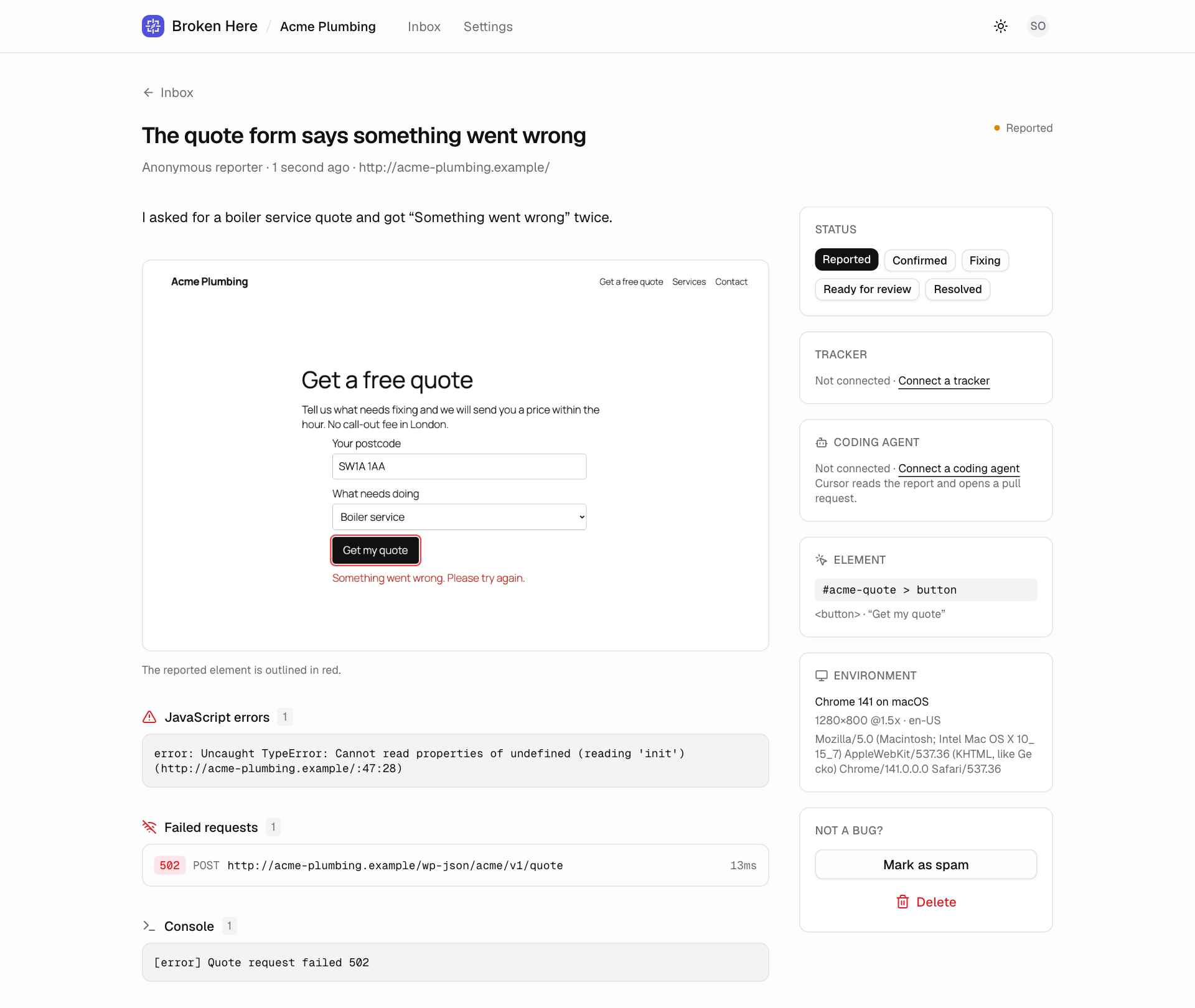
- a screenshot of the page, with password fields blurred before it is taken
- the page's address, the browser, the operating system and the screen size
- the element on the page, if they pointed at one
- the JavaScript errors and console warnings from your site's own code
- the requests that failed around the moment they reported
- Install and activate the plugin.
- Create a free account on brokenhere.com and add your site.
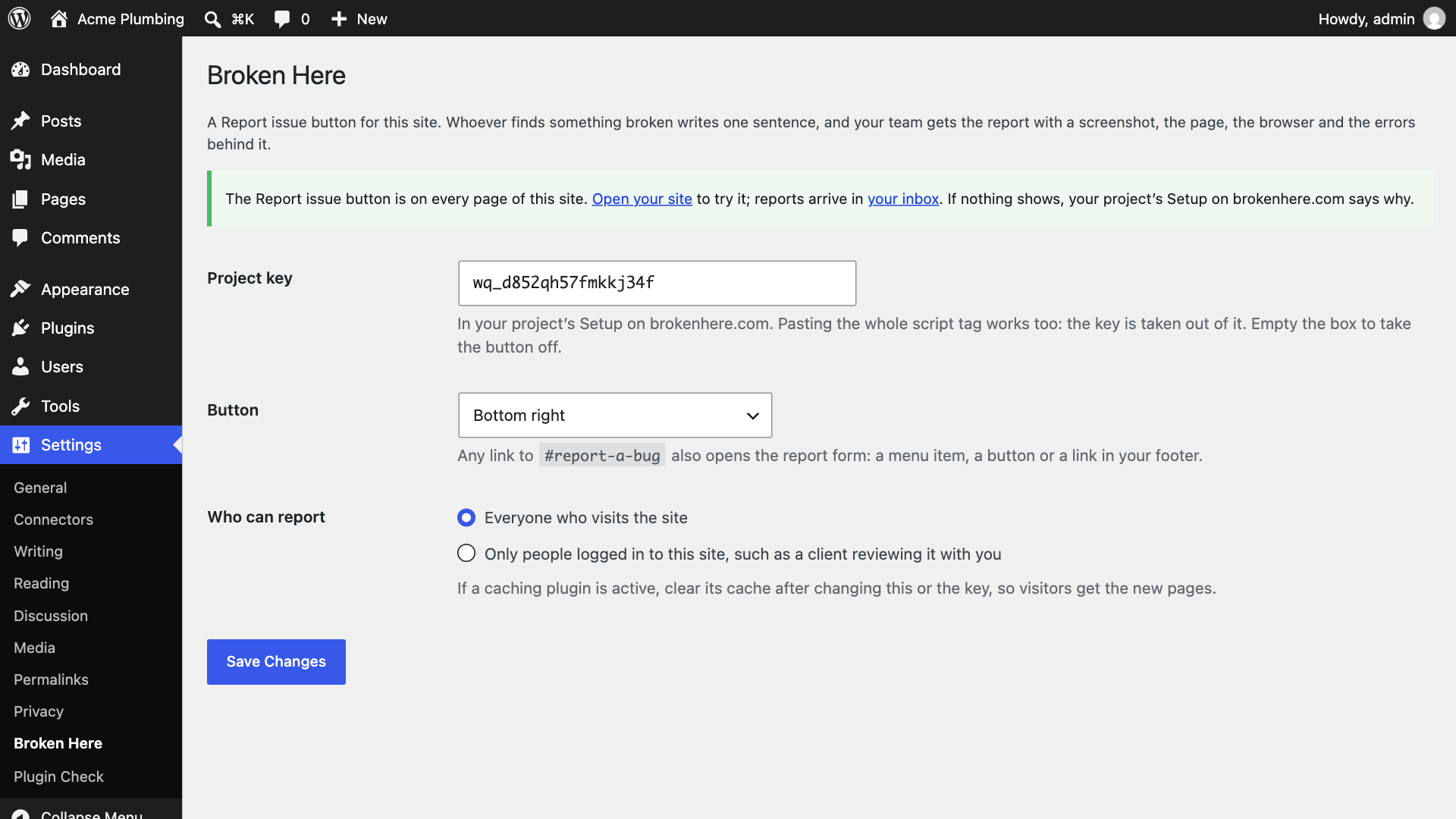
- Paste your project key under Settings › Broken Here.
安装:
- In your WordPress admin, go to Plugins › Add New Plugin, search for Broken Here, then install and activate it.
- Create a free account at brokenhere.com and add your site. Your project's Setup shows its key, which starts with
wq_. - Go to Settings › Broken Here and paste the key. Pasting the whole script tag from Setup works too.
- Open your site. The Report issue button is in the bottom right corner, and your project's Setup says Live.
屏幕截图:
常见问题:
Do the people reporting need an account?
No. They write a sentence and press Send. Adding their name or email is up to them.
Where do I find my project key?
On brokenhere.com, open your project, then Settings › Setup. The key starts with wq_.
Can I show the button only to my client?
Yes. Under Settings › Broken Here, choose Only people logged in to this site. Give your client a login to the site, and visitors see nothing.
Can I use my own link instead of the floating button?
Yes. Any link to #report-a-bug opens the report form: add a menu item, a button or a link with that address. To hide the floating button, set Button to No floating button, only my own links.
Can I move the button or change its colour?
Choose a corner under Settings › Broken Here. For the colours, add this to Appearance › Customize › Additional CSS (or Styles › Additional CSS in the site editor) with your own colour:
[data-wq-root] { --wq-accent: #2f6b4f; }
The customising guide lists every colour and font you can set.
Does it slow my site down?
No. The button loads asynchronously after your page. A small script in the page's head keeps any error thrown while the page loads until the button arrives; it only listens.
Does it work with caching and optimization plugins?
Yes. Clear the cache after changing the settings. If your optimization plugin delays JavaScript until the visitor scrolls or taps, the button appears then. The small script that keeps errors from the start of the page load is marked so that WP Rocket, LiteSpeed Cache, Jetpack Boost and Cloudflare's Rocket Loader run it straight away; with another plugin that delays it, add broken-here-early to that plugin's list of scripts not to delay.
Is it GDPR-friendly? Does it set cookies?
The button sets no cookies. Password fields are blurred in the visitor's browser before the screenshot is taken, and addresses lose anything that looks like a secret before they are sent. Headers, cookies and console.log output are never collected. The details are under External services, below, and in what gets captured.
Does it work with WooCommerce and page builders?
Yes. The button is added to every page your theme prints, whatever built it.
What about multisite?
Each site in a network is a site in Broken Here, with its own key under its own Settings › Broken Here.
What happens to my reports if I delete the plugin?
They stay in Broken Here. Deleting the plugin removes its settings from WordPress and nothing else.
更新日志:
- First release: the Report issue button on every page, or only for people logged in, in the corner you choose or opened from your own links.