
BundleCraft
| 开发者 | technicalhimanshu |
|---|---|
| 更新时间 | 2026年8月19日 20:46 |
| PHP版本: | 7.4 及以上 |
| WordPress版本: | 7.1 |
| 版权: | GPLv2 or later |
| 版权网址: | 版权信息 |
详情介绍:
BundleCraft makes it easy for WooCommerce store owners to create unlimited product bundles or combo offers with complete flexibility.
Display bundles anywhere using simple shortcodes, customize titles and offer text, and apply discounts to increase sales — all without writing any code.
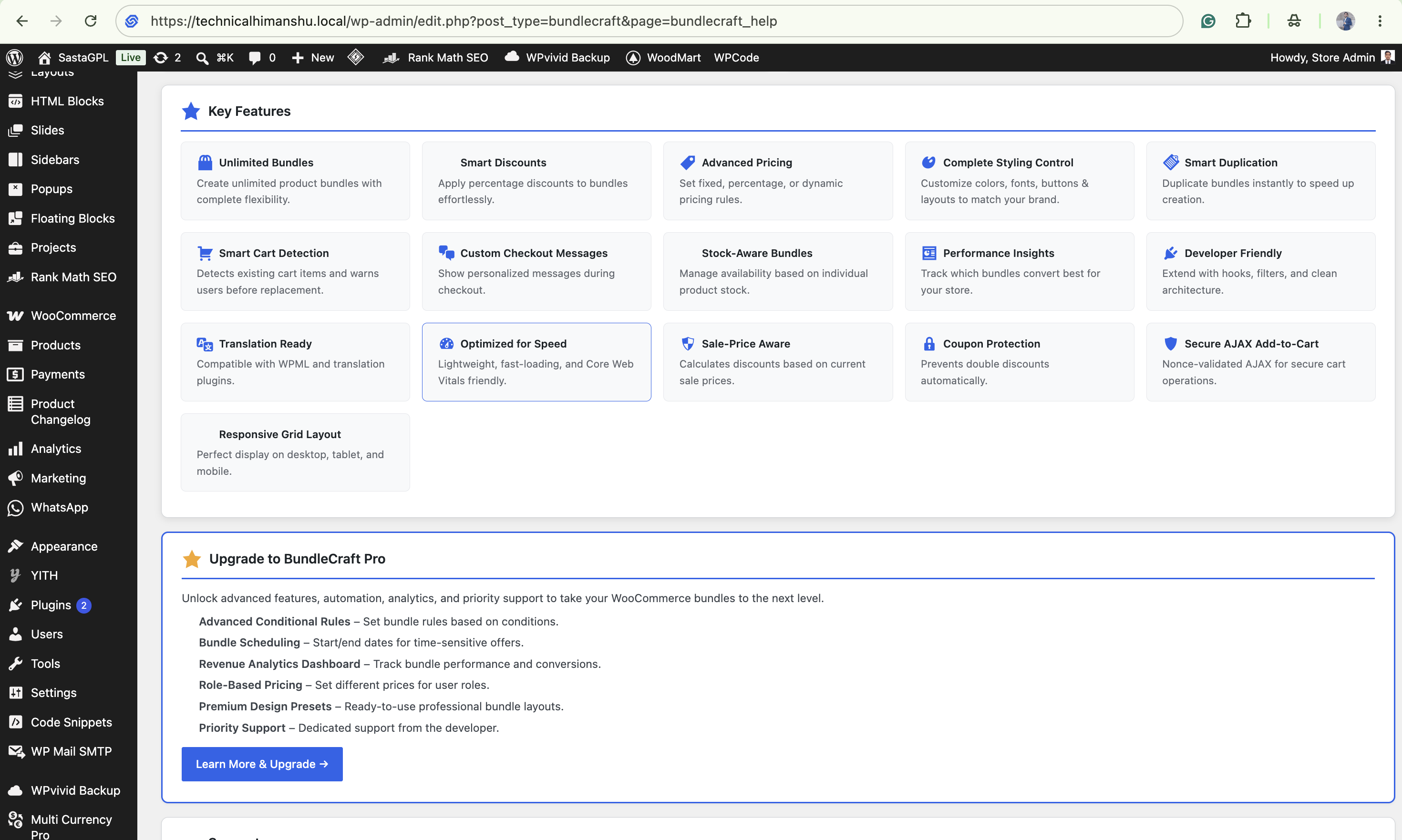
🚀 Key Features
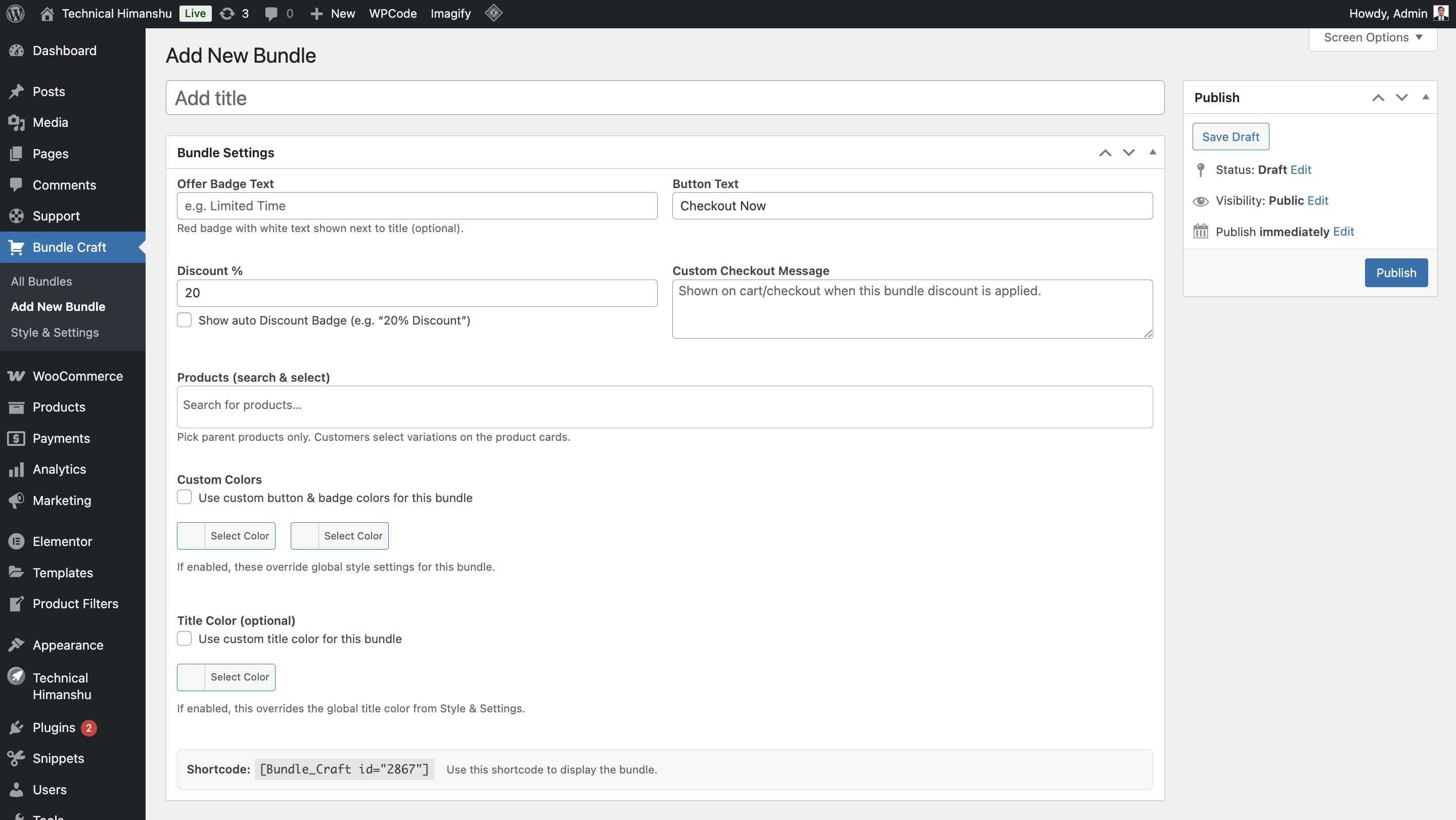
- Create unlimited product bundles.
- Apply custom percentage discounts.
- Responsive grid layout (desktop, tablet, mobile).
- Shortcode support for flexible placement.
- Clean and user-friendly admin interface.
- Works with all WooCommerce-compatible themes.
- Duplicate bundles instantly.
- Copy shortcode and Live Preview support.
- WooCommerce HPOS compatible.
- Secure AJAX add-to-cart with nonce validation.
- Tested with latest WooCommerce and WordPress releases.
- Automatically uses sale price when available (fallback to regular price).
- Displays transparent “You Save” pricing.
- Implements Model-B conditional discount logic:
- Discount applies only when all bundle products are in cart.
- Discount is removed instantly if bundle is broken.
- Prevents double discounting issues.
- Shows discount clearly in cart:
- “Bundle Discount Applied (-₹X)”
- Lightweight pricing cache for performance.
- Complete admin interface redesign with card-based layout.
- Consistent brand styling with #2663EB accent colour.
- Intuitive tabbed settings for easier configuration.
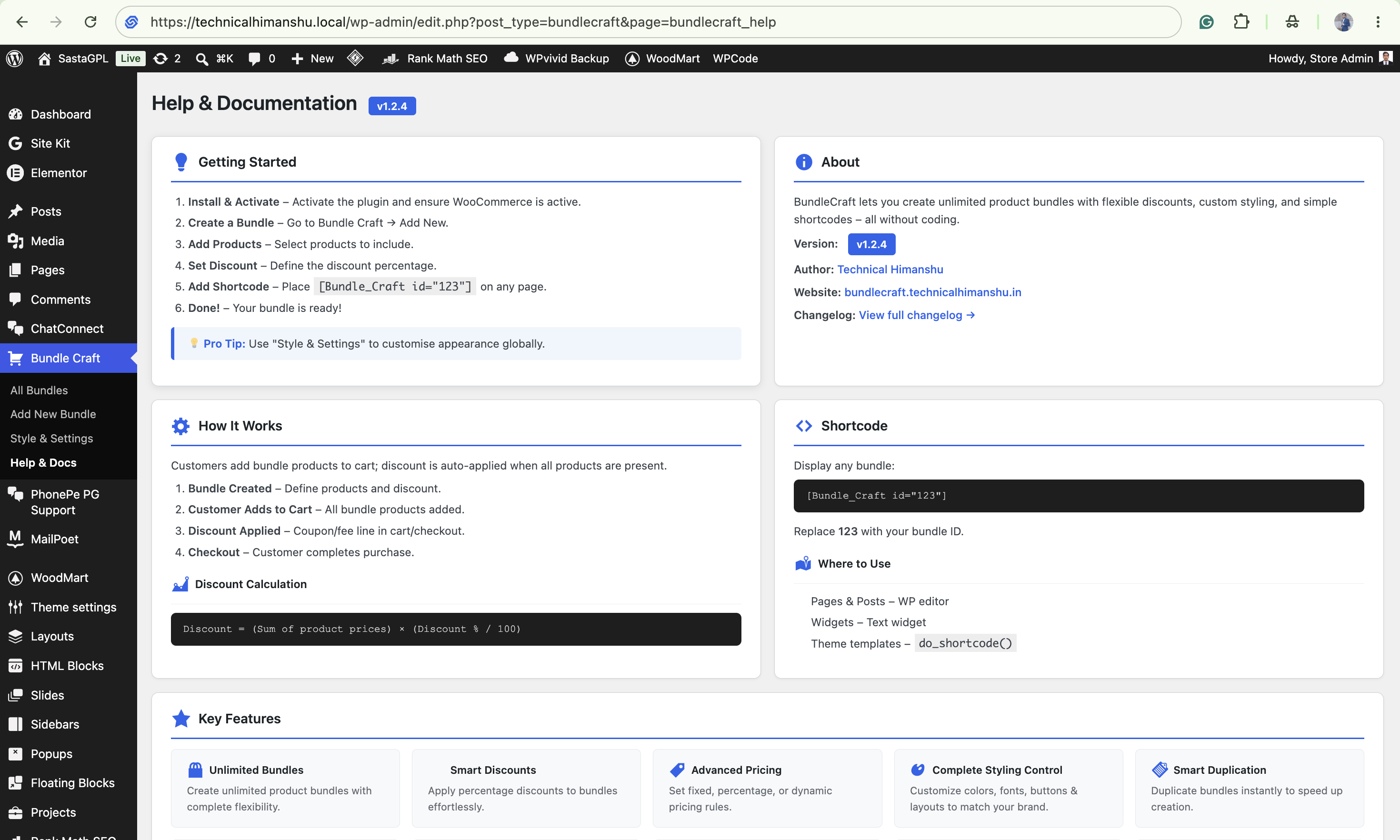
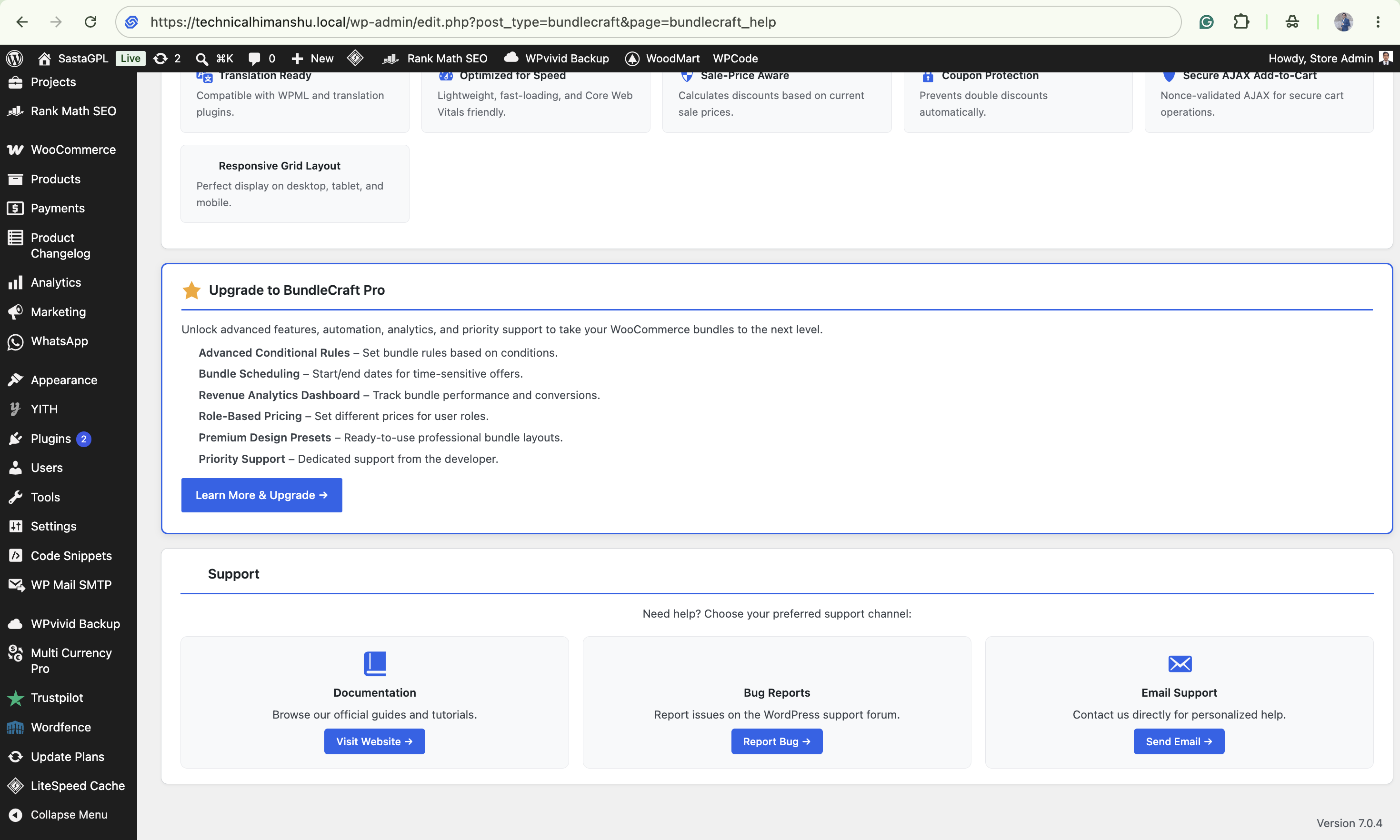
- Professional Help & Documentation page.
- Enhanced bundle list table with hover effects and styled buttons.
- Improved spacing and alignment throughout.
- Upload the plugin files to the
/wp-content/plugins/bundlecraftdirectory, or install via the WordPress Plugins screen. - Activate the plugin.
- Create bundles from BundleCraft → Add New Bundle.
- Use shortcode
[bundle_craft id="123"]to display bundles.
[bundle_craft id="123"].
Does it support WooCommerce sale prices?
Yes. BundleCraft automatically uses the sale price if available, ensuring accurate bundle totals.
Will discounts apply if customer removes a product?
No. BundleCraft uses Model-B conditional logic, so discounts only apply when all bundle items are present.
Will discounts apply twice?
No. The plugin prevents double-discount issues and ensures only one correct discount is applied.
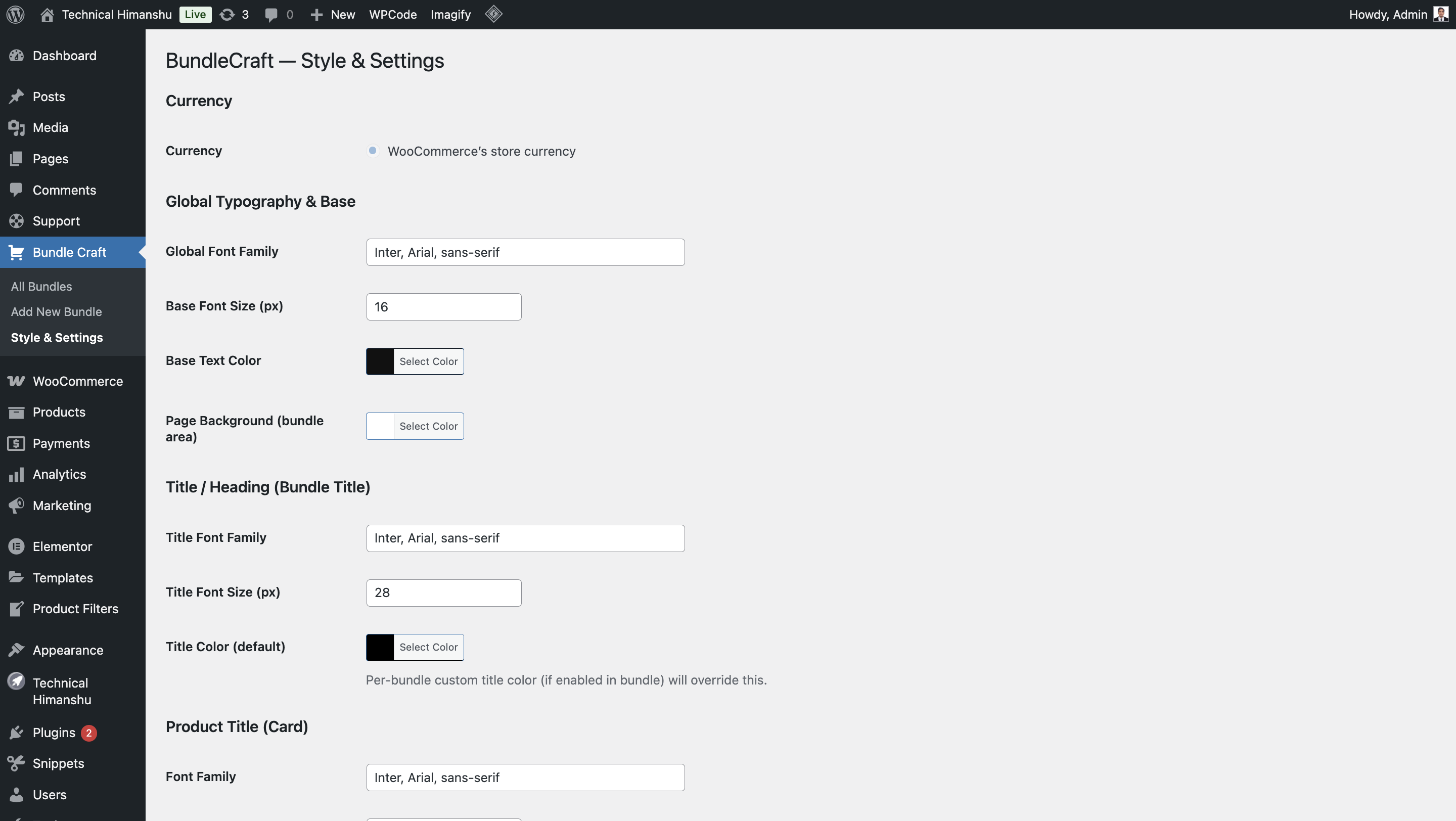
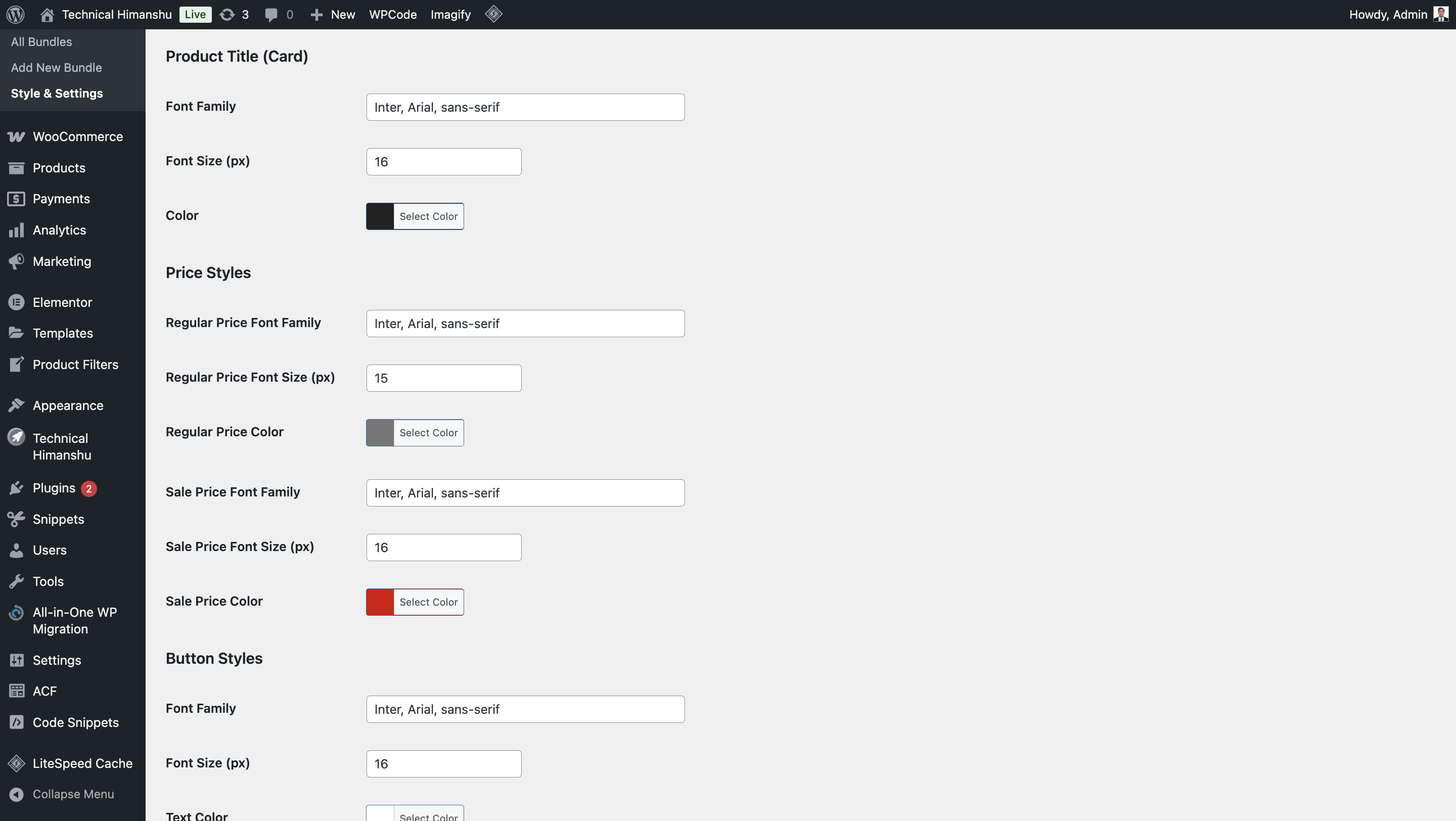
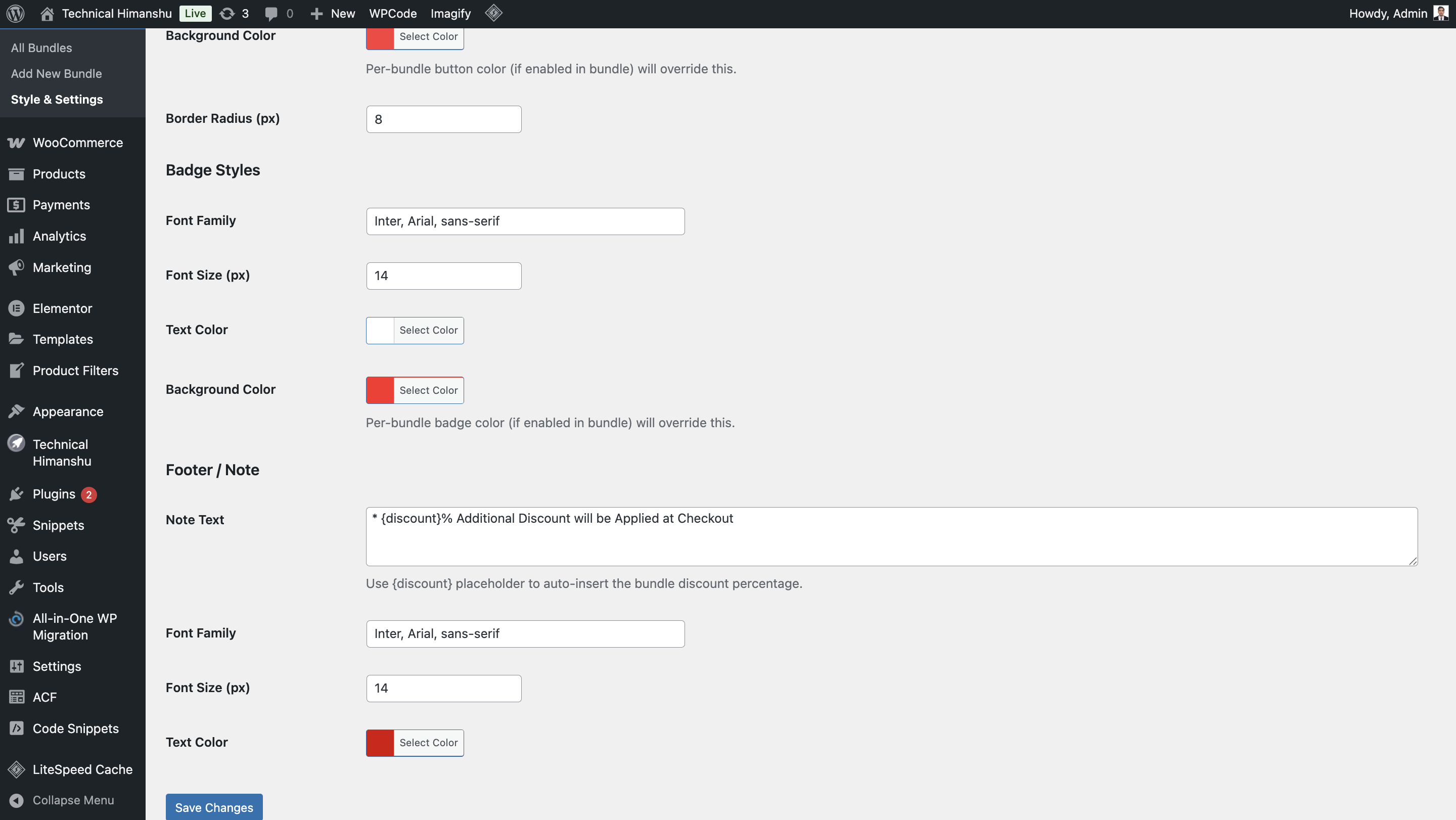
Can I customize design and layout?
Yes. You can control styles from settings or override via your theme.
Does it work with multi‑currency plugins?
Yes. BundleCraft is fully compatible with popular multi‑currency plugins like CURCY and Multi Currency Pro.
屏幕截图:
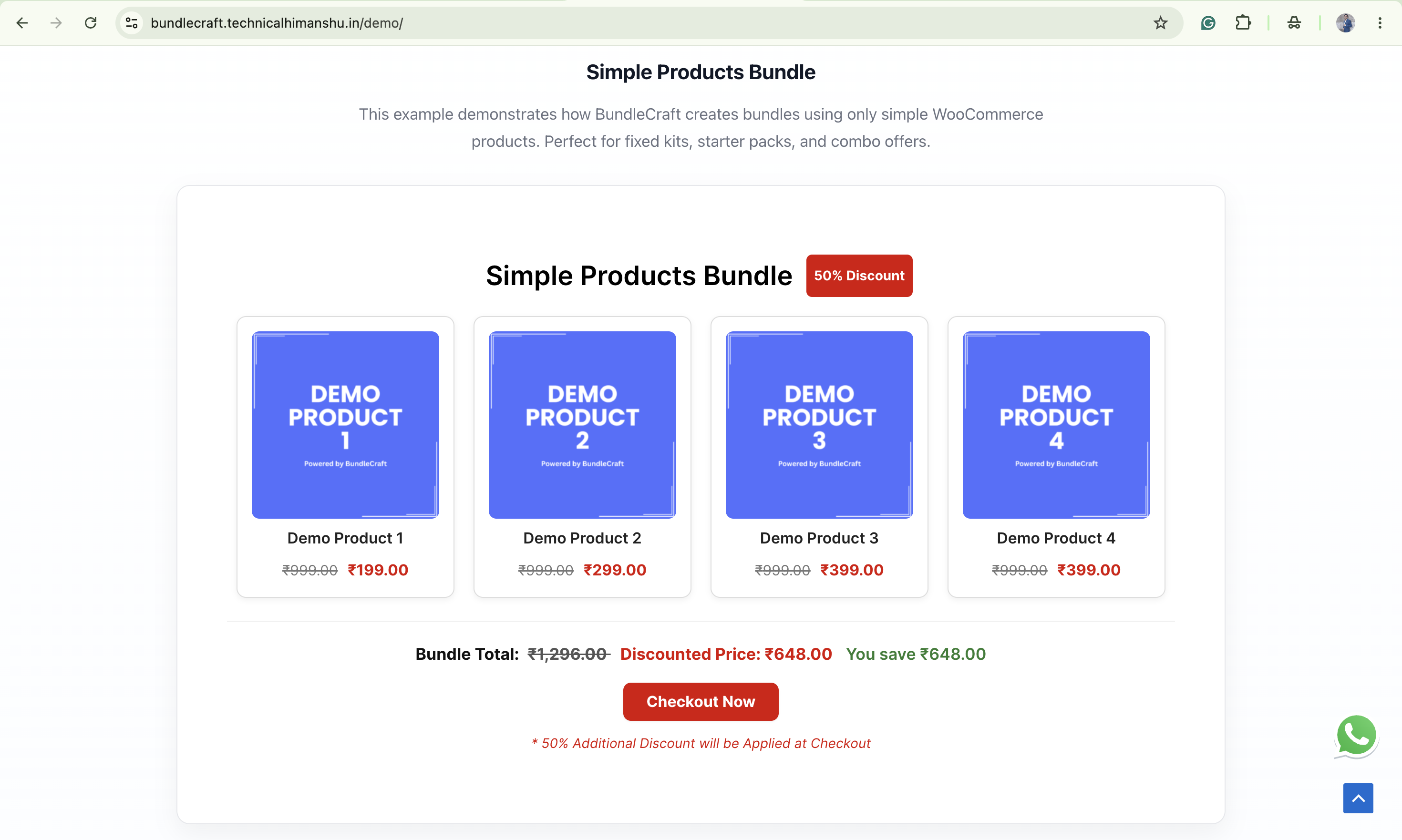
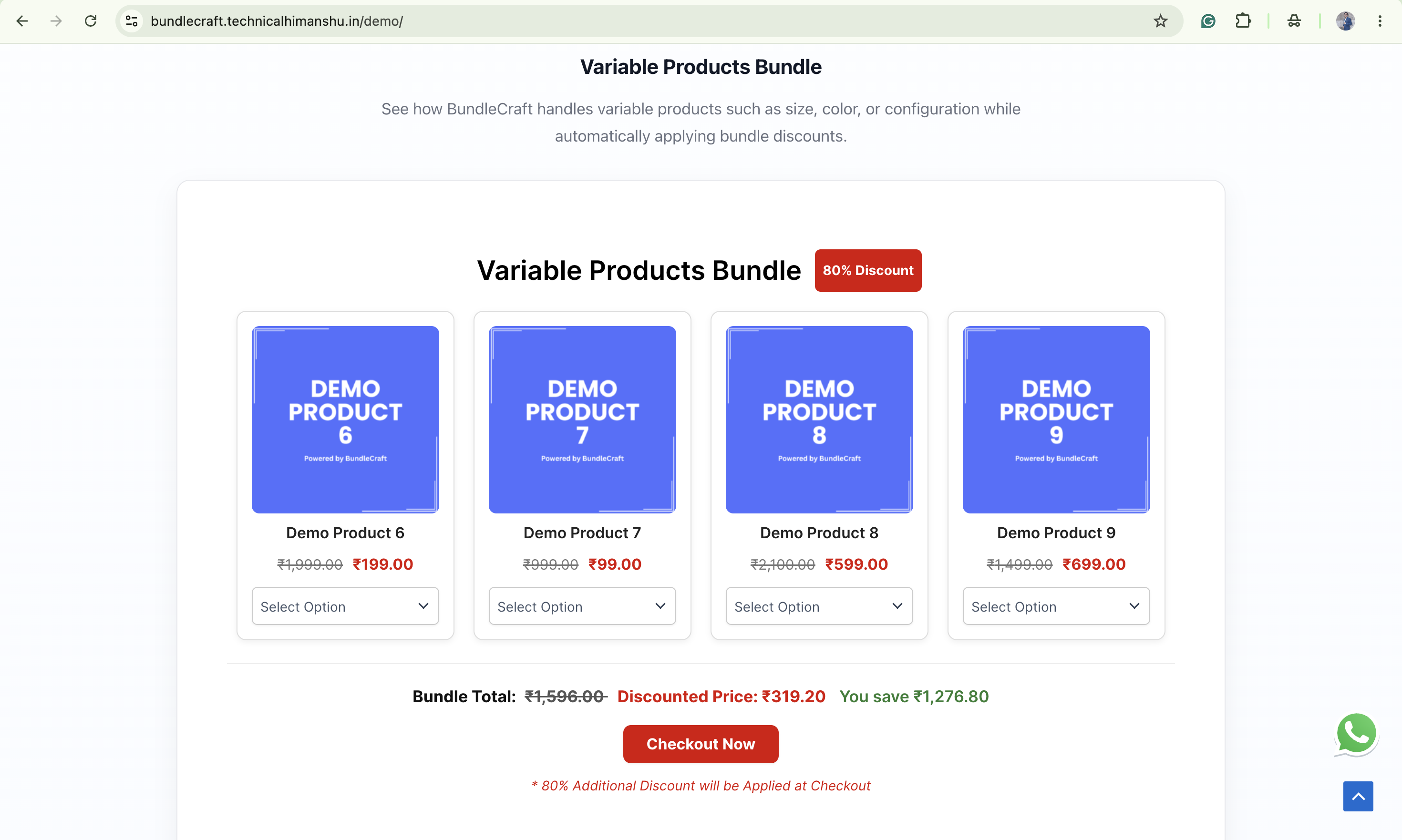
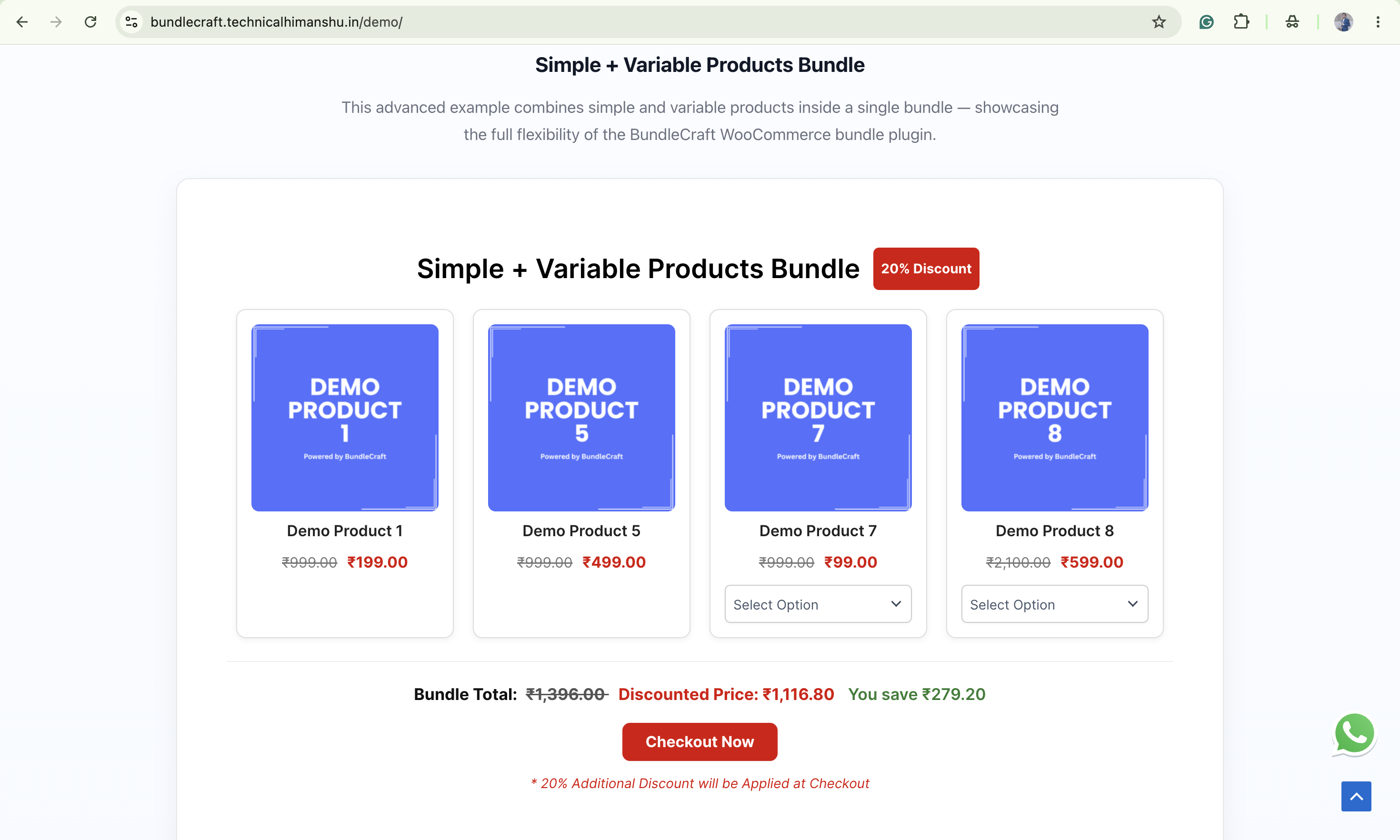
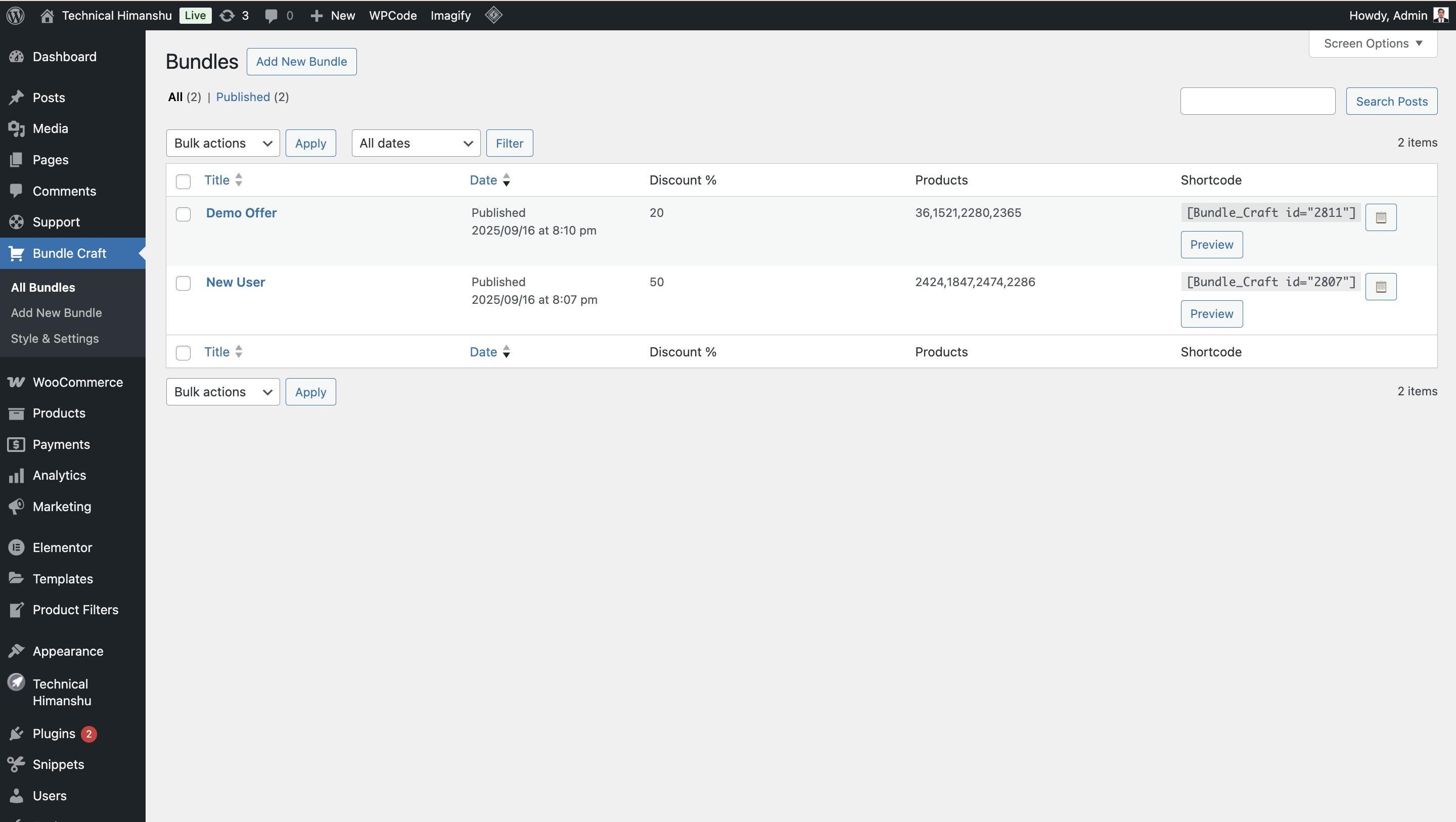
更新日志:
1.2.4
- WordPress 7.1 Compatibility
- Tested and verified with WordPress 7.1.
- Updated "Tested up to" header.
- Ready for WordPress 7.1 release (August 19, 2026).
- Complete Admin UI Overhaul
- Redesigned all admin screens with modern card-based layout.
- Introduced consistent brand colour (#2663EB) across the entire plugin.
- Added tabbed navigation for Settings page.
- Enhanced Add/Edit Bundle screen with better spacing and visual hierarchy.
- Improved Bundle list table with row hover effects and styled buttons.
- Professional Help & Documentation Page
- Added comprehensive Help & Documentation section.
- 2‑column compact layout for better visibility.
- 16 key features listed with Dashicons.
- Upgrade to Pro section with clear CTAs.
- Support section with icon cards and styled buttons.
- Discount Engine Enhancements
- Improved compatibility with multi‑currency plugins.
- Added fallback logic when bundle meta is missing.
- Enhanced coupon‑based discount display with professional labels.
- Fixed duplicate discount issues with other plugins.
- Frontend Improvements
- Added bundle‑specific CSS classes to prevent style conflicts.
- Improved add-to-cart JavaScript for better reliability.
- Enhanced cart detection and replacement confirmation.
- Brand Consistency
- Applied #2663EB brand colour to all icons, borders, and accents.
- Consistent black & white styling throughout.
- Professional, polished look across all admin screens.
- Performance & Stability
- Optimised CSS and JavaScript loading.
- Improved spacing and alignment for better usability.
- Cleaner code architecture for future maintainability.
- Tested compatibility with WordPress 7.0
- Tested compatibility with WooCommerce 10.7.0
- Verified compatibility using Plugin Check
- Minor stability and maintenance improvements
- Major UX Improvement
- Removed repetitive font settings from admin panel.
- Introduced simplified global typography system.
- Pricing Logic Enhancement
- Upgraded to Model-B conditional discount logic.
- Discount now applies only when full bundle is present.
- Discount automatically removed when bundle is broken.
- Cart & Checkout Improvements
- Display discount clearly as:
- “Bundle Discount Applied (-₹X)”
- Fixed duplicate discount issue between bundle page and cart.
- UI & Consistency Fixes
- Improved pricing consistency between bundle page and checkout.
- Better alignment of frontend and cart totals.
- Code Quality
- Cleaner architecture for discount handling.
- Improved maintainability and future scalability.
- Fixed conditional bundle discount logic.
- Improved cart recalculation behavior.
- Ensured discount removes when bundle incomplete.
- Minor internal stability improvements.
- Security Enhancements
- Added secure nonce verification for frontend add-to-cart requests.
- Strengthened WooCommerce session validation and product sanitization.
- Improved server-side validation before modifying cart contents.
- Frontend Improvements
- Replaced inline JavaScript with properly enqueued external scripts.
- Added localized, translatable frontend messages.
- Improved variation selection handling and error feedback.
- Performance & Code Quality
- Optimized script loading only when shortcode is used.
- Reduced unnecessary frontend processing.
- General code cleanup and WordPress coding-standards improvements.
- Compatibility
- Fully backward compatible with previous versions.
- Tested with latest WordPress and WooCommerce environments.
- Professional Pricing Engine
- Added automatic sale-price detection for bundle calculations.
- Introduced transparent “You Save” bundle savings display.
- Implemented Model-A single-discount logic to prevent double discounts.
- Locked bundle pricing in WooCommerce cart totals for accuracy.
- Blocked coupons from re-discounting bundle items.
- Added internal pricing cache for improved performance.
- Security & Stability Improvements
- Hardened AJAX request handling with improved validation.
- Additional sanitization and escaping for admin actions.
- Removed forbidden system files from the plugin package.
- Maintenance Update
- Version consistency fixes.
- No functional or UI changes.
- Fully backward compatible and safe to update.
- Security & Standards Compliance
- Fixed WordPress.org review issues with script enqueuing.
- Removed inline JavaScript and CSS from PHP templates.
- Properly enqueued all scripts using WordPress APIs.
- Added nonce verification and security checks.
- Performance Improvements
- Optimized admin script loading.
- Cleaner output and reduced inline code.
- Code quality improvements.
- Improved admin usability and validation.
- Tested and verified compatibility with WordPress 6.9.
- Updated plugin compatibility headers.
- Refined JavaScript and CSS structure.
- Improved code organization.
- Inline shortcode, copy, and preview buttons.
- Smart duplication via row action.
- WooCommerce HPOS compatibility.
- WordPress.org compliance cleanup.
- Transparent background default.
- Improved admin settings structure.
- Responsive bundle grid improvements.
- Better alignment across devices.
- Minor bug fixes and performance improvements.
- Initial public release.