
Business Card Block – present your team and contact info in style
| 开发者 |
abuhayat
charlescormier bplugins ruhulamin2026 freemius asadsuzan |
|---|---|
| 更新时间 | 2026年9月14日 12:26 |
| 捐献地址: | 去捐款 |
| PHP版本: | 7.4 及以上 |
| WordPress版本: | 7.1 |
| 版权: | GPLv3 or later |
| 版权网址: | 版权信息 |
详情介绍:
.vcf file.
You build the card in the WordPress block editor, and place it with a block, a shortcode, or the Elementor widget — whichever suits the page.
Who it is for
- Freelancers and consultants who want a shareable contact card rather than a contact form.
- Local businesses — clinics, salons, restaurants, trades — where the goal is a phone call.
- Agencies building profile pages and staff pages for clients.
- Link-in-bio and about pages that need scan-to-save instead of a row of icons.
tel:, mailto: and a map link. WhatsApp, Telegram and Skype open the right app. IMO and WeChat publish no web link of their own, so those show a copy button instead of a broken one.
Every action is a proper link or button with a screen-reader label and a visible focus ring, so keyboard and screen-reader visitors get the same card everyone else does.
A QR code that saves the contact
By default the code carries your details as a vCard, so scanning it offers to add you to the phone's address book immediately — no browser step in between. You can point it at the page's own URL or a custom link instead.
The code is generated on your server as a sharp SVG and cached, so no QR JavaScript library is loaded for your visitors.
Or keep the code out of the way until it is wanted
The QR does not have to sit in the layout. Two interactive presentations keep the card focused on who you are, and bring the code forward only when someone wants it:
- Reveal puts a small QR icon in a corner of the card. Hovering it opens the code across the whole card, and a close button returns to your details. Choose which corner the icon sits in.
- Interactive Flip gives the card a second side. The front stays exactly as it is and the code moves to the back, positioned wherever you like from nine presets or placed by hand.
.vcf follows the vCard 3.0 spec — correct line endings, proper escaping, structured name and address fields, and full UTF-8 — so accented and non-Latin names arrive intact in iOS Contacts, Google Contacts and Outlook.
Readable by search engines
Each card can output Schema.org structured data describing the name, job title, employer, phone, email, website and address. Leave it on Automatic, or choose Person, Organization or Local Business yourself. You can switch it off per card if an SEO plugin already covers that page.
Design it without writing CSS
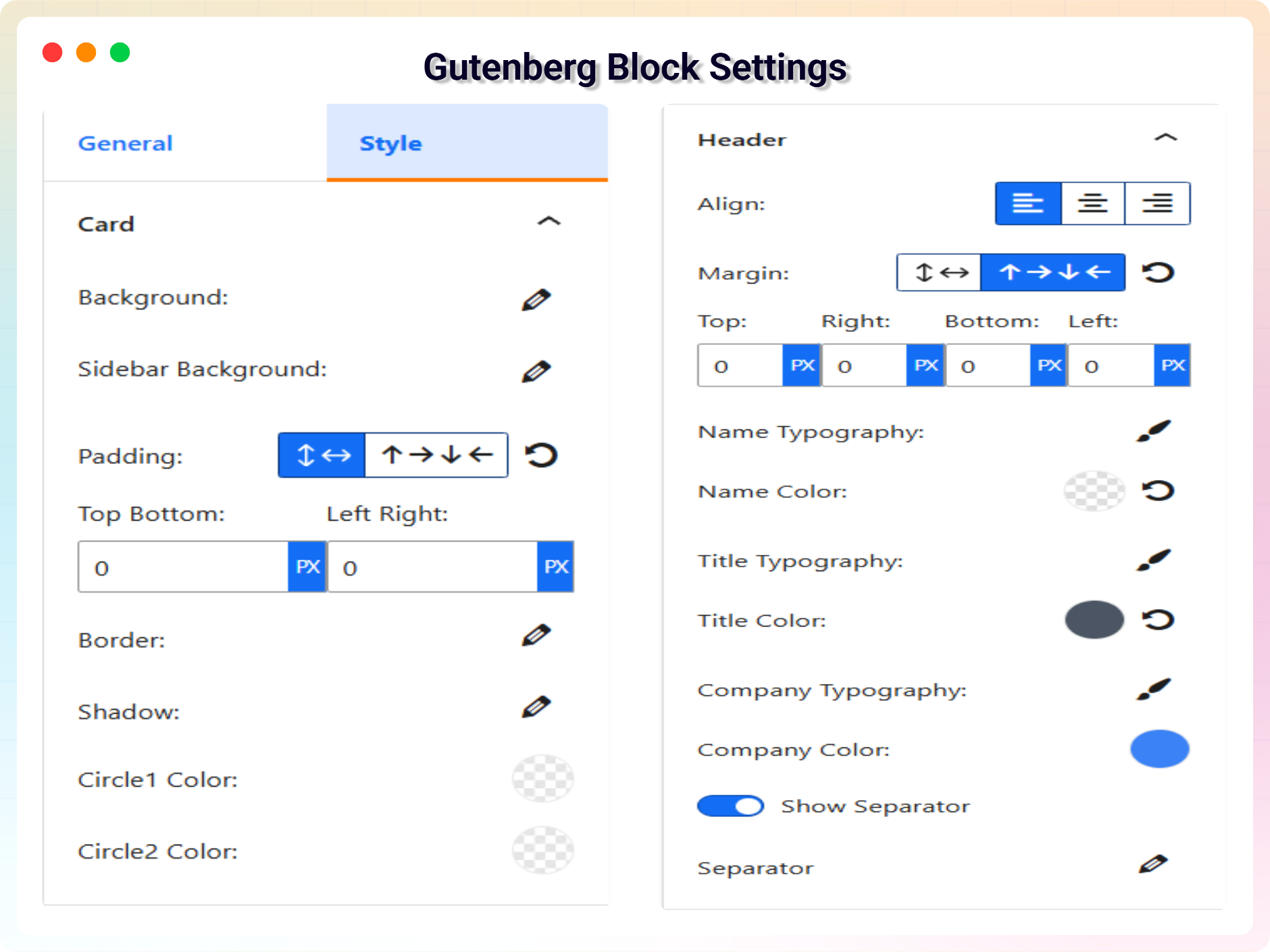
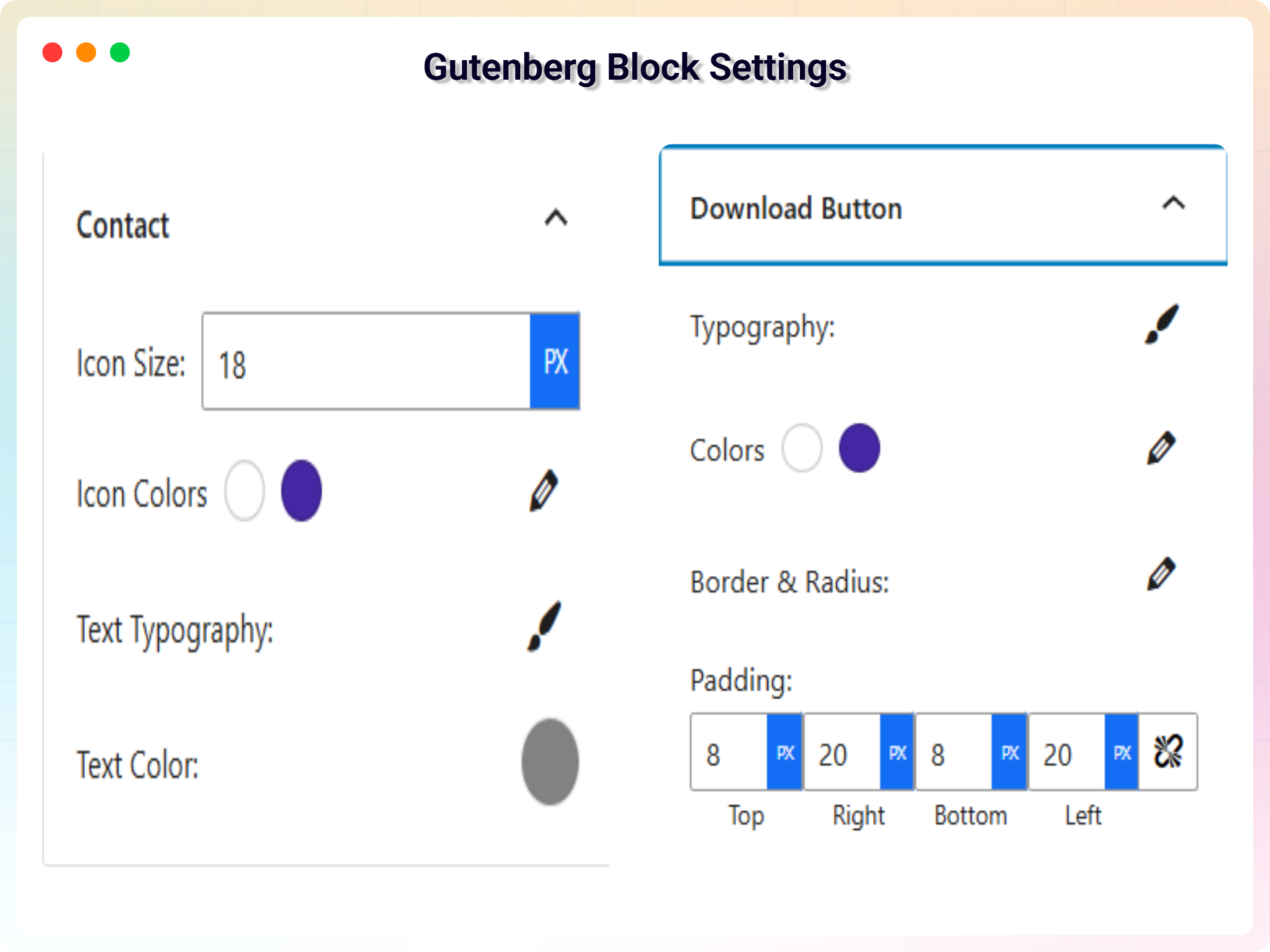
Choose a layout, then set widths, padding, alignment, backgrounds and text and icon colours from the block sidebar. Add a profile photo and a company logo with mask shapes and shadow styles, and switch on entrance animations with control over duration, delay and stagger.
Free version includes
- One Business Card block with five layouts: Default, Minimal QR, Theme 1, Theme 2 and Theme 3.
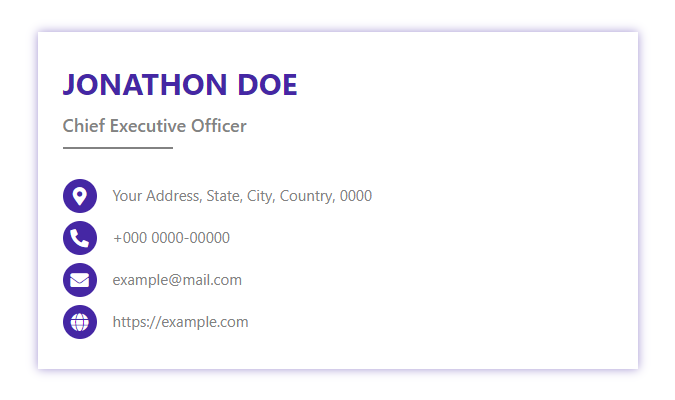
- Name, job title, company, tagline, profile photo and company logo.
- Ten contact types: Address, Phone, Email, Website, WhatsApp, Telegram, Skype, IMO, WeChat, and a free-form option.
- Clickable contact actions, with copy-to-clipboard for the apps that have no web link.
- QR code with a choice of what it encodes, plus size, error-correction level, an optional label and caption, and an optional centre mark using your initials or logo.
- Three QR presentations: standard, inside the card; a corner icon that opens the code over the whole card; or an interactive flip that turns the card over — each with its own placement options.
- Downloadable
.vcffile with an editable button label. - Schema.org output with a choice of Person, Organization or Local Business.
- Shortcode support, including attributes for reusing one card with a different design or contact value.
- An Elementor widget, loaded only when Elementor is active.
- Five entrance animations — Reveal, Slide, Flip, Polaroid and Zoom — with duration, delay, stagger and easing controls.
- Backgrounds using solid colours, gradients or images, plus padding, alignment, separators, and name, title, company and contact colours.
- Five avatar mask shapes (circle, squircle, hexagon, blob, diamond), three shadow styles, a zoom hover effect, a monochrome mode for the logo, and overlap or stack branding layouts.
- A Business Cards screen for managing saved cards, and a blocks manager for turning individual card blocks on and off.
安装:
- Go to Plugins → Add New and search for Business Card Block.
- Install and activate it.
- Edit any post or page, add the Business Card block, and fill in your details.
- Download the plugin zip file.
- Go to Plugins → Add New → Upload Plugin, choose the file, and click Install Now.
- Activate the plugin.
- Upload the plugin folder to
/wp-content/plugins/. - Activate it from the Plugins menu.
- Go to Business Cards in the admin menu and create a card.
- Copy its shortcode from the ShortCode column, for example
[bcb id="12"]. - Paste it into any post, page or widget area — or call
echo do_shortcode( '[bcb id="12"]' );in a template file.
- Edit a page with Elementor.
- Search the widget panel for Business Card.
- Drag it in, then either choose a saved card or fill in the details in the widget panel.
屏幕截图:
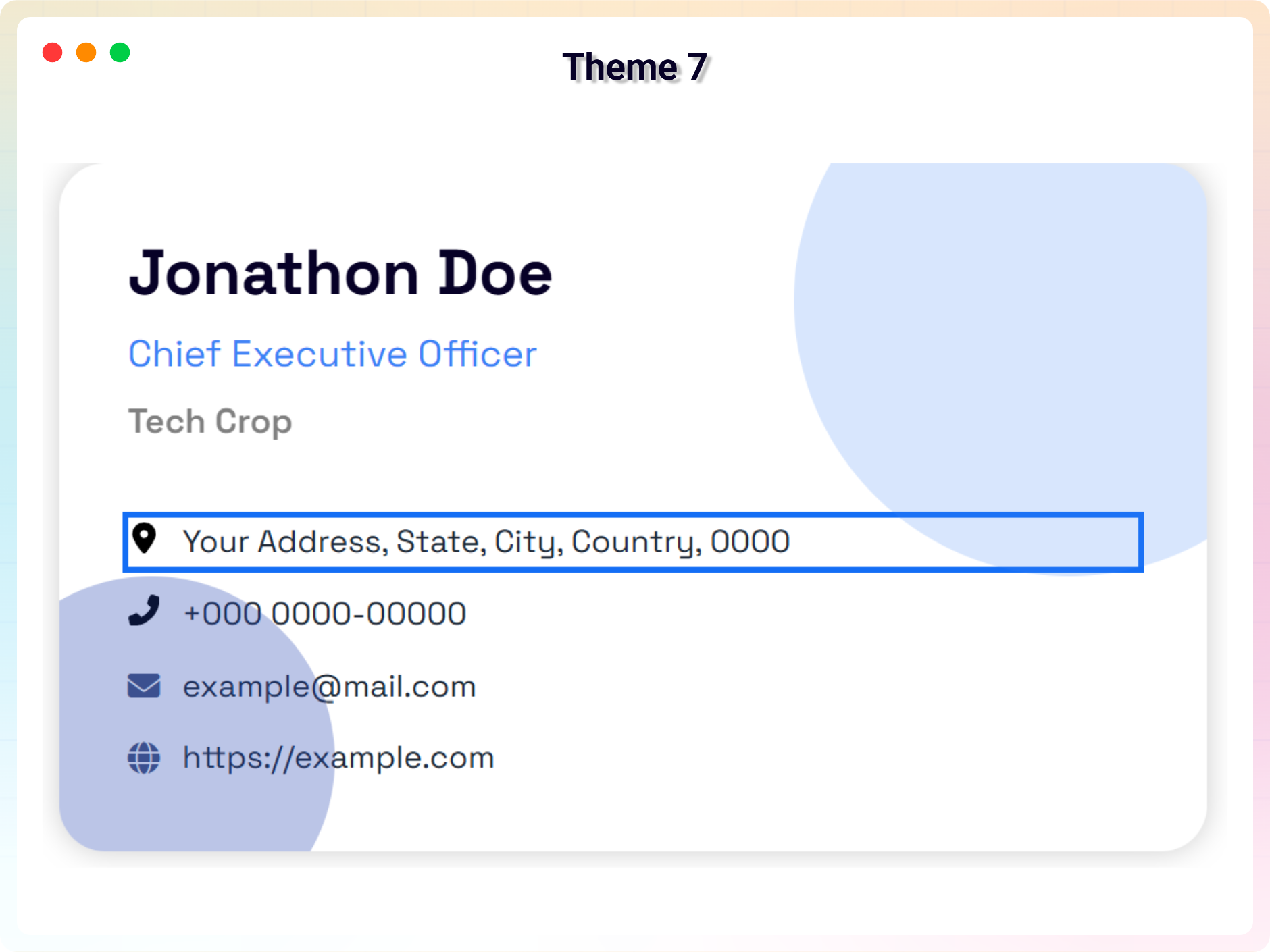
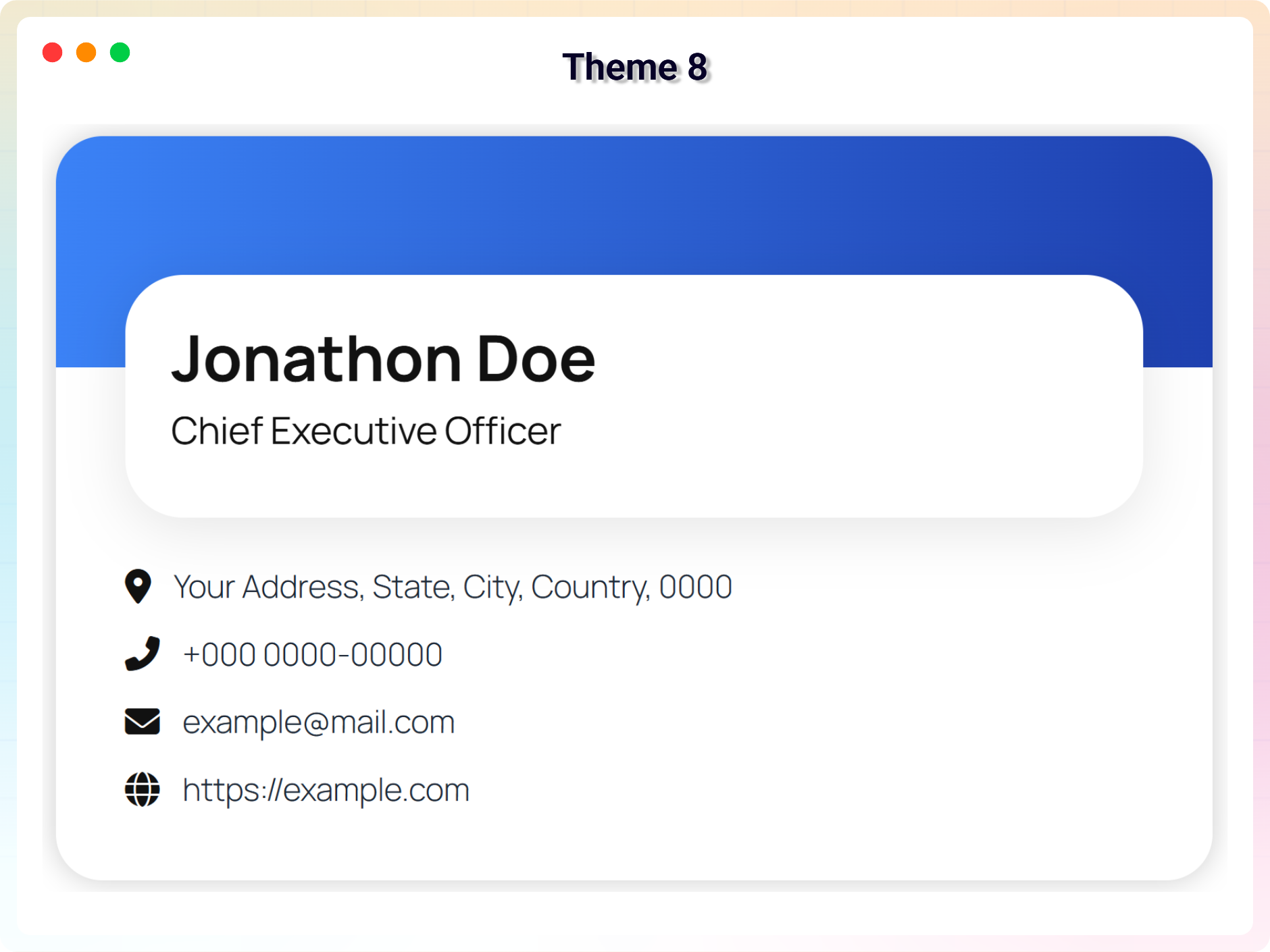
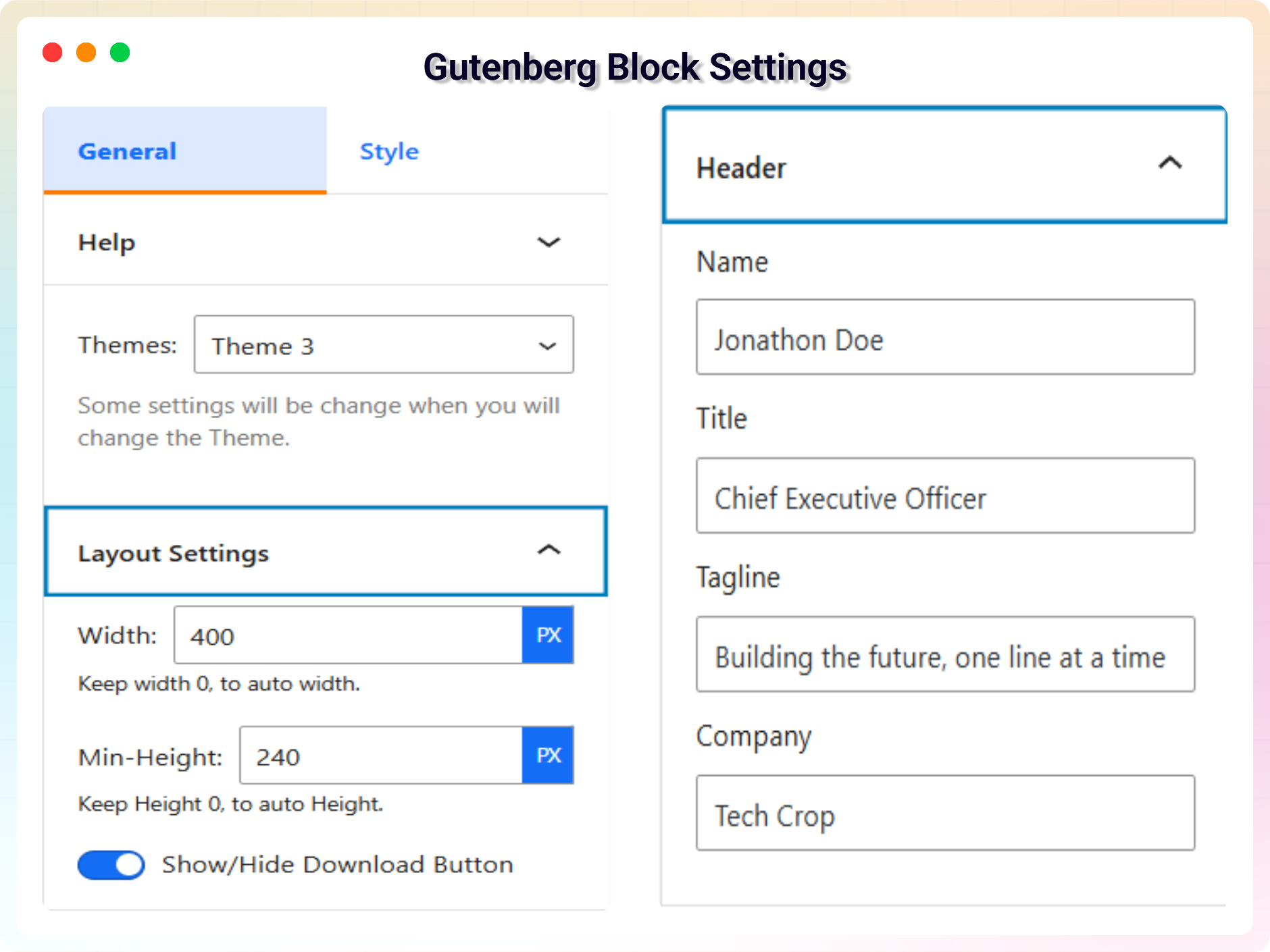
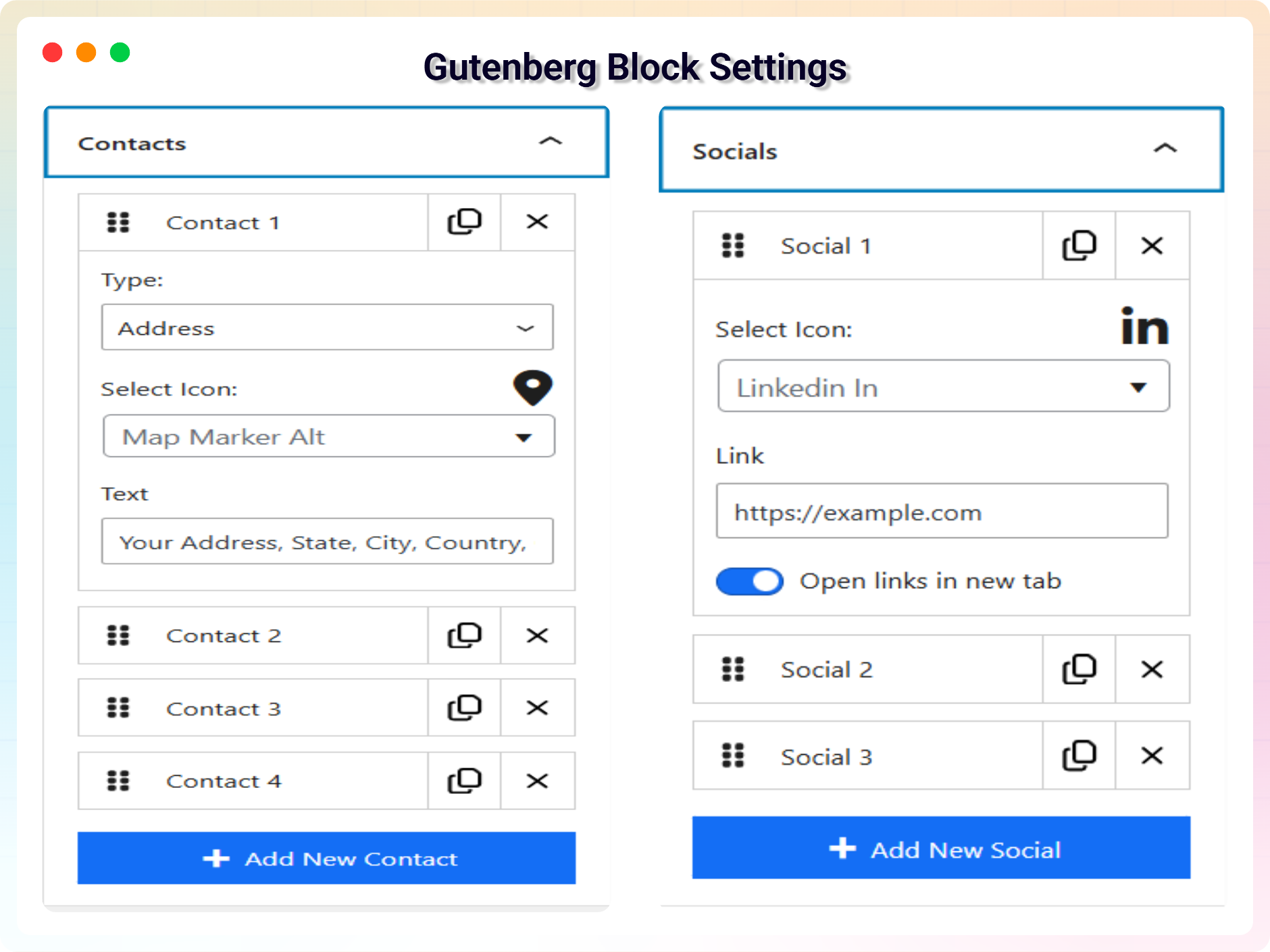




常见问题:
Do I need to know CSS?
No. Layouts, colours, spacing, backgrounds and animations are all set from the block sidebar.
What does the QR code contain?
By default it encodes your contact details as a vCard, so scanning it with a phone camera offers to save you to the address book straight away. You can switch it to encode the page's own URL or a custom link instead.
Does the QR code have to take up space on the card?
No. Set the QR display to Reveal and a small icon sits in a corner instead, opening the code over the whole card when someone hovers, taps or focuses it — with a close button to go back. Interactive Flip is the other option: the card turns over and the code lives on the back. Either way the front keeps its existing design, and existing cards are unaffected unless you switch one of these on.
Does the QR code slow my site down?
No. It is generated on your server as an SVG and cached, so no QR JavaScript library is loaded for visitors.
Will the downloaded .vcf file work on iPhone and Android?
Yes. It follows the vCard 3.0 spec, including correct line endings, escaping and UTF-8, so accented and non-Latin names import intact.
Can I use it without the block editor?
Yes. Every saved card has a shortcode you can paste into a post, page, widget area or template file, and there is an Elementor widget if you build with Elementor.
Will it work with my theme?
Yes, it works with any standard WordPress theme. The card takes its colours and spacing from the block settings rather than depending on the theme.
Is it accessible?
Contact actions are real links and buttons with screen-reader labels and visible focus states, and the QR image carries alternative text.
How many cards can I create?
As many as you like, in both the free and Pro versions.
Where can I get support?
Post your question on the support forum, or email support@bplugins.com.
更新日志:
- Fix - The company field in block settings was not being saved, defaulting to "Tech Crop" for all new cards. The default is removed and the field now respects user input.
- Fix - Contact rows, particularlyIMO and WeChat, were sometimes shown with an icon even when they had no value. The block now only renders a contact row when there is actual content.
- Fix - Downloaded vCard files started with a byte-order mark, which made strict address books refuse to import them — iOS Contacts and Windows Contacts among them. The mark is gone and the character encoding is declared on the download itself.
- Fix - The QR code Size control had no effect on several card designs, where a built-in size overrode the chosen value. Per-design sizes now act as an upper limit, so the control works on every card.
- Fix - Contact rows used different markup in the editor preview than on the published page, so spacing and alignment drifted between the two. Both now render the same structure.
- Fix - Admin styles and scripts could be served from a stale browser cache after an update, because the asset version had stopped tracking the plugin version.
- Fix - The website exported to the vCard is now a complete URL. A value typed without "https://" was written to the file verbatim, which some address books stored as an unusable link.
- New - Added QR code sharing (vCard, URL, custom link) generated on the server as SVG with zero client-side JavaScript overhead.
- New - Added "Reveal" QR display mode with hover/tap/keyboard triggers, customizable corner icon placement, and readable background fallbacks.
- New - Added "Interactive Flip" QR display mode with 3D card rotation, 9 placement presets, custom positioning, and accessibility respect for reduced motion.
- New - Added optional label, caption, and center mark (initials or logo) for QR codes, with automatic error correction adjustments.
- New - Added dedicated contact fields for WhatsApp, Telegram, Skype, IMO, and WeChat.
- New - Added clickable contact actions (
tel:,mailto:, map links, direct messaging app launches, and copy-to-clipboard for IMO/WeChat). - New - Added Schema.org JSON-LD structured data output (Person, Organization, LocalBusiness) with automatic detection and per-card toggles.
- New - Added "Minimal QR" card layout optimized for clean, QR-first visual presentation.
- Fix - Security: Restricted shortcode rendering to prevent unauthorized access to draft, private, password-protected, or non-card post types.
- Fix - Security: Enforced protocol allow-lists on social links to prevent cross-site scripting (XSS) via
javascript:URIs. - Fix - Security: Server-side enforcement added for premium themes to prevent client-side paywall bypasses.
- Fix - Resolved RFC 2426 compliance issues in vCard exports (line folding, character escaping, structured fields, UTF-8 encoding).
- Fix - Unified editor preview and frontend vCard generator to eliminate data mismatch issues.
- Fix - Fixed an issue in industry blocks where setting panel text/link inputs wiped existing field values on open.
- Tweak - Integrated QR sections directly into card design layouts, respecting local accent colors, corner radii, and responsive sidebars.
- Tweak - Enhanced downloaded
.vcffiles to include profile photo references and messaging handles. - Tweak - Improved typography and layout wrapping for contact/QR text on narrow mobile viewports.
- Tweak - Added visible focus rings and dedicated screen-reader labels for all interactive contact actions.
- Tweak - Made the vCard download button label fully customizable.
- Improvement: Added demo previews for 14 new industry-specific Business Card blocks
- Improvement: Added new screenshots to the readme to showcase the latest features and block designs.
- New: Add Short Code Support For All Child Blocks
- Fix: enhance LicenseActivation with i18n, PHPDoc, and validation improvements
- Improvement: Global Bug Fix: Added strict max character constraints (50-255 characters) to all inputs across all 15 blocks to prevent layout-breaking text.
- Improvement: UI Fix: Adjusted the rendering fallback logic for empty social items and empty SVGs to fix object rendering bugs.
- Improvement: Layout Fix: Enabled safe flex wrapping and word breaks across core elements to preserve geometry under edge cases.
- Improvement: Stability Fix: Updated text fields, constraints, and inputs directly on native controls.
- New: Added 14 new industry-specific Pro Business Card blocks (Restaurant, Medical, Real Estate, Veterinarian, Architect, Barber, Automotive, Tutor, SaaS Founder, Contractor, Salon, Fitness, Photographer, Legal).
- Improvement: Redesigned the Admin Dashboard with a modern Welcome page and a new Blocks manager to enable/disable specific cards.
- Improvement: Grouped all plugin blocks under a dedicated "Business Cards" category in the block inserter.
- New: Added High-Performance Animation System with viewport-aware triggering, 5 animation types, and granular controls.
- New: Added Advanced Branding & Identity System with Overlap/Stack layouts, custom masking, hover effects, and Monochrome mode.
- Improvement: Improved Responsive Architecture 2.0 with intelligent stacking, identity auto-scaling, and contact word-breaking.
- Improvement: Enhanced Performance & Stability with compositor-thread optimization and CSS variable engine.
- Fix: Fixed Help & Demos dashboard rendering blank by loading its assets on every entry URL and including the required wp-api-fetch dependency.
- Improvement: update vCard
- Improvement: Update Admin Dashboard
- Fix: fix header margin issue
- Fix: Bug fix: corrected broken links.
- New: Added six new themes for improved design and customization.
- Improvement: Improve security
- Improvement: Reduce assets load
- New: Add translate feature
- Fix: Fix Width
- Fix: Fix HTML Render
- Fix: Fix CSS issue
- Improvement: Initial Release.