
Buttons - Build Floating, Social Share & Print Buttons Easily
| 开发者 |
Wpcalc
lobov |
|---|---|
| 更新时间 | 2026年8月24日 22:45 |
| 捐献地址: | 去捐款 |
| PHP版本: | 7.4 及以上 |
| WordPress版本: | 7.0 |
| 版权: | GPLv2 or later |
| 版权网址: | 版权信息 |
详情介绍:
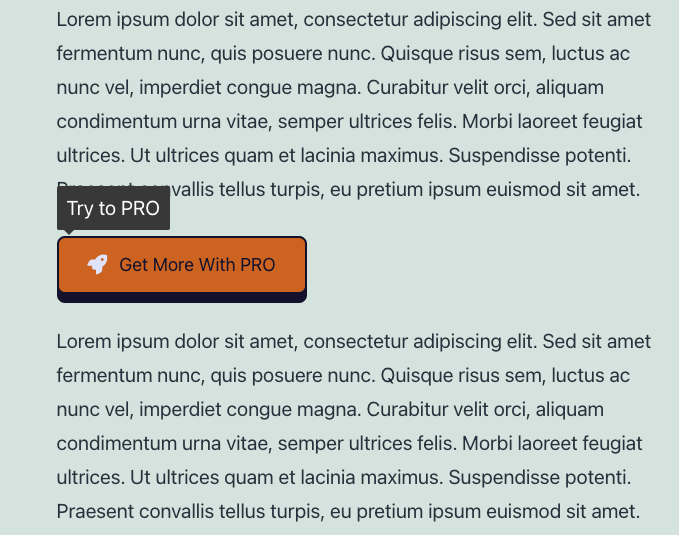
The Buttons for makes it simple to create and manage beautiful, interactive buttons. Whether you need standard call-to-action buttons, floating action buttons, social sharing buttons, or print buttons, this plugin gives you full control over design, placement, and functionality.
Customize your buttons with live preview, icons, and flexible styling. Place buttons anywhere — before/after content, inside posts with shortcodes, or fixed on the screen as floating buttons. Built-in social sharing and print features help you boost engagement, improve navigation, and make content more interactive.
安装:
In WordPress:
- Go to
Plugins>Add New> search forbuttons - Press
Install Nowfor the Button plugin - Press
Activate Plugin
- Upload the
buttondirectory to the/wp-content/plugins/directory - Activate the plugin through the
Pluginsmenu in WordPress
屏幕截图:
常见问题:
Can I Use the Plugin on a Multisite Network
Yes, you can, but you need to activate the plugin separately on each subsite.
How Do I Add Icons to My Buttons
The Buttons plugin seamlessly integrates with Font Awesome, allowing you to effortlessly add thousands of beautiful icons to your buttons. Simply search the Font Awesome library (Font Awesome: https://fontawesome.com/icons) and use the icon class to incorporate it into your button design.
Support
Please use WordPress support forum to ask any query.
Frequently Asked Questions
Please use WordPress support forum to ask any query.
更新日志:
1.2
- Updated: Font Awesome library upgraded to version 7.1.
- Updated:
wp-color-picker-alphato version 3.0.4. - Fixed: minor bugs.
- Updated: Font Awesome library upgraded to version 7.0.0.
- Improved: Refactored AdminActions class for better performance and readability
- Improved: Reordered condition checks for better execution performance
- Updated: Added strict type hinting for method arguments in AdminActions
- Improved: Reorganized method order in DBManager class for better readability and maintenance
- Improved: Minor SQL formatting for consistency
- Cleaned: Minor code style improvements according to WordPress Coding Standards (WPCS)
- Fixed: class public/class-item-maker.php
- Fixed: Nonce verification logic for improved security.
- Updated: FontAwesome Icons to version 6.7.1
- Updated: UI elements
- Fixed: menu icon
- Fixed: display on frontend
- Fixed: Minor bugs related to escaping.
- Initial release.