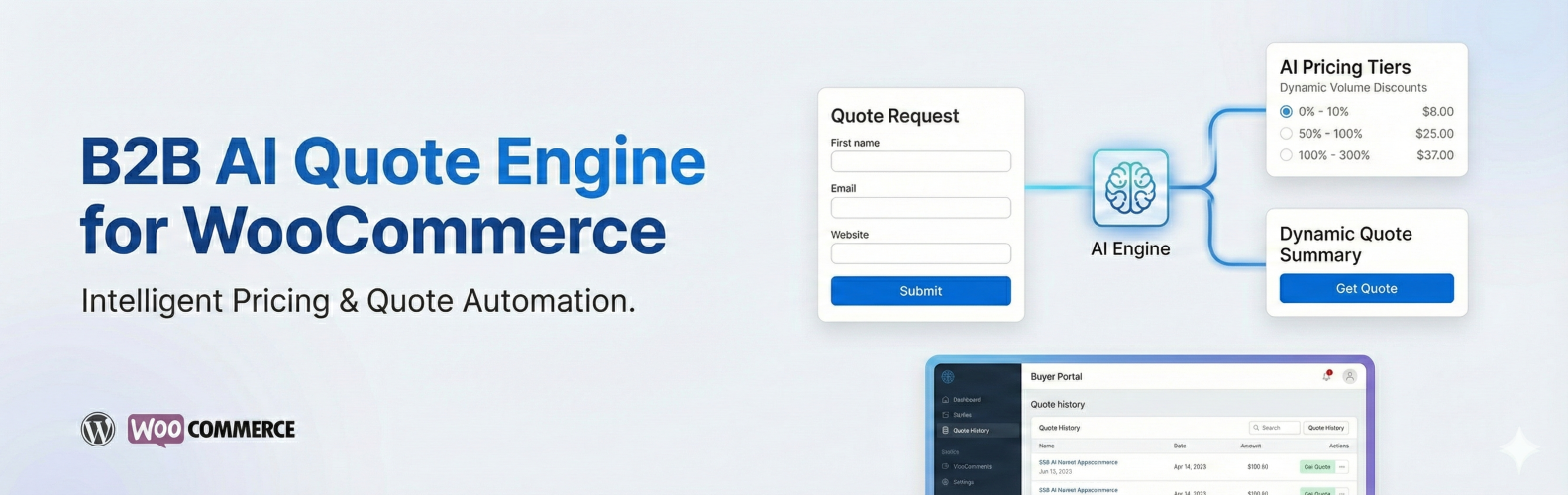
Buyience NovaCore B2B Quote Engine
| 开发者 | girishklaathar |
|---|---|
| 更新时间 | 2026年2月23日 19:29 |
| PHP版本: | 7.4 及以上 |
| WordPress版本: | 6.9 |
| 版权: | GPLv2 or later |
| 版权网址: | 版权信息 |
详情介绍:
- Request a Quote on Any Product: Replace the Add to Cart button or offer both.
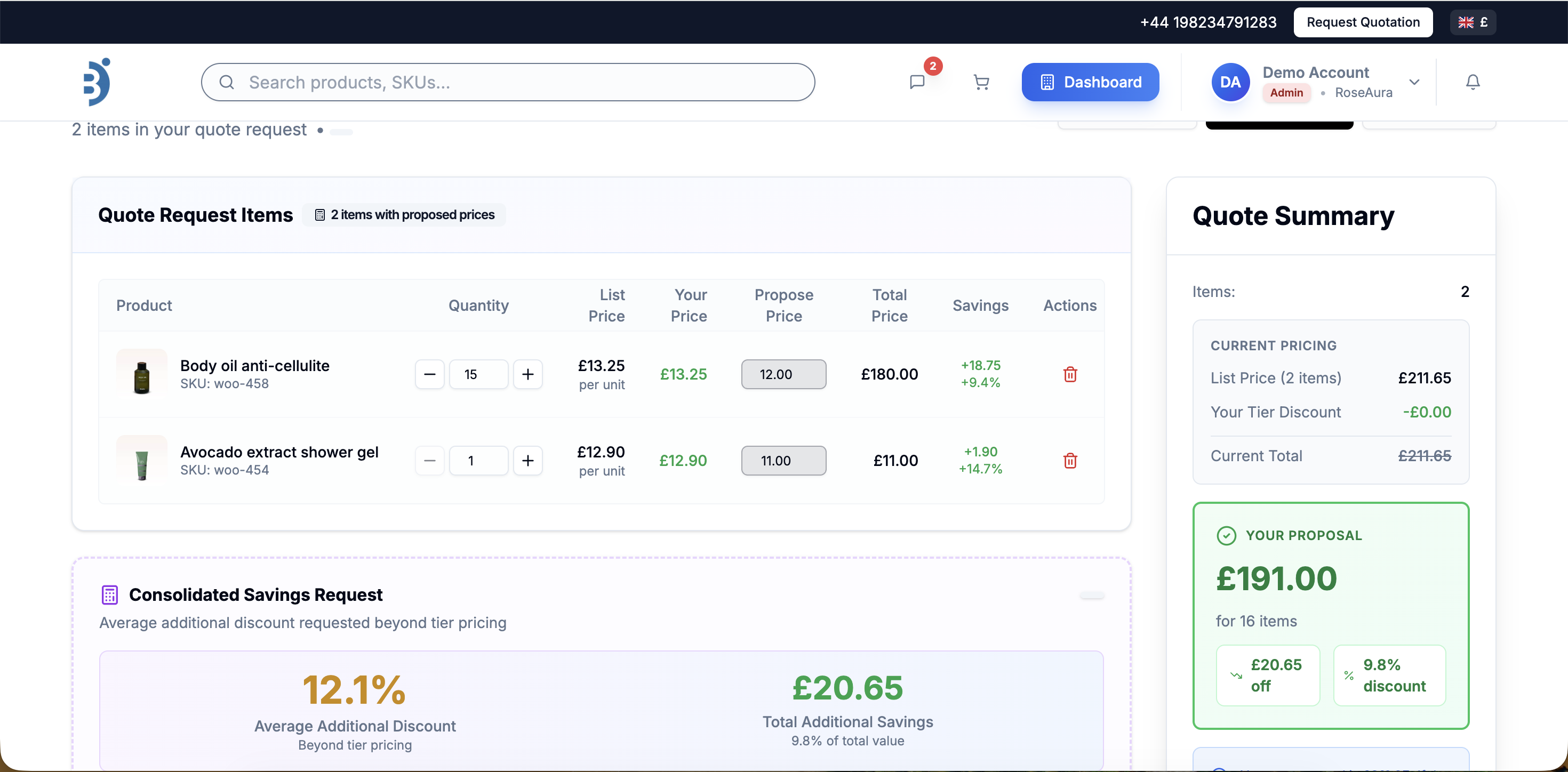
- AI-Assisted Quote Recommendations (optional Buyience integration): Generate smart quotes using AI-driven pricing, historical data, and buyer behavior. AI-assisted features provide recommendations only and do not make automated pricing decisions.
- Buyer Portal:Buyers can view quotes, approve offers, manage orders, and download invoices.
- Admin Dashboard Integration: Access all Buyience features directly from WordPress admin
- Public Storefront: Display quote builder storefront on public-facing pages using shortcodes (no WordPress user session data is exposed).
- WooCommerce Integration: Add "Request a Quote" buttons to WooCommerce product pages
- Product Sync (Optional): Synchronize WooCommerce product data with an external Buyience service when enabled
- Navbar Integration: Add Dashboard button directly to your site's navigation menus
- Secure API Authorization: Secure token-based API authorization between WordPress and Buyience services
- External Links: Request Quote and Store Front open in new tabs for WordPress.org compliance
- The administrator's email address may be transmitted directly to Buyience over HTTPS to retrieve account information.
- The administrator's password is transmitted securely to this WordPress site first, then forwarded securely to Buyience for authentication.
- WordPress does NOT store the Buyience password.
- Only an access token returned by Buyience is stored in WordPress.
- No data is transmitted without explicit administrator action.
- The administrator's Buyience email may be sent directly over HTTPS to Buyience for account lookup/connection setup.
- The administrator's Buyience password is submitted to the WordPress site first, then securely forwarded over HTTPS from WordPress to Buyience for authentication.
- WordPress does NOT store the Buyience password.
- Only the access token returned by Buyience is stored in WordPress for authenticated API communication.
- The access token is used solely for API communication.
- WordPress Access Only: All plugin features require an active WordPress admin session using standard WordPress access flows
- No User Creation: The plugin does not create WordPress user accounts or modify existing user credentials
- No Session Bypass: The plugin does not use wp_set_current_user() or similar functions to bypass WordPress session checks
- Capability Checks: All administrative endpoints require the manage_options capability via current_user_can()
- External API Authorization: The "Buyience API authorization" feature stores API credentials for the external Buyience service only - these are not WordPress user credentials
- Token-Based API Access: Internal API authorization tokens are used for secure communication between WordPress and Buyience services, not for WordPress user sessions
- Permission Callbacks: All REST API endpoints include proper permission_callback functions that validate WordPress user permissions
安装:
- Access your WordPress admin panel
- Navigate to Plugins > Add New
- Search for "Buyience NovaCore B2B Quote Engine"
- Click "Install Now" and then "Activate"
- Upload the
buyience-novacore-b2b-quote-enginefolder to/wp-content/plugins/directory - Activate the plugin through the 'Plugins' menu in WordPress
- Navigate to Buyience NovaCore B2B Quote Engine > Settings to configure
buyncbqe2-create-store, filterable via buyncbqe2_auto_page_slug) containing the [buyncbqe2_quote_builder] shortcode. This page displays the B2B quote builder storefront.
To disable auto page creation, add this to your theme's functions.php before activating:
add_filter( 'buyncbqe2_allow_auto_page_creation', '__return_false' );
To customize the page slug, add before activating:
add_filter( 'buyncbqe2_auto_page_slug', function() { return 'my-custom-slug'; } );
To create the page as draft (for manual review before publishing):
add_filter( 'buyncbqe2_auto_page_status', function() { return 'draft'; } );
Configuration
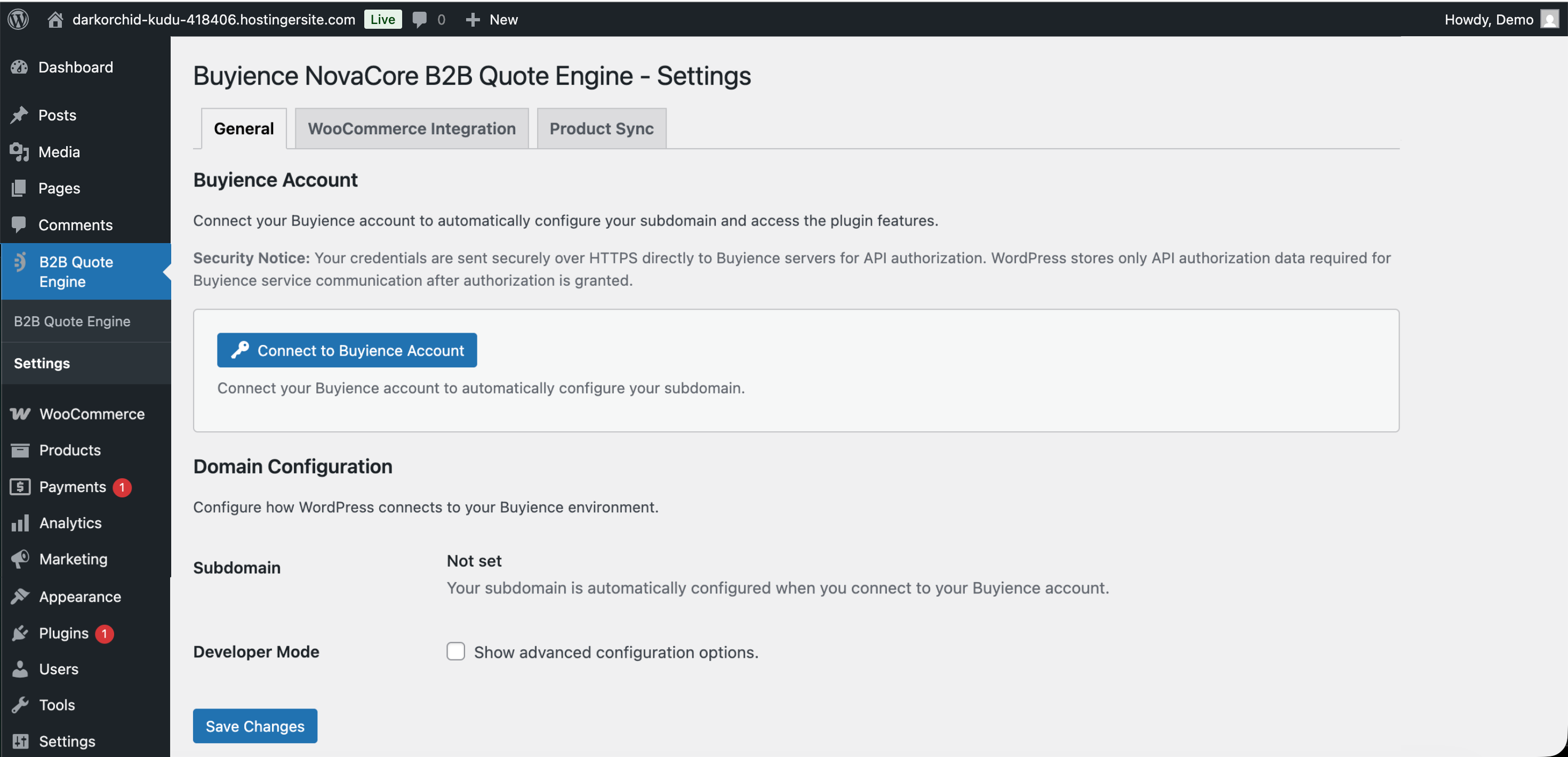
- Go to Buyience NovaCore B2B Quote Engine > Settings in WordPress admin
- Connect your Buyience Account: Click "Connect to Buyience Account" button to authorize your Buyience account. Your subdomain will be automatically configured during API authorization.
- Configure domain settings (available in Developer Mode):
- Production Mode: Admin Domain is app.buyience.com, Store Domain is buyience.store (Different Buyience subdomains may be used depending on configuration.)
- Set Quote Path if needed (default: /) - available in Developer Mode
- Enable Persistent Connection if desired - available in Developer Mode
- Save settings
- Install and activate WooCommerce
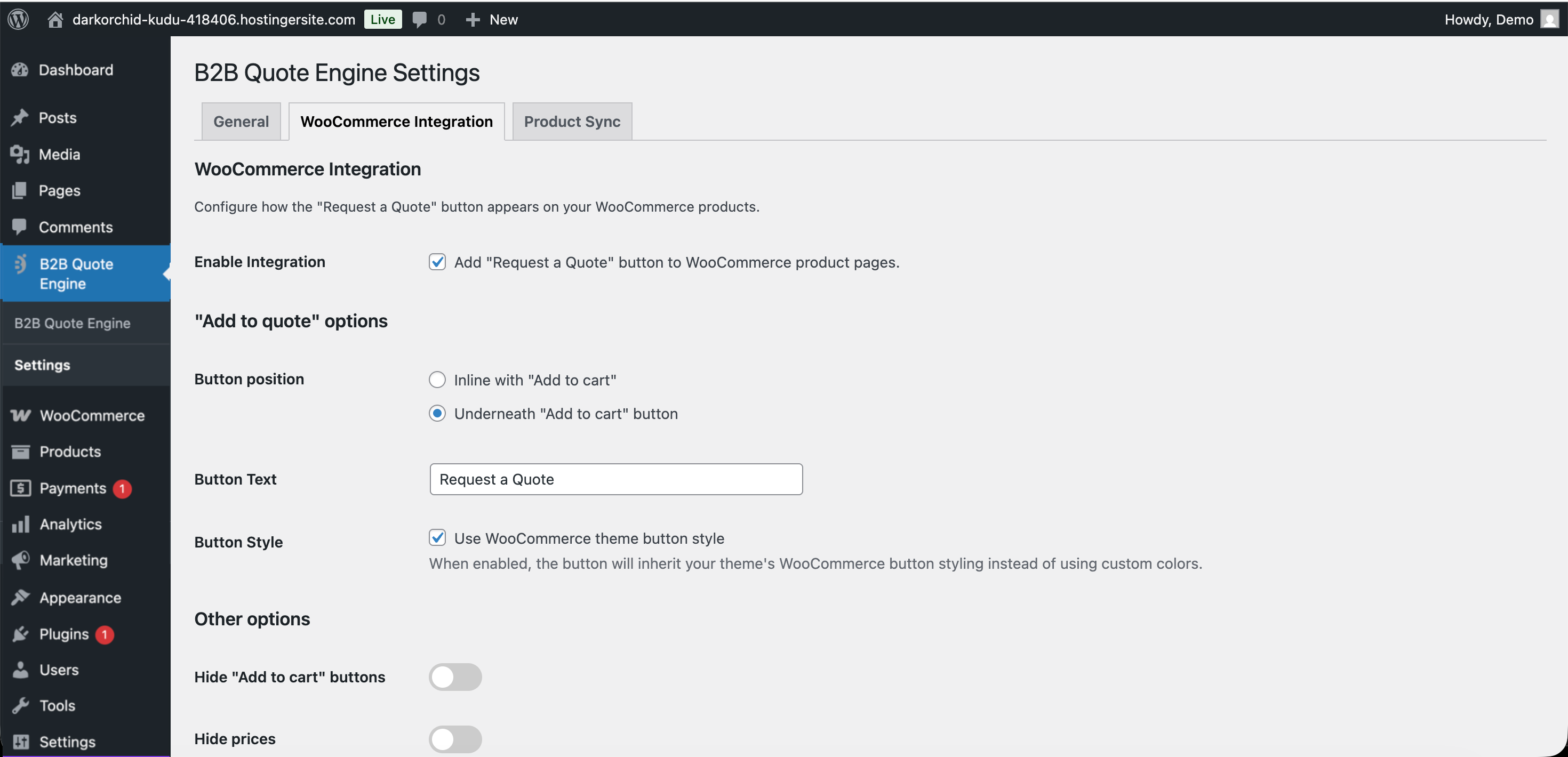
- Go to Buyience NovaCore B2B Quote Engine > Settings > WooCommerce Integration
- Enable the integration
- Configure button position, text, and styling
- Optionally hide "Add to Cart" buttons and prices
- Save settings
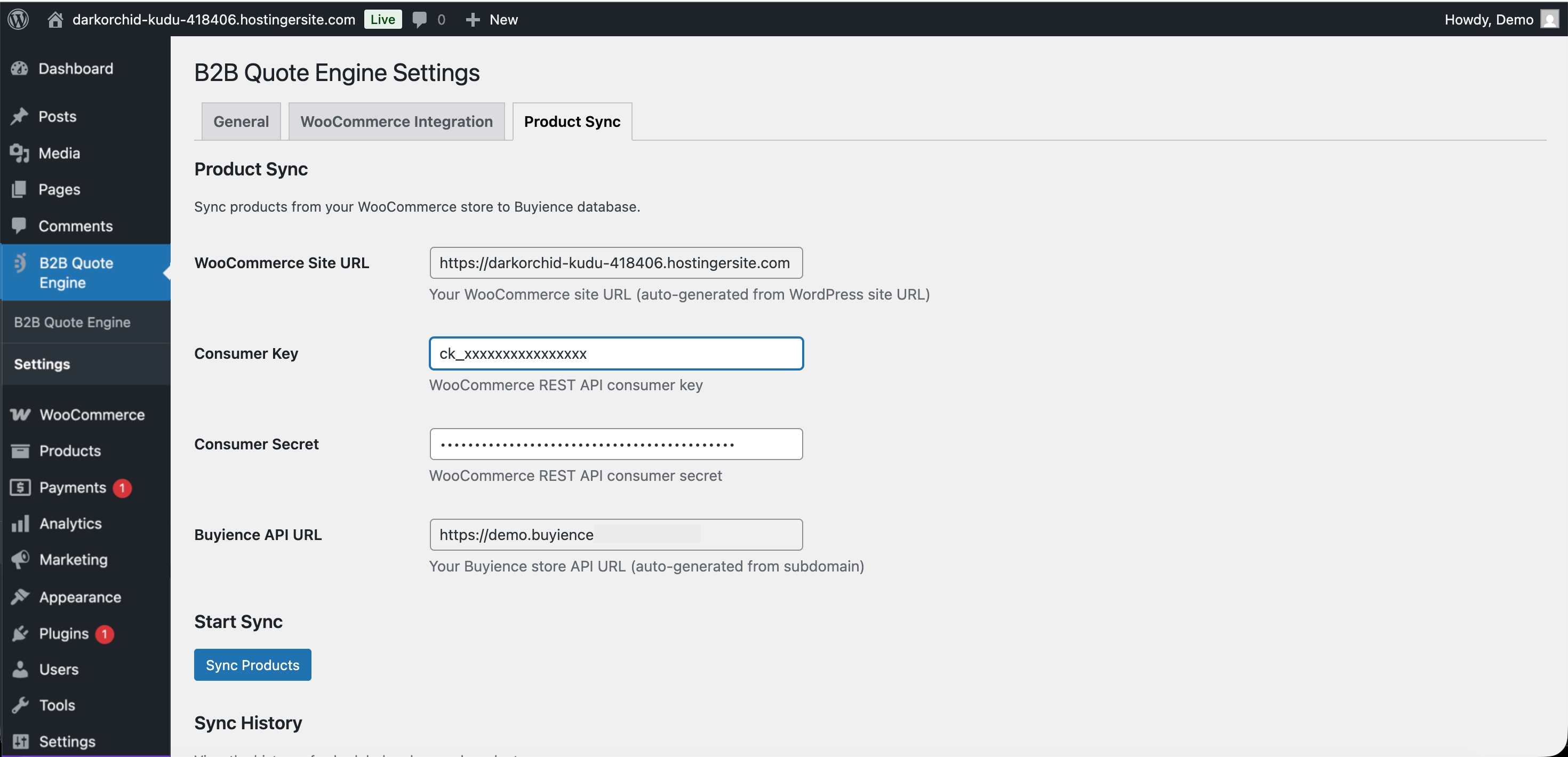
- Go to Buyience NovaCore B2B Quote Engine > Settings > Product Sync
- Enter your WooCommerce Site URL (auto-populated from WordPress)
- Enter WooCommerce REST API Consumer Key and Secret
- Enter your Buyience API URL (auto-generated from subdomain)
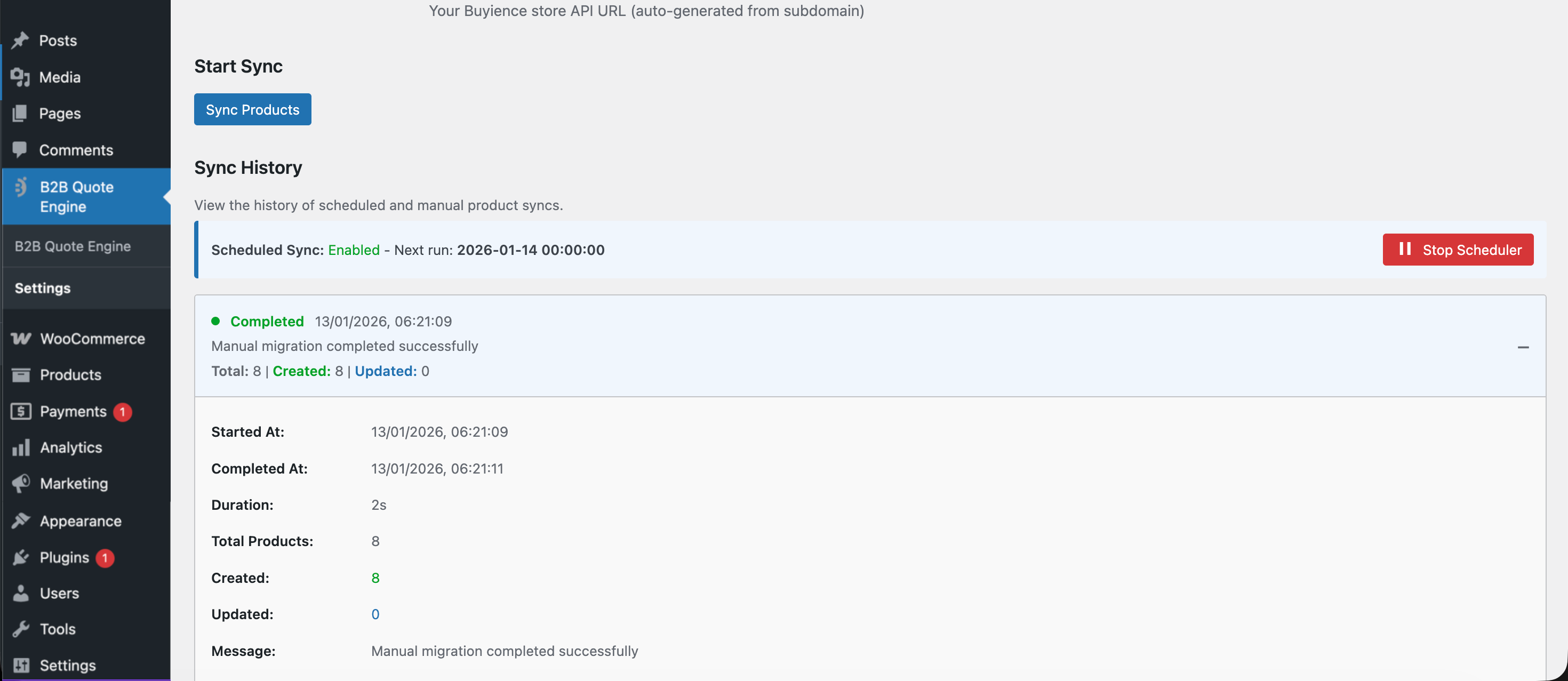
- Click "Sync Products"
- Configure your WooCommerce REST API credentials in Product Sync settings
- The scheduler runs daily at midnight to sync new/updated products
- View sync logs in the Product Sync section
- Manually enable/disable the scheduler as needed
- Go to Buyience NovaCore B2B Quote Engine > Settings
- Enable Navbar Integration
- Select the menu location for the Dashboard button
- The button will open the Buyience storefront in a new tab when clicked
屏幕截图:
常见问题:
Do I need a Buyience account?
No. Core quote request and WooCommerce integration features are available without enabling an external service. A Buyience account is required only if you choose to enable hosted interfaces or advanced automation features.
Is this plugin free?
Yes, the plugin is free. However, Buyience service may have its own pricing plans.
Does this work with WooCommerce?
Yes! The plugin includes full WooCommerce integration. You can add "Request a Quote" buttons to product pages and sync products from WooCommerce to Buyience.
Can I customize the quote button?
Yes, you can customize the button text, color, position, and styling in the plugin settings.
Is my data secure?
Yes. The plugin uses secure token-based API authorization. Sensitive data is stored securely using WordPress best practices. User data is only transmitted for API authorization and quote processing purposes.
Does this plugin create or modify WordPress users?
No. This plugin does NOT create or modify WordPress users. All plugin features require an active WordPress admin session using standard WordPress access flows. The "Buyience API authorization" feature only stores API credentials for connecting to the external Buyience service - these are not WordPress user credentials. The plugin uses current_user_can() and is_user_logged_in() for all permission checks and does not use wp_set_current_user() or similar functions.
Does the plugin track users?
No. The plugin does not perform any user tracking or analytics. Any data handling performed by the Buyience service is governed by its own privacy policy and terms.
Can I use this on multiple sites?
Yes, but each site needs its own Buyience subdomain configuration.
What WordPress version do I need?
WordPress 5.8 or higher and PHP 7.4 or higher.
更新日志:
- Compliance: Removed remaining admin/dashboard iframe embedding references and standardized external-link card flow.
- Compliance: Confirmed Plugin URI (
https://buyience.com/wordpress-plugin) is publicly accessible. - Security: Ensured all REST routes include permission callbacks with admin capability checks.
- Security: Added/standardized capability checks for all plugin AJAX handlers.
- Security: Standardized remote API calls with explicit timeout and error handling patterns.
- Security: Ensured Buyience password is never stored and token-related options use autoload disabled.
- Documentation: Updated service integration disclosure to align with actual authorization flow.
- Security: Added explicit consent prompt before direct Buyience API authorization.
- Security: Improved origin validation using URL parsing to enforce HTTPS protocol.
- Security: Removed legacy session token from cross-origin postMessage payloads (uses ssoToken instead).
- Security: Removed REST nonce from cross-origin postMessage payloads.
- Security: Removed hardcoded origin URLs from API authorization receiver.
- Code quality: Refactored activation/deactivation hooks into class-based static methods.
- Code quality: Updated Plugin URI to point to documentation page.
- Code quality: Removed debug logging statements from production JavaScript.
- Code quality: Replaced deprecated synchronous AJAX with async pattern.
- Added explicit security disclosure for Buyience API authorization in admin settings.
- Added filterable opt-out for auto page creation on activation (
buyncbqe2_allow_auto_page_creationfilter). - Added filter to control auto-created page status (
buyncbqe2_auto_page_statusfilter). - Documented auto-created "Create Store" page in readme.
- Preserved WooCommerce consumer secret values when saved via Settings API and during product migration.
- Escaped WooCommerce button color when generating inline CSS.
- Removed development-only API authorization check script from the distributed plugin.
- Version alignment with plugin header and code
- Added WooCommerce integration with customizable quote buttons
- Added product sync from WooCommerce to Buyience
- Added scheduled daily product sync with logging
- Added dashboard button shortcode for public pages
- Added navbar integration for dashboard access
- Added Test Mode for switching between production and testing environments
- Added Developer Mode with development server URL support
- Improved API authorization and session management
- Enhanced modal functionality with minimize/fullscreen
- Added support for product SKU and quantity in quote requests
- Improved error handling and user feedback
- Enhanced security with proper nonce verification
- Initial release with basic quote builder integration
- Admin dashboard access
- Public storefront shortcode
- Basic API authorization