
BytNexo SEO Manager
| 开发者 | bytnexo |
|---|---|
| 更新时间 | 2026年2月25日 15:52 |
| PHP版本: | 7.4 及以上 |
| WordPress版本: | 6.9 |
| 版权: | GPLv2 or later |
| 版权网址: | 版权信息 |
详情介绍:
- Lightweight & Fast: Minimal code, maximum performance - won't slow down your site
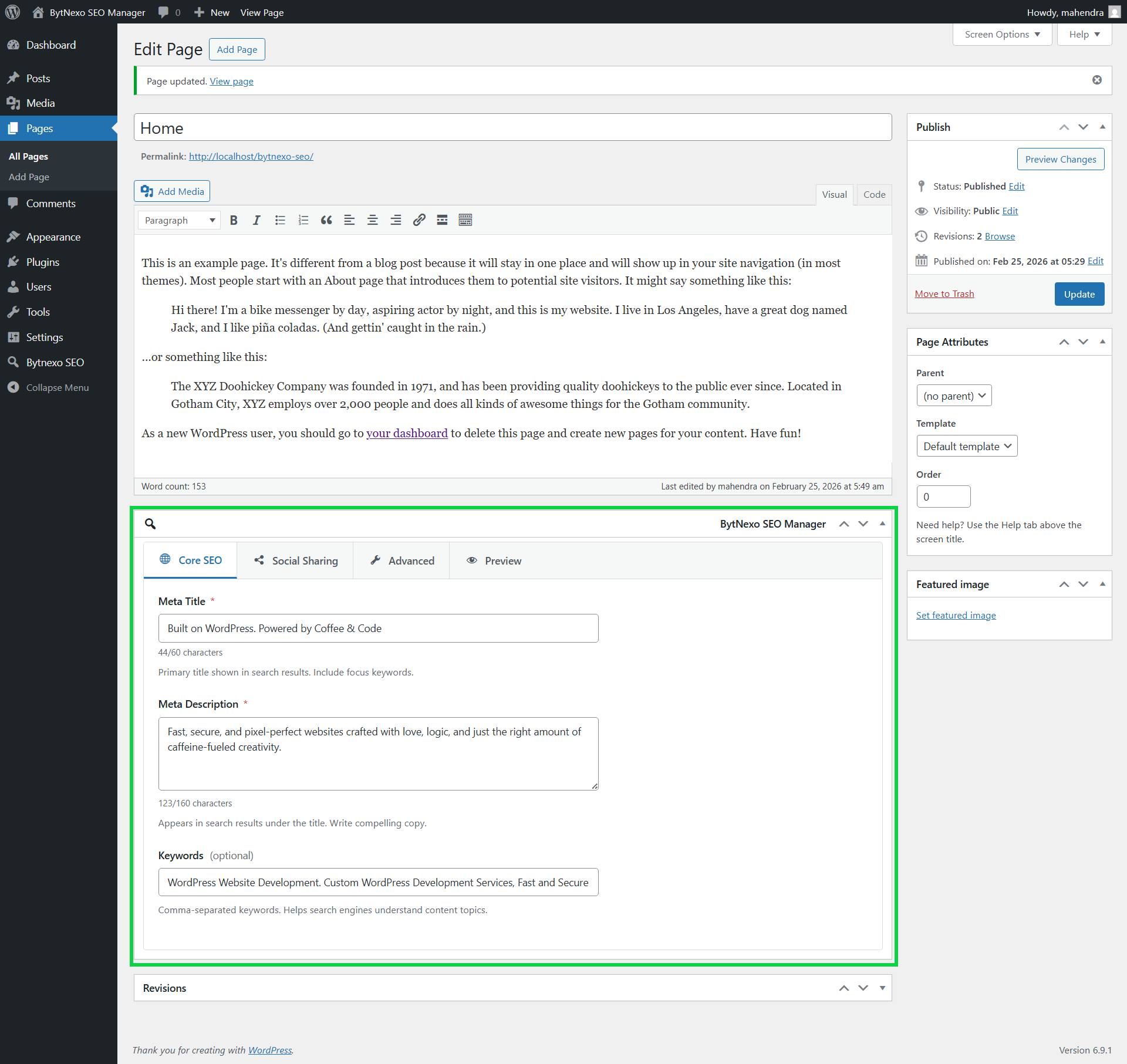
- Classic Editor Optimized: Seamless integration with WordPress Classic Editor
- Essential SEO Features: Only essential features, no unnecessary addons or upsells
- Professional Interface: Clean, tabbed metabox with intuitive design
- Social Media Ready: Full Open Graph and Twitter Cards implementation
- Structured Data: Automatic Schema.org JSON-LD markup following Google guidelines
- Secure: WordPress coding standards and proper data sanitization
- Easy Setup: Configure in minutes, works out of the box
- WordPress Site Owners wanting professional SEO without complexity
- Developers who need clean, maintainable SEO code
- Content Creators needing social media optimization
- Agencies managing multiple client websites
- Anyone using Classic Editor who wants seamless integration
安装:
- Go to Plugins → Add New in your WordPress admin
- Search for "BytNexo SEO Manager"
- Click "Install Now" and then "Activate"
- Download the plugin ZIP file from WordPress.org
- Upload the
bytnexo-seo-managerfolder to/wp-content/plugins/ - Go to Plugins → Installed Plugins
- Find "BytNexo SEO Manager" and click "Activate"
- Extract the plugin ZIP file on your computer
- Upload the
bytnexo-seo-managerfolder via FTP to/wp-content/plugins/ - In WordPress admin, go to Plugins
- Find "BytNexo SEO Manager" and click "Activate"
屏幕截图:
常见问题:
Which post types support BytNexo SEO Manager?
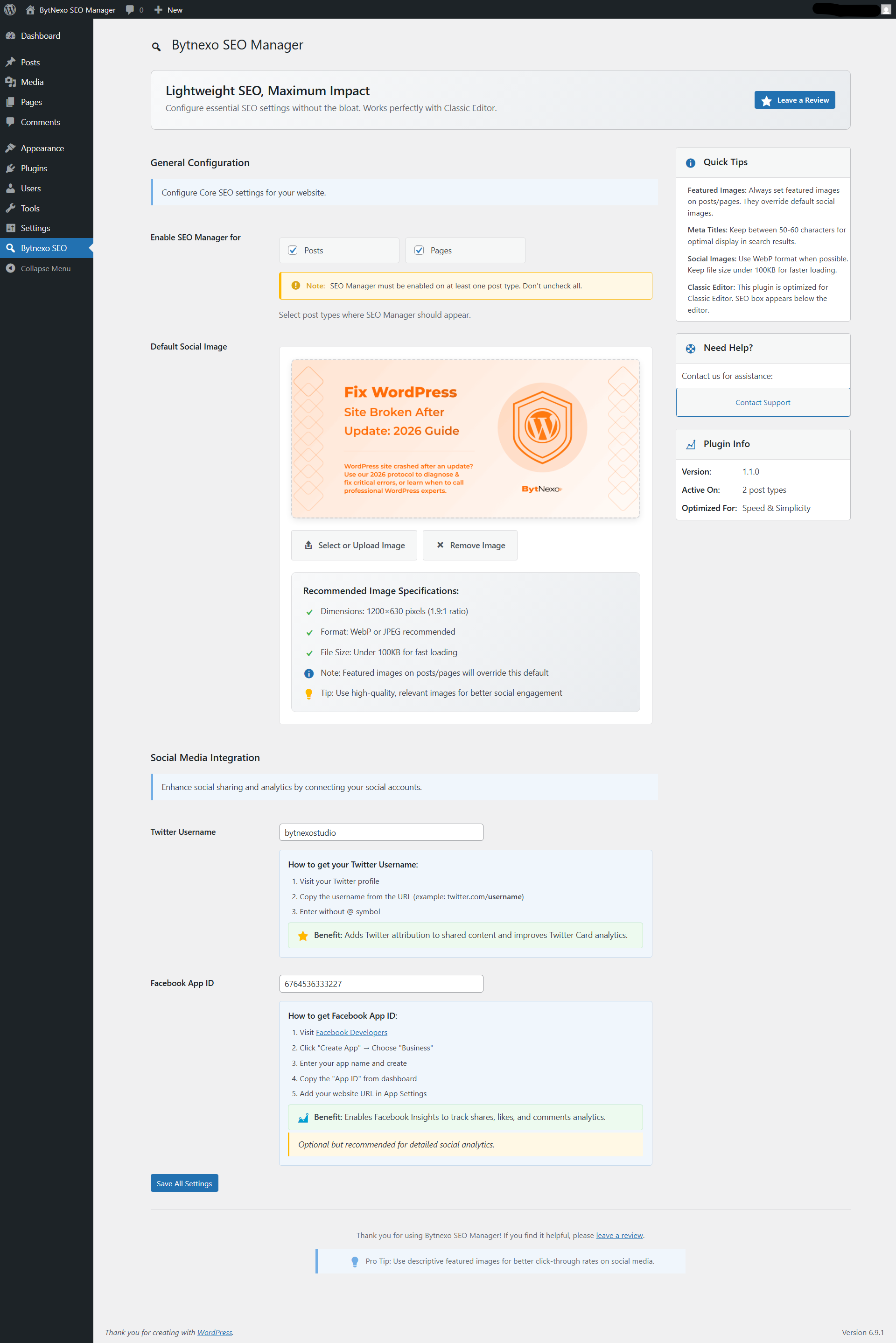
By default, Posts and Pages are enabled. You can enable SEO for any public post type in BytNexo SEO → Settings → Enable SEO Manager for. The plugin must be enabled on at least one post type.
How do I set a default social image?
Go to BytNexo SEO → Settings → Default Social Image. Click "Select or Upload Image" to choose an image. Recommended: 1200×630 pixels, WebP or JPEG format, under 100KB file size.
Do featured images override the default social image?
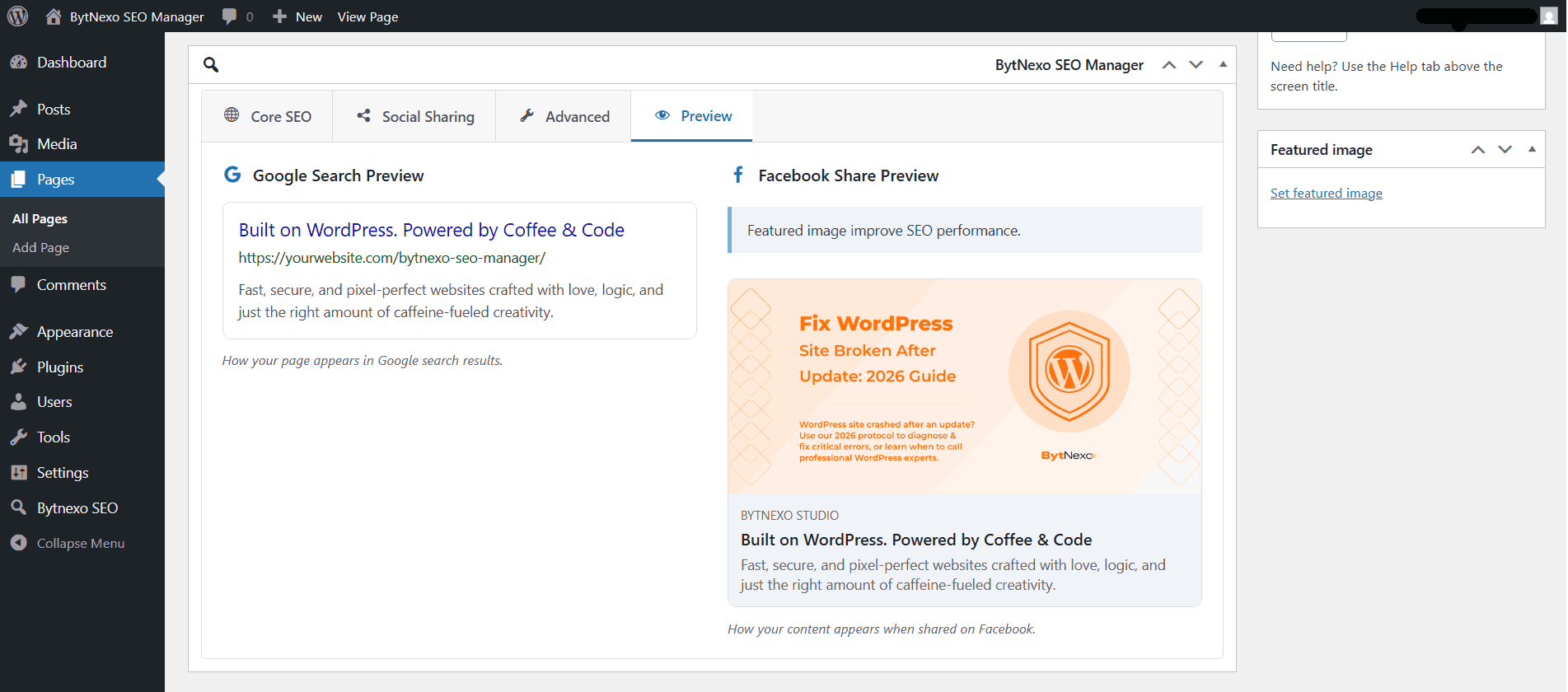
Yes. Featured images on posts/pages always take priority over the default social image. Set featured images for better social engagement and click-through rates.
Does it work with page builders?
Yes, BytNexo SEO Manager works with any theme and page builder that uses standard WordPress post editing. It's optimized for Classic Editor but compatible with most editing environments.
Is schema markup included?
Yes. The plugin automatically adds proper JSON-LD schema markup following Schema.org standards:
Articlefor single postsWebPagefor pagesWebSitefor homepage- Includes publisher, author, images, and dates
Can I disable SEO for specific pages?
Yes. In the Advanced tab of the SEO metabox, use the "Search Engine Directives" dropdown to set "noindex" or "nofollow" for individual pages.
How do I edit SEO for multiple posts quickly?
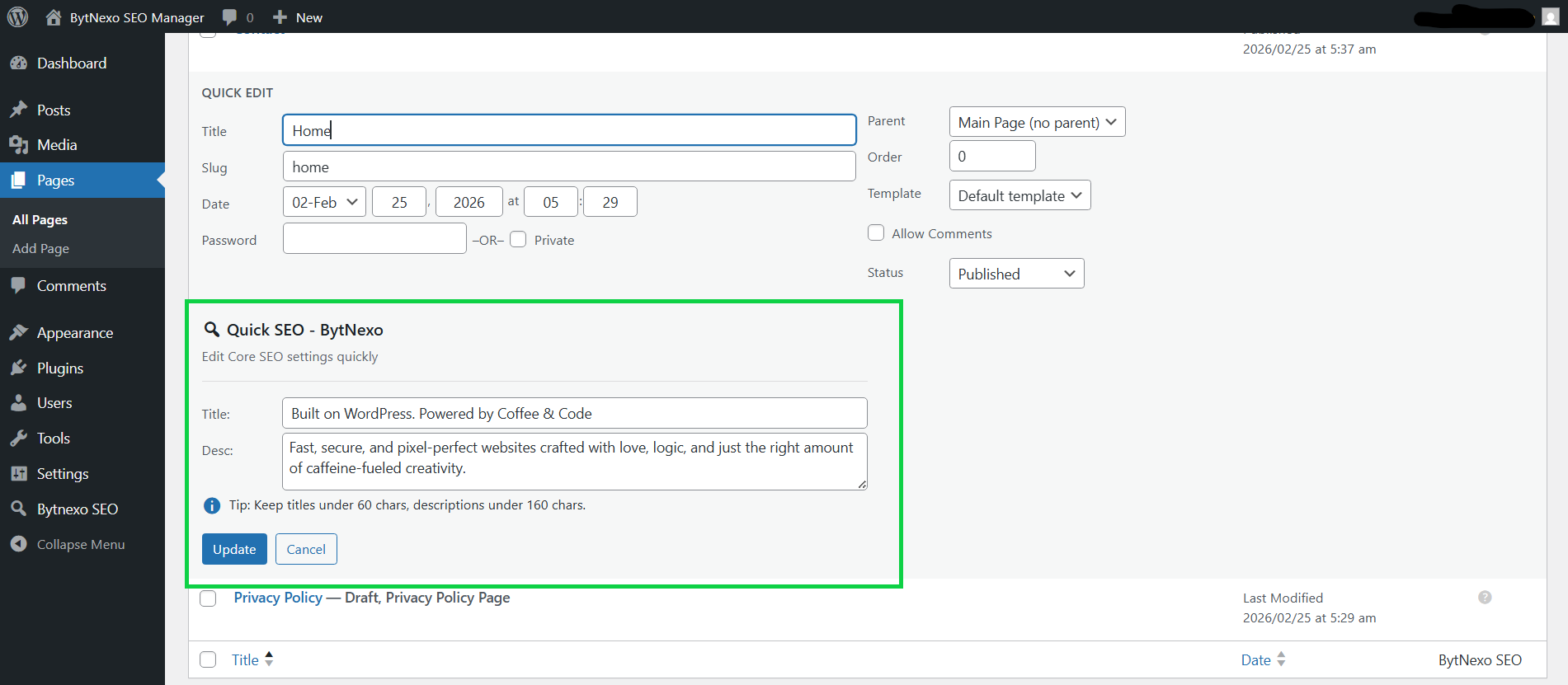
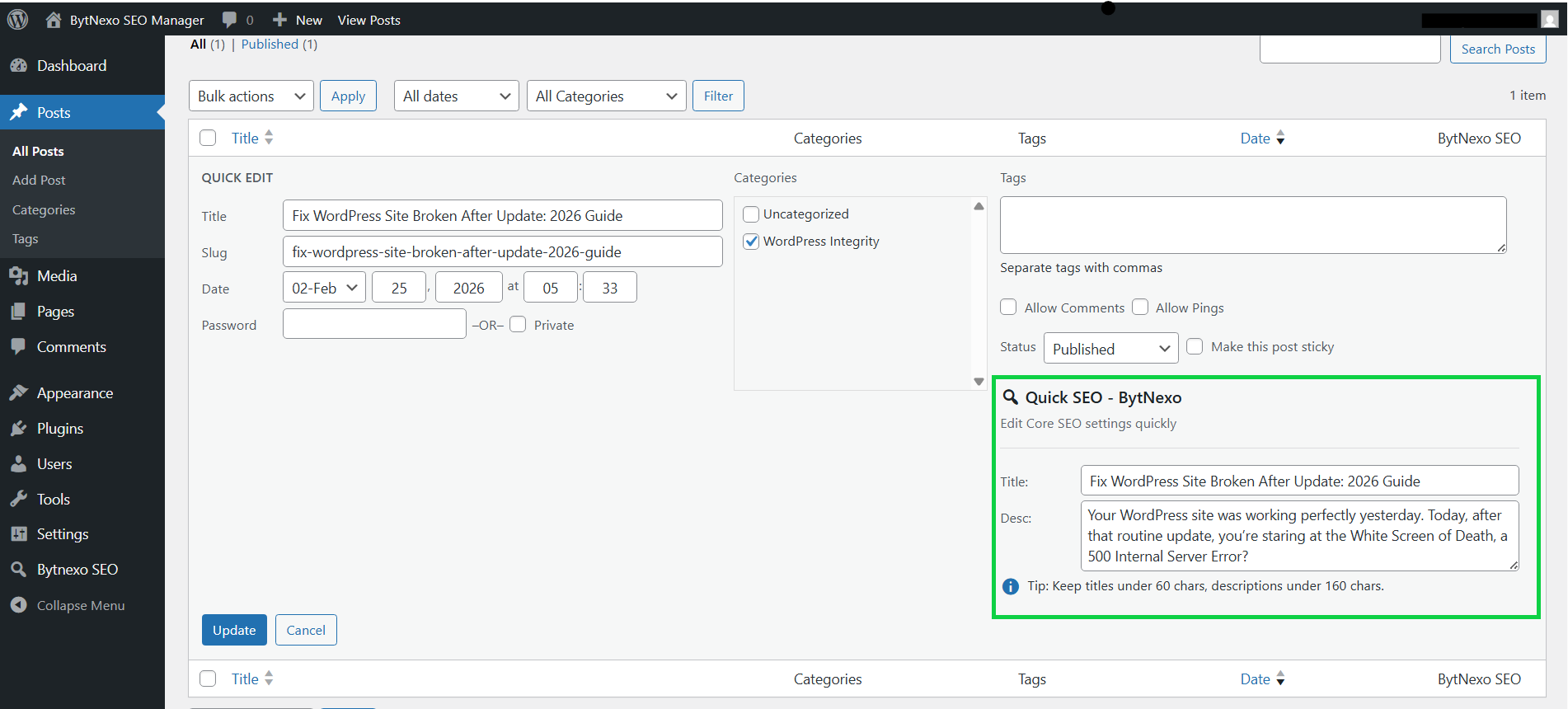
Use Quick Edit from the posts/pages list. Click "Quick Edit" on any post, and you'll see SEO fields to update titles and descriptions in bulk.
Is it compatible with caching plugins?
Yes. BytNexo SEO Manager outputs standard meta tags that work with all caching plugins. If you make major SEO changes, clear your cache to see updates immediately.
Can I use it with other SEO plugins?
While technically possible, we recommend using only one SEO plugin at a time to avoid conflicts and duplicate meta tags.
What is Facebook App ID and do I need it?
Facebook App ID enables Facebook Insights to track shares, likes, and comments analytics. It's optional but recommended for detailed social analytics. Get it from Facebook Developers.
What are the optimal image specifications for social sharing?
- Dimensions: 1200×630 pixels (1.9:1 aspect ratio)
- Format: WebP or JPEG recommended
- File Size: Under 100KB for faster loading
- Content: High-quality, relevant to your content
Does the plugin work on archive pages?
Yes. The plugin automatically outputs optimized meta tags for:
- Homepage
- Category archives
- Tag archives
- Author archives
- Custom post type archives
更新日志:
- Improved developer documentation formatting
- Minor readme formatting corrections
- General stability improvements
- Initial public release
- Complete SEO management with meta tags
- Open Graph and Twitter Cards integration
- Schema.org JSON-LD structured data
- Social image management with featured image priority
- Custom post type support
- Quick edit functionality
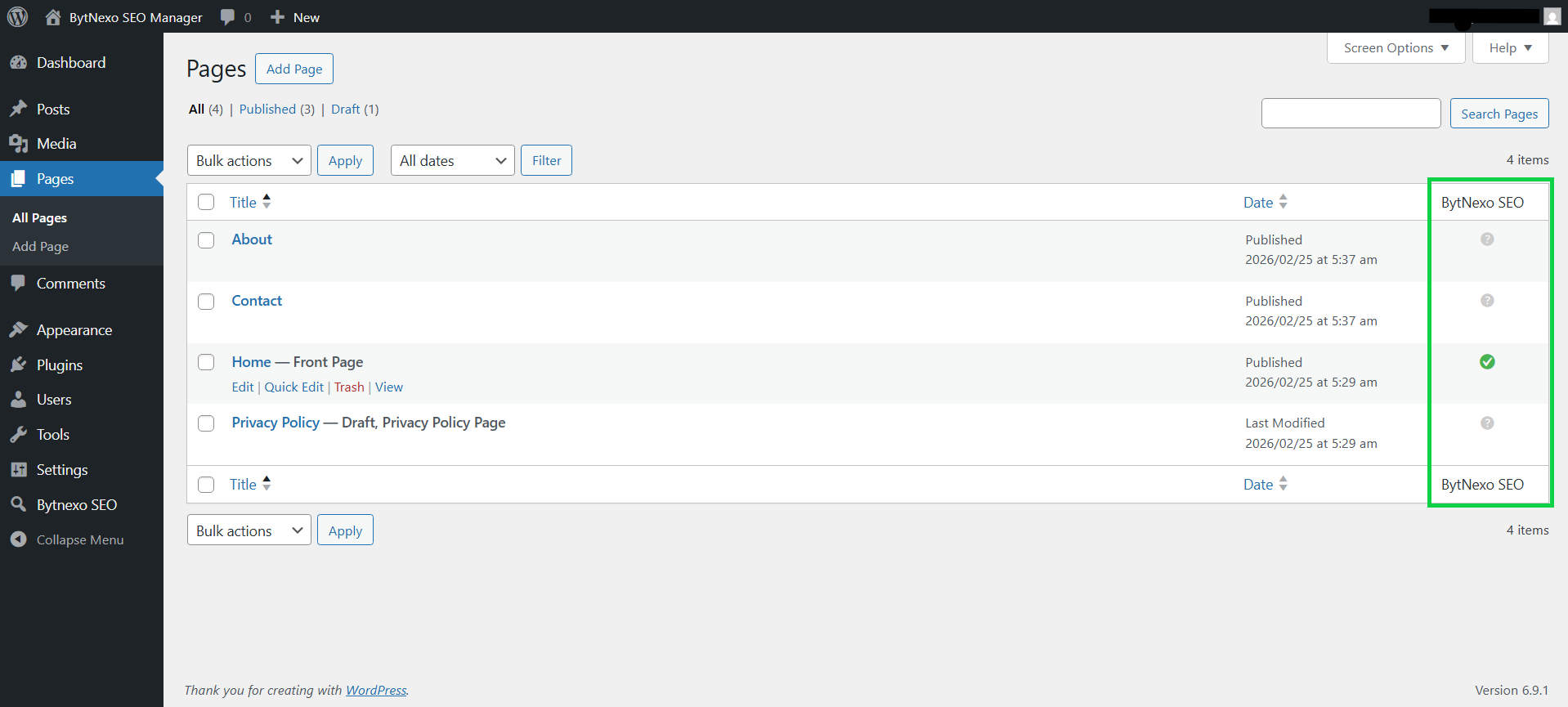
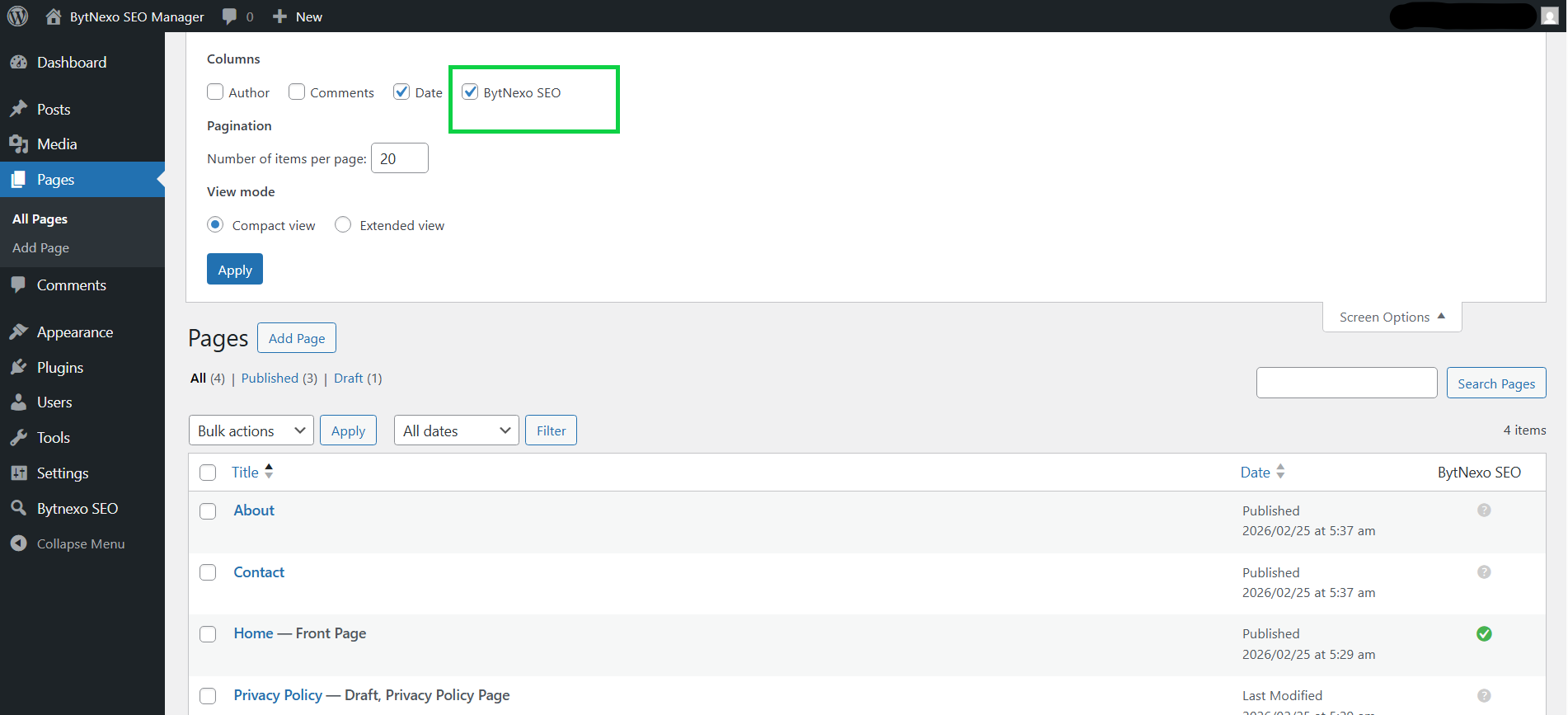
- Admin column indicators
- Settings page with image uploader
- Twitter and Facebook social integration
- Live Google and Facebook previews
- Classic Editor optimization
- Full WordPress standards compliance
- Security and data sanitization
- Clean uninstall functionality