
BytNexo User Switcher
| 开发者 | bytnexo |
|---|---|
| 更新时间 | 2026年9月3日 18:55 |
| PHP版本: | 7.4 及以上 |
| WordPress版本: | 7.1 |
| 版权: | GPLv2 or later |
| 版权网址: | 版权信息 |
详情介绍:
BytNexo User Switcher is the most powerful WordPress user switching plugin that lets administrators and authorized roles instantly switch between user accounts. Test user roles, debug frontend issues, provide customer support, and switch back to your admin account with just one click.
Enterprise-Grade Features Now Available 100% Free
We've included premium features that other plugins charge for, making this the most comprehensive free user switching solution available:
- Preview (Read-Only) Mode – New in version 1.2.0! When enabled, all forms become read-only when you switch to a user. This prevents accidental data modifications while testing user accounts. Perfect for debugging without the risk of changing customer data. You can enable and disable it from settings.
- Role-Based Access Control – Grant switching permissions to Editors, Authors, Contributors, or Subscribers. Administrator access is always enabled by default.
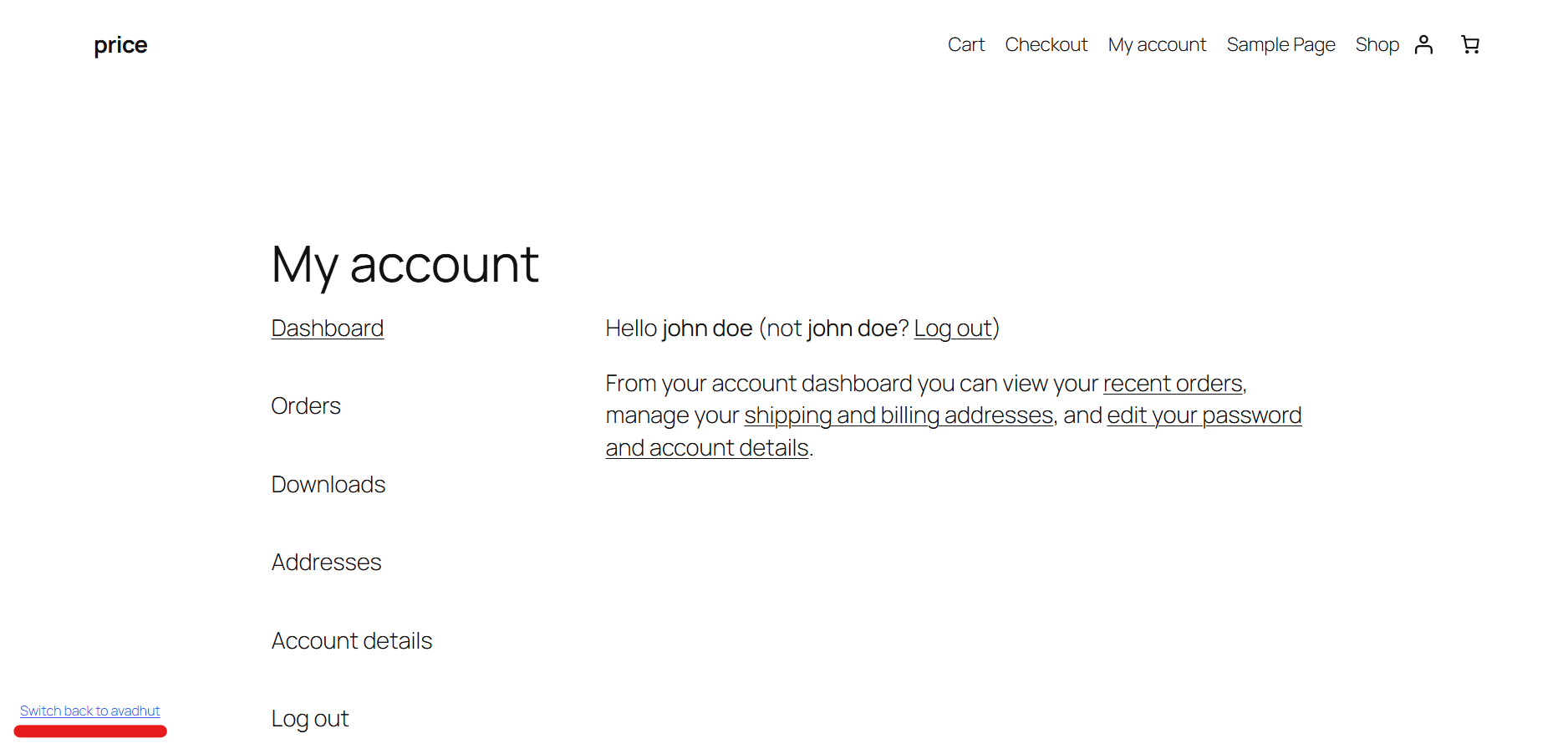
- Floating Switch Back Button – A fully customizable button appears when you switch users. Position it at Bottom Left, Bottom Right, Top Left, or Top Right for easy access.
- Complete Button Customization – Change background color, button text, text color, hover effects, padding, border radius, and font size without any CSS knowledge.
- Avatar Integration – Display user avatars inside switch buttons with customizable avatar sizes for better visual identification.
- Smart Redirect Rules – Set custom Admin Redirect URLs (where you land after switching) and Logout Redirect URLs (destination after ending a switched session).
- WooCommerce Cart Preservation – Prevent customer carts from being cleared when switching to them for support, preserving their shopping experience.
- Form Protection – Preview mode automatically disables all forms including checkout, profile updates, comments, and AJAX submissions to prevent accidental changes.
- Switch to any user account instantly without manual login
- Return to original admin account with one click via admin bar or floating button
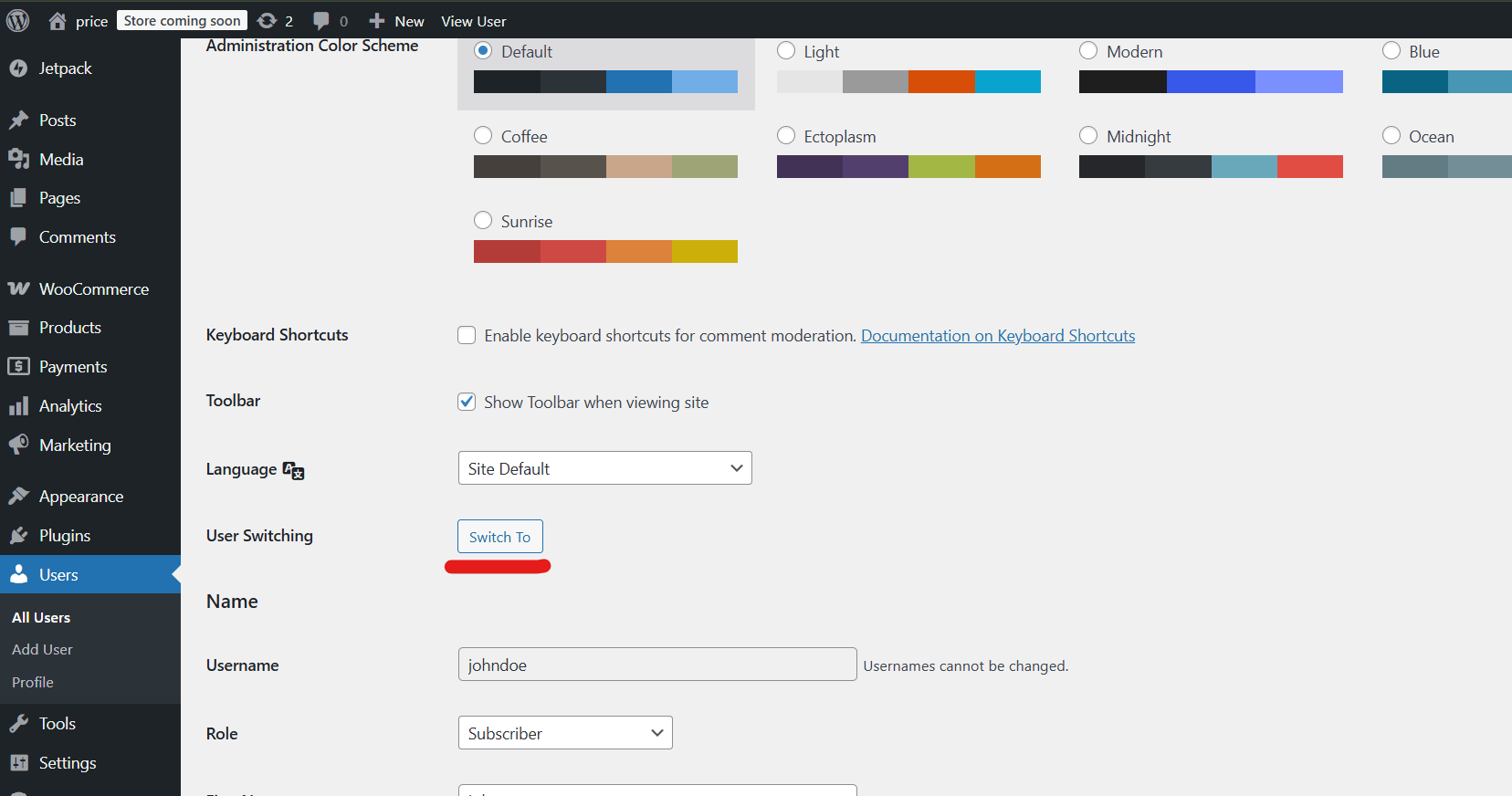
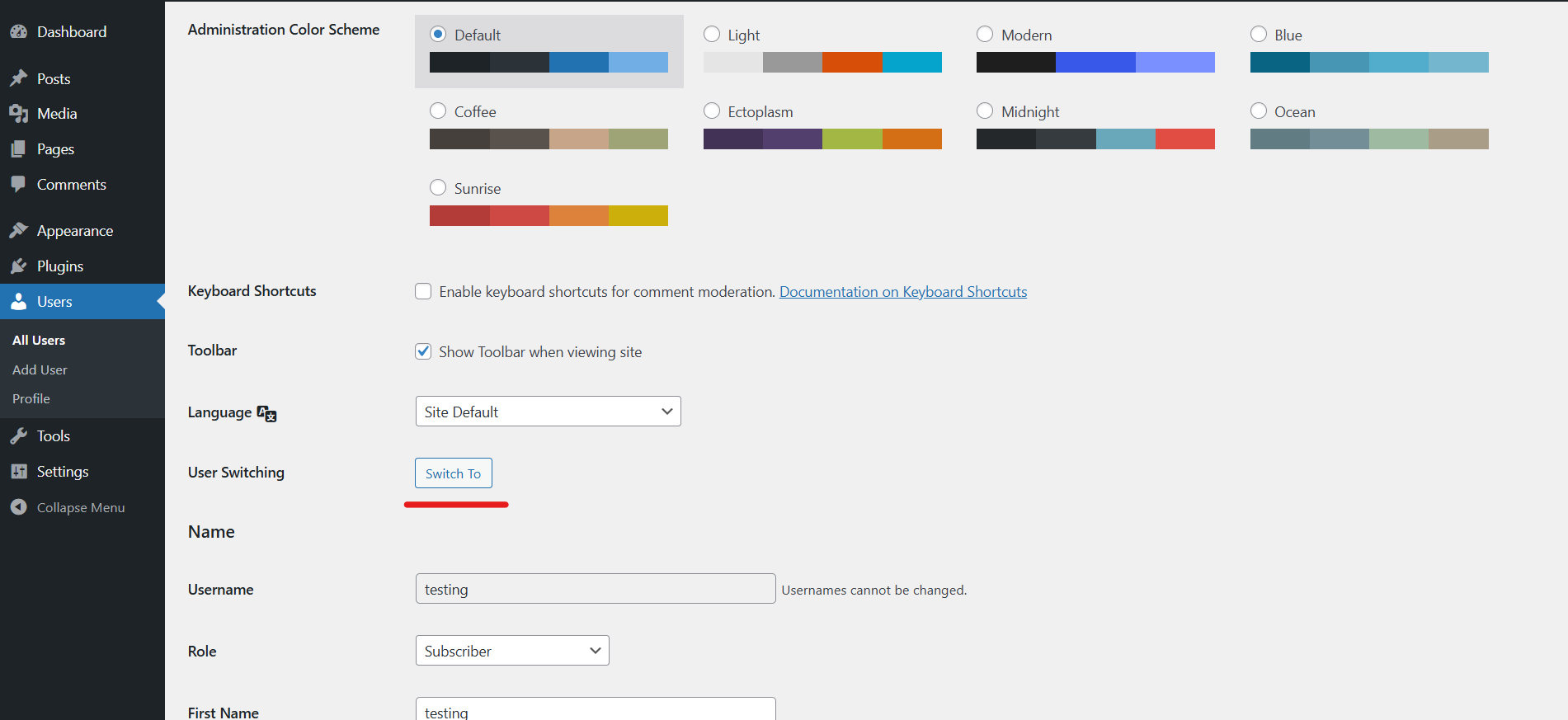
- User profile page switching option
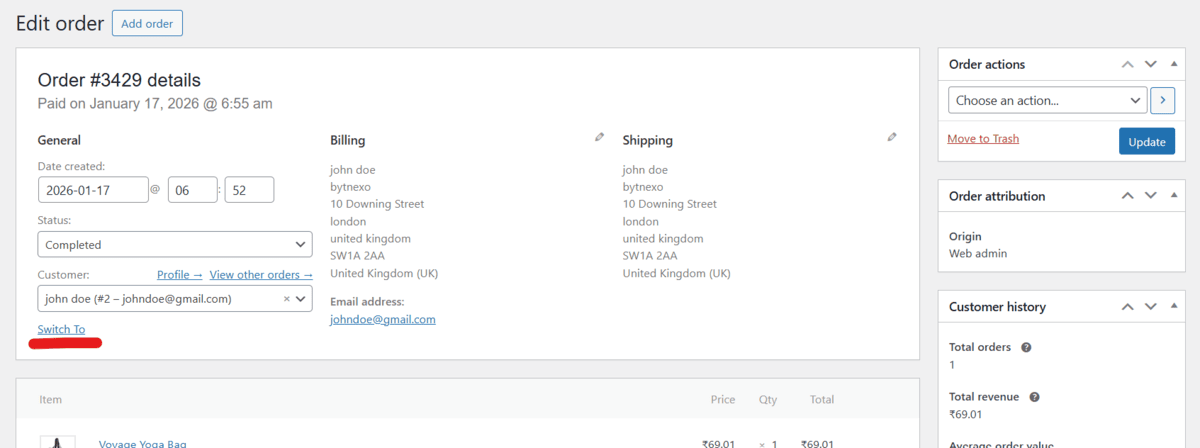
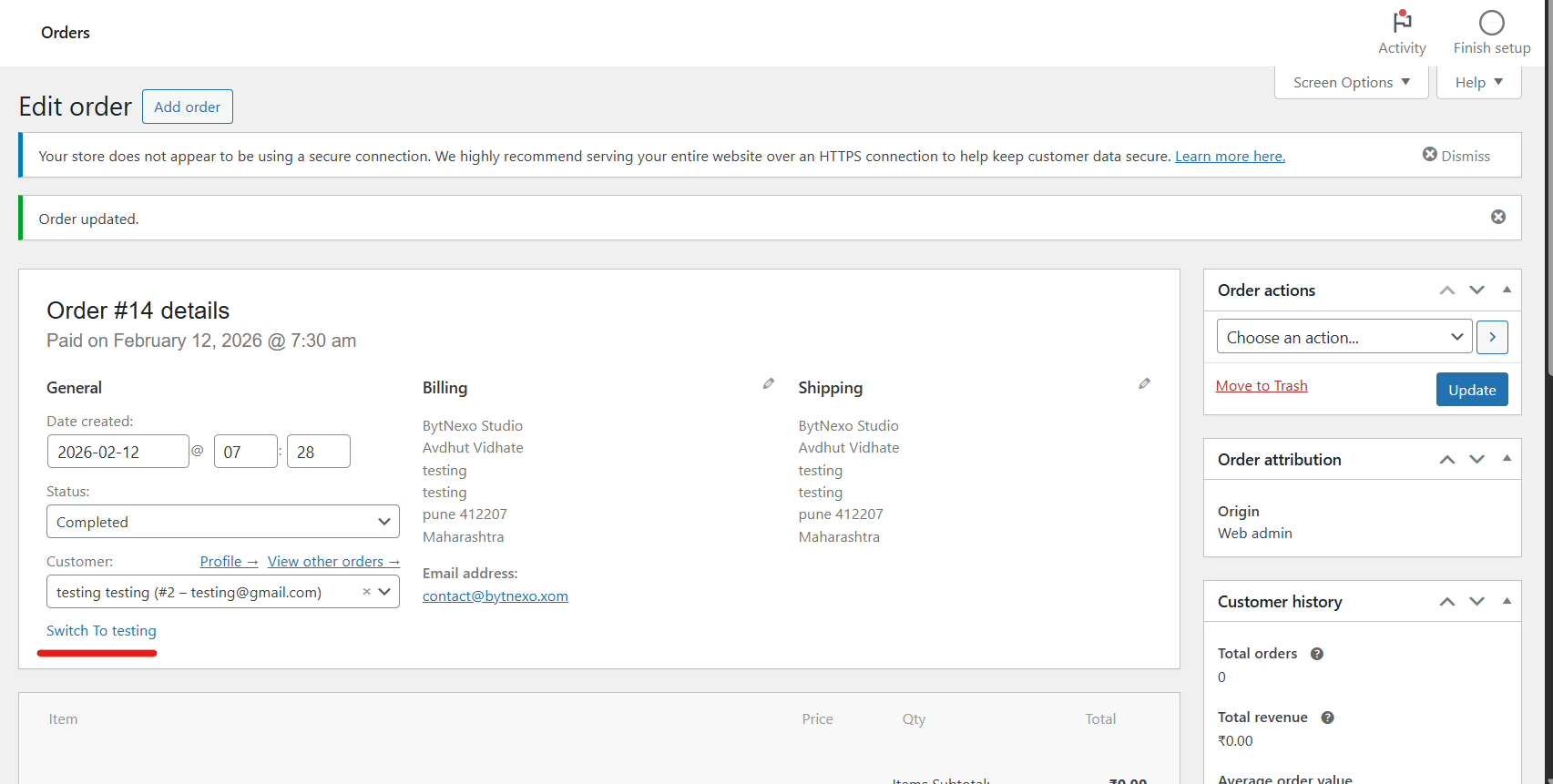
- Full WooCommerce integration with order page switching
- No database modifications - uses secure cookie-based sessions
- Lightweight and high-performance
- Multi-site compatible
- Respects all WordPress authentication hooks and security plugins
- Debugging user-specific issues
- Testing different user roles and frontend experiences
- Providing customer support without asking for passwords
- Managing WooCommerce and membership accounts
- Quality assurance testing
- Training and demonstration purposes
安装:
You can install this plugin in two ways: directly from the WordPress Plugin Directory or manually.
Method 1: Install from WordPress Dashboard (Recommended)
- Go to Plugins → Add New in your WordPress admin dashboard
- Search for "BytNexo User Switcher"
- Click Install Now, then Activate
- Download the plugin ZIP file
- Upload the plugin folder to
/wp-content/plugins/ - Activate the plugin from the Plugins menu
- Go to Settings → BytNexo User Switcher to configure role permissions, button styles, and redirects
- Navigate to Users → All Users
- Click "Switch To" next to any user
- You will be instantly logged in as that user
- To return, click "Switch back to" in the admin bar or use the floating button
屏幕截图:
更新日志:
= 1.2.5 - 2026-09-03 =
- IMPROVEMENT: Updated "Tested up to" to WordPress 7.1
- IMPROVEMENT: Full compatibility with WordPress 7.1
- IMPROVEMENT: Updated documentation for latest WordPress version = 1.2.4 - 2026-07-28 =
- NEW: Review notification system - Encourages users to leave a review after 7 days of usage
- NEW: "Leave a Review" link in plugin row meta
- IMPROVEMENT: Updated "Tested up to" to WordPress 6.8 = 1.2.3 - 2026-05-13 =
- NEW: Version fixes = 1.2.2 - 2026-05-13 =
- NEW: Documentation Updated = 1.2.1 - 2026-05-13 =
- NEW: Documentation Updated = 1.2.0 - 2026-03-24 =
- NEW: Preview (Read-Only) Mode - Prevent accidental data modifications when testing user accounts
- NEW: Auto-disable all forms including checkout, profile updates, comments, and AJAX submissions
- NEW: Visual banner indicator when preview mode is active
- NEW: User-friendly popup messages for blocked form submissions
- NEW: PHP-level form submission blocking with nonce verification
- NEW: AJAX form submission blocking for WooCommerce and dynamic forms
- SECURITY: Added nonce verification for all form submissions
- SECURITY: Enhanced input sanitization and validation
- FIX: Resolved WordPress coding standards warnings for undefined array indexes
- IMPROVEMENT: Better code organization and WooCommerce cart handling = 1.1.1 - 2026-03-15 =
- Assets files updated = 1.1.0 - 2026-02-20 =
- NEW: Role-Based Access Control (RBAC). Choose which roles (Editor, Author, Contributor, Subscriber) can switch users.
- NEW: Floating Switch Back Button. Fully customizable position (Bottom Left, Bottom Right, Top Left, Top Right).
- NEW: Button Style Customizer. Change background color, button text, text color, hover color, padding, border radius, and font size.
- NEW: Avatar support inside switch buttons. Customize avatar size.
- NEW: Admin Redirect URL setting. Redirect switched-in users to a specific page.
- NEW: Logout Redirect URL setting. Custom destination after logging out from a switched session.
- NEW: WooCommerce Cart Preservation. Prevent cart data loss during customer support sessions.
- ENHANCEMENT: Added Settings page under WordPress Settings menu.
- ENHANCEMENT: Improved code performance and security hardening. = 1.0.6 =
- Documentation Update = 1.0.5 =
- Security update = 1.0.4 =
- Retagging version 1.0.3 with correct version number = 1.0.3 =
- Improve plugin tags for better discoverability = 1.0.2 =
- Improved plugin description and documentation
- Optimized readme for WordPress search visibility = 1.0.1 =
- Initial release
- Core switching functionality
- Admin toolbar integration
- User profile switching
- WooCommerce integration
- Multi-site support