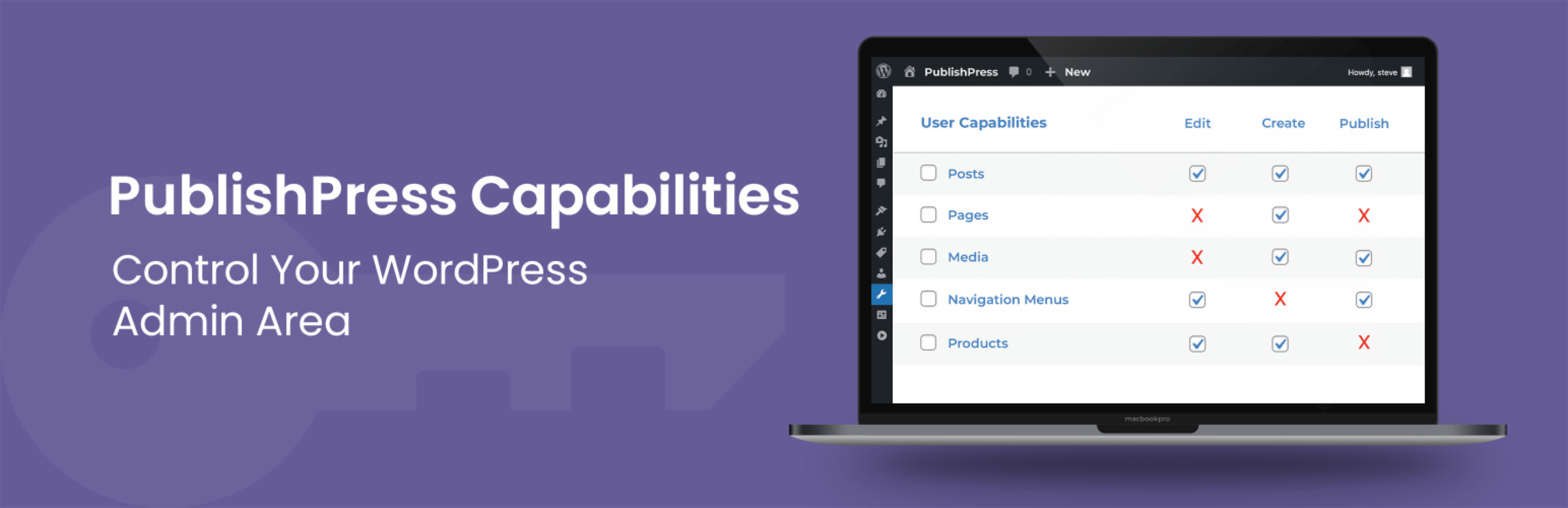
PublishPress Capabilities - User Role Editor, Access Permissions, User Capabilities, Admin Menus
| 开发者 | |
|---|---|
| 更新时间 | 2026年4月10日 01:51 |
标签
下载
详情介绍:
Upgrade to Capabilities Pro This plugin is the free version of PublishPress Capabilities. The Pro version of Capabilities has all the features you need to control permissions for your WordPress users. With Capabilities Pro you can manage access to posts, pages, media and custom post types. Click here to control access to your WordPress site with Capabilities Pro!The Key Features of PublishPress Capabilities
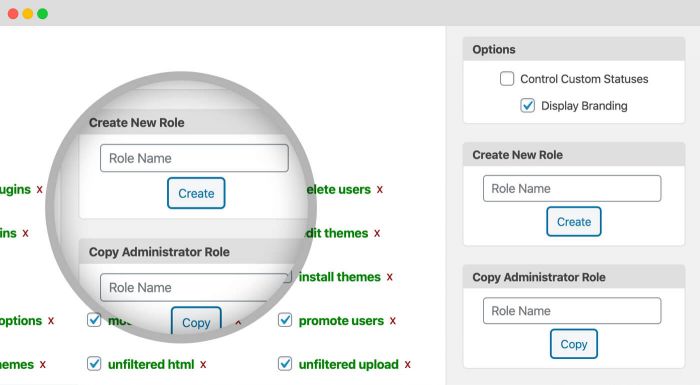
- Roles: You can edit, create, duplicate any WordPress user role.
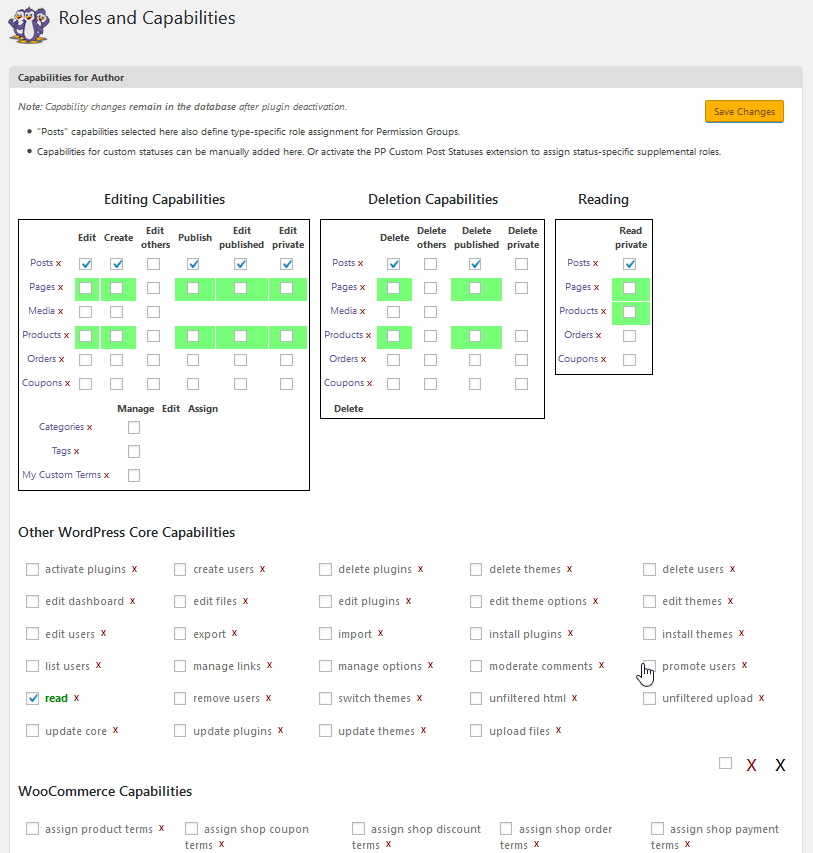
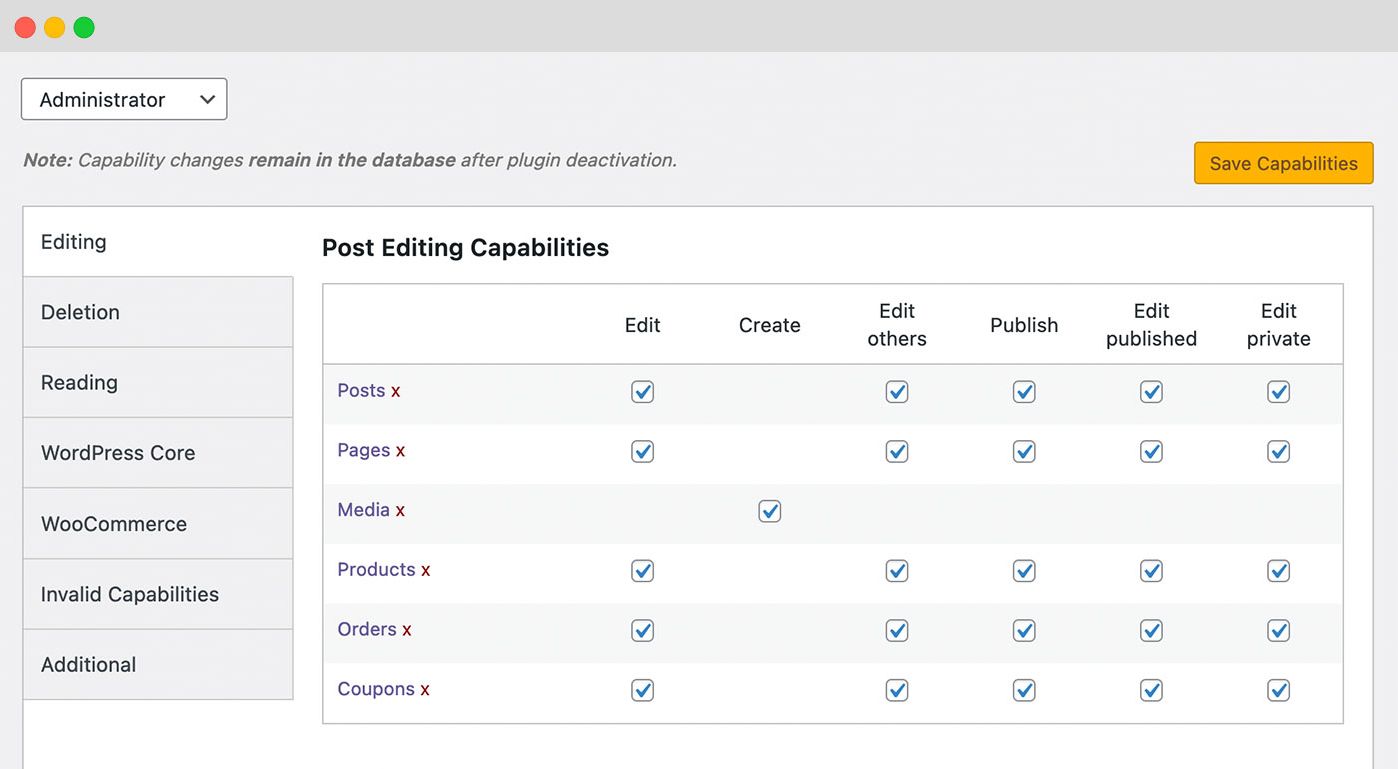
- Capabilities: You can control all WordPress and plugin capabilities.
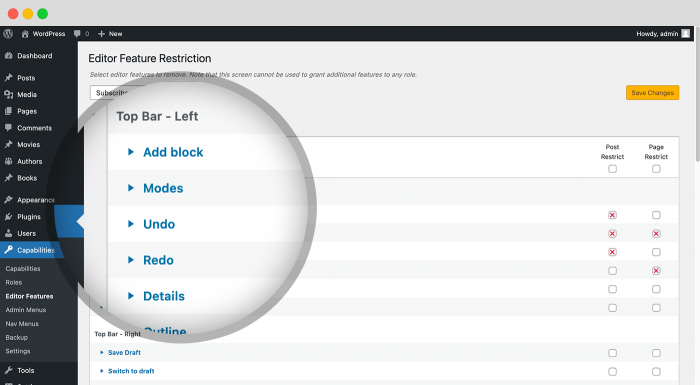
- Editor Features: You decide what users see when they're writing posts in Gutenberg or the Classic Editor.
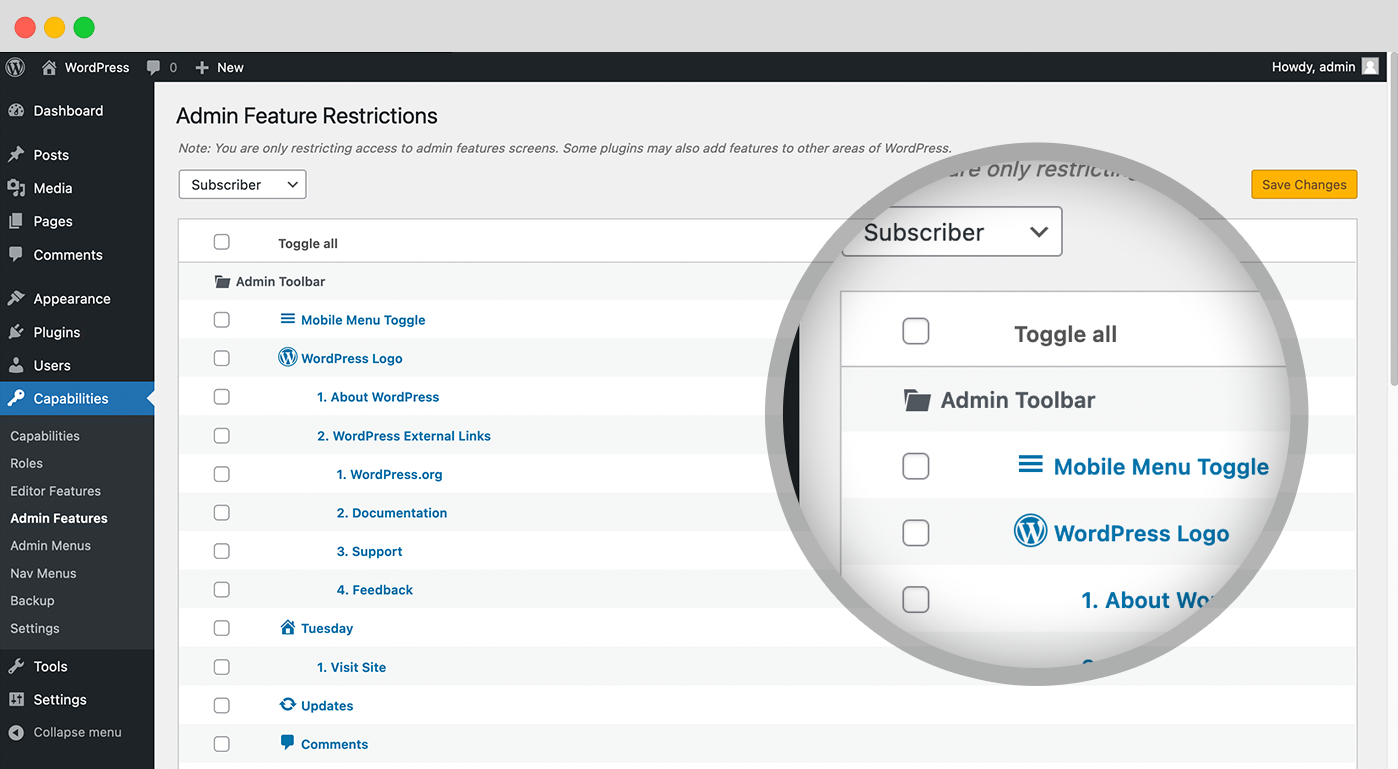
- Admin Features: You can remove items from the WordPress admin, toolbar, and even dashboard widgets.
- Frontend Features: This feature allows you to modify the site's frontend by hiding or adding CSS.
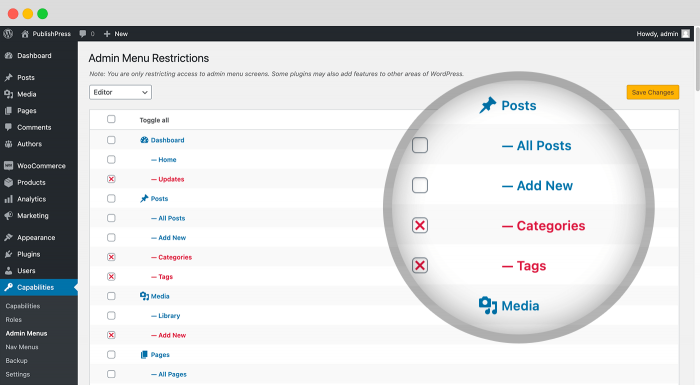
- Admin Menus (Pro version): You can edit admin menu links and control who can access them.
- Profile Features: You can hide features for users in the "Profile" screen.
- Redirects: You can hide features for users in the "Profile" screen.
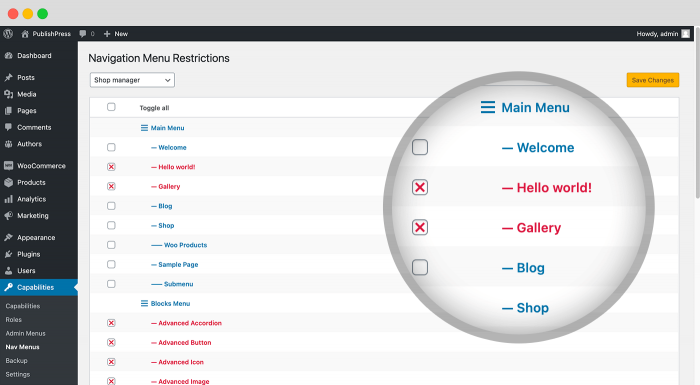
- Nav Menus: You can restrict access to navigation menus by user role, or logged in status.
- User Testing: Safely test any user's account without resetting their password.
- Admin Notices: Organize all the message and advertisements in your admin area.
- Login Redirect: Where users are sent when they log in.
- Logout Redirect: Where users are sent when they log out.
- Registration Redirect: Where users are sent when they register on your site.
- First Login Redirect: Where users are sent when they log in to your site for the first time. Click to see how to redirect users.
- PublishPress Authors Pro allows you to add multiple authors and guest authors to WordPress posts.
- PublishPress Blocks Pro has everything you need to build professional websites with the WordPress block editor.
- PublishPress Capabilities Pro is the plugin to manage your WordPress user roles, permissions, and capabilities.
- PublishPress Checklists Pro enables you to define tasks that must be completed before content is published.
- PublishPress Future Pro is the plugin for scheduling changes to your posts.
- PublishPress Permissions Pro is the plugin for restricted content and advanced WordPress permissions.
- PublishPress Planner Pro is the plugin for managing and scheduling WordPress content.
- PublishPress Revisions Pro allows you to update your published pages with teamwork and precision.
- PublishPress Series Pro enables you to group content together into a series.
- PublishPress Shortlinks Pro allows you to create custom URLs for your posts and external links.
- PublishPress Statuses Pro enables you to create additional publishing steps for your posts.
屏幕截图:
常见问题:
How do I Backup and Restore WordPress User Permissions?
PublishPress Capabilities is a user role editor that offers you the ability to backup and restore your WordPress user permissions. This feature is very helpful if you want to test out changes on your site, or you've installed a new plugin that has changed your site's permissions. Changing permissions in WordPress can be a tricky task. It's possible to lock yourself or others out of some important features. So, we've built a way to keep your site safe. Every time you change your permissions, the PublishPress Capabilities plugin will automatically create a backup. If you make a mistake, go to the “Backup” menu link and click the “Restore” tab. Here you can browse through the most recent 20 automatic backups. The plugin also saves a backup from when you first installed PublishPress Capabilities. And you can click the “Backup” tab to manually create backups. Click the yellow “Restore Selected Roles” button and you'll be able to roll back to a previous version. Whenever you choose a backup, the plugin will show all the permissions in that backup. Important changes in permissions are highlighted:
- A green role title means the role does not exist in your current set.
- A green capability is set in the role backup, but not the current role.
- A stuck-through capability is set in the current role, but not the role backup.
How Do I Restore Permissions to the WordPress Defaults?
If you really need to clean up and refresh your site, PublishPress Capabilities does allow you to restore the default WordPress permissions. Go to Capabilities > Backup and dlick the “Reset Roles” tab. Before you take next step, make sure to read this warning: “WARNING: This will delete and/or modify stored role definitions. If you have installed any plugin that adds new roles or capabilities, these will be lost. It is recommended to use this only as a last resort!” If you want to proceed, click the “Reset to WordPress defaults” link. PublishPress Capabilities will ask you if you're really sure you want to do this. Click “OK” to continue. Once the process is complete, you'll see the message, “Roles and Capabilities reset to WordPress defaults”.
How Do I Control WooCommerce Menu Link Permissions?
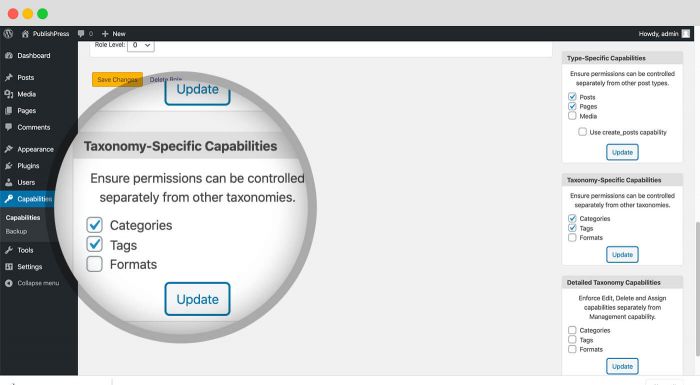
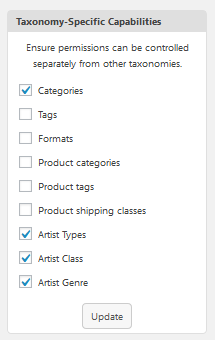
WooCommerce is the most popular WordPress eCommerce plugin. You can create beautiful store with themes customized to your brand and industry and you'll find 1,000's of tools and popular integrations. The PublishPress Capabilities plugin enables you to control permissions for the WooCommerce plugin and also WooCommerce user roles. You can use this plugin as a WooCommerce user role editor. Go to the “Capabilities” link in your WordPress admin menu. In the main area of your screen will see options for WooCommerce Products, Orders and Coupons. These permissions cover editing, deleting and reading. In the right sidebar, you can also enable permissions for WooCommerce taxonomies. Check the boxes for Product categories, Product tags, and Product shipping classes. After you check those boxes and refresh your screen, you will see Manager, Edit, Assign and Delete options for Product categories, Product tags, and Product shipping classes. The Pro version of PublishPress Capabilities allows you to block access to admin menu links in WooCommerce. This is useful because WooCommerce has very limited options for controlling who can access the admin screens. When you first install WooCommerce, you'll see four top-level menu links, plus sub-menus. All of these links are available to users in the Administrator and Shop Manager roles:
- WooCommerce
- Products
- Analytics
- Marketing
How Do I Control Contact Form 7 Permissions?
The Pro version of PublishPress Capabilities allows you to block access to admin menu links in the Contact Form 7 plugin. This is useful because Contact Form 7 has very limited options for controlling who can access the admin screens. Contact Form 7 is the most popular contact form plugin for WordPress. You can manage multiple contact forms, and easily customize each form and the emails it sends. Contact Form 7 supports Ajax-powered submitting, CAPTCHA, Akismet spam filtering and much more. When you first install Contact Form 7, you'll see one top-level menu link, plus three sub-menus. All of these links are available to users in the Administrator role:
- Contact Forms
- Add New
- Integration
How Do I Control Yoast SEO User Roles and Permissions?
The Pro version of PublishPress Capabilities allows you to block access to admin menu links in the Yoast SEO plugin. This is useful because Yoast SEO has limited options for managing who can access the admin screens and important features. Yoast SEO is the most popular WordPress SEO plugin and contains everything that you need to manage your SEO. Yoast SEO is packed full of feature that help search engines to find and understand your website. When you first install Yoast SEO, you'll see one top-level menu link, plus at least 5 sub-menus:
- General
- Search Appearance
- Social
- Tools
- Premium
How Do I Control Elementor User Roles and Permissions?
The Pro version of PublishPress Capabilities allows you to block access to admin menu links in the Elementor plugin. This is useful because Elementor has limited options for managing who can access the admin screens and important features. The Elementor plugin is one of the most popular drag-and-drop page builders. With Elementor, you’re editing the site live, and simultaneously see exactly how it looks like. Elementor designs are full-responsive and come with over 40 powerful widgets. PublishPress Capabilities can help you manage Elementor permissions. When you first install Elementor, you'll see one top-level menu link, plus at least 9 sub-menus:
- Settings
- Role Manager
- Tools
- System Info
- Getting Started
- Get Help
- Custom Fonts
- Custom Icons
- Go Pro
How Do I Control Jetpack User Roles and Permissions?
The Pro version of PublishPress Capabilities allows you to block access to admin menu links in the Jetpack plugin. This is useful because Jetpack has limited options for managing who can access the admin screens and important features. Jetpack is a plugin built by Automattic, the company behind WordPress.com. This plugin offers many different services including backups, spam blocking, analytics, malware scans, contact forms, and more. PublishPress Capabilities can help you manage Jetpack permissions. When you first install the Jetpack plugin, you'll see one top-level menu link, plus at least 2 sub-menus:
- Dashboard
- Settings
How Do I Control WPForms User Roles and Permissions?
The Pro version of PublishPress Capabilities allows you to block access to admin menu links in the WP Forms plugin. This is useful because WPForms has limited options for managing who can access the admin screens and important features. WPForms is one of the most popular WordPress contact form plugin with millions of active installs. WPForms allows you to create beautiful contact forms, feedback forms, subscription forms, payment forms, and more. When you first install the WPForms plugin, you'll see one top-level menu link, plus at least 10 sub-menus:
- All Forms
- Add New
- Entries
- Settings
- Tools
- Addons
- Analytics
- SMTP
- About Us
- Community
How Do I Control The Events Calendar User Roles and Permissions?
The Pro version of PublishPress Capabilities allows you to block access to admin menu links in The Events Calendar plugin. This is useful because The Events Calendar has limited options for managing who can access the admin screens and important features. With The Events Calendar, you can easily create and manage an events calendar on your WordPress site. The plugin supports both in-person and virtual events. There are also many ways to extend the plugin for recurring events, ticket sales, user-submitted events and more. When you first install the The Events Calendar plugin, you'll see one top-level menu link, plus at least 10 sub-menus:
- Events
- Add New
- Tag
- Events Categories
- Venues
- Organizers
- Import
- Settings
- Help
- Event Add-Ons
How Do I Control The Gravity Forms User Roles and Permissions?
The Pro version of PublishPress Capabilities allows you to block access to admin menu links in the Gravity Forms plugin. This is useful because Gravity Forms has limited options for controlling who can access the admin screens. Gravity Forms is perhaps the most popular contact form plugin for WordPress. You can build and publish your WordPress forms in just minutes. Choose your fields, configure your options and easily embed forms on your WordPress-powered site. Gravity Forms allows you to easily integrate with third party services such as PayPal, Mailchimp, and Zapier. When you first install Gravity Forms, you'll see one top-level menu link, plus eight sub-menus.
- Forms
- New Form
- Entries
- Settings
- Import/Export
- Add-ons
- System Status
- Help
What’s the Difference Between PublishPress Capabilities and PublishPress Permissions?
We provide two plugins that allow you to control who can access what on your WordPress site. This is simple way to understand the difference:
- PublishPress Capabilities: Easy.
- PublishPress Permissions: Advanced.
- PublishPress Permissions allows you to customize the default WordPress permissions.
- PublishPress Permissions allows you to customize advanced permissions that go far beyond the scope of the WordPress core.
- PublishPress Capabilities allows you to control who can publish all your Posts.
- PublishPress Permissions allows you to control who can publish Posts with a particular Status, Category or Tag, or even Posts without a specific Category or Tag.
- PublishPress Capabilities allows you to control who can read all your Pages.
- PublishPress Permissions allows you to control who can read Pages with a specific Status, Category or Tag, or even Pages with a particular parent Page.
What's the correct way to spell PublishPress Capabilities?
PublishPress is the official brandname. When writing about this user role editor plugin, please make sure to uppercase the Ps.
- PublishPress Capabilities (correct)
- Publish Press Capabilities (incorrect)
- publishpress capabilities (incorrect)
- publish press cpabilities (incorrect)
Where do I report security bugs found in this plugin?
Please report security bugs found in the source code of the PublishPress Capabilities plugin through the Patchstack Vulnerability Disclosure Program. The Patchstack team will assist you with verification, CVE assignment, and notify the developers of this plugin.