
Captcha on Login
| 开发者 | Anderson.Makiyama |
|---|---|
| 更新时间 | 2016年7月1日 17:50 |
| PHP版本: | 4.0 及以上 |
| WordPress版本: | 4.5.3 |
详情介绍:
Overview
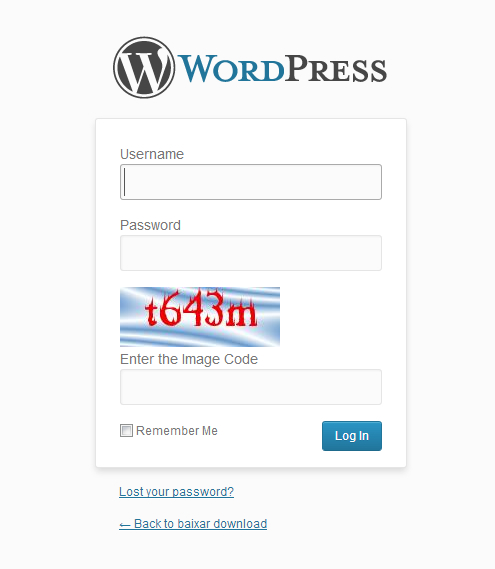
Nowadays, it is common hackers trying to get access to your blog, so, it is very important you make some actions to prevent your blog from being hacked. A good way to turn the login system of your blog more secure is to use that plugin Captcha on Login. It will Protect your blog from login brute force attacks adding a captcha on login page. That plugin also locks IPS after a specific number of login tries failed, note that on the plugin's options page you can set these numbers.
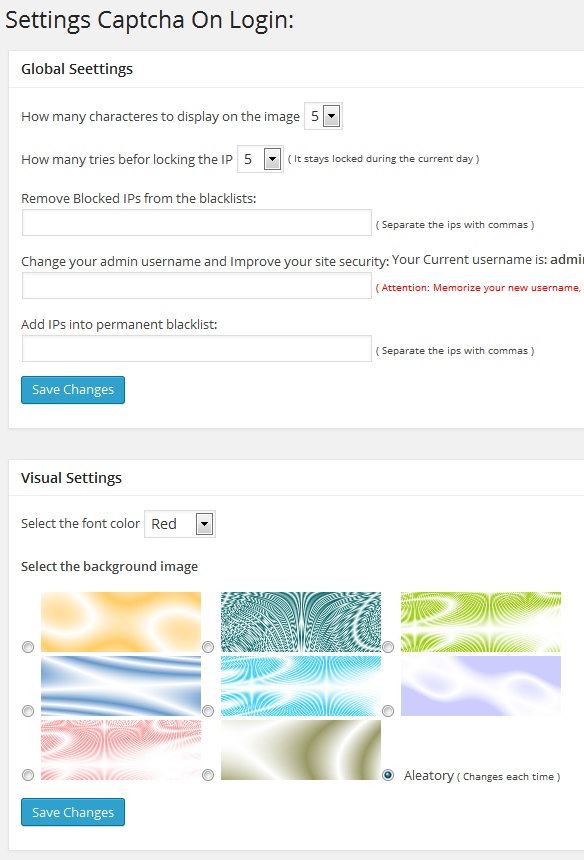
Currently, the plugin also allow us to change the default admin username from admin to whatever you want. Changing the username of the admin is a great idea to prevent brute force atacks and turn your blog more secure.
https://www.youtube.com/watch?v=4VCSiDpJvfQ
Features
- Limit the number of login attempts throught wp login form as well as auth cookies.
- Option to change admin username and grown up the security
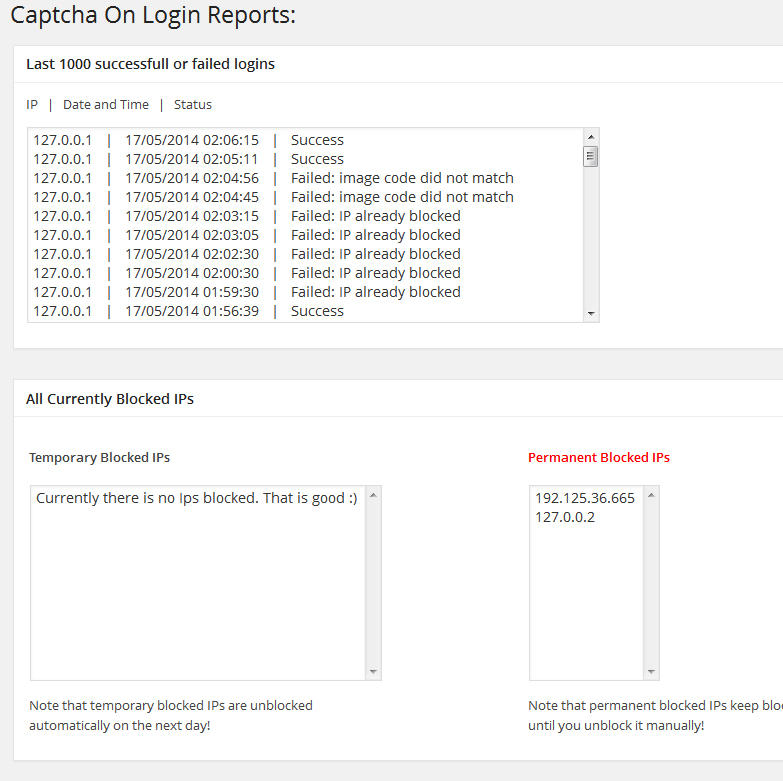
- Report page, where you can see blocked ips and last 1000 sucess and failed logins.
- Option to block IPs permanently
- Option to unblock IPs
- Option to define maximum number of login attempts befor locking the ip
- Some visual options, as background image, color of text, number of characters, etc.
安装:
To install, just follow this steps:
1- Send the plugin to plugins folder, by default it should be: /wp-content/plugins/
2- Do login on your blog's panel, go to Plugins section and activate the plugin Captcha on Login
3- Now, on the left site of your blog's panel, a new option called "Captcha on Login" will appear, click on it to go to the options page
4- Set the options and save changes.
屏幕截图:
常见问题:
May I suggest ideas and modification to this plugin?
Yes, you can, just leave a comment at Admiyn SOftwares Inteligentes
更新日志:
0.1
- Plugin publication
- Added an option to unblock blocked ips
- Added an report page where you can see all blocked ips and the last 100 sucess or failed logins
- Added an option to change default admin username and increase the security of your blog
- Changed the report page from last 100 logins to last 1000 logins and fixed a little bug.
- The plugin started limiting also the number of login attempts using auth cookies
- The plugin allows you adding permanent blocked ips
- Added an report are for see all permanent blocked ips
- Now working even when GD is not installed on the server
- Now it is possible to change username of any user
- Changed some part of the code and icons.