Captionwright – AI Video Captions, Subtitles & Transcripts
| 开发者 | karelialabs |
|---|---|
| 更新时间 | 2026年10月25日 18:23 |
| PHP版本: | 7.4 及以上 |
| WordPress版本: | 7.1 |
| 版权: | GPLv2 or later |
| 版权网址: | 版权信息 |
详情介绍:
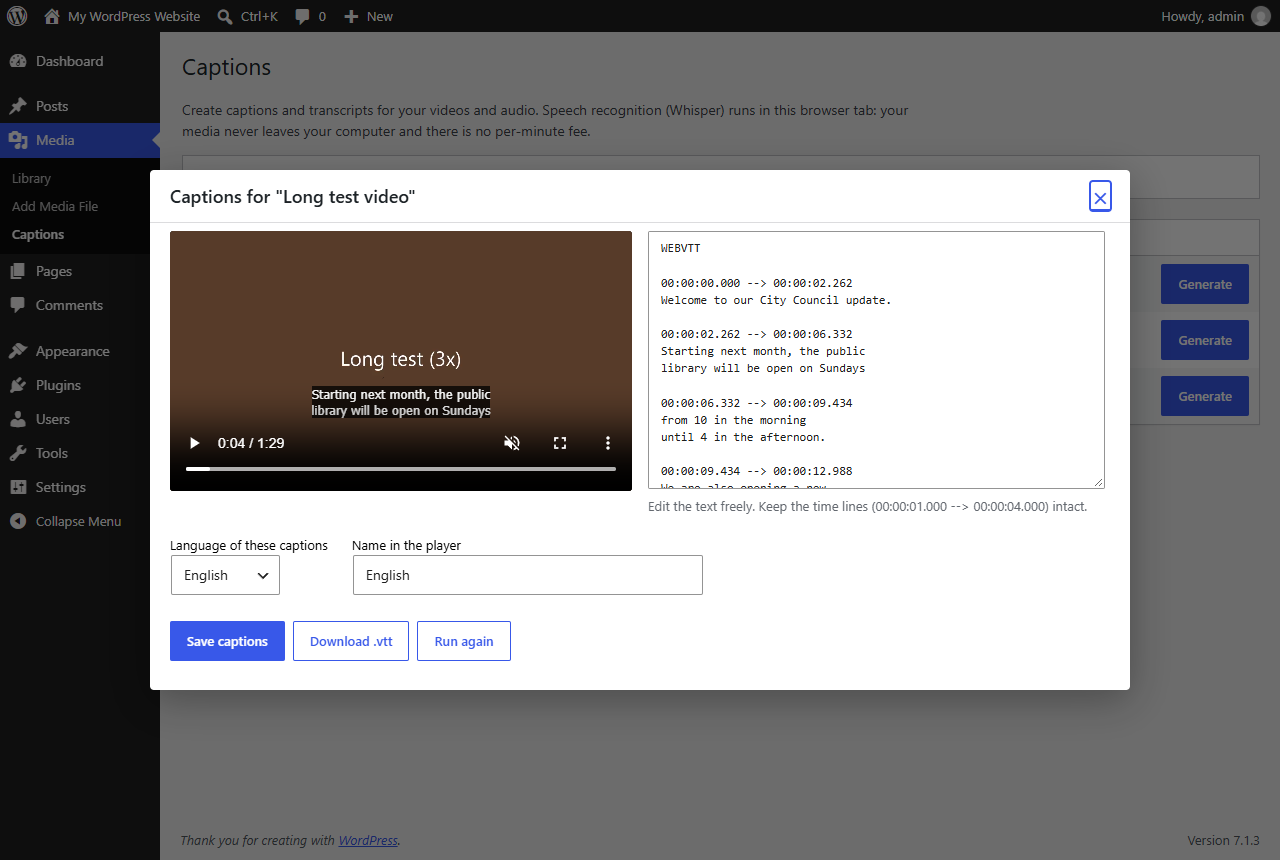
- Go to Media → Captions and click Generate next to a video or audio file.
- OpenAI's Whisper speech model listens to the file inside your browser tab (WebGPU when your computer has a graphics card, WebAssembly otherwise).
- Check and edit the text next to a live preview, then save.
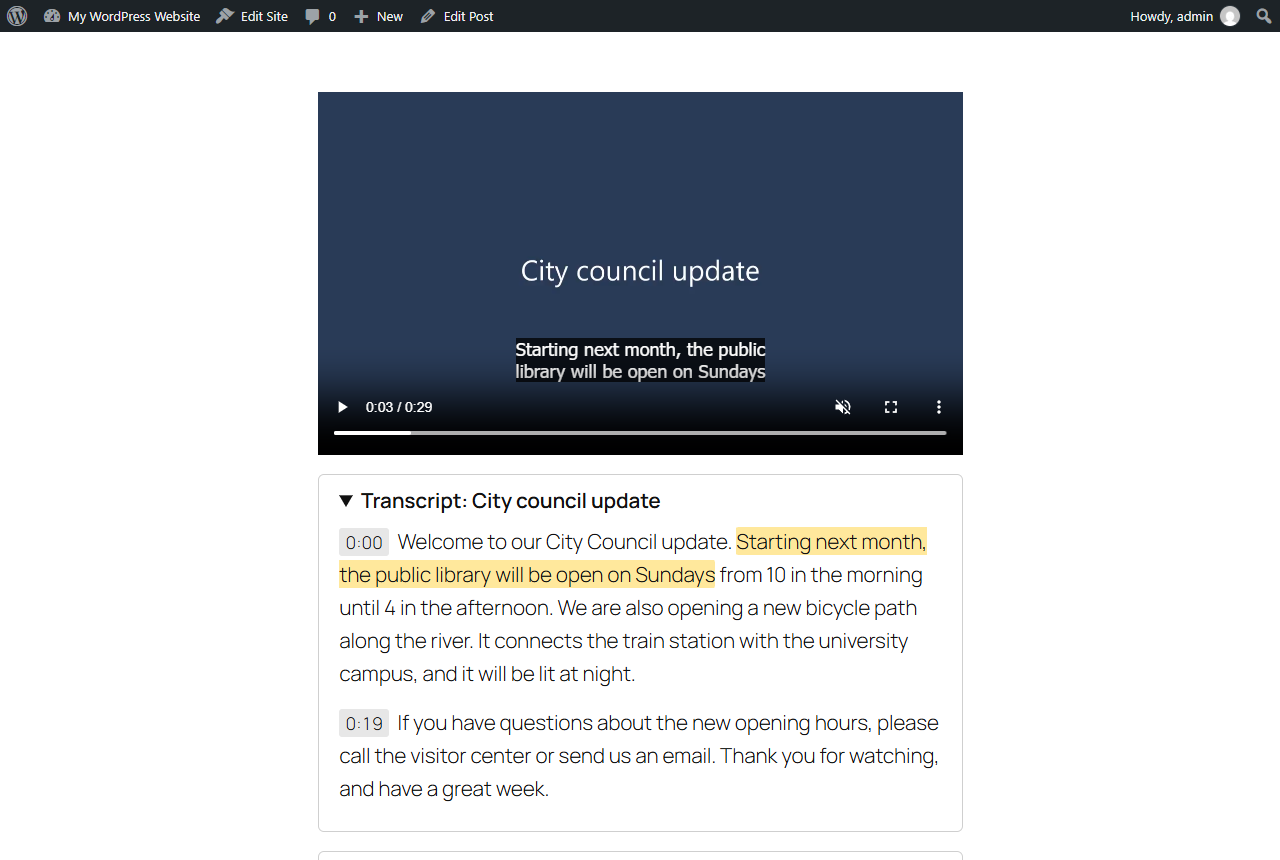
[video] shortcodes – no theme changes needed. A clickable transcript below the video lets visitors – and search engines – read every word.
Who it is for
- Schools, universities and public bodies that must caption their recorded video
- Course creators and membership sites that want captions and searchable transcripts
- Podcasters who want a transcript under every episode
- Agencies that need to make client sites accessible without a per-minute bill
- Churches, clubs and nonprofits that publish recordings of talks and meetings
- Automatic captions in 30 languages, or an English translation of any of them
- Runs locally in the browser: no uploads, no account, no API key, no usage fees
- Edit captions next to a live preview before saving
- Captions are added automatically to the core Video block and the
[video]shortcode - Transcript block with clickable times that jump the player, and the current sentence highlighted while it plays
- Optional transcript below every captioned video, which also helps search engines and AI assistants read your videos
[captionwright_transcript id="123"]shortcode for classic editors and page builders- Standard WebVTT subtitle files you can download and reuse anywhere
- Four model sizes, from Tiny (38 MB) to Large v3 Turbo (best accuracy, needs a graphics card)
- Caption the whole Media Library with one click – pause and resume any time
- Translate captions into 30 languages with timings kept in sync
- Interactive transcripts for YouTube and Vimeo embeds
- Cloud mode with your own Groq or OpenAI key for large libraries
屏幕截图:
常见问题:
Which browsers work?
Tested in current Chrome, Edge and Firefox, with a graphics card (WebGPU) and on the processor alone (WebAssembly). The graphics card is several times faster; if it causes errors, Captionwright switches to the processor automatically, and you can choose "Use the processor only" in the settings. Safari 17 or later has all the browser features Captionwright needs, but we have not tested it on a Mac yet. Only the person creating captions needs one of these browsers – visitors see the captions in any browser.
How long does it take?
With a graphics card (WebGPU) and the Base model, speech is processed roughly ten times faster than real time – in our tests a 90-second video took 8 seconds. Without a graphics card it runs on the processor and is noticeably slower; choose Tiny or Base there. The model (73–199 MB for Base) is downloaded only once per browser.
How accurate is it?
Whisper is one of the most accurate open speech models, but no automatic captions are perfect. Always read through the text in the editor before saving, especially names and technical terms. For accessibility compliance, captions must be accurate.
Where are the caption files stored?
In wp-content/uploads/captionwright/, one .vtt file per file and language.
What happens to my captions if I delete the plugin?
Deactivating or updating keeps everything. Deleting Captionwright removes its settings, the caption files in wp-content/uploads/captionwright/ and the caption records on your media. Your videos are never touched. To keep the captions, download the .vtt files or copy that folder first.
My media is on a CDN or cloud storage
The browser must be able to download the file. If it lives on another domain, that domain must allow cross-origin requests from your site.
更新日志:
- Caption files keep the shared
wp-content/uploads/captionwright/folder, also when Captionwright Pro is installed later. Uninstall also removes the folder Pro 1.0.0–1.0.1 used by mistake.
- Version kept in step with Captionwright Pro. No changes to the free features.
- First stable release. Automatic fallback from the graphics card to the processor, a "Use the processor only" setting, audio decoding that also works when the browser cannot decode at 16 kHz.
- Add-on hooks (engines, track actions, settings sections) and paging in the media list.
- Captions are split at sentence boundaries and wrapped at commas.
- Transcript block: works with YouTube and Vimeo players when they have captions.
- First release: browser-based Whisper captions, caption editor with live preview, Video block and shortcode integration, Transcript block and shortcode.