Cascading Mega Menu for Elementor
| 开发者 | terencebentem |
|---|---|
| 更新时间 | 2026年3月17日 22:56 |
| PHP版本: | 7.4 及以上 |
| WordPress版本: | 6.9 |
| 版权: | GPLv2 or later |
| 版权网址: | 版权信息 |
详情介绍:
Cascading Mega Menu for Elementor adds a powerful, fully customizable mega menu widget to Elementor.
You can visually build multi‑column, multi‑level navigation where hovering an item reveals its children in the next column.
Key features:
- Unlimited nesting depth – build simple two-level menus or complex cascading structures.
- Pure Elementor workflow – configure menu items, parents, and links directly in the widget panel.
- Smart column layout – each depth level automatically appears as a new column.
- Submenu indicators – configurable icons for items that have children.
- Modern styling controls – typography, colors, padding, column width, separators, and more.
- Responsive – columns stack vertically on mobile for better usability.
安装:
- Upload the plugin ZIP to your WordPress site:
- Go to Plugins → Add New → Upload Plugin.
- Select the ZIP file containing this plugin.
- Click Install Now, then Activate.
- Open any page with the Elementor editor.
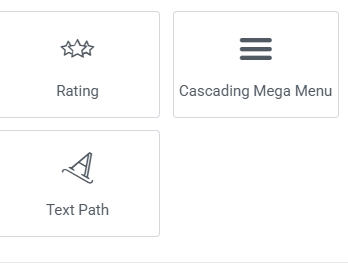
- In the Elementor panel, search for “Cascading Mega Menu”.
- Drag the widget into your layout and configure:
- Add items in the Menu Items section.
- For top-level items, leave Parent Item Title empty.
- For nested items, set Parent Item Title to the exact title of the parent you want to nest under.
- Use the Item Styling, Panel Styling, and Column Headings sections to fine‑tune the appearance.
屏幕截图:
常见问题:
Does this plugin require Elementor?
Yes. Cascading Mega Menu for Elementor is an Elementor widget and requires the Elementor plugin to be installed and active.
Will this work with any theme?
The widget is built using standard WordPress and Elementor practices and should work with any properly coded theme. Styling may vary slightly between themes, but you can adjust typography, colors, and spacing from the widget controls.
How do I create nested (child) menu items?
Each menu item has a Parent Item Title field:
- Leave it empty to create a top-level item.
- To create a child item, type the exact title of the parent item into Parent Item Title.
- You can repeat this process to create as many levels as you need.
Does the menu support external links and nofollow?
Yes. Each item uses Elementor’s URL control, which supports external links (target="_blank") and nofollow.
更新日志:
3.02
- Initial public release for the WordPress.org plugin directory.