Category AJAX Filter – Advanced Filter for Posts & Custom Post Types
| 开发者 | TrustyPlugins |
|---|---|
| 更新时间 | 2026年5月25日 19:47 |
| 捐献地址: | 去捐款 |
| PHP版本: | 7.0 及以上 |
| WordPress版本: | 7.0 |
| 版权: | GPL3 |
| 版权网址: | 版权信息 |
标签
下载
1.0
1.1
1.2
1.3
1.4
1.4.2
1.4.3
1.4.4
1.4.5
1.4.6
1.4.7
1.4.8
1.4.9
1.5
1.5.1
1.5.2
1.5.3
1.5.4
1.5.5
1.5.6
1.6
1.6.5
1.6.6
1.6.7
1.6.8
1.6.9
1.7
1.7.1
1.8
1.8.1
1.8.2
1.8.3
1.8.4
1.8.5
1.8.6
1.8.7
1.8.8
1.8.9
1.9
1.9.1
1.9.2
1.9.3
1.9.4
1.9.5
1.9.6
1.9.7
1.9.8
2.0
2.1
2.2
2.3
2.4
2.5
2.5.1
2.6
2.6.2
2.6.3
2.6.4
2.6.5
2.6.6
2.6.7
2.7
2.7.1
2.7.2
2.7.2.1
2.7.2.2
2.7.2.3
2.8
2.8.1
2.8.2
2.8.3
2.8.4
2.8.4.1
2.8.5
详情介绍:
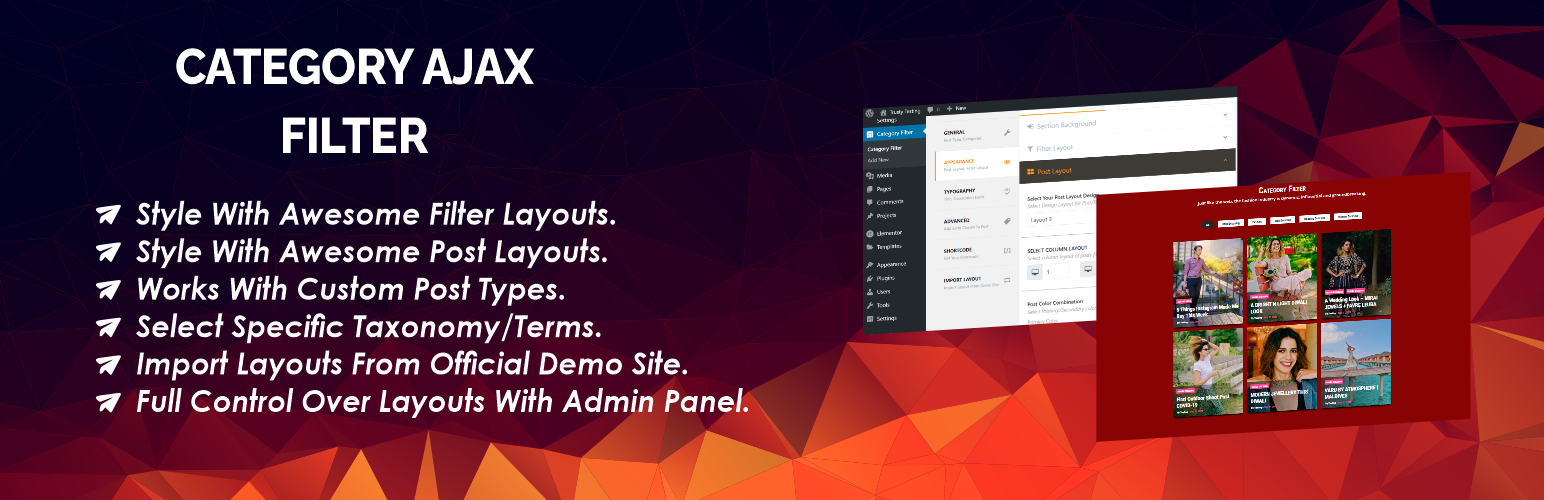
Category AJAX Filter lets you instantly filter WordPress posts and custom post types using categories, taxonomies and tags with AJAX-powered filtering — without reloading the page.
It includes pre-built layouts and an easy-to-use admin panel to manage categories, tags, styling options, pagination and more. Fully compatible with Elementor, Divi, WPBakery and Gutenberg, CAF helps you create powerful WordPress post filters and custom post type filters to organize and display your content in a fast and user-friendly way.
Key Features of Category AJAX Filter (Free)
- Supports Custom Post Types and Taxonomies – Filter content from any post type including blogs, portfolios, directories and more.
- 3 Pre-built Filter Layouts – Quickly create filters using ready-made layouts without complex setup.
- 4 Pre-built Post Layouts – Display filtered results using multiple post layouts for different design styles.
- Flexible Design Options – Customize colors, fonts, sizing, spacing, and layout to match your website design.
- Easy-to-use Admin Panel – Simple controls make it easy to configure filters and manage settings.
- Responsive and Lightweight – Fully optimized for mobile, tablet and desktop with fast performance.
- Regular Updates and Quick Support – Continuous improvements and support to keep your site running smoothly.
- Blog Category Filtering – Let readers filter blog posts by categories and tags.
- Custom Post Type Websites – Easily filter content from portfolio items, events, listings or any custom post type.
- Portfolio Websites – Display projects and allow visitors to filter them by categories or taxonomies.
- Directory Websites – Organize and filter listings using custom taxonomies.
- Content-heavy Websites – Help users quickly narrow down results and discover relevant content.
- Default WordPress Posts – Filter blog posts by categories and tags with instant AJAX results.
- Custom Post Types – Display and filter portfolio items, recipes, events, listings or any custom post type.
- WordPress Categories & Tags – Use built-in categories and tags to refine results and organize content.
- Custom Taxonomies & Terms – Filter posts using custom taxonomies and taxonomy terms created for your custom post types.
- Advanced Custom Fields (ACF)
- Custom Post Type UI (CPT UI)
- Custom-coded post types and taxonomies
- Parent Child Category Filter
- Multiple Taxonomy Filter
- Multiple Taxonomy Horizontal Dropdown Filter (Modern)
- Multiple Taxonomy Filter Dropdown
- Alphabetical Navigation Filter
- Tabs Filter
- Multiple Checkbox Filter
- Multiple Filters on Page
- Simple Timeline
- Full Width Timeline
- Full Rounded Corner
- Carousel Slider
- Masonry Layout
- Gradient Border
- Masonry With Description
- Multiple taxonomy & term selection
- Default terms (category) on page load
- Icons for filter terms and categories (in Filters)
- Sorting options for filtered results
- Hide or show meta elements (date, author, comment count, etc.)
- Post animation effects
- Translate default text strings (e.g., “All”, “Read More”)
- Font Awesome icon support
- Google Fonts integration
- Scroll to results container on filter click
- Parent and child category filters
- Template overwrite support (safe during plugin updates)
- Developer hooks for advanced customizations
- Priority support https://www.youtube.com/watch?v=OOnLUnPuYgA
- Visit the specific demo page and copy the exported JSON code.
- Paste the code into the Import tab of the plugin’s admin panel.
- Click Import, and your layout will be ready to use.
- screenshot-1.png
- screenshot-2.png
- screenshot-3.png
更新日志:
= 2.8.5 = (25/05/2026)
- Updated admin design compatible with wordpress 7.0.
- Admin css Fixed = 2.8.4.1 = (10/03/2026)
- Readme updated. = 2.8.4 = (08/07/2025)
- CSS conflict issue fixed [for RankMath,woocommerce] = 2.8.3 = (07/11/2024)
- Sorting feature added at the admin settings panel.
- vulnerability fixed mentioned by wordfence. = 2.8.2 = (20/05/2024)
- Plugin scanned with 'plugin-check' and fixed all security warnings = 2.8.1 = (11/04/2024)
- 'Read More' and 'All' String translation compatibility = 2.8 = (26/02/2024)
- Enhancement [PRO version(8.8) will be removed as addon]
- If using CAF PRO 8.8 , user can deactivate the free version. = 2.7.2.3 = (19/02/2024)
- Bug Fixes [Duplicate declaration error of static variable] = 2.7.2.2 = (15/02/2024)
- Fixed License error [compatibility with PRO]
- Bug Fixes
- Hooks Added [compatibility with PRO] = 2.7.2.1 = (20/06/2023)
- Fixed Styling and Responsive Issues = 2.7.2 = (17/05/2023)
- Added Support for WooCommerce = 2.7.1 = (17/05/2023)
- Post Title New tab Link open [fix]
- Post Description Font Syncing with PRO = 2.7 = (2/05/2023)
- Bug fixed
- Special Css Add Class Issue fixed = 2.6.7 = (18/01/2023)
- New Pagination added in PRO [Compatible to 8.6.5 ] = 2.6.6 = (06/01/2023)
- Wordpress Dashboard Icon changed = 2.6.5 = (23/12/2022)
- Bug Fixed [Fixed Function conflict - get_image_sizes] = 2.6.4 = (27/07/2022)
- Bug Fixed [#parse error , #PRO version error] = 2.6.3 = (27/07/2022)
- Bug Fixed [#parse error , #PRO version error] = 2.6.2 = (27/07/2022)
- Bug Fixed [Parse Error - Due to template conflict (date.php,author.php)] = 2.6 = (26/07/2022)
- Restrict ABSPATH function added to files
- Templates Directory added with all used Modules
- Many of Developer Hooks Added
- Compatible with CAF PRO [8.6] = 2.5.2 = (01/07/2022)
- Category Issue fixed when you use PRO with free layouts = 2.5 = (25/05/2022)
- Default Filter Layout's More button hook added [Text Change]
- Inherit added in transform [Typography] = 2.4 = (01/04/2022)
- Filter Layout Dropdown Changed [Admin Panel]
- PRO COMPATIBLE VERSION [8.4] = 2.3 = (15/03/2022)
- Double slash in source file bug fixed = 2.2 = (09/03/2022)
- BUG FIXED OF PARSE ERROR [OF 2.1]
- PRO COMPATIBLE CHANGES [8.2] = 2.1 = (08/03/2022)
- PRO COMPATIBLE CHANGES [8.2] = 2.0 = (03/03/2022)
- Fixed isset image warning for all Post Layouts.
- Add Dynamic CSS for all Post Layouts and Filter Layouts.
- PRO COMPATIBLE [8.0] = 1.9.8 = (02/03/2022)
- Update Patch to fix 1.9.7 = 1.9.7 = (02/03/2022)
- Fixed isset image warning for all Post Layouts.
- Add Dynamic CSS for all Post Layouts and Filter Layouts.
- PRO COMPATIBLE [7.7] = 1.9.6 = (24/02/2022)
- Missing String Translation functions added (Loco Translate)
- PRO Compatible Version (7.6) = 1.9.5 = (08/02/2022)
- Fixed Console Error = 1.9.4 = (05/02/2022)
- Fixed (Posts found: parsererror) , New Setting option Added to enable/disable Nonce from plugin settings under 'Advanced Tab'(advanced->security) = 1.9.3 = (04/02/2022)
- Conflict fixed (jQuery is not defined)
- Language Translation file added (Russian:RU:Русский) = 1.9.2 = (24/01/2022)
- Compatible with Wordpress 5.9 = 1.9.1 = (12/01/2022)
- Whitespace Fixed (Header information)
- Compatible with Loco Translate
- Admin Area translatable
- localization and Internationalize done
- Securing (escaping) Output
- Compatible version with PRO (Analytics Feature) [Compatible] = 1.8.8 = (04/09/2021)
- Bugs fixed, Font Awesome compatible version with PRO [Compatible] = 1.8.7 = (28/08/2021)
- Meta fields show/hide functionality in PRO version [Compatible] = 1.8.6 = (05/08/2021)
- Fixed Shortcode generator error (Dashboard Shortcode Fixes) = 1.8.5 = (30/07/2021)
- jQuery not defined error fixed. = 1.8.4 = (26/07/2021)
- Fixes = 1.8.3 = (20/07/2021)
- Default Color Combination set/User Experience = 1.8.2 = (09/07/2021)
- Category Bug Fixed for post layouts = 1.8.1 = (09/07/2021)
- Enable/Disable Scroll to Div [PRO Compatible]
- Multiple Taxonomy Selection Feature in PRO [PRO Compatible] This version is compatible with PRO that has feature of multiple taxonomy selection. We added one more new filter layout in PRO version. Now you can select multiple taxonomy for all the filters.
- Select Default Category [PRO Compatible]
- W3C Compatible Fixes
- Read More Button Translation Compatible [PRO Compatible]
- W3C Compatible, Bug Fixed [PRO Compatible]
- Multiple Checkbox Filter Bug Fixed [PRO Compatible]
- Translation Settings for default Strings [PRO Compatible]
- Font Bug fixed for Glossy Layout
- Search Field added for all filter layouts [PRO Compatible]
- Search Field Bug fixed [PRO Compatible]
- Search Field Added to search through Posts [PRO Compatible]
- One Click Demo Import (PRO Compatible)
- More Button added in filter layout 1 (PRO Compatible)
- Make PRO compatible for Animation Effects
- Css Bug fix for Post Layout 1
- Bug fix for Avada Builder
- Readme updated, Demo site Updated
- Bug Fixed,Readme updated
- Glossy Layout,Simple Blogs Layout Bug Fixed
- Layout Bug Fixed
- Layout Bug Fixed
- Supported for PRO Version
- Many More Hooks added
- Added three more filters
- Added one more filter to change the order of posts (Asc,Desc)
- Post Excerpt Supports (Bug Fixed)
- Backend tab fixes (Now plugin saves the user's last clicked tab)
- Shortcode tag splitter on post content
- Post Excerpt Supports
- Added Some filters to sort the posts/filter categories by specific order
- Added a filter function to order by ID for filter categories.
- First version of plugin.