Category Indexer for WooCommerce
| 开发者 | tihi |
|---|---|
| 更新时间 | 2026年4月14日 18:28 |
| WordPress版本: | 6.9 |
| 版权: | GPLv2 or later |
| 版权网址: | 版权信息 |
详情介绍:
安装:
- Navigate to
WP-Admin → Plugins → Add New - Search for "Category Indexer for WooCommerce"
- Click "Install Now" then "Activate"
- Download the plugin from WordPress.org
- Upload to
wp-content/plugins/directory - Activate through the Plugins menu
- Go to
Settings → Category Indexer - Configure General settings for global defaults
- Set up individual categories in the Categories tab
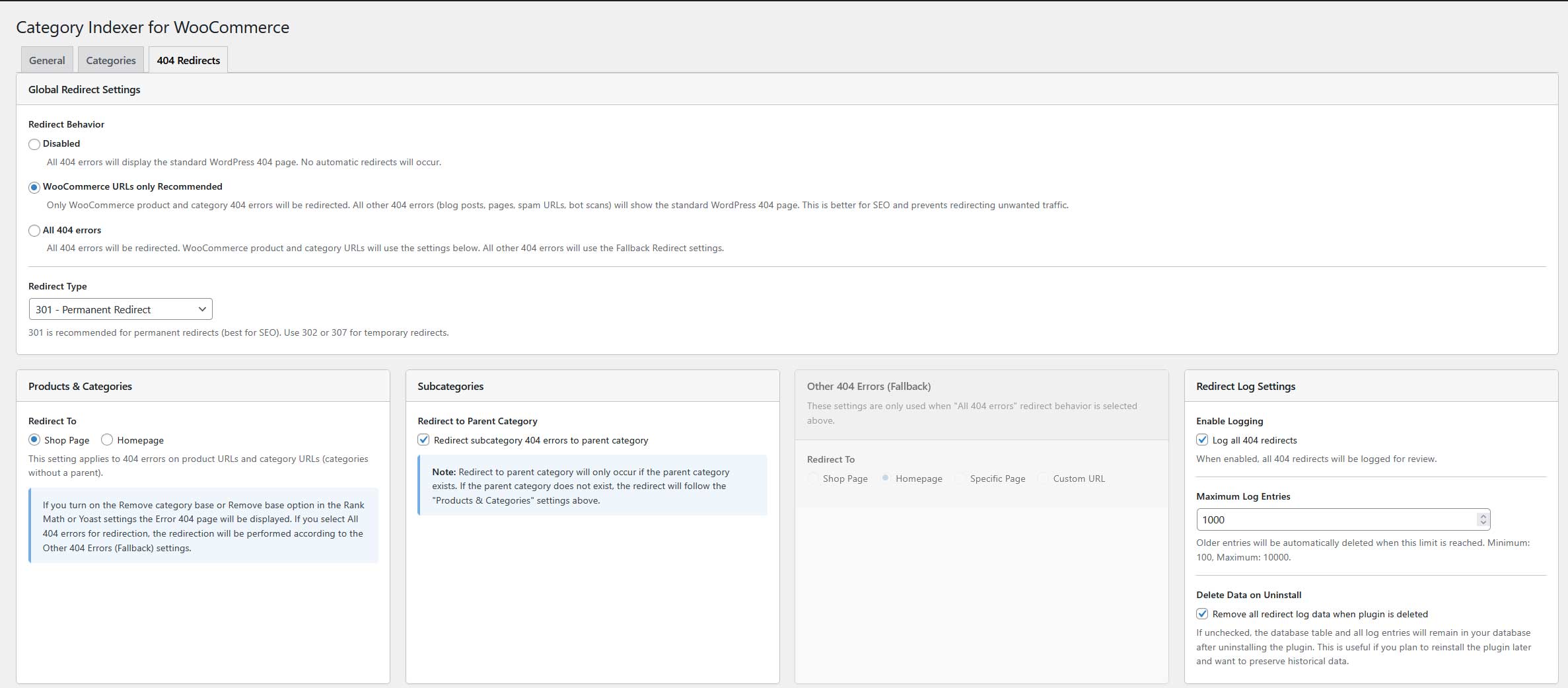
- Configure 404 Redirects in the dedicated tab
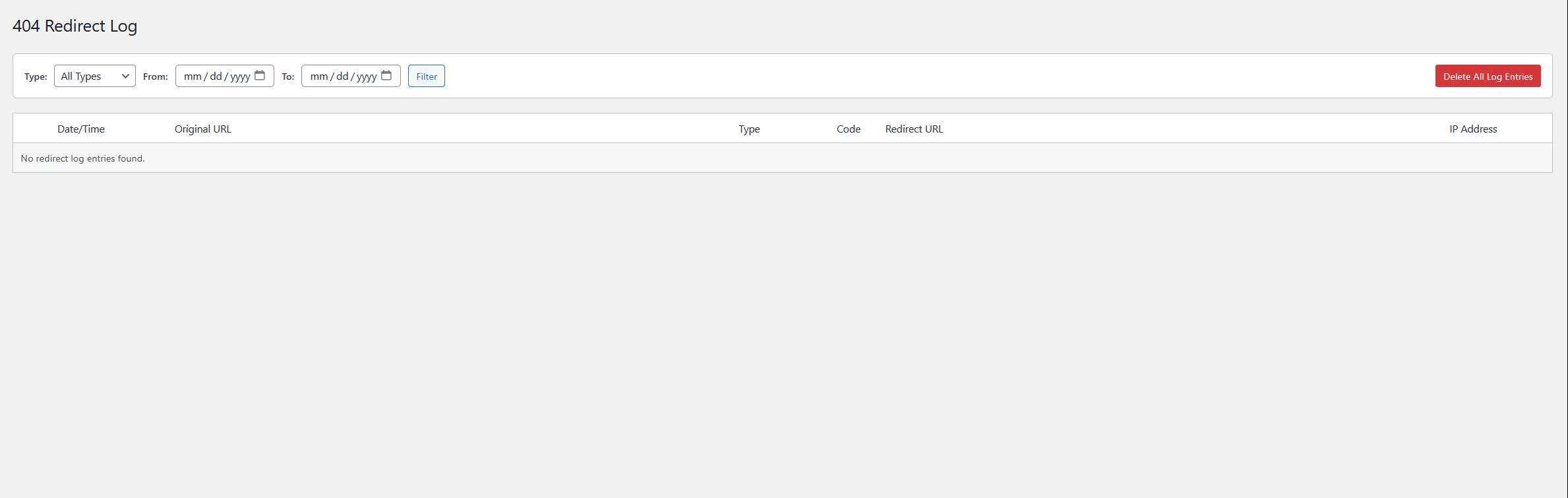
- Monitor redirects in the 404 Redirect Log submenu
屏幕截图:
常见问题:
Do I need an SEO plugin?
Yes, Rank Math SEO or Yoast SEO (free version) must be installed. The plugin integrates with these to add meta robots tags and canonical URLs.
How does WooCommerce auto redirect 404 error work?
When WooCommerce returns a 404 error for a deleted product or category, the plugin automatically detects the broken URL and redirects visitors to the most relevant available page. Products auto redirect to the shop page or homepage, subcategories redirect to the parent category, with fallbacks to the shop page, homepage, or a custom URL. Supports 301, 302, and 307 redirect types.
What is WooCommerce SEO crawl budget optimization?
WooCommerce SEO crawl budget refers to the number of pages Google crawls on your store. This plugin optimizes crawl budget by noindexing low-value pagination pages, ensuring Google focuses on your important product and category pages.
How does WooCommerce link juice optimization work?
WooCommerce link juice is SEO value passed through links. This plugin prevents link equity dilution across pagination by applying strategic nofollow tags, keeping authority concentrated on pages that drive sales.
How does the 404 redirect feature work?
When a product or category is deleted, the plugin automatically redirects visitors to relevant content. It detects the URL type (product, category, subcategory) and redirects accordingly. Subcategories go to parent categories, with configurable fallbacks to shop page, homepage, or custom URL.
What redirect types are supported?
The plugin supports 301 (permanent), 302 (temporary), and 307 redirects. Use 301 for deleted products to pass maximum link juice to the redirect destination.
Can I monitor 404 redirects?
Yes, the 404 Redirect Log submenu shows all redirects with filtering and pagination, helping you identify patterns and optimize your redirect strategy.
Can I set different settings per category?
Yes, configure meta robots tags and canonical settings individually per category for granular SEO control.
Will this prevent duplicate content?
Yes, through canonical tags on pagination pages and noindex on low-value pages, preventing duplicate content penalties.
Is it compatible with block themes?
Yes, fully compatible with FSE (Full Site Editing) block themes and classic themes.
更新日志:
- Added option Enable URL with Parameters settings
- Improved PHP code
- New: Automatic 404 redirect functionality for WooCommerce pages
- New: 404 Redirects settings tab with configurable redirect behavior
- New: 404 Redirect Log submenu for monitoring
- Improved code organization with class autoloader
- Reorganized file structure (admin/frontend separation)
- Full internationalization support
- Complete code redesign and refactoring
- Added category caching for performance
- Option to remove /page/1/ from pagination URLs
- Block Theme (FSE) support
- Meta robots settings for Site Search
- Default meta robots values for categories/subcategories
- Default canonical tag values for pagination
- Fixed plugin uninstallation