
Category Posts Block
| 开发者 |
mark-k
kometschuh mkrdip |
|---|---|
| 更新时间 | 2026年10月20日 02:23 |
| 捐献地址: | 去捐款 |
| PHP版本: | 7.2 及以上 |
| WordPress版本: | 7.1 |
| 版权: | GPLv2 or later |
| 版权网址: | 版权信息 |
标签
下载
2.0
2.1
2.2
2.3
3.1
3.2
4.0
4.1.3
4.1.5
4.1.6
4.1.7
4.6.1
4.6.2
4.7.2
4.7.3
4.7.4
4.8
4.8.1
4.8.2
4.8.3
4.8.4
4.8.5
4.9.1
4.9.2
4.9.3
4.9.4
4.9.5
4.9.6
4.9.7
4.9.8
4.9.9
1.3
4.9.14
4.9.16
4.9.17
1.1
1.2.1
4.7.1
4.1.1
4.1.8
4.1.9
4.9.12
4.9.13
4.9.15
4.9.10
4.9.18
4.9.19
4.9.20
1.2
4.9.21
1.3.1
4.1.0
4.9.11
5.1.2
4.1.4
1.0
1.3.2
4.1.2
4.9.22
5.0.0
5.1.0
1.3.3
3.3
5.1.1
详情介绍:
Category Posts Block is a light block designed to do one thing and do it well: display the most recent posts from a certain category.
Category Posts Block
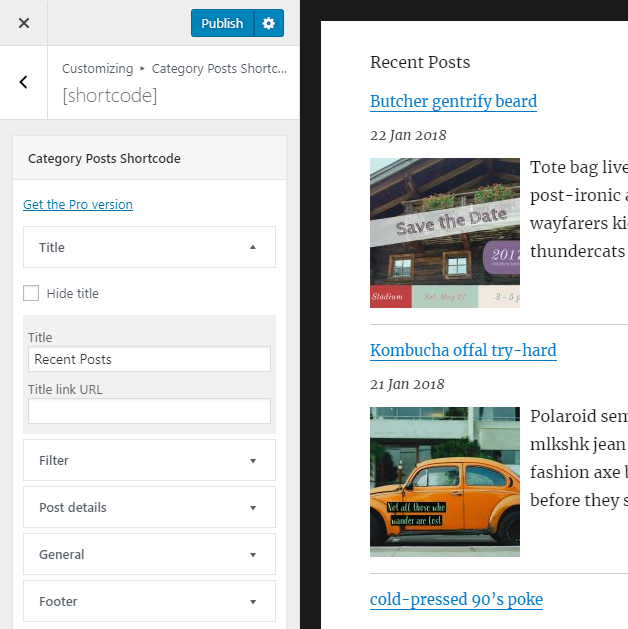
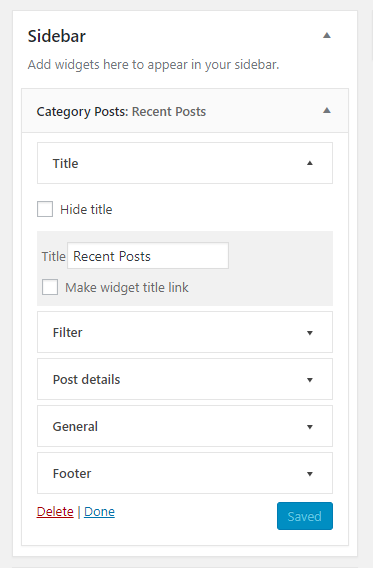
Use the "Category Posts" block in the Gutenberg editor to place the post list anywhere in your content. All options are available in the block sidebar panels: Title, Filter, Details, Thumbnail, Excerpt, Footer, Load more and General. Several blocks can be used on the same page, each with its own settings.
Term and Category based Posts Block
A premium version of that free block available at tiptoppress.com created for big Wordpress sites.
Premium features
- Auto-sizing Grid layout
- Custom field support in the Template
- Shortcode support in the Template
- Image-Slider (or News-Ticker)
- Asymmetrical list layouts
- Full background images
- Masonry responsive grid layout
- More complex filter (ANY, NOT, AND, ...)
- Custom Post Types, Events, Products support
- All free features
- E-Mail support
- More examples on the demo pages
- Block for the block editor and Site Editor.
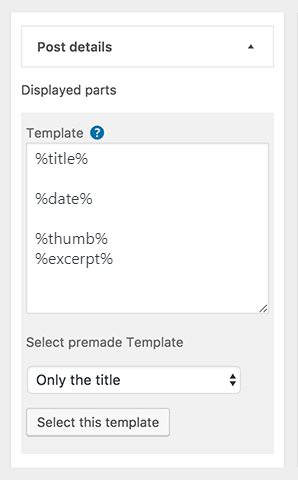
- Template to arrange the post details.
- The Template text can be a post details placeholder, plain text, HTML or a font-icons.
- Font-icon support
- 'Load more' button / Ajax API
- Item Title heading level buttons
- Excerpt length and item title in lines (line-clamp)
- Date range filter
- New date format: Time since plublished
- Filter by post status: Published, scheduled, private
- Add option for post offset (use two or more blocks after another)
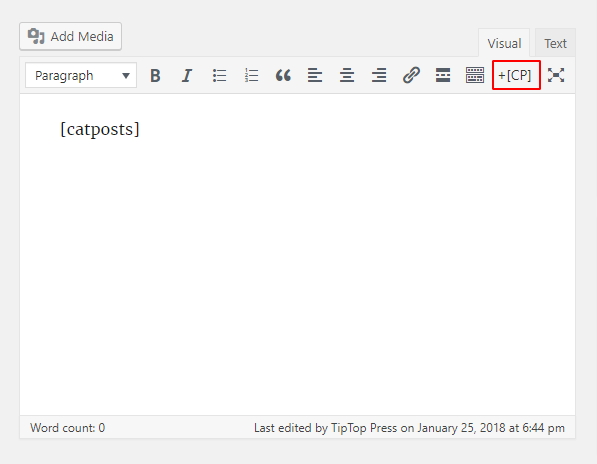
- Admin UI: Buttons in the editor toolbar to insert shortcode
- Option to touch device friendly "everything is a link"
- Set thumbnail width & height / image crop with CSS (object-fit)
- Fluid images (max-width in %)
- One thumb dimension can be left empty
- Option to set mouse hover effects for post thumbnail
- Set a default thumbnail
- Hide the block text, if there is no post
- Option to hide posts which have no thumbnail
- Option exclude current post
- Option show post author, comment's count, post date
- Full documentation
- Formatting date and time: See Formatting Date and Time
安装:
Automatic installation
Automatic installation is the easiest option as WordPress handles the file transfers itself and you don’t need to leave your web browser. To do an automatic install of Category Posts Block
- Log in to your WordPress dashboard, navigate to the Plugins menu and click Add New.
- In the search field type “Category Posts Block” and click Search Plugins.
- Once you’ve found plugin, you can install it by simply clicking “Install Now”.
- Then, go to plugins page of WordPress admin activate the plugin.
- Add the "Category Posts Block" to a post, page or template in the editor.
- Download the plugin.
- Upload it to the plugins folder of your blog.
- Activate the plugin through the 'Plugins' menu in WordPress
- Add the "Category Posts Block" to a post, page or template in the editor.
屏幕截图:
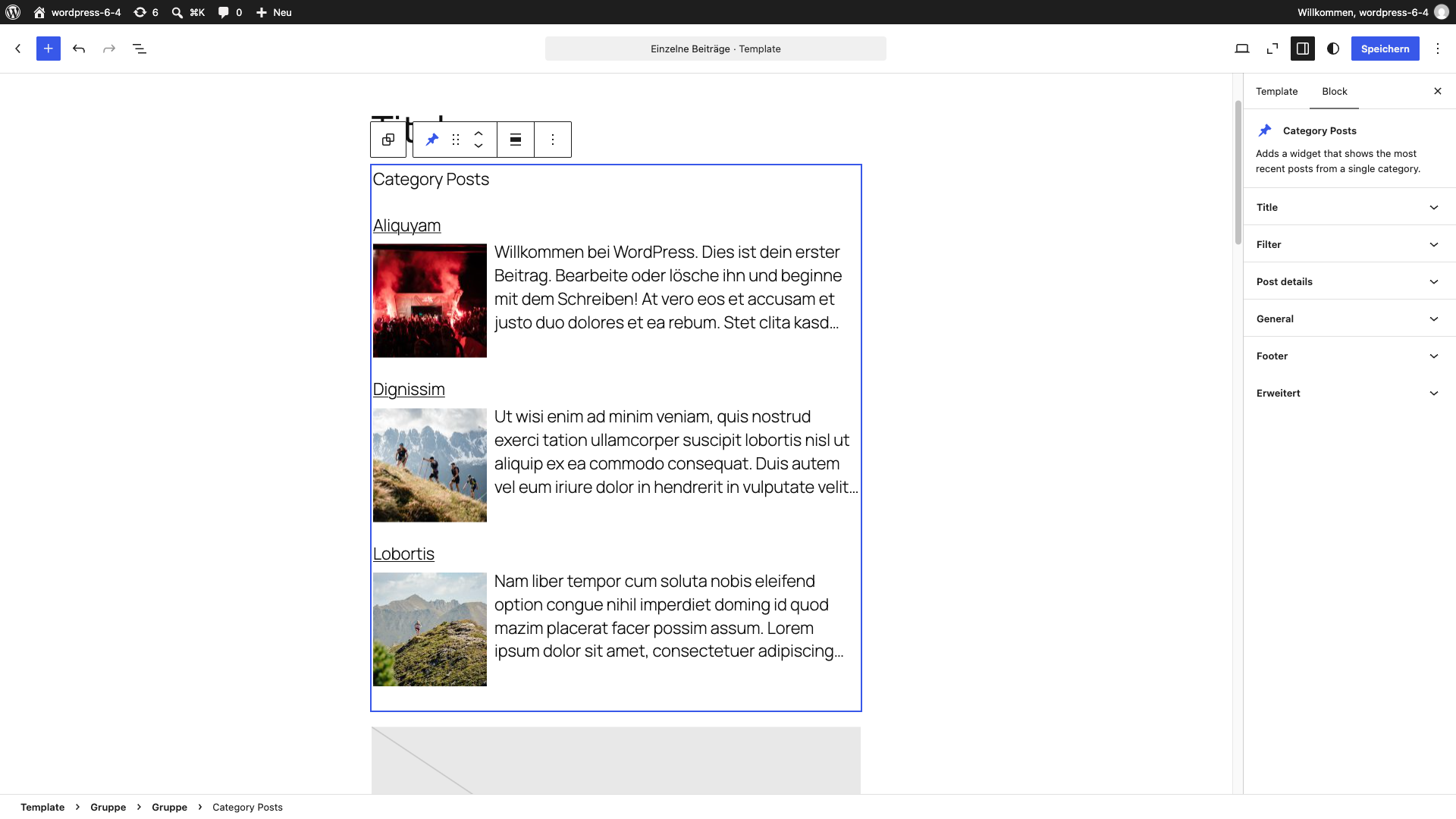
常见问题:
Template, placeholder and post detail
Here You can control the Post Detail parts, which appears as part of the post item. All post detail will placed as placeholder. The text in the Template area can be a post details placeholder, plain text, HTML or HTML for SVG icons. How it works? and examples. For more layout options please try our premium block: Term and Category based Posts Block.
Use SVG icons
For SVG font-icon HTML we recommend the WordPress Dashicons, which are included as default and can be used without any font-icon including.
The font-size is different from that of other blocks or Theme elements?
Use the option: 'Disable only font style' in the General panel.
I want the title as a link pointing to the selected Categorie page?
Is just a single category selected in the Filter panel: Enable the check box "Make block title link". Is 'All categories' selected in the Filter panel: Use the text field 'Title link URL'.
更新日志:
Read more on our blog ...
5.1.2 - October 19th 2026
- Block settings split into Settings and Styles
- More uniform block settings
- Thumbnail ratio kept by CSS
- Bugfixes
- Transform to Term and Category Posts based Block
- Show the whole image for logos
- Bugfix Block-supports classes
- Bugfix Wrap text around image
- Category Posts Block for the Gutenberg editor
- Calculate the attachment size
- Replace classnames with clsx
- Fixed Sanitizes content
- Fixed Error load more
- Fixed Escap data
- Fixed Sanitize Number fields
- Fixed Sanitize text field
- Fixed Deletion failed
- Fixed Image size
- Fixed Array string keys
- Fixed Date since published
- Fixed Line number with WordPress 5.8
- Deprecated jQuery warnings
- Wiget title heading level buttons
- Add sticky posts at start
- Fixed Missing load more button
- Load more placeholders
- Date since published for n-days
- Item title in lines (line-clamp)
- Fixed Column layout
- Fixed Image Html rendering
- Item title heading level buttons
- Excerpt-more link placeholder
- Native WordPress filter CSS classes
- Rework thumb handling
- Fixed Widget_Title filter missing parameters
- Fixed Delete global click event
- Fixed Mouse hover icon and post format indication
- Fixed Starts with post
- Fixed Replace the figure-element
- 'Load more' button / Ajax API
- Data range filter
- Text, if there is no post
- Excerpt length in lines (line-clamp)
- Image crop with CSS (object-fit)
- Fluid images (max-width in %).
- One thumb dimension can be left empty
- Admin UI: Button to easy add post details placeholder
- Admin UI: Set / find thumbnail size buttons: +, ¼, ½, 2x, -, ratio and Media sizes
- Fixed Tabs not working
- Fixed Make widget SiteOrigin Page Builder Compatible
- Fixed Updated widget with zero for the thumb dimensions caused a JavaScript error
- Fixed Adding the widget with the customizer only the title is shown
- Fixed Recognize "Empty lines" > Next line is a paragraph in the Template in widget areas
- Fixed Recognize "Empty lines" > Next line is a paragraph in the Template
- SVG font-icon support for post formats
- Template to arrange the post details
- Premade Templates
- Date format: Time since plublished
- Filter by post status: Published, scheduled, private
- Hover effect: SVG font-icon
- Bugfix for filter by post status (note private)
- Add option to filter by post status
- Fixed footer section do not change when switching to and from "all posts"
- Add option to disable only the font styles
- Fixed if option 'Everything is a link' no closing anchor tag
- Fixed if option 'Everyting is a link' wrong layout
- Fixed when a manual excerpt is provided, use it instead of generating an automatic one
- Fixed if option 'Disable the built-in CSS' the thumbnail client-side cropping isn't disabled
- Fixed if option 'Disable the built-in CSS' title class is not rendered
- Fixed when having multi shortcodes, clicking on a checkbox label marks in any of them selects the one in the "first"
- Fixed if option 'CSS crop to requested size' for multi shortcodes
- Fixed for CSS animation
- Support multiple shortcodes in content
- Add option for post offset (use two or more widgets after another)
- Fluid images for Responsive Layouts
- Set a thumbnail as default thumbnail
- Add option to enable excerpt filters from Themes and plugins
- Add option to disable social buttons, banner, ... in the excerpt
- Add dropdownbox entry for 'all' categories
- Add option to disable subcategories
- Add insert shortcode buttons to the editor toolbar
- Use WP user profile for settings ('auto close' and if the shortcode button appears in the editor toolbar)
- Simple API for external use
- Support localization with translate.wordpress.org: Portuguese (Brazil) thank you Henrique Vianna and German by Daniel Floeter
- Remove allow_html option (Instead we recommend to use the manual excerpt or we support this option furthermore in the Term Posts Excerpt Extension for the premium version)
- Fixed only five widget instances can be costumized with shortcodes.
- For editing shortcode adds a customizer link to the admin-bar if page/post is in edit mode.
- Add shortcode [catposts] edit options only in the customizer
- Keep panels open after save.
- Option to hide social buttons on output.
- Fixed undefined constant.
- Add mouse hover effects: blur
- Add option to choose allowed HTML in the excerpt
- Add Jetpack 'Sharing - Show buttons on posts' support
- Fixed division by zero bug (for small uploaded images)
- Fixed division by zero bug.
- Add option CSS cropping for thumbnails.
- Add option to set mouse hover effects for post thumbnail.
- Add option to change the excerpt more text.
- Add option to allow links in the excerpt
- Add filter 'widget_title' for the title
- Add option to hide post titles.
- Support for multi sites.
- Support for localization.
- Area UI.
- Meet new plugin author mark-k
- Added option exclude current post.
- Added option to hide posts which have no thumbnail.
- Added option to make the widget date link to the category page.
- Added option to link to the category page below posts list.
- Added option show post author.
- Added option to format the outputted date string.
- Added option to hide widget, if category have currently no posts.
- Fixed hide title bug.
- Added option to put thumbnail on top.
- Added option to show/hide the title.
- Fixed no background bug.
- Added PHP5 Constructor.
- Added Option to allow/disallow widget CSS.
- Now, compatible with WordPress 4.3.
- Meet new plugin author kometschuh
- Added CSS file for post styling.
- Now compatible with latest versions of WordPress.
- Fixed random sort bug.
- Added option to change ordering of posts. Defaults to showing newest posts first.
- Fixed a bug in the thumbnail size registration routine.
- Added support for WP 2.9's post thumbnail feature.
- Removed support for Simple Post Thumbnails plugin.
- Added option to show the post date.
- Added option to set the excerpt length.
- Added option to show the number of comments.
- Really tried to fix bug where wp_query global was getting over written by manually instantiating a WP_Query object.
- Fixed bug where wp_query global was getting over written.
- Updated to use the WP 2.8 widget API.
- Added support for Simple Post Thumbnails plugin.