
cellbot - AI Chat Widget
| 开发者 | cellbot |
|---|---|
| 更新时间 | 2026年8月31日 07:28 |
| PHP版本: | 7.4 及以上 |
| WordPress版本: | 7.1 |
| 版权: | GPLv2 or later |
| 版权网址: | 版权信息 |
详情介绍:
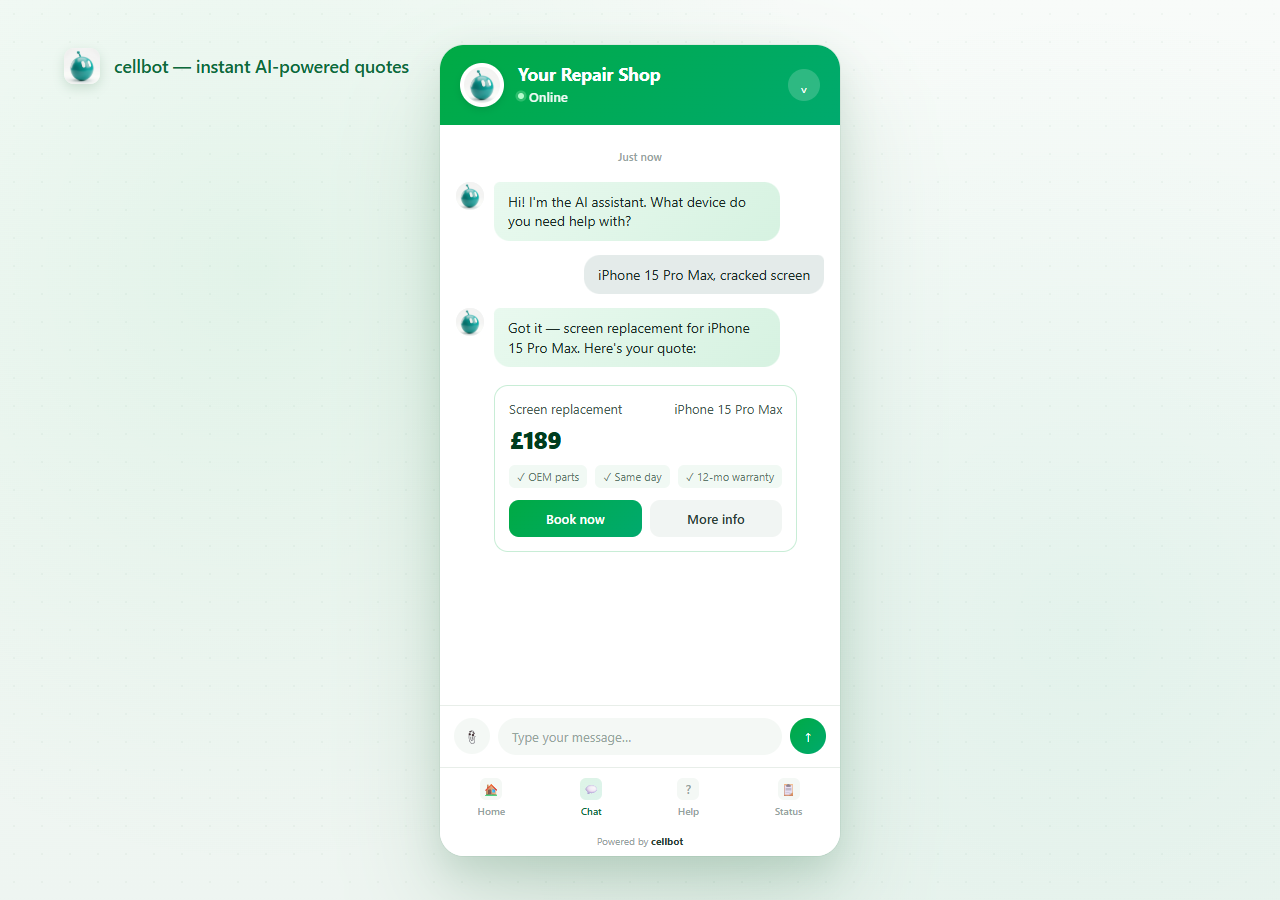
- Instant repair quotes - AI-powered pricing from your configured pricebook, with up to 10,000 built-in prices on Pro Plus
- Online booking - Customers can book repairs directly through the chat widget
- 24/7 AI support - Answer customer questions automatically, even outside business hours
- Repair tracking - Customers can check their repair status via the widget
- Lead capture - Capture customer details and enquiries automatically
- Your shop slug (a public identifier used to load your widget configuration)
- Your site's origin (for secure iframe messaging)
- Standard web-request information, such as IP address, user agent, and referrer information made available by the visitor's browser
- The widget loader script (
https://cellbot.chat/embed/cellbot.min.js) - The chat widget interface (served via iframe from
https://cellbot.chat/widget/your-shop-slug)
- One-click setup — just enter your shop slug
- Lightweight — under 5KB and loaded with
defer - Mobile responsive — works on all devices
- Secure — runs in an isolated iframe with strict origin validation
- No coding required
安装:
- Install the plugin through the WordPress plugin directory, or upload the
cellbot-widgetfolder to/wp-content/plugins/. - Activate the plugin through the 'Plugins' menu in WordPress.
- Go to Settings > cellbot Widget.
- Enter your shop slug (found in your cellbot dashboard under Settings > Embed Code).
- Click Save Changes — the widget will appear on your site immediately.
屏幕截图:
常见问题:
Where do I find my shop slug?
Log in to your cellbot dashboard at cellbot.chat, go to Settings > Embed Code, and copy your shop slug.
Does this plugin slow down my site?
The widget uses a deferred script under 5KB, so it does not block HTML parsing. As with any third-party service, measure it with your production theme, caching, and consent setup.
Is customer data stored in WordPress?
No. All conversations, bookings, and customer data are processed and stored on cellbot's servers. The plugin only stores your shop slug in the WordPress options table.
Can I customise the widget appearance?
Yes — you can customise colours, position, and branding from your cellbot dashboard under Settings > Widget.
Does it work with WooCommerce?
Yes. The widget can appear as an overlay on WooCommerce pages. This plugin does not sync WooCommerce products, orders, inventory, or checkout data.
Is the widget GDPR compliant?
cellbot provides privacy information and controls, but each site owner remains responsible for their own configuration, notices, consent requirements, and legal assessment. See the cellbot privacy policy.
更新日志:
- Tested with WordPress 7.1.
- Clarified third-party data handling, performance, GDPR, and WooCommerce disclosures.
- Improved the configured-state message and dashboard link.
- Initial release.
- Settings page for shop slug configuration.
- Automatic widget embedding on all frontend pages.
- Settings link on the Plugins page.
- Clean uninstall — removes stored options.