CertNode Reflex – Chargeback & Dispute Defense for WooCommerce
| 开发者 | certnode |
|---|---|
| 更新时间 | 2026年7月29日 07:15 |
| PHP版本: | 7.4 及以上 |
| WordPress版本: | 7.0 |
| 版权: | GPLv2 or later |
| 版权网址: | 版权信息 |
详情介绍:
- Install the plugin and enter your CertNode API key
- Connect your Stripe account (one-click OAuth from plugin settings)
- The plugin syncs your WooCommerce order data to CertNode
- When a dispute arrives, Reflex automatically builds evidence from your orders, generates a structured defense narrative, and submits it to Stripe
- Standalone Dispute Defense: connect Stripe directly from the plugin. No other apps required.
- Evidence Narratives: structured defense narratives tailored to each dispute type.
- Deadline-driven response: evidence is assembled and submitted well ahead of the dispute deadline.
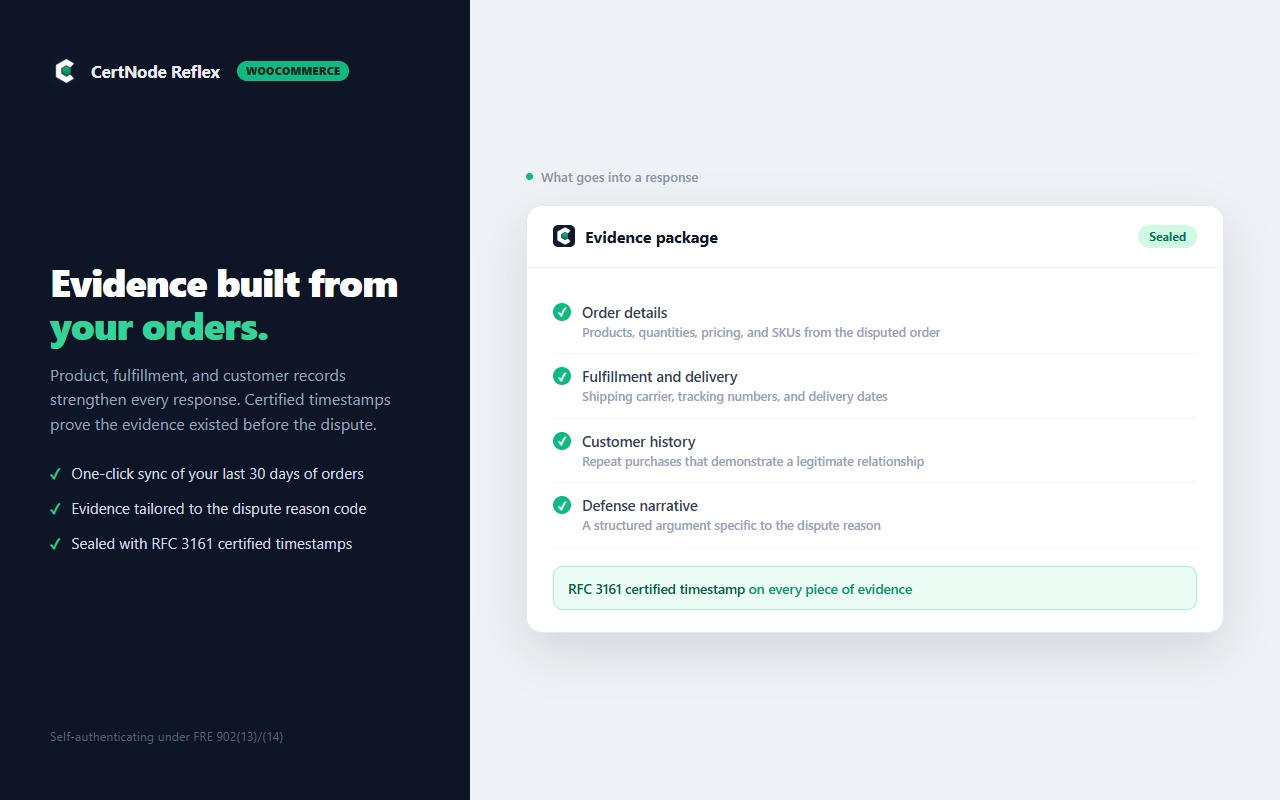
- Order Data Enrichment: product details, quantities, pricing, and SKUs strengthen your evidence.
- Fulfillment Tracking: shipping carrier, tracking numbers, and delivery dates help prove delivery.
- Customer History: repeat purchase history demonstrates legitimate transactions.
- Certified Timestamps: RFC 3161 cryptographic proof that evidence existed before the dispute.
- Historical Sync: sync your last 30 days of orders with one click.
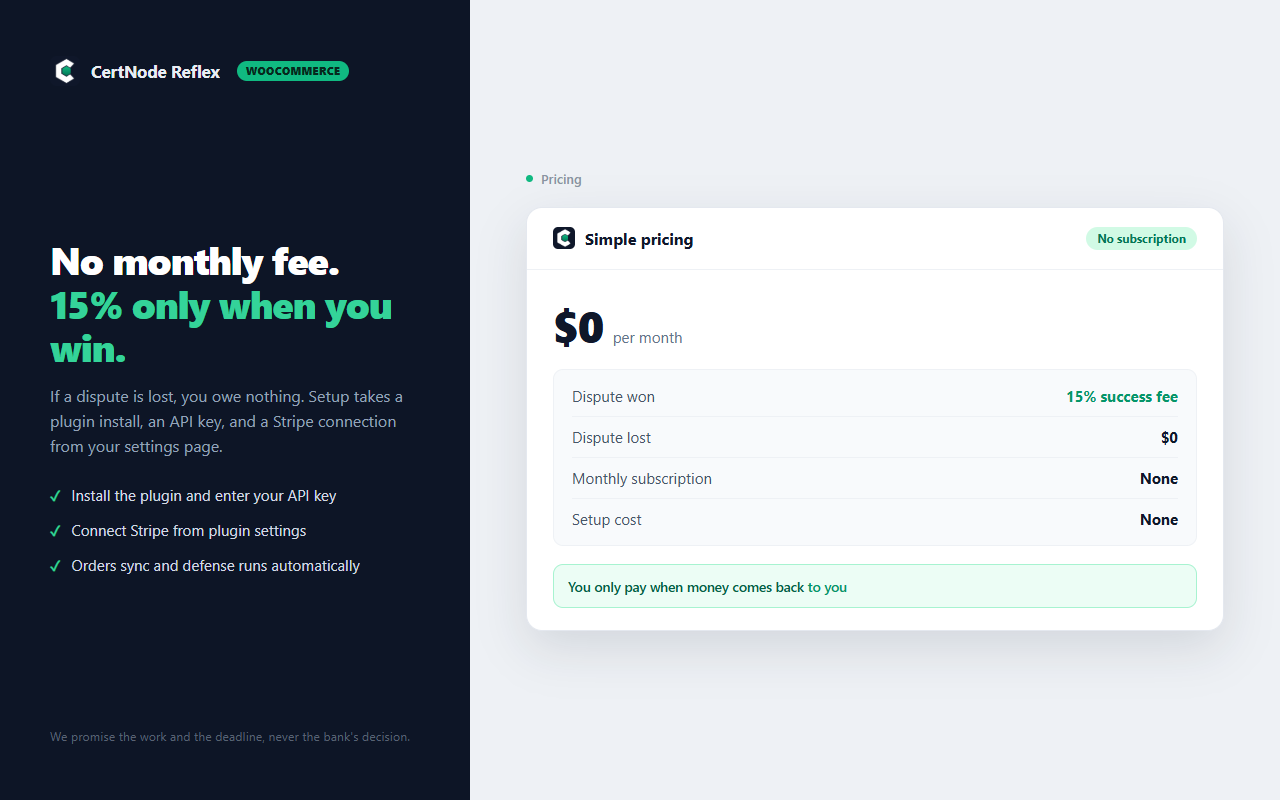
- $0 monthly fee
- 15% success fee, only charged when you win a dispute
- No caps, no minimums
- WooCommerce 5.0+
- A CertNode account (free to create at certnode.io)
- A Stripe account (connected via one-click OAuth in plugin settings)
安装:
- Upload the
certnode-reflexfolder to the/wp-content/plugins/directory, or install directly through the WordPress plugins screen. - Activate the plugin through the 'Plugins' screen in WordPress.
- Go to WooCommerce → Settings → CertNode Reflex.
- Enter your CertNode API key (generate one at certnode.io/dashboard).
- Click "Test Connection" to verify.
- Click "Connect Stripe Account" to authorize CertNode to handle disputes on your behalf.
- Optionally click "Sync Last 30 Days" to send historical orders.
屏幕截图:
常见问题:
Do I need a CertNode account?
Yes. Create a free account at certnode.io, then generate an API key from your dashboard.
Do I need to install the CertNode Stripe App separately?
No. Reflex connects directly to Stripe via OAuth from the plugin settings, so a single install covers dispute detection and evidence submission.
I already have the CertNode Stripe App installed. Do I need both?
The plugin works with or without the Stripe App. If you have both installed, CertNode automatically deduplicates, so each dispute is only processed once. The plugin adds WooCommerce order data enrichment on top of the Stripe App's existing evidence.
What payment gateways are supported?
Stripe has the deepest integration with one-click OAuth connection. The plugin also sends order data for any WooCommerce payment gateway, which enriches evidence when disputes arrive through Stripe.
How much does it cost?
$0 monthly. You only pay a 15% success fee when CertNode wins a dispute for you. If we don't win, you don't pay.
How do I pay the success fee?
When a defended dispute is won, the 15% fee charges your saved card automatically. If no card is saved, the fee arrives as a Stripe invoice by email instead. You can save a card anytime from the plugin settings; card details are entered on Stripe's checkout page, never on your site.
Is my data secure?
All data is transmitted over HTTPS. Your API key authenticates every request and is stored server-side only; it is never exposed on your storefront. Stripe OAuth uses industry-standard authorization, and CertNode only accesses dispute-related data. Built on SOC 2 certified infrastructure (Supabase, Vercel, AWS).
Can I sync historical orders?
Yes. After configuring your API key, click "Sync Last 30 Days" in the CertNode Reflex settings tab to send recent orders for evidence enrichment.
Can I disconnect Stripe later?
Yes. You can revoke access anytime from your Stripe Dashboard under Settings → Connected accounts.
更新日志:
- New: Save a fee payment card from plugin settings. When a defended dispute is won, the 15 percent success fee charges the saved card automatically instead of arriving as a separate invoice to pay by hand.
- New: After connecting Stripe, you land directly on a secure card-save page to finish setup in one flow.
- New: The settings page shows whether a payment card is on file.
- New: A review prompt appears after Reflex wins a dispute for your store.
- New: Links to CertNode's managed dispute services for stores that want hands-on help.
- Security: the Stripe authorization flow no longer passes the CertNode API key through the browser. The plugin now requests the Stripe authorization URL server-to-server (API key in the Authorization header) and sends the browser directly to Stripe, so the key never appears in browser history or a referrer.
- Copy: removed time-promise and absolute-automation language ("60 seconds", "before you know there's a dispute", "fully automated", "handles everything") in favor of accurate, deadline-framed descriptions of what the plugin does.
- Fixed malformed table markup in the connected settings view.
- Corrected the External Services disclosure to describe the new server-to-server Stripe authorization handoff.
- Removed the optional Device Fingerprinting feature from the WordPress.org distribution. It loaded a script from an external origin, which the plugin directory does not permit for directory-hosted plugins. Device/fraud evidence remains available through CertNode's hosted Stripe integration.
- Security: the CertNode API key (a secret) is no longer rendered onto the storefront — it stays server-side only.
- Cron: the retry-queue event is now cleared on plugin deactivation (previously cleared only on full uninstall), and its handler is always attached while the plugin is active.
- Documentation: corrected the External Services disclosure to exactly match the data the plugin sends (added customer phone and order note; removed an inaccurate IP-address mention) and documented the Stripe authorization handoff.
- Internationalization: status messages now use complete, translatable sentences with placeholders.
- Device Fingerprinting now defaults to enabled on new installs. Existing installs are unaffected — your prior choice (enabled or disabled) is preserved.
- Fixed device fingerprint submit URL.
- Renamed
add_api_key_attribute→add_certnode_script_attributesto reflect the dual-attribute injection.
- Replaced raw
<script>tag injection withwp_enqueue_script - Moved admin JavaScript from inline string to separate file (
assets/js/admin.js) loaded viawp_enqueue_script+wp_localize_script - Replaced jQuery
.html()calls with safe DOM-construction patterns to prevent DOM-XSS - Added
== External services ==section to readme documenting all external API calls
- Standalone Stripe Connect — connect your Stripe account directly from plugin settings
- Automatic dispute detection via Stripe webhooks (no other apps needed)
- Evidence submission within 60 seconds
- Dispute outcome tracking and win rate stats
- Success fee billing only on won disputes (15%)
- Initial release
- Order event sync (payments, fulfillments, refunds)
- WooCommerce Settings tab with API key configuration
- Connection test and historical order sync
- Order metabox showing CertNode receipt status
- Retry queue for failed API calls
- HPOS (High-Performance Order Storage) compatibility