
CertWright
| 开发者 | mikeyh874 |
|---|---|
| 更新时间 | 2026年9月27日 10:27 |
| PHP版本: | 8.1 及以上 |
| WordPress版本: | 7.1 |
| 版权: | GPLv2 or later |
| 版权网址: | 版权信息 |
详情介绍:
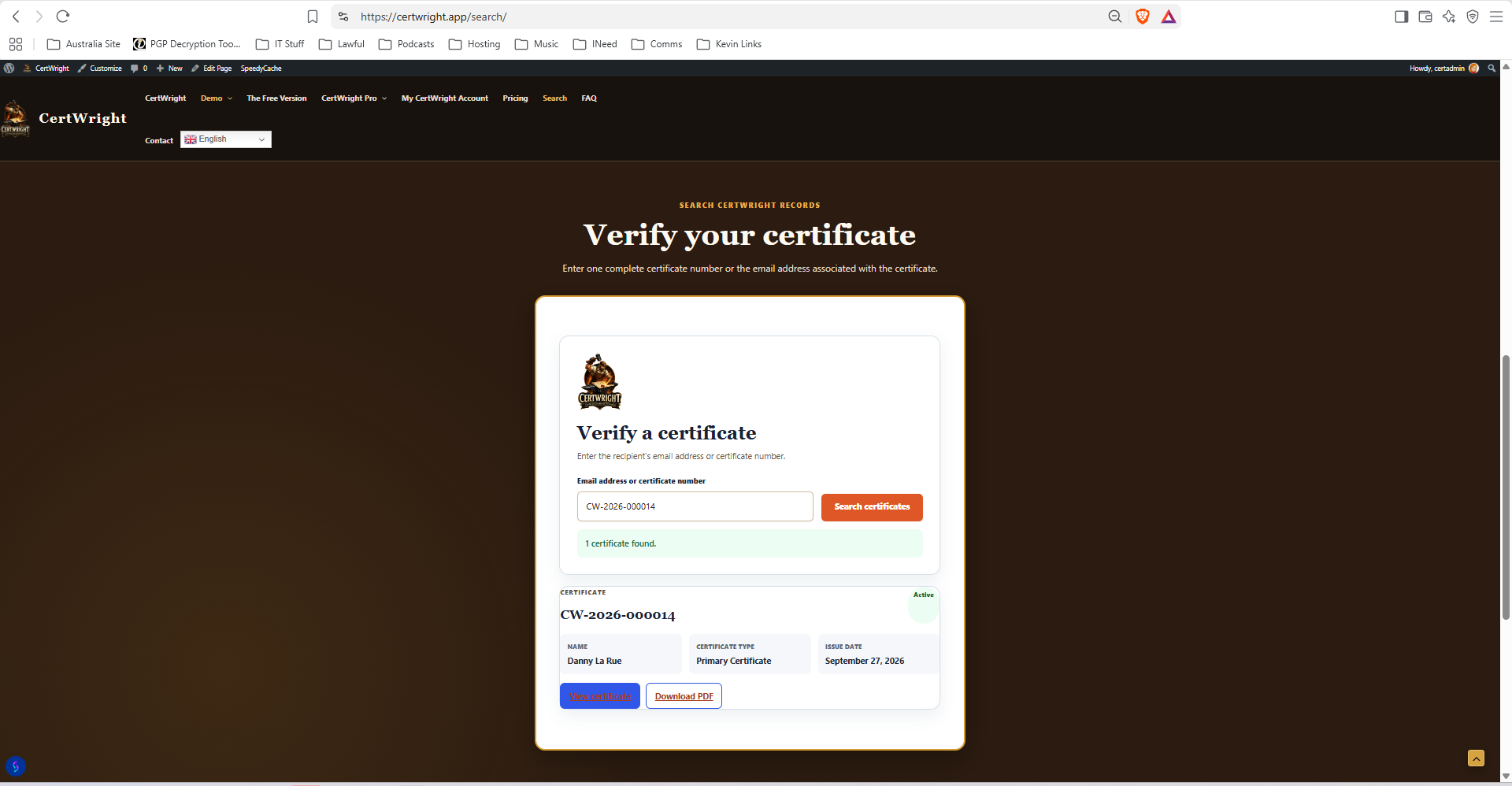
CertWright Core provides a complete free certificate workflow. Choose a supported form provider, map its fields, generate a PDF certificate after an ordinary form submission, deliver it through the WordPress email system and provide public verification by search or QR code.
Supported form providers:
- Formidable Forms
- Gravity Forms
- Fluent Forms
- WPForms
- Contact Form 7
- Ninja Forms
- Forminator
安装:
CertWright requires PHP 8.1 or newer. The PHP DOM, mbstring and GD extensions must also be enabled so CertWright can process images and generate PDF certificates.
- Install and activate CertWright.
- Install and activate one supported form plugin.
- Create a form containing Email and either one Name field or separate Given Name and Family Name fields.
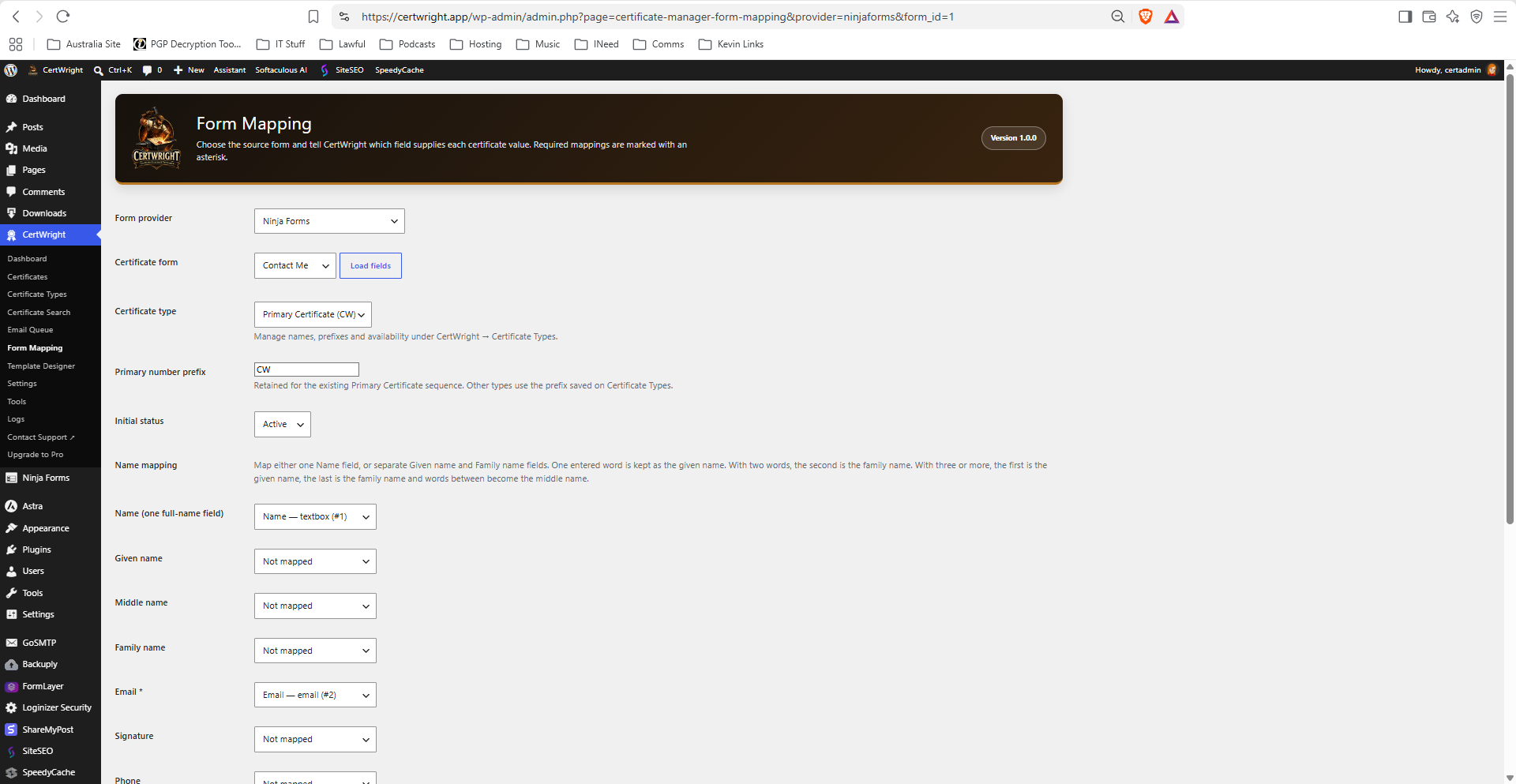
- Open CertWright > Form Mapping, select the provider and form, and load its fields.
- Map Email and the appropriate name fields, then save.
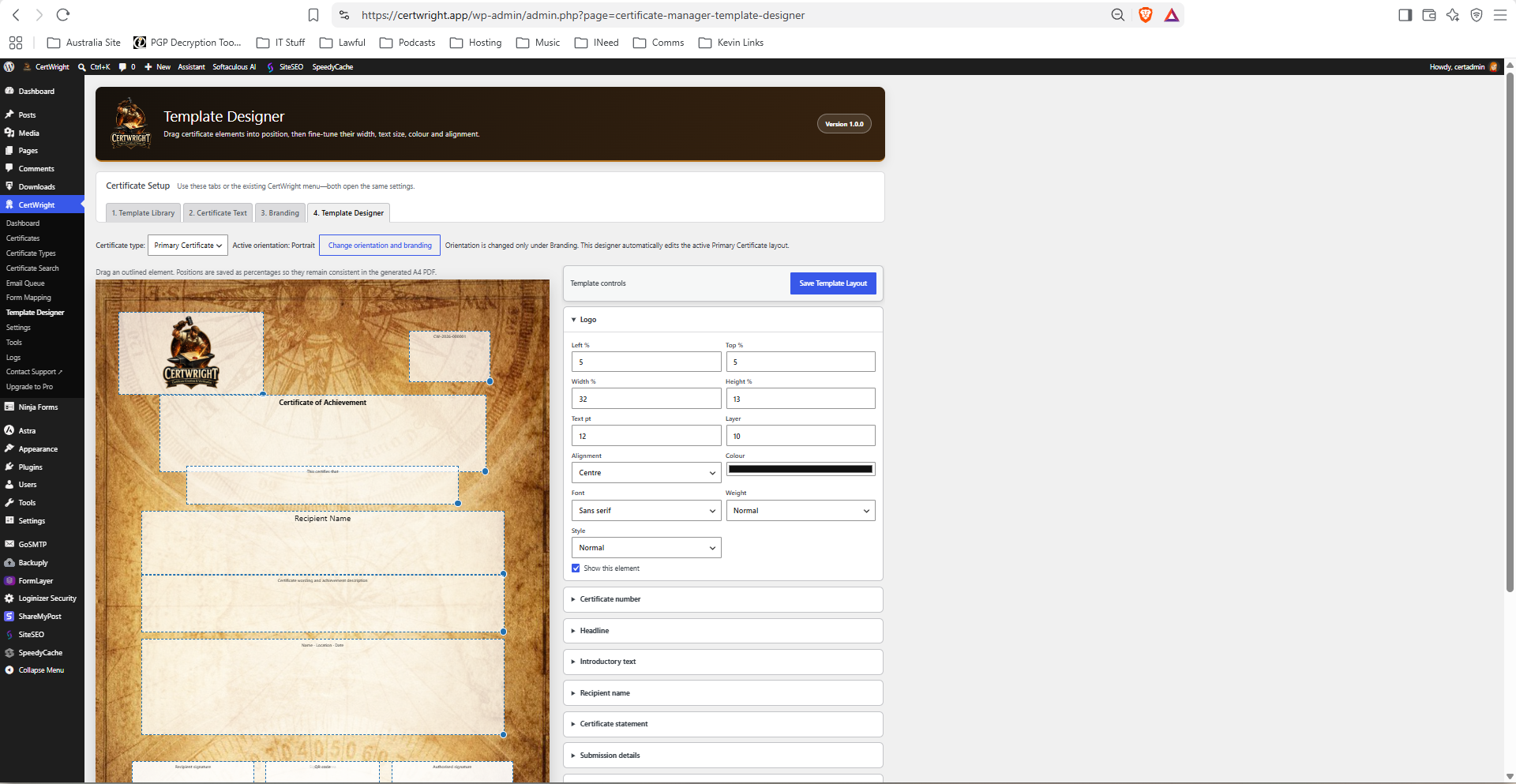
- Configure the Primary Certificate, Template Designer and Settings pages.
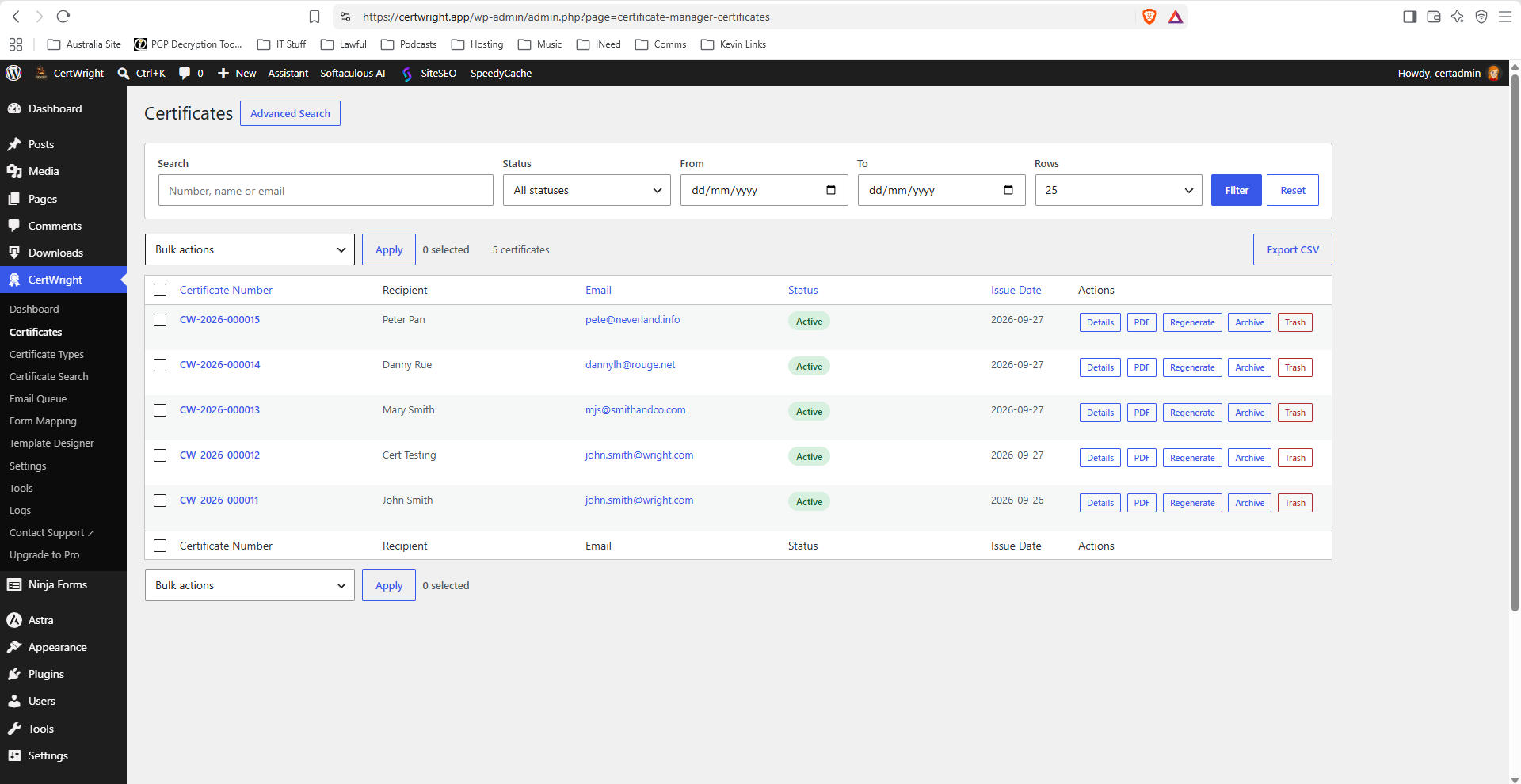
- Submit the form and confirm the certificate, PDF and email-queue record are created.
屏幕截图:
常见问题:
Must I use Formidable Forms?
No. Choose any installed provider shown on the Form Mapping page.
What happens when a form has one full-name field?
Map it to Name and leave Given Name, Middle Name and Family Name unmapped. One word is retained as the given name; two words are treated as given and family names; with three or more words, the first is given, the last is family and intervening words become middle names.
Will removing Pro invalidate existing certificates?
No. Existing certificates and their public verification records remain valid.
Does CertWright send data to an external service?
Core does not transmit analytics or certificate records to CertWright. The external QR service is disabled by default and is contacted only after an administrator gives explicit consent in CertWright Settings. Email delivery uses the WordPress mail system and any mail transport configured by the site administrator.
更新日志:
1.0.0
- Initial WordPress.org release of CertWright Core.
- Supports Formidable Forms, Gravity Forms, Fluent Forms, WPForms, Contact Form 7, Ninja Forms and Forminator.
- Includes the complete single-mapping certificate, PDF, queued email and public-verification workflow.
- Includes portrait and landscape certificate layouts, branding-image processing and a visual Template Designer.
- Keeps certificate orientation and branding artwork synchronised and validates uploaded backgrounds and optional frames.
- Reuses prepared A4 branding images during submissions and continues safely when an optional image is unavailable.
- Uses the DejaVu fonts bundled with Dompdf without requiring an additional custom-font directory.
- Adds public-search and QR-code rate limiting and protects sensitive diagnostic information.
- Associates PDF renderer errors with the affected certificate diagnostic report.
- Documents the external QR image service and the public verification URL sent to it.
- Adds a Contact Support link to the CertWright administration menu.