ChargeWP - Front End Avatar Upload
| 开发者 | chargewp |
|---|---|
| 更新时间 | 2025年12月4日 01:28 |
| PHP版本: | 7.4 及以上 |
| WordPress版本: | 6.9 |
| 版权: | GPL-3.0-or-later |
| 版权网址: | 版权信息 |
详情介绍:
It just works.
ChargeWP Avatar Upload gives users a clean, intuitive way to update their profile photo without opening the dashboard.\
It’s built for modern WordPress sites: secure, lightweight, and theme-friendly.
Key Features
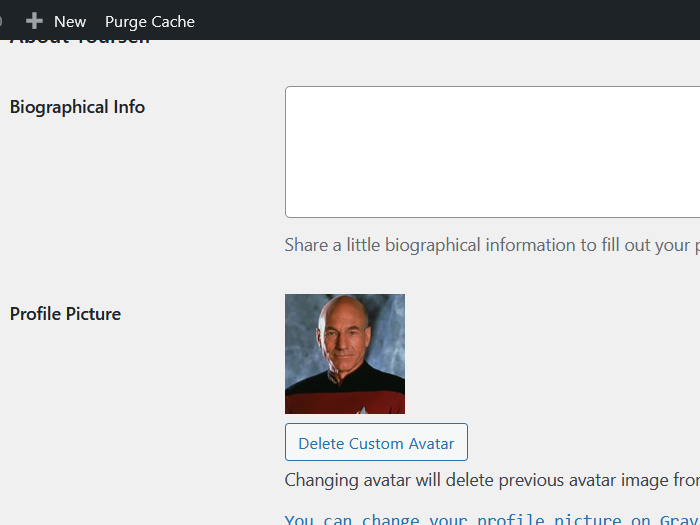
- Instant front-end upload — update your avatar right on the page or in WooCommerce “My Account.”
- SmartCrop.js built in — automatically centers faces for perfect, professional results.
- Gutenberg Block and Shortcode — add the avatar uploader anywhere you want.
- Gravatar friendly — keeps existing Gravatars in place and simply takes priority when a custom image is uploaded.
- Automatic cleanup — replaces old avatars so your media library stays tidy.
- Lightweight and native — no complex settings, no setup screens, and no bloat.
- Works straight out of the box.
- Looks and feels like part of WordPress and WooCommerce.
- Secure uploads with smart cropping and optimized JPEG output.
- Supports all image types WordPress allows (JPG, PNG, WebP, and more).
- Translation ready and developer friendly.
安装:
- Upload to
/wp-content/plugins/chargewp-avataror install from Plugins → Add New. - Activate the plugin.
- The avatar uploader automatically appears above the WooCommerce “My Account” menu.
- Or use the ChargeWP Avatar Block or shortcode anywhere you want.
屏幕截图:
常见问题:
Does it replace Gravatar?
No. If a user doesn’t upload their own image, WordPress still uses Gravatar by default.
What image types can be uploaded?
Any format WordPress supports, including JPG, PNG, GIF, and WebP. SmartCrop automatically converts and optimizes the upload to JPEG for performance.
Can I style it differently?
Yes. You can override templates in your theme or use the classes attribute for custom styles.
Is it secure?
Yes. Uploads use WordPress’s built-in media handling, nonces, and capability checks. Old avatars are safely removed to save space.
更新日志:
2.0.2
- Updated plugin to support new 6.9 Wordpress
- Fixed an issue that could prevent the Avatar block from showing the upload icon to users on the frontend.
- First release under the ChargeWP brand.
- Added Gutenberg block and refined front-end experience.
- Optimized SmartCrop.js for lighter face detection and cropping.
- Improved upload validation, rate limiting, and feedback messages.
- Removed jQuery and Tailwind CSS dependancy.