CharityGlow — Donations & Fundraising
| 开发者 | amdad |
|---|---|
| 更新时间 | 2026年9月20日 12:48 |
| PHP版本: | 7.4 及以上 |
| WordPress版本: | 6.9 |
| 版权: | GPLv2 |
| 版权网址: | 版权信息 |
详情介绍:
- Create beautiful donation forms
- Accept one-time and recurring donations
- Connect popular payment gateways
- Create unlimited fundraising campaigns
- Track donations and donors
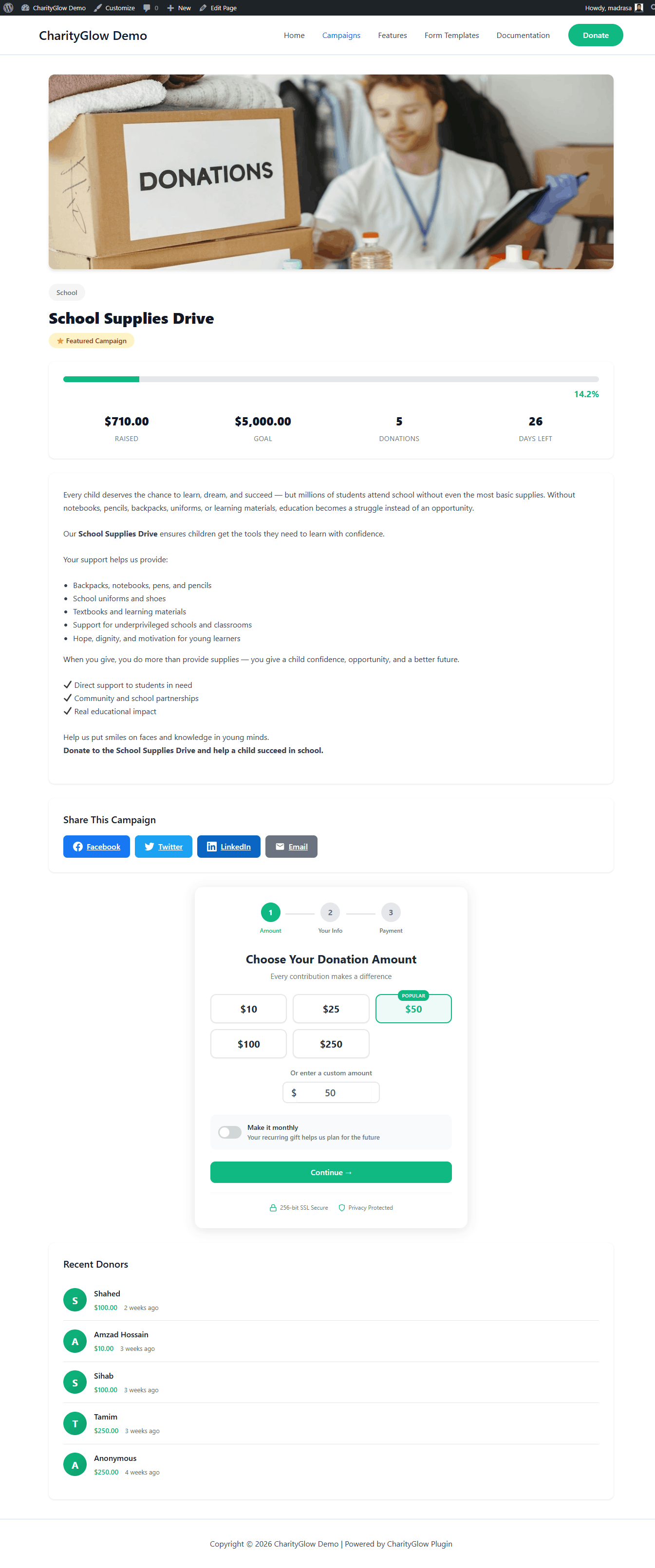
- Display campaign goals and progress
- Send donor receipts and admin notifications
- Manage donation data from your WordPress dashboard
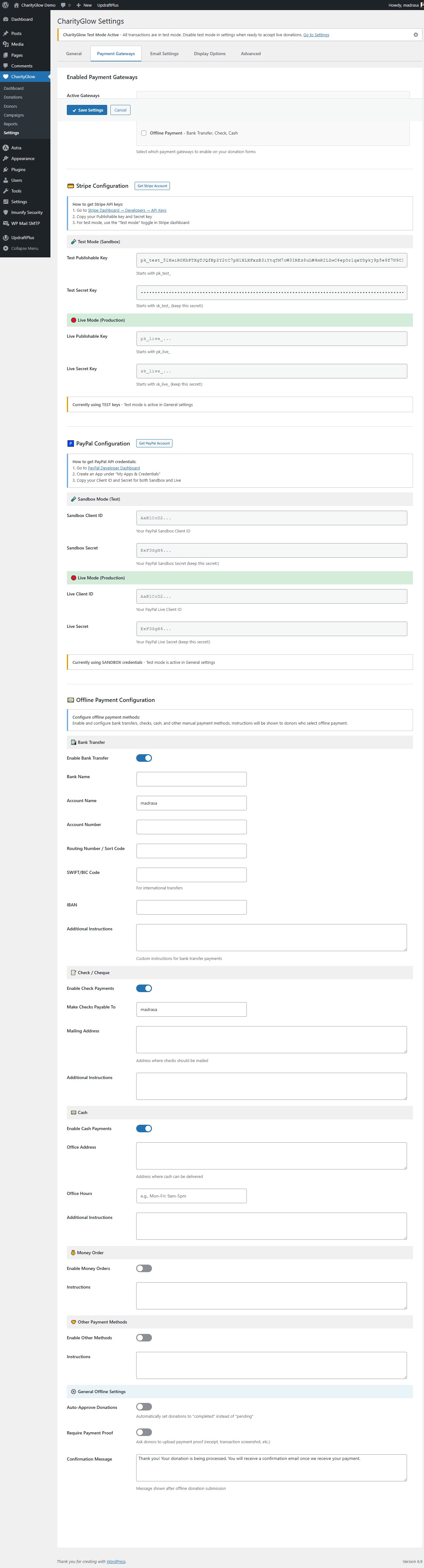
- Stripe — Credit and debit card donations
- PayPal — PayPal and supported guest checkout options
- SSLCommerz — bKash, Nagad, Rocket, Upay, Bangladeshi bank cards and internet banking
- Bank Transfer — Offline/manual donations
- bKash
- Nagad
- Rocket
- Upay
- Bangladeshi bank cards
- Internet banking supported by SSLCommerz
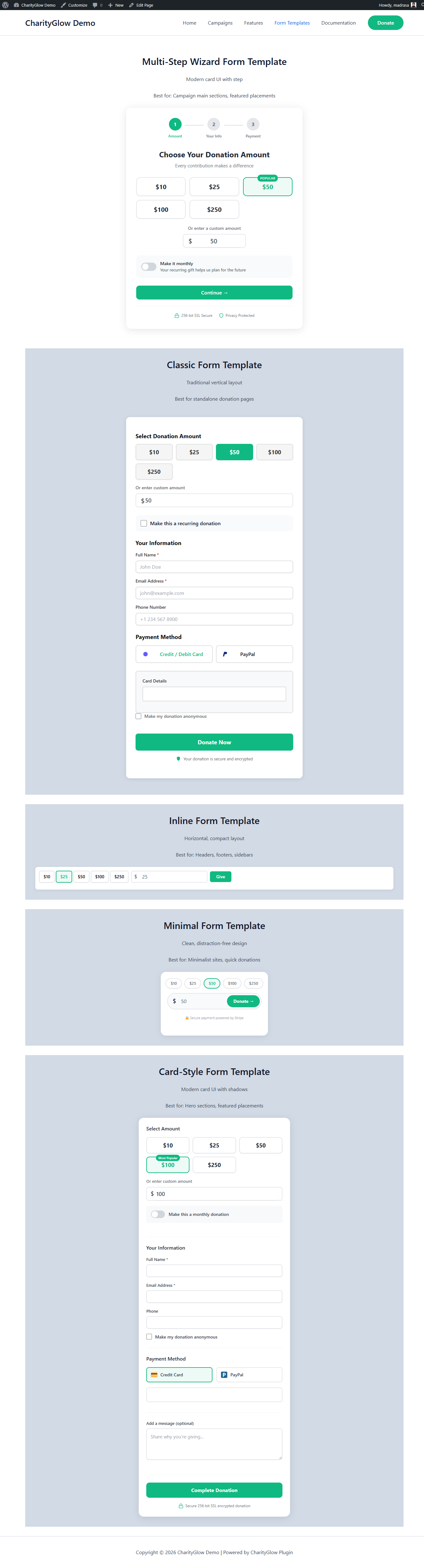
- Classic
- Inline
- Minimal
- Card
- Wizard
- Emergency fundraising
- Zakat and sadaqah
- Orphan support
- Education
- Medical assistance
- Community projects
- General charity campaigns
- Monthly
- Quarterly
- Yearly
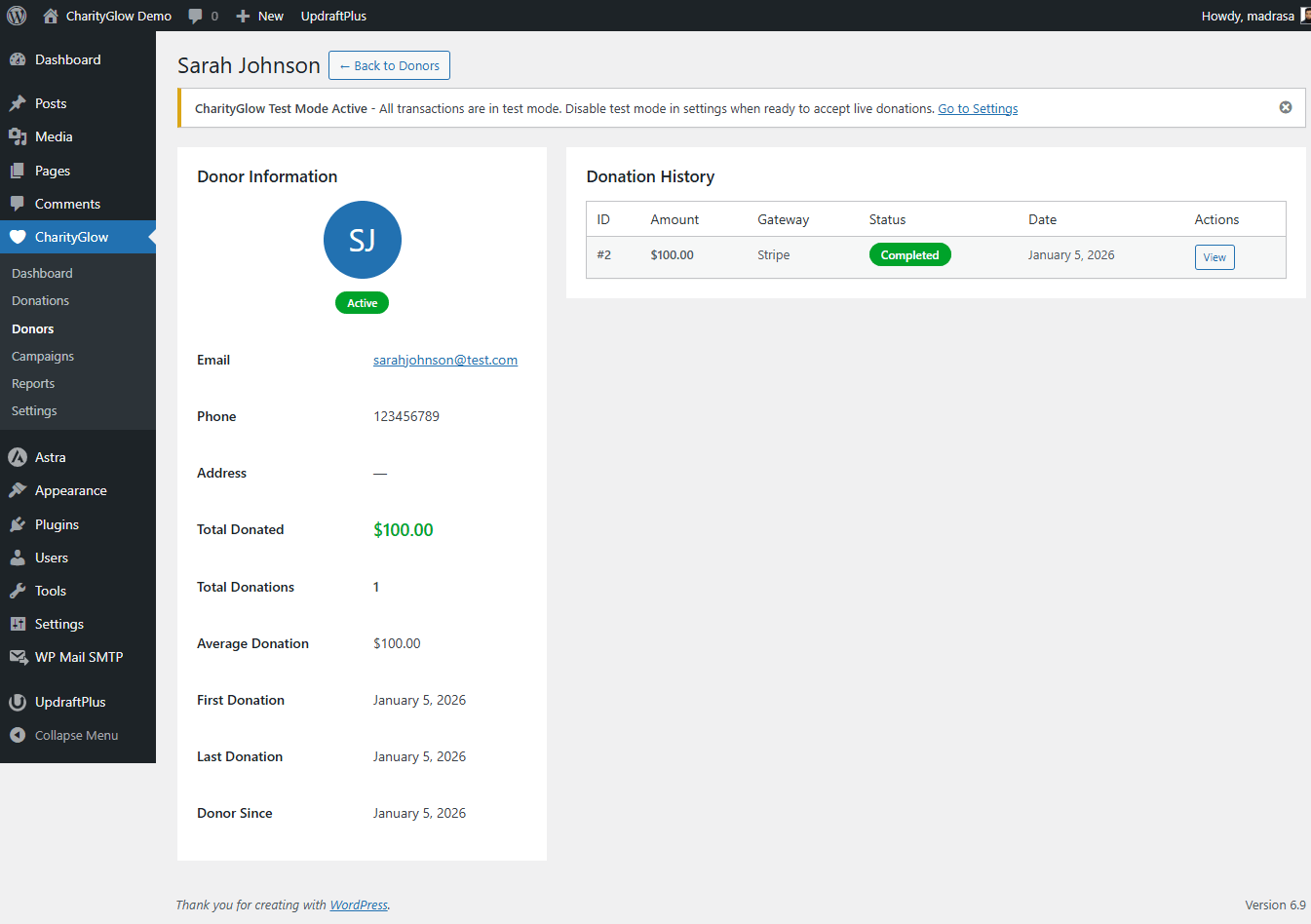
- Donor profiles
- Donation history
- Lifetime value
- Campaign-related donation data
- Recent donations
- Public donor wall with anonymous donation support
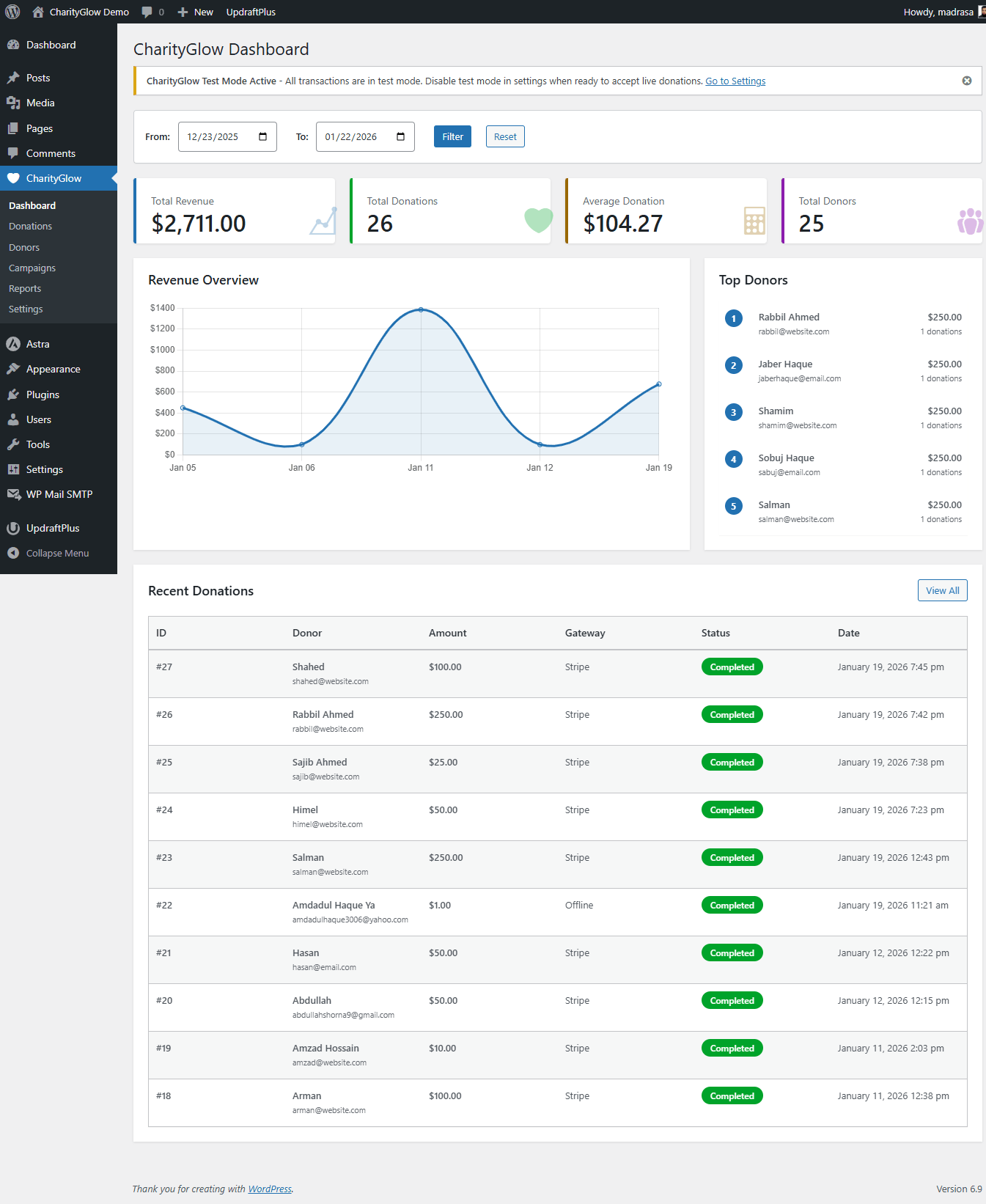
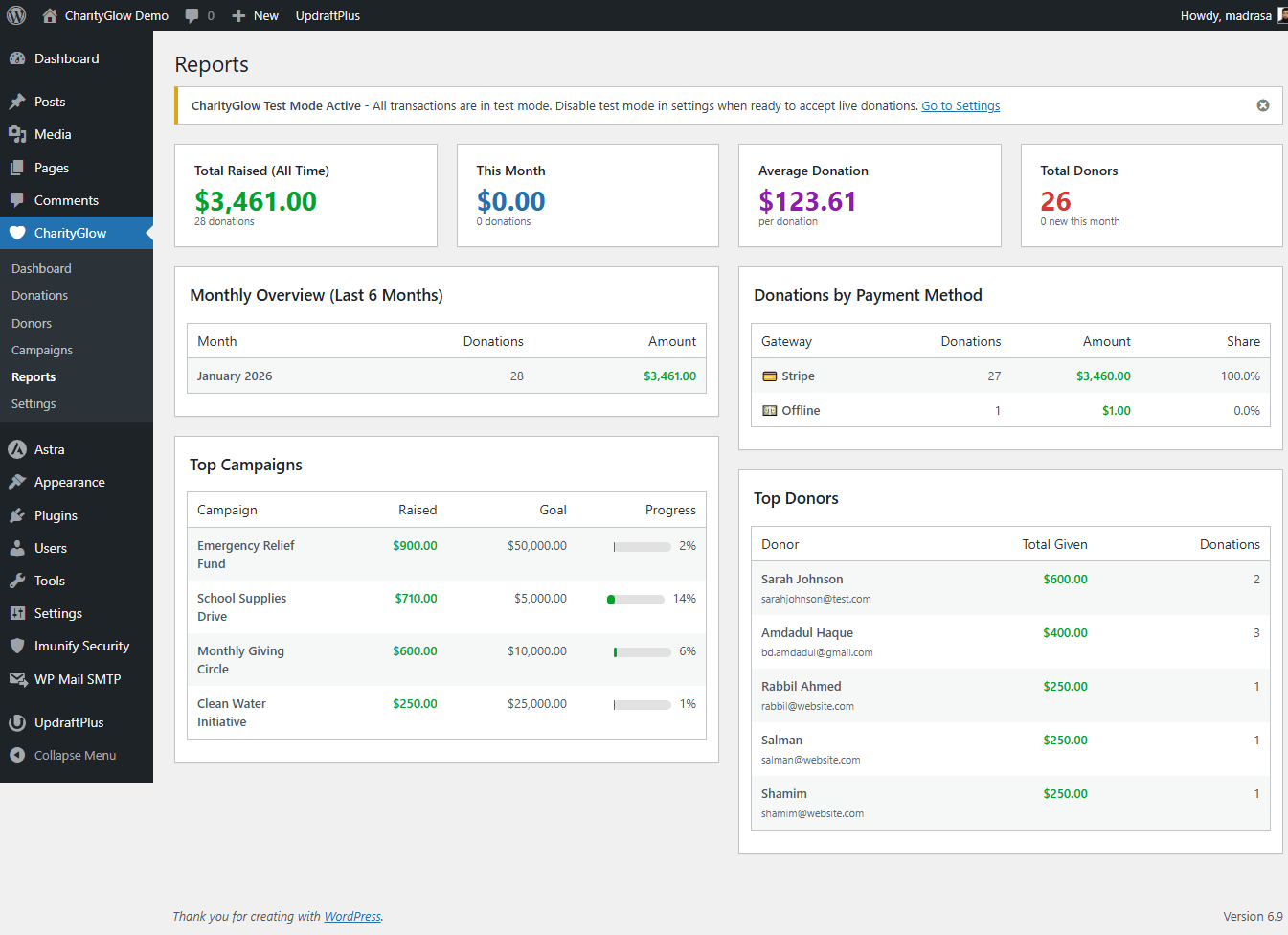
- Donation statistics
- Basic charts
- Recent donations
- Campaign progress
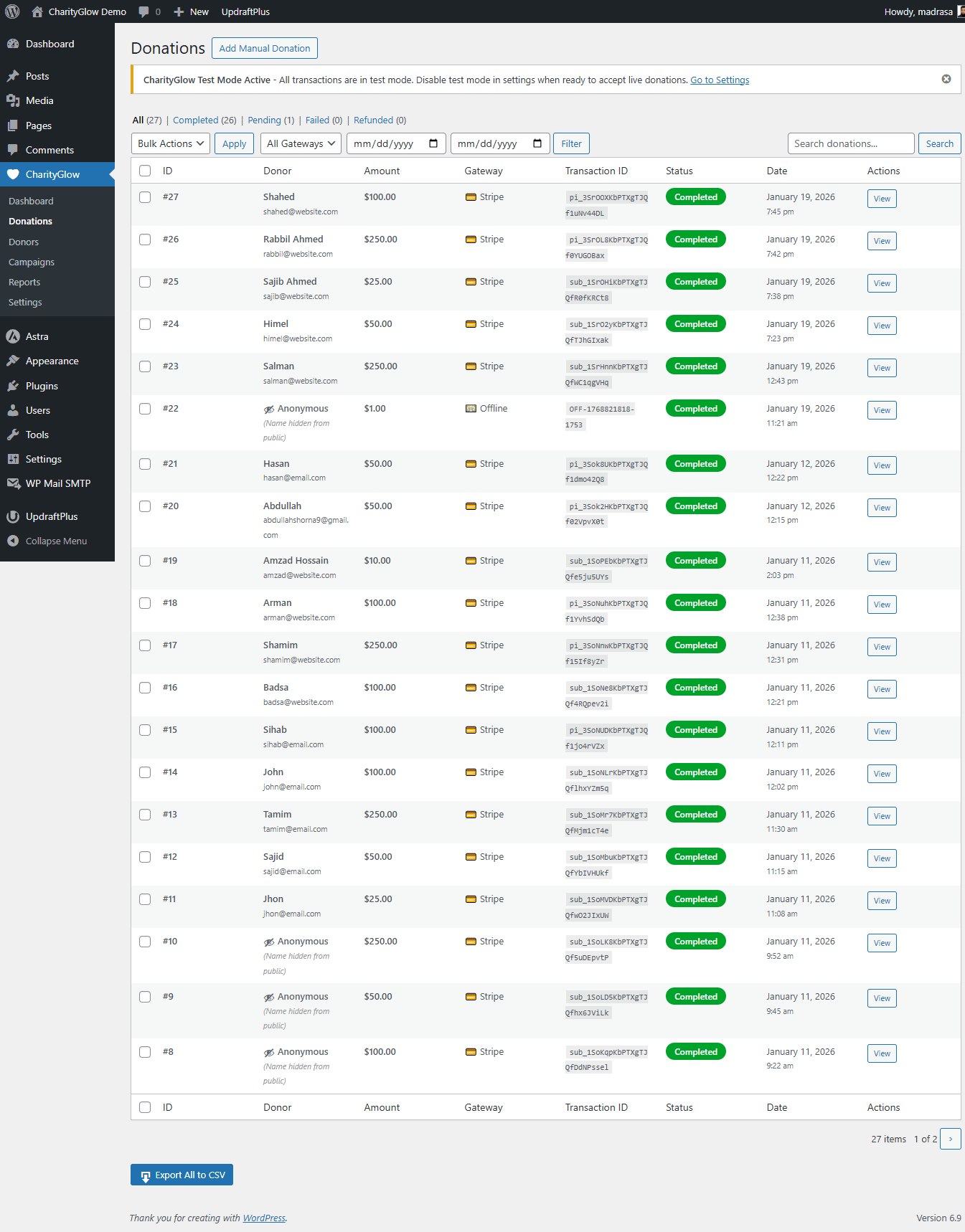
- Donation records
- Donor information
- Donor email receipts
- Admin donation notifications
- Desktop
- Tablet
- Mobile
- 5 donation form templates
- Stripe
- PayPal
- SSLCommerz
- Bank Transfer
- One-time donations
- Recurring donations
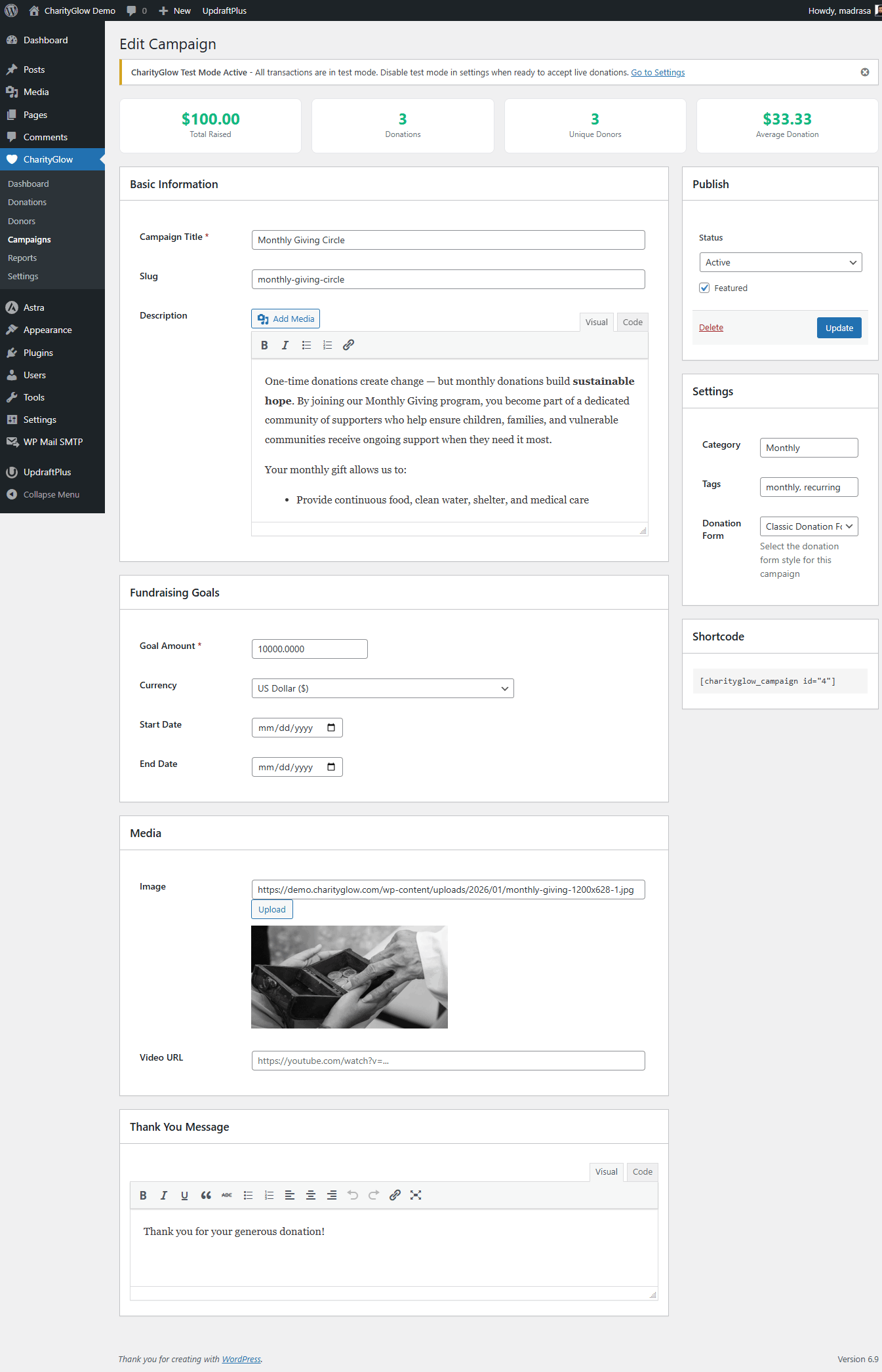
- Unlimited campaigns
- Campaign goals and deadlines
- Progress bars
- Featured campaign images
- Donor profiles
- Donation history
- Lifetime donor value
- Dashboard statistics
- Basic charts
- Recent donations
- Donor wall
- Donation comments
- Anonymous donations
- Donation email receipts
- Admin notifications
- 12 shortcodes
- 25+ currencies
- Mobile-responsive forms
- GDPR-related data tools
- Advanced form builder
- Multi-step donation forms
- Basic conditional fields
- Custom donation amounts in the form builder
- Popup/modal donation forms
- 10 premium donation templates
- Remove CharityGlow branding
- PDF donation receipts
- Custom receipt logo and branding
- Sequential receipt numbers
- Failed payment email notifications
- Donor CSV import/export
- Campaign-level reports
- Basic fundraising analytics
- Elementor widgets for donation forms, campaigns, and progress
- Additional payment options and integrations as Pro development expands
- More form layouts
- Multi-step forms
- Conditional fields
- Popup/modal donation forms Professional Receipts
- PDF donation receipts
- Custom receipt branding
- Sequential receipt numbers Better Administration
- Campaign-level reports
- Donor CSV import/export
- Additional analytics WordPress Page Builder Integration
- Elementor widgets for forms, campaigns, and progress Branding Control
- Remove CharityGlow branding from donation forms
- Nonprofits and NGOs
- Charities and fundraising organizations
- Mosques and Islamic organizations
- Churches and religious organizations
- Schools and educational organizations
- Community and social organizations
- Individual fundraising campaigns
[charityglow_form]— Main donation form[charityglow_form campaign_id="123"]— Donation form linked to a campaign[charityglow_form amounts="10,25,50,100,250"]— Custom preset donation amounts[charityglow_campaigns]— Display campaigns[charityglow_progress_bar campaign_id="123"]— Display campaign progress[charityglow_donor_wall]— Display public donor wall[charityglow_recent_donations]— Display recent donations[charityglow_stats]— Display donation statistics
- Payment card information is handled by the supported payment provider rather than stored as raw card data by CharityGlow.
- Stripe, PayPal, and SSLCommerz process payments through their own systems.
- CharityGlow includes data export and deletion tools to help site administrators manage donor data.
- Review the payment provider's terms and privacy policy for details about their services.
- Install CharityGlow from the WordPress plugin directory, or upload the
charityglowfolder to/wp-content/plugins/. - Activate the plugin through the Plugins menu in WordPress.
- Go to CharityGlow → Settings.
- Configure one or more payment gateways.
- Create your first campaign from CharityGlow → Campaigns.
- Add
[charityglow_form]to a page where you want to accept donations.
- Install and activate CharityGlow.
- Open CharityGlow → Settings.
- Configure Stripe, PayPal, SSLCommerz, and/or Bank Transfer.
- Create a campaign.
- Add a CharityGlow donation form to your page.
- Test your donation flow.
- Publish your campaign and start accepting donations.
- Go to CharityGlow → Settings.
- Enter your Stripe test API keys.
- Enable test mode.
- Create a test campaign.
- Add
[charityglow_form]to a page. - Use Stripe's official test card information when testing payments.
- Go to CharityGlow → Settings → Payment Gateways.
- Enable SSLCommerz.
- Enter your SSLCommerz Store ID and Store Password.
- Use your approved sandbox credentials for testing.
- Set your donation currency to BDT.
- Add
[charityglow_form]to a page and test the donation flow.
屏幕截图:
常见问题:
Which payment gateways are supported?
CharityGlow supports Stripe, PayPal, SSLCommerz (Bangladesh — bKash, Nagad, Rocket, Upay, bank cards and internet banking), and Offline/Bank Transfer payments.
Does CharityGlow support bKash, Nagad, or Rocket?
Yes. Through the SSLCommerz integration, organizations can accept donations using bKash, Nagad, Rocket, Upay, supported Bangladeshi bank cards, and supported internet banking options.
Is SSLCommerz included in the free version?
Yes. SSLCommerz is included in the free version of CharityGlow. You need an approved SSLCommerz merchant account to accept live payments.
Can I accept recurring donations?
Yes. CharityGlow supports monthly, quarterly, and yearly recurring donations through supported payment gateways.
What donation form templates are available?
The free version includes five templates: Classic, Inline, Minimal, Card, and Wizard. CharityGlow Pro adds additional premium templates and advanced form tools.
Is CharityGlow mobile-friendly?
Yes. Donation forms are designed to work on desktop, tablet, and mobile devices.
Can I customize donation amounts?
Yes. You can configure preset donation amounts and allow custom donation amounts. You can also use shortcode attributes such as [charityglow_form amounts="10,25,50,100,250"].
Does CharityGlow send email receipts?
Yes. Donors can receive donation receipts by email, and administrators can receive donation notifications.
Can I create unlimited campaigns?
Yes. CharityGlow supports unlimited fundraising campaigns.
Can I track donations by campaign?
Yes. Campaigns can have their own goals, deadlines, progress displays, and donation records. CharityGlow Pro adds campaign-level reporting.
Can donors give anonymously?
Yes. Donors can choose to make their donation anonymous. Their name can be hidden from public donor displays.
What currencies are supported?
CharityGlow supports 25+ currencies, including USD, EUR, GBP, BDT, CAD, AUD, JPY, and INR. Currency availability can also depend on the payment gateway being used.
Does CharityGlow work with my WordPress theme?
CharityGlow is designed to work with properly coded WordPress themes. Compatibility can vary depending on the theme and other plugins installed on a site.
How do I display a campaign progress bar?
Use the shortcode: [charityglow_progress_bar campaign_id="123"]
Can I show recent donations on my site?
Yes. Use [charityglow_recent_donations] or [charityglow_donor_wall] to display recent donations or a public donor wall.
What is included in CharityGlow Pro?
CharityGlow Pro adds advanced form building, premium templates, PDF receipts, custom receipt branding, sequential receipt numbers, campaign-level reports, donor CSV import/export, Elementor widgets, failed-payment notifications, and other advanced fundraising features.
What data is shared with payment providers?
Payment-related data is sent to the selected payment provider when a donor initiates a payment. See the External Services section below for details about Stripe, PayPal, and SSLCommerz.
更新日志:
- New: Data Export & Import System — Full plugin data export/import via JSON format for campaigns, donations, donors, forms, and activity logs.
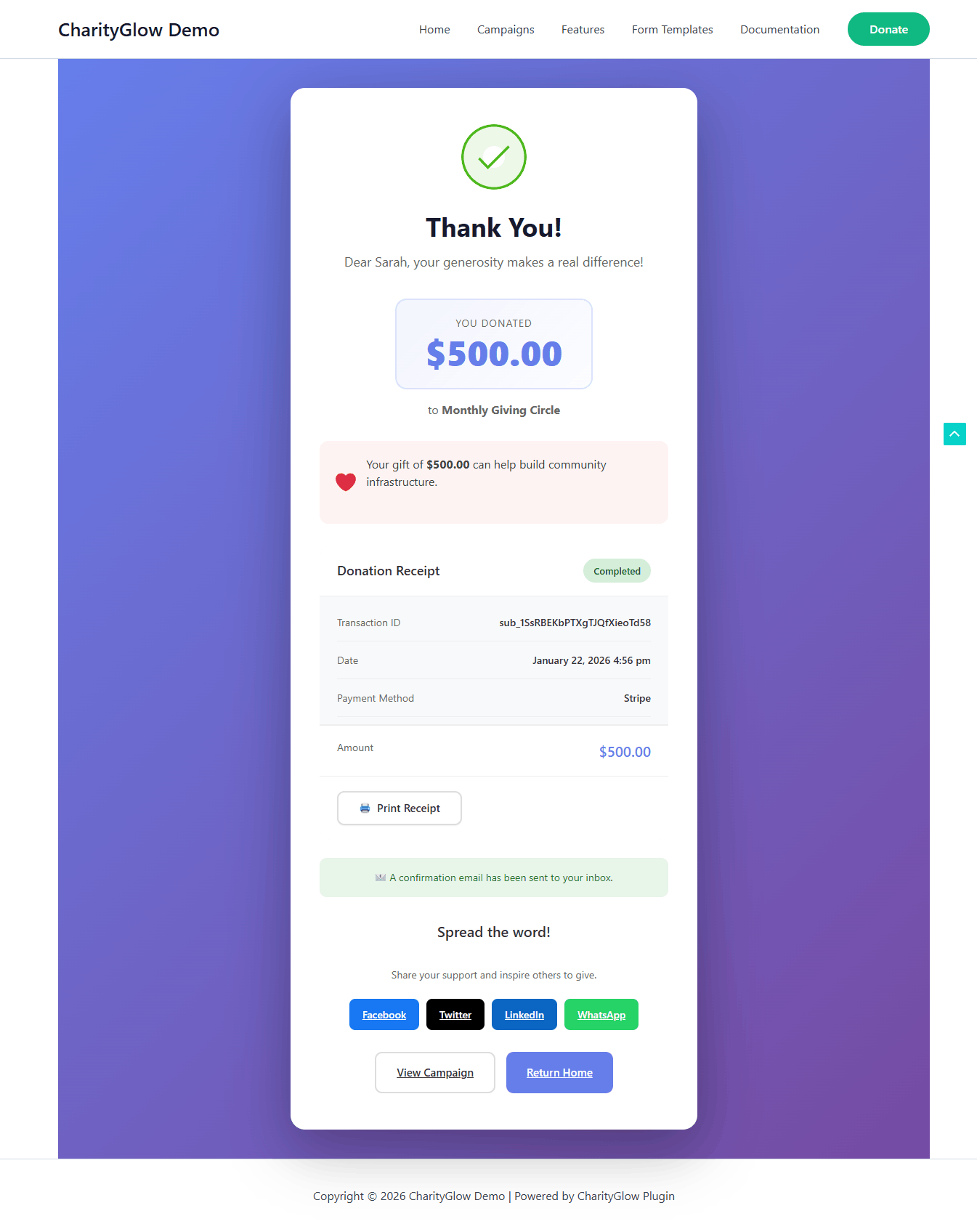
- Fix: Donation Success Page social sharing — Fixed Facebook sharing and updated LinkedIn and X sharing URLs.
- Fix: Campaign Single Page social sharing — Fixed LinkedIn sharing and updated X sharing.
- Improvement: Introduced a consistent brand color system across the plugin — Primary Green (#15803D), Secondary Blue (#1E40AF), and Accent Amber (#F59E0B).
- Improvement: Campaign details page redesigned with improved layout, goal/progress display, and donor information presentation.
- Improvement: Setup wizard updated with refreshed UI and smoother onboarding.
- Fix: Multiple CSS conflicts and styling inconsistencies in the admin area.
- Fix: Admin panel color overrides are properly scoped to avoid conflicts with WordPress core styles.
- New: SSLCommerz payment gateway integration for Bangladesh — bKash, Nagad, Rocket, Upay, bank cards, and internet banking.
- New: BDT (Bangladeshi Taka) currency support.
- Improvement: Payment gateway settings now show a Bangladesh-specific notice for SSLCommerz.
- Improvement: Donation forms display enabled payment options based on administrator settings.
- Initial release.
- Payment gateways: Stripe, PayPal, Razorpay, Offline/Bank Transfer.
- Form templates: Classic, Inline, Minimal, Card, Wizard.
- Campaign management with goals, deadlines, and progress tracking.
- Donor management with profiles, history, and lifetime value.
- Shortcodes for forms, campaigns, statistics, donor walls, progress bars, and more.
- Email receipts and administrator notifications.
- Analytics dashboard with statistics, charts, and reports.
- Recurring donations: monthly, quarterly, and yearly.
- Multi-currency support with proper formatting.
- Zero-decimal currency support.
- Mobile-responsive donation forms.
- GDPR-related data export and deletion tools.
- Anonymous donations.
- Theme compatibility with properly coded WordPress themes.