
ChatCatch – Guided Chat Enquiries & Lead Capture
| 开发者 | apexdigitalcompany |
|---|---|
| 更新时间 | 2026年8月6日 18:03 |
| PHP版本: | 8.1 及以上 |
| WordPress版本: | 7.0 |
| 版权: | GPLv2 or later |
| 版权网址: | 版权信息 |
详情介绍:
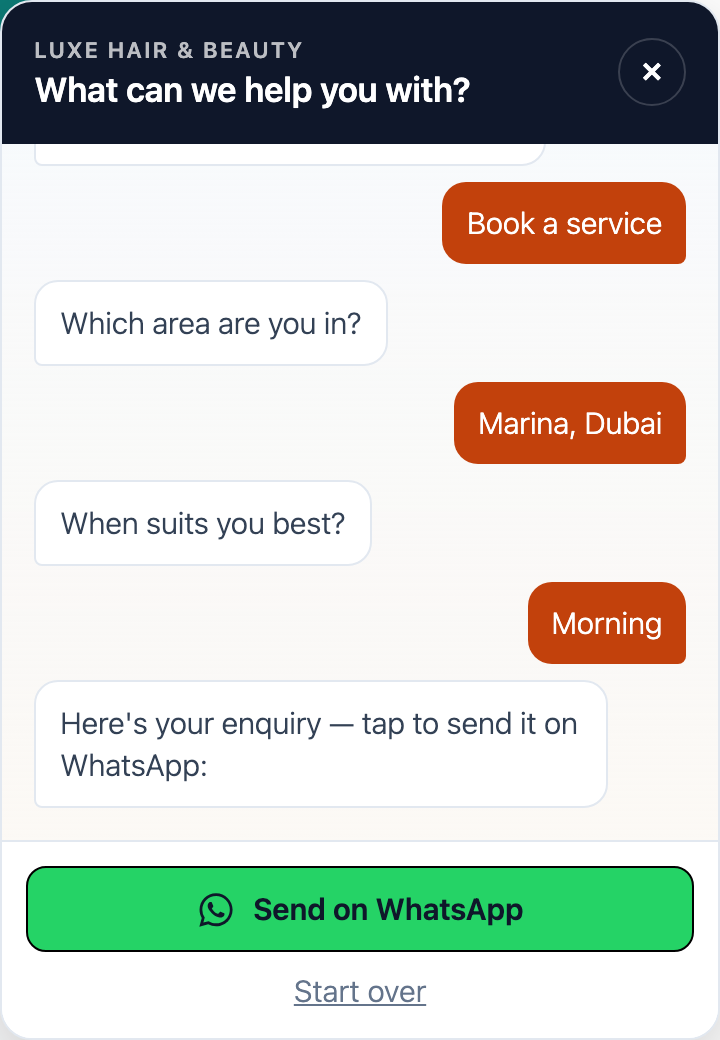
ChatCatch is a friendly, guided enquiry widget for service businesses. Instead of a plain "message us" button that sends a blank chat, ChatCatch walks the visitor through a short, mobile-first flow — what they need, where, and when — then hands the completed enquiry off to WhatsApp with the details already written out. Every enquiry is also saved on your site and emailed to you, so no lead is ever lost.
- Guided, not blank. A short multi-step chat produces a complete enquiry, not "Hi, I'm interested."
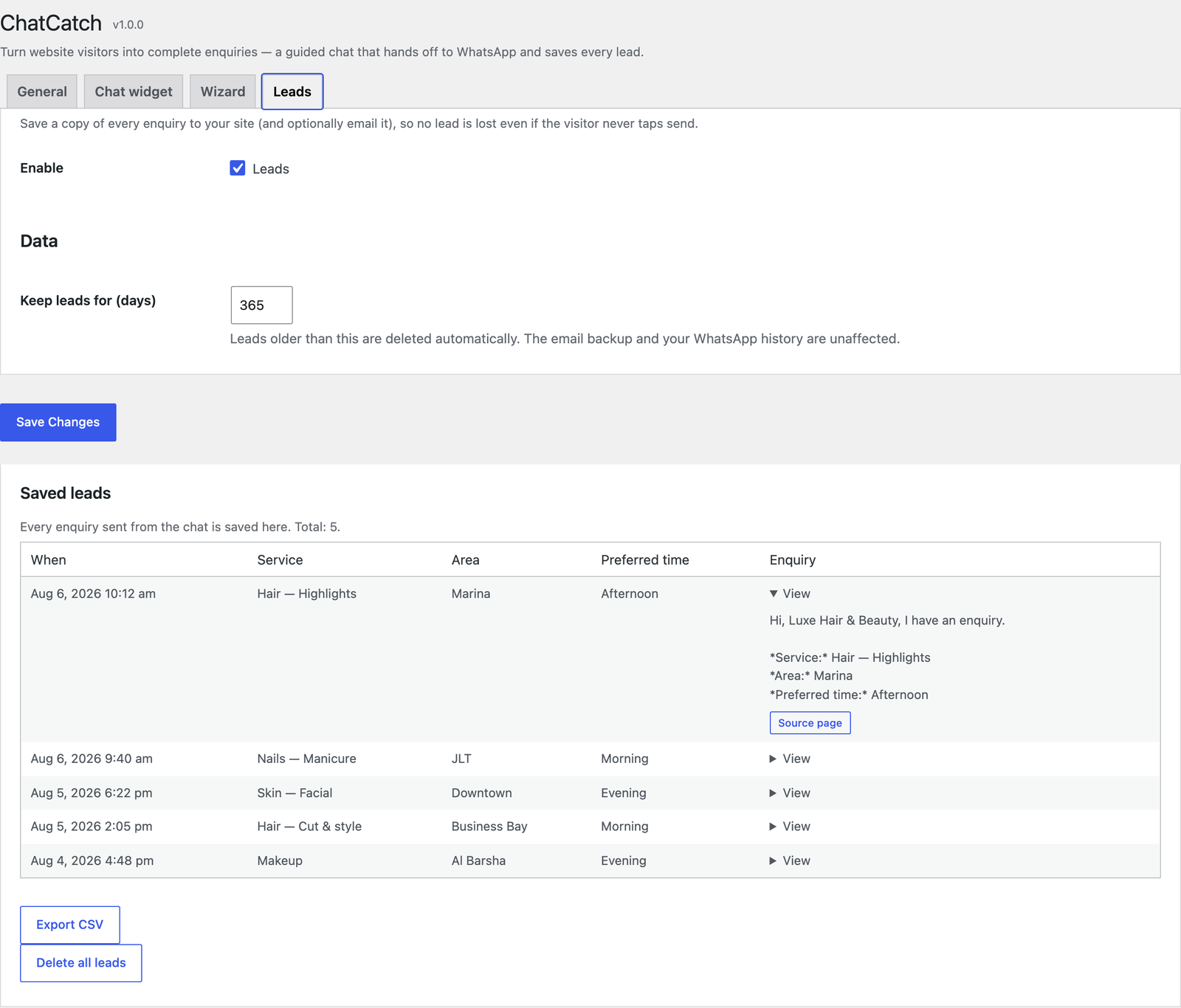
- Never miss a lead. Each enquiry is saved to your site and emailed — even if the visitor doesn't finish in WhatsApp.
- No setup headaches. It uses a normal WhatsApp click-to-chat link — no Meta Business API, no approval, no coding.
安装:
- Upload the
chatcatchfolder to/wp-content/plugins/. - Activate ChatCatch from the Plugins screen.
- Open the ChatCatch menu and enter your WhatsApp number.
屏幕截图:
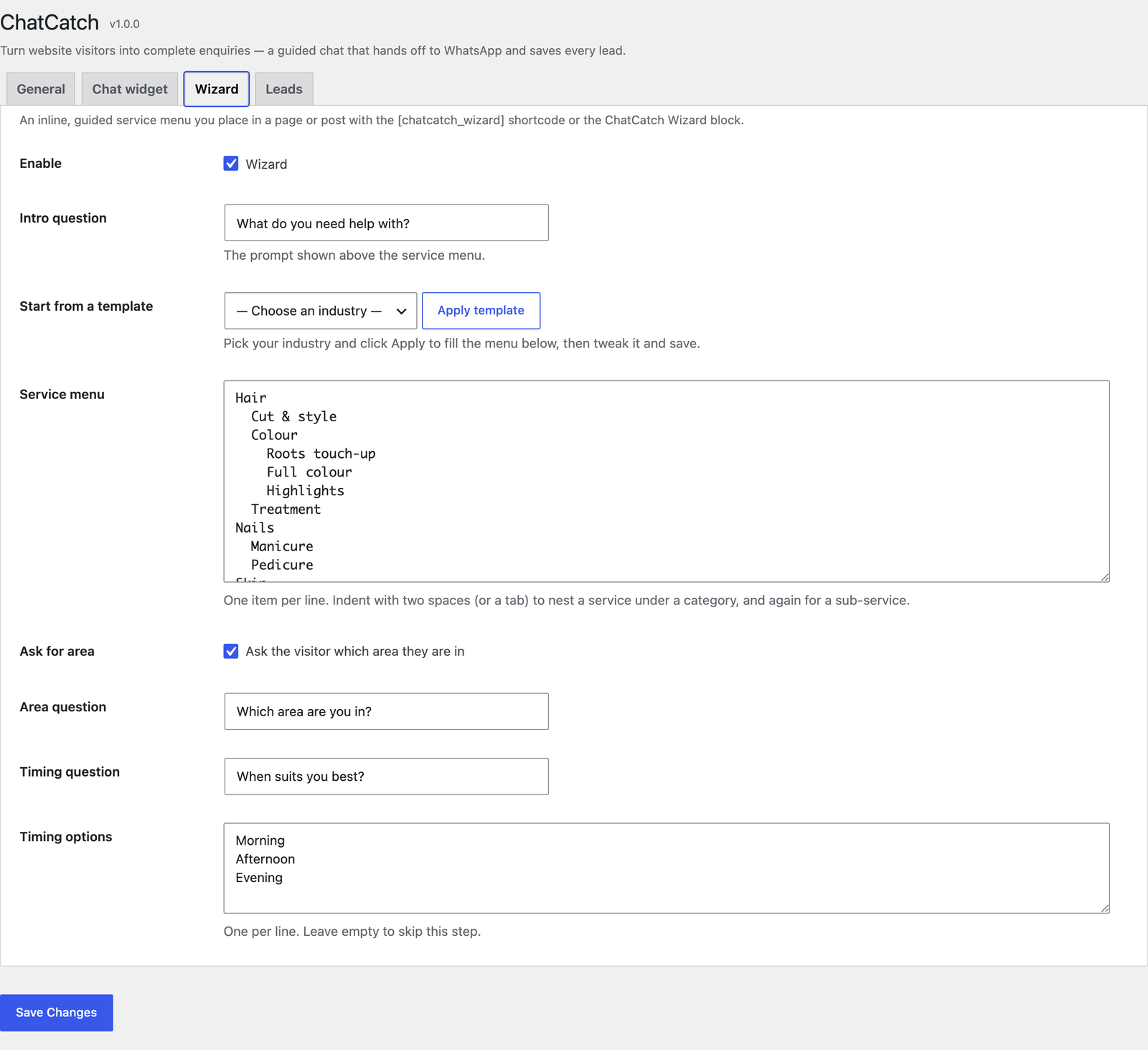
![The inline Wizard: a category-to-service menu you drop into any page with the ChatCatch Wizard block or the `[chatcatch_wizard]` shortcode.](https://cdn.jsdelivr.net/wp/chatcatch/assets/screenshot-3.png)
常见问题:
Does this require the WhatsApp Business API?
No. ChatCatch uses a standard click-to-chat link, so there is nothing to approve or configure with Meta.
Where do the enquiries go?
The visitor is handed off to your WhatsApp with the details prefilled, and a copy is saved on your site (and emailed, if you add an address).
更新日志:
1.0.0
- First public release on WordPress.org.
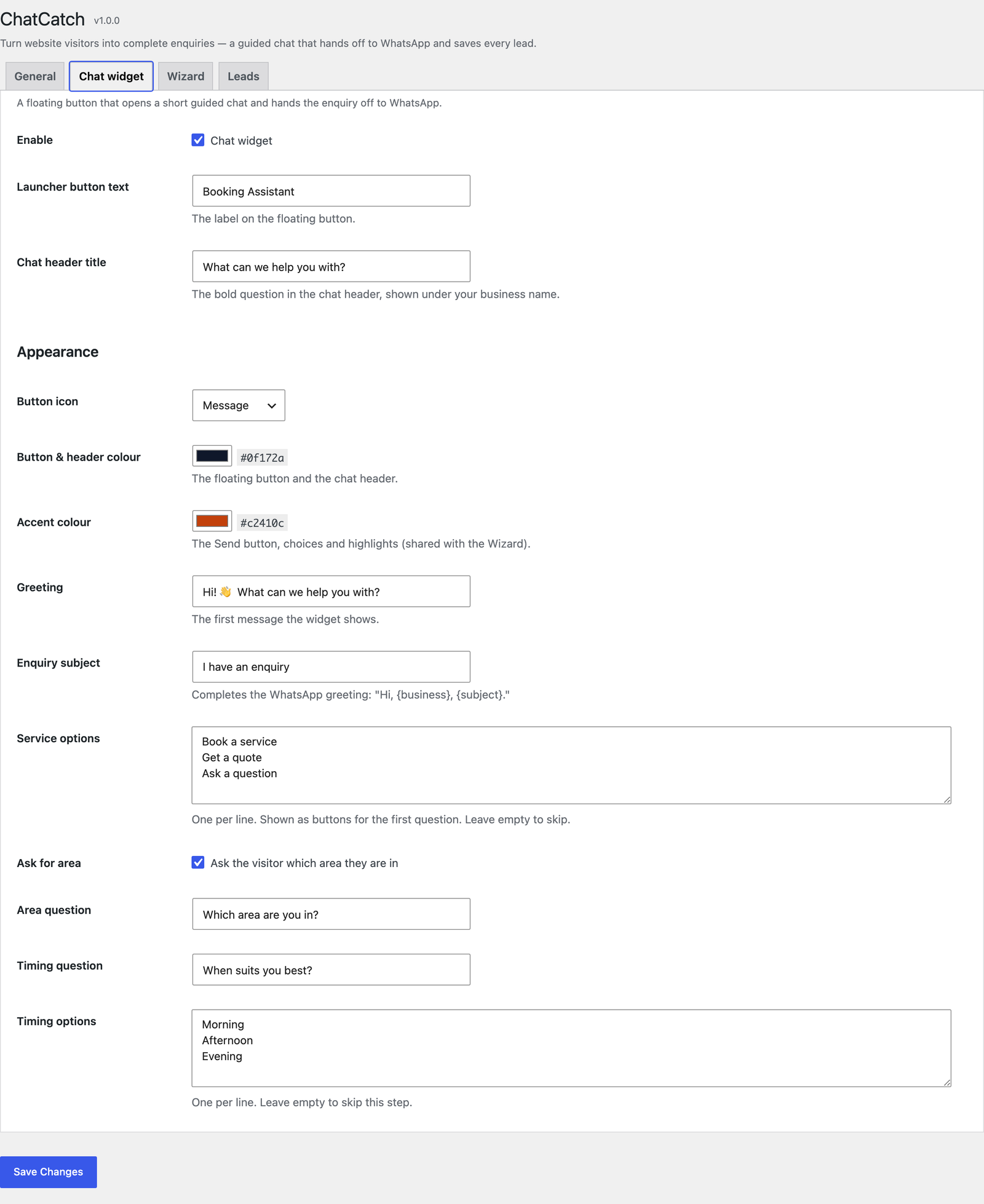
- New Appearance controls on the Chat widget tab: choose the floating button's text and icon, a chat header title, the button/header colour, and the accent colour used across the chat and Wizard.
- Colours apply live to the widget and the inline Wizard, so the whole experience matches your brand.
- Refreshed chat layout: a two-line header (business name + title) and full-width stacked choice buttons.
- New industry templates: on the Wizard tab, pick your trade (plumbing, electrical, AC & HVAC, cleaning, salon, auto, and more) and click Apply to fill the service menu in one click — then tweak it and save.
- Ten ready-made service menus, including nested sub-services, so the Wizard is usable in seconds.
- New inline guided Wizard: place a configurable category → service → sub-service menu in any page or post with the
[chatcatch_wizard]shortcode or the ChatCatch Wizard block (no page builder or code required). - The Wizard hands off to WhatsApp and saves the lead through the exact same path as the floating widget, so an enquiry reads identically whichever one the visitor uses.
- Edit the service menu as a simple indented list on the new Wizard settings tab.
- Shared front-end core so the WhatsApp message stays in one place; block ships with no build step.
- Lead capture: every enquiry is now saved to your site and (optionally) emailed to you, so no lead is lost even if the visitor never taps send.
- New Leads inbox to browse, view, reply-on-WhatsApp, export to CSV, and clear saved enquiries, with automatic age-based retention.
- Public capture endpoint hardened with a honeypot, per-IP rate limits, a body-size cap, a bot filter and strict server-side validation; the message and recipient are recomputed on the server.
- Privacy-first storage: enquiry answers, the message, the deep link and the source page only — no IP or device identifiers stored.
- Foundation release: plugin framework, module system, typed settings layer, the General settings tab, and the floating guided chat widget with WhatsApp handoff.