
ChatProjects
| 开发者 | chatprojects |
|---|---|
| 更新时间 | 2026年2月12日 20:08 |
| 捐献地址: | 去捐款 |
| PHP版本: | 7.4 及以上 |
| WordPress版本: | 6.9 |
| 版权: | GPLv2 or later |
| 版权网址: | 版权信息 |
详情介绍:
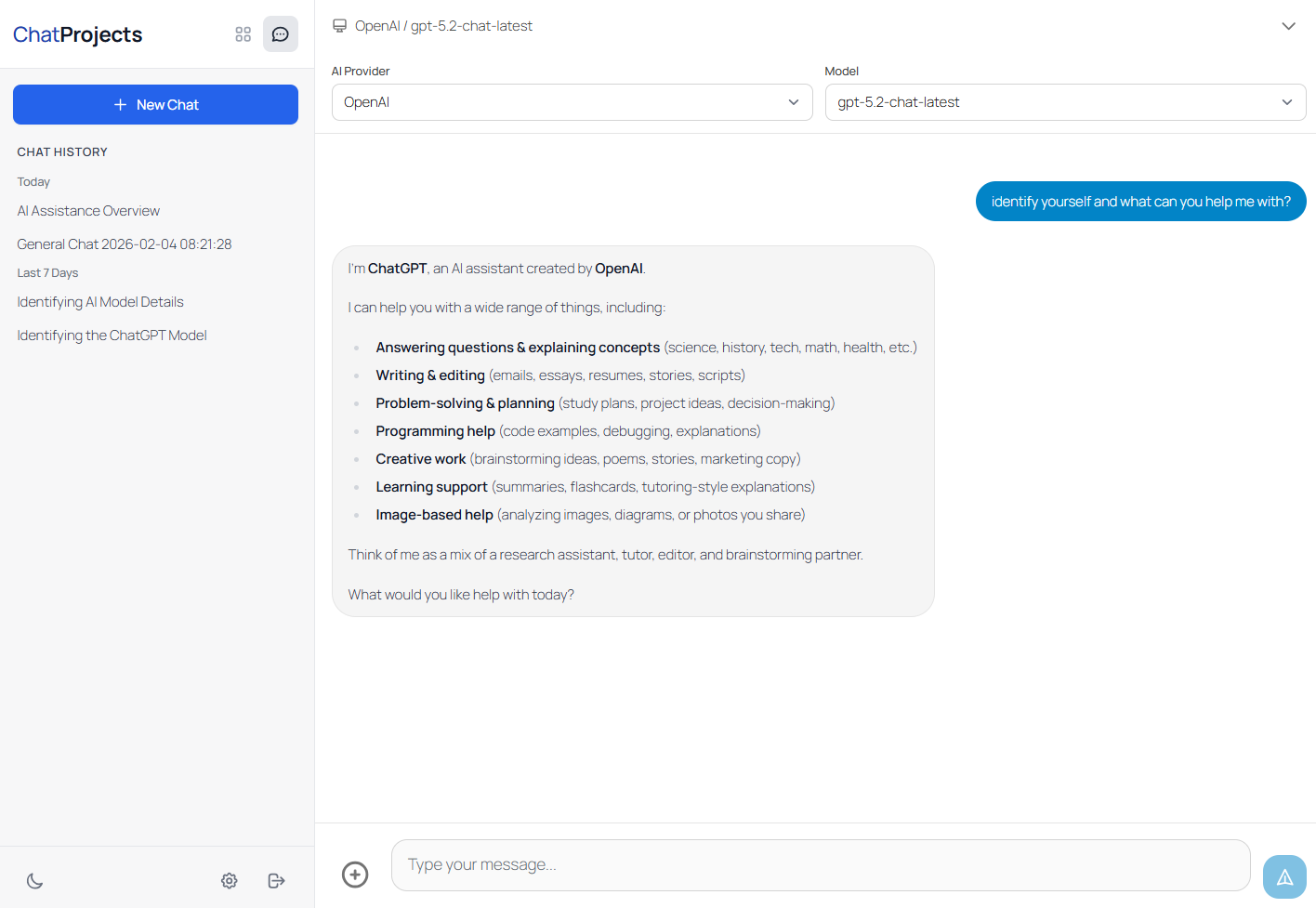
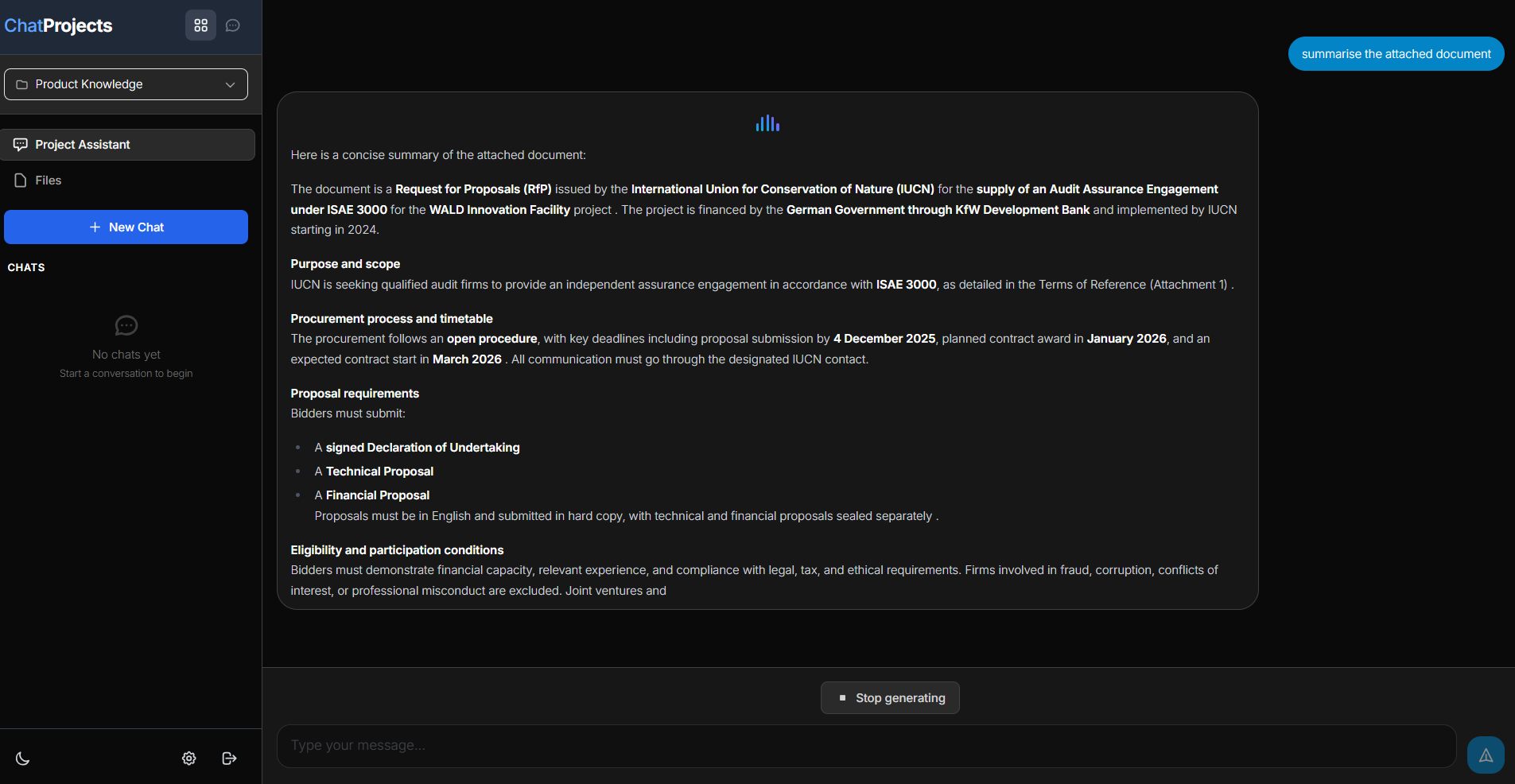
ChatProjects is the easiest way to chat with your files and documents in WordPress. AI-powered project chat with OpenAI Responses API vector store backend for intelligent file search.
Use your own API keys to chat with multiple AI providers including OpenAI (GPT-5.2), Anthropic (Claude), Google (Gemini 3 Pro), Chutes (DeepSeek), and OpenRouter.
Key Features
- Multi-Provider Chat - Chat with GPT-5.2, Claude 4.5, Gemini 3, DeepSeek, and 100+ models via OpenRouter
- Project Management - Create projects with OpenAI's file search capability
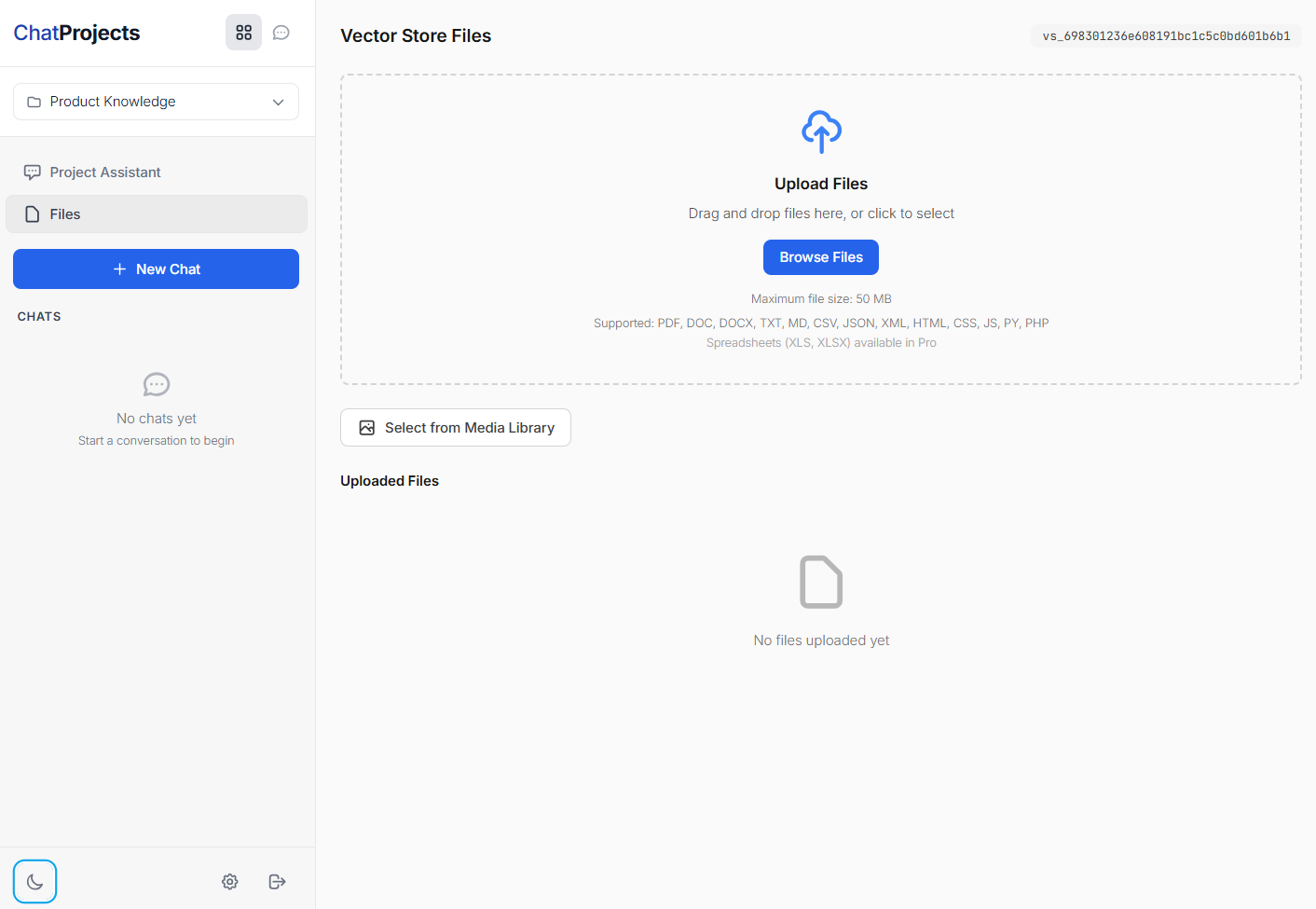
- File Upload - Upload documents (PDF, TXT, DOC) to your project's vector store
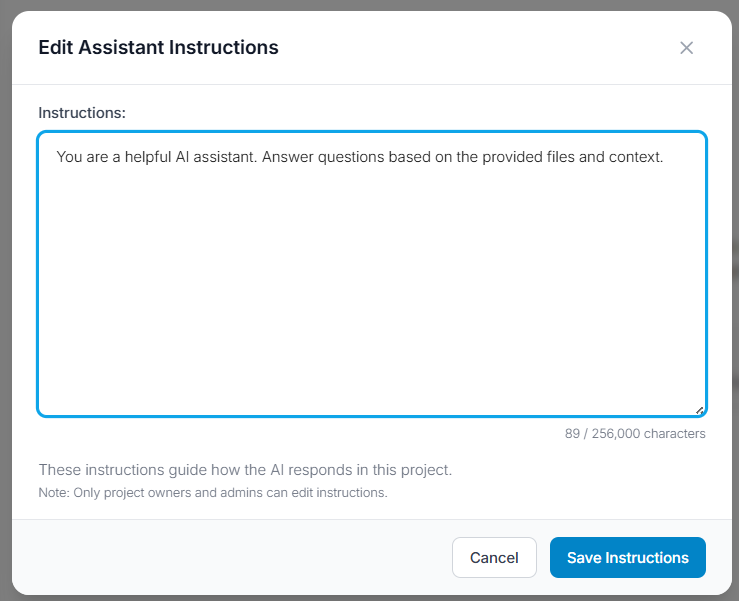
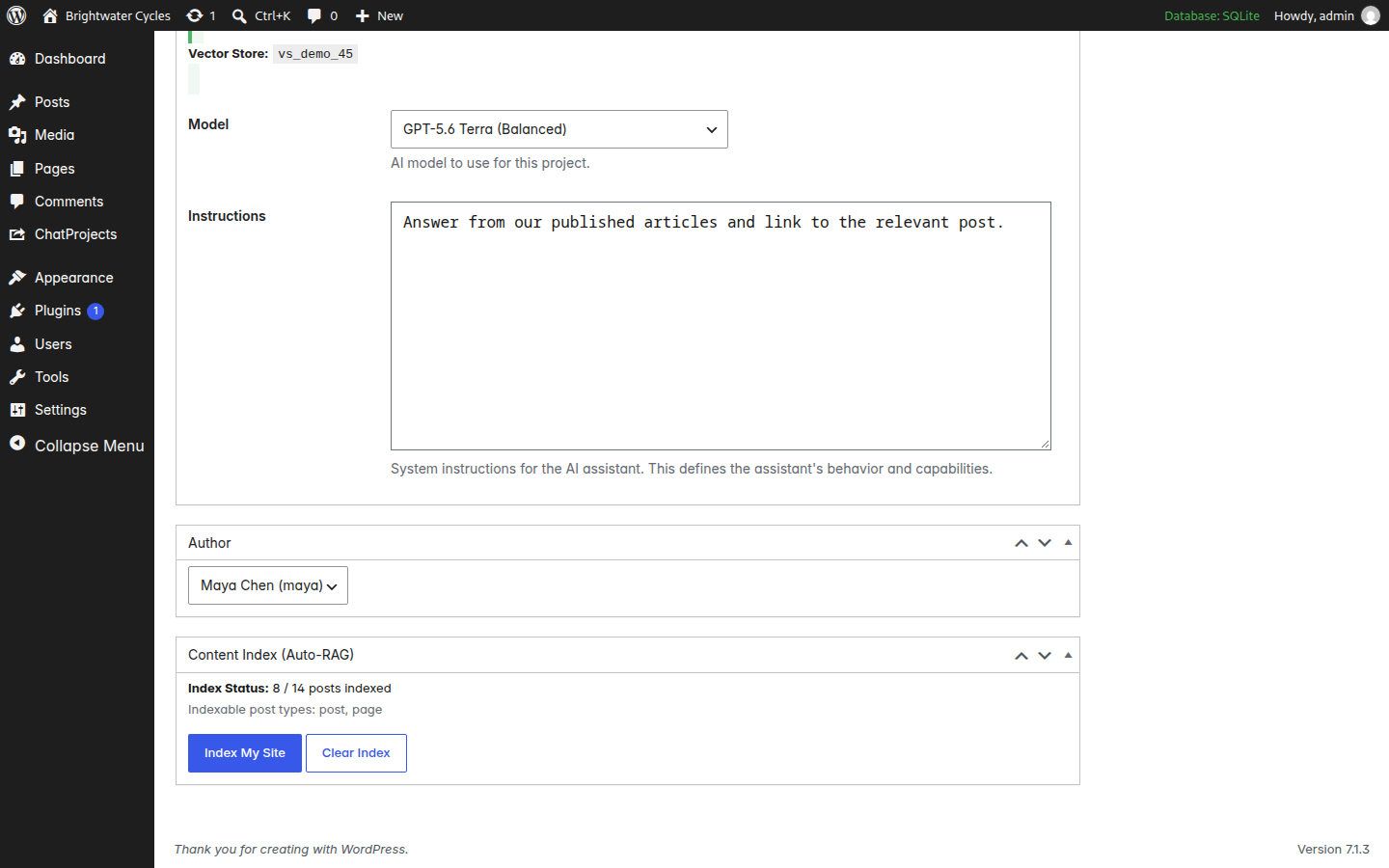
- Custom Instructions - Set custom assistant instructions for each project
- Shared Chatbots - Create project-based chatbots that can be shared with your team
- Modern Interface - Clean, responsive chat interface with dark mode support
- Embeddable - Use shortcodes to embed the full application on any page
- Privacy First - Your API keys stay on your server, not ours
- OpenAI - GPT-5.2, GPT-5 Mini, GPT-4.1, GPT-4o, o4-mini, o3-mini
- Anthropic - Claude Sonnet 4.5, Claude Haiku 4.5, Claude Opus 4.5
- Google Gemini - Gemini 3 Pro, Gemini 3 Flash, Gemini 2.5 Pro, Gemini 2.5 Flash
- Chutes - DeepSeek V3, DeepSeek R1, Qwen, Mistral, Llama
- OpenRouter - Access 100+ models from various providers
[chatprojects_main]
With Options:
[chatprojects_main default_tab="chat" height="80vh"]
Requirements
- WordPress 5.8 or higher
- PHP 7.4 or higher
- At least one API key (OpenAI, Anthropic, Gemini, Chutes, or OpenRouter)
安装:
- Upload the
chatprojectsfolder to/wp-content/plugins/ - Activate the plugin through the 'Plugins' menu in WordPress
- Go to ChatProjects > Settings to add your API keys
- Access the interface on https://yourdomain.com/chatprojects/ or Create a page and add
[chatprojects_main]shortcode - Start chatting!
- Visit platform.openai.com
- Sign up or log in
- Go to API Keys section
- Create a new secret key Anthropic:
- Visit console.anthropic.com
- Sign up or log in
- Go to API Keys
- Create a new key Google Gemini:
- Visit ai.google.dev
- Sign up or log in
- Get your API key Chutes:
- Visit chutes.ai
- Sign up or log in
- Get your API key
屏幕截图:
常见问题:
Do I need all 5 API keys?
No! You only need one API key to start chatting. Add more providers as needed. Note: An OpenAI API key is required for Projects and document chat (vector store) features.
Where are my API keys stored?
Your API keys are stored encrypted in your WordPress database. They never leave your server.
Can multiple users access the project?
Yes! Projects are accessible to all logged-in users. Administrators can configure sharing controls in settings.
What file types can I upload?
Supported file types: PDF, DOC, DOCX, TXT, MD, CSV, JSON, XML, HTML, CSS, JS, PY, PHP
Is there a file size limit?
Yes, the default limit is 50MB per file (can be adjusted in settings).
Can I use this on a client site?
Yes! ChatProjects is GPL licensed. You can use it on any WordPress site.
How do I get support?
Use the WordPress.org support forum or email support@chatprojects.com
更新日志:
1.1.5
- Fixed /settings URL redirect hijacking other pages on sites
- Improved old slug redirect to use exact path matching only
- Fixed WordPress media library modal text invisible in dark mode
- Fixed wp.media dependency loading on ChatProjects pages
- Fixed theme CSS conflicts (Astra, Elementor, and others) breaking ChatProjects UI
- ChatProjects pages now fully isolate from all theme and plugin styles
- Fixed missing dark/light toggle and wrong button colors on themed sites
- Fixed Elementor CSS conflicts causing invisible dark/light toggle button
- Fixed Elementor popup/form HTML rendering on ChatProjects pages
- Improved button hover colors and styles
- Added comprehensive Elementor asset blocking on ChatProjects pages
- Better plugin compatibility with page builders
- Fixed Alpine.js initialization timing issue that prevented UI components from loading
- Improved JavaScript module loading reliability
- IMPORTANT: Changed plugin URLs to prevent conflicts with existing WordPress pages
- New URLs: /chatprojects/ (was /projects/), /cp-settings/ (was /settings/), /cp-chat/ (was /pro-chat/)
- Old URLs automatically redirect to new locations (backwards compatible)
- Added conflict detection for URL slugs on plugin activation
- Added developer filter hooks for slug customization
- Improved deactivation cleanup
- Initial release
- Multi-provider chat (OpenAI, Anthropic, Gemini, Chutes)
- Project management with OpenAI Assistants
- File upload to vector stores
- Modern chat interface
- Dark/Light theme support
- Shortcode embedding [chatprojects_main]