
Check System Details
| 开发者 | prabhatrai |
|---|---|
| 更新时间 | 2026年7月29日 02:36 |
| PHP版本: | 7.0 及以上 |
| WordPress版本: | 7.0 |
| 版权: | GPL-2.0+ |
| 版权网址: | 版权信息 |
详情介绍:
Check System Details puts your entire WordPress, server, and database setup on one screen, flags real problems instead of just dumping raw facts, and gives you a few tools for handing that information off to support or keeping an eye on the site over time. No setup required - install and go.
Health Check
A set of diagnostic checks, each marked Good, Warning, or Critical:
- Outdated or EOL PHP versions
- Missing PHP extensions (curl, gd/imagick, mbstring, zip, openssl, dom)
- OPcache status
- WP_DEBUG display risk (errors leaking publicly)
- Disabled file editor
- HTTPS status
- Low memory limits
- wp-config.php file permissions and a writable wp-content directory
- Page caching plugin detection (WP Rocket, W3 Total Cache, WP Super Cache, LiteSpeed Cache, Cache Enabler, WP Fastest Cache, SiteGround Optimizer) and persistent object cache (Redis/Memcached) detection
- Scheduled cron events with next-run time and recurrence, plus overdue/stuck cron detection
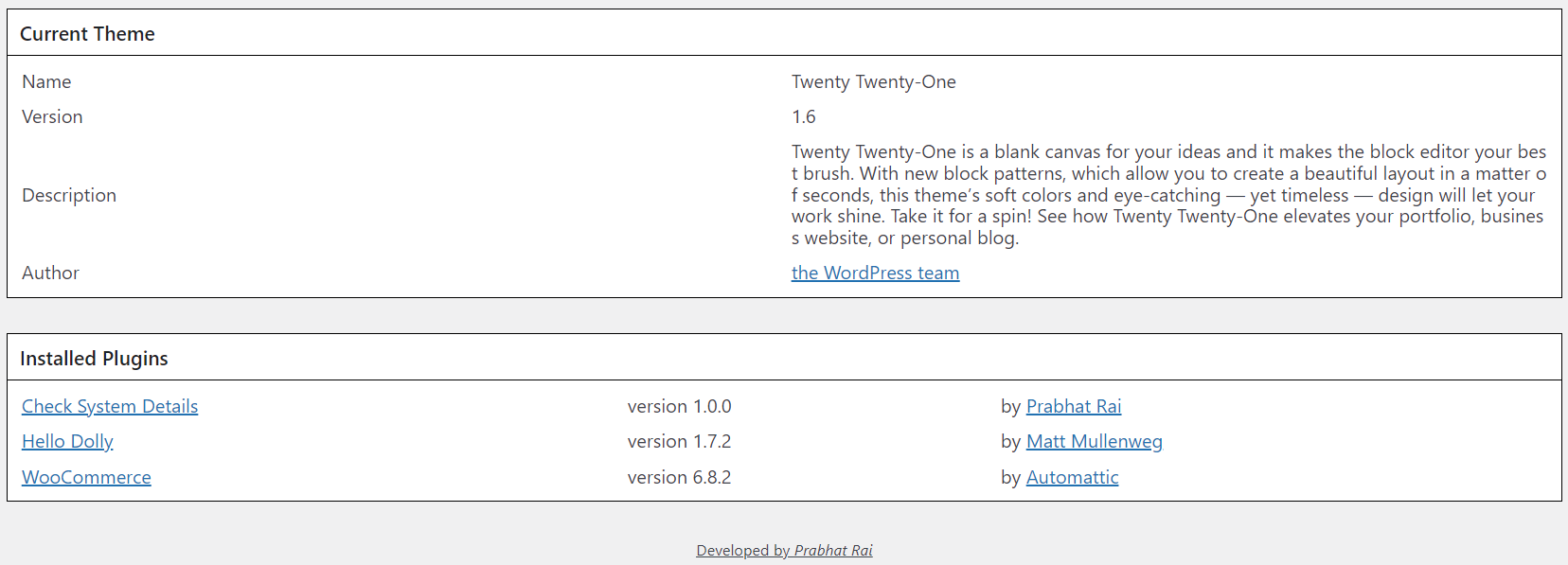
- WordPress core, theme, and plugin details, with pending update indicators for core, the active theme, and every plugin
- Multisite network site list (ID, domain, path) when multisite is active
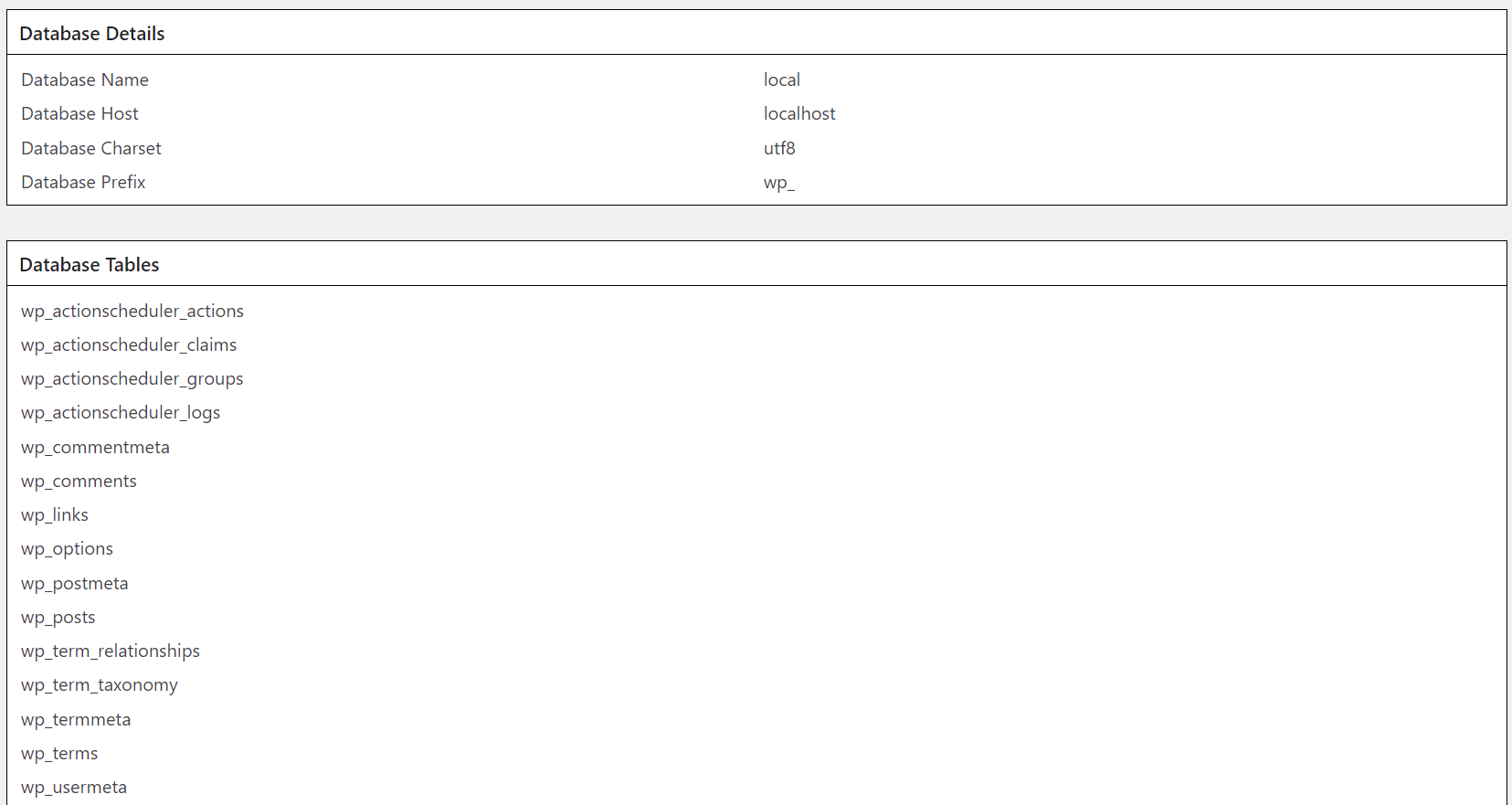
- Server limits (max input vars, upload size, and more) and database connection details
- Every database table name
- Raw .htaccess, robots.txt, and debug.log (last 100 lines) content, each with its own copy button
- Test Email - send a real test email to confirm wp_mail() actually delivers
- Snapshot & Compare - save the current report, then compare it later to see exactly what changed
- Email Report - send the report on demand, or on a recurring weekly/monthly schedule
- WP-CLI -
wp check-system-detailsprints the full report from the terminal - Report Privacy - redacts your database name/host and server file paths from Copy Report, Download Report, and Email Report (on by default)
- Copy Report / Download Report buttons for easy support handoff
- A Docs tab explaining every tab and utility in plain language
- Translation-ready
屏幕截图:


更新日志:
1.2.0
- New plugin icon and banner
- Revamped UI with tabs (Health Check / WordPress / Server & Database / Files & Logs) instead of one long page
- Copy Report and Download Report (.txt) buttons for easy support handoff
- Fixed admin menu capability check (now correctly requires manage_options)
- Hardened output escaping for .htaccess, robots.txt, and debug.log content
- New Health Check tab that flags real problems instead of just listing facts: outdated/EOL PHP versions, missing PHP extensions (curl, gd/imagick, mbstring, zip, openssl, dom), OPcache status, WP_DEBUG display risk, disabled file editor, HTTPS status, low memory limits, wp-config.php file permissions, and writable wp-content directory
- Page caching plugin detection (WP Rocket, W3 Total Cache, WP Super Cache, LiteSpeed Cache, Cache Enabler, WP Fastest Cache, SiteGround Optimizer) and persistent object cache (Redis/Memcached) detection
- Real scheduled cron event listing with next-run time and recurrence, plus a check for overdue/stuck cron events
- Multisite network site list (ID, domain, path) instead of just a true/false flag
- New Utilities tab: one-click test email (verify wp_mail() actually delivers), report snapshot + compare (see exactly what changed after something broke), and an email report tool with optional weekly/monthly scheduled sending
- New WP-CLI command:
wp check-system-detailsprints the full report from the terminal - New Report Privacy setting: redact database name/host and server file paths in Copy Report, Download Report, and Email Report (on by default)
- New Docs tab explaining every tab and how to use the Utilities
- Pending update indicators next to WordPress core, the active theme, and installed plugins
- Copy buttons for .htaccess, robots.txt, and debug.log content individually
- Tooltips on WordPress, Server & Database, Files & Logs, and Utilities fields explaining what each one means
- "Settings" quick link added to the plugin's row on the Plugins list page
- Clean uninstall: removes all stored options and scheduled cron when the plugin is deleted
- Translation-ready: all admin-facing strings now use WordPress's i18n functions with a check-system-details text domain
- Added direct-access protection (defined('ABSPATH') check) to every PHP file, per WordPress.org plugin guidelines
- Fixed a bug where turning off "Redact sensitive data" silently failed to save on its first use
- Rewrote the plugin description and tags to reflect the current feature set, and fixed a version mismatch between readme.txt and the plugin header (both now require WordPress 4.9+)
- htaccess File Content
- Robots.txt Content
- Debug log content - Last 100 lines
- Initial version