Checkout Field Editor / Checkout Manager for WooCommerce
| 开发者 |
scottpaterson
wp-plugin |
|---|---|
| 更新时间 | 2026年8月22日 08:03 |
| 捐献地址: | 去捐款 |
| PHP版本: | 7.0 及以上 |
| WordPress版本: | 7.1 |
| 版权: | GPLv2 or later |
| 版权网址: | 版权信息 |
详情介绍:
This plugin lets you easily disable default WooCommerce checkout fields - helping you create a faster, cleaner, and more user-friendly checkout experience.
By simplifying the checkout process, you can reduce friction for customers, minimize distractions, and potentially lower cart abandonment rates. A dedicated settings page is added under the WooCommerce admin menu, giving you full control with no coding required.
WooCommerce doesn't give you the option to disable checkout fields by default. This plugin solves that problems and makes it easy to disable / hide certain fields.
This plugin supports the following fields / options:
Disable All fields
Billing Fields
First Name
Last Name
Email
Company
Address Line 1
Address Line 2
City
Zip Code / Postcode
Country
State
Phone
Shipping Fields
First Name
Last Name
Company
Address Line 1
Address Line 2
City
Zip Code / Postcode
Country
State
Additional Fields
Order Comments
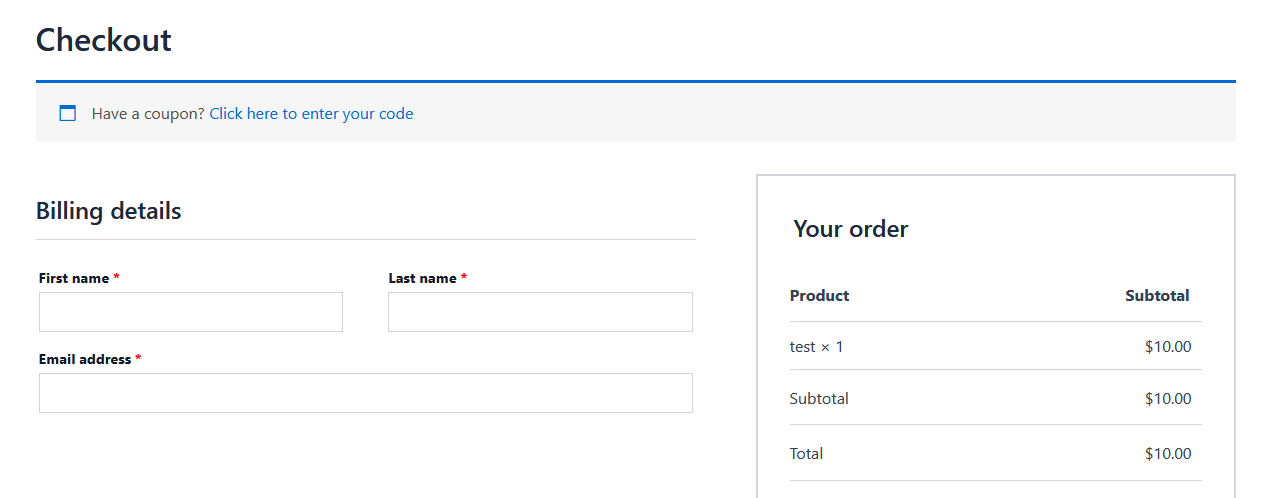
Please see the screenshots at the bottom of this page to see how the plugin settings page looks.
In the future, we will expand this plugin to support other plugins like Easy Digital Downloads.
安装:
- Upload the plugin files to the
/wp-content/plugins/checkout-field-editordirectory, or install the plugin through the WordPress plugins screen directly. - Activate the plugin through the 'Plugins' screen in WordPress.
- Go to WooCommerce > Checkout Fields to configure the plugin.
屏幕截图:
更新日志:
1.0.0
- Initial release