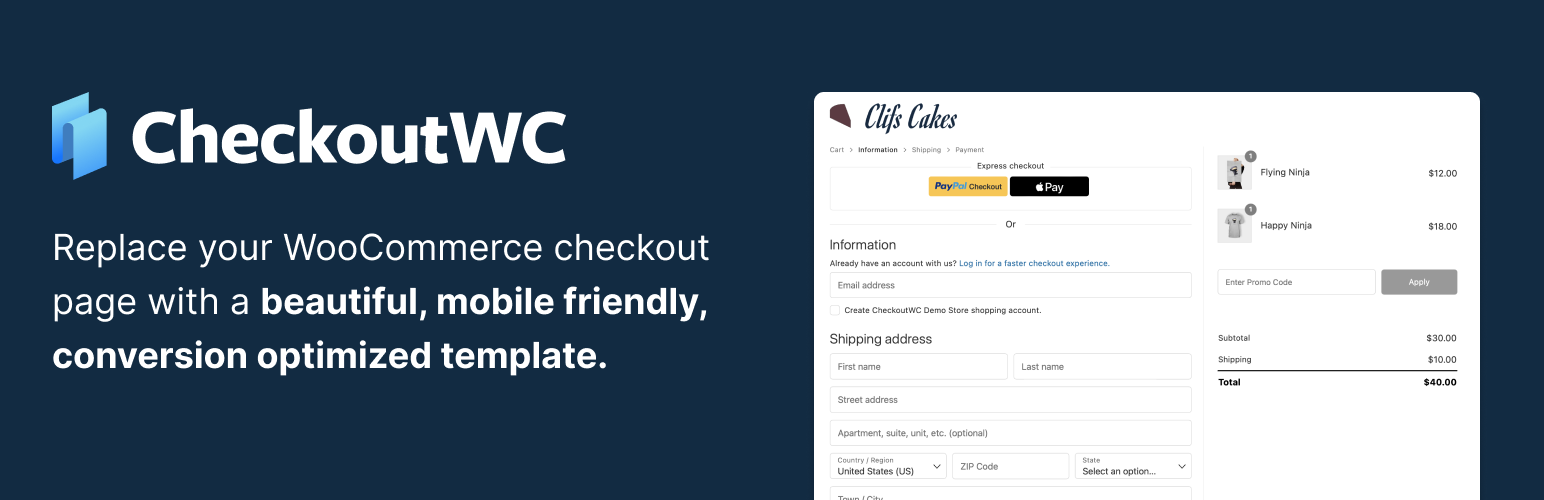
CheckoutWC Lite – Conversion optimized WooCommerce checkout
| 开发者 |
clifgriffin
kestrelwp |
|---|---|
| 更新时间 | 2026年10月12日 23:27 |
| 捐献地址: | 去捐款 |
| PHP版本: | 7.4 及以上 |
| WordPress版本: | 7.1.3 |
| 版权: | GPLv3 or later |
| 版权网址: | 版权信息 |
标签
下载
详情介绍:
- Install and activate - CheckoutWC takes over your WooCommerce checkout with sensible defaults.
- Set your logo, colors, and layout in the CheckoutWC settings.
- Go live - customers move through a faster, guided checkout on every device.
- Shopify-style multi-step checkout that replaces the default WooCommerce checkout page
- Express checkout: Apple Pay, Google Pay, and PayPal with supported gateways
- Address autocomplete: ZIP/postal code fills city and state automatically
- Smart inline validation that catches errors before they cost you the order
- Mobile-first design that's 100% responsive on phones, tablets, and desktops
- Customizable branding: set your logo and colors to match your store
- Checkout field editor: add your own text fields anywhere on the checkout, with optional fees and display conditions
- Universal compatibility: works with all WooCommerce themes and payment gateways
- Store owners who want a Shopify-style WooCommerce checkout that looks professional and builds trust
- Agencies and freelancers managing multiple client stores at scale
- Course creators and membership sites using WooCommerce Subscriptions, Memberships, or Constellation
- Subscription and dropshipping businesses needing fast, mobile-friendly checkout flows
- Digital product sellers who want fewer failed orders and smoother repeat purchases
安装:
- In your WordPress admin, go to Plugins → Add New and search for "CheckoutWC."
- Click Install Now, then Activate. (Or upload the plugin zip via Plugins → Add New → Upload Plugin.)
- Make sure WooCommerce is installed and active - CheckoutWC requires it.
- Open CheckoutWC in the admin menu to set your logo, colors, and layout. CheckoutWC takes over your checkout automatically.
- Process a test order in your payment gateway's test mode before going live.
屏幕截图:
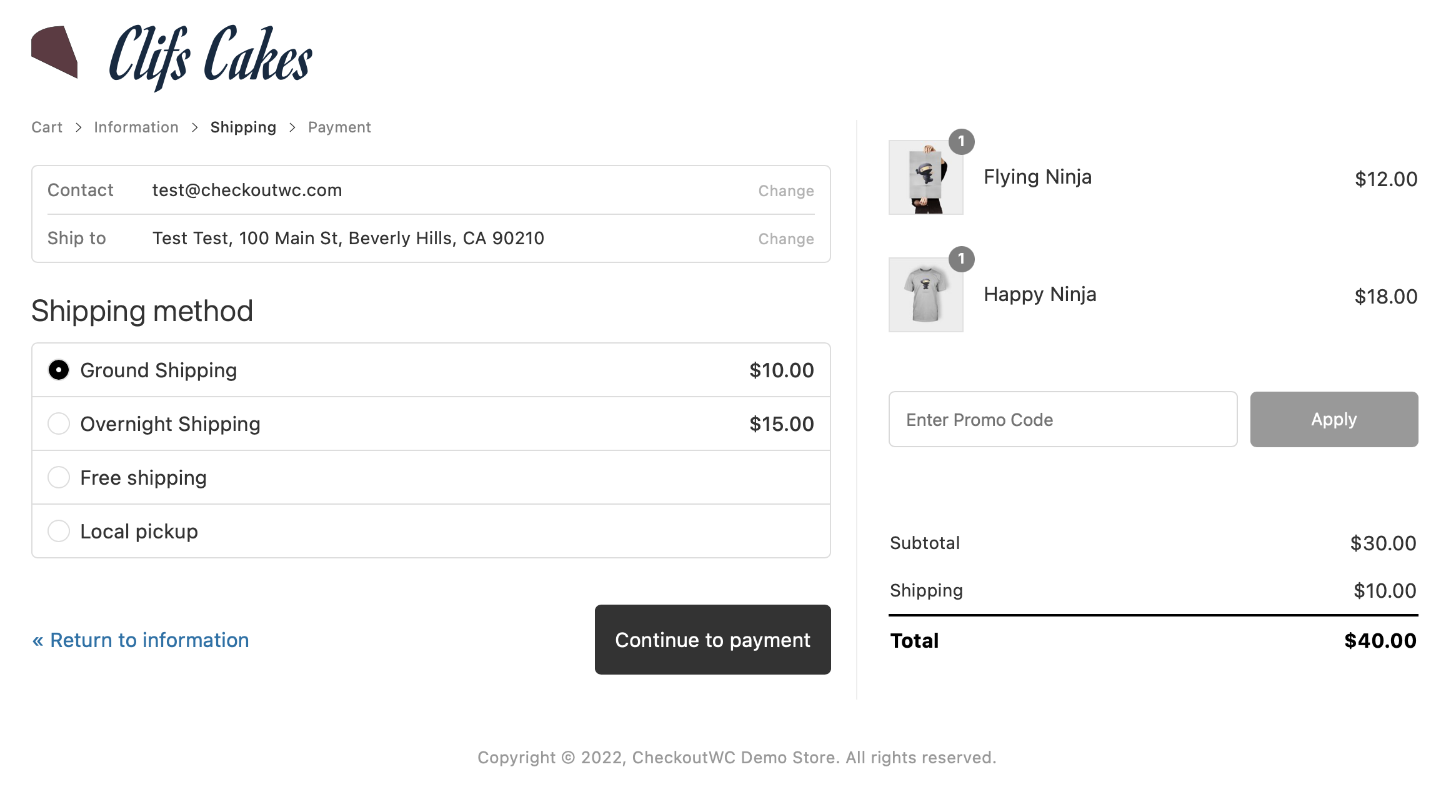
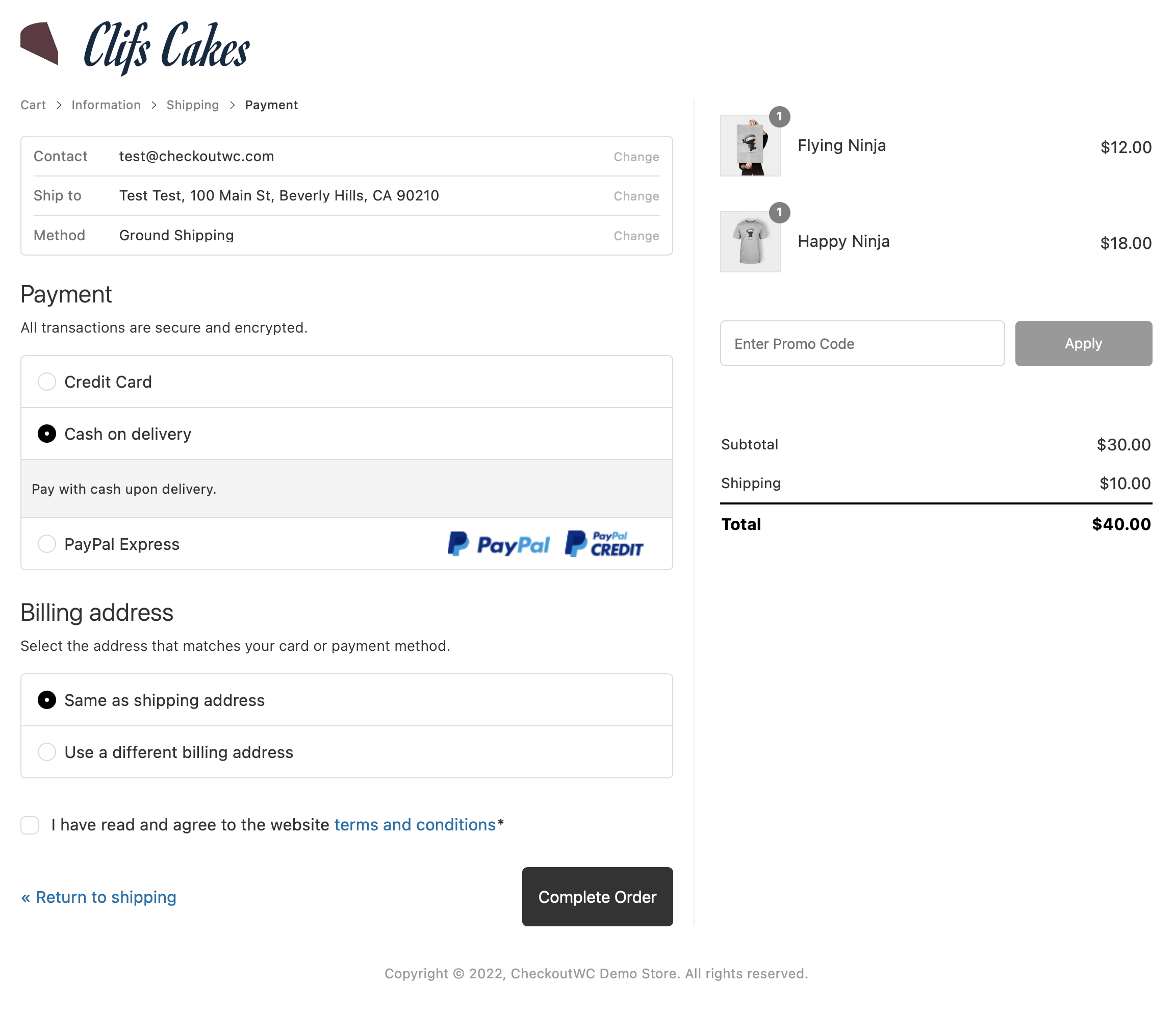
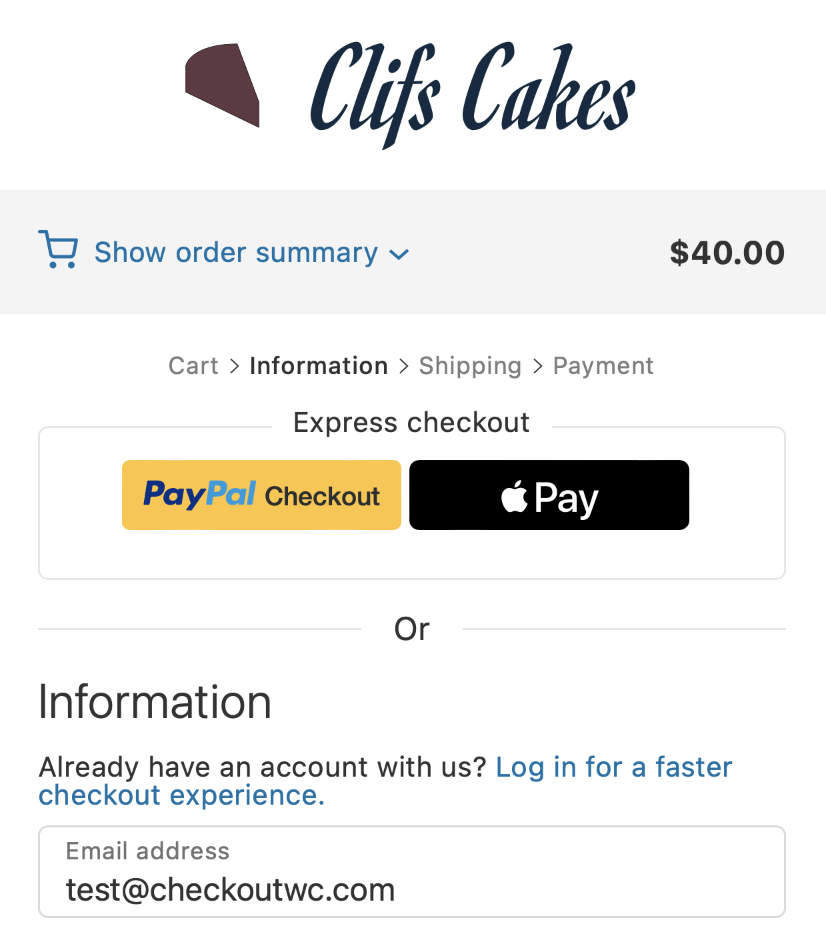
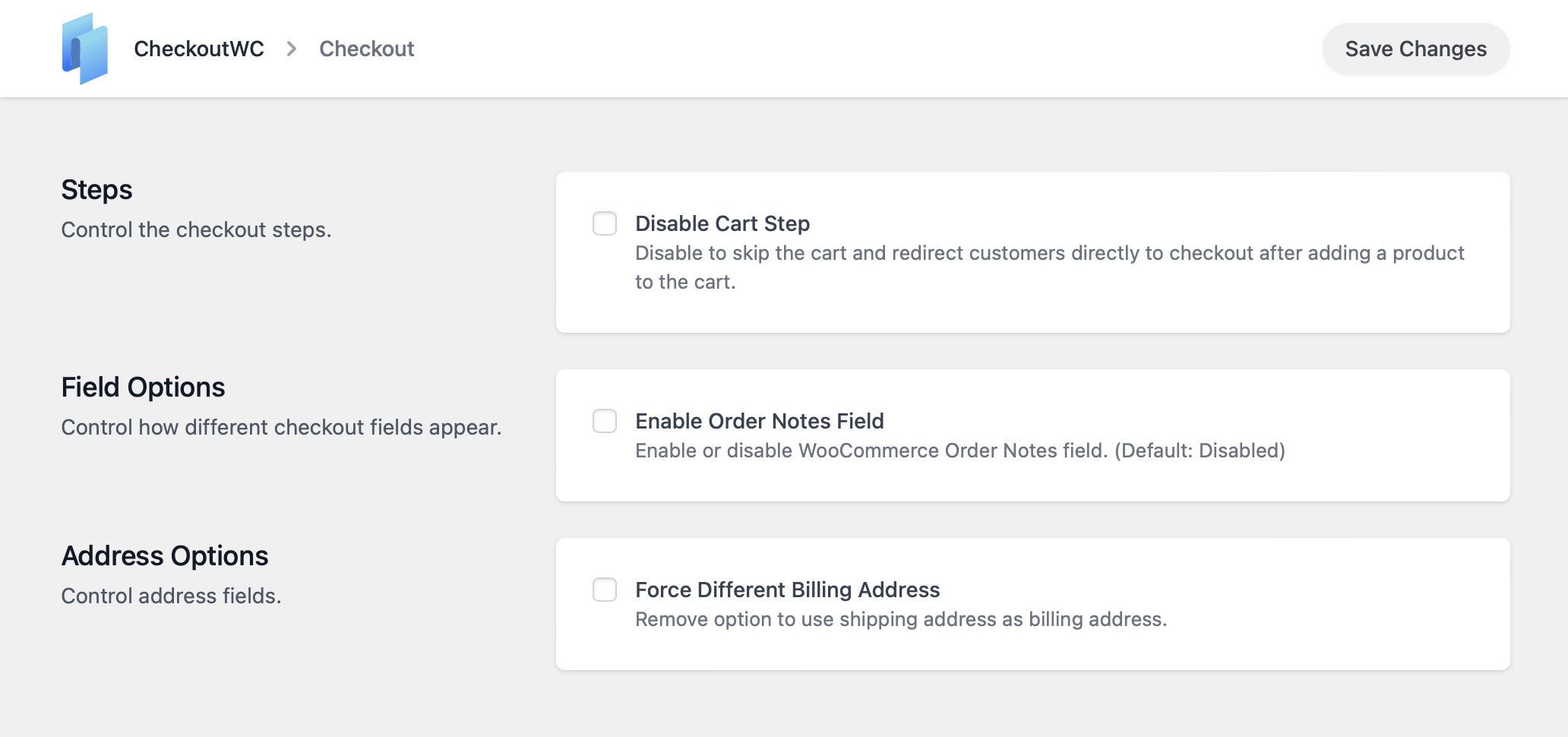
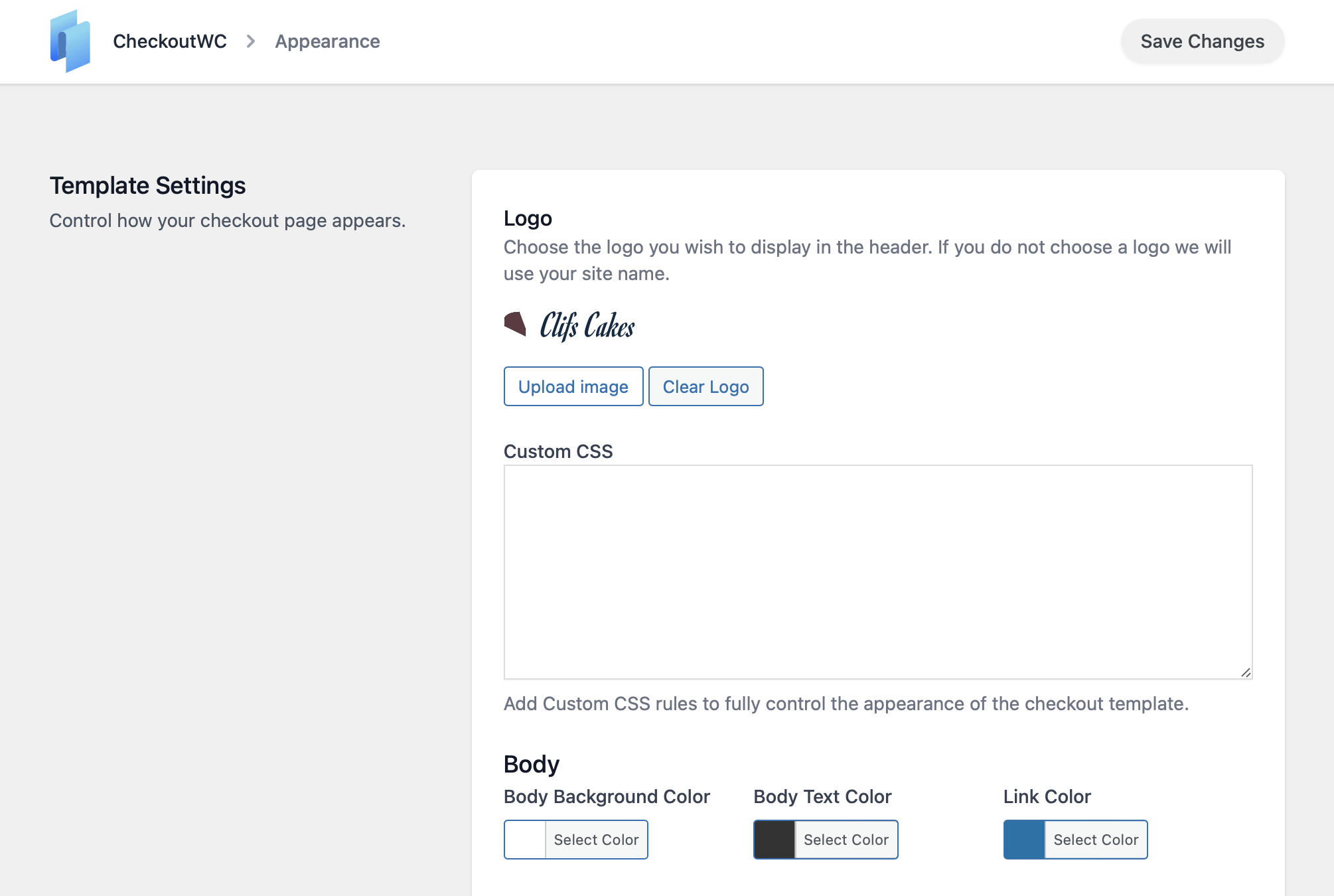
常见问题:
Is CheckoutWC Lite really free?
Yes. CheckoutWC Lite is free on WordPress.org and includes the Shopify-style multi-step checkout, express payments (Apple Pay, Google Pay, PayPal), ZIP/postal address autocomplete, smart validation, custom text fields, and mobile-first design. Premium templates, side cart, order bumps, abandoned cart recovery, and other advanced tools are available on a paid plan.
Can I add or remove checkout fields?
Yes. CheckoutWC Lite includes a checkout field editor: add your own text fields to any position on the checkout, mark them required, cap their length, and show them only for the carts and customers you choose. You can also hide the fields WooCommerce controls, such as company, phone, and address line 2. Text area, dropdown, radio button, and checkbox fields, and charging a fee for a field or an option, need a paid plan.
Does CheckoutWC support one-page checkout?
Yes, on a paid plan. Any premium template can be switched to one-page checkout, which shows contact, shipping, and payment on a single screen. CheckoutWC Lite uses the multi-step flow.
Is CheckoutWC compatible with HPOS?
Yes. CheckoutWC declares compatibility with High-Performance Order Storage (custom order tables) and works on stores using either HPOS or the legacy post-based order storage.
Does it work with WooCommerce Subscriptions?
Yes. CheckoutWC supports WooCommerce Subscriptions, including free trials, sign-up fees, and recurring totals in the order summary, as well as Memberships and Constellation by Kestrel.
Will it work with my theme and gateway?
Yes. CheckoutWC is designed for universal compatibility with all WooCommerce themes. Unlike other checkout plugins that rely on specific theme structures, CheckoutWC uses a template-based system that works independently of your theme's design. CheckoutWC supports all major payment gateways including Stripe, PayPal, Square, Authorize.net, and more. It also works with popular shipping providers and WooCommerce extensions. If it works with WooCommerce's default checkout, it will work with CheckoutWC.
Do I need Apple Pay/Google Pay for express checkout?
You'll need a compatible payment gateway (such as Stripe or Square) and customers must use a supported browser and device. Once your gateway is configured, CheckoutWC automatically displays express payment buttons where appropriate. Apple Pay requires Safari or an Apple device, while Google Pay works across Chrome and Android devices.
Can I use CheckoutWC with WooCommerce Blocks?
CheckoutWC replaces the WooCommerce checkout page entirely, so it doesn't use the WooCommerce Blocks checkout system. However, CheckoutWC is fully compatible with other WooCommerce Blocks features throughout your site, including cart blocks, product blocks, mini cart, and filter blocks. The checkout experience itself uses CheckoutWC's optimized templates instead of blocks.
Will CheckoutWC work with my shipping plugins?
Yes. CheckoutWC works with all major WooCommerce shipping plugins including WooCommerce Shipping, ShipStation, Table Rate Shipping, Advanced Shipment Tracking, and more. Any shipping method that works with WooCommerce's default checkout will work seamlessly with CheckoutWC. The plugin displays shipping options the same way WooCommerce does, just in a more user-friendly layout.
How do I upgrade to a paid plan?
Choose a plan at checkoutwc.com/pricing, download the plugin, and install it on your site. Your Lite settings are preserved automatically. Enter your license key in CheckoutWC → License to receive updates and unlock the paid features. Your checkout keeps working without interruption during the upgrade.
How do I enable address autocomplete?
CheckoutWC Lite includes ZIP/postal code autocomplete that fills city and state automatically - enable it in CheckoutWC settings. For full Google Maps address autocomplete (predictive address search as you type), upgrade to a paid plan and configure your preferred provider in settings.
Can developers customize the checkout?
Yes. CheckoutWC Lite supports theme template overrides and includes 40+ action hooks and 50+ filter hooks for customizing the checkout, cart summary, and thank-you pages, plus header and footer script fields. Executing PHP snippets from the admin and the visual action hooks guide are available on a paid plan.
Is it translation-ready and RTL-friendly?
Yes. CheckoutWC is fully translation-ready and supports right-to-left (RTL) languages. We've bundled translations for many languages, and the plugin works with WPML, Polylang, and other translation plugins. CheckoutWC is already translated into over 20 languages.
Will it slow down my site?
No. CheckoutWC templates are lightweight and optimized for performance. The plugin typically loads faster than WooCommerce's default checkout because it uses streamlined code and efficient rendering. We prioritize speed alongside conversion optimization.
How do I test the checkout safely?
Use your payment gateway's test mode to process test transactions without charging real money. Test both guest checkout and logged-in checkout, verify coupons apply correctly, confirm shipping methods display properly, and check tax calculations. Always test on a staging site first before going live.
更新日志:
- Fix - WooCommerce PayPal Payments: Place Order no longer spins forever when paying by card after the checkout updates
- Fix - Payment Plugins for PayPal: the PayPal and Pay Later express buttons now line up instead of the second one sitting offset
- Fix - Payment Plugins for Braintree: retrying checkout after a declined card now resets the payment form as the gateway expects
- Fix - Integrations: the Simple Cloudflare Turnstile conflict notice now only shows on plans that include Turnstile
- Fix - Removed the extra gap below the coupon field on mobile, which made a full-height Apply button taller than the field
- Fix - Checkboxes and radio buttons now stay visibly ticked when a site's own focus styles override CheckoutWC's
- Fix - A terms and conditions error now shows with the other checkout errors when the terms checkbox isn't in its usual place, instead of Place Order appearing to do nothing
- Fix - Germanized and German Market legal consent checkboxes no longer come back ticked for returning customers
- Feature - Custom fields: add your own text fields to any checkout slot from the Checkout Editor - text area, dropdown, radio button and checkbox fields are available on a paid plan
- Feature - Custom fields: mark a field required, cap how many characters it accepts, and show it only for the carts and customers you choose with display conditions
- Feature - Custom fields: add a fixed or percentage fee to a field, charged when the customer fills it in - shown in the label and added to the order
- Feature - Custom fields: what the customer entered is saved to the order, and shown on the order screen, in their order details and in order emails
- Tweak - Checkout Editor: the Fields, Footer and Advanced sections are gone - their settings now sit under Typography, Addresses, Cart Summary and a new Other section
- Tweak - Checkout Editor: settings now use standard checkboxes rather than eye on and off toggles, which stay for showing and hiding billing address fields
- Tweak - Checkout Editor: every settings section now has an icon, and a warning about a setting appears directly beneath that setting
- Tweak - Checkout Editor: the Billing Address Fields setting now links to an explanation of what removing a field does to the order before you turn one off
- Tweak - Checkout Editor: new Company Field and Address 2 Field settings, alongside the existing Phone Field, for the three fields WooCommerce controls itself
- Tweak - Checkout Editor: a billing field WooCommerce has hidden is no longer listed under Billing Address Fields, where its toggle could not do anything
- Tweak - Checkout Editor: turning off a billing field that WooCommerce requires, or one a payment gateway checks the card against, now flags the field and explains what it costs
- Tweak - Checkout Editor: set the size of your header logo, and the space around it, in the new Logo section
- Tweak - Checkout Editor: the Add item menu on a slot is now larger and can be searched, so finding a field no longer means scrolling
- Tweak - Checkout Editor: an open settings section now stands apart from the ones around it, and the lines between individual settings are lighter
- Tweak - Checkout Editor: a heading added to a slot now starts at H2 rather than H4
- Tweak - Checkout Editor: the Live and Preview menu now explains that a checkout in preview is only shown to logged-in administrators
- Accessibility - Checkout, order pay and thank you pages no longer expose a second main landmark on the order review column
- Localization - Added Icelandic (is_IS) translations
- Fix - Cart summary: the remove button, when enabled, now sits in its own column after the price, so every item price lines up - an item a plugin makes non-removable no longer sits out of line
- Fix - Cart summary: the remove button, when enabled, is always visible rather than appearing on hover, so it can be reached by keyboard and on touch devices
- Fix - Checkout: the phone field is now optional where WooCommerce says it is optional - previously it was treated as required whenever the WooCommerce setting had never been saved
- Fix - Checkout Editor: the first item you add to a slot in a session now stays where you put it - previously it could be silently dropped if the editor refreshed its slots at the same moment
- Fix - Checkout Editor: the preview now scrolls to the slot you just changed after saving an item in its modal, instead of reloading back at the top
- Fix - Checkout Editor: the logo thumbnail in the settings panel now updates as soon as you choose a new logo, and no longer reverts to the previous one after saving
- Fix - Checkout Editor: opening the Add item menu on one slot now closes the menu already open on another, instead of leaving the two overlapping
- Fix - Checkout Editor: placing an order from the preview now returns you to your checkout, and the editor points out the real order that was created
- Fix - Checkout slots: a field in the After Delivery Method slot no longer loses keyboard focus every time the checkout totals refresh
- Fix - Order summary: what a customer types into the promo code field, or into a field placed in an order summary slot, no longer overlaps the field's label
- Fix - SiteGround Speed Optimizer: the checkout, order pay and thank you pages no longer lose their form or styling when JavaScript or CSS optimization is on - Speed Optimizer names its optimized copies after the asset handle, so another page on your store could leave the wrong file cached under ours
- Fix - Turning off Order Notes now removes only the notes field, instead of also hiding checkout fields other plugins add to that section, such as a VAT ID field
- Feature - Checkout Editor: choose the products in the preview from the new Preview Cart control in the editor header, so you can see how checkout reacts to a digital-only, mixed or shipped cart
- Fix - Checkout Editor: the preview no longer adds to, or leaves items in, your own cart - it now runs on a cart of its own
- Fix - Integrations: the page no longer errors when a theme or plugin with its own CheckoutWC setting is active, such as Astra or Elementor Pro
- Fix - Shipping methods: switching quickly between two methods no longer reverts the selection
- Fix - Shipping: a shipping package without any rates no longer triggers a PHP warning while checking whether every package has an available shipping method
- Fix - Stripe: checkout no longer fails with a critical error when the WooCommerce Stripe Gateway is active but has switched itself off because it needs a newer version of WooCommerce
- Fix - Stripe: checkout no longer fails with a critical error when the WooCommerce Stripe Gateway is active but its express checkout button locations have never been set
- Fix - WooPayments: express checkout button rendering and compatibility improvements
- Fix - WPML and Polylang: a store policy link now opens the connected translation of its page, and shows that page's title unless you gave the link custom text
- Fix - Checkout Slots: the "After Billing Address" slot now shows on digital / no-shipping checkouts, where it follows the billing address onto the information step; shipping-only slots are flagged in the editor so their absence on those checkouts is expected
- Feature - Checkout Slots: place headings, custom HTML, and other elements into named positions across the checkout from the Checkout Editor, with drag-to-reorder and per-item spacing
- Fix - Glass template's selected shipping and payment method highlight color can now be changed from the editor (Colors > Misc)
- Fix - Glass template breadcrumb colors (completed, current and next step text, and the current step accent) now follow the editor's Breadcrumb color settings instead of being locked to the button color
- Fix - The "Accent Color" control (Colors > Misc) no longer appears in the editor for templates that don't use it
- Fix - A privacy policy or terms & conditions page built with a page builder (e.g. Avada) no longer collapses the checkout to a single column with no order summary
- Fix - Glass template footer no longer overlaps the terms and privacy policy modals
- Fix - Checkout no longer fatals on PHP 8 when a shipping extension gives shipping packages string keys
- Dev - Slot output is wrapped in a cfw-slot-wrap div - custom CSS or JS that targeted checkout slot content by its previous position in the DOM may need updating
- Fix - Checkout could submit an empty country on single-country stores, blocking orders with "Please enter an address to continue" on some browsers
- Fix - Local pickup orders no longer trigger shipping field validation errors during Apple Pay express checkout with Payment Plugins for Stripe
- Fix - Shipping address fields no longer reappear after a checkout update when local pickup is selected
- Tweak - Open the privacy policy link in a modal at checkout, matching the existing Terms and Conditions behavior
- Tweak - Show A/B Testing as a locked premium menu entry
- Fix - Prevent the client-side error logger from endlessly retrying when its own logging request fails
- Fix - Translate checkout field labels and placeholders even when the WooCommerce language pack is not installed on the site
- Fix - Admin header tab menus breaking when the admin language uses a non-Latin alphabet
- Fix - "Create account" checkbox no longer re-checks itself after a guest unticks it and reloads the checkout or edits their email
- Fix - Scrollbar appearing on the Apple Pay, Google Pay, and Link order buttons with Payment Plugins for Stripe
- Fix - Prevent the cart item remove button from overlapping the item price when pricing details are tall
- Fix - Klaviyo checkout compatibility for recent releases that renamed mobile consent field hooks
- Fix - Local pickup orders could trigger shipping field validation errors during PayPal Checkout and other AJAX-based payment flows
- Fix - Fatal error that could occur when WooCommerce Subscriptions mixed cart feature was disabled, preventing infinite recursion during add-to-cart processing
- Fix - iOS Safari/Chrome issue where checkout validation errors may not scroll into view
- New - Checkout Editor — New full-screen visual editor accessible from the WordPress admin menu, with a live preview, sidebar settings panels, save/publish indicator, template switching, and discard changes support
- Improved - Color pickers — Replaced the always-expanded color picker throughout CheckoutWC admin with a compact swatch button that opens a popover with the full picker + a hex input field
- Improved - Start Here page — Streamlined setup wizard: collapsed the 5-step flow into 3 steps by replacing "Pick a Template" + "Customize Logo and Colors" + "Review Checkout" with a single "Customize Checkout" step that links to the Checkout Editor
- Fix - Admin Media Upload Button — Fixed image preview not persisting when switching sections inside the editor, added hideLabel prop, improved handling of cleared values and default URLs
- New - Added ca (Catalan) translations
- Add - Add cfw_update_billing_email_field filter to allow customization of the modified billing email field config
- Improved - Improve checkout accessibility by adding visible focus-visible rings to buttons, checkboxes, and radios, and prevent the Complete - Order button focus ring from being clippe
- Improved - Limit "Hide shipping costs until an address is entered" to recommended configuration, as it alters session packages which can impact checkout stability
- Improved - Updated wc_get_orders calls to prevent deprecation warnings in WooCommerce 9.2.0+ on non-HPOS (CPT) stores by conditionally adjusting query arguments based on HPOS availability
- Fix - Fix email and password labels on the order payment form to ensure they are translatable
- Fix - Fix Klaviyo for WooCommerce may display duplicate newsletter and SMS consent checkboxes during checkout
- Add - Add cfw_enable_accessibility_improvements filter hook: In an upcoming release, we are updating the HTML output of CheckoutWC to improve screen reader support, keyboard navigation, and semantic correctness. You can opt in early by enabling the new filter. We recommend testing with your current theme or customizations so the transition is seamless.
- Improved - Add href and aria-label fallbacks to order review change links to improve accessibility
- Fix - Prevent email addresses from being entered in first name, last name, and full name fields to ensure payment gateway compatibility
- Improved - Accessibility: Screen reader support with semantic headings and step announcements when navigating checkout tabs
- Improved - Accessibility: "Change" links in order review pane now have descriptive aria-labels (e.g., "Change shipping method")
- Improved - Accessibility: Remove item button now includes product name in aria-label
- Improved - Accessibility: Required field asterisk display is now consistent across label styles
- Fix - Fix express payment buttons not appearing in some configurations
- Fix - Fix shipping methods heading showing when no methods are available
- Fix - Fix select field arrow position with normal label style
- Fix - Fix Astra compatibility CSS for non-floated label checkouts
- Fix - Add compatibility for German Market plugin on order pay page
- Dev - Updated dependencies for security and performance
- Improved - Reduced debounce delay for AJAX updates on checkout
- Improved - Add support for Order Delivery for WooCommerce v4
- Improved - Add cart data support for Conversion Bridge tracking
- Fix - Fix compatibility issue with BeTheme editor causing fatal error
- Fix - Fix TWINT payment modal being hidden on checkout
- Fix - Fix mobile menu not opening with Astra theme in some configurations
- Fix - Fix various Astra theme styling issues with checkout
- Fix - Fix incorrect Swedish translations
- Fix - Fix express buttons gap with Payment Plugins for PayPal
- Fix - Fix translation loading triggered too early warning in WordPress 6.7+
- Fix - Fix deprecation notice
- Fix - Fix styling issue with express button spacing
- Dev - Remove superfluous debug logging
- Dev - Updated dependencies for security and performance
- Fix - Fix issue with Divi 5 breaking when Side Cart is enabled
- Fix - Fix PHP 8.4 deprecation notices
- Fix - Show T&C validation errors inline next to checkbox
- Fix - Fix CSS issue with latest Payment Plugins Stripe and Apple Pay button
- Dev - Updated dependencies for security and performance
- Fix - Fix issue with Express Checkout buttons and WooCommerce Stripe (Official)
- Fix - Fix incorrect Dutch translation
- Fix - Fix shipping phone field not saving to customer
- Fix - Fix issue with Payment Plugins Stripe Google Pay button styling
- Dev - Update tested versions
- Dev - Add guards to prevent undefined key access
- Dev - Add cfw_reload_checkout filter
- Fix - Fix incorrect Polish translations.
- Dev - Update dependencies for security and performance.
- Fix - Add translations for terms and conditions modal title.
- Fix - Fix styling issue with Payment Plugins Stripe express buttons on mobile
- Fix - Fix various RTL issues.
- Fix - Fix compatibility issue with timewise gateway.
- Fix - Fix bug that prevented hide billing address for free orders setting from working.
- Fix - Fix error message in browser console that is not a real error.
- Dev - Update dependencies for security and performance.
- Dev - Updated dependencies for security and compatibility
- Fix - Fixed fatal error in Braintree compatibility class with wrong namespace
- Fix - Fixed Order Bumps pricing problem with hardcoded prices with WooCommerce Multi-Currency compatibility
- Dev - Updated dependencies for security and compatibility
- Fix - Fix for broken shipping method selection for subscriptions
- Fix - Fixed bug that caused "Free!" to show up when hide shipping costs until address entered was enabled
- Fix - Fixed bug with order pay and login message for Groove, Glass, and Copify themes
- Fix - Fixed incorrect array offset access warnings
- Improved - Added compatibility with Quantity Discounts & Pricing for WooCommerce plugin
- Improved - Updated wording of enter address shipping message depending on context (checkout vs side cart)
- Fix - Get rid of superfluous error messages that aren't real error messages.
- Fix - Fix issue with WooCommerce Subscriptions 7.8 outputting irrelevant notice on checkout page
- Fix - Fix issue with displaying shipping total before an address is entered.
- Fix - Fix issue with empty cart message that was removed from WooCommerce.
- Fix - Fix translation too early warnings.
- Fix - Fix missing translations for a couple of admin buttons
- Fix - Fix incompatibility with block add to cart button / interactivity API.
- Fix - Fix issue with Advanced Coupons not applying on add to cart
- Fix - Fix how turnstile feature appears for free users.
- New - Terms and conditions now open in a modal for better user experience
- New - Added unsaved changes notice on settings pages
- New - Added footer save button to settings pages for easier access
- New - Admin settings pages now have translations
- Improved - Hide admin bar setting now refreshes the page when changed for immediate effect
- Fix - Fix incorrect Norwegian translation of promo code text
- Fix - Fixed shipping calculation issue with WooCommerce 9.8.2+ that caused the wrong message to be displayed for some carts
- Fix - Fixed bundle product display issues with WP Clever Product Bundles
- Fix - Fixed client side logger bugs
- Fix - Fixed Advanced Coupons compatibility issue
- Dev - Updated dependencies
- Fix - Enable enter key on login modal
- Fix - Add missing Parsley field validation locales
- Fix - Fix filter callback that broke Brazilian Market integration
- Fix - Fix fatal error with Braintree integration and new version
- Fix - Fix PHP warnings from incompletely configured Order Bump rules
- Fix - Update outdated dependencies
- Fix - Fix translations path that prevented translations loading in WordPress 6.8
- Fix - Downgraded SweetAlert dependency for security reasons
- Fix - Fix bug that prevented thank you page from loading properly when downgrading from Pro
- Dev - Plugin now ships with composer files
- Dev - Updated tested versions
- Dev - Removed some unused files from build
- Dev - Various tweaks for WordPress.org standards compliance
- New - Added de_CH translations
- Fix - Fix issue with WooCommerce Gift Cards and use gift card balance checkbox
- Fix - Fix cart breadcrumb appearing with skip cart step is enabled.
- Dev - Added new cfw_form_field_suppress_optional_in_placeholder filter
- Dev - Deprecated cfw_form_field_append_optional_to_placeholder filter
- Fix - Fix CSS issue with Stripe Link button
- Dev - Cleaned up PHP warnings
- Fix - Fix race condition with React rendered action hooks and scripts listening to updated_checkout event
- Fix - Fix issue with remove item button appearing when it should not
- Fix - Handle failed logo import errors more gracefully during settings import.
- Fix - Fix field style label CSS issue
- Fix - Fix caching issues by setting cfw_cart_hash less frequently
- Fix - Fix issue where gateway detected the block checkout when CheckoutWC was active
- Fix - Fix missing container class for billing fields when forced to different billing address
- Fix - Fix issue with toggling accordions programmatically
- Fix - Fix issue with ship-to-different-address checkbox that caused issues with shippig/billing address.
- Dev - Fix PHP warnings.
- Fix - Fix missing capabilities for migrated installations.
- Improved - Handle forced billing address as shipping address scenario with ship-to-different-address-checkbox
- Fix - Fix issue with YITH Delivery Dates pickup times select refresh
- Fix - Fix issue that prevented usernames for login
- Fix - Fix potential JS error with totals on the side cart and checkout
- Fix - Fix hide coupon behind link setting for checkout.
- Fix - Disable conflicting tailwind container class
- Fix - Exclude terms and conditions checkbox from field persistence
- Fix - Refactor payment request / express checkout button styling to fix multiple issues
- Fix - Fix design link in Start Here
- Fix - Fix potential JS error on trust badges settings page
- Dev - Allow itemized shipping costs with cfw_totals_itemize_shipping_costs filter
- Fix - Fix fatal error for users who downgrade from CheckoutWC premium to Lite from an older version of premium.
- New - New unified version to allow more frequent updates and bug fixes going forward.
- Fix - Fix CSS bug with Customizer
- Improved - Remove customizer controls as the customizer is deprecated and these settings are best handled in the admin settings area.
- Fix - Update some incorrect info in admin settings
- Fix - Remove unused code
- Fix - Fix missing order attribution data
- Fix - Fixes for Brazilian Market for WooCommerce
- Fix - Fix issue that prevented Mailerlite checkbox from outputting
- Dev - Declare WooCommerce as required plugin for WP 6.5
- Fix - Fix wording of French translation for 'Use different billing address' radio
- Important Hotfix - Fix bug that prevented error notices from showing during checkout submit and caused page to hang.
- Fix - Fix Klarna Payments 3.x support
- Fix - Fix notice handling with WooCommerce 8.5.x
- Fix - Fix issue with WP Engine that caused the deactivation survey to open when updating any plugin
- Fix - Fix issue with Portugal DPD Pickup and Lockers network for WooCommerce
- Fix - Fix issues with Brazilian Market for WooCommerce
- Updated - Update info on premium plan.
- Misc - Collect info on deactivation.
- Improved - Switch from update_checkout to update_order_review and add logic for detecting our requests versus others.
- Fix - Fix issue with WooCommerce Pakettikauppa and the shipping email field during billing field sync.
- Fix - Add messages since this is part of the default data package on updated_checkout
- Fix - Fix accidental compatibility issue with Stripe for WooCommerce (Payment Plugins)
- Fix - Add the ability to pass alert temporary status from PHP side and handle that better when there are no new alerts to replace existing alerts
- Dev - Get rid of symfony/finder so we can better support PHP 8.1
- Fix - Fix another incorrect Polish translation
- Improved - Remove unused polyfills
- Fix - Fix incorrect Polish translation
- Fix - Speed up the timing of the shadow root removal on the Amazon button to reduce flash of old button
- Fix - Fix password reset modal
- Fix - Switch to native name for complete order AJAX action hook to improve compatibility with other plugins
- Fix - Fix improperly escaped HTML on admin pages.
- Fix - Fix bug with login and sanitization. Can’t use santize_email because it nukes non email addresses and replaces with empty string.
- Dev - Remove unused functions
- Dev - Declare support for HPOS
- Fix - Fix bug that caused the login required message to show up even when login is not allowed at checkout.
- Fix - Fix escaping of payment method title to match WooCommerce core
- Fix - Fix Amazon Pay button doubling when quantity is changed
- Dev - Disable WC Fields Factory notice because it really isn’t that relevant anymore
- Fix - Add Czech and Lithuanian inline field validation translations.
- Fix - Fix author info
- Fix - Fix improperly escaped HTML in account already registered notice.
- Improved - Add WooCommerce core detection protection.
- Initial Release