
Child Theme Wizard
| 开发者 | versluis |
|---|---|
| 更新时间 | 2026年6月23日 05:29 |
| 捐献地址: | 去捐款 |
| PHP版本: | 7.4 及以上 |
| WordPress版本: | 7.0 |
| 版权: | GPLv2 or later |
| 版权网址: | 版权信息 |
详情介绍:
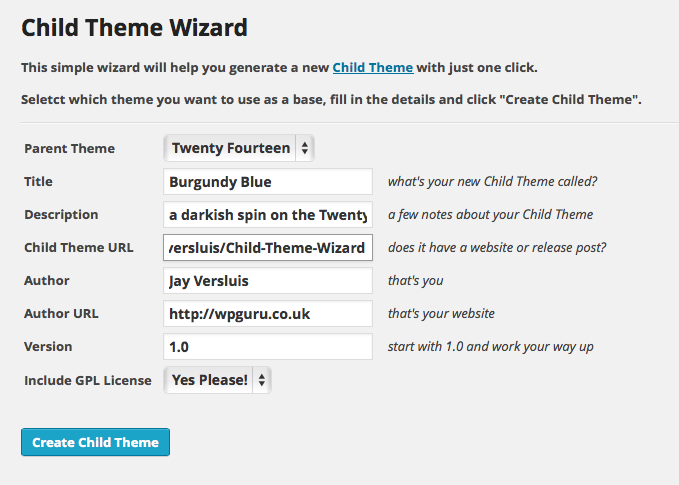
The Child Theme Wizard lets you create a new child theme without the need for additional tools, right from within the WordPress admin interface. Once activated you can find it under Tools - Child Theme Wizard.
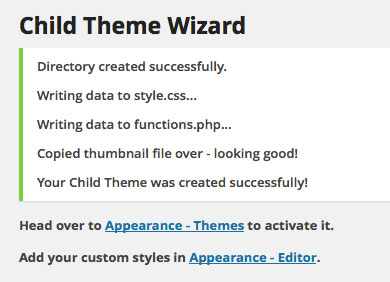
Specify a parent theme, customise options such as title and description and click Create Child Theme. Upon success you will find your new theme under Appearance - Themes.
You have the option to include GPL License Terms if you wish. The Wizard will automatically create a thumbnail too.
To find out more about child themes and why they are useful, please read the WordPress Developer Docs on Child Themes.
安装:
- Either: Upload the entire folder
child-theme-wizardto the/wp-content/plugins/directory. - Or: download the ZIP file, then head over to Plugins - Add New - Upload Plugin, then browse to your file.
- Or: from Plugins - Add New, search for "child theme wizard" to find this plugin and hit Install.
- Then: Activate the plugin through the Plugins menu in WordPress.
- You can find it under Tools - Child Theme Wizard.
屏幕截图:
更新日志:
1.5
- Security: added CSRF nonce protection to the creation form
- Security: parent theme selection now validated server-side against installed themes
- Security: all HTML output is now properly escaped
- Fixed: incorrect admin URL argument that broke the "Try again" link
- Fixed: missing closing tag
- Fixed: thumbnail copy now uses the filesystem path instead of an HTTP URL, fixing failures on hosts with allow_url_fopen disabled
- Fixed: uninstall.php guard order corrected per WordPress standards
- Replaced direct PHP file functions (fopen, fwrite, fclose, mkdir, copy) with WP_Filesystem API
- Added PHP 8.2 return type declarations
- Removed unused ctw_testing() function
- Form layout updated to use WordPress standard form-table markup
- Tested with WordPress 7.0
- Defined the previously undefined variable $parent_style (thanks, Marcin!)
- Updated links to WordPress Dev Docs
- Tested compatibility with WordPress 5.1
- Updated link to Codex
- Added version query as suggested in Codex as of 2019
- Corrected a spelling mistake (thanks, Cory!)
- The parent theme stylesheet is now enqueued via functions.php
- Initial release