
CHIP for Gravity Forms
| 开发者 |
chipasia
wanzulnet |
|---|---|
| 更新时间 | 2026年9月25日 17:52 |
| PHP版本: | 7.4 及以上 |
| WordPress版本: | 7.1 |
| 版权: | GPLv3 |
| 版权网址: | 版权信息 |
详情介绍:
- Native Gravity Forms integration - Add CHIP as a payment feed to any form; no custom code required
- Global and form-specific settings - Set Brand ID and Secret Key globally, or override per form
- Multiple payment methods - Accept FPX, Credit/Debit Cards, DuitNow QR, e-wallets, and more via CHIP's hosted checkout
- Flexible client data - Map form fields to CHIP client metadata (e.g. legal_name, street_address, country) for compliance
- Due timing control - Optional due strict and due timing (minutes) for payment links
- Subscriptions - Sell recurring plans with a recurring amount, billing cycle, optional trial, setup fee, and a limited number of installments
- Automatic renewals - CHIP charges the stored card on schedule; renewals run with no customer present
- Recovery and dunning - A failed renewal is retried on a 1, 3, and 5 day ladder, the customer is emailed a secure link to pay and update their card, and you can re-send that link from the admin
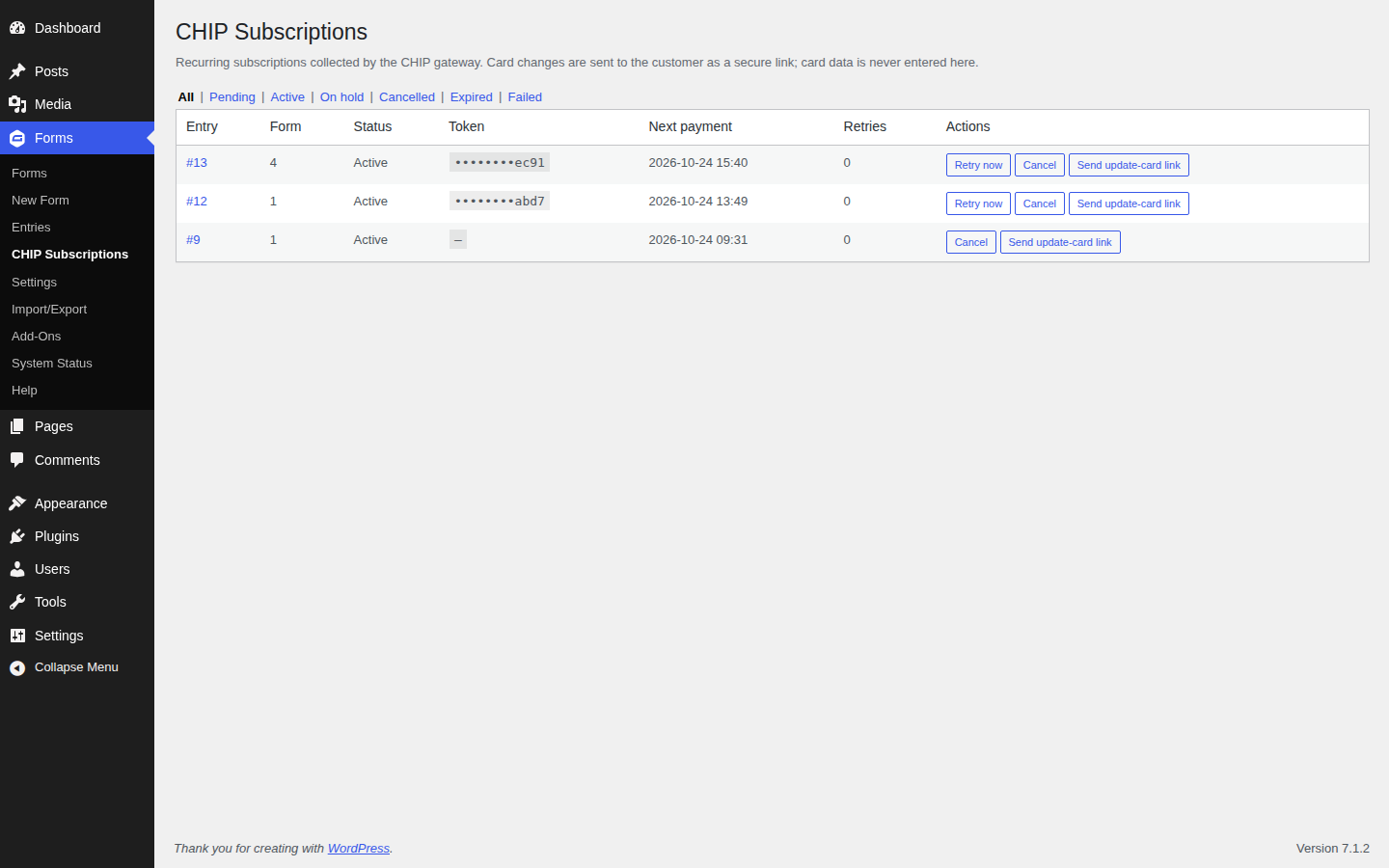
- Subscriptions list - See every subscription, its status, next payment date and retry count in one admin page
- Refund from entries - Process full refunds from Gravity Forms → Entries when refund is enabled in settings
- Webhook support - Reliable payment status updates via CHIP webhooks
- FPX - Malaysian online banking
- Credit/Debit Cards - Visa, Mastercard, and others
- DuitNow QR - Malaysia's national QR payment
- E-Wallets - GrabPay, Touch 'n Go, Boost, and more (via your CHIP setup)
安装:
- WordPress 6.3 or greater
- Gravity Forms plugin (active)
- PHP 7.4 or greater (PHP 8.0+ recommended)
- MySQL 5.6 or greater, OR MariaDB 10.1 or greater
屏幕截图:


常见问题:
Where is the Brand ID and Secret Key located?
Brand ID and Secret Key are available through our merchant dashboard. Navigate to Developer > Credentials after logging in.
Do I need to set a public key for webhook?
No. The plugin works with CHIP's standard webhook flow; no separate public key is required. When you save your global or form CHIP settings, the plugin stores the public key automatically (by company ID) so it can verify webhook signatures when available and use the payload directly; otherwise it falls back to fetching payment status via the API.
Where can I find documentation?
Visit our API documentation for technical reference.
How can I view CHIP plugin debug logs?
The plugin uses Gravity Forms logging for callbacks, webhooks, and payment flow. To view these logs, enable logging in Forms → Settings (set Logging to On), then open the Logging tab to view or delete logs for CHIP for Gravity Forms. See Gravity Forms Logging and Debugging for details. Disable logging when you are done troubleshooting.
What CHIP API services are used in this plugin?
CHIP API – GF_CHIP_ROOT_URL (https://gate.chip-in.asia)
Payment operations:
POST /purchases/– Create paymentGET /purchases/{id}/– Get payment statusPOST /purchases/{id}/refund/– Refund paymentPOST /purchases/{id}/cancel/– Cancel paymentPOST /purchases/{id}/charge/– Charge a stored recurring token (subscription renewal)POST /purchases/{id}/delete_recurring_token/– Delete a stored recurring token (subscription cancellation or card change)
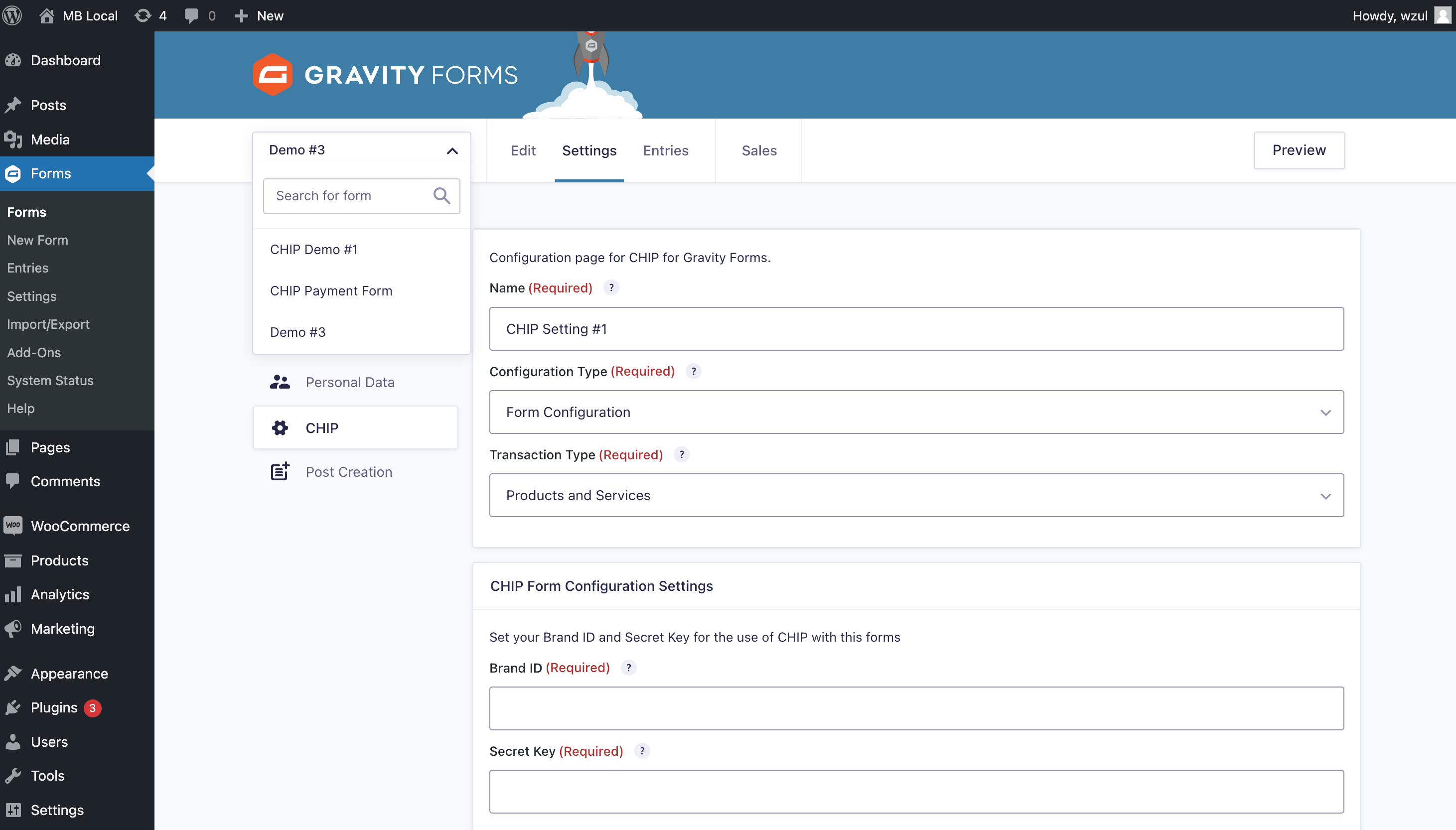
How do I configure CHIP on a form?
- Edit your form in Gravity Forms.
- Go to Form Settings → CHIP (or the form's payment settings).
- Add a new feed: set Brand ID and Secret Key (or leave blank to use Global Configuration), and map amount, currency, and optional client fields.
- Enable the feed and save. Form submissions will then send customers to CHIP to complete payment.
How to include Purchase ID in notifications?
Use the merge tag {entry:transaction_id} in the Payment Completion notification. See Gravity Forms Merge Tags for more information.
Is a refund initiated through the WordPress Dashboard instant?
A refund triggered from the WordPress Dashboard (Gravity Forms → Entries) is still subject to CHIP's refund policy. A successful refund message in the dashboard only indicates that the refund request was successfully sent to the CHIP API; completion depends on CHIP's processing.
Can I refund only part of the payment?
Refunds made through the Gravity Forms entry screen are full refunds only. For partial refunds, use the CHIP merchant dashboard or API.
How do I disable the refund feature?
Add the following to your wp-config.php to disable refunds from Gravity Forms:
define( 'GF_CHIP_DISABLE_REFUND_PAYMENT', true );
What currencies are supported?
Supported currencies depend on your CHIP brand configuration. Commonly MYR (Malaysian Ringgit) is supported; contact CHIP for other currencies.
Why don't I see the CHIP payment option on my form?
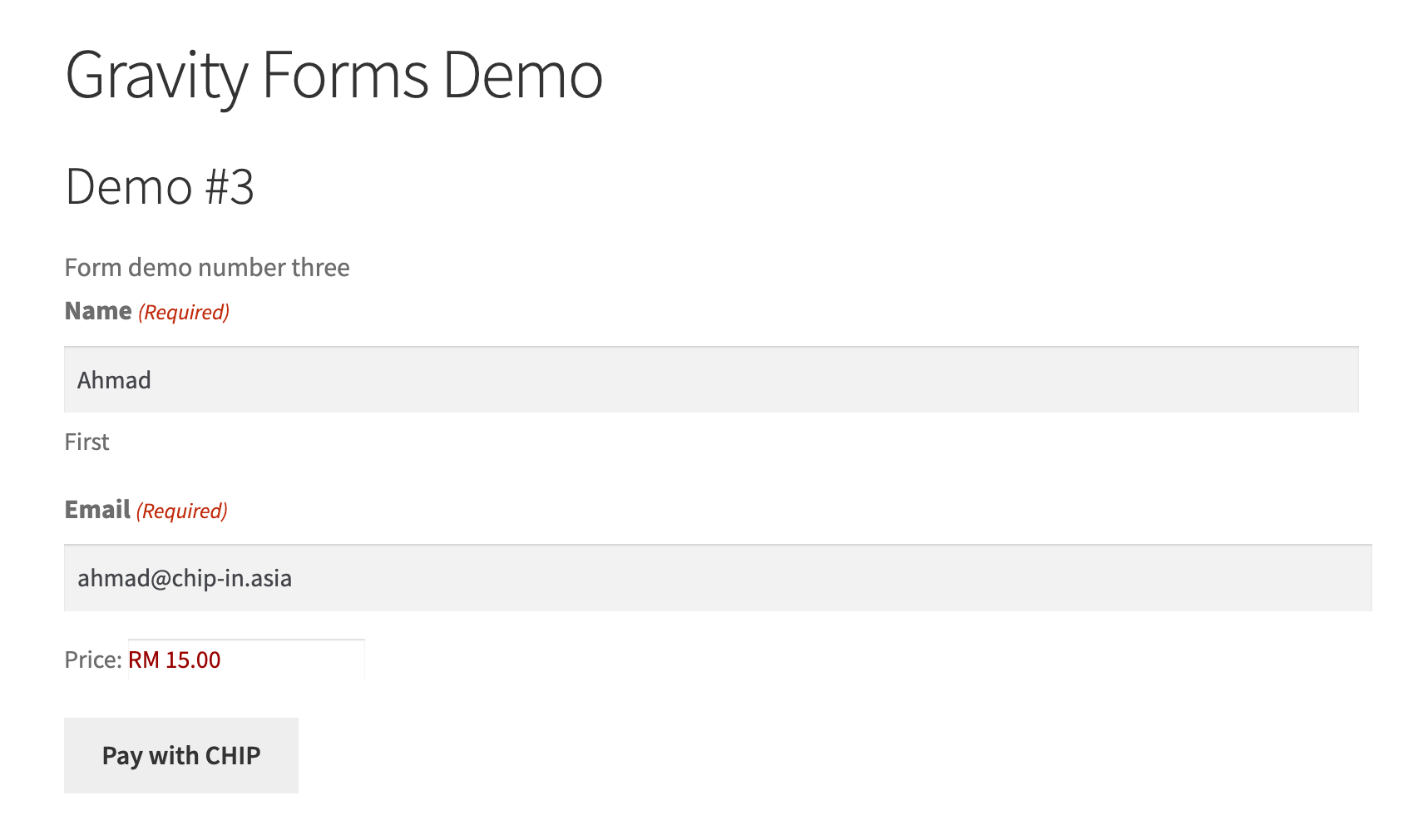
Ensure: (1) CHIP for Gravity Forms is activated, (2) Brand ID and Secret Key are set in Global Configuration or in the form feed, (3) the form has a CHIP feed added and enabled, and (4) the form has a product or total field so an amount is sent to CHIP.
How do I set up a subscription on a form?
- Edit your form in Gravity Forms and open the CHIP payment settings for the feed.
- Set Transaction Type to Subscription.
- Fill in the recurring amount, the billing cycle (interval and period), and optionally a trial and a setup fee.
- Optionally set Recurring Times to limit the plan to a fixed number of installments. Leave it at 0 for an ongoing subscription with no end date.
- Save the feed. Customers who submit the form will pay the first installment at CHIP and their card is saved for future renewals.
Why can't customers choose FPX or an e-wallet on a subscription form?
Because CHIP's recurring tokens are issued for cards only. A subscription needs a card on file to charge later, and FPX, DuitNow QR and e-wallets do not provide one, so a Subscription feed offers cards only. One-time forms are unaffected and still support every method your CHIP brand has enabled.
When do renewals run?
An hourly scheduled task checks for due subscriptions. A renewal is charged on the date it is due, not on the date the check happens to run — so a subscription billed on the 1st stays on the 1st even if the task runs late. Renewals need no action from the customer; the stored card is charged automatically.
What happens if a renewal payment fails?
The renewal is retried on a ladder of 1, 3, and 5 days after the original due date. The customer is emailed a secure link where they can pay the outstanding amount and save a new card in one step. If all retries fail, the subscription is marked Expired rather than retrying indefinitely. You can also re-send the update-card link yourself: go to Forms → CHIP Subscriptions and use Send update-card link on the subscription's row.
How does a customer change their card?
Open Forms → CHIP Subscriptions and click Send update-card link on the subscription. The customer receives an email with a secure, single-use link. Opening it shows their subscription, the amount due if there is one, and a button to enter a new card at CHIP. Nobody types a card number in the WordPress admin — card details are entered only on CHIP's hosted page. This keeps the site out of scope for card data. If the subscription has an outstanding payment, the link collects that payment and saves the new card in one step, so the customer does not have to wait for the next scheduled attempt.
What do the subscription statuses mean?
- Pending - The first payment has not completed yet.
- Active - Paying normally; the next renewal is scheduled.
- On hold - A renewal failed and is being retried. The customer has been emailed a link to update their card.
- Cancelled - Stopped at the customer's or your request. No further charges.
- Expired - All retries failed, or a fixed number of installments completed. No further charges.
How do customers cancel a subscription?
In the WordPress admin, open the entry for the subscription under Forms → Entries and use the Cancel Subscription button. Cancelling stops future charges immediately and revokes the stored card token at CHIP.
Can I use merge tags in subscription notifications?
Yes. The plugin adds three notification events you can attach a notification to: Subscription Renewed, Subscription Payment Failed, and Subscription Expired. It also provides the merge tag {chip_update_card_link}, which inserts a secure card-update link for that customer. The link is generated fresh each time a notification sends, so a link that has already been used is replaced by a working one.
Will customers get two emails if I write my own dunning notification?
No. The plugin sends a built-in dunning email so recovery works with no setup, and that email steps aside as soon as you configure a notification on Subscription Payment Failed — yours is then the only one the customer receives. A notification you have switched off, or one whose conditional logic does not pass for that entry, does not count as a replacement: the built-in email still covers those customers. Re-sending the link from the admin always sends, since that is a deliberate action. When the retry ladder is exhausted the subscription is marked Expired and only that event is announced, so a notification on both Subscription Payment Failed and Subscription Expired will not double up. The built-in email is not sent at that point either — an update-card link stops working once the subscription is expired, so customers are dunned on the attempts before it instead.
Are subscription payments refundable?
Subscription charges appear in the entry's payment transactions and can be refunded like any other payment, subject to CHIP's refund policy. Refunds do not cancel the subscription — cancel it separately if you also want charges to stop.
更新日志:
- Added - The CHIP Subscriptions screen is now a real WordPress list table, with search, bulk actions, screen options for hiding columns, sortable columns and pagination, instead of a hand-built table.
- Added - A Charge now action that collects a subscription's next payment before it is due, for support cases such as a customer asking to pay early. It asks for confirmation first, because it charges the stored card outside the normal schedule, and it leaves the billing schedule, the installments and the retry ladder untouched.
- Fixed - A failed renewal no longer sends two emails. The built-in dunning email now stands down when a notification you configured will send for the same event, so a notification on Subscription Payment Failed is the only email the customer receives.
- Fixed - A failure that exhausts the retry ladder no longer announces two events in one run, so a notification on both Subscription Payment Failed and Subscription Expired will not double up.
- Fixed - The built-in dunning email is no longer sent once a subscription has expired, where the update-card link it carried had already stopped working. Customers are emailed on the retry attempts before that, while their card can still be updated.
- Fixed - Retry now names the actual reason it collected nothing, instead of listing every possibility and leaving you to guess. A subscription that is merely not yet due is told its next payment date, and is offered Charge now instead of a retry that cannot work.
- Fixed - The subscription actions (Send update-card link, retry, cancel) are gated on the same capability as the page that offers them, so they no longer answer "You are not allowed to do that." for administrators and Gravity Forms users, who carry
gform_full_accessrather than the granular settings capability. - Fixed - The Screen Options column preferences on the subscriptions screen are honoured, so hiding a column sticks instead of being silently reset on the next page load.
- Fixed - A subscription row links to its own entry, rather than to a form entry url that did not exist.
- Fixed - Send update-card link reports whether the email actually left, instead of reporting success even when the address was refused or the send failed.
- Changed - Documented how to customise subscription emails: the
{chip_update_card_link}merge tag, the three subscription notification events, the plugin's filters, and the Gravity Forms hooks for changing the design, the subject or the sender. - Changed - Updated to the PHPUnit configuration schema that CI actually runs, so a passing suite no longer reports a deprecation on every run. See changelog for all versions.