Citable GEO Schema - Make Your Website AI Citable
| 开发者 | lawhitney |
|---|---|
| 更新时间 | 2026年4月17日 00:47 |
| PHP版本: | 7.4 及以上 |
| WordPress版本: | 6.9 |
| 版权: | GPLv2 or later |
| 版权网址: | 版权信息 |
详情介绍:
WebPage + Organization schema on every page. AI can't tell your About page from your Contact page from your Services page. This plugin fixes that:
- 98 official schema.org business types — Restaurant, LegalService, NonprofitOrganization, MedicalBusiness, and 94 more across 13 categories
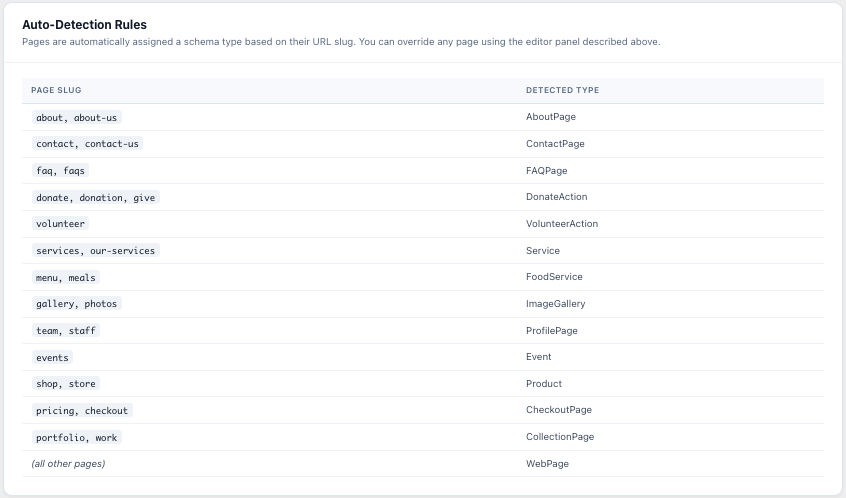
- 22+ page-specific schema types — AboutPage, ContactPage, FAQPage, Service, Event, Product, Recipe, HowTo, Course, and more
- Auto-detection — reads your page slugs, titles, and content to choose the right schema type automatically
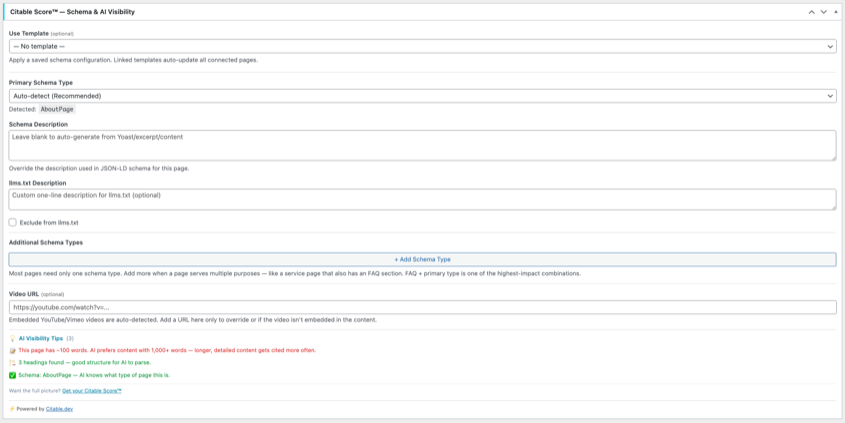
- Per-page override — pick a different schema type from the editor for any page
- FAQ extraction — automatically detects question headings and generates FAQPage schema with Q&A pairs
- Video schema — auto-detects YouTube/Vimeo embeds and generates VideoObject schema with zero configuration
- Recipe, HowTo, Course — guided field entry for ingredients, steps, cook times, delivery modes, and pricing
- Creative Work — SoftwareApplication, Book, Movie, MusicRecording, MusicAlbum
- Podcast & Media — PodcastSeries, PodcastEpisode
- Business & Commerce — JobPosting, Offer, Brand
- People & Organizations — Person, Organization
- Review & Rating — Review, AggregateRating
- Education — OnlineCourse
- Vehicles & Real Estate — Vehicle, RealEstateListing
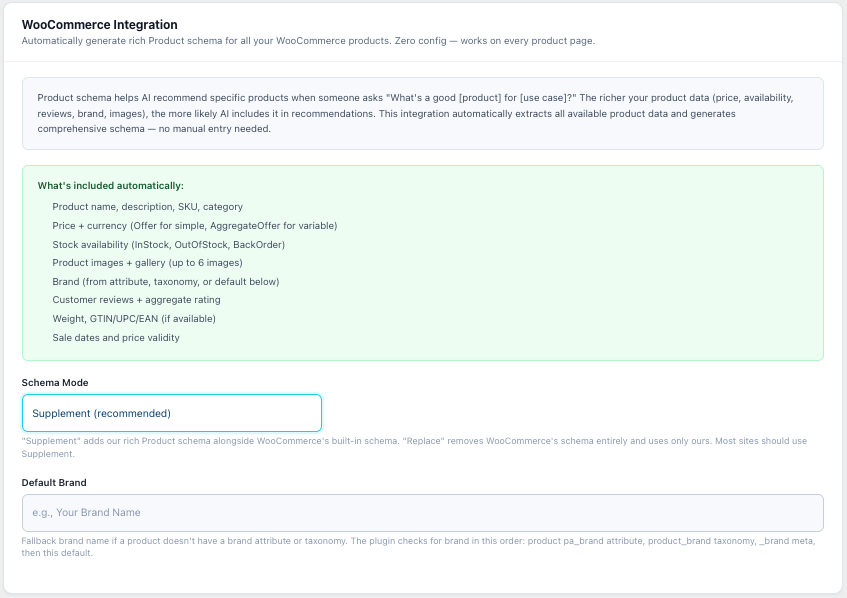
- Price, currency, availability (InStock/OutOfStock/BackOrder)
- Product images and gallery (up to 6)
- Brand (auto-detected from attributes, taxonomy, or default)
- Customer reviews and aggregate star ratings
- SKU, weight, GTIN/UPC/EAN
- Simple products (Offer) and variable products (AggregateOffer with price range)
- Supplement WooCommerce's built-in schema or replace it entirely
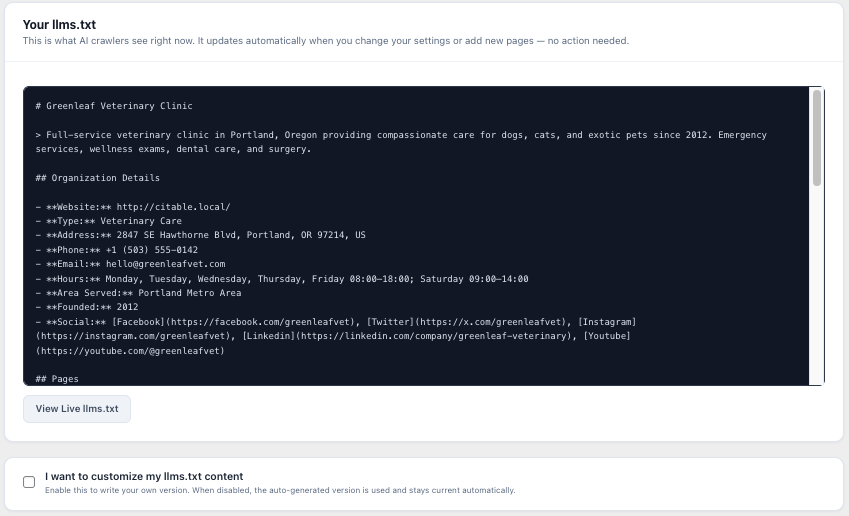
llms.txt specification (llmstxt.org) is like robots.txt for AI — it tells language models what your site contains. This plugin:
- Auto-generates
/llms.txtfrom your site name, pages, and organization details - Auto-generates
/llms-full.txtwith recent blog posts included - Lets you override the content manually when you want full control
- Updates dynamically — add a page, it appears in llms.txt automatically
- Local businesses — restaurants, clinics, law firms, contractors
- Nonprofits — churches, charities, community organizations
- Service businesses — agencies, consultancies, SaaS companies
- E-commerce — WooCommerce stores of any size
- Content publishers — blogs, podcasts, courses, media sites
- Any WordPress site where AI search visibility matters
- Install and activate the plugin
- Go to GEO Schema in the admin menu
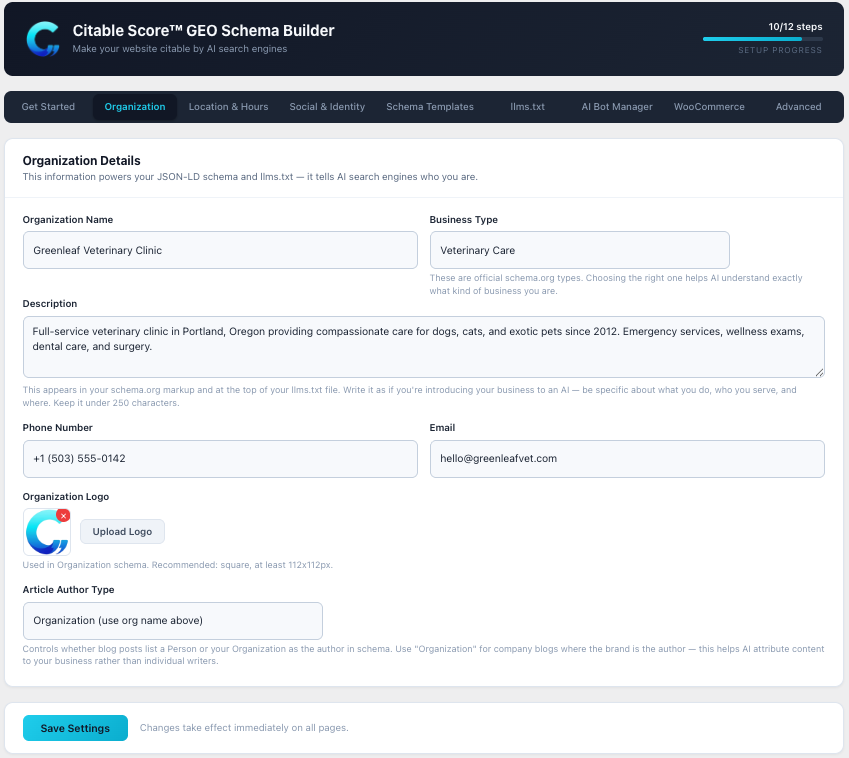
- Fill in your organization details (name, address, phone, business type)
- The plugin immediately starts outputting rich schema on every page
- Visit
/llms.txtto see your auto-generated AI overview
wp_head priority 2 — right alongside Yoast (priority 1). Both coexist perfectly. No conflicts, no database writes on the frontend, no external API calls, no JavaScript overhead.
About Citable.dev
This plugin is built by Citable.dev, the AI Citability experts. The plugin handles the foundational setup — structured data, llms.txt, bot management. Want to see how AI actually cites your site across 7 platforms? Get a full Citable Score™ report — a comprehensive audit of your visibility in ChatGPT, Perplexity, Google AI Overviews, Gemini, Copilot, Meta AI, and Apple Intelligence.
安装:
- In your WordPress admin, go to Plugins → Add New and search for "Citable GEO Schema" — or upload the plugin zip via Plugins → Add New → Upload Plugin
- Click Install Now, then Activate
- Go to GEO Schema in the admin sidebar
- Enter your organization details
- Visit Settings → Permalinks and click Save to flush rewrite rules (required for llms.txt)
屏幕截图:
常见问题:
Does this replace Yoast / RankMath?
No. This plugin supplements your existing SEO plugin. Yoast handles meta titles, descriptions, XML sitemaps, and basic schema. This plugin adds the specialized schema types, llms.txt, and AI bot management that SEO plugins don't focus on. Both coexist without conflicts.
Will this slow down my site?
No. The plugin adds a small JSON-LD block to each page's <head> — no database writes on the frontend, no external API calls, no JavaScript loaded for visitors. It works with every page cache.
What is llms.txt?
It's a proposed standard (llmstxt.org) that gives AI crawlers a structured overview of your site — like robots.txt for AI. ChatGPT, Perplexity, and other AI systems can use it to understand your site without parsing all your HTML.
What is GEO?
GEO stands for Generative Engine Optimization — the practice of making websites visible and accurately represented by AI search engines like ChatGPT, Google AI Overviews, and Perplexity.
Does it work with WooCommerce?
Yes. When WooCommerce is active, the plugin automatically generates rich Product schema on every product page — price, availability, reviews, brand, images, and more. You can supplement WooCommerce's built-in schema or replace it entirely.
Can I use multiple schema types on one page?
Yes. The "Additional Schema Types" feature lets you add multiple schema types to a single page. For example, a service page with an FAQ section can have both Service and FAQPage schema.
What is the Custom Schema Builder?
A guided form for building 18 schema.org types — SoftwareApplication, JobPosting, Person, Review, Vehicle, and more — without writing any JSON. Every field has help text explaining what it is and why AI cares about it.
What are Schema Templates?
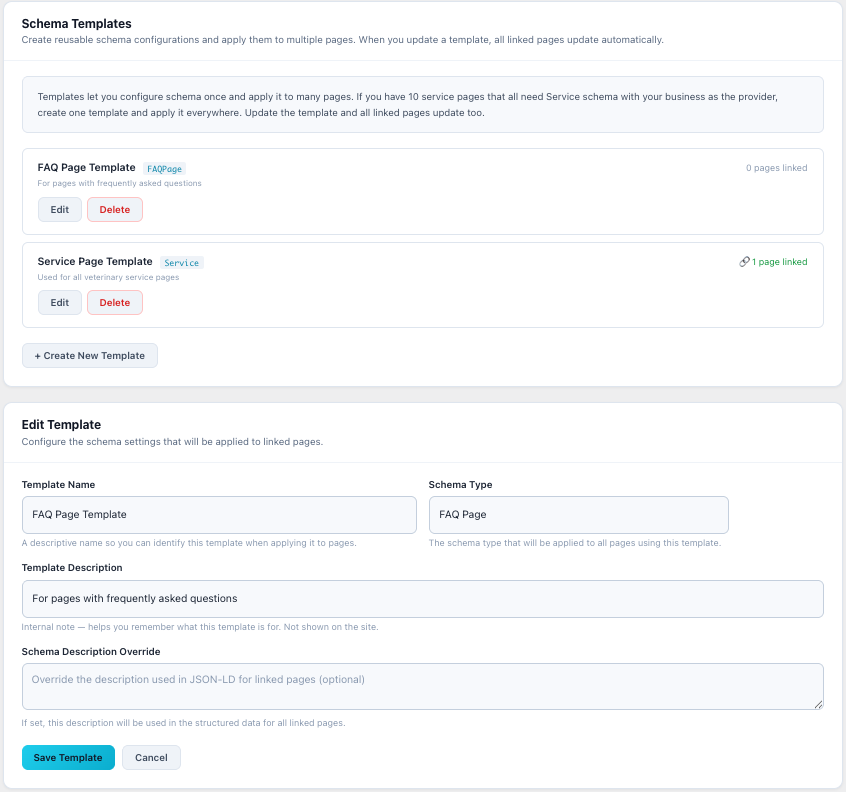
Templates let you configure schema once and apply it to many pages. Update the template, and all linked pages update automatically. You can also detach a page to edit it independently.
What's the difference between GEO Readiness and the full Citable Score™?
GEO Readiness is a free on-site checklist — it checks your schema configuration and basic setup. The full Citable Score™ (available at citable.dev) tests how AI actually cites your site across 7 platforms including ChatGPT, Perplexity, Gemini, Google AI Overviews, Copilot, Meta AI, and Apple Intelligence.
Does it work with page builders?
Yes. The plugin renders shortcodes via do_shortcode() before analyzing content, so it works correctly with Avada/Fusion Builder, Elementor, Divi, WPBakery, Beaver Builder, and native WordPress editors (Gutenberg + Classic).
What happens when I uninstall?
All plugin data is cleanly removed — settings, per-page meta, schema templates, and transients. Nothing is left behind.
更新日志:
- Article Author Type setting — Person or Organization for company blogs
- Front page FAQ auto-detection — extracts Q&A from homepage content automatically
- WooCommerce integration — auto-generates rich Product schema on every product page
- Supports simple (Offer) and variable (AggregateOffer) products
- Extracts price, availability, reviews, brand, images, SKU, weight, GTIN
- Supplement mode (default) or Replace mode for WC's built-in schema
- Conditional WooCommerce settings tab with default brand and mode controls
- Custom Schema Builder — guided forms for 18 schema.org types (not raw JSON)
- 7 categories: Creative Work, Podcast & Media, Business & Commerce, People & Orgs, Review & Rating, Education, Vehicles & Real Estate
- Progressive disclosure: required fields visible, optional behind toggle
- Nested types (Offer, PostalAddress, Rating) as inline sub-forms
- AJAX form loading for fast type switching
- Declarative type registry — easy to extend
- Multiple schema types per page — add Service + FAQPage on a single page
- Schema templates — save reusable configurations, link to pages, auto-update
- Template CRUD in new "Schema Templates" settings tab
- Link mode (template changes cascade) and detach mode (copy values, break link)
- Fixed heading detection in AI tips for Gutenberg blocks and page builders
- Full uninstall cleanup for all Phase 1 and Phase 2 data
- Recipe, HowTo, Course schema types with guided fields
- Video schema auto-detection for YouTube/Vimeo embeds
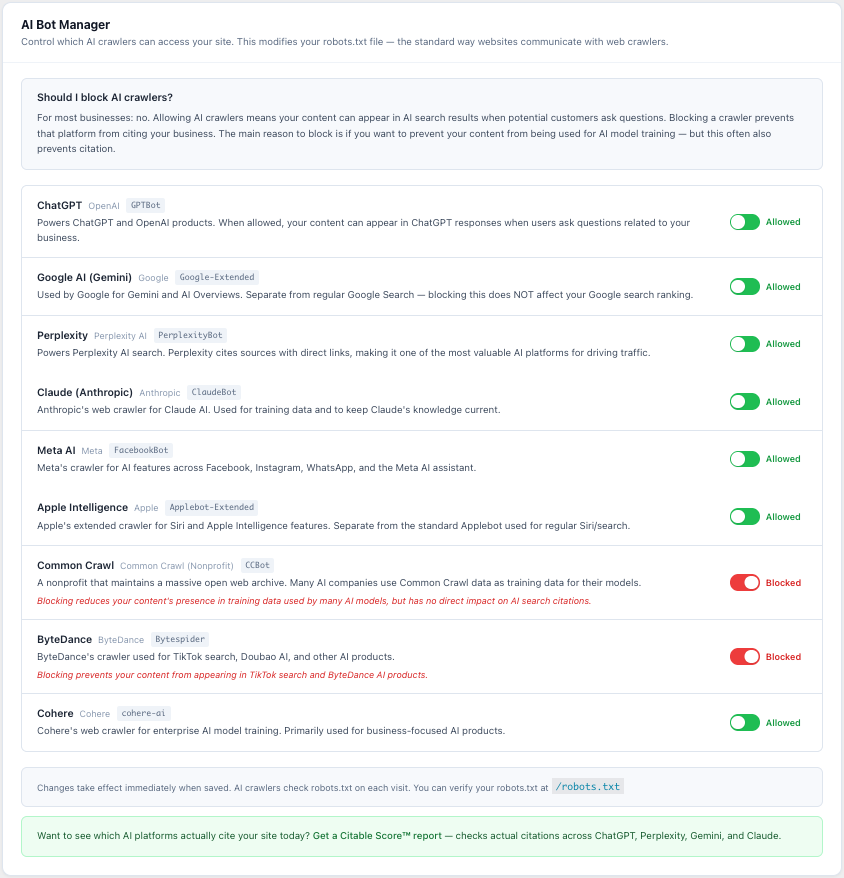
- AI Bot Manager with toggle controls for 9 crawlers
- Expanded GEO Readiness Checklist (7 → 12 items)
- Per-page AI Visibility Tips in editor sidebar
- Fixed page builder content analysis via do_shortcode()
- Initial release
- 98 business types with schema.org mapping
- 22 page-specific schema types with auto-detection
- Auto-generated /llms.txt and /llms-full.txt endpoints
- Per-page schema type override via editor meta box
- FAQ auto-extraction from heading patterns and Yoast FAQ blocks
- GEO Readiness dashboard widget with 12-step scoring
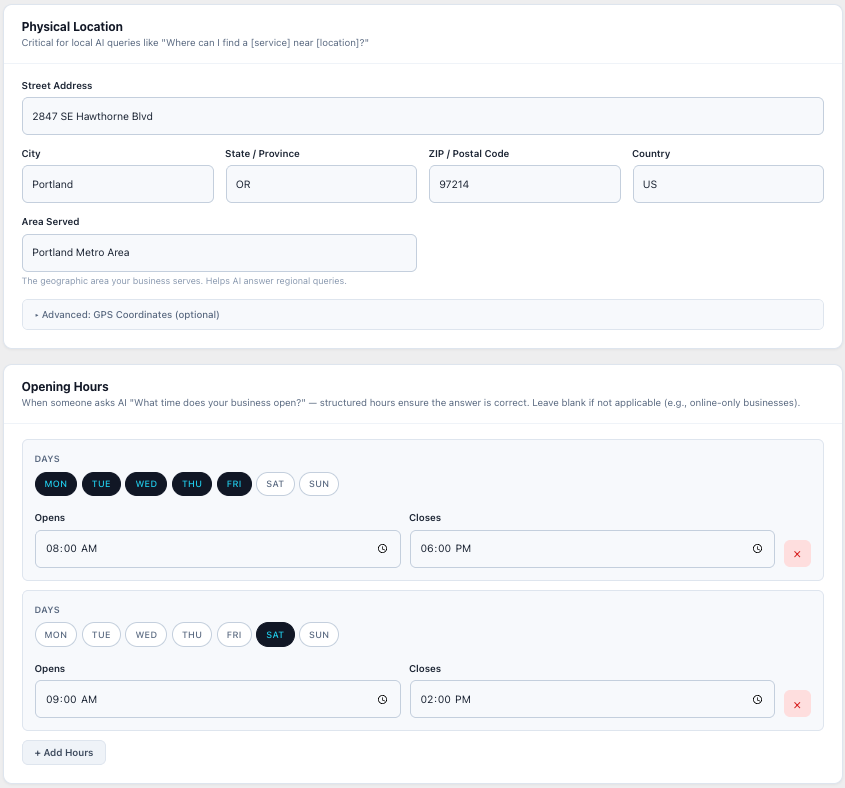
- Opening hours with structured day picker
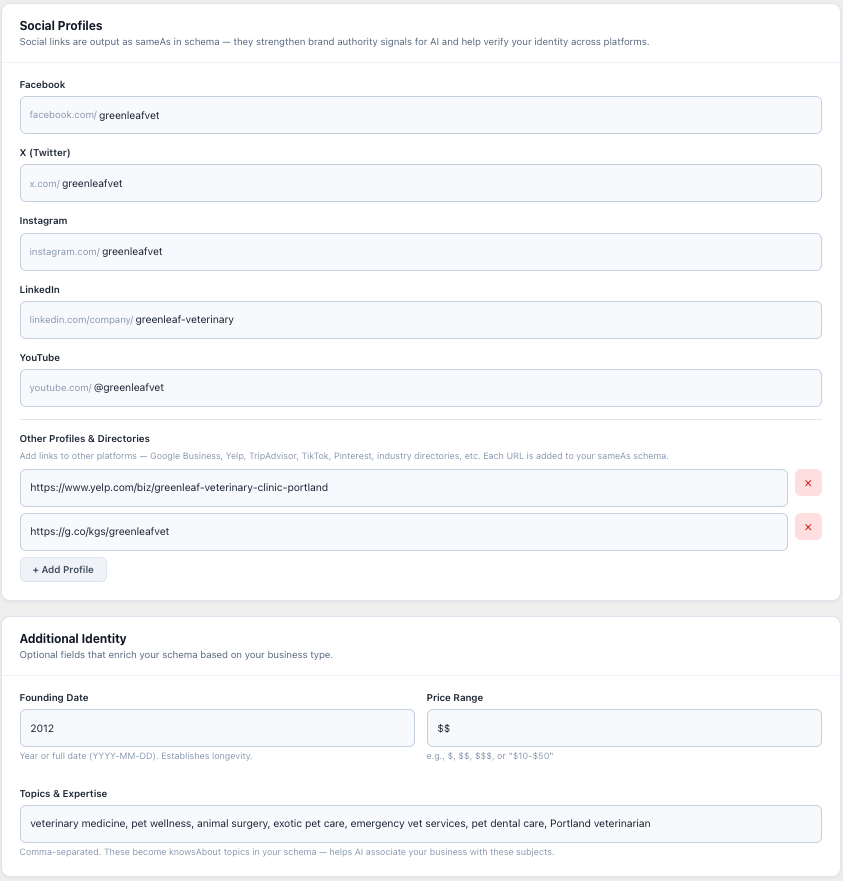
- Social profiles with sameAs schema output
- Nonprofit-specific fields (EIN, 501(c)(3) status)
- Manual llms.txt override with preview
- Compatible with Yoast, RankMath, AIOSEO
- Clean uninstall — removes all data