
Clanbite: Team Management System
| 开发者 | kernowdev |
|---|---|
| 更新时间 | 2026年11月28日 00:15 |
| PHP版本: | 8.2 及以上 |
| WordPress版本: | 7.2 |
| 版权: | GPLv2 or later |
| 版权网址: | 版权信息 |
详情介绍:
- A rival visits your team page, clicks Challenge, and enters the address of their Clanbite site.
- Clanbite looks up their team and pulls in its public details.
- Your team admins get a notification and can accept or decline.
- Accept, and the match is created on your site and sent to theirs, so both communities have it listed.
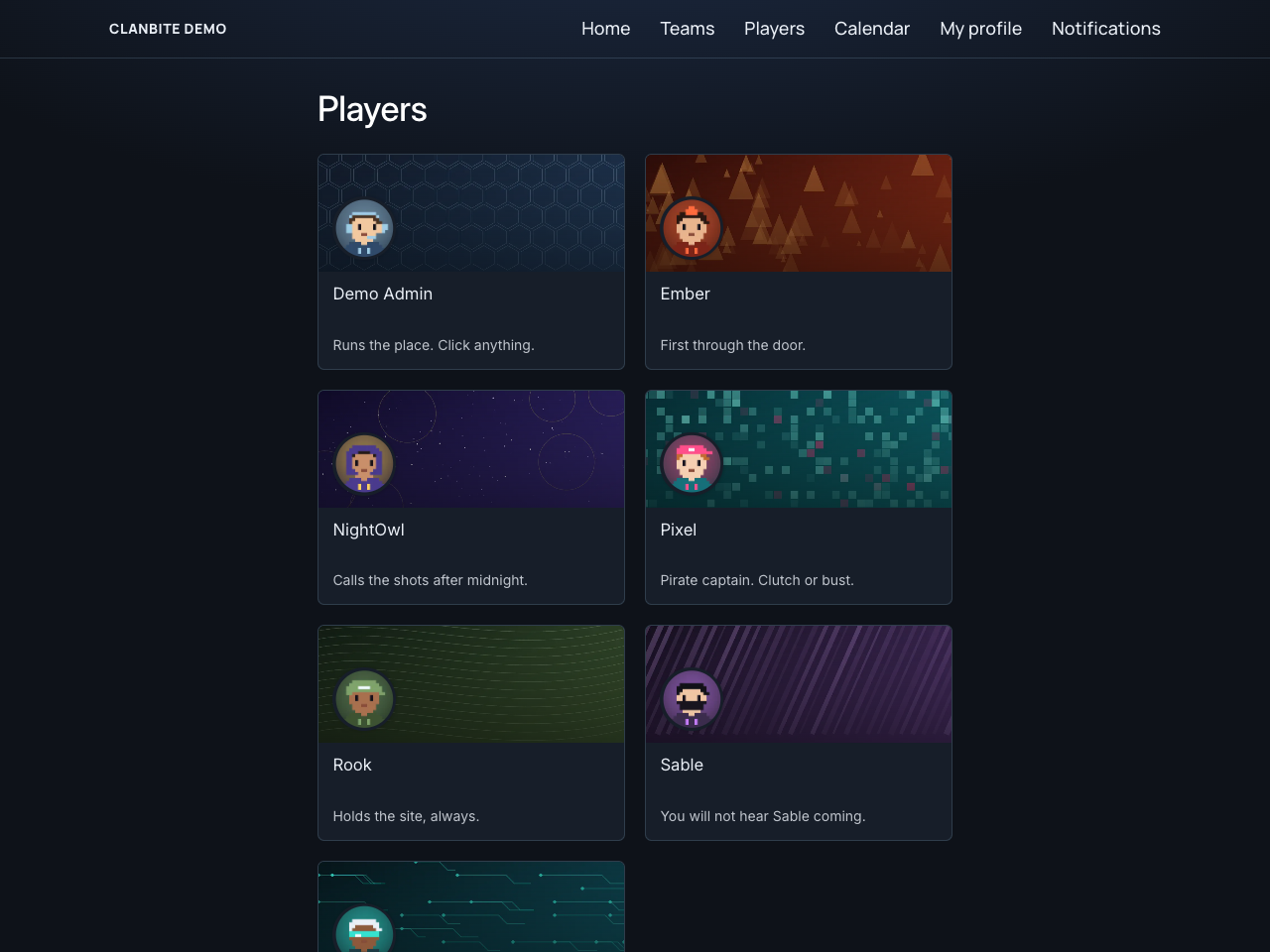
- A public profile for every player, plus a player directory
- Avatars and cover images that players can drag and zoom into position
- Circle, square or hexagon avatars
- Tagline, bio, location, birthday, website and social links
- Profile settings that players manage from the front of your site
- Run one team, several teams under one clan, or a team directory where members create their own
- Admin, editor, member and banned roles
- Invite players when you create a team or at any time afterwards, and they join when they accept (needs the Notifications extension)
- Team pages with avatar, cover, motto, country, roster and win, loss and draw records
- Create and manage teams from the front of your site
- Publish matches with teams, times and scores, then show them as cards or lists
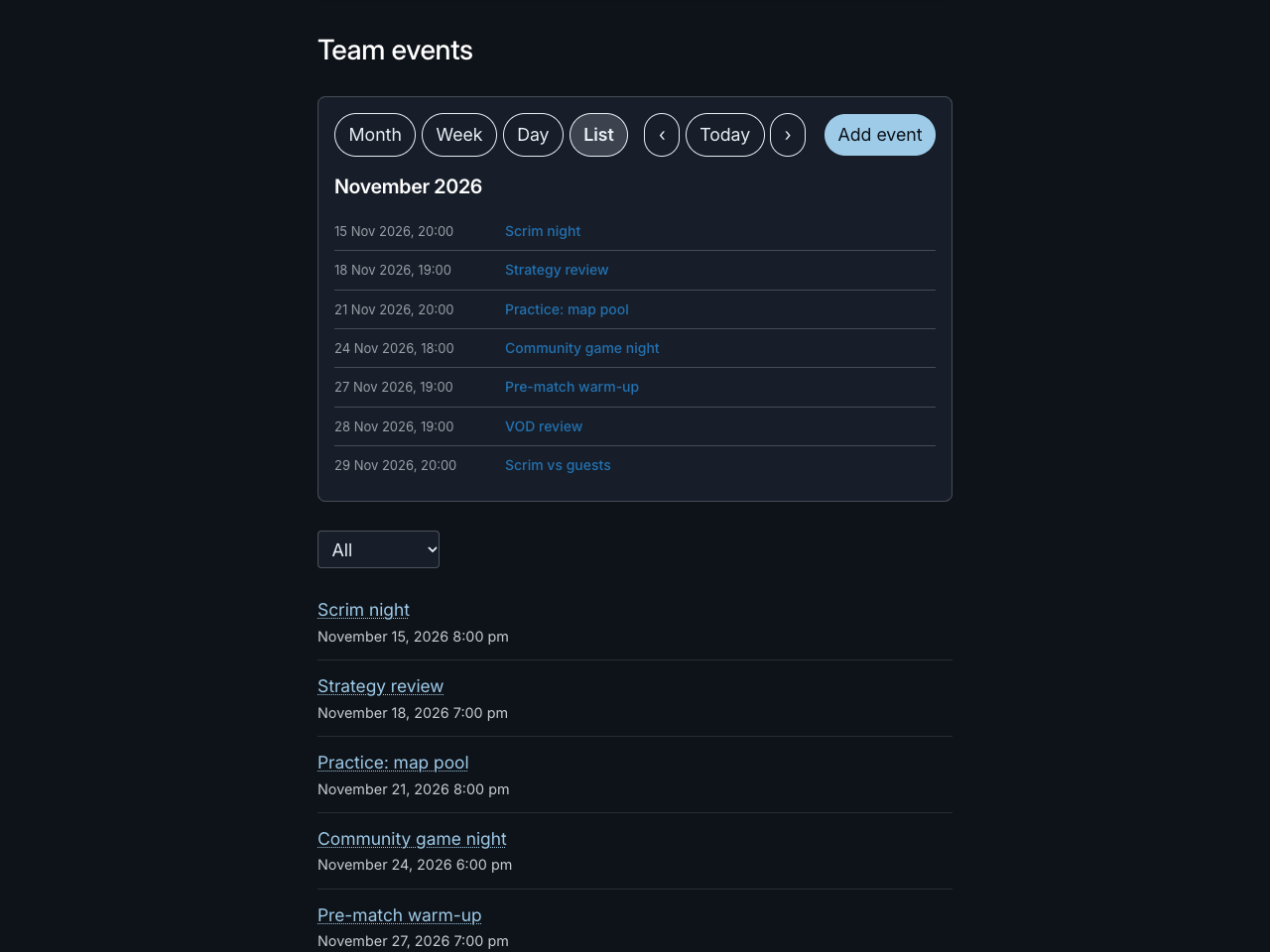
- Month, week, day and list calendar views
- In-person and virtual events with RSVPs
- Events for teams, and for groups when a groups add-on is installed
- Personal player events with invitations and privacy settings (friend features need the Social Kit add-on)
- A notification bell with an unread count, plus a full notifications page
- Accept or decline a team challenge straight from the notification
- On-screen popups: you choose where they appear and how long they stay
- Make it sound like your community: reword notifications and popups from the settings screens
- Social Kit: activity feeds, friends, groups, reactions, @mentions, polls and a Discord webhook relay
- Forums: discussions, topic following and moderation tools
- Points: your own XP or reputation points with earning rules and limits
- Ranks: rank ladders, team ranks and progress rings on avatars
- Shop: merchandise, downloads, licence keys and subscriptions
安装:
- In your WordPress dashboard, go to Plugins → Add New, search for Clanbite, then click Install Now and Activate. You can also upload the ZIP file.
- Open Clanbite in the admin menu and review the General settings.
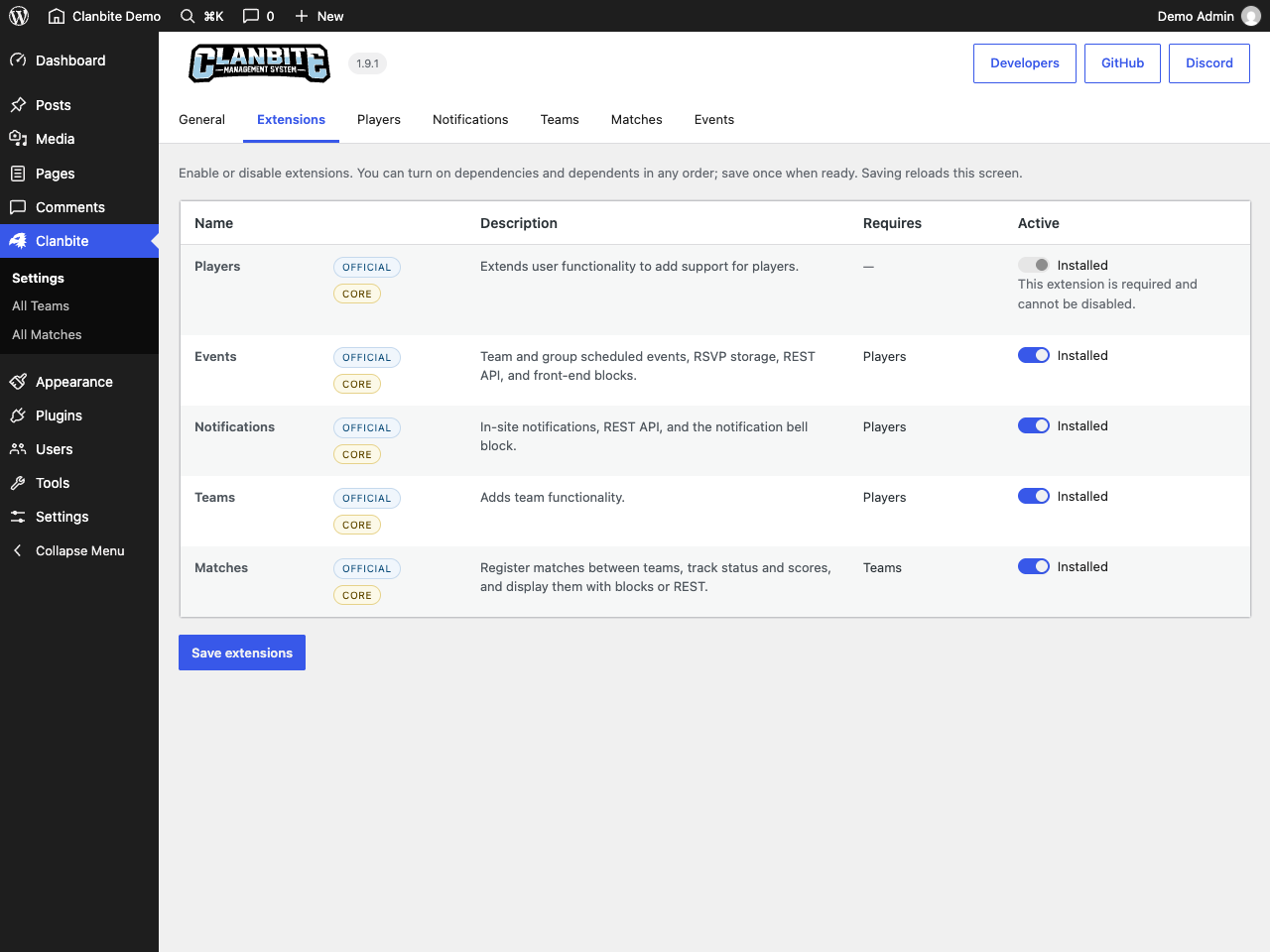
- Go to Clanbite → Extensions and switch on what you need. Matches also needs Teams.
- If your player or team pages show "not found", go to Settings → Permalinks and click Save Changes.
- Add Clanbite blocks to your pages and navigation. The User Navigation and Notification Bell blocks are a good start.
屏幕截图:
常见问题:
Is Clanbite only for gaming?
It's designed with gaming clans and esports in mind, but the player, team, match and event tools can suit sports clubs and other team-based communities too.
How do challenges between two websites work?
Both site owners first turn on Connect with other Clanbite sites (off by default). Your challenger then enters their Clanbite site address on your team's challenge form. If you accept, the match is created on your site and a copy is sent to theirs. See "Challenge other communities" in the description for the requirements.
Does my opponent need Clanbite?
No. They can still send a challenge by entering their team's details. They need Clanbite if they want the accepted match to appear on their own site automatically.
Does it work with my theme?
Clanbite supports block themes, including templates you can edit in the Site Editor, and includes templates for classic themes. Its buttons follow your theme's button styles.
Do I have to use every feature?
No. Players is required, and you can switch the other bundled extensions on or off under Clanbite → Extensions.
Can I change the wording of notifications?
Yes. Look for the Messages tab within each extension's settings.
Can I build my own extensions?
Yes. Start with the developer documentation and the hook reference.
What do I need to run Clanbite?
WordPress 6.9 or later and PHP 8.2 or later. Your host or the Site Health screen (Tools → Site Health → Info) can tell you which PHP version your site uses.
Where is my community's data, and who can see it?
Clanbite keeps its data on your own WordPress site, and nothing is sent to the author of Clanbite. Matches and events have visibility settings, so you can keep them to the right people. A player's personal events can also be kept to themselves. Connections with other Clanbite websites are off until a site administrator turns them on. Avatars in notifications may come from Gravatar. The External services section above explains both, including what is sent.
How do I report a security problem?
Please report it privately, not in the support forum or a public issue. Use Report a vulnerability on GitHub, and see our security policy.
Where do I get help?
For help setting up your site, use the support forum. For bugs and feature ideas, open an issue on GitHub. Ideas are very welcome: tell me what your community needs.
更新日志:
- Plugin page: marked as tested with WordPress 7.2 (checked on release candidate 2), added screenshots and release dates, and moved the add-on upgrade warning to where the Updates screen shows it. No changes to how Clanbite works.
- Ready for WordPress 7.2: matches are left out of its new random-post addresses (/random/), which could otherwise reveal a restricted match.
- Fixed: the plugin directory did not offer the Live Preview because its setup file was too large.
- Fixed: a site that had chosen "random" for its player, team or group addresses is moved back to the default word, because WordPress 7.2 uses /random/ itself. Old links are redirected.
- Also includes everything listed under 1.9.0.
- New: the player directory shows player cards with covers, avatars and taglines instead of a list of names.
- New: choose the words used in player, team and (with Social Kit 1.7.0) group addresses, for example /members/ or /clans/. Old addresses are sent to the new ones.
- Changed: "Enable profiles" now only hides the public player directory and profile pages. Account settings, avatars, blocks, notifications and events keep working; before, turning it off disabled most of the Players extension.
- New: settings screens say why a value was not saved.
- New: add-ons can have a player settings button reload the page after it succeeds (
data-clanbite-action-reload). - Fixed (performance): after an add-on was updated, its updater ran again on every page load. On a test site a plain page went from 88 database queries to 35.
- Fixed: the Groups settings tab only appears when groups are switched on.
- Fixed: long values in a settings table no longer break out of their card.
- Fixed: pages served by a plugin template on block themes, such as the group directory, now have a page title and the mobile viewport tag.
- Fixed: the team manage and team matches pages answered "404 Not Found" although they showed.
- Fixed: the team matches page showed empty placeholders instead of the team's header.
- Fixed: player and team names on cover images were hard to read on light themes.
- Fixed: the Accept and Decline buttons on the player notifications page did nothing (they only worked in the notification bell).
- Fixed: on the player notifications page, button text sat low and stray spacing appeared in the list.
- Fixed: long event names made calendar columns uneven and could push a day out of view.
- Fixed: upcoming and cancelled matches no longer show a "0 – 0" score, and match lists put the details on their own line.
- New: a Live Preview for the plugin directory, with a small demo community.
- Fixed: signing in from the account settings address now returns you there.
- Improved accessibility: page titles for account settings, team matches and create team, and labels for the team record and member role fields.
- Changed: a new Clanbite logo, with a simpler admin menu icon that stays clear at small sizes.
- Changed: the settings screen header shows the new logo, which includes the name, in place of the separate title.
- Fixed: when several requests arrived together after an update, each could check the add-ons at once, so an add-on being turned back on could run its activation steps more than once.
- New: Clanbite can run the Clanbite Support Desk add-on (a private support desk with tickets, support staff and purchase-based support).
- Important, if you use Clanbite add-ons and are updating from 1.6.10 or earlier: install the free Clanbite Add-on Manager (1.0.1 or later on PHP 8.2 or 8.3) from https://clanbite.com/add-on-manager/ before updating, or your add-ons will stop receiving updates until you do.
- Changed: Clanbite now works on PHP 8.2 or later (1.7.0 needed PHP 8.4), so sites on PHP 8.2 and 8.3 can get the security fixes in 1.7.0. Some add-on releases still need PHP 8.4.
- Changed: added answers about requirements, privacy and reporting security problems to the FAQ, and filled in the changelog.
- Important, if you use Clanbite add-ons: install the free Clanbite Add-on Manager from https://clanbite.com/add-on-manager/ before updating, or your add-ons will stop receiving updates until you do. Your licence activation is kept.
- Changed: installing, licensing and updating add-ons has been removed from Clanbite, as WordPress.org does not allow a directory plugin to install or update plugins from another server. The Licence tab now comes from the Add-on Manager, and Clanbite no longer contacts the add-on server.
- For developers: the licence and updater code has moved to the Add-on Manager. Its
clanbite_*functions, hooks andclanbite/v1/admin/licenseroutes are only available while the manager is active, and theKernowdev\Clanbite\Updatesclasses no longer exist. The add-on compatibility classes are now inKernowdev\Clanbite\Compat. - Changed: connections with other Clanbite sites (two-way team challenges and match listings) are now off until a site administrator turns on "Connect with other Clanbite sites" under Clanbite → Settings → General. If you used them, turn it on after updating.
- Changed: the challenge form only looks up another site when the challenger chooses "Look up team" or sends the challenge, and explains what that does.
- Security: events, including players' "Only me" events, could be read through the WordPress REST API (
/wp/v2/clanbite_event) without signing in. That route is now limited to users who can edit other people's content. - Security: match visibility now also applies to WordPress REST and search, match pages, archives, feeds, link previews and sitemaps. Restricted matches could be read through these.
- Security: events in request-to-join and invite-only groups are only for the group, even if marked Public, including their RSVPs and attendee lists; banned players cannot see a group's events (needs the matching Clanbite Social Kit update).
- Security: event list totals and searches no longer count events the viewer cannot see.
- Fixed: turning scheduled events off for a team or group did not stay off.
- Fixed: the tabs on the front-end team management screen did not work, because their script was missing from the plugin package.
- New: team admins can invite players at any time from the Roster tab of the team management screen: search by name or username, send an invitation, and see who has not replied yet. Needs the Notifications extension.
- Changed: an invitation can no longer be accepted once its sender may no longer invite or the team has turned invitations off. On one-team sites it waits until the player has left their other team.
- Fixed: after declining an invitation, a player could not be invited again by the same person.
- Fixed: a player who turned team invites off could still be found and invited.
- Fixed: a team that turned challenges off kept accepting them.
- Security: team admins and editors can no longer change a team's author, status, address, password, parent or publish date, through the REST API, wp-admin or any other route. Please update.
- Security: stored team roster roles can no longer be edited through WordPress' custom field permissions.
- Security: the team manage screen can only change or remove people already on the roster; new members join by accepting an invitation. Teams site admins can still add people, and developers can use the
clanbite_team_manage_can_add_member_directlyfilter. - Security: turning off front-end editing for a team now also applies to team owners whose WordPress role (such as Author) previously kept access through the REST API and wp-admin.
- Changed: Clanbite now requires PHP 8.4 or later.
- Fixed: the Player settings block in the block inserter had no icon like the other blocks.
- New: shared skeleton loaders.
clanbite_render_skeleton()(andclanbite.skeletons.render()in the browser) draws loading placeholders for avatars, lines, text, blocks, list items and cards with one look, themed through--clanbite-skeleton-*CSS properties and extended withclanbite_register_skeleton(). The avatar skeleton matches the real avatar's size and shape. Aclanbite-skeleton-surfaceclass gives images the same shimmer while they load. The event calendar's month, week, day and list loading placeholders now use them too, so the whole plugin family shares one loading look. - Fixed: the “Developers” button in the Clanbite admin header opened the main website instead of the developer documentation (developer.clanbite.com).
- Changed: the whole notification in the bell dropdown and on the notifications page is now clickable, not just its title. Keyboard focus, middle-click and “mark as read” work as before.
- Changed: built with the latest WordPress build tools.
- Changed: every script and stylesheet the plugin serves is now built with
@wordpress/scriptsand minified for production (smaller downloads, same behaviour); no setting or API changes.
- Fixed: a notification bell on a page left open for a long time (or after the nonce expired) kept failing with 403 errors until the page was reloaded. It now asks WordPress for a fresh nonce and carries on, and stops asking when the visitor is signed out.
- Fixed: the 1.6.7 package could not load (a development file its autoloader listed was missing), which caused a critical error on update. This release is built with production dependencies only. No other changes.
- Changed: every stored name that still used the old
cp_prefix (extension slugs, the group post type, meta keys, options and the add-ons' tables) now usesclanbite_. A one-time upgrade moves existing data across; nothing needs doing by hand. Add-ons that read the old names must update. The player Events page now picks an event with?clanbite_event_view=, and the event-post visibility filter isclanbite_event_post_viewer_can_see. - Improved: blocks now look like the front end in the block editor (server-rendered previews with sample content where a site has none).
- Maintenance: the developer-docs workflow is pinned to a reviewed commit, passes only the secrets it needs, and a manual republish now requires a published release tag.
- New: the official Clanbite Shop add-on is recognised as a first-party extension (
clanbite_shop).
- Fix: block stylesheets (of Clanbite and every add-on) are now versioned by their build time, so a browser or CDN that cached the old CSS loads the new one after an update.
- New: players can create their own events and invite friends. Each event has a privacy setting: Anyone, Friends or Only me. Invited friends get a notification and can RSVP; the player's Events tab shows their own calendar (events they created or were invited to) and, to visitors, only the events their privacy setting allows.
- Settings: a new Events tab holds everything for events: the on/off switch (was under General), "Let players create their own events", and the Events tab toggles for player, team and group profiles (were on the Players, Teams and Groups tabs). Your existing values are carried over.
- Settings: "Enable team ranks" and the rank status-update switch now live only under Ranks (the duplicate switch on the Players tab is gone).
- Fix: open popups (reaction tooltips and pickers, post and share menus) move into the browser's top layer so no post, card or avatar can cover or clip them.
- Players can choose which part of their avatar and cover image is shown: in Player settings → Profile, "Set avatar" and "Set cover image" open a popup where you choose an image, drag the focal point, zoom, reset the position or remove the image to go back to the default. The avatar is cut to the chosen square (the original is kept so you can reposition it later). Developers can add their own controls to the popup (see the README).
- Components registry: avatars, popups, clipboard, relative time and the extensions' own pieces (reactions, @mentions) are registered once and used by every extension, so third parties change them in one place. See the README (clanbite_register_component(), clanbite_render_component(), window.clanbite.components).
- Avatars carry where they are shown (a class such as is-forum or is-social-feed) and who is looking, for per-surface styling and filters (clanbite_avatar_args).
- Popups share one lifecycle: clanbite.popup.toggled and clanbite.popup.shouldOpen now cover the user menu, notification bell, challenge dialog and the feed and forum menus and pickers.
- Relative time ("5 minutes ago") is built in one place with a filter (clanbite_human_time_ago).
- Social links on player profiles show the correct icons again (Steam, Facebook, X, Instagram, Discord, TikTok, Bluesky, Reddit, Mastodon).
- Fix: the avatar saved from the position popup is shown correctly instead of an older cached picture.
- Fix: the XP ring around a hexagon avatar starts at the top (12 o'clock) instead of at the left of the top corner, and no longer animates on page load.
- Fix: avatars no longer cover popups that open above them (reaction tooltips over the friends card).
- Fix: the player notifications page layout (the "Mark all as read" button and each notification) is no longer broken by stray paragraphs.
- Notifications now show the same avatar as the rest of the site (shape, XP ring and rank badge), in the bell and on the notifications page.
- Fixes: the "After signing in, send members to" setting now works with the normal login form (it was ignored because the form always sends the dashboard address). Settings that move members after sign-in leave a destination chosen by another plugin alone, and updating Clanbite no longer reruns the one-time post-type migration.
- Install add-ons from the Licence tab: it lists every add-on your licence includes (and the free ones, even without a licence) with Install and Activate buttons, so there is nothing to download by hand. Packages are checked and signed like updates.
- New setting under Clanbite → General → Login: send members to the dashboard, the home page or a custom page after they sign in.
- A tidier Licence tab, and updates that no longer show a "not tested with your version of WordPress" warning when the add-on is tested with your WordPress release line.
- Free add-ons can be updated without a licence.
- Add-on updates: Clanbite add-ons that carry a licence can now be updated from Plugins → Updates. Enter your licence key under Clanbite → Settings → Licence, or use the Activate link under the add-on on the Plugins screen. Updates are checked against your licence, verified before they install, and only offered when they work with your version of Clanbite.
- Add-on safety guard: if an add-on declares that it cannot run on the installed Clanbite, Clanbite switches it off with a notice instead of letting it break the site, and switches it back on once it is compatible.
- New shared popups ("toasts") for every Clanbite extension: one position, length and look. Settings under Notifications → Popups: on/off, position (six corners), how long they stay (a preset or your own number of seconds), pause when hovered, and a countdown bar that fills as a popup nears expiry. Developers use
clanbite.toasts.show(); everything is filterable (clanbite.toasts.*in the browser,clanbite_toast_*in PHP). - The notification bell and the player settings screen now use the shared popups.
- New Messages sub-tab on each extension's settings tab (Teams → Messages, Ranks → Messages, …): customise the wording of notifications, popups and automatic posts. Teams, Events and the player settings popups are included; extensions register their own with
clanbite_register_message()(see README). - Admin: dropdown labels are sentence case like the rest of the screen, and the settings code documentation was completed.
- Redesigned Clanbite → Settings to match the WordPress admin: full-width header with tabs, white cards, native buttons, toggles and modals, a responsive layout, and a save confirmation that stays in view.
- New sub-navigation for every settings tab, for extensions to add their own views:
clanbite_register_admin_sub_tab()and theclanbite_admin_rest_sub_tabsfilter (see README). - The Clanbite menu icon now follows the admin colour scheme (hover, active and custom schemes).
- Player avatars carry
data-clanbite-avatar-typeanddata-clanbite-avatar-id, so the Ranks extension can update the ring and badge without a page refresh.
- Tested up to WordPress 7.1.
- New shared avatar system: shaped frame (circle, square, hexagon), XP progress ring and level badge, filterable with
clanbite_avatar_data. - New shared form layout (
clanbite-forms) for team and group management; fixes for the team cover and profile header on dark themes. - Shared button variant
clanbite-button--plain.
- New: each Clanbite block has its own icon in the block editor.
- Changed: reworked block styles around shared styles for common parts such as buttons, avatars and covers, with a documented design system.
- WordPress 7.0 compatibility verified.
- Added PHP 8.2+ and WordPress 6.7+ requirements validation.
- Fixed block category duplication prevention.
- Improved extension version comparison safety.
- Enhanced code documentation and error handling.
- Initial WordPress.org release.
- Unified maintenance step and database schema versioning for new installs.