Clevera — AI Tutorial Videos & Help Center
| 开发者 | clevera |
|---|---|
| 更新时间 | 2026年4月22日 13:38 |
| PHP版本: | 7.4 及以上 |
| WordPress版本: | 6.9 |
| 版权: | GPLv2 or later |
| 版权网址: | 版权信息 |
详情介绍:
- Connect your WordPress site to a Clevera workspace in a few clicks
- Review a clear connection disclosure and explicitly confirm before any data is sent to Clevera
- Browse and select Clevera projects inside the block editor and Elementor (for users with content-editing access)
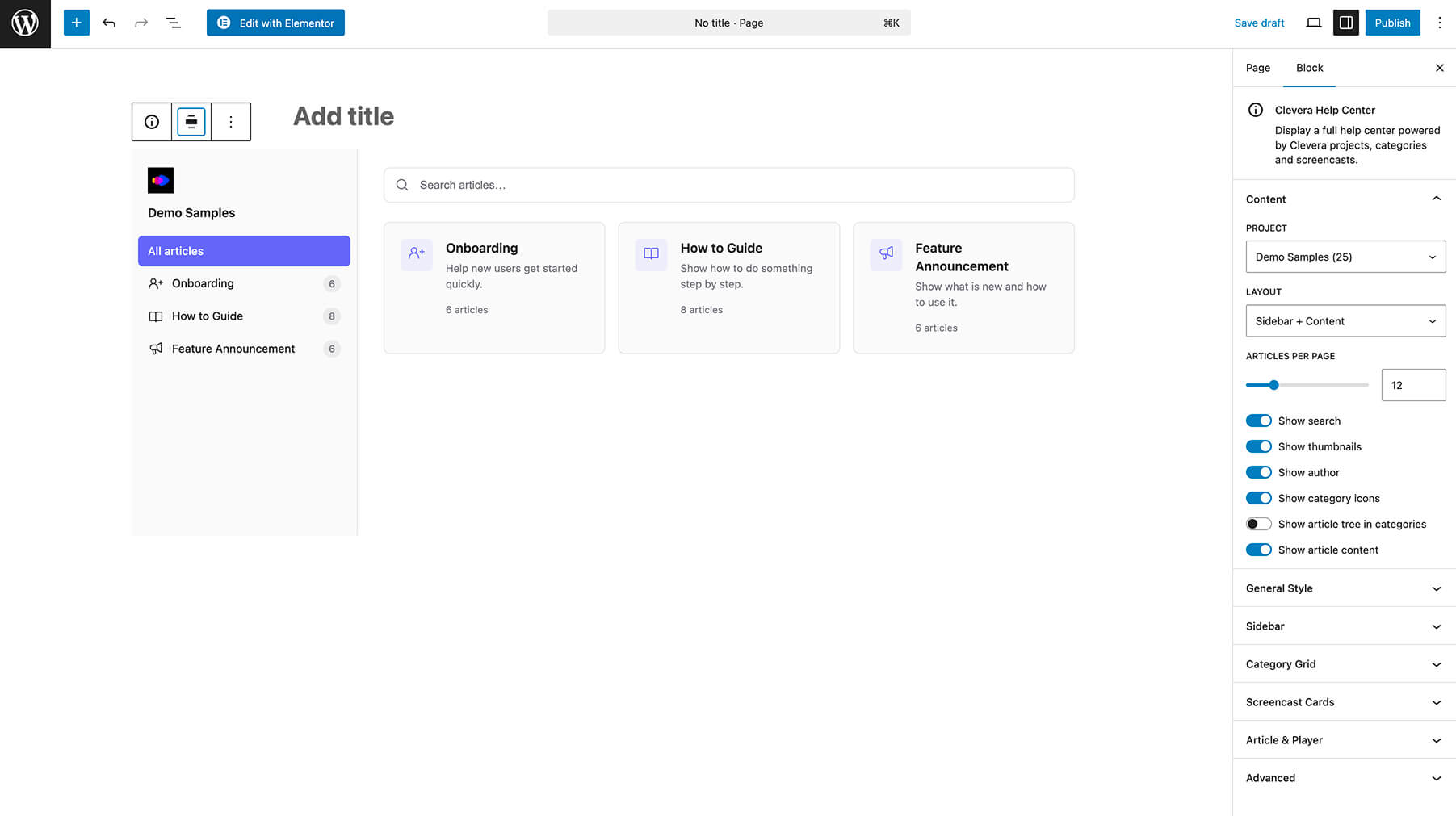
- Render a public help center for the project chosen on that page
- Show project categories, screencasts, embedded videos, and related article content
- Filter and search screencasts by project, category, or keyword where the UI exposes those controls
- Rotate or disconnect the API key from WordPress, or manage the connection from the Clevera side
- A Clevera account — sign up at clevera.ai
- WordPress 5.8 or later (as required by the plugin)
- PHP 7.4 or later
- Elementor (optional; required only for the Clevera Help Center Elementor widget)
安装:
- Upload the
clevera-aifolder to/wp-content/plugins/, or install the plugin from the Plugins screen in WordPress. - Activate the plugin through the Plugins screen.
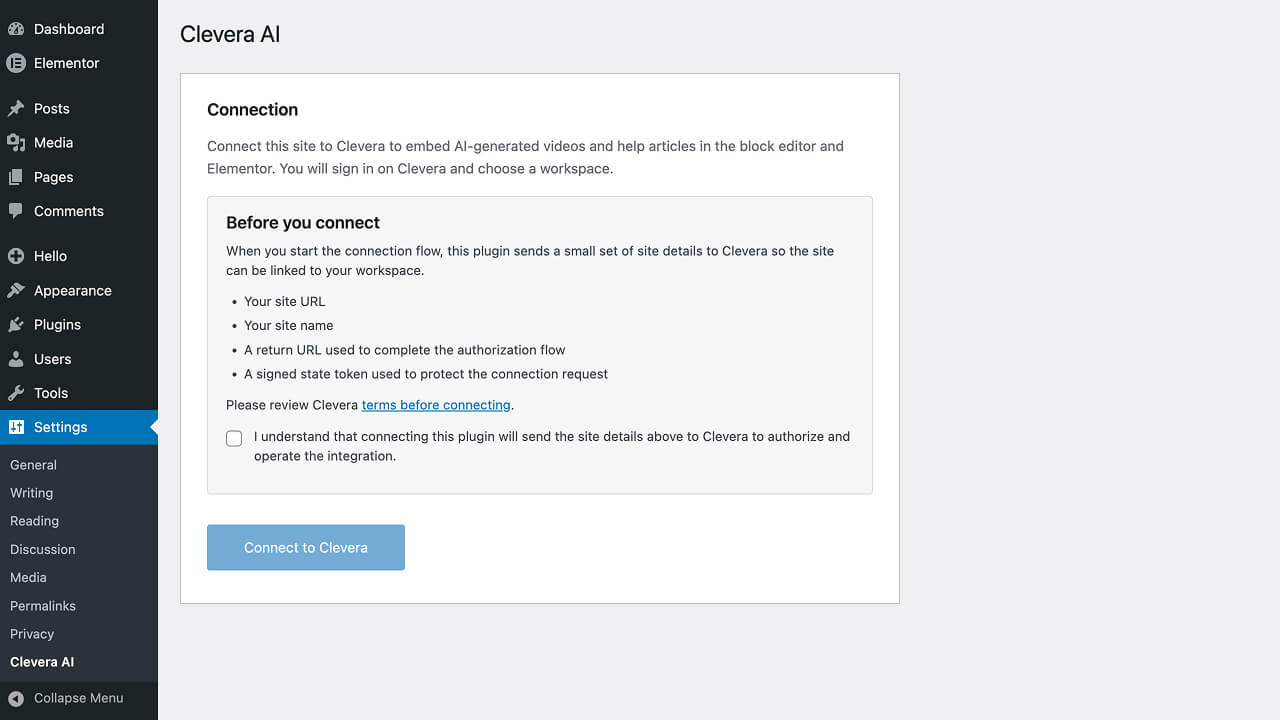
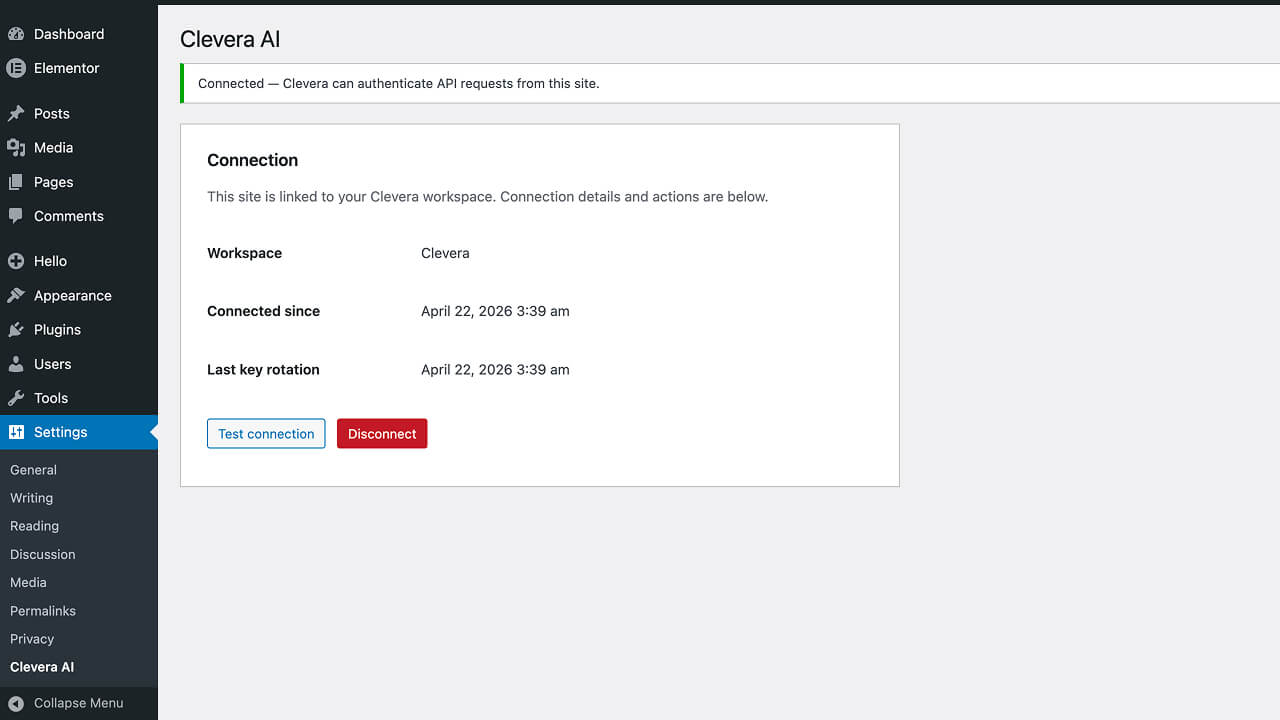
- Open Settings → Clevera AI, read the connection disclosure, confirm consent, then click Connect to Clevera and complete the authorization flow.
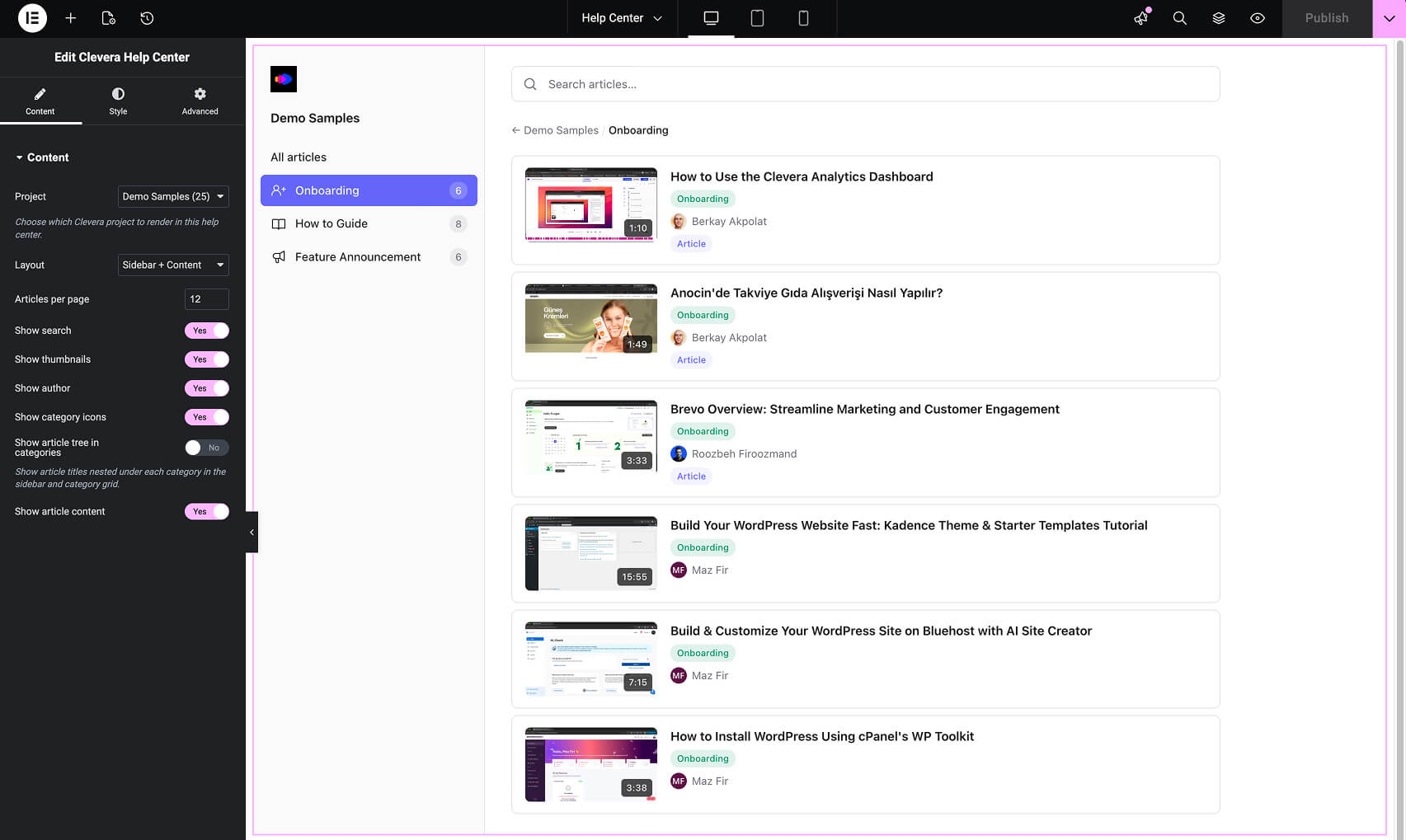
- Add the Clevera Help Center block in the block editor, or the Clevera Help Center widget in Elementor (if Elementor is active), and select a Clevera project for that page.
- Publish. Visitors will see the help center for the selected project on that page.
屏幕截图:
常见问题:
Do I need a Clevera account to use this plugin?
Yes. The plugin connects your site to a Clevera workspace. You can create an account at clevera.ai.
Is it safe to connect my site?
The flow uses a short-lived exchange token for initial setup so you are not asked to paste a raw API key in WordPress. After setup, requests use a Bearer API key stored on the server, bound to your site URL, with rotation and disconnect available from WordPress and Clevera. You must also explicitly confirm the connection disclosure on the settings screen before the connection flow starts.
Who can choose projects in the editor?
Only authenticated WordPress users with content-editing capabilities can load the project list. Elementor project selection is also limited to the editor or admin experience.
Can I connect more than one WordPress site to the same Clevera workspace?
Each site connects to one Clevera workspace. You can connect multiple sites if your Clevera plan allows the integrations you need.
Does this plugin work with Elementor?
Yes. If Elementor is installed and active, the Clevera Help Center widget appears in the Clevera category alongside the Gutenberg block.
What content is public on the frontend?
Only the Clevera project selected in the block or widget is exposed on that page: categories, screencasts, embeds, and associated article content for that project.
What happens to embedded content if I disconnect?
Disconnecting removes the API key and stops the plugin from fetching new data. Existing help center views may show errors or empty states until you reconnect or replace the block.
Will content update when I change it in Clevera?
Yes. The help center loads data from Clevera at display time, so updates in Clevera are reflected without republishing the WordPress post for each change (subject to normal caching on your site).
Does this plugin send data to an external service?
Yes. See the External services section below. The connection is opt-in: an administrator must confirm the disclosure before the connection flow begins.
Is the API key shown to site visitors?
No. The key stays on the server; public requests are proxied through WordPress. Visitors may load embeds and assets from Clevera domains as part of the help experience.
Where can I get support?
Use the WordPress.org support forum for this plugin once it is published there, the support tab on the plugin’s WordPress.org page, or the Clevera team through clevera.ai.
更新日志:
- Harden REST
/ping: connection status is only returned when the request includes a valid site API key; document intentional publicpermission_callbackfor this route.
- Initial release.
- Connect a WordPress site to a Clevera workspace via a guided exchange-token flow (no raw API key entry).
- Gutenberg Clevera Help Center block for project-scoped help content.
- Elementor Clevera Help Center widget (when Elementor is active).
- API key storage, scheduled rotation, validation, and disconnect from WordPress admin.
- Read-only content integration for projects, categories, and screencasts inside the editor.
- Connection disclosure and explicit administrator consent before the connection flow.
- Public help center rendering with data proxied through WordPress; embeds from Clevera share domain.