
Clicks User Manager — Bulk Delete, Edit Roles, Email & Export WordPress Users
| 开发者 |
clickspk
sykologicist freemius |
|---|---|
| 更新时间 | 2026年7月16日 05:54 |
| PHP版本: | 7.4 及以上 |
| WordPress版本: | 7.0 |
| 版权: | GPLv2 or later |
| 版权网址: | 版权信息 |
详情介绍:
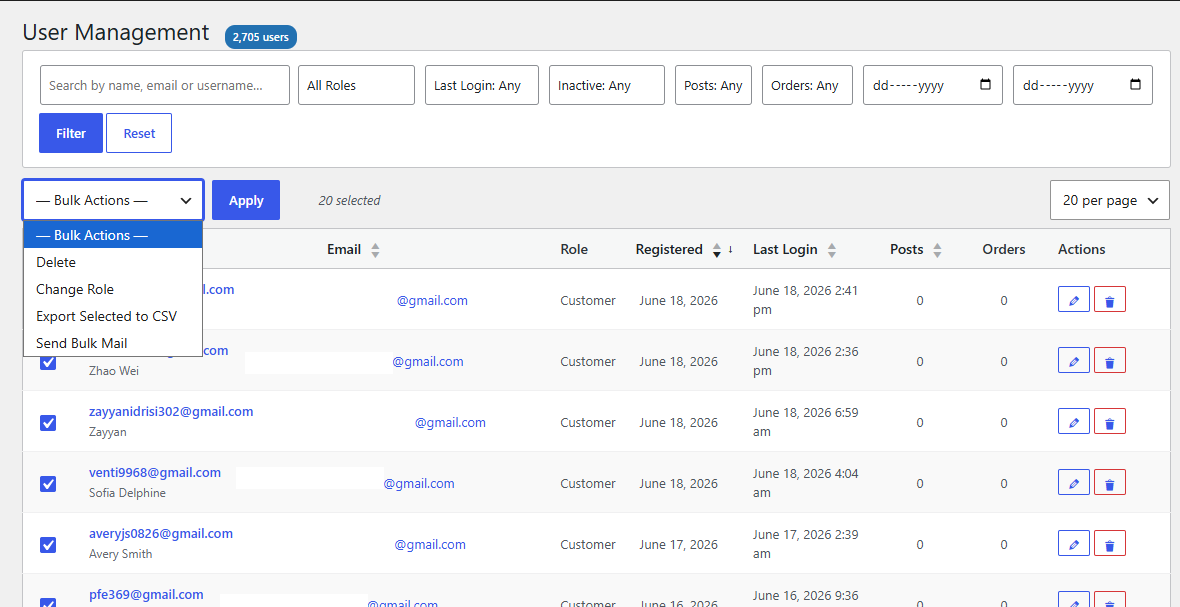
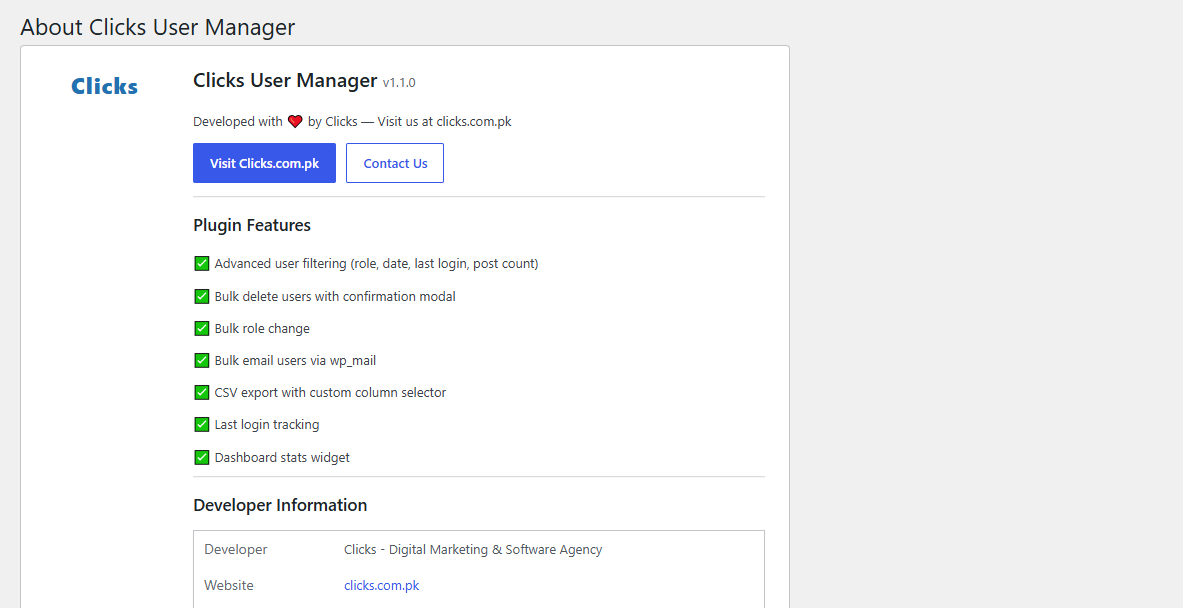
- Advanced User Filters — role, registration date range, last login (today / this week / this month / never), inactivity (30 / 60 / 90 days), post count, and free-text search across username, email, and display name.
- WooCommerce Order Filters — filter users by order history: has ordered, zero orders, or order-count ranges (1, 2–5, 6+). A live "Orders" column links straight to each customer's orders. (Appears automatically only when WooCommerce is active — nothing to configure.)
- Sortable, Paginated User Table — sort by username, email, role, registration date, last login, or post count, with 20 / 50 / 100 users per page.
- Bulk Delete with Confirmation — safely delete multiple users at once with a confirmation modal. Your own logged-in admin account is always protected.
- Bulk Role Change — update the WordPress role of any number of selected users in one click.
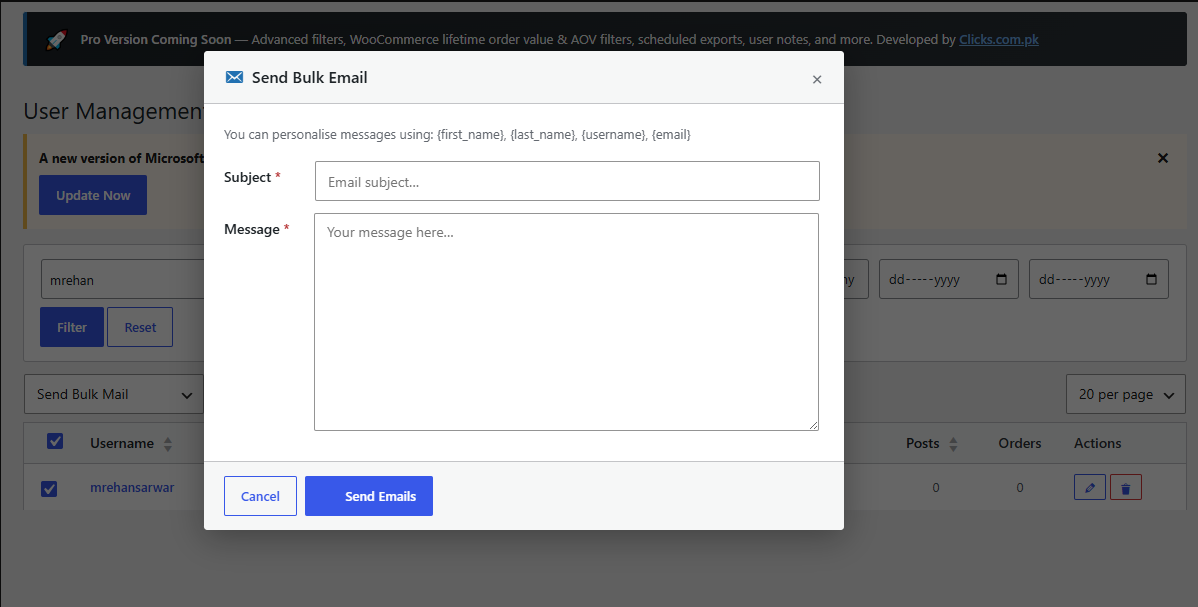
- Bulk Email — compose a subject and message and send to every selected user via WordPress's native
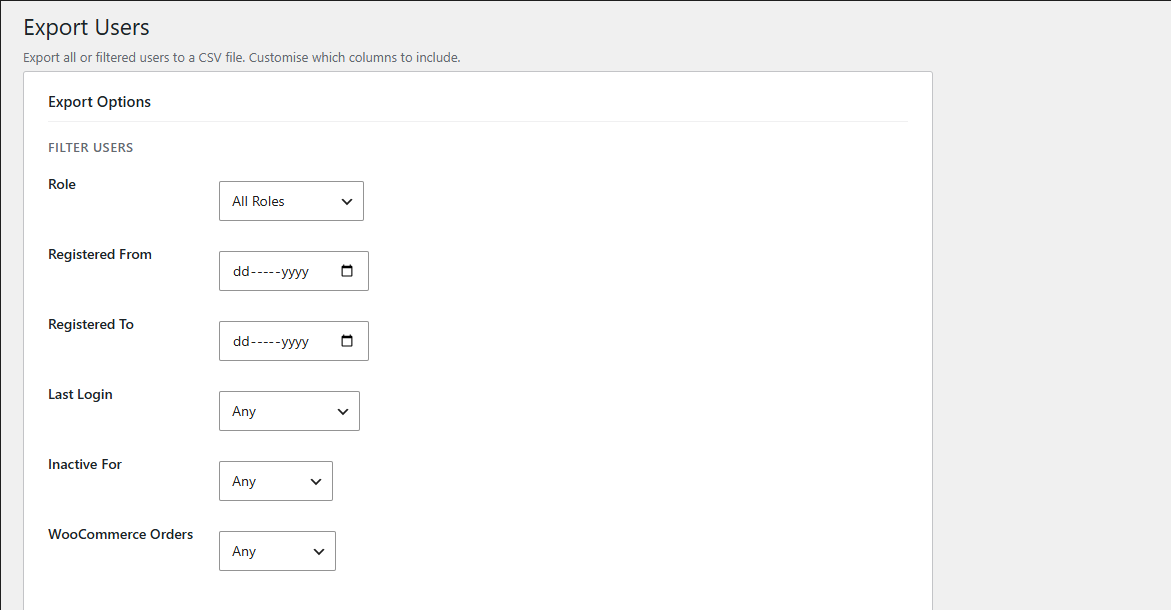
wp_mail(), with personalisation tokens:{first_name},{last_name},{username},{email}. - CSV Export with Custom Columns — export all users or a filtered subset, choosing exactly which columns to include (ID, username, name, email, role, dates, post count, and WooCommerce order count).
- Last Login Tracking — automatically recorded via the
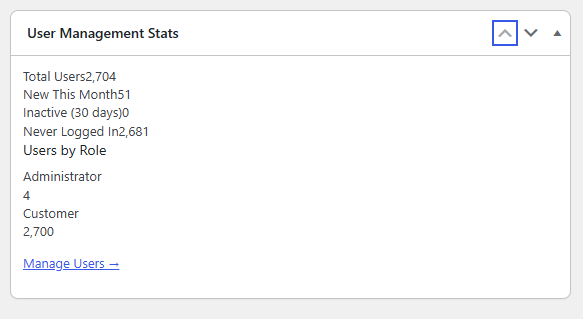
wp_loginhook, powering the activity/inactivity filters out of the box. - Dashboard Stats Widget — total users, new users this month, inactive users, never-logged-in users, and a role breakdown, right on your WP Dashboard.
- Translation Ready — every string uses the
clicks-user-managertext domain. - Secure by Design — nonces on every AJAX call and form, all input sanitised, all output escaped,
WP_User_Queryused throughout. - Lightweight — 100% self-contained, admin-only. Zero front-end footprint, zero page speed impact.
- Find and bulk-delete spam or inactive user registrations
- Export your full customer list — with WooCommerce order counts — for marketing or reporting
- Email every customer who hasn't ordered in 90 days
- Audit and clean up user roles across a multi-author or membership site
- Wipe test accounts before a site launch
安装:
- In your WordPress admin, go to Plugins → Add New, search "Clicks User Manager", and click Install Now, then Activate.
- Or upload the zip via Plugins → Add New → Upload Plugin.
- A new Clicks User Manager menu item appears in your admin sidebar — no configuration required.
- Unzip the plugin file.
- Upload the
clicks-user-managerfolder to/wp-content/plugins/via FTP. - Activate in Plugins → Installed Plugins.
屏幕截图:
常见问题:
Does this plugin permanently delete users?
Yes. Bulk deletion is permanent and cannot be undone. A confirmation modal always appears first so you can't delete users by accident.
Can I accidentally delete my own admin account?
No. The currently logged-in admin account is automatically excluded from every bulk delete operation.
Does bulk email require an external SMTP service?
No. Emails send through WordPress's native wp_mail(). For better deliverability you can optionally pair it with an SMTP plugin like WP Mail SMTP, but nothing external is required.
How does last login tracking work?
The plugin hooks into WordPress's wp_login action and stores a timestamp in user meta (_wpum_last_login) on every login. Users who logged in before activation show "Never" until their next login.
What format does the export use?
A UTF-8 CSV file (with BOM for Excel compatibility), named users-export-YYYY-MM-DD.csv, with columns you choose yourself.
Do I need WooCommerce?
No — WooCommerce is completely optional. Without it, the plugin works exactly as described. With it active, an "Orders" column and WooCommerce order filters appear automatically.
How is the WooCommerce order count calculated?
Counted directly from WooCommerce order storage (compatible with both legacy storage and HPOS), excluding trashed/draft orders, cached for 5 minutes, and refreshed automatically on order changes.
Will this plugin slow down my site?
No. Everything runs only on the plugin's own admin pages — zero front-end code, zero impact on page speed or Core Web Vitals.
Is it compatible with multisite?
Not yet — it's built for single-site installs today. Multisite support is planned for the Pro version.
更新日志:
- New: Premium version officially launched with Freemius SDK integration.
- New: Added Pro Upsell banners in the free version.
- New: Full Pro feature integration (User Notes, Smart Segments, Quick-Edit drawer, Login Impersonation, Advanced filters, Scheduled exports, Personalisation mail variables, Dashboard stats charts).
- Improvement: Cleaned up promotional placeholder banners and replaced them with checkout upgrade links.
- New: WooCommerce order filter — filter users by "Has Ordered", "No Orders", or order-count ranges (1, 2–5, 6+).
- New: "Orders" column in the user table showing each customer's lifetime order count, linked to their orders.
- New: "Order Count" column available in CSV export when WooCommerce is active.
- New: WooCommerce order filter added to the Export Users page.
- Improvement: Order counts are cached and automatically refreshed on order changes.
- All WooCommerce features are optional and only appear when WooCommerce is active.
- Initial release.
- User table with advanced filters (role, date range, last login, inactive, post count, search).
- Bulk delete with confirmation modal.
- Bulk role change.
- Bulk email via wp_mail with personalisation tokens.
- CSV export with custom column selector.
- Last login tracking via wp_login hook.
- Dashboard stats widget with role bars.
- About page with developer credits.