
ClickTrack Analytics
| 开发者 | umeshladumor |
|---|---|
| 更新时间 | 2026年7月14日 18:59 |
| PHP版本: | 7.4 及以上 |
| WordPress版本: | 7.0 |
| 版权: | GPLv2 or later |
| 版权网址: | 版权信息 |
详情介绍:
- 100% Private and Self-Hosted: Data never leaves your server.
- Flexible Tracking Rules: Track clicks by Element ID, Element Class, Link Text, or URL Contains (e.g. tracking specific external links).
- Form Submission Tracking: Built-in support for Contact Form 7, WPForms, Gravity Forms, Elementor Forms, Ninja Forms, and generic native HTML forms.
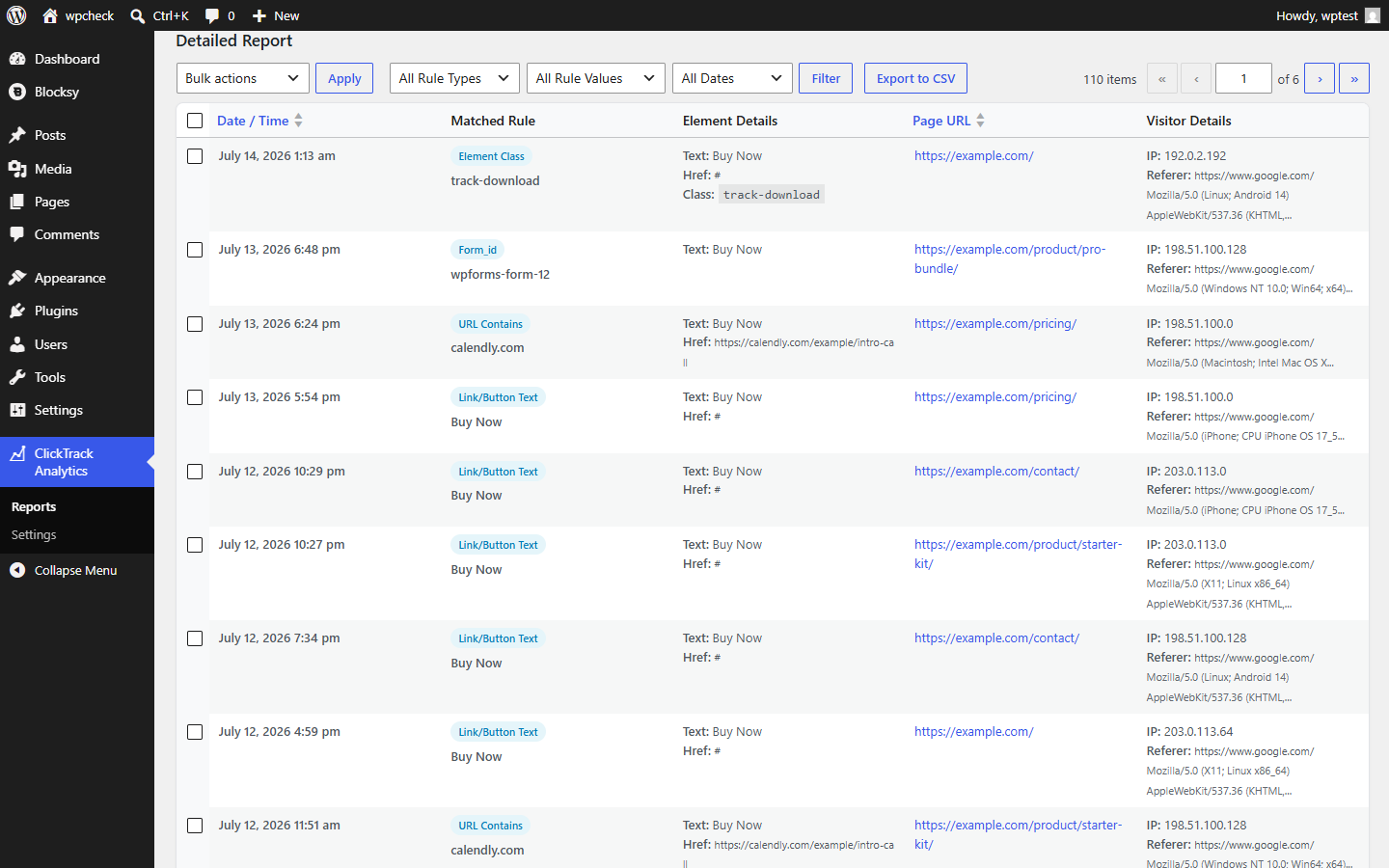
- Clean Reporting Dashboard: A modern reporting interface built directly into WordPress, with totals, top performing trackers, and a sortable/filterable detailed log.
- CSV Export: Export filtered report data to CSV for offline analysis.
- Privacy Controls: Optionally anonymize visitor IP addresses, exclude logged-in administrators from tracking, and set an automatic data retention period.
- GDPR Tooling: Integrates with WordPress's built-in personal data export and erasure tools.
- Lightweight: Uses asynchronous JavaScript (navigator.sendBeacon) to log clicks seamlessly in the background without affecting your page load times or blocking link navigation.
- Bulk Management: Fully integrates with standard WordPress list tables for bulk deletion, sorting, and pagination.
安装:
- Upload the plugin files to the
/wp-content/plugins/clicktrack-analyticsdirectory, or install the plugin through the WordPress plugins screen directly. - Activate the plugin through the 'Plugins' screen in WordPress.
- Navigate to ClickTrack Analytics > Settings to configure your tracking rules and privacy options.
- View your real-time reports under ClickTrack Analytics > Reports.
屏幕截图:
常见问题:
Does this slow down my website?
No. The plugin uses asynchronous JavaScript and the modern Beacon API to send click data securely in the background without affecting page load times or navigation.
Can I track outbound links?
Yes! Just set the rule type to "Target URL Contains" and enter the domain you want to track (e.g., calendly.com).
Can I track form submissions?
Yes. Use the "Form ID" or "Form Class" rule types. The plugin automatically detects successful submissions from Contact Form 7, WPForms, Gravity Forms, Elementor Forms, Ninja Forms, and standard native HTML forms.
What data does this plugin store?
For each matched click, the plugin stores the page URL, the matched rule and element details, the visitor's IP address, user agent, and, if logged in, their user ID and the timestamp. All data stays in your own WordPress database and is never sent to a third party.
Is this plugin GDPR-friendly?
Yes. You can enable IP address anonymization, exclude administrator clicks, and set an automatic data retention period from ClickTrack Analytics > Settings. The plugin also integrates with the built-in WordPress "Export Personal Data" and "Erase Personal Data" tools under Tools.
How do I stop my own clicks from skewing the reports?
Enable "Exclude Administrators" in ClickTrack Analytics > Settings to stop logging clicks made while logged in as an administrator.
更新日志:
- Added a date range filter (Today, Yesterday, Last 7 Days, Last 30 Days, This Month, Last Month, This Year, Last Year, or a Custom Range) to the detailed report table and CSV export.
- Added optional IP address anonymization.
- Added option to exclude administrator clicks from tracking.
- Added automatic data retention with a daily cleanup cron job.
- Added integration with the WordPress personal data export and erasure tools.
- Added a privacy policy content suggestion under Settings > Privacy.
- Added a "Settings" link on the Plugins screen.
- Added CSRF nonce protection to the CSV export action.
- Added a server-side whitelist check for tracking rule types.
- Fixed plugin version inconsistency between the plugin header and the database version check.
- Fixed IP anonymization to correctly mask compressed IPv6 addresses (e.g. loopback) using inet_pton/inet_ntop.
- Raised the minimum required WordPress version to 5.3 for correct wp_date() timezone handling.
- Lowered the admin menu registration position to avoid colliding with the core Comments menu slot.
- Renamed the plugin from "UL Advanced Click Tracker" to "ClickTrack Analytics" to resolve a trademark ambiguity flagged during the WordPress.org plugin review.
- Initial release.