
Clientager
| 开发者 | techshah |
|---|---|
| 更新时间 | 2026年10月30日 19:21 |
| PHP版本: | 7.4 及以上 |
| WordPress版本: | 7.1 |
| 版权: | GPLv2 or later |
| 版权网址: | 版权信息 |
详情介绍:
- Answers website visitors 24/7 in a friendly chat window, using only the information on your website.
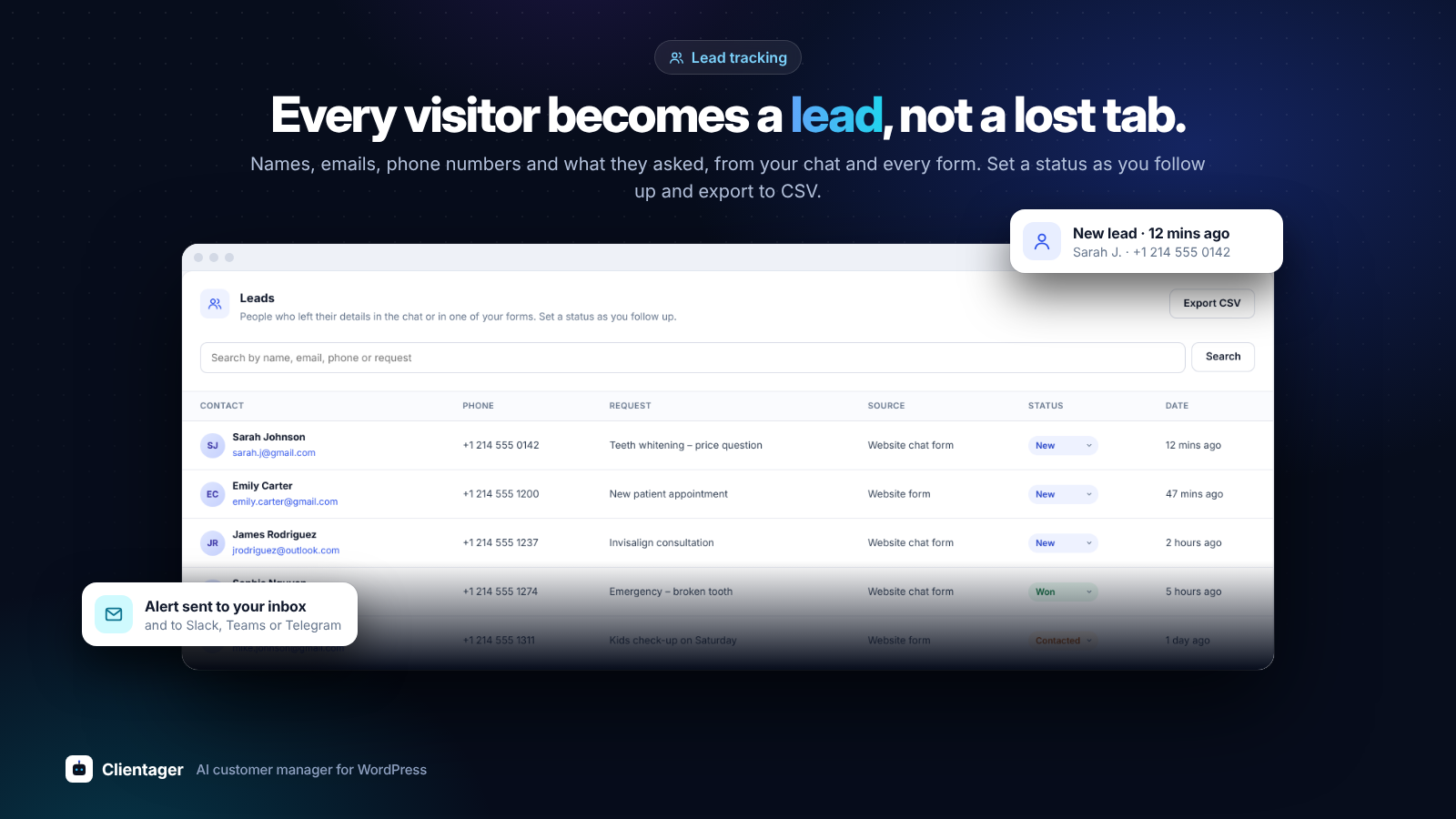
- Captures leads – name, phone, email and what they need – and alerts you straight away.
- Replies to your contact forms – submissions from Contact Form 7, WPForms, Elementor Pro, Gravity Forms, Ninja Forms, Fluent Forms, Jetpack Forms, Forminator and Formidable Forms become leads and get a reply.
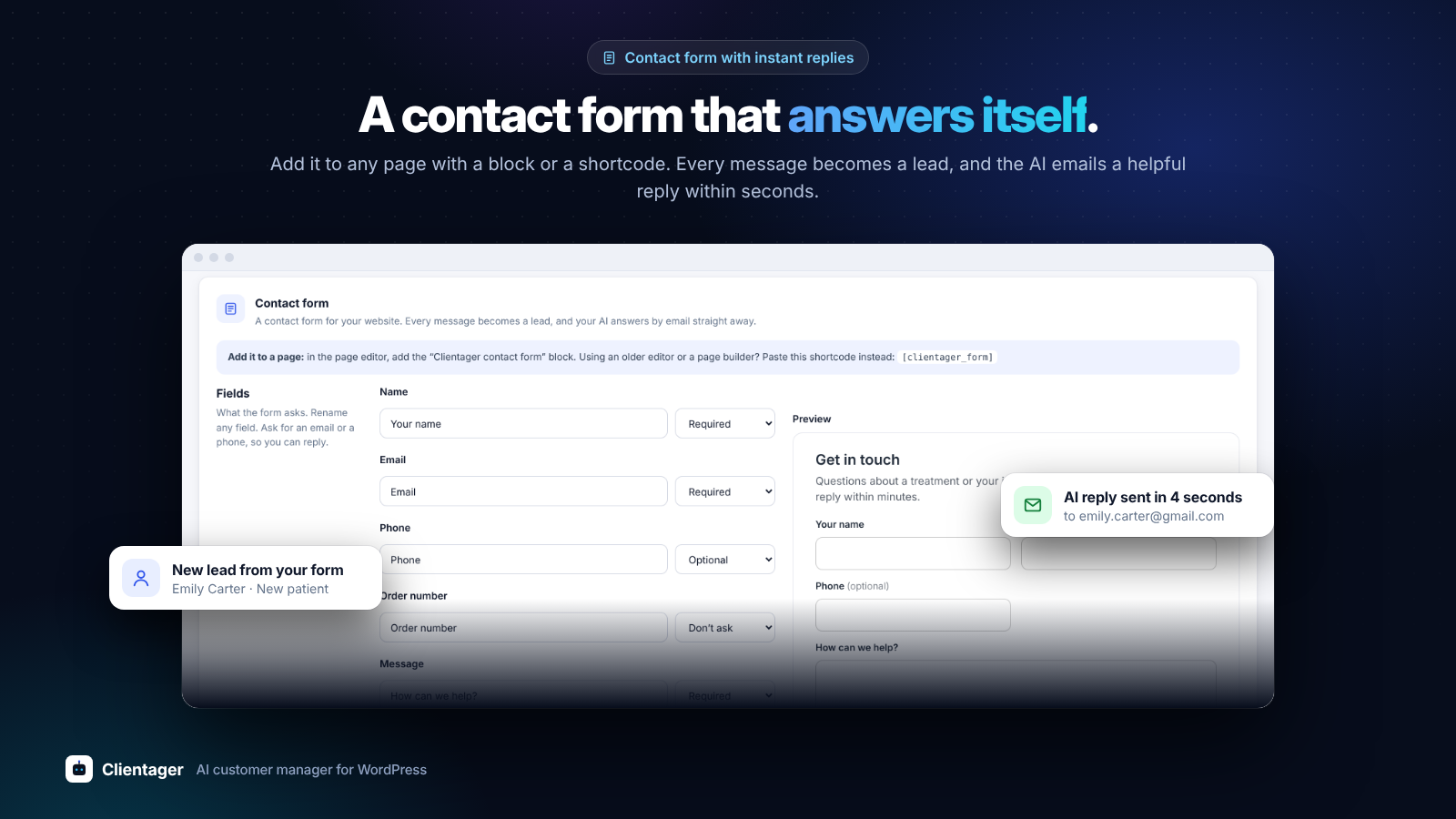
- Your own contact form – add the "Clientager contact form" block (or the [clientager_form] shortcode) to any page. Pick the fields, rename them, set the texts, button colour, corners and layout with a live preview. Every message becomes a lead and gets an instant AI reply by email.
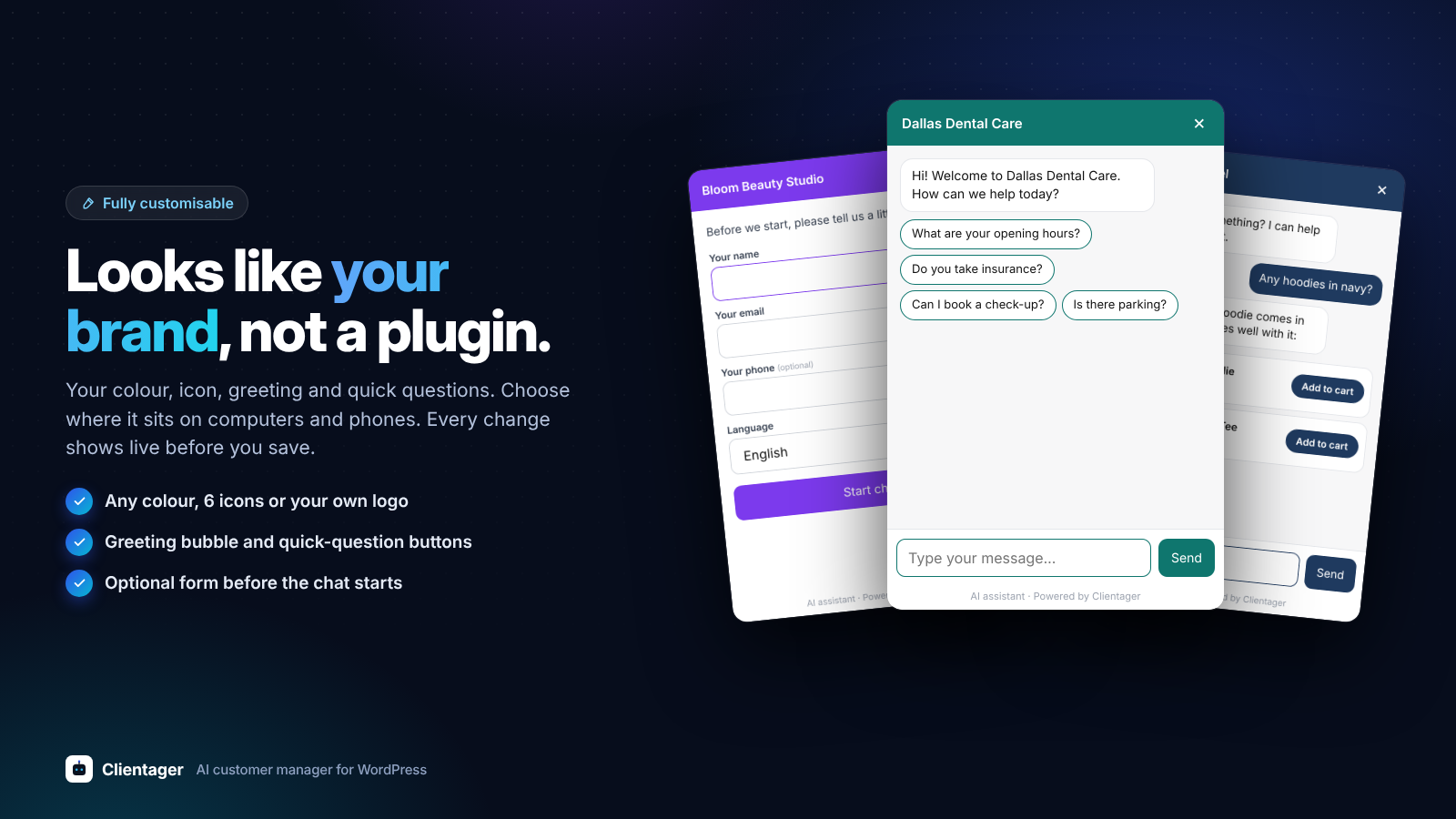
- Your look, your words – set the chat button's colour and side, the hello message, a short contact form before the chat and up to 4 quick questions visitors can tap, with a live preview.
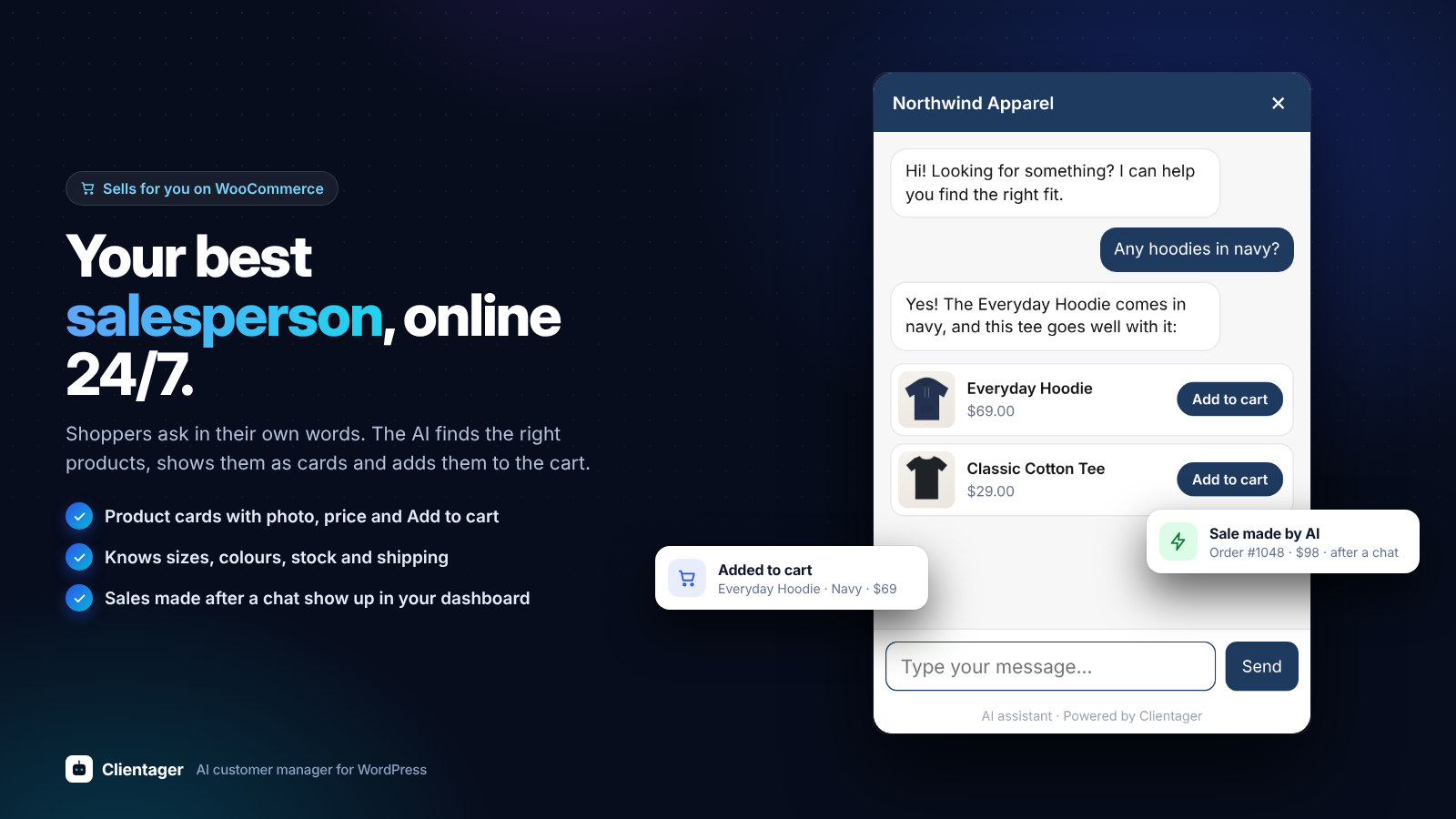
- WooCommerce ready – answers product questions with real prices, stock and links.
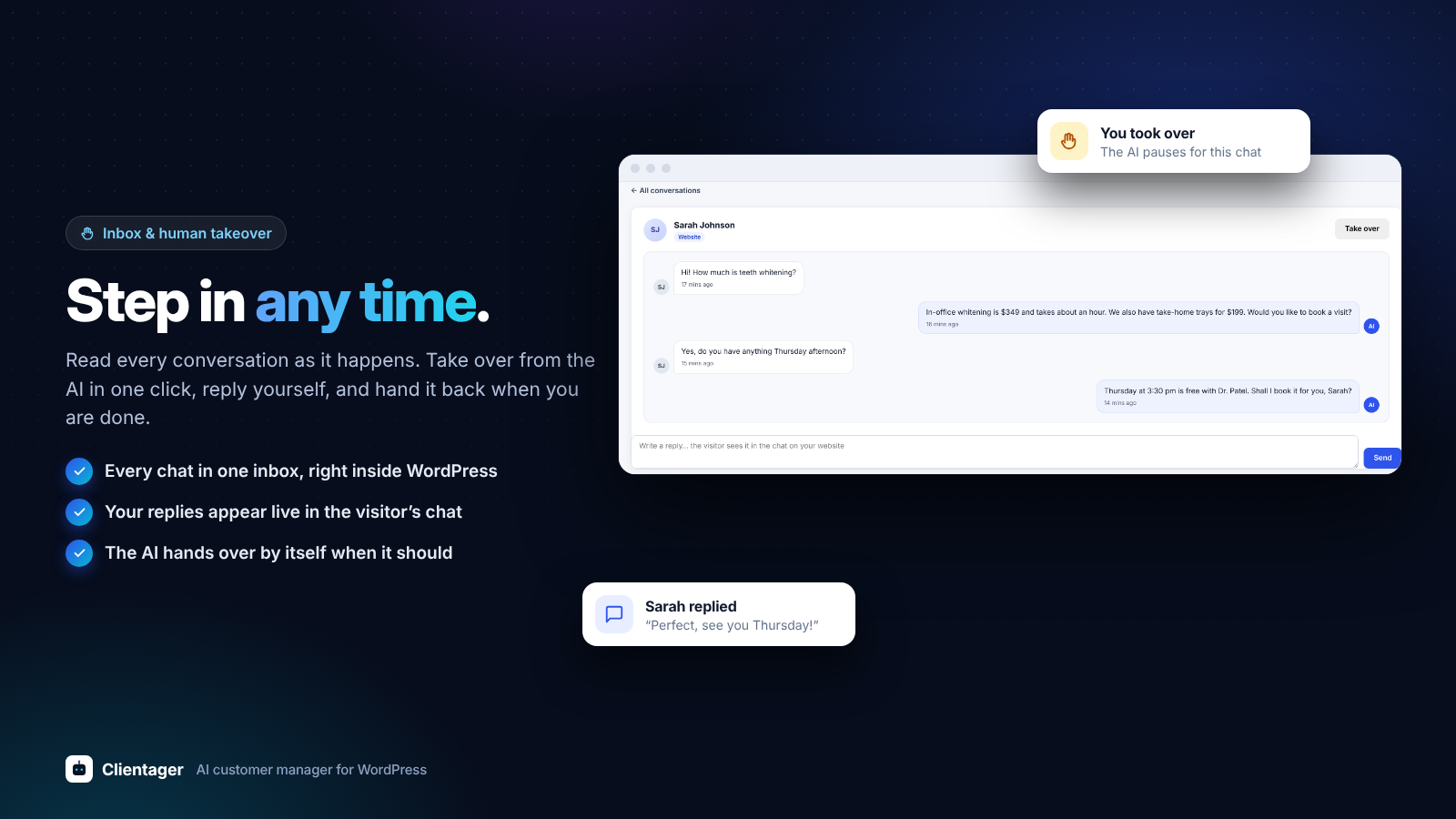
- Hands over to you when a person is needed, with a summary of the conversation.
- Inbox and leads inside WordPress – read every conversation and lead without leaving your dashboard.
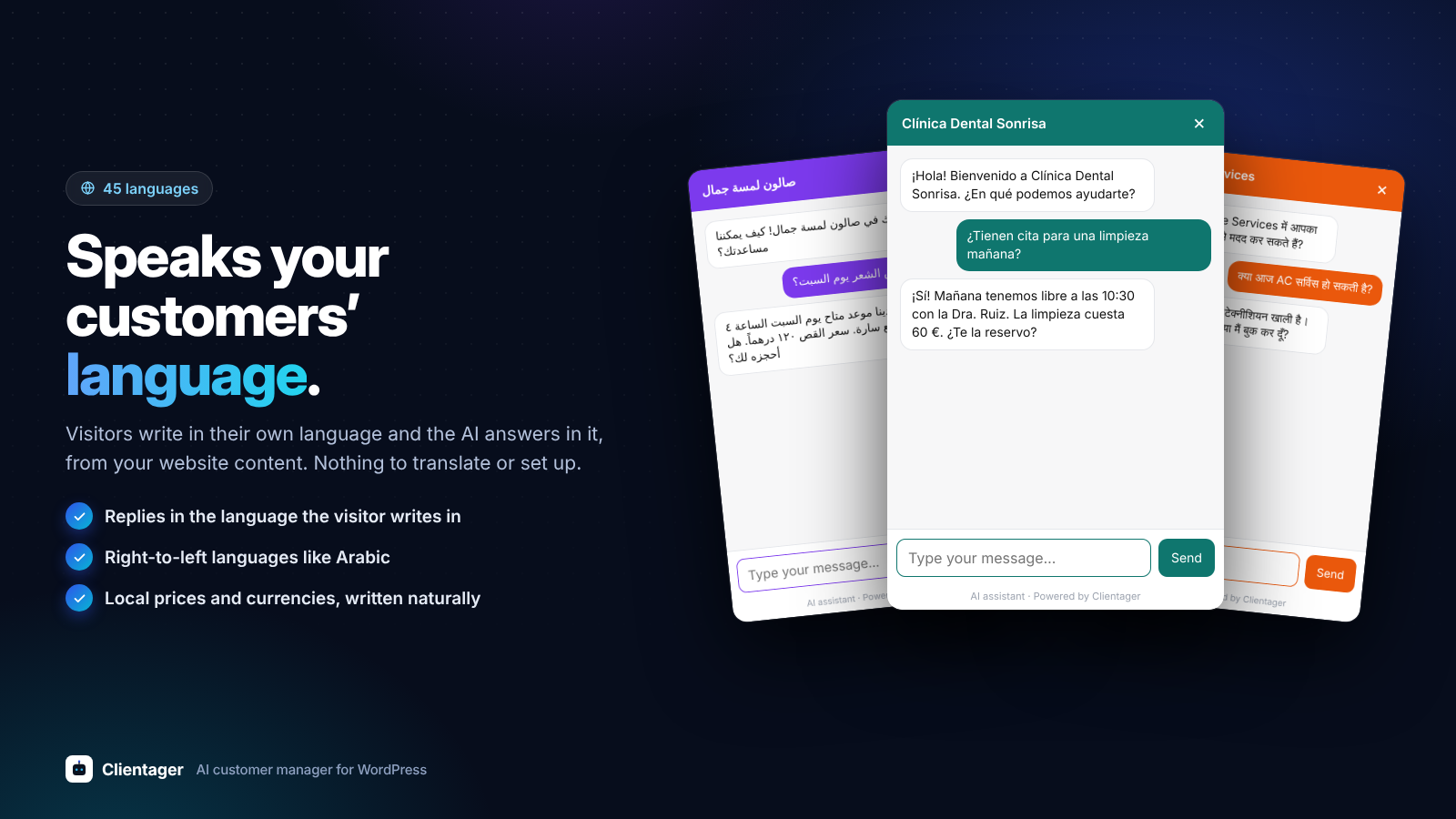
- Speaks your customers' language – replies in the language the visitor writes in.
- Grows with you – the same AI can answer your phone calls (in 45 languages), WhatsApp and SMS on paid plans.
- Install and activate the plugin.
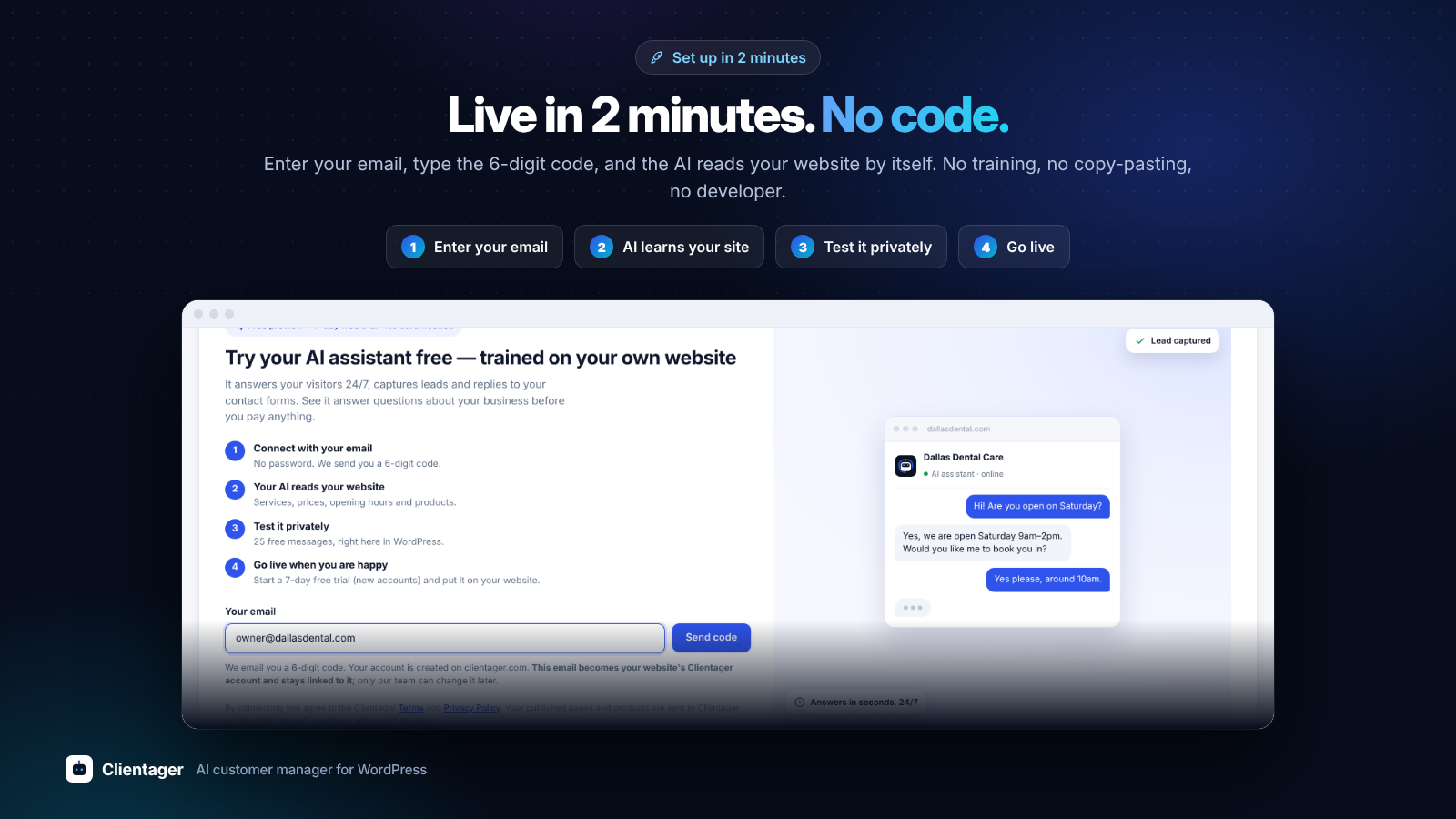
- Connect with your email – we send you a 6-digit code (no password).
- Your AI learns your website automatically: published pages, posts and WooCommerce products.
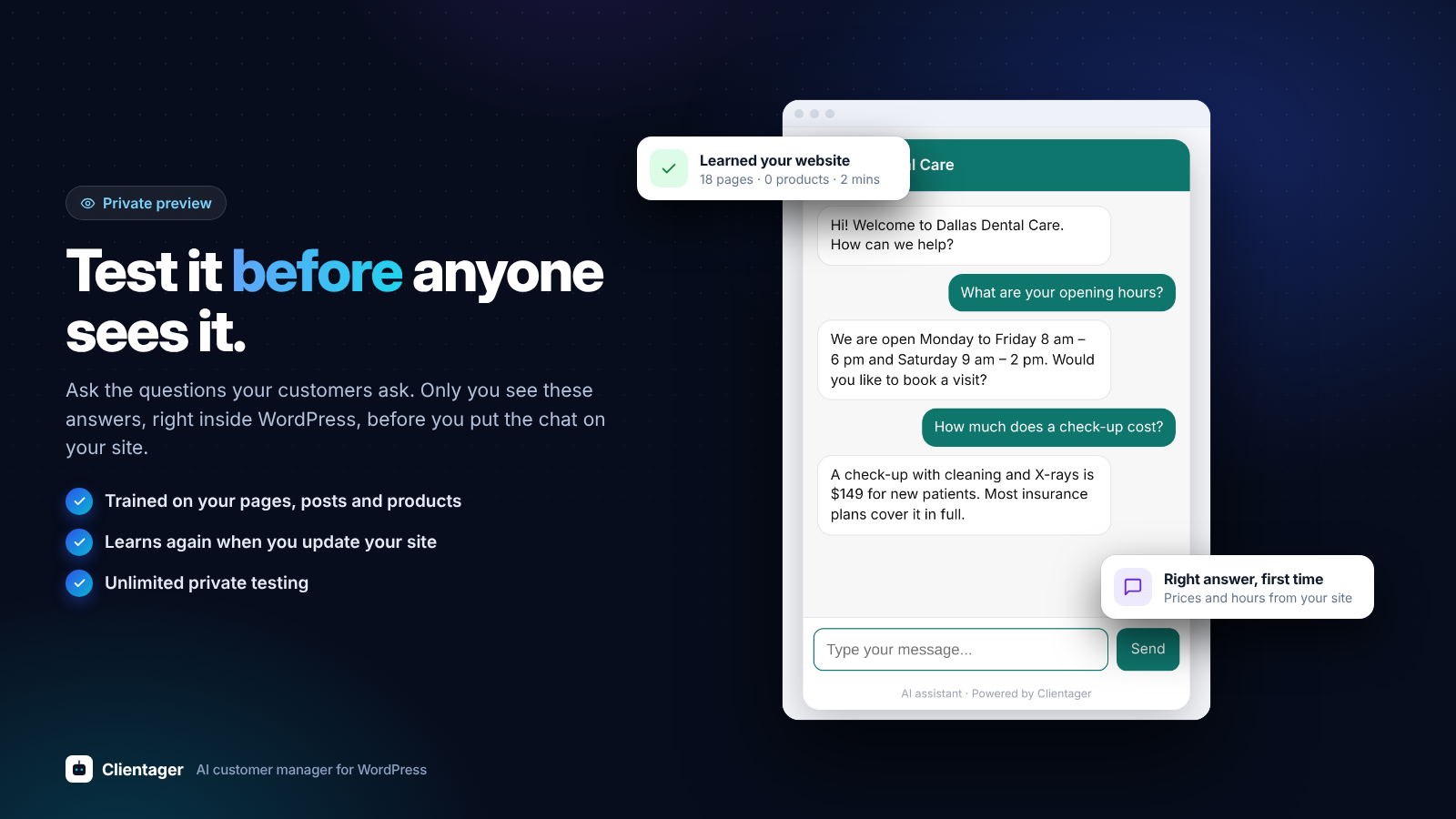
- Free private preview: click the chat button on a preview of your own website and test it with 25 messages. Only you can see it.
- Choose a plan to go live. The chat appears on your website and form capture switches on.
安装:
- In WordPress go to Plugins > Add New, search for "Clientager", then Install and Activate. Or upload the plugin folder to
/wp-content/plugins/. - Open Clientager > Get started in the admin menu.
- Enter your email, then the 6-digit code we send you.
- Your AI learns your website. Try it under Clientager > Preview.
屏幕截图:
常见问题:
Is it free?
The plugin is free, and so is the preview: your AI learns your website and you can test it privately with 25 messages. To put it on your website you need a Clientager plan. Plans from $25/month in most countries (Lite: website chat and email AI); local prices apply in India and the Gulf. No setup fee. There is no free plan.
Do I need technical skills?
No. Connect with your email and the AI learns your business from your website. You can change what it knows any time.
Which form plugins are supported?
Contact Form 7, WPForms, Elementor Pro Forms, Gravity Forms, Ninja Forms, Fluent Forms, Jetpack Forms, Forminator and Formidable Forms. Submissions are sent to Clientager once you have a plan.
Will my existing forms work automatically?
Yes, if they are made with one of the form plugins above: there is nothing to set up, every form of that plugin is picked up. File uploads, hidden fields and captchas are never sent. Forms made with other plugins, or written by hand in your theme, are not picked up. Clientager > Settings shows which supported form plugins were found on your site.
Can I change how the chat looks?
Yes. Under Clientager > Chat widget you set the colour, which side the button sits on, the hello message, an optional form before the chat (name, email, phone) and up to 4 quick questions. A live preview shows the result before you save.
Does it work with WooCommerce?
Yes. Your published products (names, prices, stock and links) are learned so the AI can answer product questions.
Which languages does it speak?
The chat replies in the language your visitor writes in. On paid plans, phone calls are available in 45 languages.
Will it slow down my website?
No. The chat loads after your page, from Clientager's servers, and only once you go live. Your pages never wait for Clientager.
Can visitors see the preview?
No. The preview chat is only shown inside your WordPress admin.
更新日志:
- WhatsApp button in your website chat: show or hide it, pick its text and the first message, right on the WhatsApp card. It comes on by itself when you connect WhatsApp.
- The WhatsApp card says clearly that WhatsApp message charges come from Meta, billed to your own Meta account.
- Connect WhatsApp from the plugin: Settings → Chat & websites → Connect WhatsApp. Sign in with Facebook in a secure window and your AI answers your own WhatsApp number (new number or your WhatsApp Business app number). Included in the free trial and from Starter.
- Screens change without reloading the page, and a screen starts loading as soon as you point at its tab.
- Settings in sections (chat and websites, alerts, website knowledge, forms and emails, plan) with a menu on the side.
- Product cards show in the private preview too.
- Help tab: send our team a question, a problem or a feature request, or email support@clientager.com.
- Where the chat shows: on every page, only on some pages, or on every page except some (for example /checkout*).
- AI chat limits in Settings: how many messages one chat has before your team takes over, how many AI replies one person gets a day, and your own hand-over message.
- AI email limits in Settings: how many AI emails one address gets a day and one thread in a week, no AI reply to "Thanks" or "OK", and a note to the customer when your team takes over.
- Product cards in the chat: the AI shows matching products with a picture, price and Add to cart (WooCommerce simple products).
- Greeting bubble: a different greeting on product pages, and optionally when a visitor is about to leave.
- Inbox: answer website chats from WordPress, take a chat over from the AI and give it back.
- Sales made by AI: WooCommerce orders from shoppers who chatted with your AI, on the Overview.
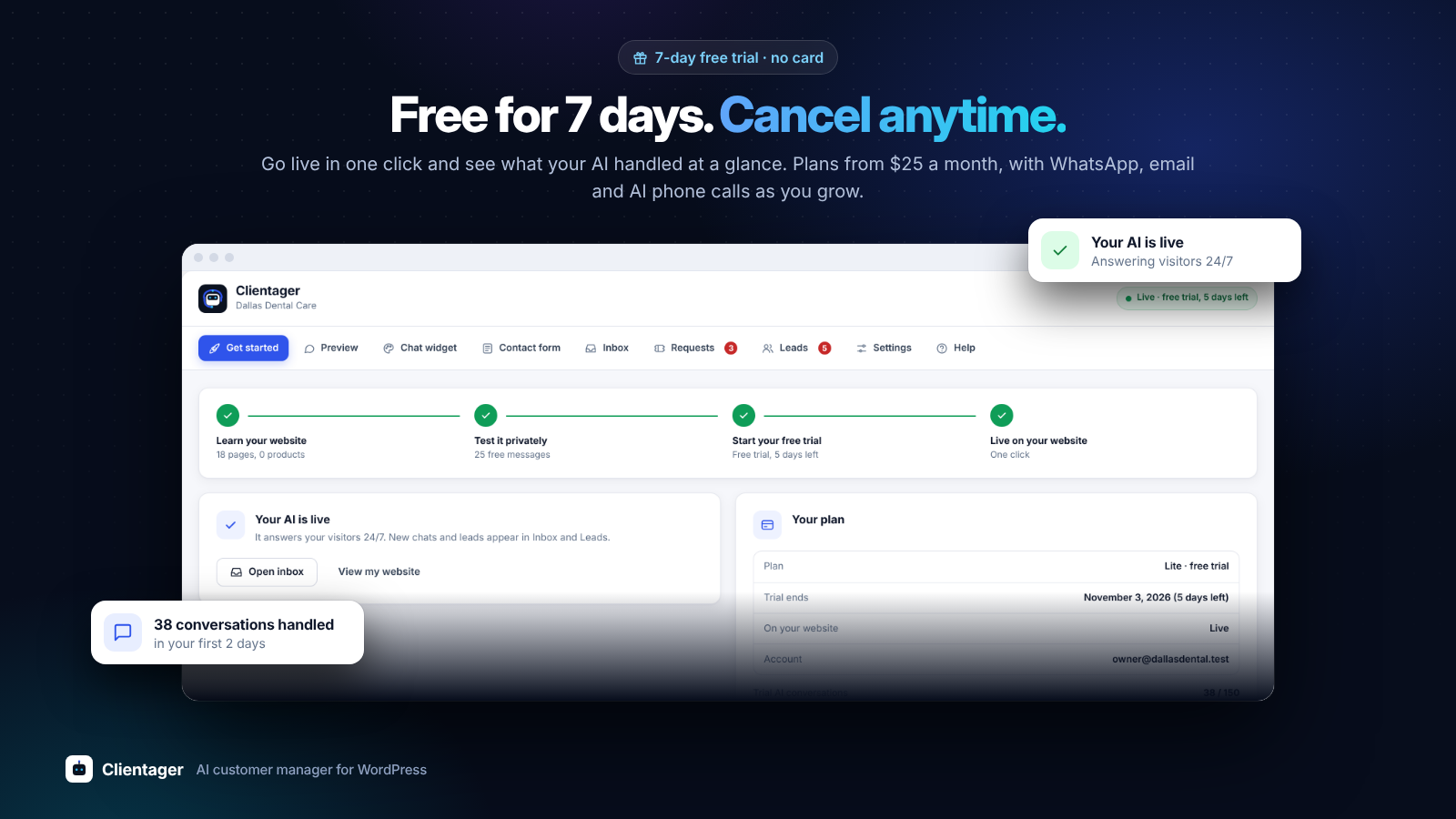
- 7-day free trial with no card: the chat goes live on your website with up to 150 AI conversations and 50 AI emails. If you do not choose a plan, it switches off by itself.
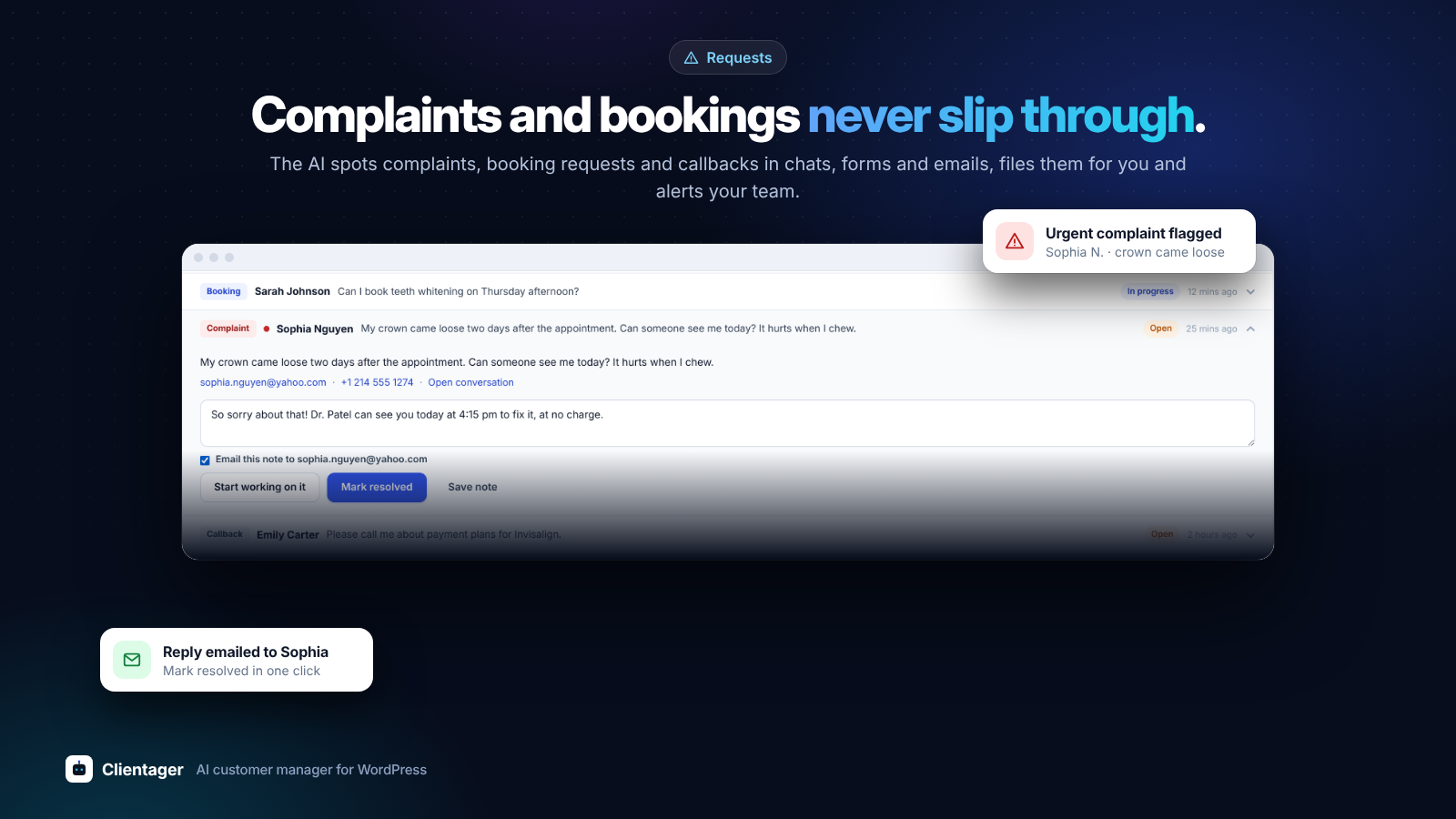
- Contact form: a "Clientager contact form" block and [clientager_form] shortcode, with a Contact form tab to choose its fields, labels, texts and look, with a live preview. Messages become leads (and requests for complaints and bookings) and get an instant AI reply by email.
- Requests: complaints, booking requests and callbacks in one list, with search, notes and an optional email to the customer.
- Emails to your customers: upload your logo and set your own sign-off, used by the AI and by notes you email.
- Leads: set a status (new, contacted, qualified, won, lost) and export your leads as a CSV file.
- AI emails have their own monthly allowance (500 on Lite, 1,000 on Starter, 2,000 on Growth, 5,000 on Scale): every email or form reply the AI sends counts as one. AI conversations now cover website chat and WhatsApp.
- Add-ons: AI credits cover either AI conversations or AI emails.
- Auto-update: your AI re-learns a minute after you save a page, post or product (paid plans and trial).
- A website stays linked to the email it was connected with; to change it, contact us.
- Settings: Allowed websites. Your chat only works on your own website (and any you add), so a copied chat code does nothing elsewhere.
- Add-ons: buy extra AI conversations, call minutes or done-for-you setup.
- Settings: cards flow down two columns with no empty gaps.
- Settings: an Alerts card to choose who gets an email about new leads, bookings and callback requests, and a daily summary.
- Chat widget: pick the chat button's icon, or use your own image from the Media Library.
- Chat widget: a greeting bubble that pops up next to the chat button, with your own text and delay.
- Chat widget: Reset position and Reset all to default.
- Chat widget: sliders to move the chat button away from the side and the bottom of the screen, set separately for computers and phones.
- The Clientager logo in the plugin and in the admin menu.
- Chat preview follows your plan: "Powered by Clientager" shows on Starter and is hidden on Growth and Scale, like on your website.
- Chat widget: your real chat bubble now floats in the corner of the screen, on the side you choose, and changes as you edit. Click it to try your AI. Switch it off with "Show live preview".
- Preview: a clean chat window instead of the mock website.
- Preview: your website with the chat button in the corner, as visitors will see it. Click it to test your AI.
- New Chat widget screen: colour, button side, hello message, form before the chat and up to 4 quick questions, with a live preview.
- Your plan: this month's AI conversations, AI emails, products and call minutes, with an Upgrade button when you are close to a limit.
- Prices shown for your country.
- Form capture now also works with Jetpack Forms, Forminator and Formidable Forms.
- Screens use the full width of the WordPress admin.
- New card design for all screens; other plugins' notices are hidden on Clientager screens.
- Stylesheet is never served stale from a site cache.
- First release: connect with email, automatic website learning, private preview, go live, inbox, leads and form capture.