
Client Octopus
| 开发者 |
codievolt
freemius |
|---|---|
| 更新时间 | 2026年10月1日 21:19 |
| PHP版本: | 8.0 及以上 |
| WordPress版本: | 7.1 |
| 版权: | GPLv2 or later |
| 版权网址: | 版权信息 |
详情介绍:
安装:
- Upload the
clientoctopusfolder to/wp-content/plugins/ - Activate the plugin through the WordPress Plugins menu
- The setup wizard launches automatically
- Configure your branding and settings
- Upgrade to Pro or Agency at any time via Client Octopus → Account
屏幕截图:



常见问题:
Does Client Octopus support payments?
Yes. On the Pro and Agency plans, you can accept payments on proposals and standalone invoices via either Stripe or PayPal — choose whichever gateway you prefer in Settings. Clients always see a single "Pay Now" button that routes to whichever gateway you've configured. The exception is a proposal set to Recurring billing — it has no direct payment option; billing happens through the recurring invoice created when the client accepts, which can itself be set to auto-charge (see "Can I set up automatic recurring invoices?" below) or paid manually each cycle.
Can clients access a portal?
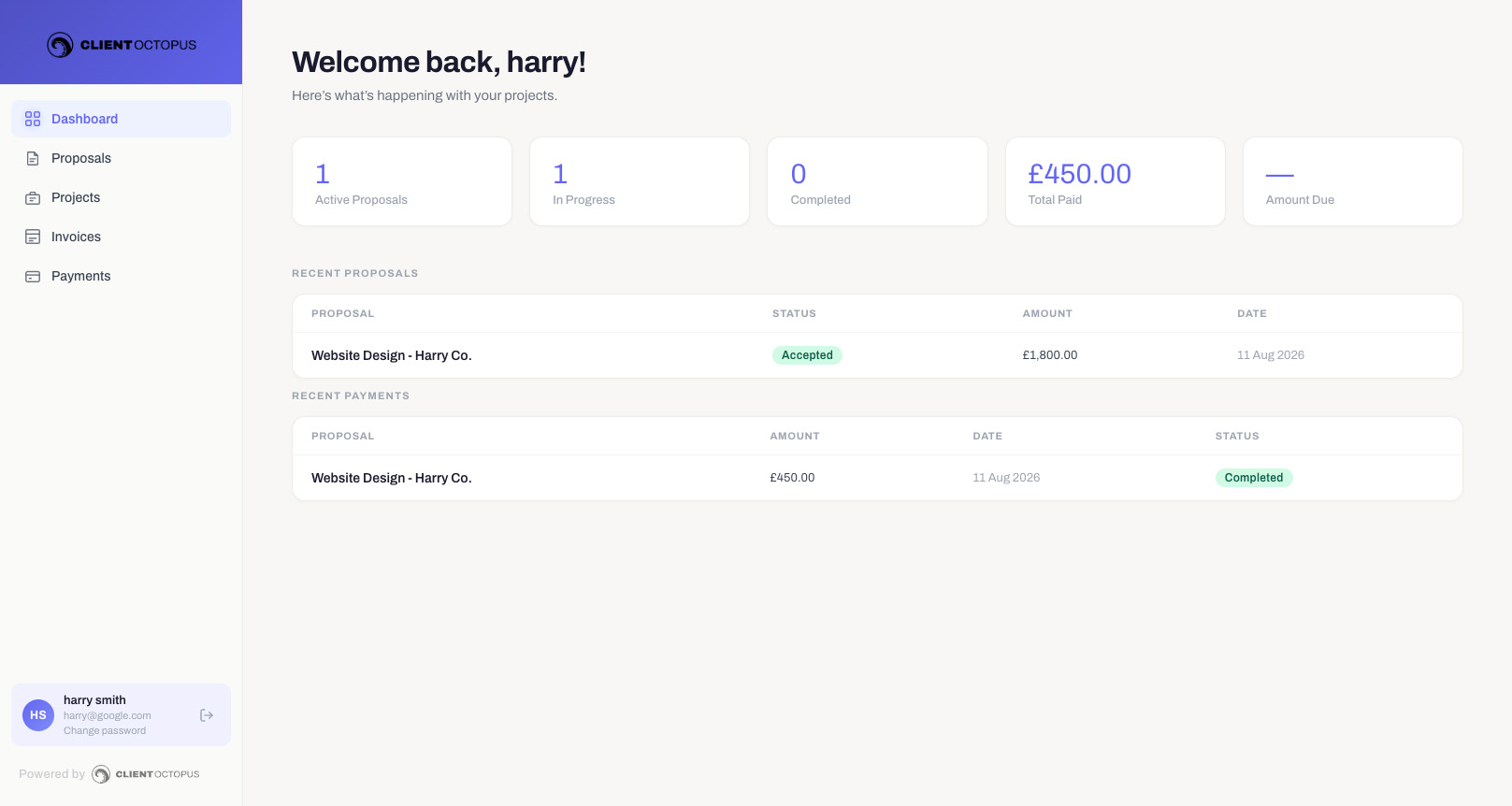
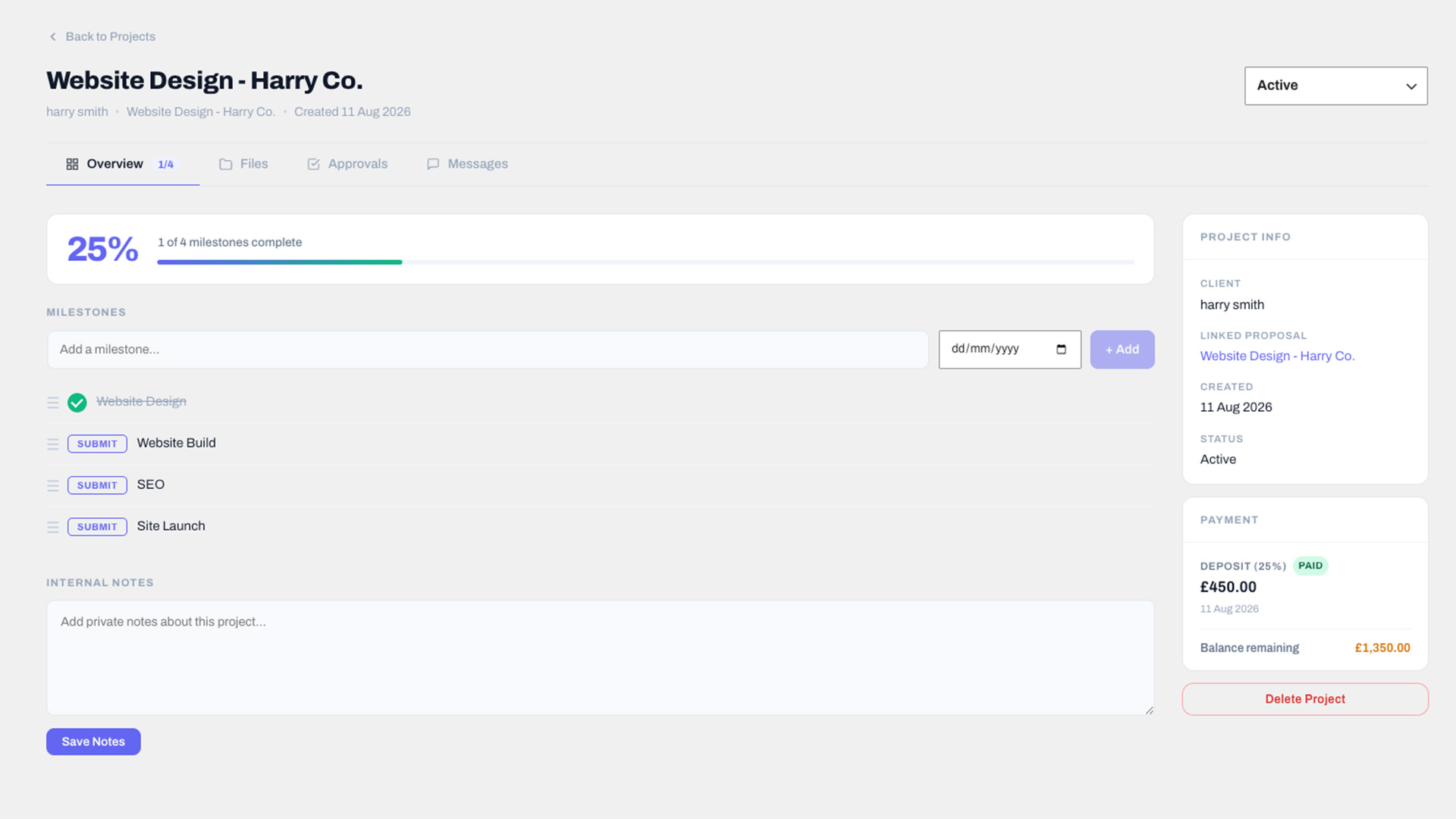
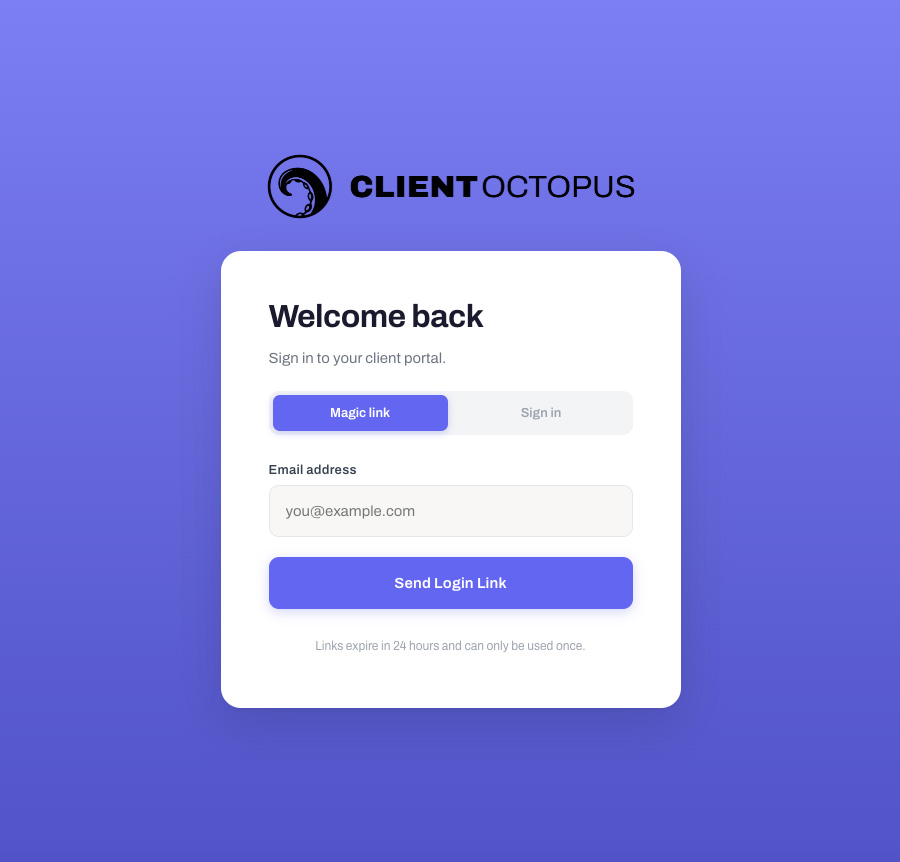
Yes, on the Pro and Agency plans. Clients sign in to a branded portal either with an emailed magic link or with a password they set — no WordPress account is needed either way. The portal differs by plan. On Pro, clients see their proposals, invoices and payments. On Agency it also covers projects, milestones, approvals, file downloads and messaging.
Does Client Octopus support teams?
Yes. The Agency plan supports up to 10 team members, each assigned a role (Admin, Editor, or Viewer).
Can I collect leads before they become clients?
Yes, on all plans. Embed the lead capture form on any page with the [clientoctopus_lead_form] shortcode. You choose which fields to show and require, add a consent line, and optionally enable Cloudflare Turnstile CAPTCHA and submission rate limits to help prevent automated spam. Every submission lands in a dedicated Leads admin screen where you can track status, mark as contacted, archive, or convert a lead straight into a client record.
Can I let clients or visitors book a call with me?
Yes, on the Pro and Agency plans. Add the [clientoctopus_booking_form] shortcode to any page and visitors can book a call based on your configured weekly availability, buffer time, minimum notice, and maximum booking window. Both you and the client get a confirmation email with a calendar invite, followed by a 1-hour reminder.
Does Client Octopus sync with my calendar?
Yes, on the Pro and Agency plans. Connect Google Calendar, Microsoft 365/Outlook, or Apple iCloud in Settings. Once connected, existing events on that calendar automatically block matching slots in your booking availability, shown with their real event title — and every call booked through Client Octopus is pushed out as a real event (including your meeting link) on every calendar you've connected, so you never have to add it yourself.
Is multisite supported?
No. Client Octopus licences are single-site only.
Does Client Octopus require a third-party SaaS?
No. Client Octopus runs directly inside WordPress and doesn't require a separate SaaS platform to work. Optional integrations — Stripe or PayPal for payments, Google Calendar, Microsoft 365, or Apple iCloud for calendar sync, AI writing tools, Cloudflare Turnstile for lead form spam protection, and Frankfurter for Analytics currency conversion — only connect when you explicitly enable and use that feature. Freemius handles licensing for the paid plans. Every one of these is described in full under External Services below.
Are AI costs included?
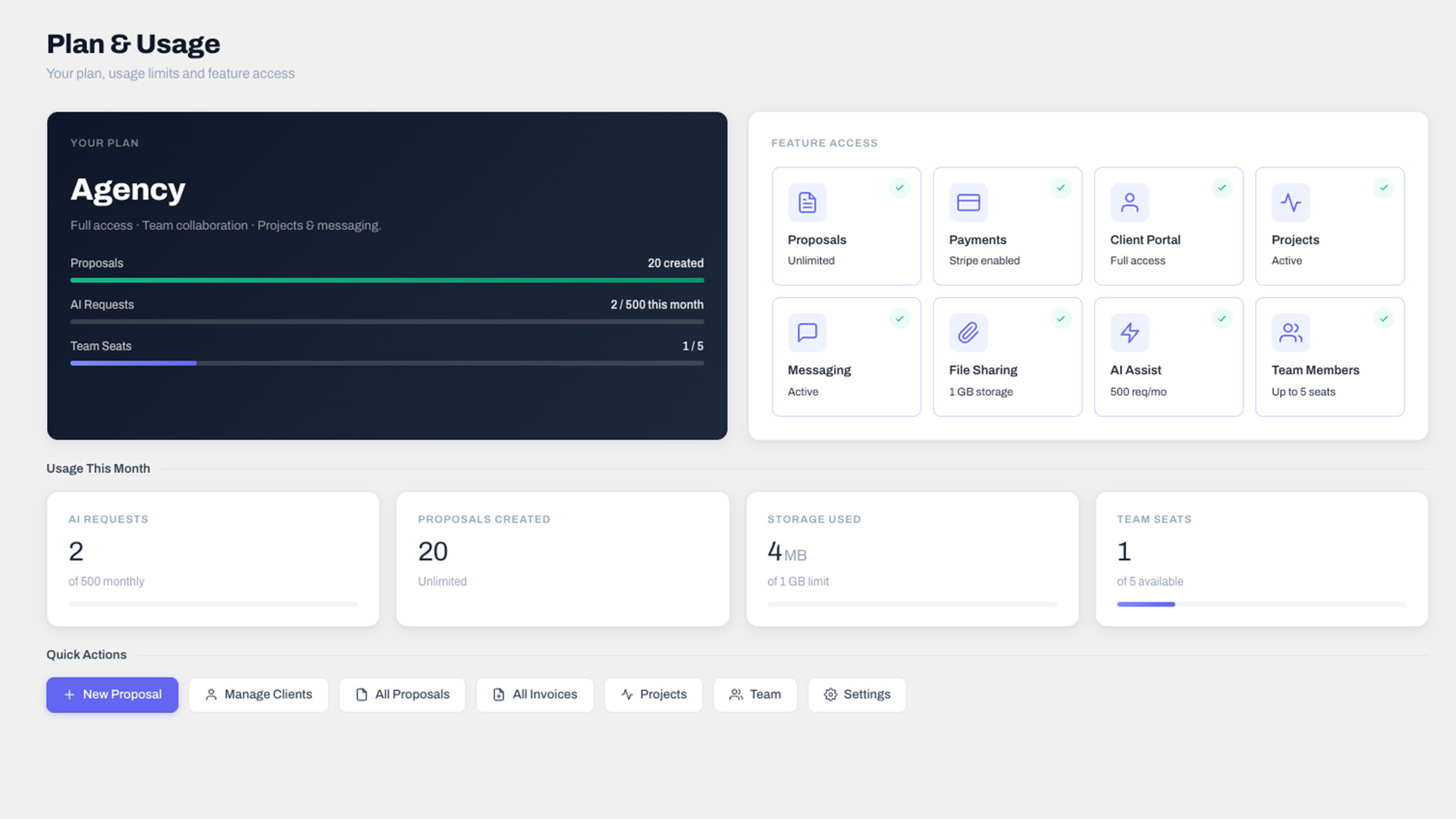
Yes, within a monthly allowance — 100 AI requests per month on Pro, and 500 per month on Agency. There is no separate AI bill and you don't supply your own API key; the allowance is part of the plan. Your current usage against the allowance is shown on the Plan & Usage screen.
Can clients e-sign proposals?
Yes. When a client accepts a proposal, they are prompted to enter their name and confirm a checkbox in a signing modal. A signing certificate is saved to the proposal record and shown in the admin, recording who signed, when, the IP address and device they signed from, and a fingerprint of the proposal exactly as it stood at that moment — so if the proposal is edited afterwards, the certificate says so rather than silently appearing to cover the new version. Note this is a record of acceptance, not a qualified or notarised electronic signature in the sense of eIDAS or the ESIGN Act. It is the same category of evidence most proposal tools provide.
How is this self-hosted, and how is pricing different from SaaS alternatives?
Client Octopus is a self-hosted WordPress plugin, not a SaaS platform — your proposals, invoices, and client data are stored in your own WordPress database. Pro is $9.99/month or $89/year, and Agency is $24.99/month or $229/year, with no per-user charges and no limits on the number of clients or proposals you manage.
Can I send invoices without a proposal?
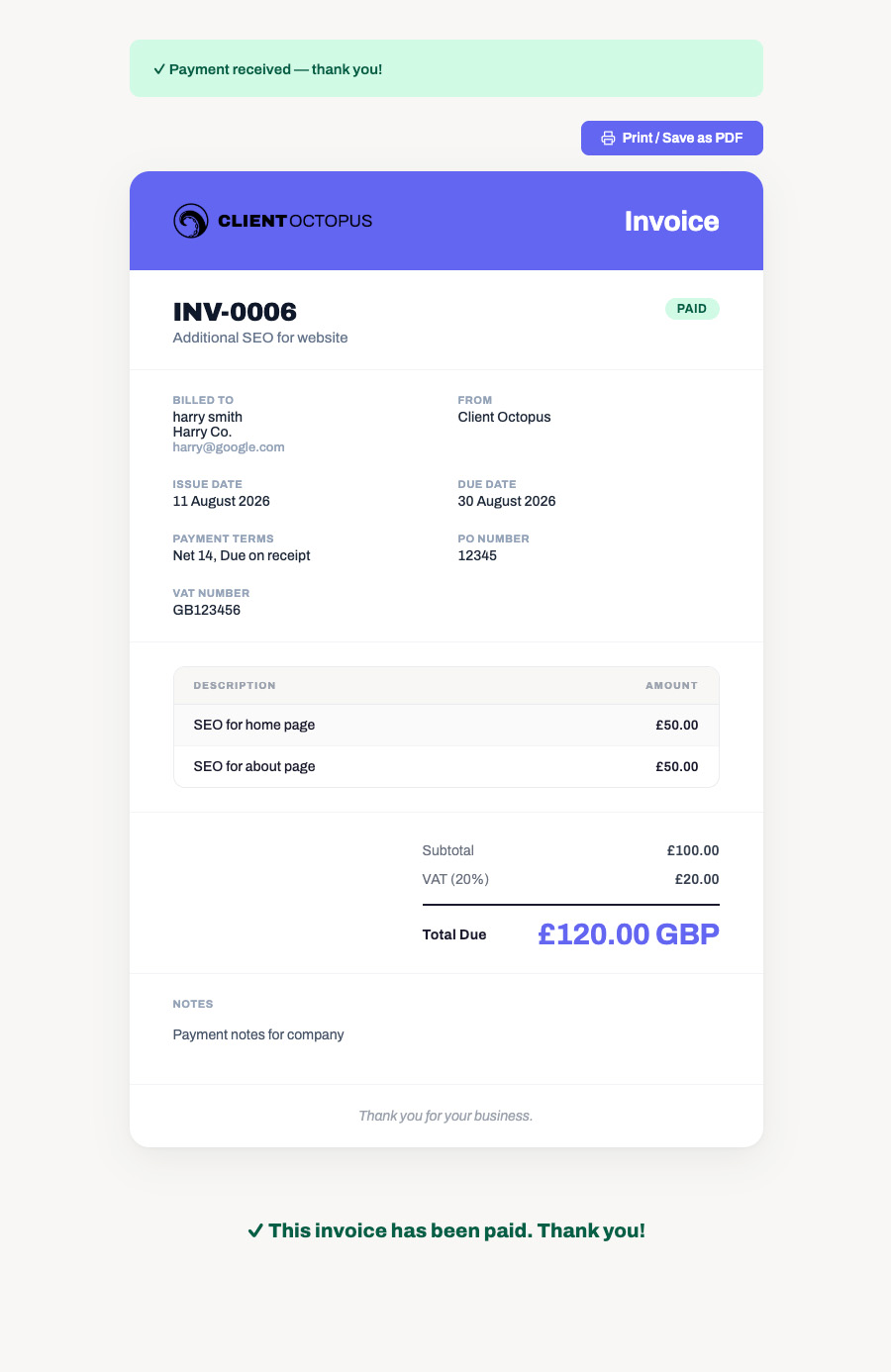
Yes. Standalone invoices are available on all plans. Create an invoice, assign a client, add line items with VAT and discount options, and send it directly. Free plan invoices can include your own payment instructions (e.g. bank transfer details) in the Notes field; Pro and Agency invoices can additionally show a "Pay Now" button (Stripe or PayPal, whichever is configured) on the client's invoice page.
What currencies are supported?
Twenty: British Pound, US Dollar, Euro, Canadian Dollar, Australian Dollar, Japanese Yen, Swiss Franc, New Zealand Dollar, Swedish Krona, Norwegian Krone, Danish Krone, Singapore Dollar, Hong Kong Dollar, Indian Rupee, Polish Zloty, Czech Koruna, Brazilian Real, Mexican Peso, South African Rand and South Korean Won. Set a Default Currency in Settings and new proposals and invoices open in it; you can still change the currency on any individual record. Analytics converts all of them into one reporting currency using daily exchange rates.
Is Client Octopus translatable?
Partly. All emails, the settings and plan screens, and the public booking and lead capture forms use translatable text, and a translation template (.pot) ships with the plugin. The React-based admin screens, the client portal and the client-facing proposal view are not yet translatable — their text is prepared for translation but the catalogues do not load, so they still display in English.
Can clients stop receiving emails?
Yes. Reminder emails and testimonial requests carry an unsubscribe link, and a preference page where the client can switch each type on or off. Essential emails are never affected — proposals, invoices, payment receipts, booking confirmations and portal sign-in links always send, because they concern work already agreed.
How do I handle a GDPR or data deletion request?
Use WordPress's own Tools → Export/Erase Personal Data and search by the person's email address. Client Octopus covers client records, leads, booked calls, proposal signatures, project messages and approval comments. See the Privacy section below for exactly what an erasure deletes and what it keeps.
Can I set up automatic recurring invoices?
Yes, on all plans. Create a recurring invoice profile for a client, choose weekly, monthly, quarterly, or yearly billing, and Client Octopus automatically generates and sends a fresh invoice each cycle. By default the client pays each one manually via the same Pay Now flow as any other invoice. You can also mark a proposal itself as Recurring — accepting it automatically creates the recurring profile for you, with no manual setup. On the Pro and Agency plans, you can additionally turn on auto-charge for a profile: the client's first invoice is still paid manually (which securely saves their Stripe or PayPal payment method), and every invoice after that is charged automatically with no action needed from the client. If a charge is declined, both you and the client are notified and it's retried a few times before the profile pauses itself so you can follow up.
更新日志:
- New: Emails, the settings and plan screens, and the public booking and lead capture forms are now translatable, and a translation template is included for translators. The React-based admin screens, the client portal and the proposal view are not covered yet. Available on all plans.
- New: Set a Default Currency in Settings, and during first-time setup. New proposals and invoices open in your currency instead of always defaulting to British Pounds. Existing records keep the currency they were created with. Available on all plans.
- New: 15 more currencies, bringing the total to 20 — Japanese Yen, Swiss Franc, New Zealand Dollar, Swedish Krona, Norwegian Krone, Danish Krone, Singapore Dollar, Hong Kong Dollar, Indian Rupee, Polish Zloty, Czech Koruna, Brazilian Real, Mexican Peso, South African Rand and South Korean Won. All of them work everywhere the original five did, including Analytics currency conversion. Available on all plans.
- Fix: Currencies written without decimal places, such as Japanese Yen and South Korean Won, are no longer shown with a meaningless ".00" on the end.
- Fix: Online payments in Japanese Yen or South Korean Won were sent to Stripe at 100 times the correct amount, and rejected by PayPal, because the code assumed every currency has a sub-unit like pence. Affected proposals, invoices, recurring billing and payment plans.
- Fix: Payment confirmation emails showed the currency code and two decimal places regardless of currency, so a yen payment read "JPY 17,088.00" instead of "¥17,088".
- Fix: A recurring invoice set to auto-charge tried to charge the first invoice, before the client had a chance to pay one and save a card — telling them their card was declined when they had never saved one, and eventually pausing the schedule. Auto-charge now starts from the second invoice. (Pro & Agency)
- Fix: The currency dropdowns when creating an invoice, recurring invoice or proposal listed Canadian and Australian Dollars with a plain "$", making them impossible to tell apart from US Dollars in the list you pick from.
- New: Choose Stripe or PayPal during first-time setup and enter your details there. Previously setup only offered Stripe, so PayPal users had to finish in Settings afterwards. Available on all plans.
- New: Pick your logo from the WordPress Media Library, in Settings and during setup, instead of pasting in a direct image URL. Available on all plans.
- New: VAT Registration Number in Settings. Once set, it is filled in automatically on new invoices and on invoices generated from an accepted proposal, instead of being typed in by hand each time — a VAT invoice is not valid without it. Leave it blank if you are not VAT registered. Available on all plans.
- Fix: Booking cancellation links in emails could be triggered by corporate mail scanners, link previewers, and browser prefetching, silently cancelling a confirmed booking that neither you nor your client cancelled. Cancelling now requires a deliberate confirmation step. (Pro & Agency)
- Fix: Team members with the Viewer role could perform destructive actions they should never have had — bulk-deleting and archiving leads, cancelling booked calls, editing blocked time, and changing the content of automated emails sent to your clients under your brand. These now require the Editor or Admin role, and automated email content requires Admin.
- Fix: Team members with the app's Admin role could create brand-new WordPress user accounts on your site, and have a password-reset link emailed to any address. Creating a new WordPress account now requires a site administrator; inviting someone who already has an account is unchanged.
- New: A view-only team member now sees a notice saying so, and the create and import buttons are hidden from them. Previously a Viewer could fill in a whole proposal before the save was refused. Permissions themselves are unchanged — they were always enforced. (Agency)
- Fix: Team members with the Admin role could not open the Team screen, which needed a WordPress administrator account — so Admin behaved no differently to Editor. Admins can now manage the team; Editors and Viewers cannot. (Agency)
- New: Add images to a proposal. Pick from your Media Library, choose full, wide or half width, and add a description for clients using a screen reader. Images appear in the client's copy and when printed. Available on all plans.
- New: Change a team member's role from the Team screen. A role could previously only be set at invite time, so changing one meant removing and re-inviting them. The new role applies immediately, and you cannot change your own. (Agency)
- Fix: Downgrading from Agency to Pro left Messaging, File Sharing, and Approvals usable on existing projects. They are now correctly restricted to the Agency plan. Existing conversations and files stay readable — a downgrade no longer lets you add more, rather than hiding what is already there.
- Fix: Ticking "Delete all Client Octopus data when this plugin is deleted" left six database tables behind, including active portal session tokens and encrypted calendar credentials, along with every file your clients had uploaded. Uninstalling now removes all of it.
- Fix: Public proposal and invoice links now use a cryptographically secure random token. The previous method was predictable in principle. Links already issued remain valid.
- Fix: The payment status check did not verify the token it asked for, so payment amount, currency, and status could be read without it.
- Fix: Currency symbols did not match between the admin screens and the invoice your client receives — a Canadian invoice showed "CA$1,000.00" in the admin but "$1,000.00" in the emailed copy. All screens and emails now use the same symbols.
- Fix: The project completion email always showed the outstanding balance in pounds, whatever currency the proposal was in — so a client on a US Dollar proposal was told they owed "£450.00". It now uses the proposal's own currency and decimal places.
- Fix: The button on the project completion email read "View Project" but opened the final invoice. It now reads "Pay Final Invoice" when there is a balance to settle, and "View in Portal" when there is nothing left to pay.
- Fix: The client email preferences page, and the matching card on the client screen, offered to switch off reminders your plan cannot send in the first place. Only the categories your plan actually sends are now listed. Preferences a client already set are unaffected.
- Fix: When a client's portal session expired, the portal displayed raw error text instead of returning them to the login screen.
- Fix: Database updates could run too late after an automatic plugin update, so the first visit to a client portal page or the first incoming payment notification after updating could hit a database table that had not been updated yet.
- Fix: Team members always saw "0" on the unread messages badge, regardless of how many unread messages there were. (Agency)
- Fix: AI usage records stored no token counts and no cost, so AI usage reporting was blank. (Pro & Agency)
- Fix: Free-plan users opening Bookings or Analytics were shown an error message with no way forward. Both now explain what the feature does and link to upgrade.
- Fix: An issue in how the free version was packaged for release could leave part of the client management code incomplete in the free build.
- Improved: Webhooks are now queued and delivered in the background with automatic retries, so a proposal acceptance no longer waits on them and a temporary outage at the receiving end no longer loses the event permanently. Repeated failures now pause the webhook and the full response is recorded so a rejected delivery can be diagnosed. (Pro & Agency)
- Improved: The plan comparison screen was missing seven features that differ between plans — Call Booking, Calendar Sync, Webhooks, Analytics, Testimonials, Leads, and Invoices — so it understated what the paid plans include.
- Improved: Accessibility — popups now keep keyboard focus inside them, close with the Escape key, and return focus to where you were when they close. Form fields across the admin are now properly associated with their labels for screen reader and click-to-focus behaviour.
- Improved: Background jobs and emails that fail now record what happened when WordPress debug logging is enabled, instead of failing silently.
- Improved: The Plan & Usage screen has been reorganised. Your plan and all four usage figures now sit in a single band at the top instead of being split across a card and a separate row of boxes, the quick actions moved up beneath it, and the feature list is grouped into Win Clients, Deliver Work, and Get Paid & Automate rather than being one long undifferentiated grid. The same information, in roughly half the height.
- New: The signing certificate on an accepted proposal now records the device the client signed from, and a fingerprint of the proposal exactly as it stood when they accepted it. If the proposal is edited afterwards, the certificate reports that it has changed since signing instead of silently appearing to cover the new version. Proposals signed before this update show "not recorded" rather than being reported as altered. Available on all plans.
- New: Clients can now unsubscribe from reminder emails. Proposal reminders, invoice reminders, call reminders and testimonial requests each carry an unsubscribe link and a page where the recipient can switch any of the four on or off. Essential emails are never affected — proposals, invoices, payment receipts, booking confirmations, portal login links and approval requests always send, because they concern work already agreed.
- Improved: Emails that can be unsubscribed from now include the standard List-Unsubscribe headers, so Gmail and Outlook can offer their own one-click unsubscribe button. Mailbox providers have expected these since 2024 and their absence counts against sender reputation, so this helps your email reach the inbox.
- New: Each client's detail screen now shows which reminder emails they still receive and which they have unsubscribed from — previously recorded but never shown, so a switched-off invoice reminder looked just like a client ignoring you. A button copies their own preferences link.
- Fix: The Unsubscribe link in reminder emails acted as soon as it was followed, so mail scanners and link previewers could unsubscribe a client who never clicked it. It now opens the preferences page instead. Gmail's and Outlook's own one-click button is unaffected.
- Fix: Database updates were only being applied when the plugin was activated. A WordPress auto-update or a manual file upload does not activate a plugin, so sites updated that way could be left running new code against an older database structure.
- Improved: Privacy requests handled through Tools → Export/Erase Personal Data now cover far more than before. Previously only client records and leads were included, which left a person's booked calls, the name and IP address recorded when they signed a proposal, their project messages and their comments on approval requests untouched by an export or erasure request. All of these are now covered, along with unsubscribe records — which an export reports and an erasure keeps, since deleting one would restart those emails.
- Improved: An erasure request now reports honestly about what was kept. Booked calls, project messages and approval comments are deleted outright. Invoices, payments and accepted proposals are kept but stripped of personal details — including anonymising the IP address recorded at signing — because accounting records have to be retained for tax purposes. The confirmation shown at the end of an erasure now says so, instead of reporting that nothing was retained when some records were.
- Fix: The booking confirmation and reminder emails now state which timezone the time is in. Call times are shown to your visitor in their own timezone when they book, but the emails are written in your business's timezone — so someone booking from another country could be told a different time to the one they picked, with nothing to explain the difference. The calendar invite attached to the email was always correct.
- New: Client Detail — an Activity Timeline of proposals, invoices, and payments for that client, quick-create actions for a new Proposal, Invoice, or Recurring Invoice already prefilled with the client, Lifetime Value and Outstanding Balance stats, and Client Tags with a Manage Tags screen for filtering your client list. Available on all plans.
- New: Duplicate client protection — creating a client with an email or phone number that matches an existing client now warns you before a duplicate record is created. Available on all plans.
- New: Export a client's full transaction history to CSV. Available on all plans.
- New: Invoice Overdue Automated Reminders — automatically follow up on invoices that have passed their due date, alongside the existing Automated Reminders for proposals. Automated Reminders are available on all plans.
- Fix: Invoices that passed their due date were never actually marked overdue in the background, so the overdue badge shown in the admin table and client portal could go stale until the invoice was next opened. Overdue status is now refreshed automatically every day.
- Improved: Outstanding Balance and Lifetime Value on Client Detail now show each currency separately for clients billed in more than one currency, instead of incorrectly adding different currencies together into one number.
- New: Analytics Reporting Currency — choose which currency Analytics converts figures into, in Settings. The Revenue KPI and revenue chart now correctly convert proposals, invoices, and payments made in other currencies using daily exchange rates, instead of adding every currency together as if it were one. (Pro & Agency)
- Fix: Proposal currency is now validated to the same supported currencies as Invoices and Recurring Invoices, preventing an unrecognised currency code from being saved.
- New: Payment Plans — split a proposal's total into equal instalments billed on a schedule (e.g. 3 monthly payments), as an alternative to a single payment, a deposit, or open-ended recurring billing. Choose "Payment Plan" as the billing type when creating a proposal, set how many payments and how often, and the rest — invoicing, emails, and (optionally) auto-charging the client's saved card — happens automatically. Available on all plans.
- Fix: Plan changes (upgrade, downgrade, and cancellation) now sync correctly in both directions — previously a downgrade or cancellation wasn't always reflected locally, which could leave an account with more access than its current plan allows.
- Fix: Tightened access control on account setup and the internal usage-report endpoint so both are restricted to the site administrator, not any invited team member.
- Fix: Analytics revenue could be double-counted for proposals paid via a deposit followed by a final invoice — the Revenue KPI, chart, and CSV export now count each payment once.
- Fix: A payment completed just after its invoice was cancelled, or just after its proposal was declined, is no longer silently applied as if nothing had changed — the underlying charge is preserved for reconciliation instead.
- Fix: The client portal's one-time login link could, in rare cases, be used more than once if opened twice in quick succession.
- Fix: A cancelled call-booking slot could become permanently unbookable instead of reopening.
- Improved: Several admin screens (Proposals, Invoices, Recurring Invoices, Leads) no longer show an empty page after deleting the last item on it.
- Improved: Client phone numbers are no longer truncated when longer than 20 characters.
- Improved: Recurring invoices can no longer be saved with an incomplete "Ends" condition, which previously could result in a billing schedule that never stopped.
- Fix: Various background jobs (reminders, calendar sync) are now more resilient to being triggered more than once in overlapping runs.
- Improved: The Team screen's member table now matches the styling used across the rest of the admin (header background, cell spacing, row hover, and horizontal scrolling on narrow screens) instead of using its own inconsistent layout.
- New: Import Clients from CSV — upload a client list exported from Moxie, HoneyBook, Dubsado, or any other tool, map the columns yourself (including split First/Last Name columns), preview the results, and bulk-create client records. Available on all plans.
- New: Export Clients to CSV — download your client list to bring into Mailchimp, Campaign Monitor, or any other tool. Available on all plans.
- Fix: A daily background sync could report a blank account email to the AI relay service in certain non-interactive contexts, leaving some entries in the relay's admin view unlabelled. Corrected to always read the actual connected licence account.
- Improved: Agency plan team seats increased from 5 to 10.
- New: Proposal deposits now automatically generate a matching, already-paid Invoice record for accurate bookkeeping and CSV export, without changing how the client pays. When a proposal or project is marked complete, the remaining balance is now billed as a real payable invoice instead of a link that could point nowhere — fixing a case where the "project complete" email could send clients to an empty invoices page. (Pro & Agency)
- New: Export Invoices to CSV — download your invoice list, including client, amount, status, and dates, to bring into Xero, QuickBooks, or any other accounting tool. Available on all plans.
- New: Purchase Order (PO) numbers — add a client's PO number to a proposal any time after it's sent (most clients don't have one ready until later), and it's automatically applied to every invoice generated from that proposal, including ones already sent. Invoices can also be given a PO number directly, with suggestions drawn from that client's recent PO numbers so you're not retyping the same one. Available on all plans.
- Fix: Popups (Import Clients, and the invoice/proposal quick-edit modals) could render clipped or fail to cover the full admin page in some layouts.