
ClientPin – Pin Client Feedback & Get Page Approval
| 开发者 | upluggit |
|---|---|
| 更新时间 | 2026年10月3日 22:37 |
| PHP版本: | 7.4 及以上 |
| WordPress版本: | 7.1 |
| 版权: | GPLv2 or later |
| 版权网址: | 版权信息 |
详情介绍:
安装:
- Upload the
clientpinfolder to/wp-content/plugins/, or install via Plugins → Add New. - Activate the plugin through the 'Plugins' menu.
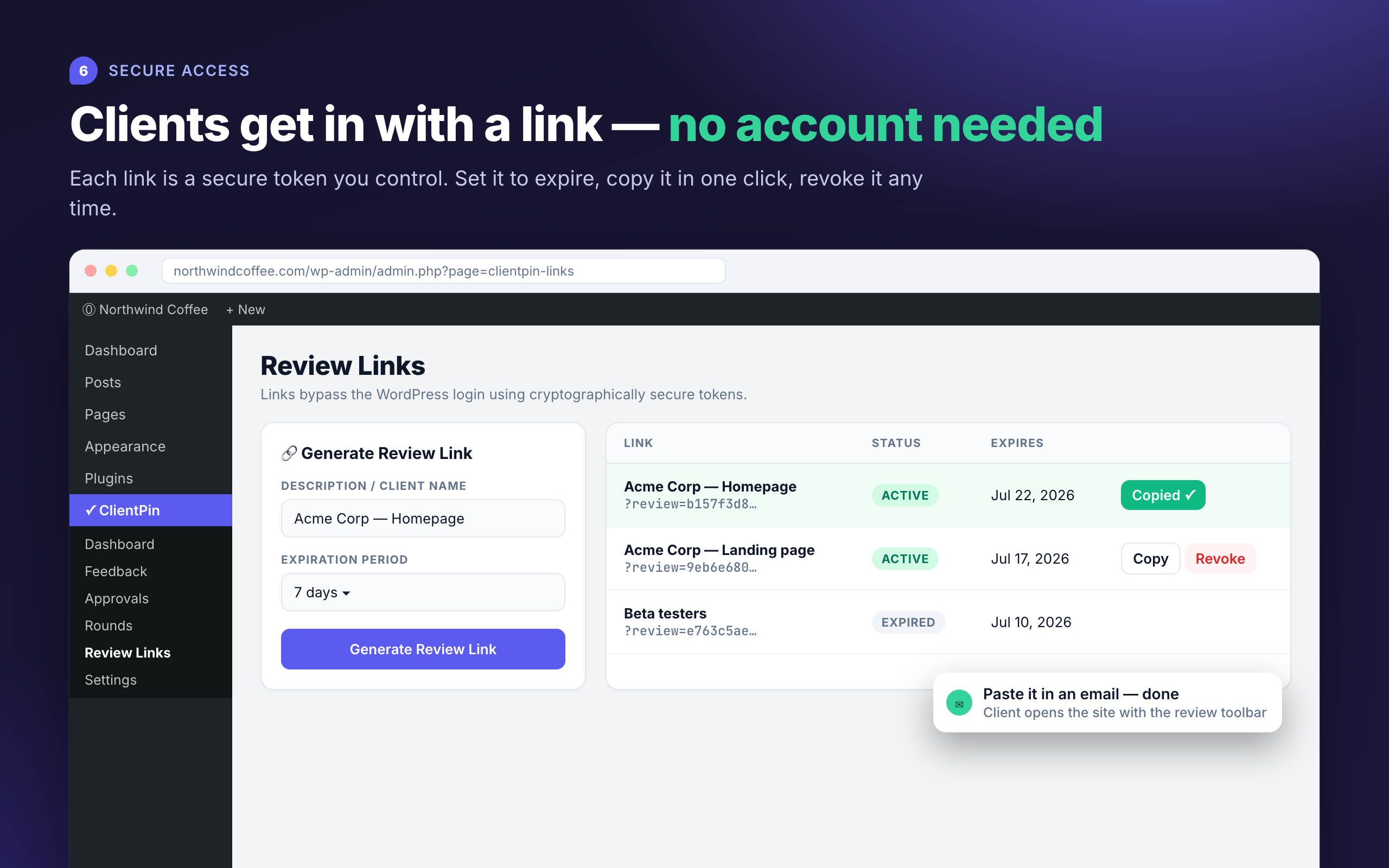
- Open ClientPin → Review Links, generate a link, and send it to your client.
- Your client comments and approves pages directly on the site — you manage everything from ClientPin → Dashboard.
屏幕截图:


常见问题:
Do clients need a WordPress account?
No. Review links use cryptographically secure tokens that bypass the login screen. Links can expire automatically and can be revoked at any time.
What exactly is recorded when a client approves a page?
The approver's name, optional email, optional note, the page URL, a UTC timestamp, IP address, and browser user agent. You can print an Approval Certificate summarizing all approvals in a round.
Can clients change or delete my team's task assignments?
No. Guests with review links can comment, reply, set comment status, and approve pages. Assigning tasks, managing rounds, and viewing your team's user list require a logged-in staff account.
Where are screenshots stored?
Uploaded screenshots are validated, re-checked as real images, and stored in your WordPress uploads folder via the Media Library.
What happens to my data if I uninstall?
By default all plugin data is removed. Enable "Keep data on uninstall" in ClientPin → Settings to preserve feedback and approval records.
Do the emails work with SMTP plugins?
Yes. All notifications are dispatched through wp_mail(), so any SMTP plugin applies automatically.
更新日志:
- Fix: Pins now appear only on the page they were left on. Previously a pin could also show on other pages that shared a matching element, such as the header.
- Fix: Any team member who can edit posts (editors, authors, and custom staff roles) can now be assigned feedback. Previously only administrators could.
- Fix: The comment box and pin details now stay on screen instead of opening below the bottom edge of the window.
- Approval records now store a fingerprint of the page content the client signed off on.
- Approvals log flags pages that have changed since they were approved.
- Review overlay shows "Changed since approval" when the page no longer matches the approved version.
- Approvals CSV export includes the content fingerprint and the date a change was first detected.
- Initial release.
- Visual pin comments on the live site with automatic viewport screenshots and inspiration image attachments.
- Secure, expiring, revocable client review links — no client accounts needed.
- Page approval: clients approve pages or request changes, recorded with identity, timestamp, and IP.
- Feedback rounds with carry-over of unresolved comments and per-round progress tracking.
- Admin dashboard with project stats, activity feed, and onboarding checklist.
- Feedback manager with server-side filtering, pagination, bulk actions, and inline assignment.
- Team assignments, status tracking, threaded replies, and background email notifications.
- Mobile-friendly review overlay with welcome tour, element highlighting, and resolved-pin toggle.
- Printable Approval Certificates, Kanban board view, and CSV export of feedback and approvals.