CMB SQLite Form
| 开发者 | cmorillas1 |
|---|---|
| 更新时间 | 2025年12月16日 23:01 |
| PHP版本: | 7.4 及以上 |
| WordPress版本: | 6.9 |
| 版权: | GPLv2 or later |
| 版权网址: | 版权信息 |
详情介绍:
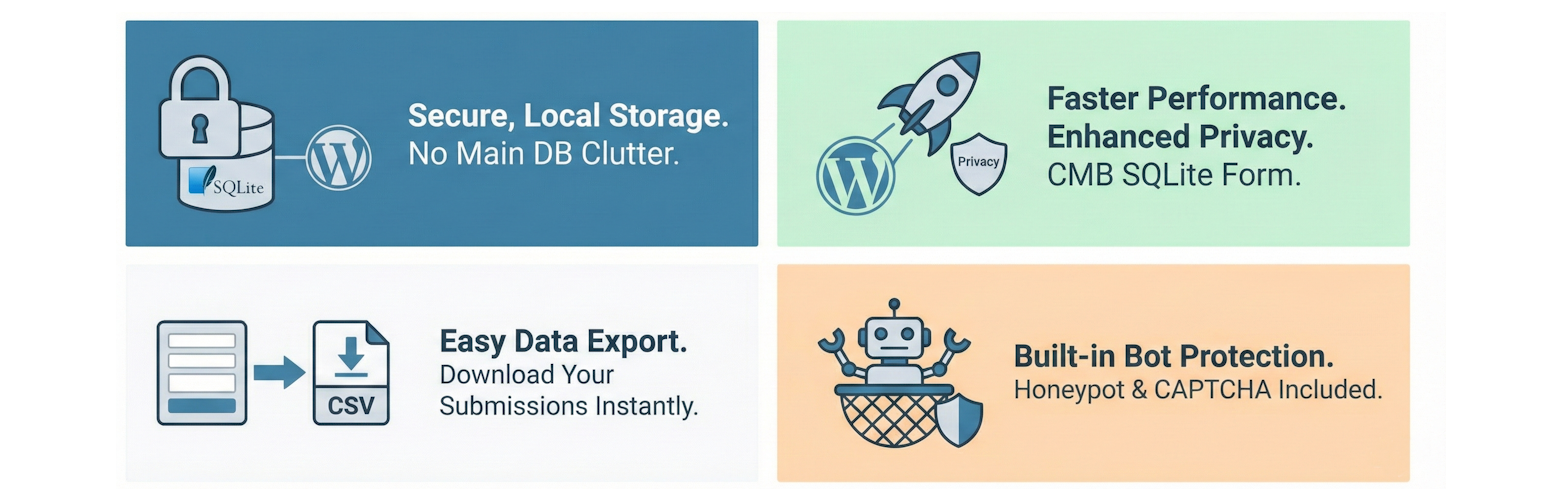
CMB SQLite Form is a lightweight yet powerful contact form solution designed for performance and privacy. Unlike traditional form plugins that clutter your main WordPress database, this plugin stores all submissions in a secure, local SQLite database.
It features a robust Global vs. Per-Form Settings system, allowing you to configure defaults once and override them only when needed for specific forms.
Key Features
- 🚀 Zero-Overhead Storage
- Uses a dedicated SQLite database file for submissions.
- Keeps your main WordPress database clean and fast.
- Portable data: Download the entire
.dbfile for backups or migration. - 🛡️ Advanced Bot Protection
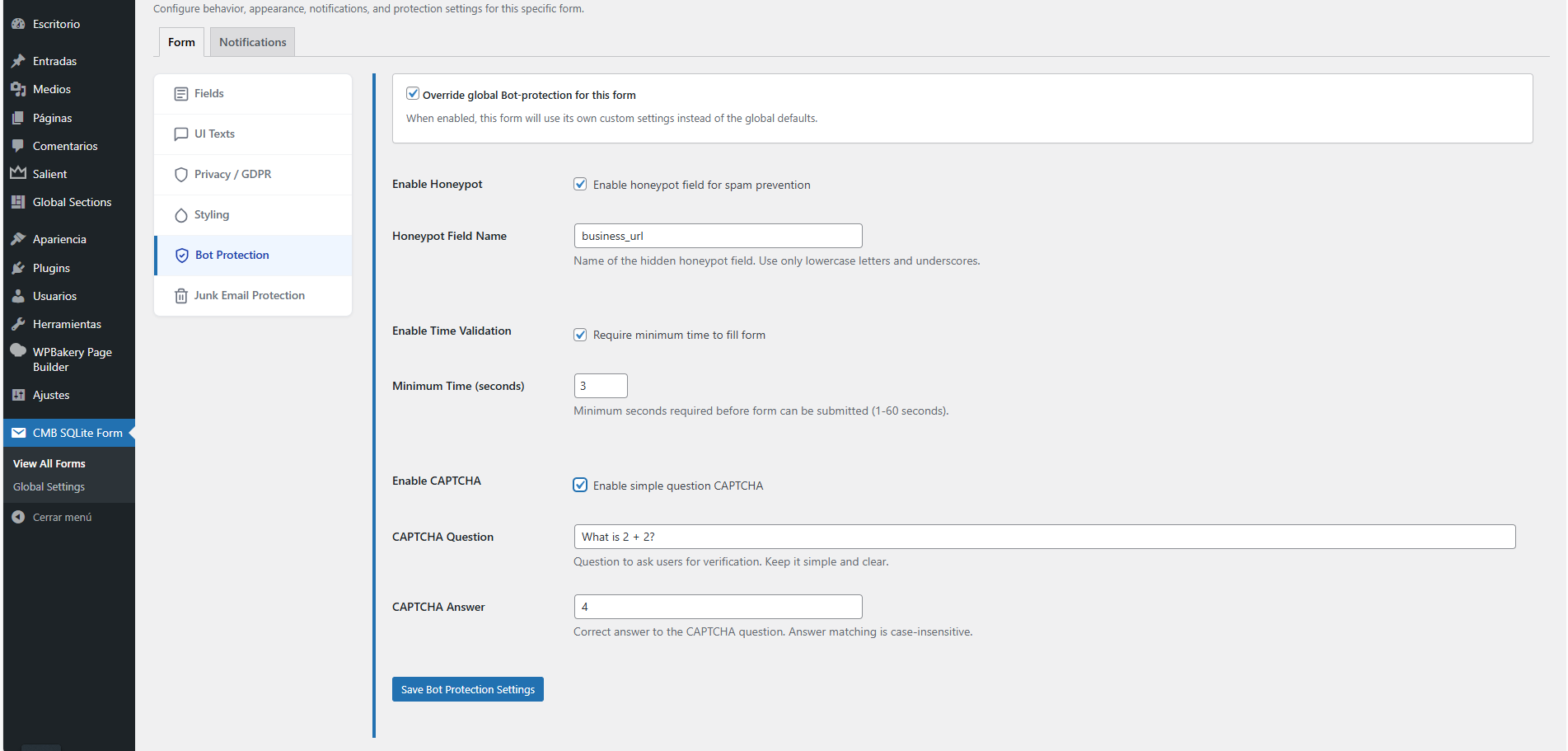
- Honeypot Field: Invisible field to trap bots.
- Time Validation: Rejects submissions that are filled out too quickly (human behavior analysis).
- Simple CAPTCHA: Lightweight text-based questions (e.g., "2 + 2 = ?") without external dependencies.
- 📧 Junk Email Protection
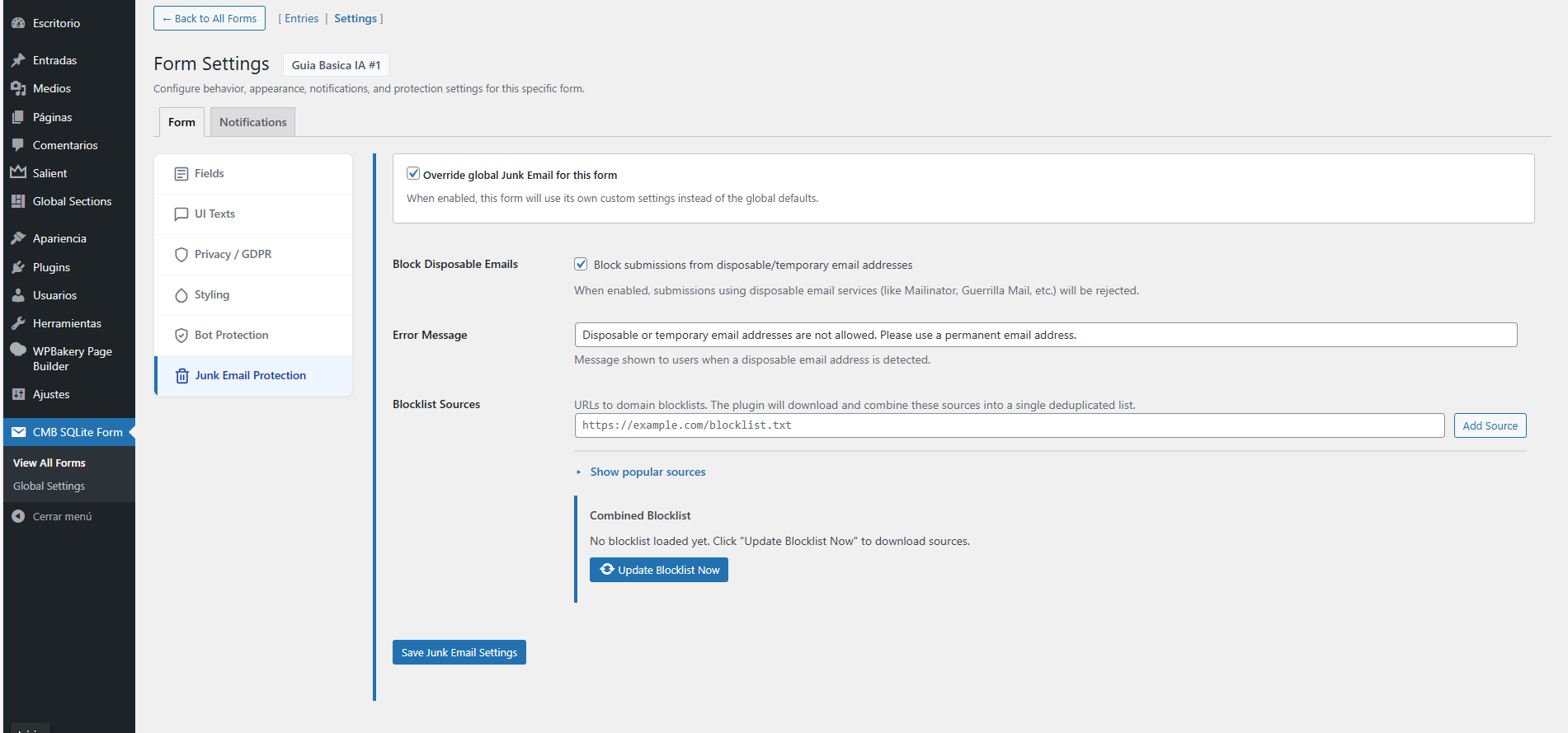
- Disposable Email Blocker: Automatically blocks temporary/throwaway email addresses.
- Multiple Sources: Supports multiple blocklist sources with automatic deduplication.
- Auto-Updates: Keeps your blocklist fresh with one-click updates.
- 🎨 Professional Styling
- Pre-designed Templates: Choose from multiple professional styles (Default, Dark Mode, Minimal, etc.).
- WordPress Customizer Ready: Fully compatible with "Additional CSS" for advanced customization.
- Responsive Design: Forms look great on all devices automatically.
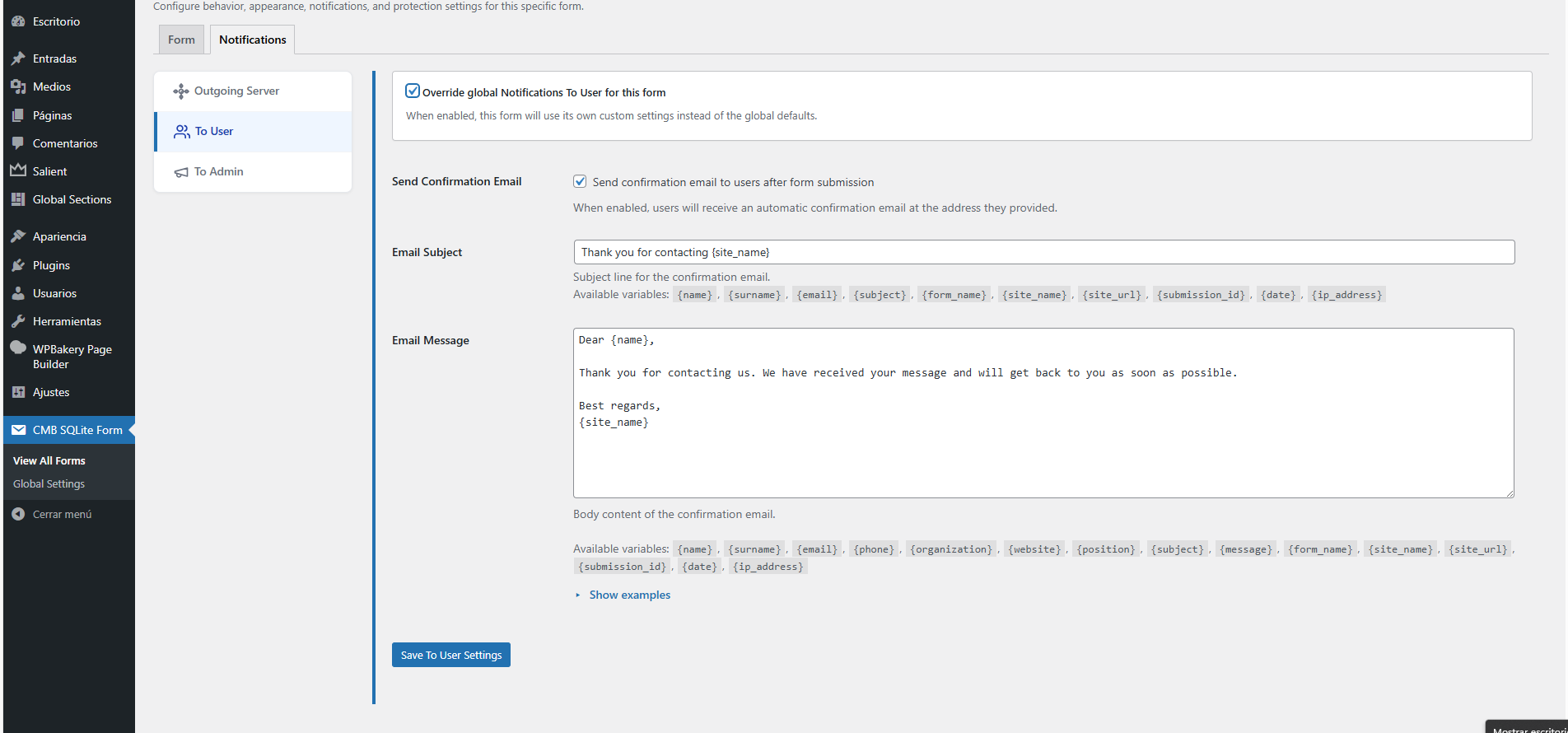
- 📨 Flexible Email Notifications
- Dual Notifications: Send distinct emails to Admin (notification) and User (confirmation).
- Custom SMTP Support: Built-in SMTP configuration (Host, Port, Auth, SSL/TLS) to bypass
wp_mail()if needed. - Sender Customization: Customize "From Name" and "From Email" per form.
- ⚙️ Smart Configuration System
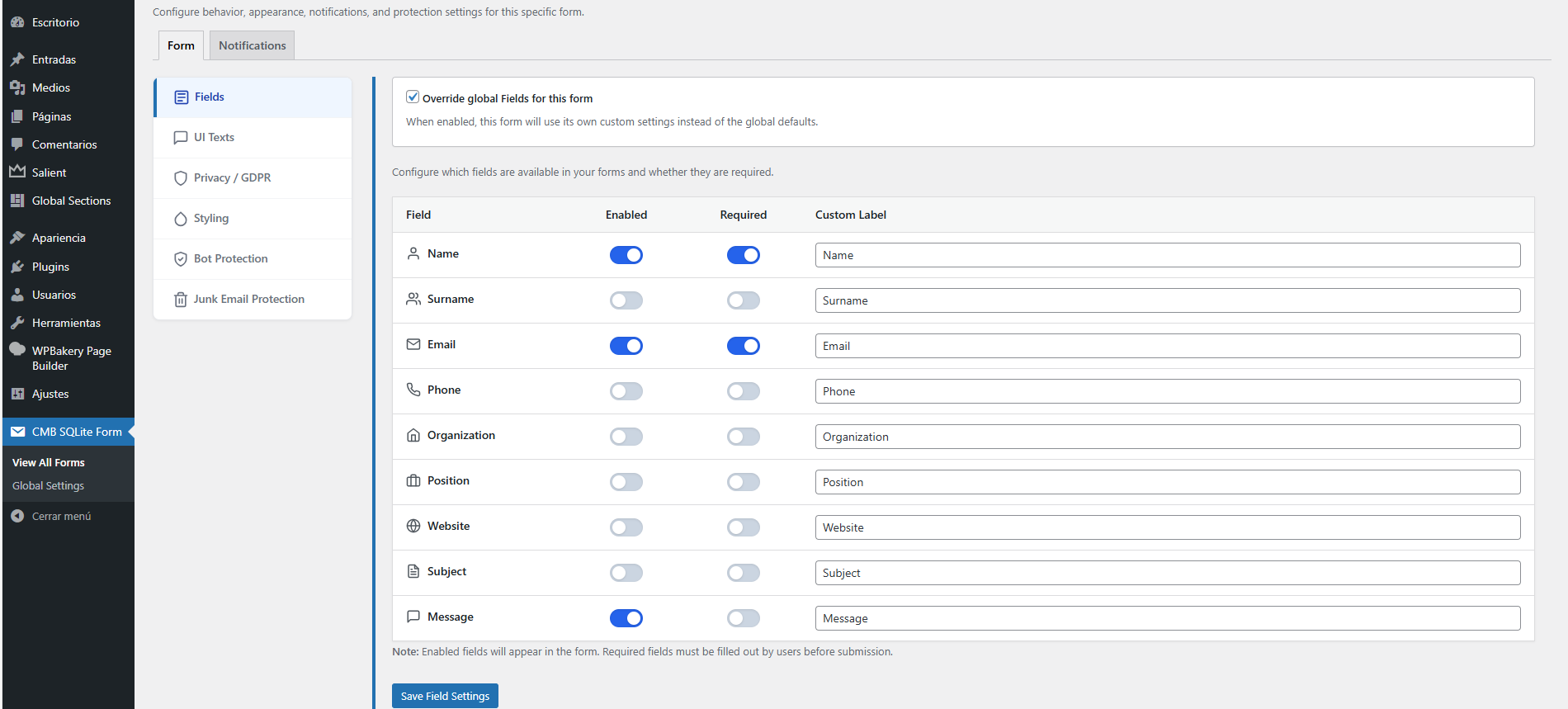
- Global Defaults: Set your preferred settings once for the entire site.
- Per-Form Overrides: Override ANY setting (fields, emails, styling, protection) for individual forms.
- Modular Architecture: Enable or disable features as needed.
- 📊 Full Entry Management (Free)
- Unlimited Submissions: No limits on the number of entries.
- Search & Filter: Easily find specific submissions in the dashboard.
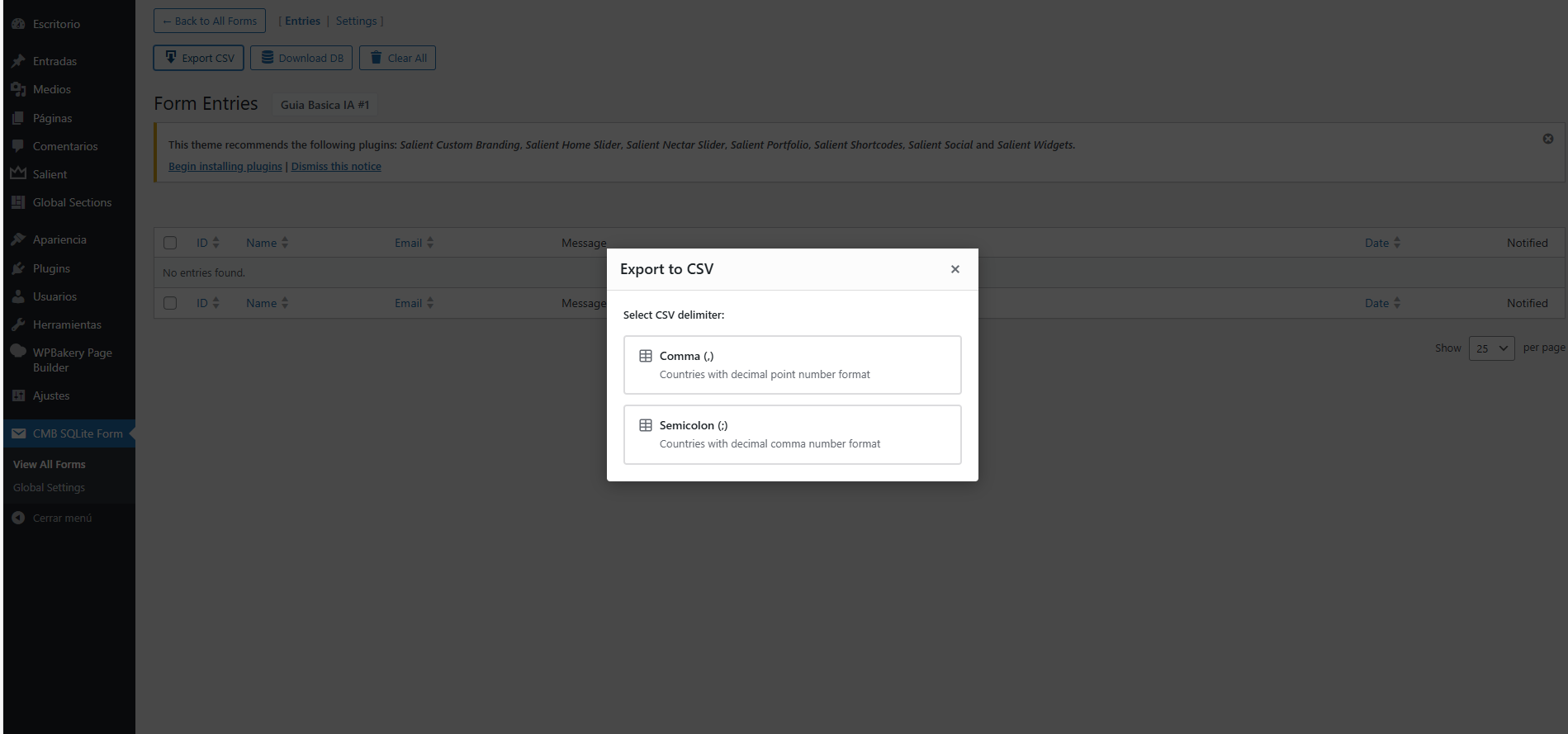
- Export Tools: Download all your data as CSV or full DB backup (often a premium feature in other plugins).
- 🔒 Privacy & GDPR
- Consent Checkbox: Built-in privacy policy acceptance field.
- Data Management: Tools to export (CSV/DB) or delete data upon uninstall.
- Local Storage: Data stays on your server, not third-party clouds.
- Contact Forms: Simple, fast, and secure contact pages.
- Lead Generation: Capture leads on landing pages with minimal friction.
- Download Gates: Deliver files (PDFs, ebooks) via email confirmation links.
- Support Requests: Organize customer queries efficiently.
- Event & Quote Requests: Structured data collection for business needs.
- Feedback & Surveys: Gather user opinions without external services.
- High-Performance Sites: Zero database overhead keeps your site fast.
- Privacy-Focused Projects: Local storage with built-in GDPR tools.
- Developers & Agencies: Clean architecture that keeps the main DB optimized.
- Data Ownership: Full access to your data (view/export) without paywalls.
安装:
- Upload the
cmb-sqlite-formfolder to the/wp-content/plugins/directory. - Activate the plugin through the 'Plugins' menu in WordPress.
- Navigate to CMB SQLite Form in the admin menu.
- (Optional) Configure your Global Settings to set defaults for all forms.
- Create a new form and copy its shortcode:
[cmb_sqlite_form id="1"].
屏幕截图:
常见问题:
Where is the data stored?
Data is stored in a secure .db (SQLite) file within your wp-content/uploads/cmb-sqlite-form/ directory. This ensures your main WordPress database remains untouched.
Can I customize the form CSS?
Yes! You can select a pre-made template in the Styling section. For specific changes, use the WordPress Customizer (Appearance > Customize > Additional CSS) and target classes like .cmbsqf-form, .cmbsqf-input, and .cmbsqf-button.
How do I update the disposable email blocklist?
Go to Junk Email Protection, add your source URLs (e.g., from GitHub lists), and click "Update Blocklist Now". The plugin will download, merge, and deduplicate the domains automatically.
What happens if I uninstall the plugin?
By default, data is preserved. You can enable "Delete on Uninstall" in Global Settings > Data Management if you want to wipe all forms and entries upon deletion.
更新日志:
0.9.3
- Added Icons
- Added FORM_FIELDS constant for field definitions.
- Improved settings sanitization with explicit rules table.
- Added realpath() validation for CSS templates.
- Improved error handling in SQLite connections.
- Fixed download headers encoding.
- Removed duplicate script enqueue.
- Code cleanup and PHPDoc improvements.
- Fixed Error
- Initial release.
- SQLite database engine implementation.
- Global vs. Per-Form settings architecture.
- Advanced Bot Protection (Honeypot, Time, CAPTCHA).
- Junk Email Protection with multi-source blocklists.
- Template-based styling system.
- Custom SMTP support.
- CSV and Database export tools.