Coastal Pay Payment Gateway for WooCommerce
| 开发者 | coastalpay |
|---|---|
| 更新时间 | 2026年5月7日 15:05 |
| PHP版本: | 7.4 及以上 |
| WordPress版本: | 6.9 |
| 版权: | GPLv2 or later |
| 版权网址: | 版权信息 |
详情介绍:
Seamlessly integrate Coastal Pay's payment processing into your WooCommerce store. This plugin enables secure card and ACH transactions, with full support for both the classic shortcode checkout and the modern WooCommerce Block checkout.
Key Features:
- Tokenized Card Payments – Raw card data (PAN, CVV) is exchanged for a secure one-time token via Coastal Pay's API before it ever reaches your server. Your store never stores or processes raw card data, keeping you out of PCI-DSS scope.
- ACH Bank Transfers – Accept checking and savings account payments with webhook-based settlement confirmation.
- Block Checkout Support – Full payment forms (not just method labels) render correctly inside the WooCommerce Block checkout for both Card and ACH methods.
- Sandbox / Live Toggle – Switch between sandbox and live mode from the admin settings panel.
- Shared Credentials – ACH shares API credentials with the Card gateway settings so you only configure once.
- Webhook Verification – ACH webhooks are verified with an HMAC-SHA-512 signature before any order is updated.
- Reliable Support – Access Coastal Pay's dedicated support team for quick resolutions.
安装:
Using The WordPress Dashboard
- Navigate to Plugins → Add New.
- Search for Coastal Pay Payment Gateway for WooCommerce.
- Click Install Now, then Activate.
- Go to WooCommerce → Settings → Payments and configure the Card and ACH gateways.
- Download the plugin zip file.
- In WordPress go to Plugins → Add New → Upload Plugin.
- Choose the zip file and click Install Now.
- Activate the plugin.
- WordPress 6.2+
- WooCommerce 7.0+
- PHP 7.4+
- A valid SSL certificate (HTTPS required)
- cURL enabled on your server
- A Coastal Pay merchant account
屏幕截图:
常见问题:
Is card data stored on my server?
No. Since version 1.1.0 the plugin uses Coastal Pay's tokenization API. Card numbers and CVV values are exchanged for a one-time token before the checkout form is submitted, so raw card data never reaches your WordPress server.
How do I get a Coastal Pay merchant account?
Visit Coastal Pay to sign up.
How do I set up ACH webhooks?
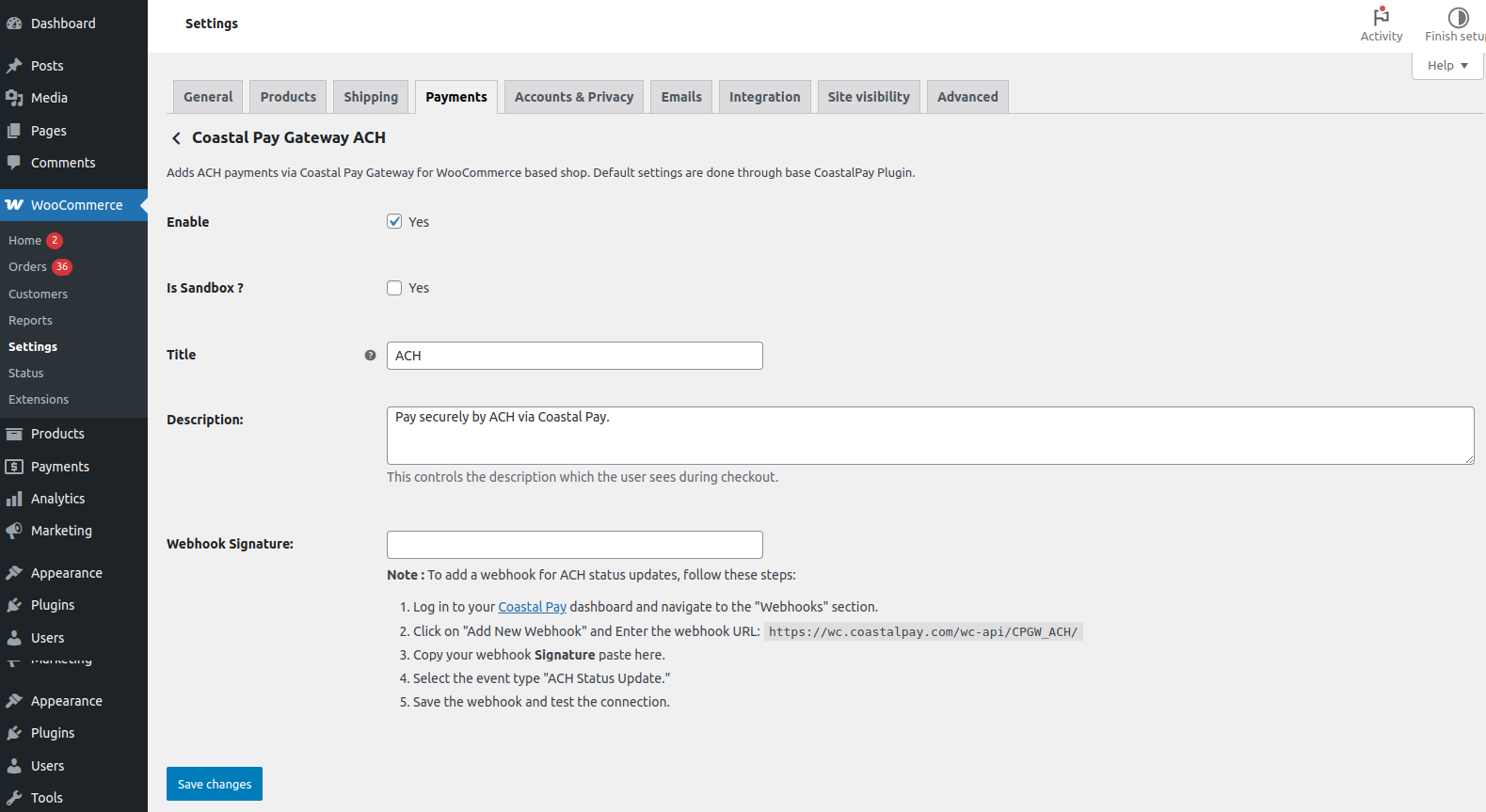
In your Coastal Pay dashboard, go to Webhooks, create a new webhook pointing to https://yourstore.com/wc-api/cpgw_ach/, select the "ACH Status Update" event, and paste the generated signature key into the ACH plugin settings.
Does this work with WooCommerce Block checkout?
Yes. Both Card and ACH gateways render full payment forms in the block checkout.
Can I use sandbox mode?
Yes. Enable the "Sandbox Mode" checkbox in the Card gateway settings and enter your sandbox API token.
更新日志:
1.1.1
- Bug fix: card token not submitted on classic (shortcode) checkout.
- Bug fix: Place Order button unresponsive after successful tokenization.
- Added debug logging for outgoing Card and ACH API request parameters.
- Tested up to WordPress 6.9.
- Security – Card tokenization: Raw card data (PAN, CVV) is now exchanged for a Coastal Pay token via a server-side AJAX proxy before the checkout form is submitted. Card data never reaches your server as a POST body.
- Block checkout forms: Both Card and ACH payment methods now render full input forms (not just a label) in the WooCommerce Block checkout, using the
onPaymentSetuphook to pass field data on order placement. - Security fixes: API tokens now stored as password fields in admin. Webhook HMAC comparison upgraded to
hash_equals()to prevent timing attacks. ACH webhook handler hardened with null-checks.die()in API class replaced with proper error returns. - Code quality: Replaced
new WC_Order($id)withwc_get_order($id)throughout. Removed global$wpdbfrom plugin root. URL constants centralised. Unnecessaryglobaldeclarations removed. Error suppression (@) removed fromstrtotimecalls. - WordPress.org compliance: Added
Text Domainheader, bumped version, updatedreadme.txt.
- Security issue fixed.
- Marked plugin as compatible with latest WordPress and WooCommerce versions.
- Payment method name updated.
- Bug fix. Payment receipt issue fixed. Webhook description updated.
- Remove iframe and redirect to gateway payment page.
- Plugin description update.
- Fixed bug reported by the WordPress.org review team.
- Fixed bug reported by the WordPress.org review team.
- Fixed security issue. Fixed PHP warnings.
- Enhanced error handling for payment failures.
- Added checkout block payments support.
- Fixed security issue.
- Initial release.