COD Express Checkout
| 开发者 | oughoudane |
|---|---|
| 更新时间 | 2025年12月30日 14:00 |
| 捐献地址: | 去捐款 |
| PHP版本: | 7.4 及以上 |
| WordPress版本: | 6.9 |
| 版权: | GPLv2 or later |
| 版权网址: | 版权信息 |
详情介绍:
- Middle East: 60-80% of e-commerce transactions are COD
- South Asia (India, Pakistan, Bangladesh): 50-70% COD preference
- Southeast Asia: 40-60% COD usage
- Latin America: Growing COD adoption
- ⚡ Express Checkout Form - Displays directly on product page
- 🎯 COD-Specific - Only shows when COD payment is enabled
- 📱 Mobile Optimized - Responsive design for all devices
- ⚙️ Fully Configurable - Toggle fields, customize labels, reorder fields
- 🔄 Variable Products - Full support for variable products with variations
- 📝 Order Notes - Optional customer notes field
- 🔒 Secure - Nonce verification, input sanitization, rate limiting
- 🌐 Translation Ready - Full i18n support
- 🎨 Theme Agnostic - Works with any WordPress theme
- 🔗 Developer Friendly - Extensive hooks and filters
- 📍 Shortcode Support - Place the form anywhere on your site
- Customer lands on a product page
- Sees the express checkout form below the price
- For variable products, selects their preferred variation
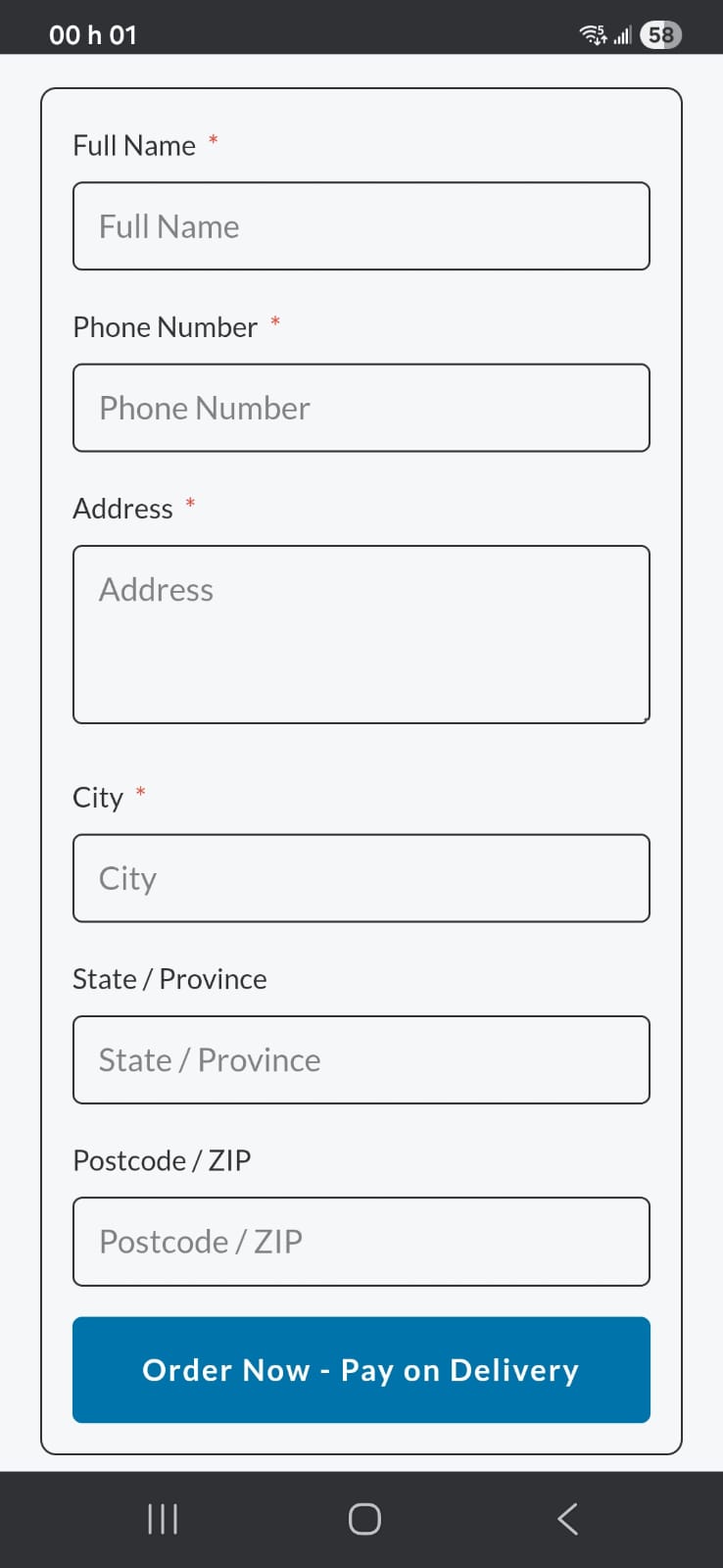
- Fills in name, phone, and address
- Clicks "Order Now - Pay on Delivery"
- Order is created instantly via AJAX
- Customer sees confirmation message
- Reduce cart abandonment by 50%+
- Capture impulse buyers at peak buying intent
- Decrease checkout time from 3-5 minutes to under 60 seconds
- Improve mobile conversion rates with simplified flow
安装:
- Log in to your WordPress admin panel
- Go to Plugins → Add New
- Search for "COD Express Checkout"
- Click "Install Now" and then "Activate"
- Download the plugin zip file
- Log in to your WordPress admin panel
- Go to Plugins → Add New → Upload Plugin
- Choose the zip file and click "Install Now"
- Activate the plugin
- Ensure WooCommerce is installed and activated
- Enable Cash on Delivery payment method (WooCommerce → Settings → Payments → Cash on Delivery)
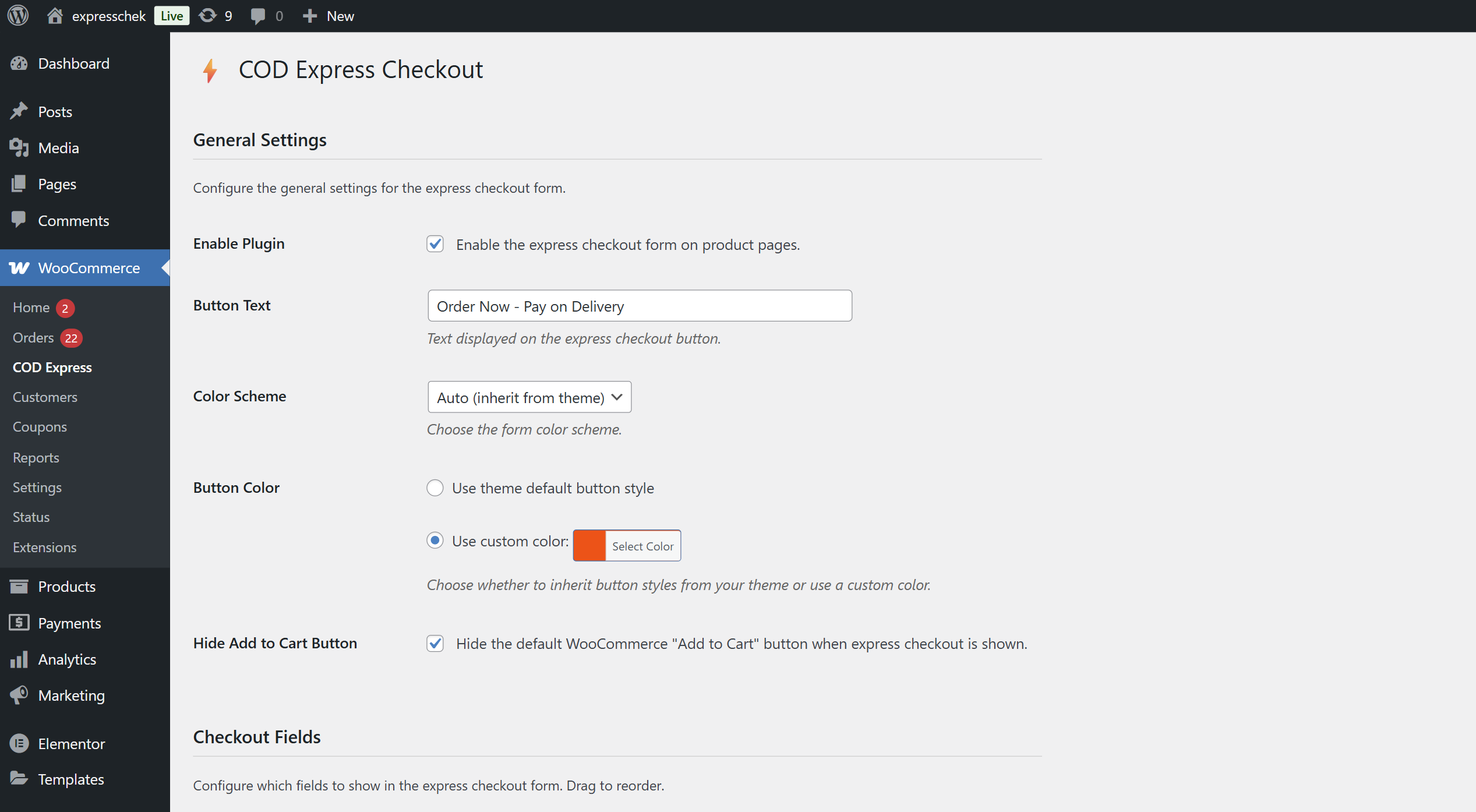
- Go to WooCommerce → COD Express to configure the plugin
- Customize fields, button text, and colors as needed
屏幕截图:
常见问题:
Does this plugin require WooCommerce?
Yes, COD Express Checkout requires WooCommerce 8.0 or higher to function.
Will the form show for all payment methods?
No, the express checkout form only displays when the Cash on Delivery (COD) payment method is enabled in WooCommerce.
Does it work with variable products?
Yes! The plugin fully supports variable products. Customers can select their preferred variation (size, color, etc.) and the form automatically captures the correct variation and price.
Can I customize which fields are shown?
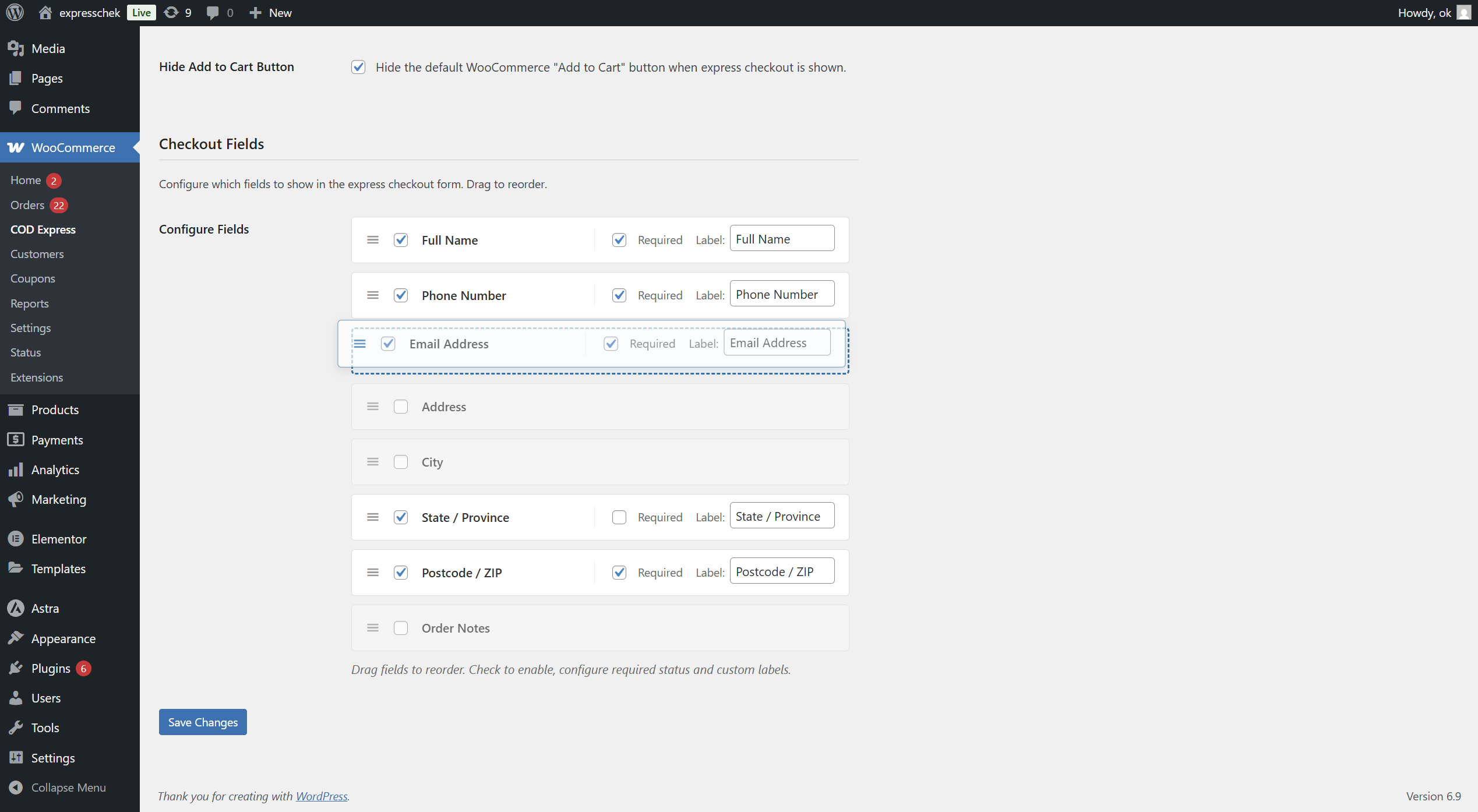
Yes! Go to WooCommerce → COD Express and you can:
- Enable/disable each field
- Mark fields as required or optional
- Customize field labels
- Reorder fields via drag-and-drop
Is it compatible with my theme?
COD Express Checkout is designed to be theme-agnostic and should work with any properly coded WordPress theme. The form inherits your theme's styling while maintaining its own layout.
Can I override the form template?
Yes! Copy the template file from:
plugins/cod-express-checkout/templates/express-checkout-form.php
to:
yourtheme/cod-express-checkout/express-checkout-form.php
and customize as needed.
How do I translate the plugin?
The plugin is fully translation-ready. Use any translation plugin like Loco Translate, or add translations to:
wp-content/languages/plugins/cod-express-checkout-{locale}.mo
Is it GDPR compliant?
Yes. The plugin:
- Does not send data to external servers
- Uses WooCommerce's standard order storage
- Provides cleanup on uninstall
- Collects only necessary information
Can I place the form anywhere on my site?
Yes! Use the shortcode to place the express checkout form on any page, post, or widget area: [cod_express_checkout product_id="123"] Parameters:
product_id- (Required if not on product page) The WooCommerce product IDbutton_text- (Optional) Override the button text Examples: [cod_express_checkout product_id="123"] [cod_express_checkout product_id="123" button_text="Buy Now!"]
Can developers extend this plugin?
Yes! The plugin provides numerous hooks and filters: Actions:
cod_express_checkout_before_formcod_express_checkout_after_formcod_express_checkout_before_order_create-
cod_express_checkout_after_order_createFilters: -
cod_express_checkout_enabled_fields cod_express_checkout_button_textcod_express_checkout_order_status
更新日志:
- Initial release
- Express checkout form on product pages
- Simple and variable product support
- Admin settings panel
- Field configuration (enable/disable, required, labels, order)
- Order notes field
- AJAX order creation
- Rate limiting for security
- Translation ready
- HPOS compatibility
- Shortcode support [cod_express_checkout] for placing form anywhere