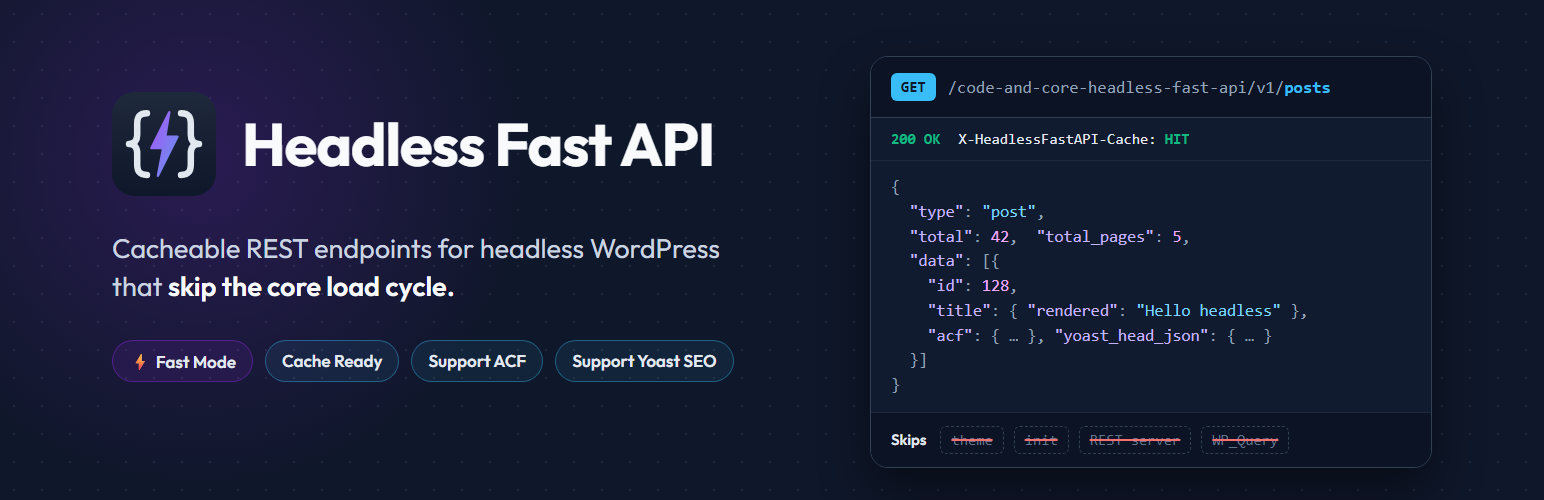
Code and core Headless Fast API - Standalone, cacheable REST endpoints that skip the core load cycle
| 开发者 | codeandcore |
|---|---|
| 更新时间 | 2026年10月9日 18:19 |
| PHP版本: | 7.4 及以上 |
| WordPress版本: | 7.1 |
| 版权: | GPLv2 or later |
| 版权网址: | 版权信息 |
详情介绍:
init, the REST server, its controllers and WP_Query. On a typical site with 20 to 40 plugins, most of that work has nothing to do with the JSON you asked for. This plugin cuts that work out:
- It answers before the theme,
init, the REST API andWP_Queryload. - In Fast Mode, it answers before any regular plugin loads.
- It builds each response with a small number of batched, prepared SQL queries.
- It can serve repeat requests from one cached JSON file on disk.
/code-and-core-headless-fast-api/v1/, next to it, so you can switch over one endpoint at a time.
Why choose Headless Fast API?
- Built for headless. Every design decision serves one job: getting content to a decoupled front end as quickly as possible.
- Faster, especially on busy sites. Response time no longer grows with each plugin you install (Fast Mode).
- Lighter payloads. Remove every field your front end does not use. Smaller JSON means faster transfers, faster parsing and faster pages.
- Fewer round trips. Resolve ACF relationships, images, terms and users inside one response, so you don't need ten follow-up requests.
- Easy to adopt. Items use the REST API's field names (
title.rendered,content.rendered,featured_media, …), so existing front-end code needs only small changes. - No setup. No server rules, no extra entry point, no Node.js service, no GraphQL schema to maintain. Activate, choose your content, copy the URLs.
- Safe by design. Read-only,
GETonly, prepared SQL, an allowlist of entities, and capability and nonce checks on every admin action. - Clean to remove. Deactivating removes the Fast Mode file. Deleting removes every option and data file the plugin created.
- Plugins loaded per request: REST API: all of them. Headless Fast API: all of them, or none in Fast Mode.
- Theme and
init: REST API: loaded. Headless Fast API: skipped. - Query engine: REST API:
WP_Queryand REST controllers. Headless Fast API: direct, batched, prepared SQL. - Response cache: REST API: none built in. Headless Fast API: optional disk cache, with a
HIT/MISSheader. - Removing fields: REST API:
_fieldson each request. Headless Fast API: saved per endpoint in the admin, including nested ACF fields and flexible-content layouts. - ACF relationships: REST API: IDs only, so you need extra requests. Headless Fast API: resolved into full objects in the same response.
- Yoast SEO head: REST API: provided by Yoast. Headless Fast API: built from Yoast's own indexable data, without loading Yoast.
- List totals: REST API:
X-WP-Totalheaders. Headless Fast API:totalandtotal_pagesin the JSON body. - Server configuration: neither needs any.
- Next.js, Nuxt, Remix and SvelteKit sites that use server-side rendering or incremental static regeneration.
- Static builds with Astro, Gatsby, Eleventy or Hugo, where builds that fetch thousands of pages finish sooner.
- React Native and Flutter apps that need small, predictable JSON.
- Agencies running content-heavy WordPress back ends with many plugins.
- Any site where the REST API has become the slowest part of the stack.
- Install and activate the plugin.
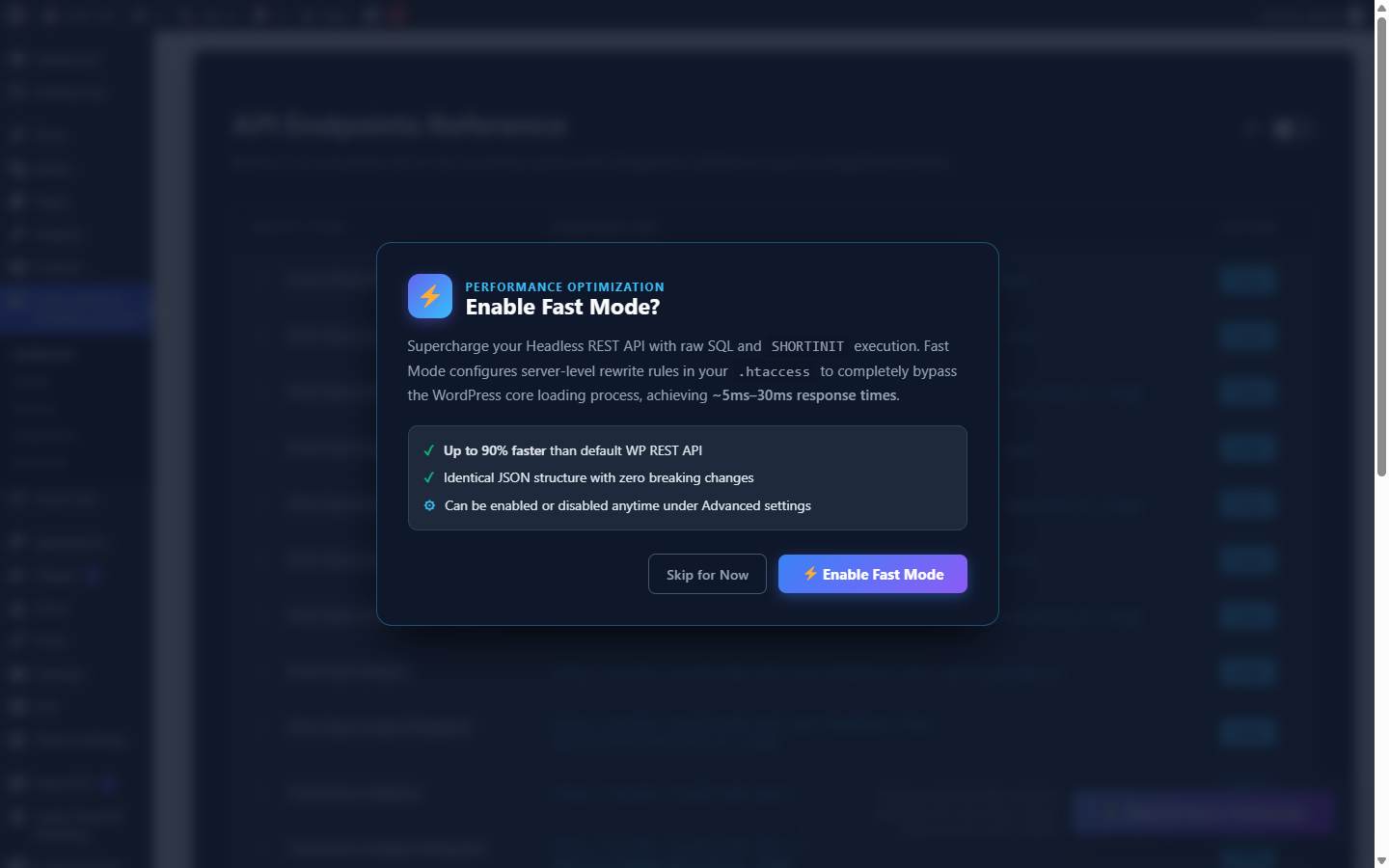
- In the popup, click Enable Fast Mode (recommended).
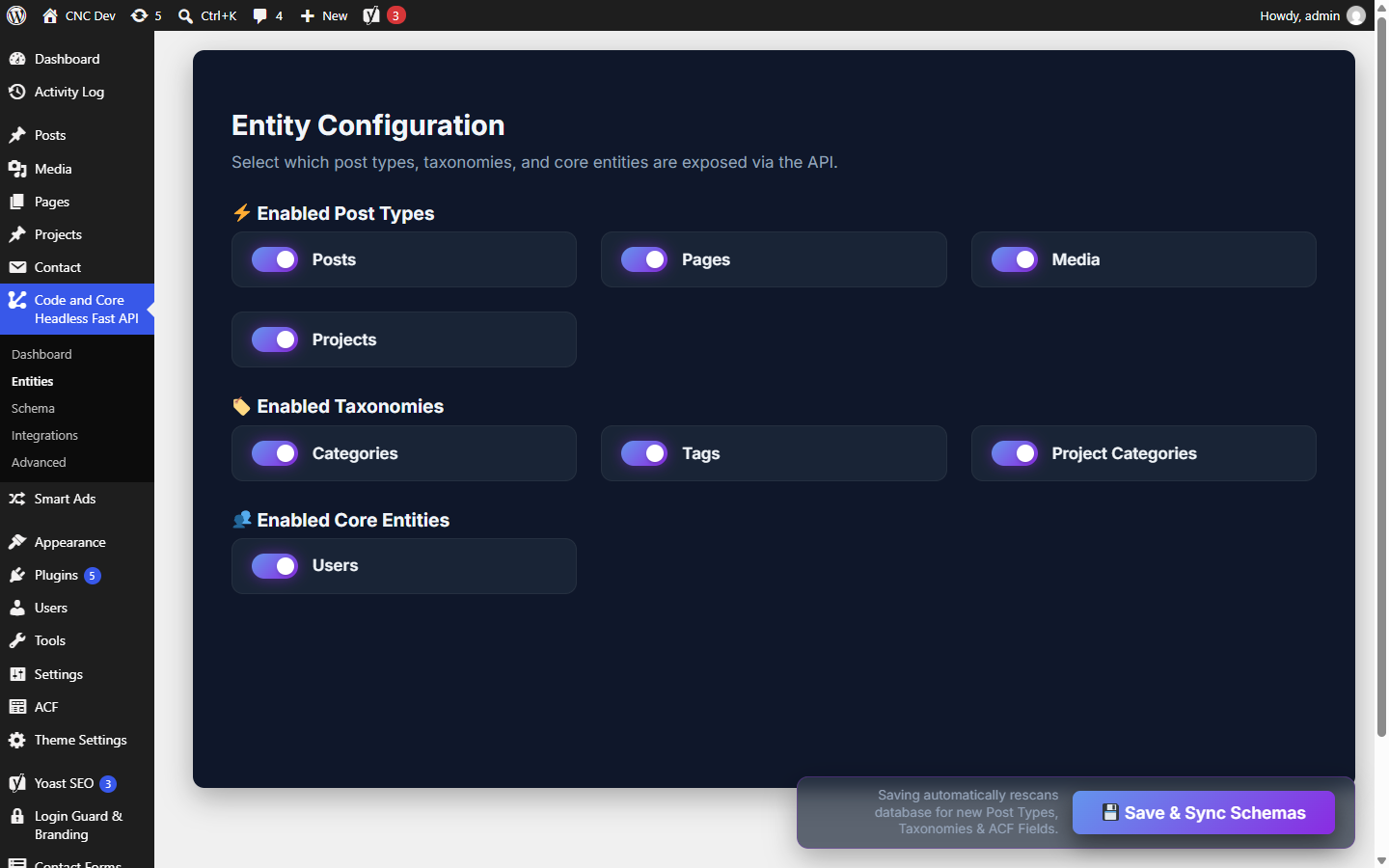
- Under Entities, choose your post types and taxonomies, then click Save & Sync Schemas.
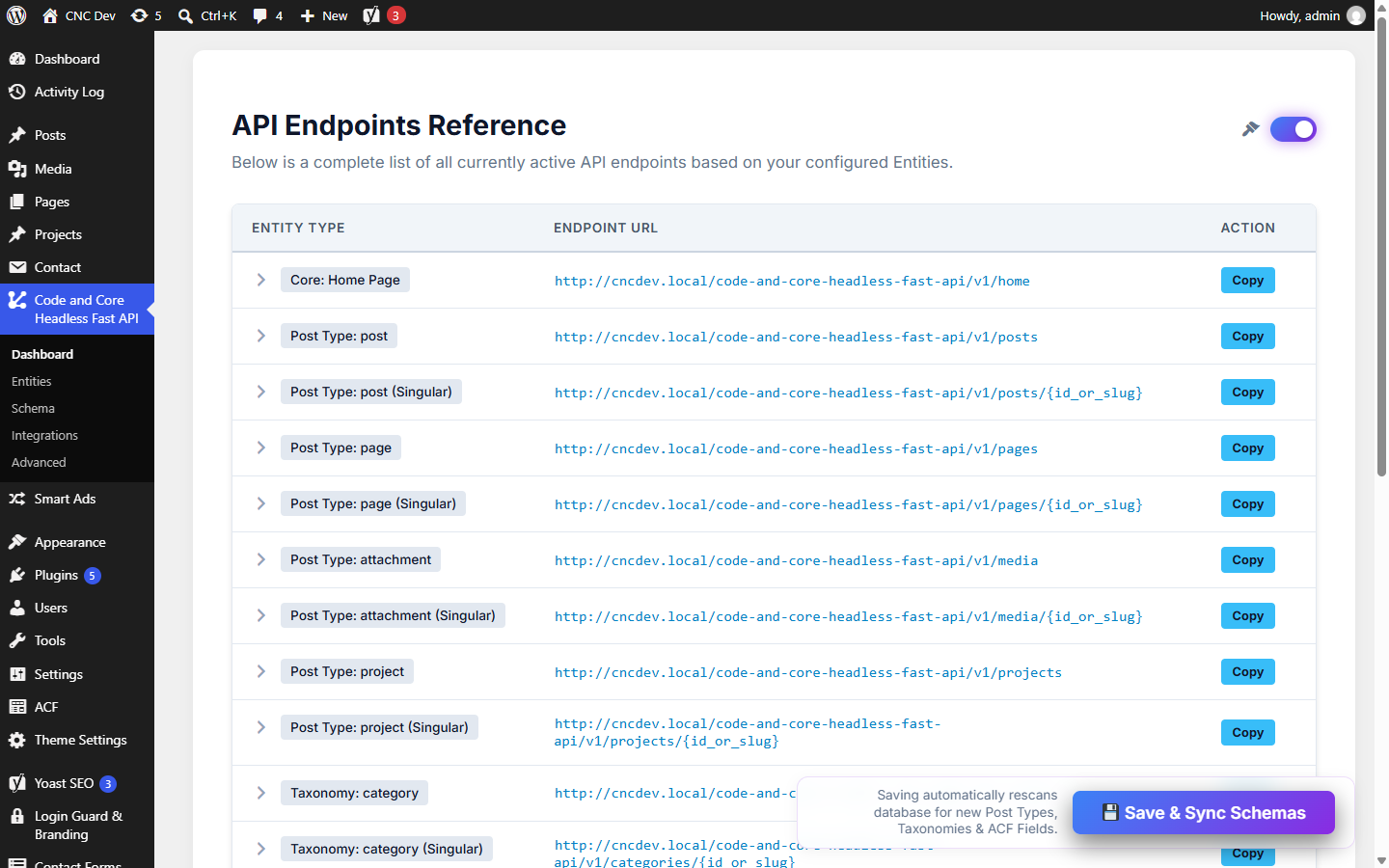
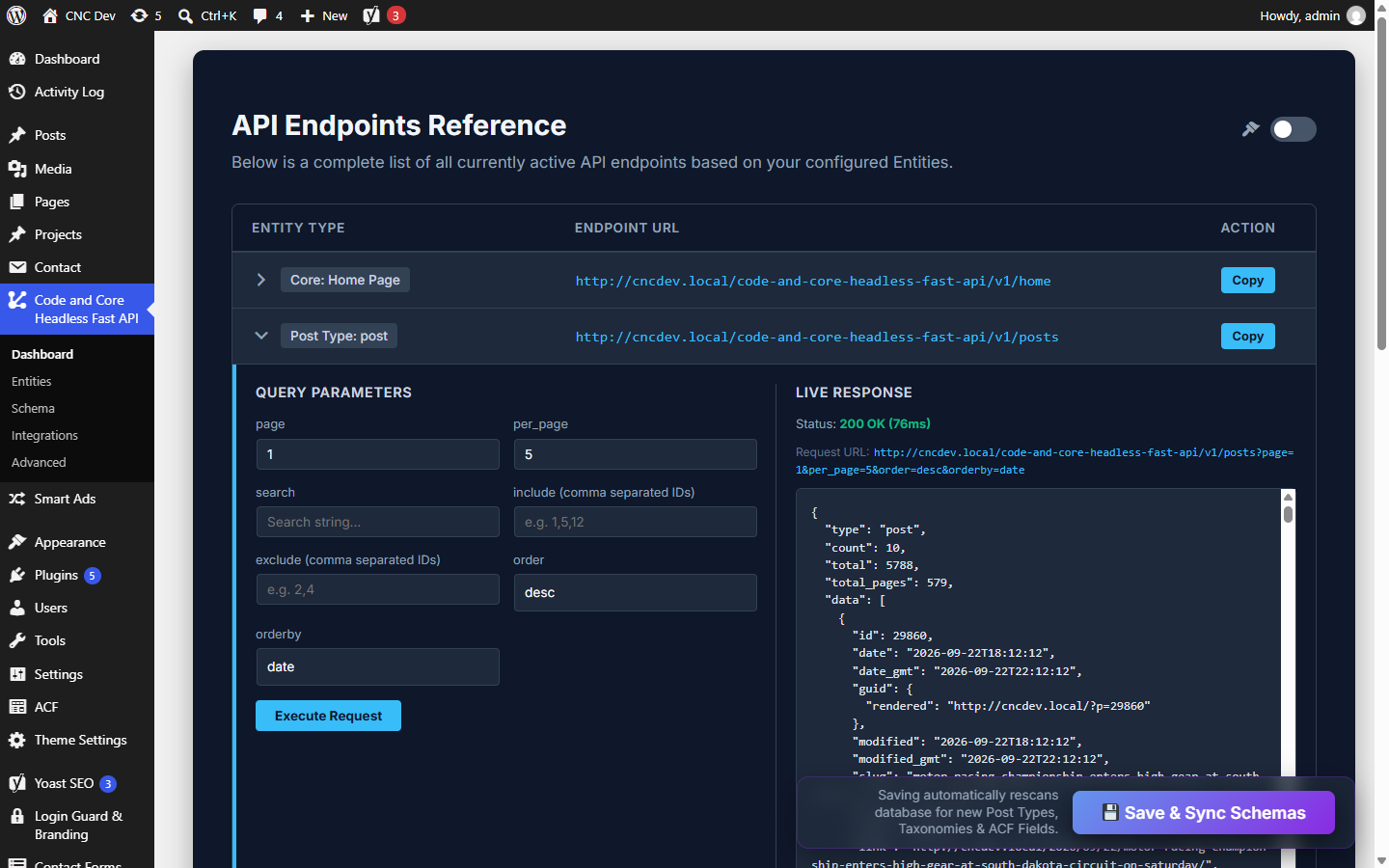
- Open the Dashboard, copy an endpoint URL, and fetch it from your front end.
- Batched SQL. Meta, terms, authors, images and Yoast data for a whole page of items are loaded together, not one query per item.
- Disk cache. A repeat request is served from one JSON file.
- Field exclusion. Remove any field per endpoint and per context (list or single), down to ACF sub-fields and flexible-content layouts.
- Resolve and append rules. Turn ACF post, term, media and user IDs into full objects, or add extra data such as the latest posts.
- ACF and Yoast SEO.
acf(repeaters, groups, flexible content, images, options pages),yoast_headandyoast_head_json. - Custom meta. Expose any post meta key as a string, integer, boolean or JSON value.
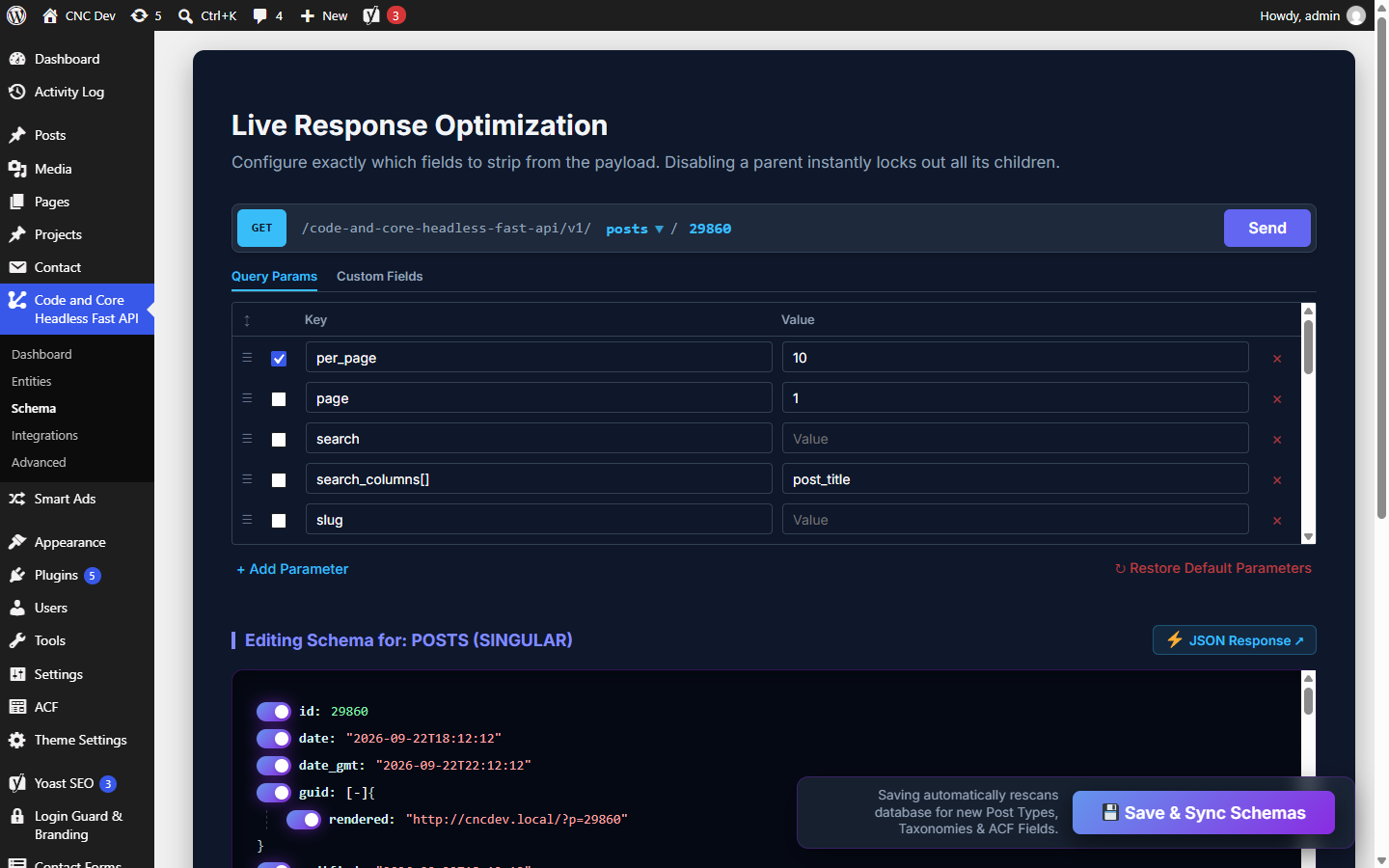
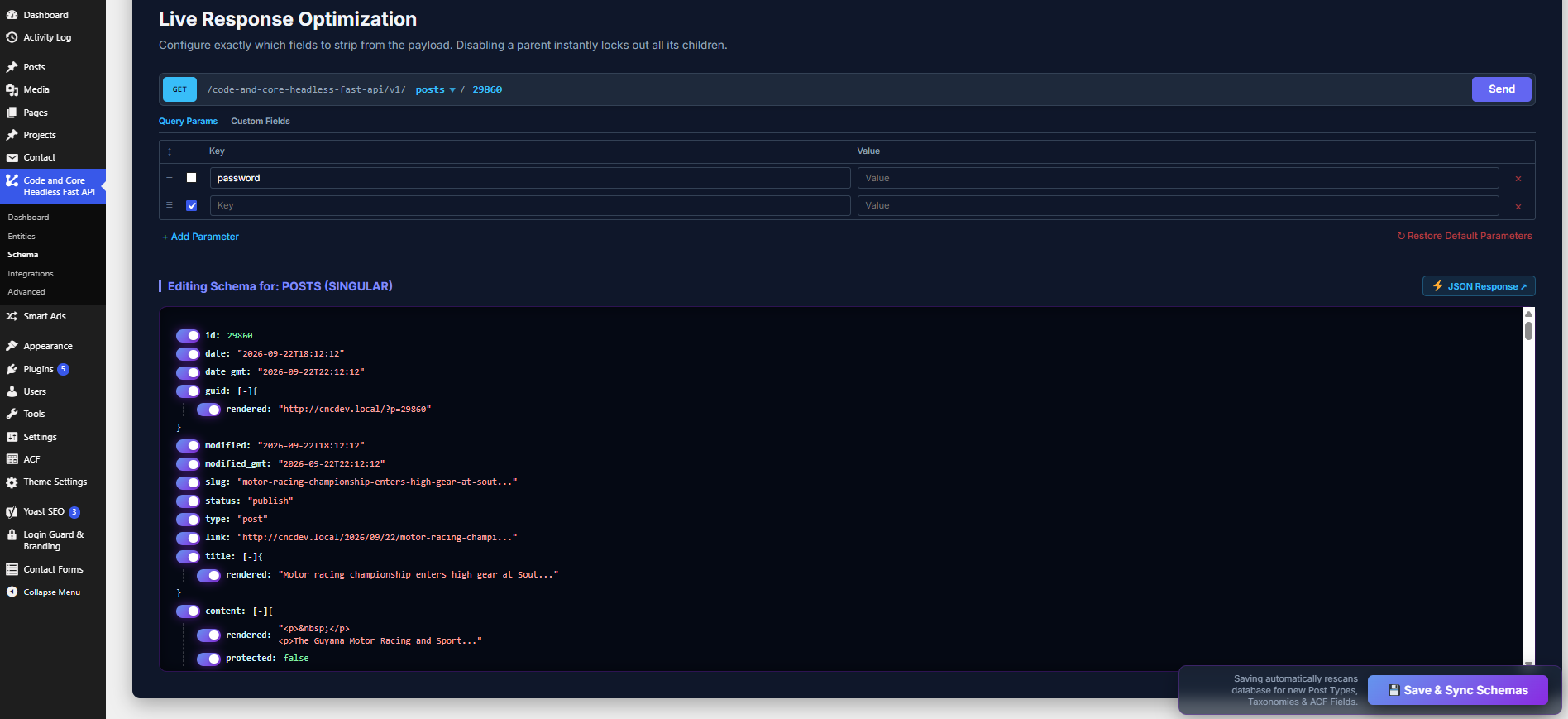
- Live schema builder and API explorer. Test any endpoint from the admin and switch fields on or off in the live response tree.
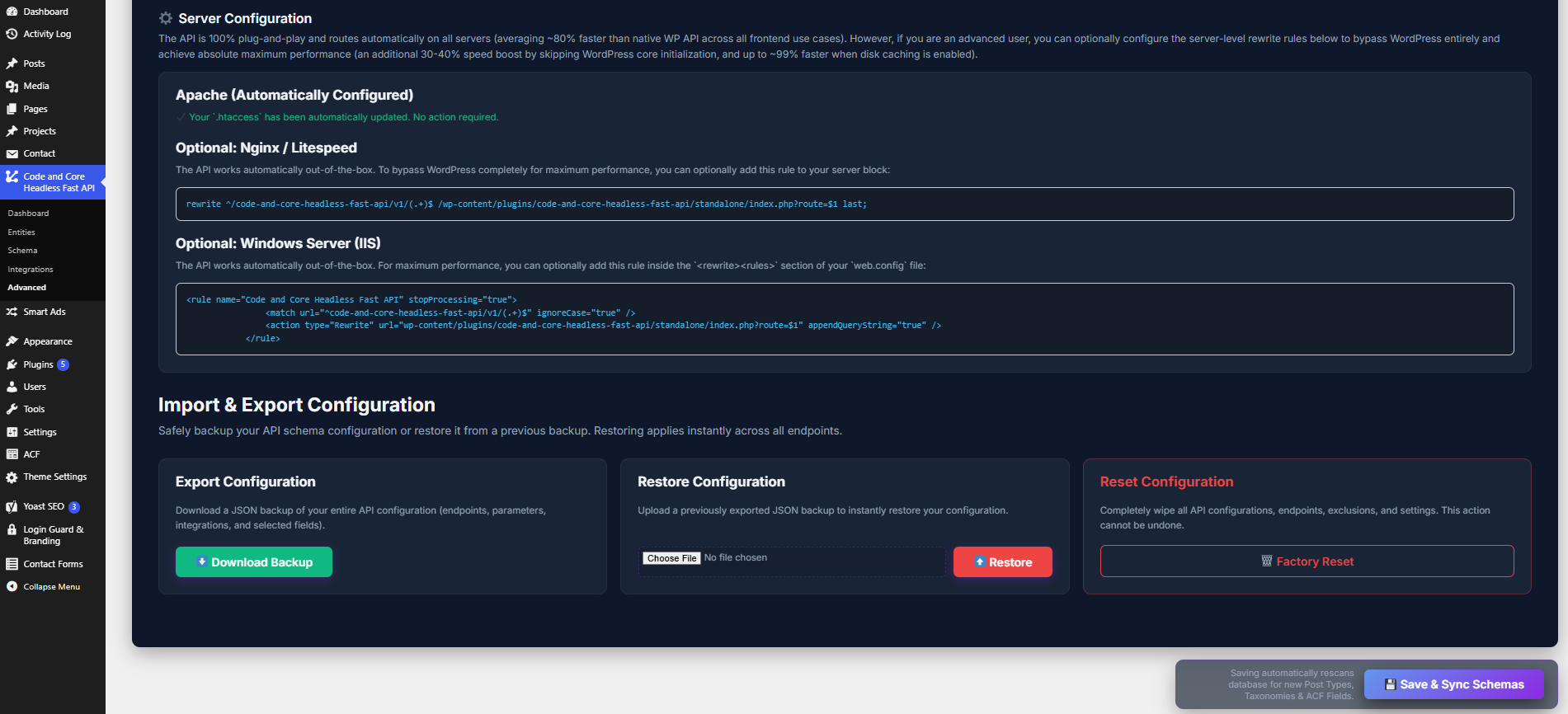
- Import, export and reset of the whole configuration as JSON.
wp-content/mu-plugins/0-cachfa-fast-path.php, using the WordPress filesystem API. That file:
- acts only on requests to
/code-and-core-headless-fast-api/v1/...and does nothing on any other request; - does nothing if this plugin is deactivated or deleted;
- is removed when Fast Mode is turned off or this plugin is deactivated;
- is rewritten automatically after a plugin update;
- is never written over or deleted if a file of the same name was not created by this plugin.
GET only and start with:
https://example.com/code-and-core-headless-fast-api/v1/
home: the static front page (Settings > Reading), or the latest posts if the front page shows posts.posts,posts/{id_or_slug}: posts.pages,pages/{id_or_slug}: pages.media,media/{id_or_slug}: attachments.{post_type}s,{post_type}s/{id_or_slug}: any public custom post type you enable (for exampleproducts,products/blue-shirt).categories,categories/{id_or_slug}: categories.tags,tags/{id_or_slug}: tags.{taxonomy}s,{taxonomy}s/{id_or_slug}: any public custom taxonomy you enable.users,users/{id_or_slug}: users (can be turned off under Entities).options/{options_page_slug}: fields from an ACF options page (needs ACF with options pages).
404 with a JSON error.
Query parameters
Lists take comma-separated values, and include[]=1&include[]=2 also works.
- Posts, pages, media and custom post types:
page,per_page(1–100, default 10),offset,search,slug,include,exclude,author,author_exclude,parent,parent_exclude,menu_order,after,before,modified_after,modified_before,sticky,categories,categories_exclude,tags,tags_exclude,{taxonomy},{taxonomy}_exclude,tax_relation(AND/OR),media_type,mime_type,password,orderby(date,title,id,modified,author,parent,slug,menu_order,include,include_slugs) andorder(DESC/ASC). - Taxonomies:
page,per_page,search,slug,include,exclude,parent,hide_empty,post,orderby(name,id,count,slug) andorder. - Users:
page,per_page,offset,search,slug,include,exclude,roles,capabilities,who=authors,has_published_posts,orderby(name,id,registered_date,slug,url,include) andorder.
/posts/hello-world) returns the item object, in the WordPress REST API format. Single posts also contain pagination.previous_post and pagination.next_post (id, title, slug) to make "previous / next" links easy.
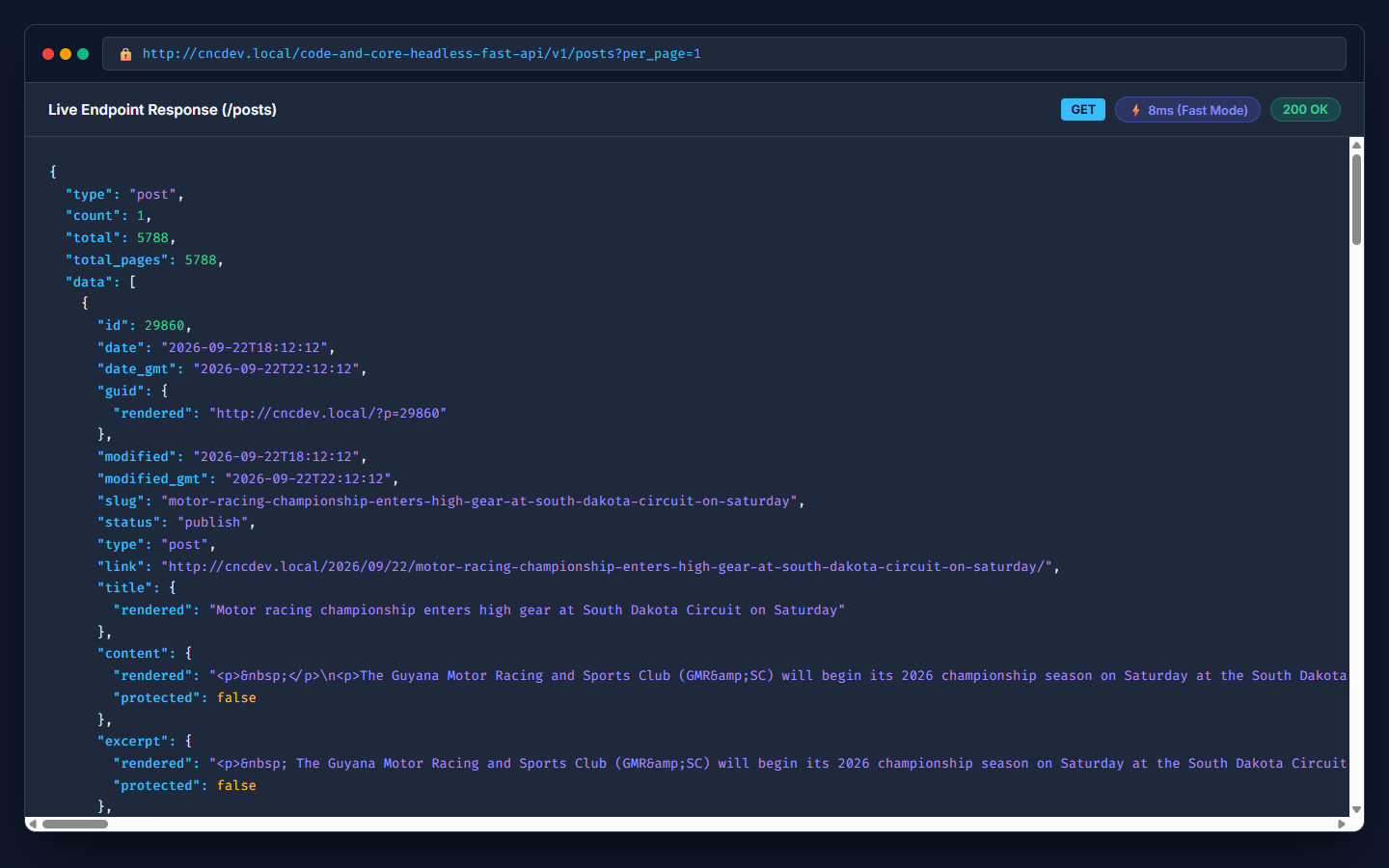
A list (/posts?per_page=5) returns a wrapper object instead of a bare array, so you get the totals without reading headers:
{ "type": "post", "count": 5, "total": 42, "total_pages": 9, "data": [ ... ] }
Errors are JSON with the matching HTTP status, for example { "code": "rest_post_invalid_id", "message": "Invalid post ID.", "data": { "status": 404 } }.
Every response includes:
Content-Type: application/json; charset=UTF-8Access-Control-Allow-Origin: *andAccess-Control-Allow-Methods: GET, OPTIONS, so the API can be called from a browser on any domain.OPTIONSpreflight requests are answered straight away.X-HeadlessFastAPI-Cache: HITorMISS, to show whether the disk cache was used.
- Cached responses are kept for 1 hour, then built again on the next request.
- The cache is not cleared automatically when content changes. To show changes at once, turn on Clear Cache on Save and save the settings, or wait for the hour to pass.
acf object built from the stored field values and a field map generated from your field groups. The map is rebuilt when you save the settings, when you press Force Sync, and whenever an ACF field group is saved.
- Repeaters, groups and flexible content are returned as nested arrays and objects. Flexible-content rows include
acf_fc_layout. - Image fields set to return an array come back with
url,alt,width,height,mime_typeand every generated size. - Options pages are available at
options/{menu_slug}. - Resolve rules (Schema screen) turn ID fields such as Post Object, Relationship, Taxonomy, Image/File and User into full objects in the same response, with an optional limit per field.
- Field exclusion paths can target a single flexible-content layout, for example
acf.sections.[hero_banner].subtitle.
yoast_head (ready-made HTML for <head>) and yoast_head_json (title, description, robots, canonical, Open Graph, Twitter and schema.org graph). The data is read from Yoast's yoast_indexable table and settings. Make sure Yoast's SEO data optimisation (indexing) has run, so every post has an indexable.
Files this plugin writes
The plugin keeps its data in its own folder inside the uploads directory, resolved with wp_upload_dir():
wp-content/uploads/code-and-core-headless-fast-api/
api-schema.json: the saved configuration (entities, integrations, exclusions and rules).api-schema-preview.json: a temporary copy used by the Schema screen's live preview.acf-map.json,acf-options.json: the generated ACF field maps.cache/: cached responses, when caching is on.
- The API is read-only. It only answers
GET(andOPTIONS) requests and never writes content. - Only the post types, taxonomies and entities you enable are served.
- Every request value is sanitized, and every value that reaches the database goes through
$wpdb->prepare(), an allowlist or an integer cast. - All admin actions check the
manage_optionscapability and a nonce. Imported JSON is decoded and sanitized key by key. - The API is public, like the core REST API. Use field exclusion to remove anything your front end does not need, and do not use the API to publish data that must stay private.
- User email addresses are not included in responses.
- What is sent: a random installation ID (not linked to your site address), the plugin, WordPress and PHP versions, the site language, whether the site is a multisite, and the active theme's name and version. Your site address, content, users and visitors are not sent.
- When: once when you allow it, and when the plugin is activated, deactivated, updated or deleted.
- Where:
https://dashboard.wordpress-plugins.pro/receiver.php.
https://dashboard.wordpress-plugins.pro/deactive-receiver.php. Your name and email address are included only if you tick the box allowing us to contact you.
Both services are provided by wordpress-plugins.pro: Privacy policy, Terms and conditions.
API responses include each author's avatar URL as returned by WordPress core's get_avatar_url(), exactly as the core REST API does. The plugin does not request these URLs itself, and the site's avatar settings and filters apply.
安装:
- Upload the plugin files to
/wp-content/plugins/code-and-core-headless-fast-api, or install the plugin from the Plugins > Add New screen. - Activate the plugin from the Plugins screen. You are taken to the plugin's Dashboard.
- Choose whether to turn on Fast Mode in the popup (you can change this later under Advanced).
- Under Entities, choose the post types, taxonomies and core entities to expose, then press Save & Sync Schemas.
- Optional: under Schema, remove fields you do not need and add resolve rules for ACF relationships.
- Optional: under Advanced, turn on disk caching.
- Copy your endpoint URLs from the Dashboard into your front end.
/code-and-core-headless-fast-api/v1/ URLs reach WordPress. No server configuration is needed on Apache, Nginx, LiteSpeed or IIS.屏幕截图:
常见问题:
Does this change or replace the built-in WordPress REST API?
No. The built-in REST API is untouched and keeps working. This plugin adds its own endpoints under /code-and-core-headless-fast-api/v1/.
Are the responses the same as the WordPress REST API?
Individual items use the same field names and structure (title.rendered, content.rendered, featured_media, _links, …), plus acf and yoast_head_json when those integrations are on. Lists are wrapped in an object with count, total, total_pages and data, instead of a bare array with X-WP-Total headers.
Content is returned as stored, with paragraphs added. Shortcodes and blocks are not run through the_content filters, because the theme and most plugins have not loaded yet. Render dynamic blocks on your front end, or use the core REST API for the few requests that need them.
Does it support ACF?
Yes. Turn on the ACF integration under Integrations. Fields, repeaters, groups, flexible content, images and options pages are supported, and relationship fields can be expanded with resolve rules.
Does it support Yoast SEO?
Yes. With the Yoast integration on, items include yoast_head and yoast_head_json, built from Yoast's indexable data.
Can I add my own post meta to the response?
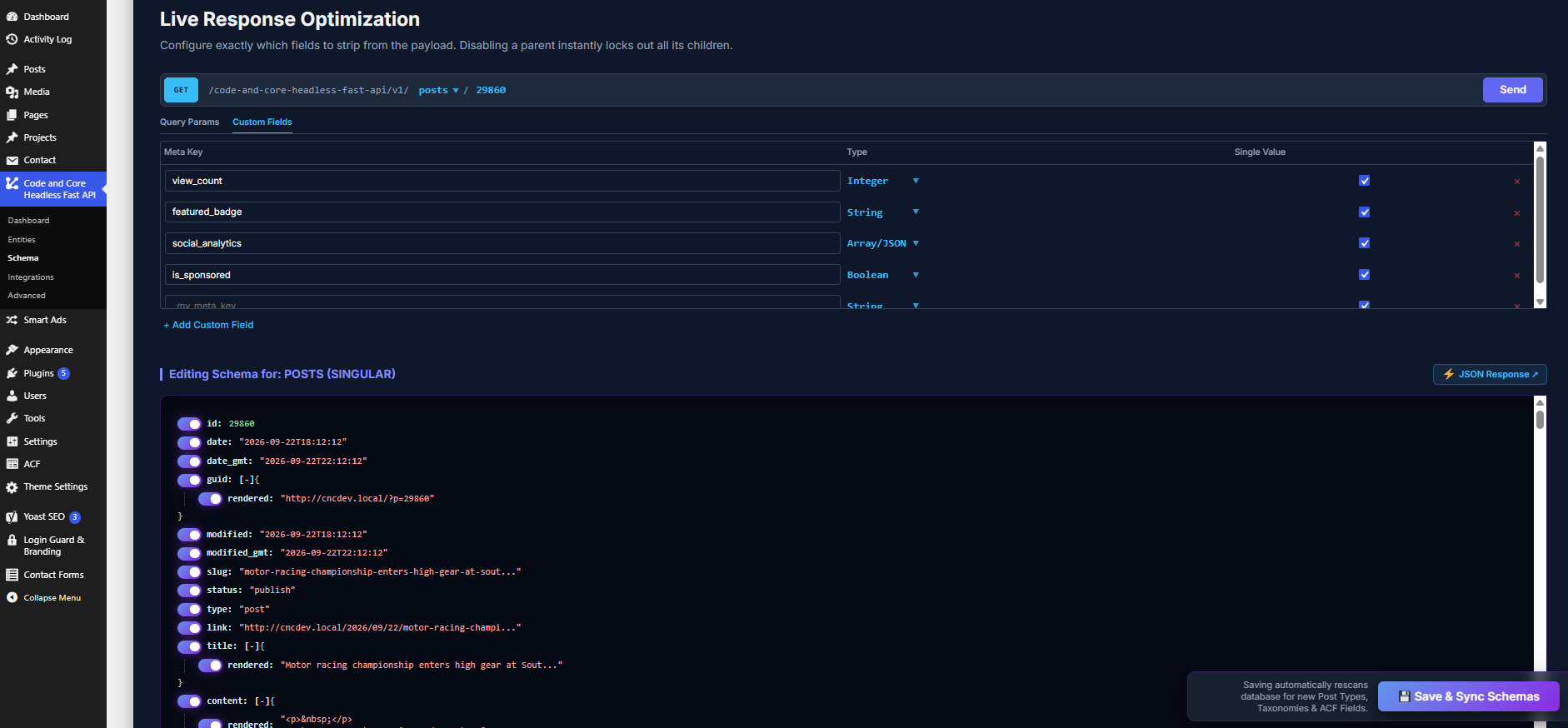
Yes. On the Schema screen, open the Custom Fields tab and add the meta key, its type (string, integer, boolean or JSON) and whether it holds a single value.
Why don't my content changes show up?
If disk caching is on, responses are kept for up to an hour. Save the settings with Clear Cache on Save turned on to clear the cache at once. Also check any CDN or proxy cache in front of the site.
I get a 404 for a post type or taxonomy.
Make sure it is public and turned on under Entities, then save. The endpoint name is the post type or taxonomy name with an s added (for example product becomes products). Categories, tags, pages and media use categories, tags, pages and media.
The API returns my theme's HTML 404 page.
Check that permalinks are not set to "Plain", and that the URL contains /code-and-core-headless-fast-api/v1/.
Do I need to change my server configuration?
No. Requests reach the API through WordPress's normal permalink handling on every server.
What if the must-use plugins folder is not writable?
Fast Mode cannot be turned on, and the plugin tells you so. The API keeps working and returns identical responses; it is answered on plugins_loaded instead, which is slower on sites with many plugins.
Will other plugins' changes appear in Fast Mode?
Data that plugins save to the database is included. Output that plugins add at runtime through filters is not, because those plugins do not load on API requests in Fast Mode. If you need that output, leave Fast Mode off.
Can I move my configuration to another site?
Yes. Use Download Backup under Advanced on the first site, then Restore on the second.
Does it work on multisite?
Each site has its own uploads folder, so each site keeps its own configuration and cache. Fast Mode checks both site-level and network-wide activation.
How do I call the API from my front end?
Every list is in data, with totals beside it:
const API = 'https://example.com/code-and-core-headless-fast-api/v1';
const json = await fetch(API + '/posts?per_page=6&categories=3').then(r => r.json());
json.data.forEach(post => console.log(post.title.rendered));
In Next.js (App Router), add { next: { revalidate: 60 } } to fetch() to refresh the data every 60 seconds.
How do I get the best performance?
- Turn on Fast Mode. It has the biggest effect on sites with many plugins.
- Remove fields you don't use on the Schema screen, for example
contenton list endpoints that only show cards. - Use resolve rules instead of requesting related posts, images or terms one at a time.
- Turn on disk caching, and put a CDN in front of the API.
- Keep
per_pagesmall and paginate withpageandtotal_pages.
What can I configure in the admin?
The Code and Core Headless Fast API menu has five screens:
- Dashboard: every endpoint URL, with a request tester.
- Entities: the post types, taxonomies and users to expose.
- Schema: the live response builder, field exclusion, custom meta, and resolve and append rules.
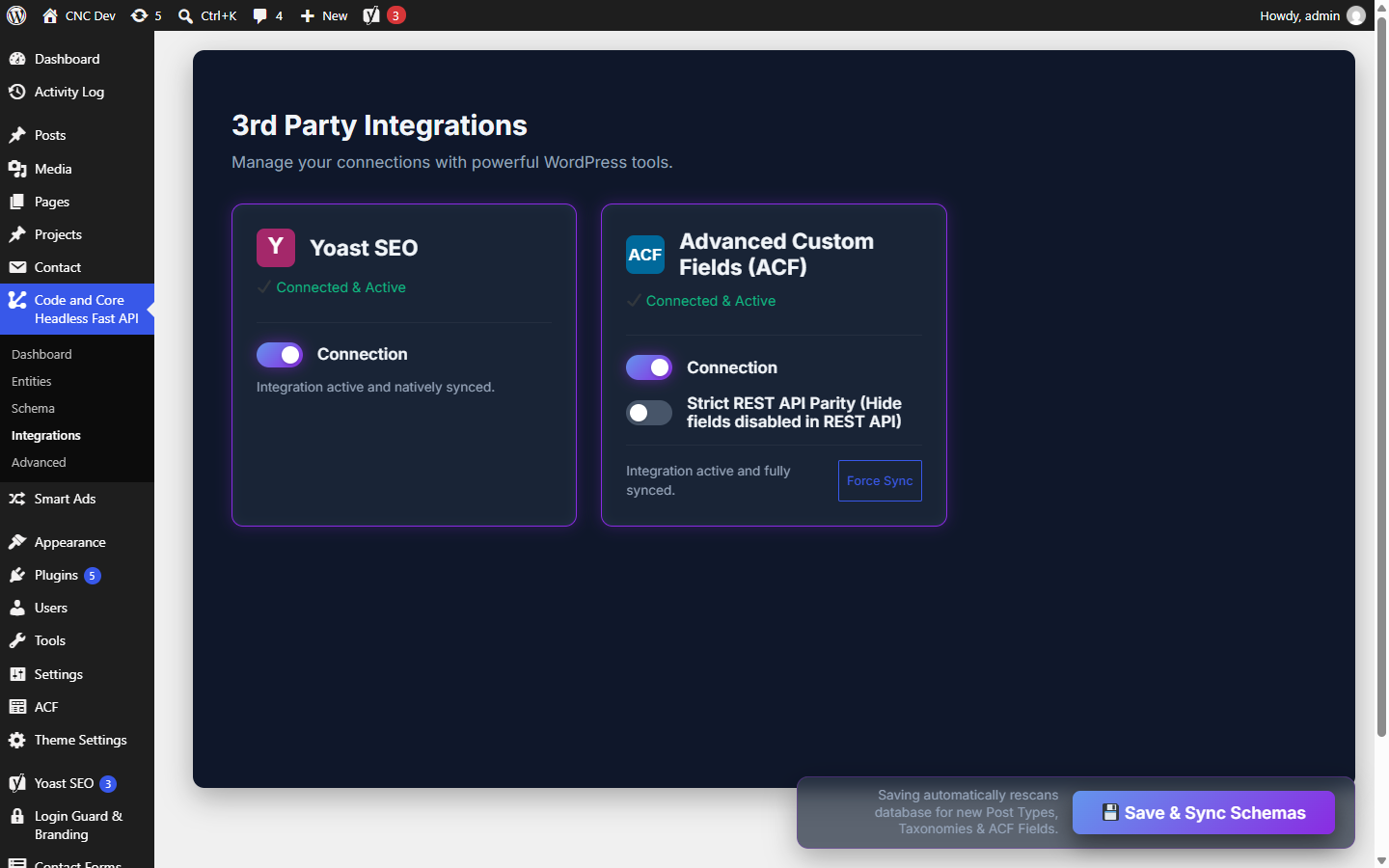
- Integrations: Yoast SEO and ACF.
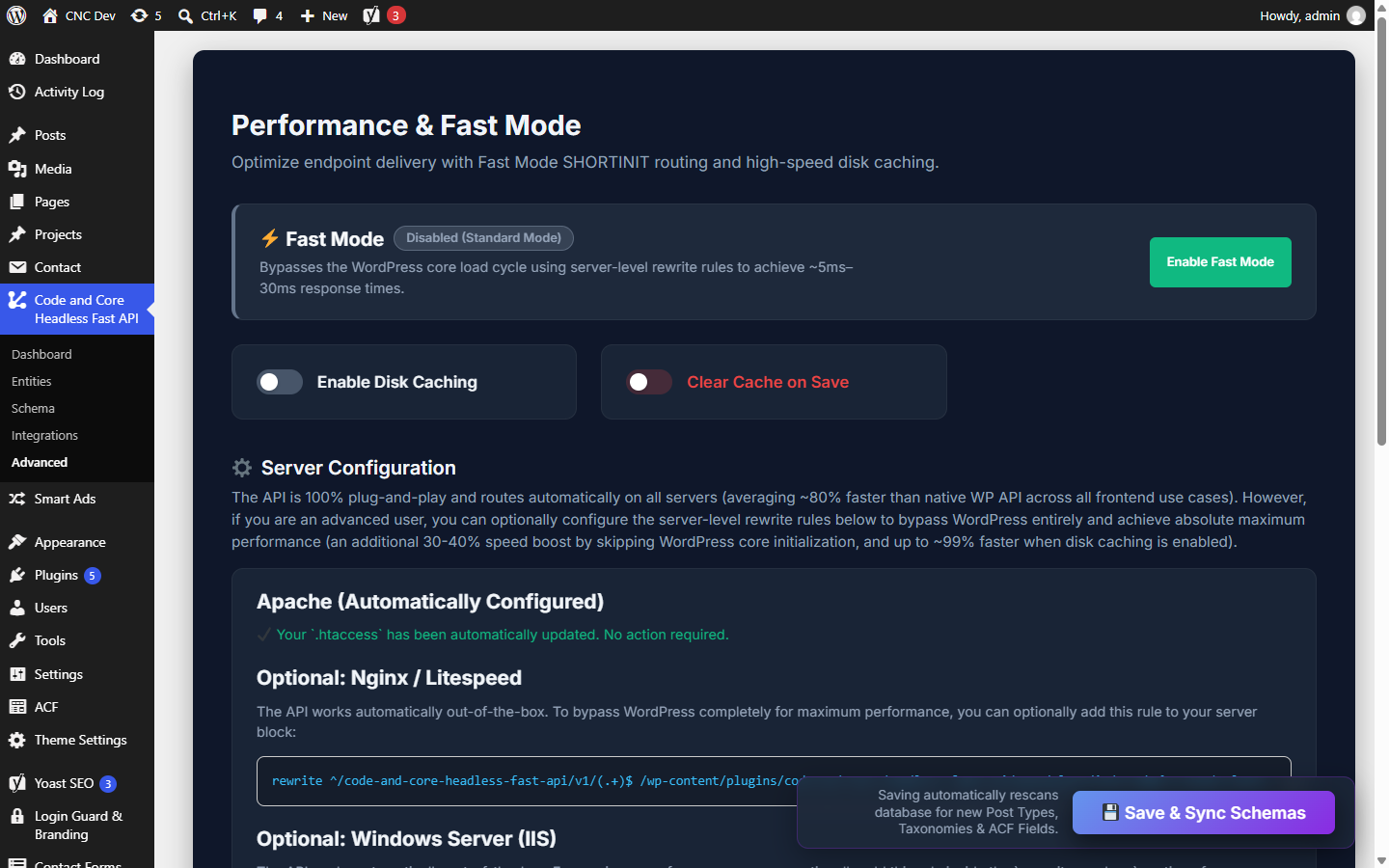
- Advanced: caching, Fast Mode, and import, export and reset.
Is the API public? Do I need authentication?
The API is public and read-only, like the core REST API for published content. No API key or login is needed. Only the post types, taxonomies and entities you enable are served. Use field exclusion to remove anything your front end does not need.
Can I write data (create, update or delete posts) through this API?
No. The API is read-only and answers only GET requests. Use the built-in WordPress REST API for writes.
Can I use both this API and the built-in REST API at the same time?
Yes. They are completely separate. Many sites use this plugin for public, read-heavy pages and the core REST API for previews, forms and authenticated actions.
Does it work with Gutenberg blocks?
Block content is returned as saved in the database, with the block comment markup and HTML included. Static blocks display correctly. Dynamic blocks (latest posts, query loops, shortcodes) are not rendered on the server, because the theme and most plugins have not loaded yet. Render those on your front end.
Does it work with page builders such as Elementor or Divi?
Page builders usually render their output through filters at runtime, which do not run here. This plugin works best with content from the block editor, the classic editor and ACF fields. For pages made with a page builder, use the core REST API or build those sections from ACF fields.
Does it support WooCommerce products?
Products are a public post type, so products can be turned on under Entities, and the title, content, excerpt, images, terms and selected meta (for example _price or _sku through Custom Fields) are returned. Calculated WooCommerce data such as variations, tax-inclusive prices and stock status is not included. Use the WooCommerce Store API for cart and checkout.
Does it support WPML or Polylang?
There is no dedicated multilingual integration yet. Translated posts are returned like any other posts, but filtering by language is not available.
Does it support custom post types and taxonomies made with CPT UI, ACF or code?
Yes. Any public post type or taxonomy appears under Entities, however it was registered. Save once after adding a new one.
Does it return drafts, scheduled or private posts?
By default, only published posts (and attachments) are returned. Use WordPress's own preview tools or the authenticated core REST API for draft previews.
How do I get the featured image URL?
Each post includes featured_media (the attachment ID). To get the full image object in the same response, add a media resolve rule for featured_media on the Schema screen, or request /media/{id}.
How do I get posts in a category by its slug?
First get the term ID from /categories/{slug}, then request /posts?categories={id}. You can also cache the term ID on your front end.
How do I paginate?
Use page and per_page. Every list response includes total and total_pages, so you can build pagination without reading headers.
How do I build a "previous / next post" link?
Single post responses include pagination.previous_post and pagination.next_post, each with id, title and slug, or null at either end.
How do I get the home page?
Request /home. It returns the static front page set under Settings > Reading, or the latest posts if the front page shows posts.
How do I remove fields from the response?
Open the Schema screen, choose the endpoint, press Send, then switch off fields in the response tree and press Save & Sync Schemas. Exclusions are saved separately for list and single responses.
What is the difference between "resolve rules" and "append rules"?
A resolve rule replaces an ID (or a list of IDs) already in the response with the full object, such as a related post, image, term or user. An append rule adds new data that is not in the item, such as a list of the latest posts, under a field you choose.
How long is the disk cache kept, and where?
Up to one hour, as JSON files in wp-content/uploads/code-and-core-headless-fast-api/cache/. Each unique URL, including its query string, is cached separately.
Can I use a CDN or Varnish in front of the API?
Yes, and it is recommended. Responses are public, cookie-free GET requests with a JSON content type, which makes them easy to cache at the edge.
How do I know whether a response came from the cache?
Check the X-HeadlessFastAPI-Cache response header. It is HIT when the disk cache answered and MISS when the response was built.
Can my front end on another domain call the API?
Yes. Every response sends Access-Control-Allow-Origin: *, so browsers on any domain can call the API without a proxy.
Will Fast Mode break my site?
No. The Fast Mode file acts only on URLs that contain /code-and-core-headless-fast-api/v1/. Every other request, including the admin, the front end and the core REST API, loads exactly as before.
Can I see the Fast Mode file in the Plugins screen?
Yes. It is listed under Plugins > Must-Use as "Code and Core Headless Fast API - Fast Mode". Turn it off from the plugin's Advanced screen, not by editing the file.
Does it work with security or caching plugins?
Yes. Page-caching plugins may also cache the API URLs, which is fine for public content. If a security plugin blocks unfamiliar URLs, allow the /code-and-core-headless-fast-api/v1/ path.
Does it work with object caching (Redis or Memcached)?
Yes. The plugin works with or without a persistent object cache. Its own response cache is separate and stored on disk.
Will my settings be kept when I update the plugin?
Yes. Settings are stored in the uploads folder and are not touched by updates. The Fast Mode file is rewritten for the new version automatically.
What are the server requirements?
WordPress 6.0 or later, PHP 7.4 or later, MySQL or MariaDB, and permalinks set to anything other than "Plain". Write access to the uploads folder is needed for settings and caching, and to wp-content/mu-plugins for Fast Mode.
Where can I get support or report a bug?
Use the plugin's support forum on WordPress.org, or contact Code and Core through https://codeandcore.com. Please include your WordPress, PHP and plugin versions and the endpoint URL you are calling.
What happens when I deactivate or delete the plugin?
Deactivating removes the Fast Mode file and stops the API. Deleting the plugin also removes its options and its wp-content/uploads/code-and-core-headless-fast-api/ folder.
更新日志:
- Added anonymous usage-data telemetry with a one-time opt-in popup (consent modal).
- Added deactivation feedback form (optional; skippable).
- Added Privacy Card under Advanced > Usage Data to preview and withdraw consent at any time.
- Telemetry payload includes plugin, WordPress and PHP versions, site language, multisite flag, and active theme — no site URL or user data.
- Added AJAX handlers for opt-in, opt-out, and deactivation feedback submission.
- Added lifecycle tracking: events sent on activation, deactivation, update, and deletion.
- Languages folder initialised with placeholder index file.
- Initial release.
- Read-only JSON endpoints for posts, pages, media, custom post types, taxonomies, users and ACF options pages.
- Optional Fast Mode must-use loader.
- Disk response cache.
- Per-endpoint field exclusion, ACF resolve rules and append rules.
- ACF and Yoast SEO integrations.
- Import, export and factory reset of the configuration.