Code and Core Repeater Fields for Contact Form 7
| 开发者 | codeandcore |
|---|---|
| 更新时间 | 2026年8月21日 20:39 |
| PHP版本: | 7.4 及以上 |
| WordPress版本: | 7.1 |
| 版权: | GPLv2 or later |
| 版权网址: | 版权信息 |
详情介绍:
- Native CF7 Integration: We built the repeater seamlessly into the Contact Form 7 tag generator UI. You simply click the "Repeater" button just as you would for any standard text or email tag.
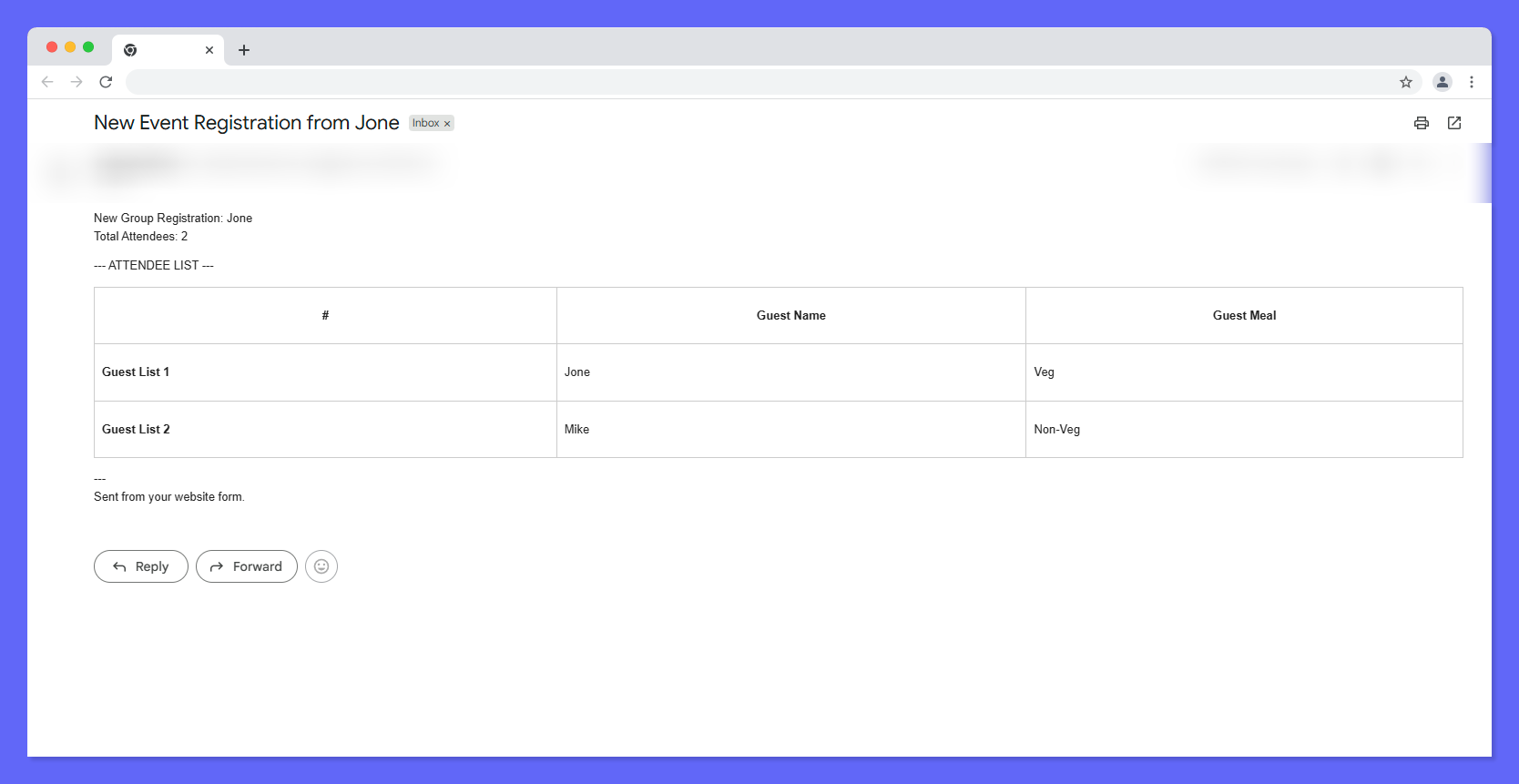
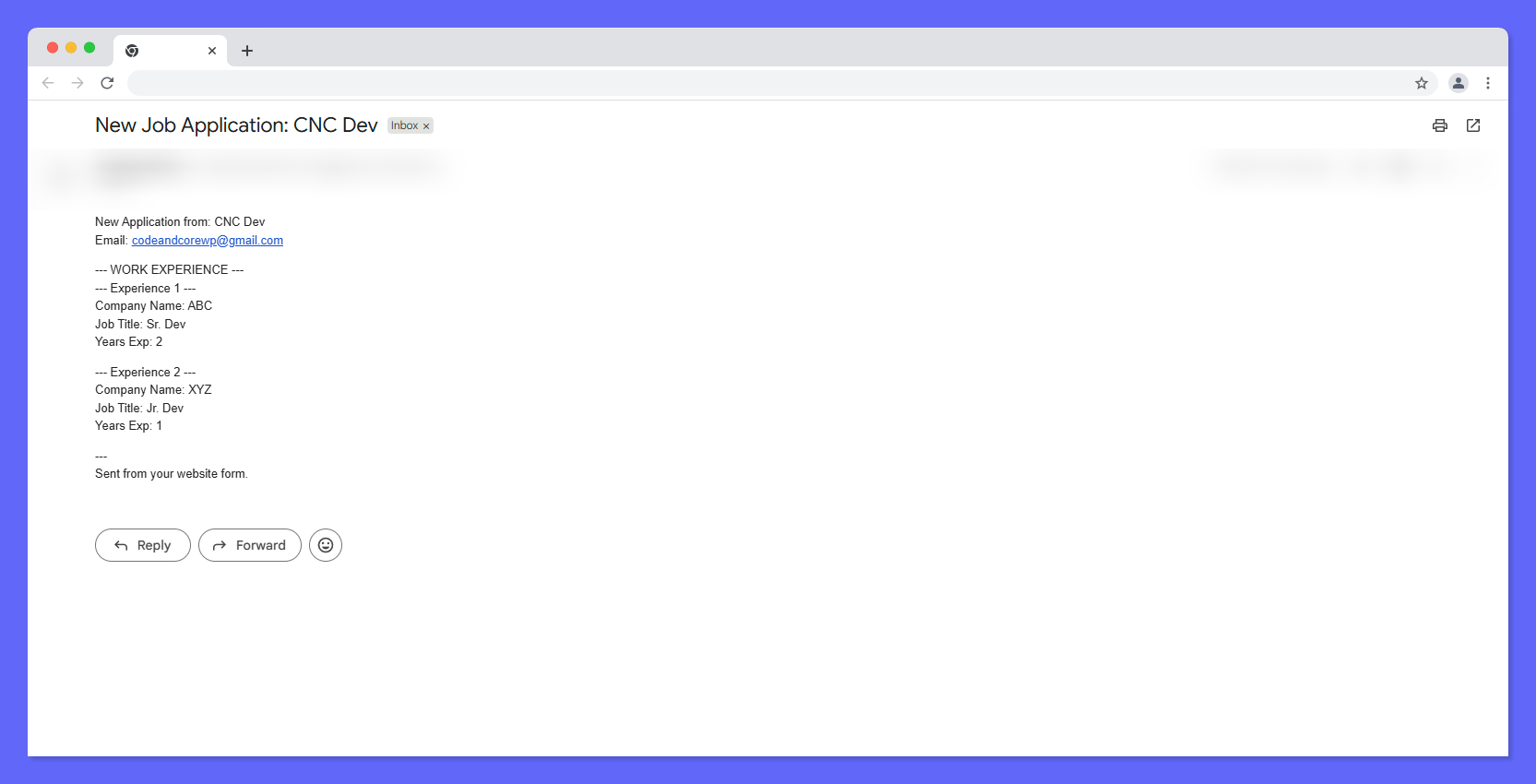
- Mail Tag Auto-Generation: Your repeater groups appear right inside the CF7 "Mail" tab. Drop in your repeater tag (e.g.,
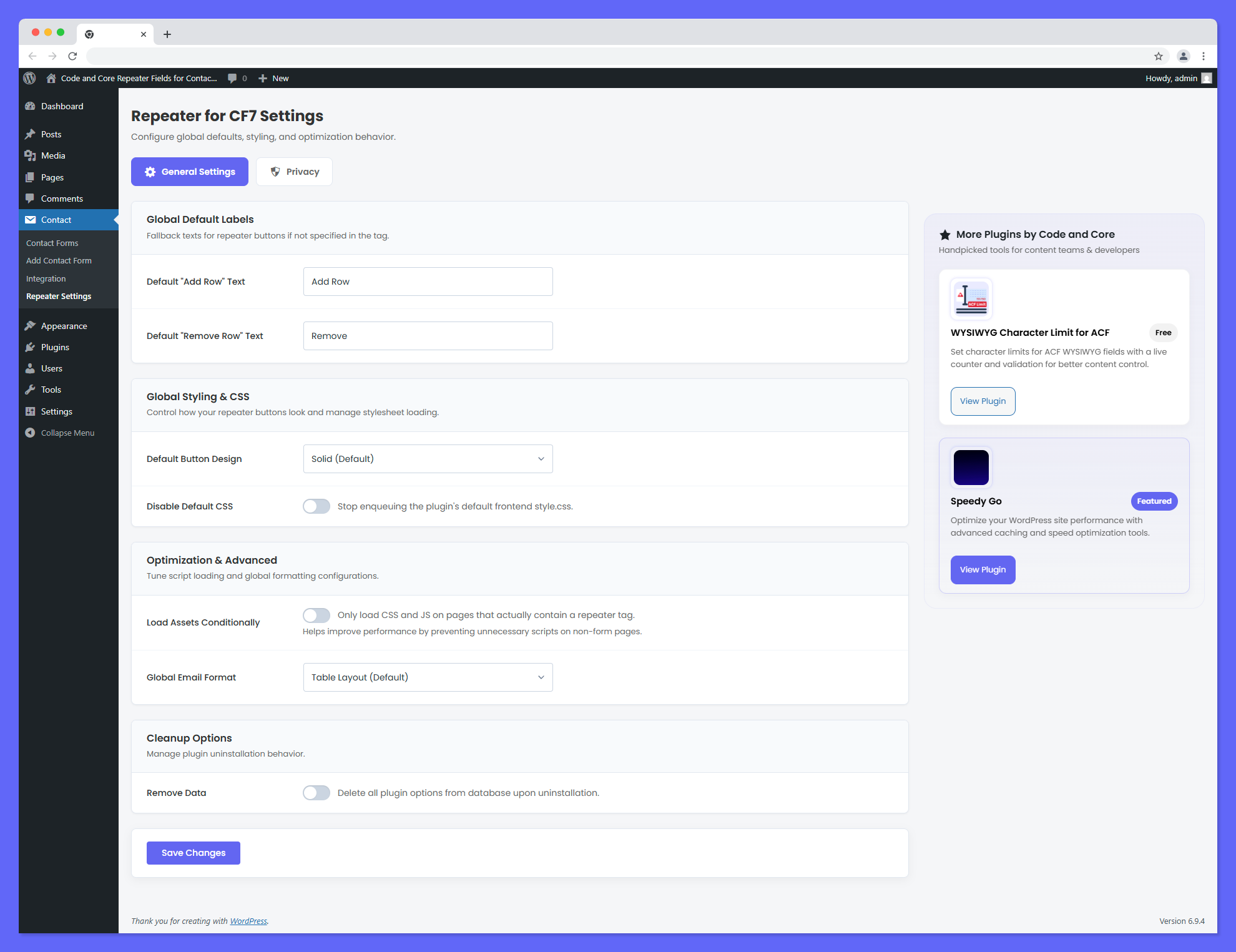
[attendees]), and the plugin automatically prints out the gathered fields! - Global Configuration Dashboard: Tired of manually typing "Add Row" into every form? Use the brand-new, beautifully designed Repeater Settings panel to configure global defaults for button labels.
- Style Customizer (No-Code Builder): Tweak row backgrounds, margins, paddings, borders, and action button colors (including hover states) directly from a beautiful settings panel with a real-time Live Preview and Reset button.
- Advanced Output Formatting: Output the collected repeating fields into your email templates as either clean HTML Tables or beautifully formatted indented Lists.
- Limit User Inputs (Min/Max Validation): Restrict how many repeating blocks a user can generate. Enforce a minimum of 1 and a maximum of 5 to protect your inbox from being flooded, with smart validation natively warning the user.
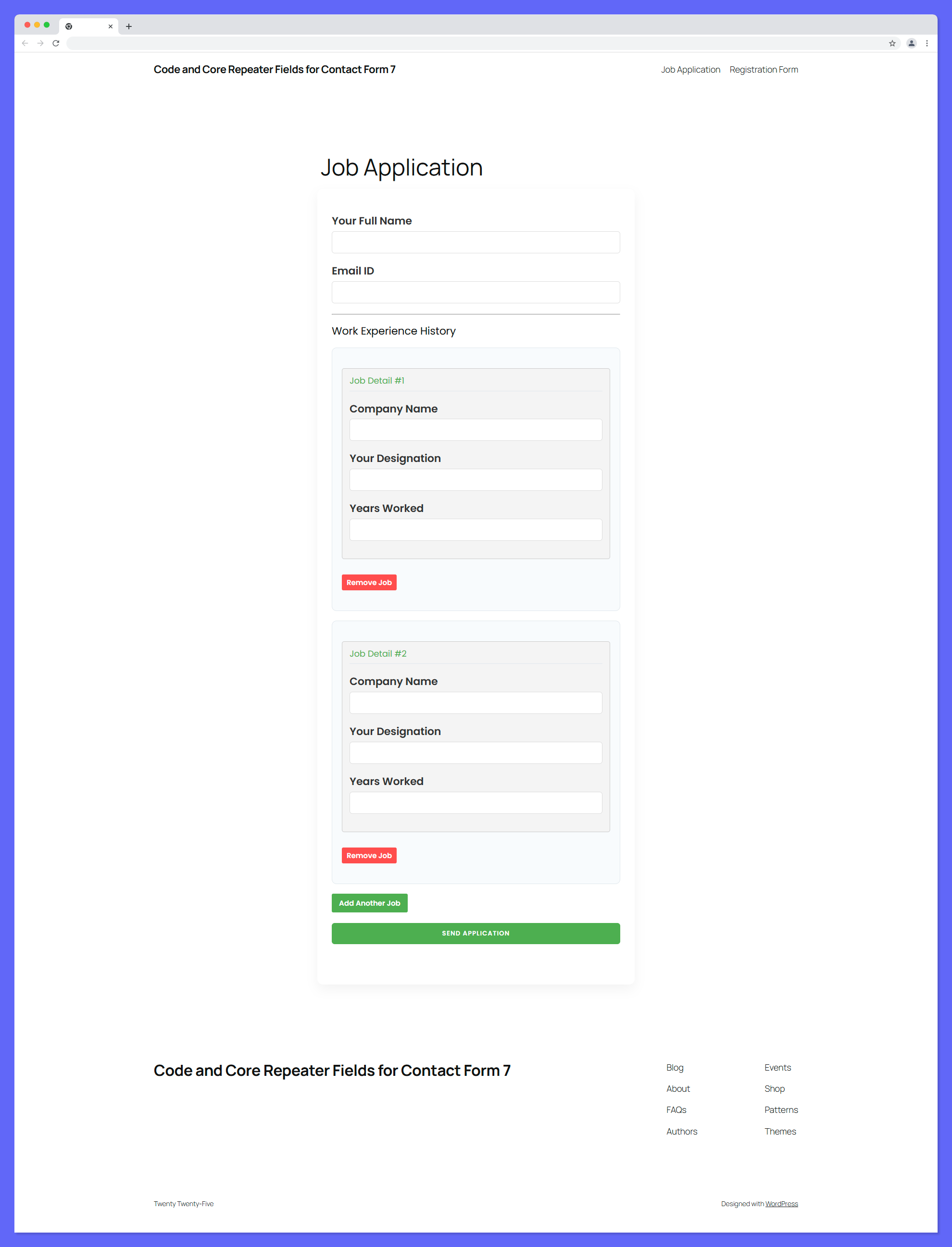
- Dynamic Field Triggers: Link your repeater directly to other form fields (like a number input or dropdown menu). When a user types "5" into a trigger field, the repeater automatically generates exactly 5 rows instantly!
- Row Duplication Engine: Allow users to duplicate existing rows with a single click. The plugin copies all current field values (inputs, select dropdowns, textareas, checkboxes, and radio button states) seamlessly.
- Drag and Drop Reordering: Reorder repeater rows easily with an intuitive drag-and-drop handle. Enable it globally or override it per shortcode.
- Smooth Slide Animations: Transition rows dynamically with smooth jQuery
.slideDown(250)and.slideUp(250)animations during add, remove, and duplicate actions. - Asset Optimization Engine: Don't let your website slow down! The plugin safely enqueues JavaScript conditionally only on the pages actually rendering a CF7 Repeater shortcode.
- 100% WPML & Translation Compatible: All of the plugin's interface texts, dynamic configurations, and alerts strictly run through WordPress localization hooks and WPML filter strings, guaranteeing zero compatibility issues on multi-lingual translated websites.
- Developer Friendly Email Templating: Need more than just Tables or Lists? Easily override the core HTML email layouts by dropping a simple PHP template file directly into your own active WordPress theme. Complete structural control without ever modifying plugin core files!
安装:
- Navigate to your WordPress Admin Dashboard.
- Go to Plugins > Add New and click Upload Plugin.
- Upload the downloaded
code-and-core-repeater-fields-for-contact-form-7.zipfile and click Install Now. - Click Activate Plugin. (You will be seamlessly redirected to our Settings Dashboard).
- Open any Contact Form 7 form editor to start building dynamic lists!
屏幕截图:
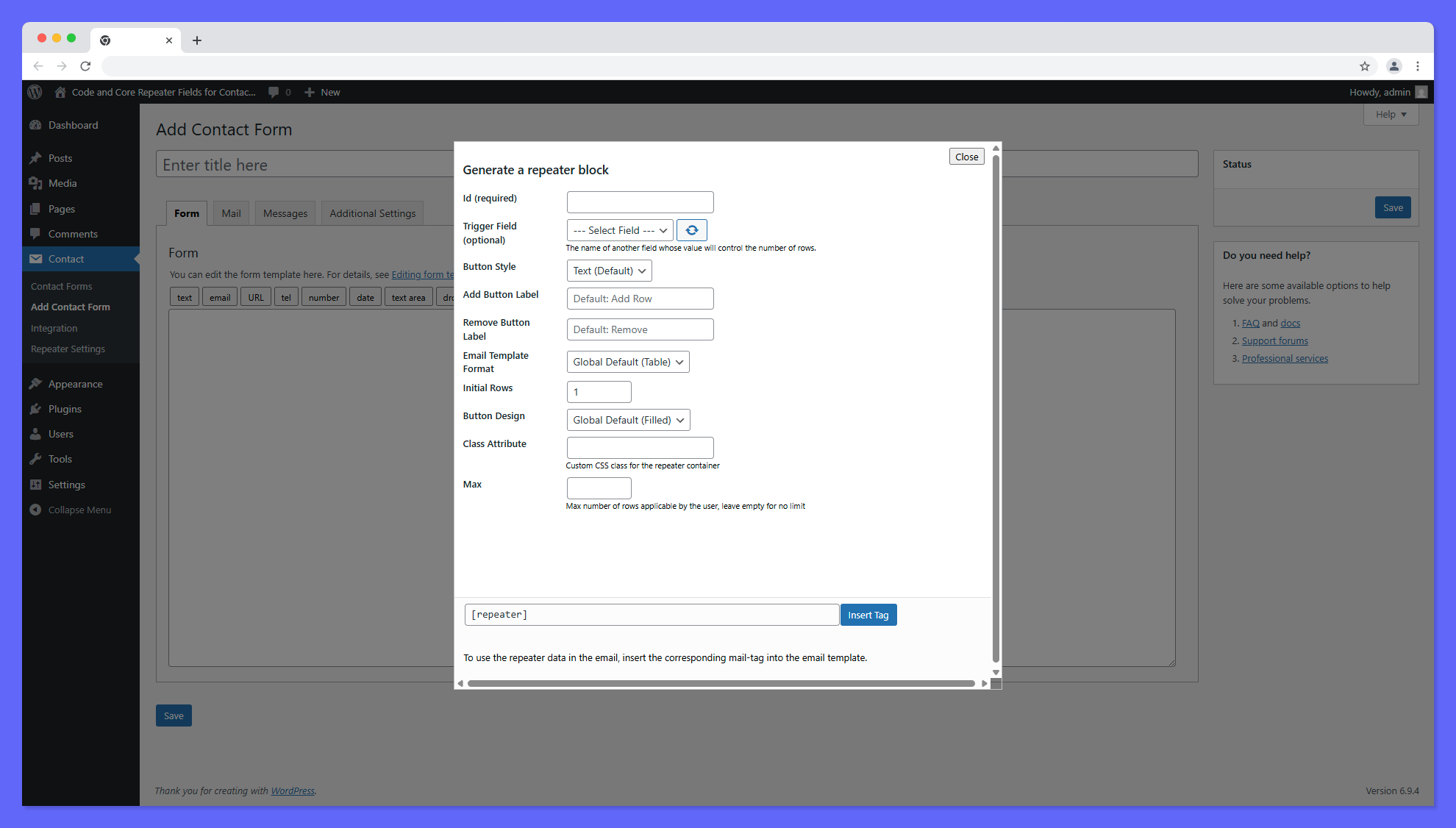
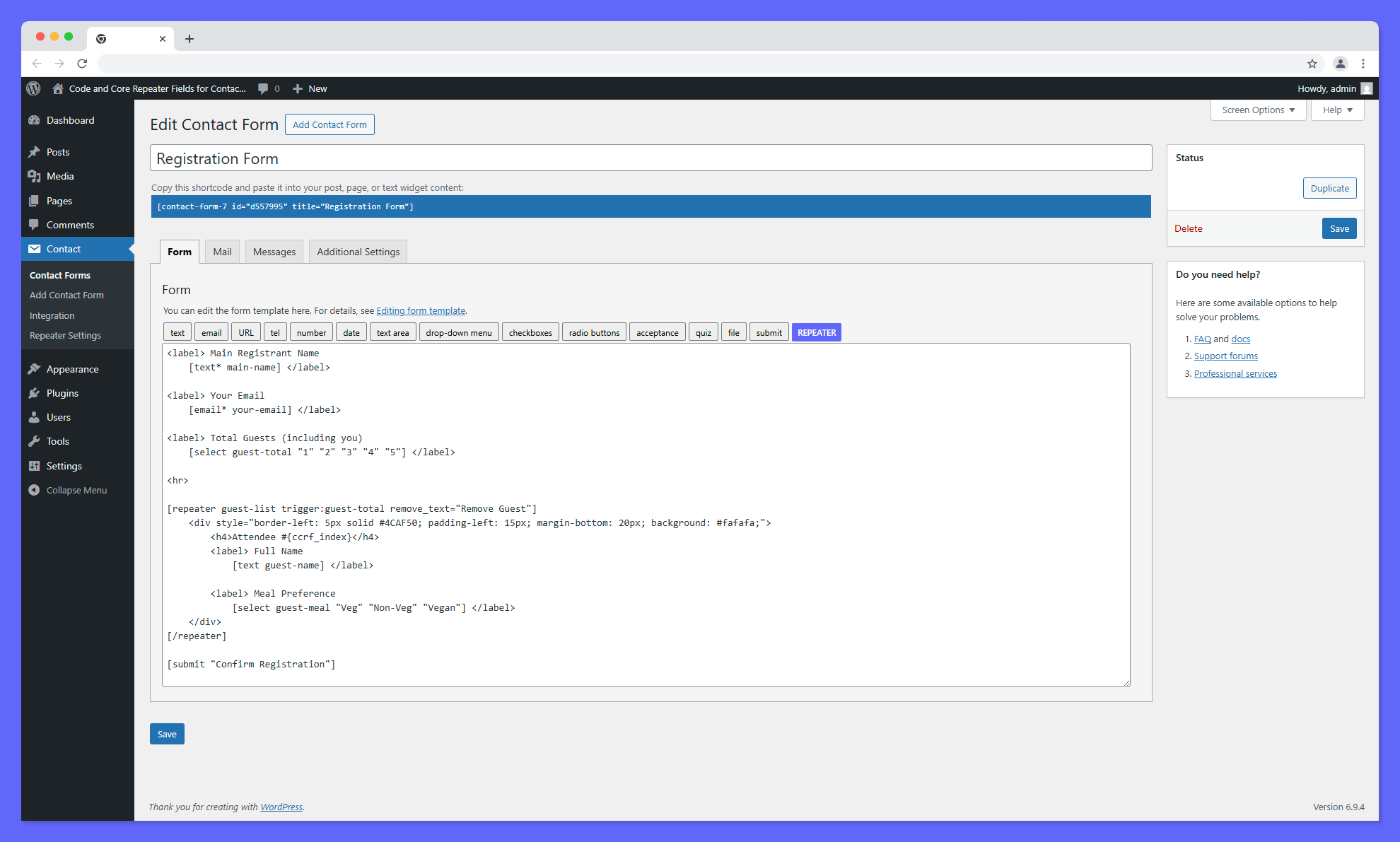
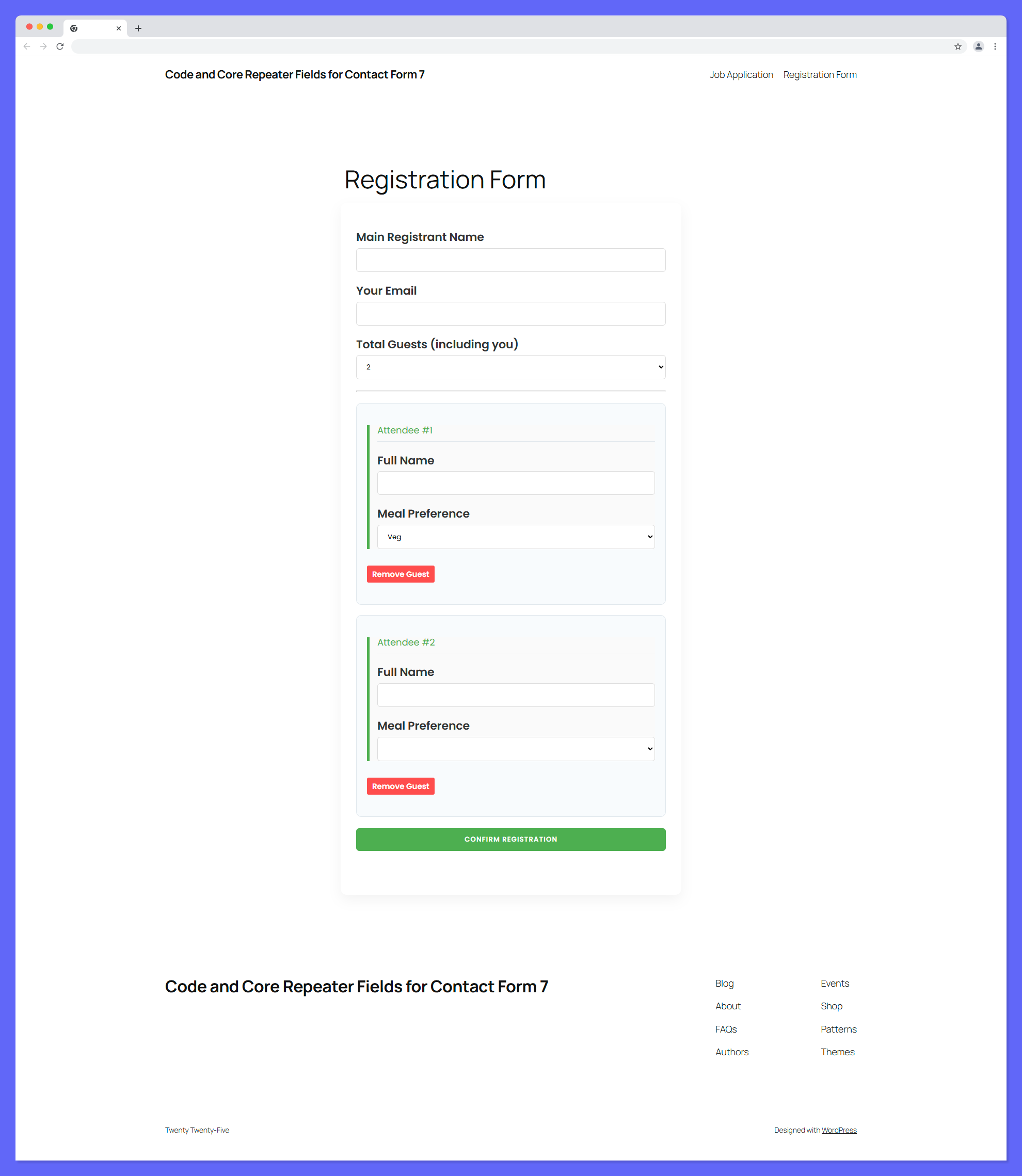
![**Manual Mode Editor:** The backend view showing the standard `[repeater]` shortcode structure with manual row controls.](https://cdn.jsdelivr.net/wp/code-and-core-repeater-fields-for-contact-form-7/assets/screenshot-3.png)
常见问题:
Does this support conditional logic?
Currently, the Repeater Extension natively focuses solely on duplicating elements. It works perfectly alongside standard CF7 extensions, though deep JS-based conditional logic within nested repeaters may require testing based on the third-party logic plugin.
Can I put REQUIRED fields (like [text*]) inside a repeater block?
Absolutely. Our plugin ties directly into CF7's JS controller. If a user duplicates a block that contains a required field, the entire form's validation will safely block submission until all duplicated required fields are completely filled out.
How do I change the default CSS (colors, margins)?
You can easily customize row backgrounds, borders, padding, margins, and button colors directly from the built-in Style Customizer located in Contact > Repeater Settings (complete with a real-time Live Preview and a Reset button). If you prefer to write custom CSS from scratch, we have also included a "Disable Default CSS" toggle to completely strip our styling.
How do I completely customize the Email Template HTML?
If the default 'Table' or 'List' formats do not suit your needs, you can easily override the underlying PHP email template safely from your theme! Please read the Custom Email Template section above for full instructions.
What does the "Trigger Field" option do?
The Trigger Field evaluates another field in your form (like a Dropdown or Number Input) and automatically generates that exact number of rows! For example, if you have a dropdown asking "How many tickets do you need?" with the name ticket-count, you can type ticket-count into the Trigger Field box. When a user selects "3", the plugin will instantly and automatically generate 3 attendee row blocks for them!
Can users reorder repeater rows?
Yes! The plugin includes an intuitive drag-and-drop reordering system. You can enable or disable this feature globally from the Repeater Settings dashboard, or override it on individual forms using the drag_and_drop attribute.
更新日志:
- Fixed: Critical shortcode regex parsing issue preventing rendering without space attributes.
- Fixed: Insecure attribute parsing logic potentially overwriting IDs.
- Fixed: Mail tag extraction regex matching incorrect attributes.
- Security: Added missing capability checks to admin mail extraction handler.
- Fixed: Cleaned up missing style options upon plugin uninstallation when Remove Data is selected.
- Improved: Refactored codebase to strictly comply with WordPress Coding Standards (PHPCS), fixing output escaping and global variable prefixing.
- Compatibility: Tested and verified to be fully compatible with version 7.1.
- Added: Drag and drop reordering feature for repeater rows with global settings and shortcode controls.
- Added: Row Duplication feature with customizable buttons/labels and global settings dashboard controls.
- Major UI/UX Revamp: Completely redesigned the Settings Page with a modern card-based interface.
- Improved: Restructured the Style Customizer with a new grid-based color picker interface.
- Improved: Optimized settings layout to be more compact, significantly reducing vertical scrolling.
- Changed: Updated default typography across the settings dashboard to the modern Outfit font.
- Initial Release: Comprehensive plugin release featuring Global Settings Dashboards, Assets Optimization, Native Validation limiters (min/max), and robust WPML translation injection natively.