Codeally Simplified Editor for TinyMCE
| 开发者 | oldrup |
|---|---|
| 更新时间 | 2026年9月7日 19:22 |
| PHP版本: | 8.2 及以上 |
| WordPress版本: | 7.1 |
| 版权: | GPLv2 or later |
| 版权网址: | 版权信息 |
详情介绍:
- Focused Writing UI: Provides essential inline styling options without toolbar clutter.
- Filtered Copy-Paste: Preserves basic markup (
<strong>,<em>,<a>,<ul>,<ol>,<li>,<img>). - WCAG Heading Protection: Strips pasted
<h1>–<h6>elements to prevent broken heading outlines. - Optional Media Support: Accommodates standard
<img>tags for compatibility with existing content. - Zero Configuration: Works automatically across all TinyMCE instances in the WordPress admin.
安装:
- Log in to your WordPress admin dashboard.
- Navigate to Plugins > Add New and search for "Codeally Simplified Editor for TinyMCE".
- Click Install Now, and then Activate.
屏幕截图:
常见问题:
Who is this plugin for?
It is built for developers, agencies, and site owners who want to provide content creators with a safe, accessible, and user-friendly editing experience across custom rich-text fields.
Why are heading tags (H1-H6) stripped on paste?
To satisfy WCAG 2.1 (Success Criterion 1.3.1 Info and Relationships), document heading structures must follow a logical, sequential hierarchy (e.g., an H1 page title followed by an H2, then H3). Pasting arbitrary heading tags into custom field regions frequently disrupts the page's structural outline, creating navigation barriers for screen reader users and assistive technologies.
Should I use WYSIWYG fields for images?
While this plugin supports <img> tags when media buttons are enabled, best practice is to use dedicated Image or Gallery custom fields for media assets. Separating media from rich text gives developers full control over responsive output, srcset attributes, and layout design on the frontend.
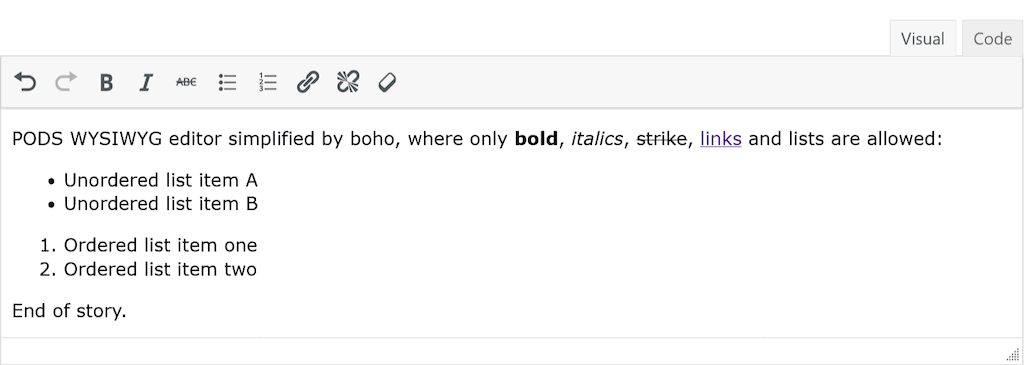
How should I configure Pods Framework WYSIWYG fields?
Under WYSIWYG Options, recommended settings include:
- Enable Media Buttons: Unchecked (or checked if image uploads are required)
- Sanitize HTML: Checked
- Enable wpautop: Checked
- Allowed HTML Tags:
p, strong, b, em, i, del, strike, s, ul, ol, li, a, img
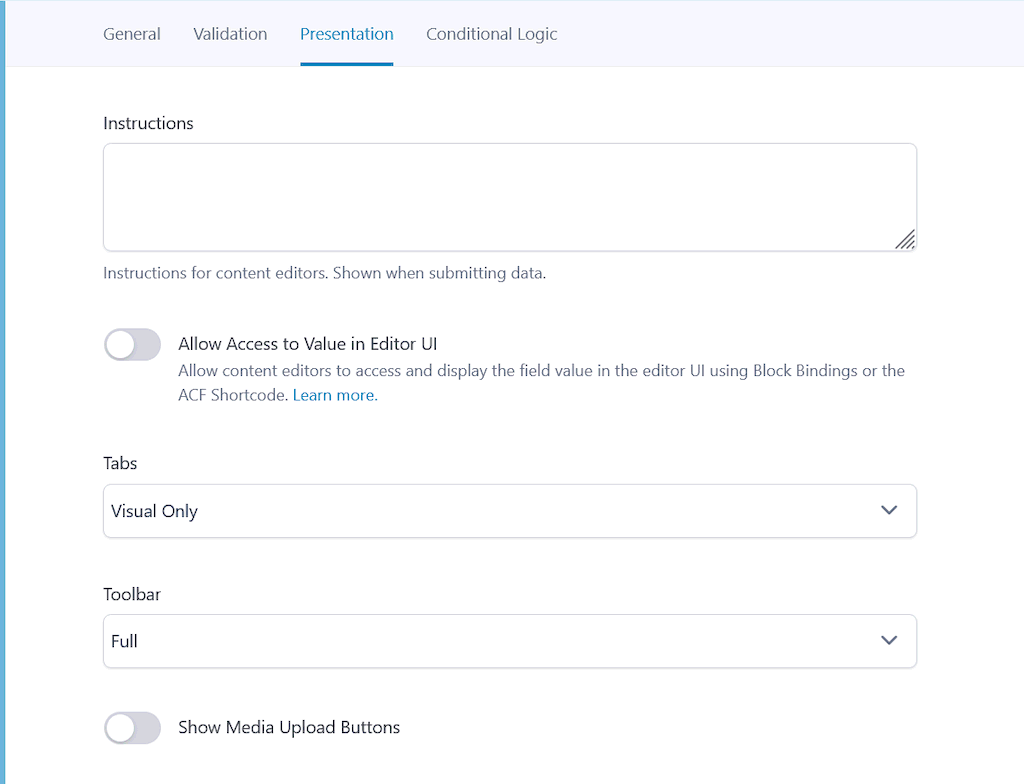
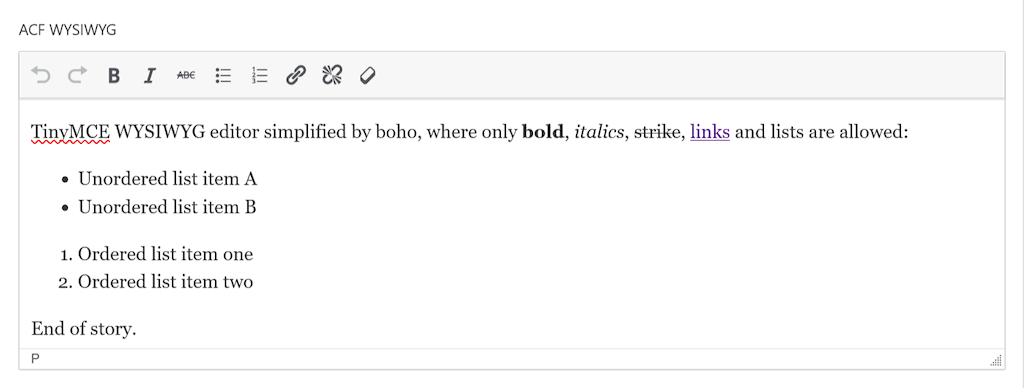
How should I configure ACF WYSIWYG fields?
Under the Presentation tab:
- Tabs: Visual Only
- Toolbar: Full (automatically streamlined by this plugin)
- Show Media Upload Buttons: Off (or On if image uploads are required)
Does it work with other custom field plugins?
Yes. It hooks into core WordPress TinyMCE initialization filters (tiny_mce_before_init and mce_buttons), ensuring any standard WP WYSIWYG field is automatically streamlined.
What happens if I disable the plugin?
Your saved content remains completely unchanged in the database. Disabling the plugin simply restores default TinyMCE toolbars for future editing sessions.
更新日志:
- Renamed plugin to Codeally Simplified Editor for TinyMCE and updated text domain to align with WordPress.org submission guidelines.
- Updated readmes to reflect updated plugin name.
- Added support for
<img>tags to accommodate media upload workflows. - Updated branding to Codeally Simplified Editor for TinyMCE.
- Improved paste handling: preserves essential markup (bold, italics, links, lists) while stripping inline CSS, spans, classes, and heading tags.
- Initial official release.