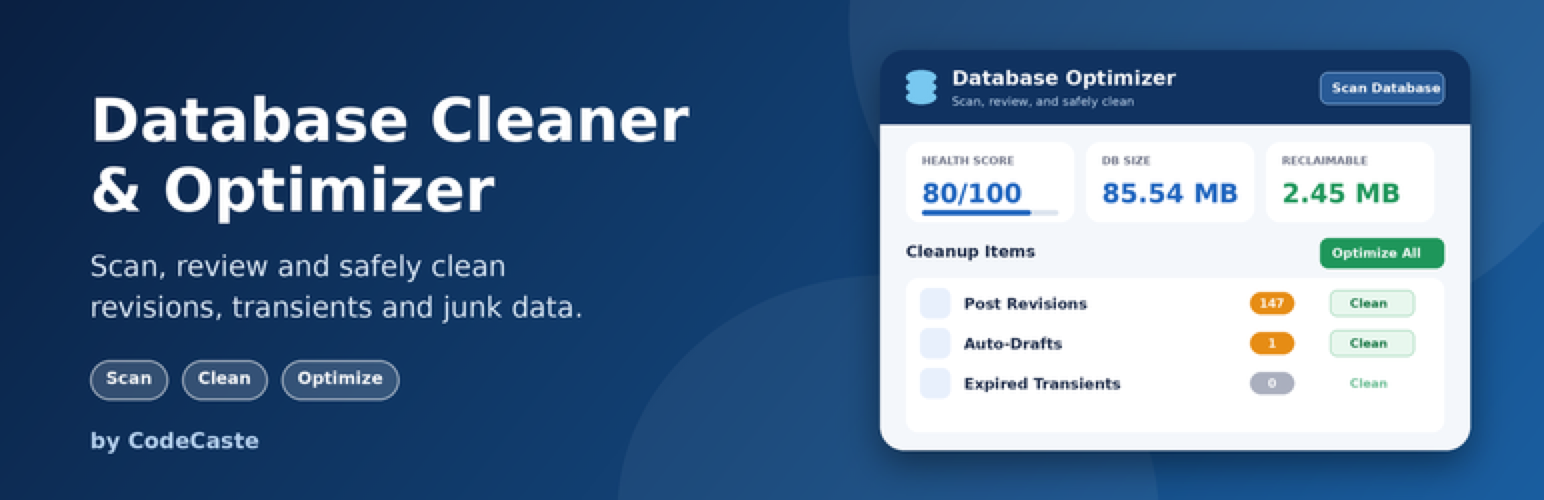
CodeCaste Database Cleaner & Optimizer
| 开发者 | codecaste |
|---|---|
| 更新时间 | 2026年10月27日 22:06 |
| 捐献地址: | 去捐款 |
| PHP版本: | 7.4 及以上 |
| WordPress版本: | 7.1 |
| 版权: | GPLv2 or later |
| 版权网址: | 版权信息 |
详情介绍:
- Autoloaded Options – total autoloaded option data and the largest individual options. A large autoload size is worth reviewing, but is not automatically unsafe.
- Expired Transients – transient records that have already expired and are safe to remove.
- Post Revisions – stored revisions beyond a configurable number of most-recent revisions to keep per post.
- Auto-Drafts – abandoned auto-draft posts older than a day.
- Orphaned Post Meta – postmeta rows whose post no longer exists.
- Orphaned Term Meta – termmeta rows whose term no longer exists.
- Orphaned Comment Meta – commentmeta rows whose comment no longer exists.
- Action Scheduler Records – when Action Scheduler is present (e.g. via WooCommerce), old completed, failed and canceled actions.
- Batch size 500 → 20 steps of 500 records (the default, fine for most sites).
- Batch size 100 → 100 smaller steps. Slower overall, but gentler on cheap shared hosting.
- Batch size 2,000 → 5 big steps. Faster, but only use this on a strong server.
- Keep 5 → the 5 newest are kept, 25 older ones can be cleaned (default).
- Keep 10 → the 10 newest are kept, 20 can be cleaned.
- Keep 0 → all 30 can be cleaned. You will no longer be able to restore earlier versions of that post.
- Retention 30 days → only the 10 August task can be cleaned (default).
- Retention 7 days → both tasks can be cleaned.
- Retention 90 days → neither can be cleaned yet; you keep a longer log for troubleshooting.
- Scanning never deletes data.
- Every destructive operation requires explicit confirmation.
- Cleanup endpoints never trust client-supplied record IDs; scanners derive eligible records from live database queries.
- Database-table deletion requires the exact table name and a fresh reference scan immediately before the DROP TABLE operation.
- Plugin, theme, must-use plugin, and WordPress content/drop-in PHP sources are checked for common table references.
- Large cleanup operations use configurable batch processing to avoid PHP timeouts.
- All queries use the WordPress database API with prepared statements.
- All admin actions are protected by capability checks and nonces.
- The plugin never automatically deletes active plugin or theme data, and never performs automatic optimization.
安装:
- Upload the
codecaste-database-cleaner-optimizerfolder to/wp-content/plugins/, or install the zip via Plugins → Add New → Upload Plugin. - Activate the plugin.
- Take a database backup (recommended before any cleanup).
- Go to DB Optimizer in the admin menu and click Scan Database. Results appear straight away under Cleanup Items.
- Review each item, then click Clean on a single item, or Optimize All, and confirm.
屏幕截图:

常见问题:
Will this plugin delete anything automatically?
No. Scanning never modifies data, and cleanup only runs after you explicitly review and confirm an action.
Why is a table from an installed plugin not shown as an orphan?
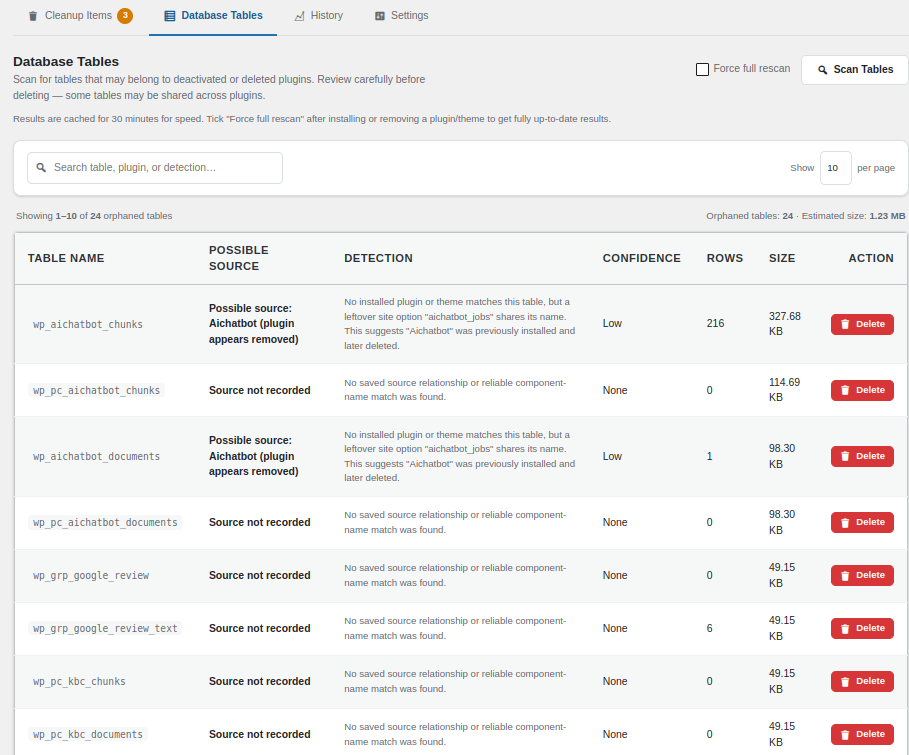
Database Tables is intended to find leftover tables from components that have been removed from the site. The scanner therefore inspects every currently installed plugin and theme, not only active components. This means a plugin that is installed but inactive can still have its custom database table protected from the orphan list. The scanner invalidates its source cache when the installed plugin/theme inventory or the current database table set changes, so a newly installed plugin or a newly created custom table is not hidden behind an older 30-minute cache.
How does the scanner detect a custom plugin table?
The scanner checks current installed component source for WordPress table-prefix patterns, CREATE TABLE definitions, exact table identifiers, custom database/table prefixes, and matching unprefixed table identifiers. It also keeps historical ownership information from earlier scans so a table can still be attributed after its plugin has been removed. Because WordPress/MySQL does not store a universal creator field for arbitrary custom tables, the feature is intentionally described as possible orphan detection rather than absolute proof.
I ran a scan and "Items to Clean" shows a number. Where are the items?
They are listed under Cleanup Items, right below the stat cards.
Why did nothing change after I edited a setting?
Settings apply to the next scan. Click Scan Database again to refresh the list.
Does this support multisite?
The initial release targets standard single-site WordPress installs. Multisite support is planned for a future release since network and site-specific tables require additional handling.
What happens to my data if I uninstall the plugin?
Deactivating the plugin leaves all of your WordPress data, plugin settings, and scan history untouched. Deleting the plugin from the Plugins screen removes only the plugin's own settings and scan-history records — it never touches your posts, comments, users, or other plugins' data.
更新日志:
- Initial release.
- Scanners for database & table size, autoloaded options, expired transients, post revisions, auto-drafts, orphaned post/term/comment meta, and Action Scheduler records.
- Single-page dashboard with health score, stat cards, and a tabbed Cleanup Items / Database Tables / History / Settings layout.
- Batched, confirmation-gated cleanup for every supported scanner, plus an "Optimize All" runner.
- Database Tables scanner that flags possible orphaned tables left behind by removed plugins/themes, with exact-name confirmation before any deletion.
- Scan progress bar and loader (scan buttons are disabled while scanning), Health Score stat card (0-100), "Optimize All" inside the Cleanup Items tab, and admin notices shown above the header.
- Unsaved-changes prompt when leaving the Settings tab, and Last Scan / History times shown in the site's timezone.
- Scan history log and a Settings screen with plain-language, example-based explanations for Cleanup Batch Size, Revisions to Keep, and Action Scheduler Retention (days).