Codedication Schema Blocks
| 开发者 |
codedication
pauloc |
|---|---|
| 更新时间 | 2026年8月15日 19:39 |
| 捐献地址: | 去捐款 |
| PHP版本: | 8.0 及以上 |
| WordPress版本: | 7.0 |
| 版权: | GPLv2 or later |
| 版权网址: | 版权信息 |
详情介绍:
- Google Rich Results — FAQ dropdowns and star ratings displayed directly in search results
- Better CTR — More clicks from visually enhanced search listings
- Voice Search — Structured Q&A content ready for voice assistants
- Knowledge Graph — Potential for featured snippets and entity recognition
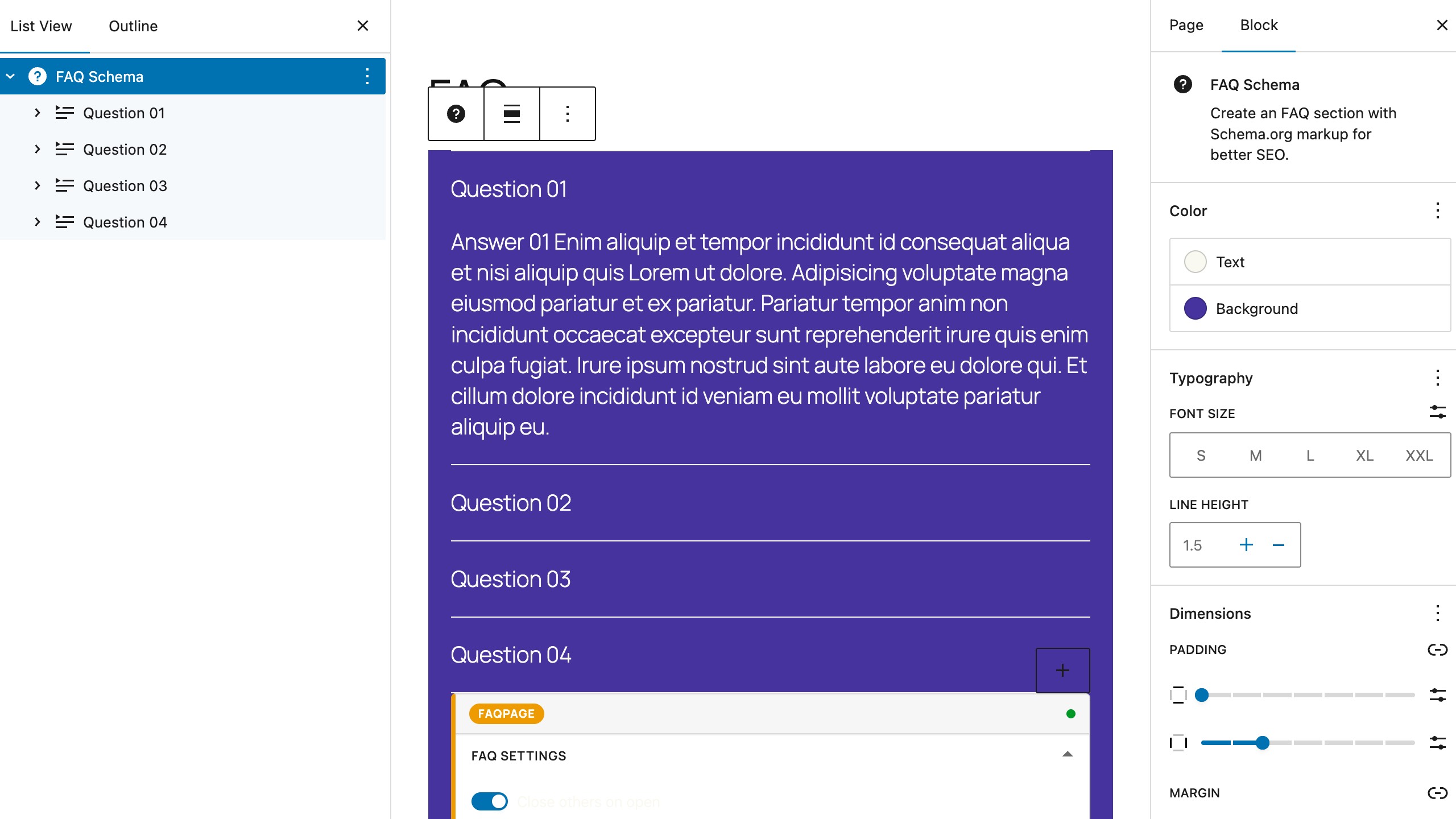
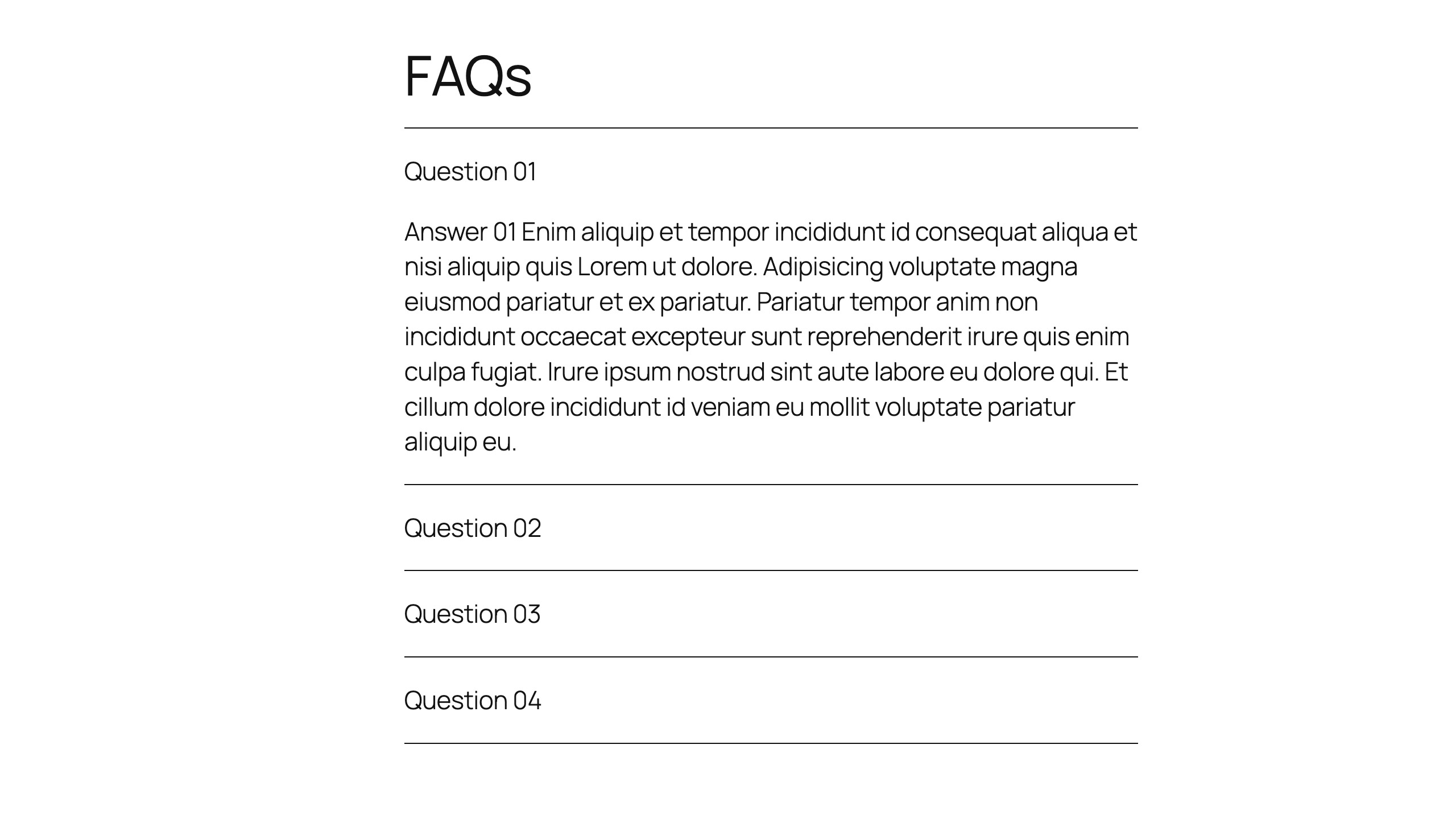
- Displays as expandable Q&A dropdowns directly in Google Search results
- Accordion-style interface in the block editor with full styling control
- Option to close others when one opens
- Proper FAQPage / Question / Answer schema.org markup
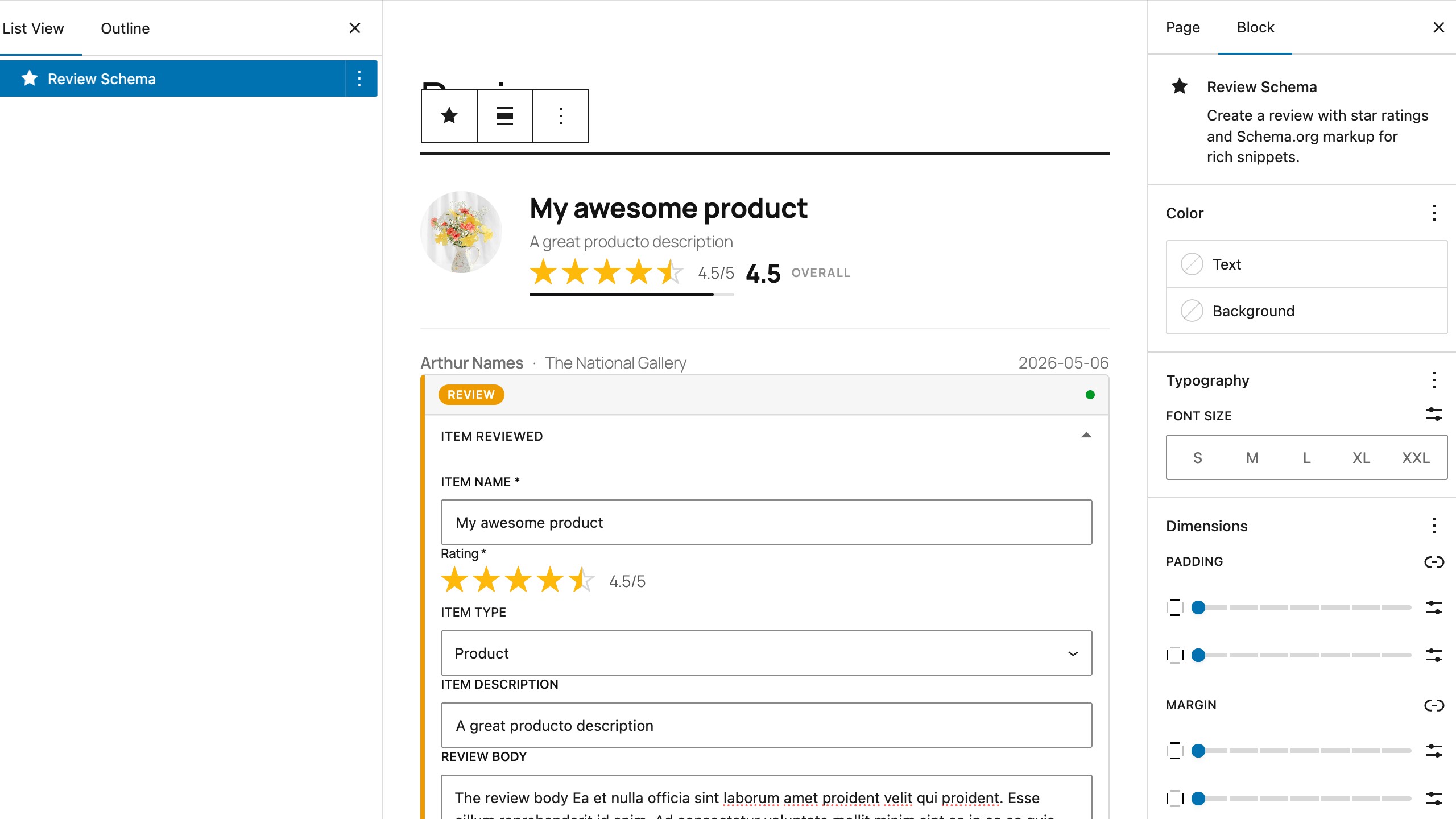
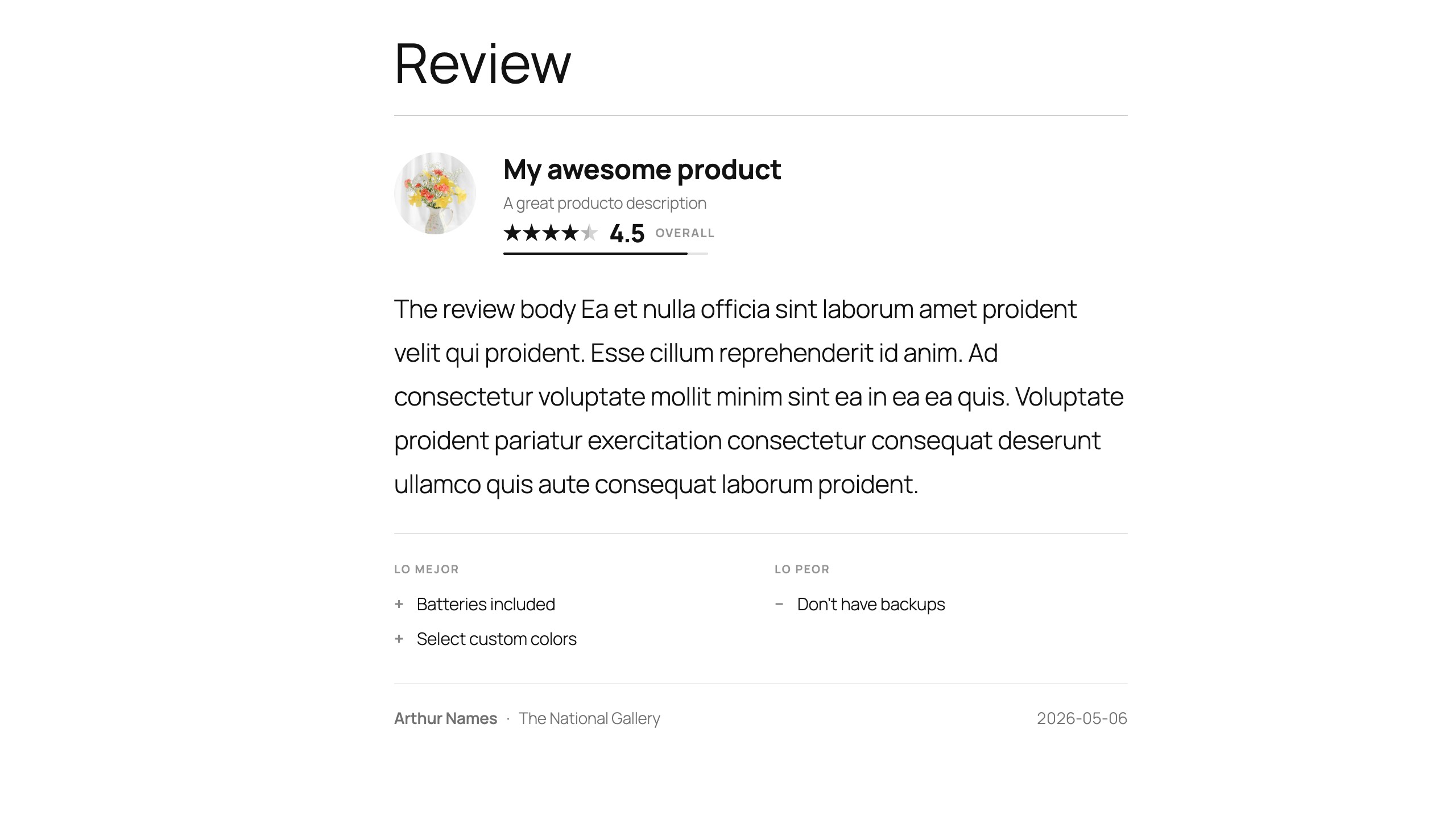
- Displays star ratings (1–5) in Google Search results for Products, Books, Local Businesses, and more
- Multiple item types: Product, LocalBusiness, Movie, Book, Restaurant, Thing
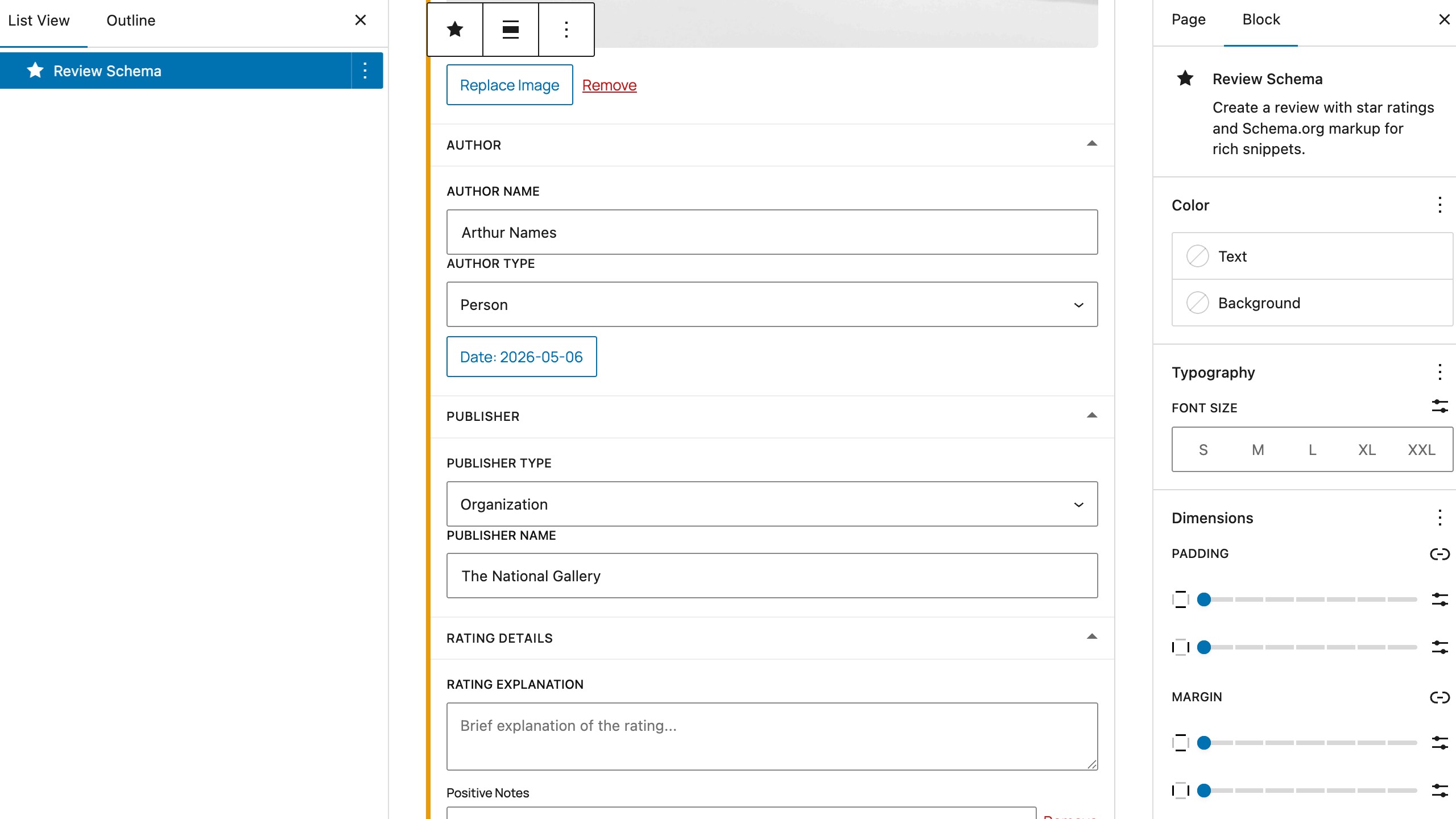
- Author and publisher information, publication date, review body
- Positive/negative notes and rating explanation
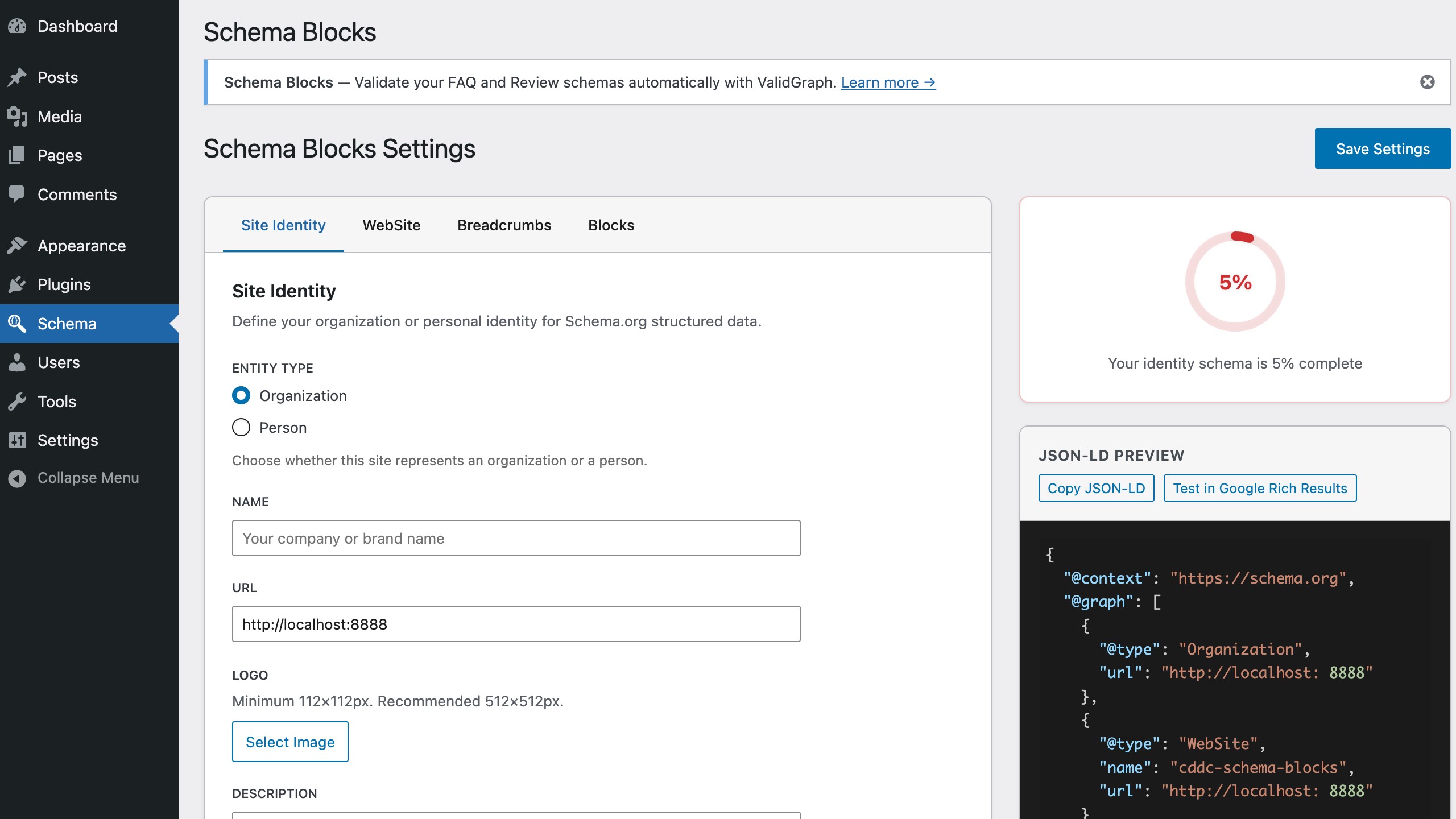
- Site Identity — Organization or Person schema with name, logo, description, contact, social profiles, and founding year
- WebSite schema — Site name, URL, and SearchAction for Google sitelinks search box
- Breadcrumbs — BreadcrumbList schema with separator and home label configuration
- Content types — automatic Article schema for posts, with a per-post-type mapping (None, Article, or Blog posting) for every public post type
- Block management — Enable or disable individual schema blocks
- JSON-LD preview — Live preview of your site-wide schema output with one-click copy and "Test in Google Rich Results" button
- Completeness indicator — Visual progress ring showing how much of your identity schema is filled in
- Automatic JSON-LD output in the page head — single
@grapharray for multiple schemas - Compatible with Google Rich Results Test and Schema.org Validator
- Works directly in the Gutenberg block editor
- Yoast SEO — Yoast handles meta tags and site-wide schema; Schema Blocks handles content-level schema
- Rank Math — Disable duplicate schema types in Rank Math settings if needed
- AIOSEO — Fully compatible; disable conflicting schema modules in AIOSEO
- The SEO Framework — Compatible out of the box
- Add a Schema Block (FAQ or Review) to any post or page in the block editor
- Fill in your content — questions and answers, ratings, review details
- The plugin outputs valid JSON-LD structured data in the page
<head> - Google reads the schema markup and may display rich results: FAQ dropdowns, star ratings, review snippets
- Google Rich Results Test
- Schema.org Validator
- ValidGraph — connect your site for one-click validation right inside the editor: completeness scoring, AI discoverability checks, and rich-result eligibility, without ever leaving WordPress.
安装:
- Upload the plugin files to
/wp-content/plugins/cddc-schema-blocks/ - Activate the plugin through the 'Plugins' screen in WordPress
- Go to Settings → Schema Blocks to configure options
- Add Schema blocks in the editor under "Schema Blocks" category
屏幕截图:
常见问题:
Will this guarantee rich snippets in Google?
No. Google decides whether to show rich snippets based on many factors. Proper schema markup improves your chances but doesn't guarantee display.
Does this conflict with Yoast SEO or Rank Math?
Schema Blocks focuses on content-level schema (FAQ, Review) which complements site-wide schema from SEO plugins. We recommend disabling duplicate schema types if your SEO plugin also provides them. See the "Compatible with Popular SEO Plugins" section above for plugin-specific guidance.
Does it work with Full Site Editing (FSE) themes?
Yes. Schema Blocks uses the standard Gutenberg block API and works with any block theme, including FSE themes like Twenty Twenty-Four, Kadence Blocks, or GeneratePress.
Do I need technical knowledge?
No! Just add blocks and fill in the fields. The plugin handles all the technical JSON-LD markup automatically.
Is the schema valid?
Yes. All output follows Schema.org specifications and Google's structured data guidelines.
What about performance?
Schema is output as a single JSON-LD script in the page head. It's lightweight and doesn't affect page load time or Core Web Vitals.
Can I use this with WooCommerce?
Yes. You can add Review schema to any post type, including WooCommerce product pages.
Does it add Organization or Person schema?
Yes. The Settings page includes a Site Identity section where you configure Organization or Person schema with name, logo, description, email, phone, address, social profiles, and founding year. A completeness indicator shows your progress.
How many FAQ items can I add?
There is no limit. Add as many Question/Answer pairs as you need. All items are included in the FAQPage JSON-LD output.
Does the plugin send my data anywhere?
No, not by default. All JSON-LD is generated and output entirely on your own server. The only exception is the optional ValidGraph integration: it only activates if you explicitly connect an account with your own API key, and until you do, nothing ever leaves your site.
What is ValidGraph and do I have to use it?
ValidGraph is an optional companion service that checks your schema for completeness, AI discoverability, and rich-result eligibility right inside the block editor. It's entirely opt-in — connect it under Settings → Schema Blocks, or skip it and validate manually with Google's tools instead.
Does it generate Article schema for my posts automatically?
Yes. Assign a post type to "Article" or "Blog posting" under Settings → Content and matching posts automatically emit an Article node — headline, dates, author, publisher, primary image — merged into the same JSON-LD graph as your FAQ and Review blocks.
Does it add Breadcrumb schema too?
Yes. The Settings page includes a Breadcrumbs section that outputs a site-wide BreadcrumbList schema, with configurable separator and home label.
Can I turn off a schema block I don't use?
Yes. Settings → Schema Blocks → Block management lets you enable or disable the FAQ and Review blocks individually.
Is the plugin translation-ready?
Yes. All strings are translation-ready, and every FAQ and Review schema automatically includes an inLanguage property derived from your site's language setting.
更新日志:
- Fixed: the ValidGraph validation bridge now calls the correct API endpoint (
validgraph.com/api/v1/...) — the previous URL (wp-json/validgraph) never resolved, so validation requests always failed. - Fixed: the Website settings tab now reaches the output — the
WebSitenode emitsdescription,inLanguageandauthorfrom the fields the tab already collected, each omitted when empty. Previously five fields were saved and previewed but never emitted. - Changed: the Website tab's "sameAs" field accepts several URLs instead of one, using the same repeater the Review block uses. Stored single URLs keep working and are converted on the next save; no migration needed. The publisher URL stays a fallback — when a site identity is configured, the
WebSitenode keeps referencing it instead. - New: review authors can be attributed to the site identity — a new "Attribute to the site identity" toggle on the Review block makes
Review.authorreference the site Organization or Person node instead of an anonymous inline author, and the visible byline is resolved at render time, so renaming the identity in Settings updates published posts without re-saving them. Falls back to the inline author when no identity is configured, so a reference never dangles. Extensibility contract bumped to1.7.0—Schema_Graph::registered_identity_id()is now a public seam. - Changed: review
@ids are now stable across block reordering — each Review node derives its@idfrom the block's own id ({permalink}#review-a1b2c3d4) instead of its position on the page, and duplicated blocks emit two nodes instead of silently merging into one. Reviews saved before this release keep their current ids; nothing is rewritten. - New: book details on the Review block — when the reviewed item type is
Book, a new "Book Details" section adds author, publisher, publication date, format, page count, ISBN and external identity URLs (OpenLibrary, Wikidata, Goodreads). The filled fields are emitted onitemReviewed(author,publisher,datePublished,bookFormat,numberOfPages,isbn,sameAs) and shown as a metadata line under the item name, so the markup describes visible content. Every field is optional and existing reviews are unchanged. - New: author Person entities — the automatic Article node now carries an
authorreferencing aPersonnode built from the post author's WordPress profile (name, author archive URL, avatar, bio, website). Nodes are minted on demand with a stable, PII-free@id, deduplicated against the site Person identity via a new Site Identity "WordPress user" picker. Extensibility contract bumped to1.5.0— newSchema_Graph::ensure_author_person()seam (callable by addons) andcddc_schema_blocks_author_personenrichment filter for E-E-A-T fields. - New: automatic Article schema — posts now emit an
Articlenode ({permalink}#article) wired into the unified graph, with headline, dates, publisher, primary image, and category. A new Content settings tab maps each public post type to None, Article, or Blog posting (default: posts → Article). Extensibility contract bumped to1.4.0— newcddc_schema_blocks_page_content_typefilter (per-post type overrides, e.g.NewsArticle) and main-entity election API (Schema_Graph::flag_main_entity()) so addon content nodes replace the automatic Article instead of competing with it. - New: FAQ and Review schemas now emit an
inLanguageproperty derived from the site language (BCP-47, e.g.en-US). No configuration needed; overridable via thecddc_schema_faq_output/cddc_schema_review_outputfilters. - Changed: unified JSON-LD output — the page now prints one
<script type="application/ld+json">with a single@graphinstead of two separate scripts. Adds WebPage (and primary image) anchor nodes linking site identity, WebSite, breadcrumbs, and block schemas together. Extensibility contract bumped to1.3.0— newcddc_schema_blocks_graph_nodesfilter. - Changed: the FAQ block's
{permalink}#faqnode id is retired — its questions now live on the page's WebPage node (@type: ["WebPage","FAQPage"],mainEntity). FAQ rich results were retired by Google (2026-05-07), so no SERP feature depends on the old id.
- New: Extensibility contract 1.1.0 — the shared schema-ui editor toolkit is now exposed to addons on
window.cddcSchema.uivia thecddc-schema-uiscript handle (SchemaBlockCard, SchemaFormSection, SchemaPreviewInline, DurationInput, and more). - New: Extensibility contract 1.2.0 — added the
cddc_schema_blocks_settings_urlfilter so a companion hosting the Settings screen elsewhere can correct internal links (admin notices, the plugins-list action link). - New: "Settings" action link on the Plugins screen, next to Deactivate.
- New: WordPress Playground blueprint (
.wordpress-org/blueprints/blueprint.json) powering the Live Preview button on the wp.org plugin directory. - Fix: the site-wide BreadcrumbList is suppressed on pages containing an addon breadcrumb block with manual items, so a page never emits two BreadcrumbList schemas.
- Fix: the Review block's
reviewBodynow falls back to the block's rendered HTML when the attribute isn't set explicitly. - Removed: the dead
load_optional_integrations()bootstrap andAdmin_Integrationcompanion-coupling code (unreachable without a package this plugin never ships) — the Settings screen registration is simpler and wp.org-review-clean as a result.
- New: FAQ summaries now show an animated +/× icon that rotates when an item opens. Pure CSS driven by the native
details[open]state (no JS), mirrored in the editor and respectingprefers-reduced-motion.
- Fix: Review block now renders translatable labels through
__()so strings reach the.potand translations apply at render time. - Compat: Tested up to WordPress 7.0.
- Fix (WordPress.org review): conflict admin notice no longer emits an inline
<script>tag — the dismiss handler is now an enqueued asset (assets/admin/conflict-notice.js) wired viadata-*attributes on the notice container. The notice is also gated to the plugin Settings page andplugins.phponly. - Fix (WordPress.org review): FAQ block render callback no longer echoes a
WP_HTML_Tag_Processor-mutated HTML string. The wrapper<div>is composed from escape-aware core APIs, and per-<details>Interactivity API directives are now injected via arender_blockfilter scoped to FAQ-ancestor renders. Foreigndata-wp-*directives on nested blocks are preserved. - Fix: Settings page rendered empty when the centralized Codedication admin was active. The plugin now registers a "Settings" tab inside the centralized renderer and the React app hydrates from saved option values.
- Fix:
useSlotFillscrash on older@wordpress/components; the Advanced tab now derives its visibility from the internal fill bridge. - Improvement: Completeness score redistributed to weigh Site Identity (75), Website (20) and Breadcrumbs (5) — previously only Site Identity counted, so the page could reach 100% while Website and Breadcrumbs were empty.
- New filter:
cddc_schema_blocks_is_settings_screenlets integrations declare authoritatively when the React Settings app should be enqueued. - Cleanup: removed dead code paths in
Admin_Integration, deadutils/completeness-score.ts/utils/json-ld-preview.tsmodules, the unusedHelpTipcomponent family and the divergent PHPSite_Schema::get_completeness_score()(the React UI is now the single source of truth for completeness). - Fix: schema-conflict admin notice now links to the real settings screen (
Admin_Integration::get_settings_url()) instead of guessing fromclass_exists(), so the link is correct in the fallback path where the shared admin package exists but its renderer is not yet available.
- Initial release
- FAQ Block with FAQPage schema
- FAQ Item child block
- Review Block with Review schema
- Support for 6 item types
- Settings page for block management
- Interactivity API for accordion