Codeep Voice: Text to Speech MP3 for Posts
| 开发者 |
sdsoftware
vladimirgrigoryan |
|---|---|
| 更新时间 | 2026年10月17日 16:48 |
| PHP版本: | 7.4 及以上 |
| WordPress版本: | 7.1 |
| 版权: | GPLv2 or later |
| 版权网址: | 版权信息 |
详情介绍:
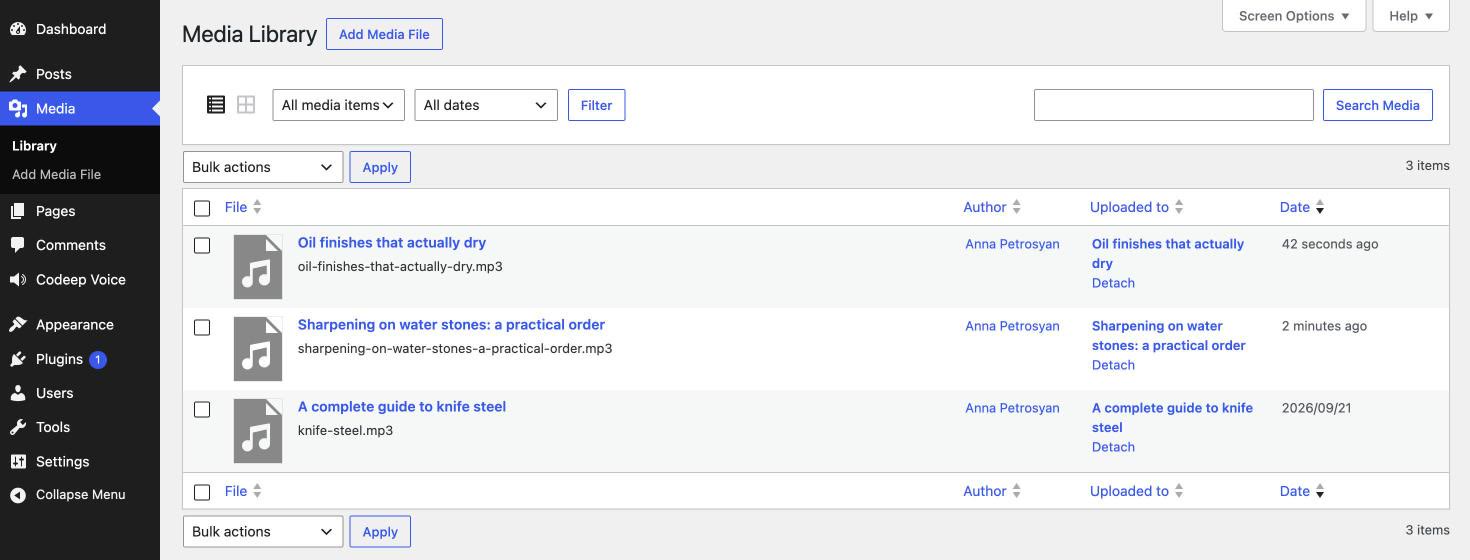
- A real MP3 file in your media library, attached to the post
- Nine voices: Heart, Bella, Nicole and Sarah; Michael and Adam, American; Emma and George, British; and Amy, American, fast on a computer with no graphics card
- A player on the post, under 12 KB, which takes its colours from your theme
- A download button in that player, so a reader can keep the file
- Your readers download the MP3 and nothing else: no model, no engine, no waiting
安装:
- Upload the plugin through Plugins → Add New → Upload, or copy the folder to
wp-content/plugins/. - Activate it.
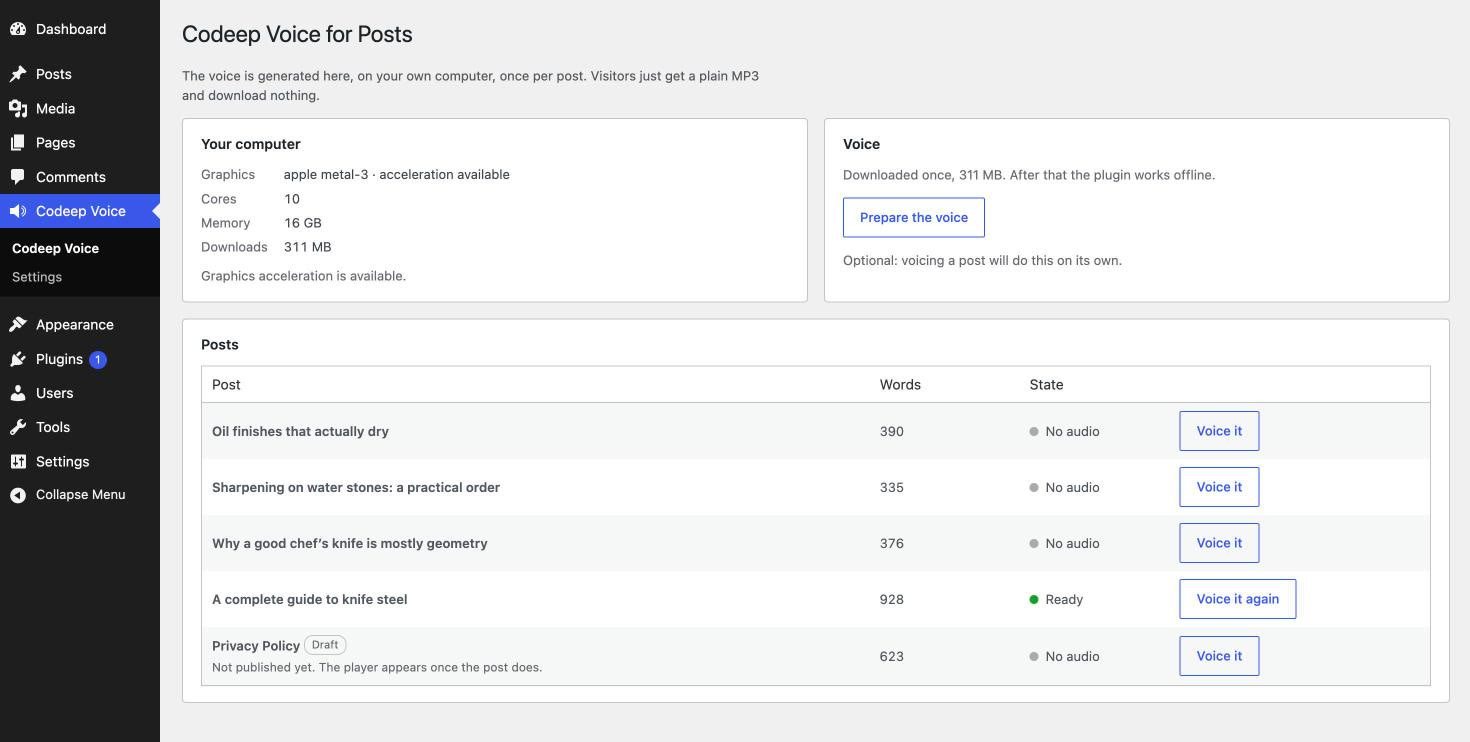
- Go to Codeep Voice in the admin menu.
- Press Prepare the voice once. The model downloads and stays in your browser.
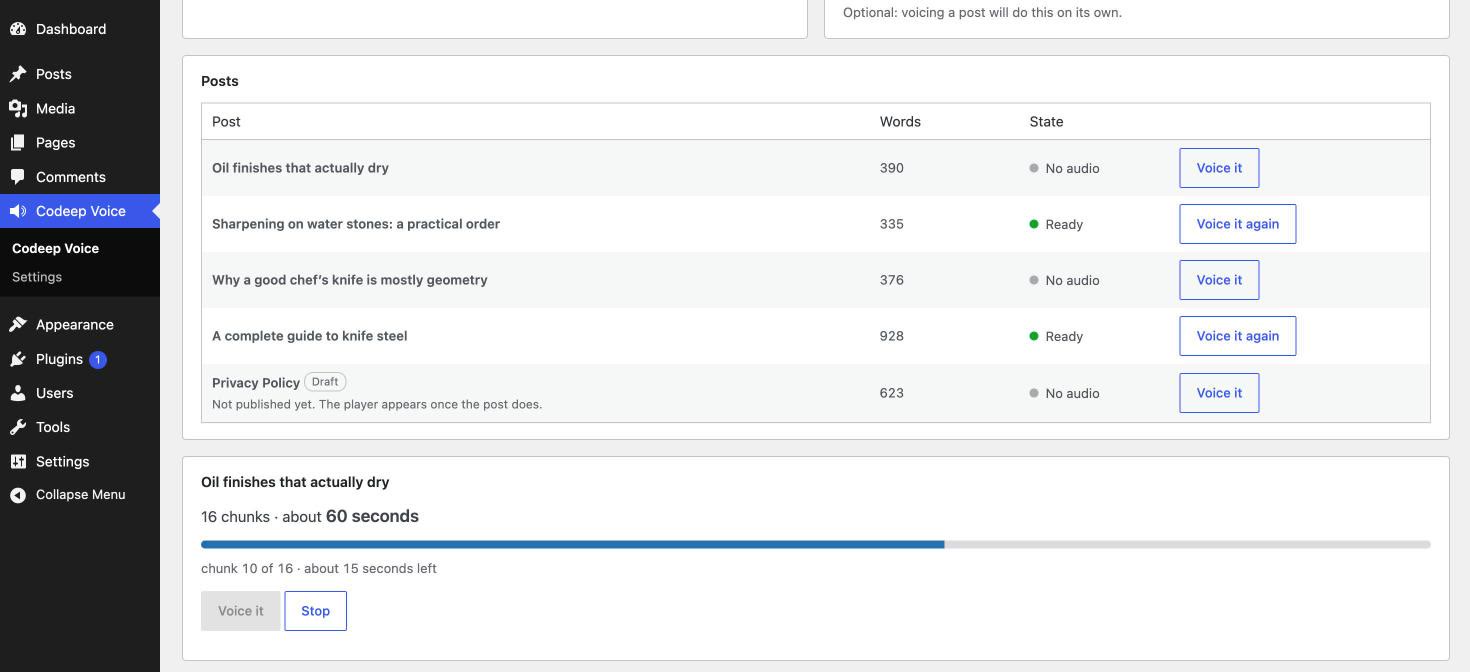
- Pick a post and press Voice it.
屏幕截图:
常见问题:
Do my visitors download the voice model?
No. They download the MP3 and a player under 12 KB. The model only ever runs in your admin screen, on your computer.
Does my post text get sent anywhere?
No. The text is turned into audio inside your browser. There is no server of ours involved at any point.
What does it need to run?
A reasonably current browser in your admin. Graphics acceleration makes it much faster but is not required. Without it the plugin still works, just slower.
Can I close the tab while it is working?
You can stop and come back. Progress is saved after every chunk, so reopening the screen continues from where it left off rather than starting over. Do not close the tab mid-run if you can help it, because leaving it open is faster.
I changed the voice in settings but my posts sound the same
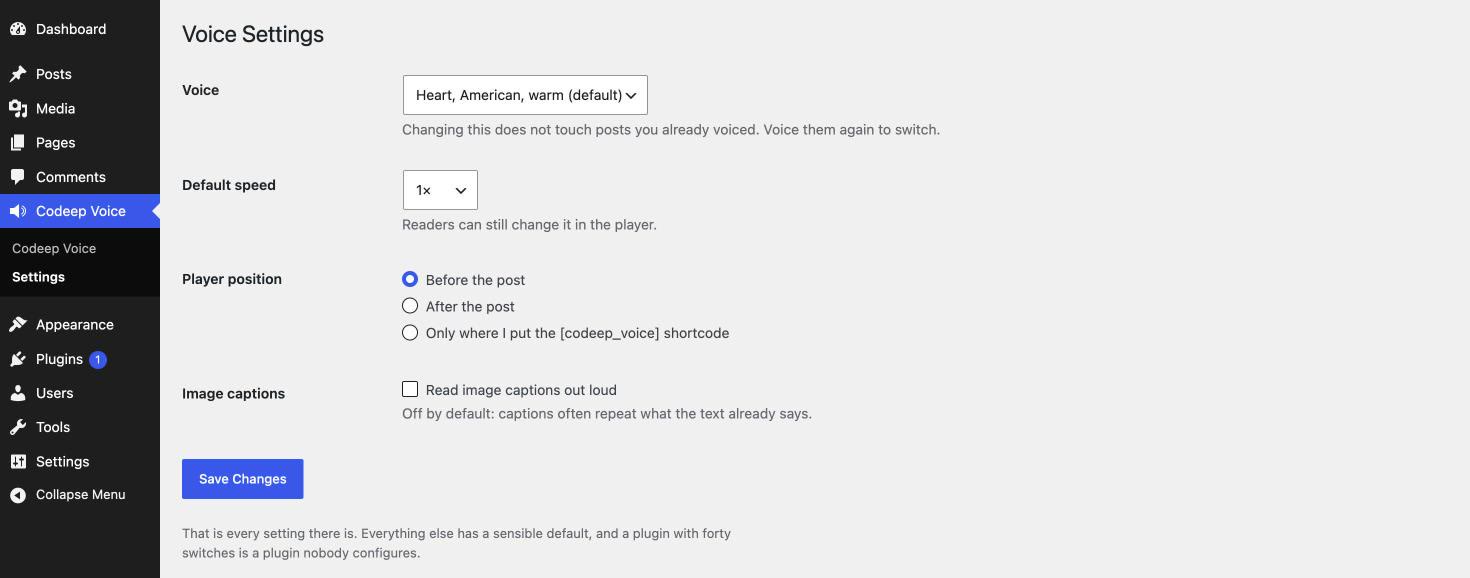
Changing the setting does not rewrite audio that already exists. The posts list shows which voice each post was made with; press Voice it again on the ones you want switched.
I edited a post. What happens to the audio?
The post is marked Out of date in the list. The old file keeps playing and is not deleted until you make a new one, so your readers never hit a dead player.
Can I change how the player looks?
Yes, with CSS, and nothing in the plugin needs editing. The player uses a shadow root so your theme cannot break it and it cannot break your theme. Style it from outside with custom properties:
.entry-content { --codeep-voice-accent: #7c3aed; --codeep-voice-line: #e9d5ff; --codeep-voice-background: #faf5ff; --codeep-voice-box-radius: 10px; --codeep-voice-padding: .9em 1em; }
Or with ::part() for full control:
codeep-voice-player::part(title) { font-weight: 700; } codeep-voice-player::part(button) { background: #7c3aed; color: #fff; }
Available parts: box, play, rate, button, title, seek, time, download. Font and text colour are inherited from your theme automatically.
Where does the player show up?
Before the post by default. You can move it after the post, or turn automatic placement off entirely and put the [codeep_voice] shortcode exactly where you want it.
Some parts of my post are not read. Why?
Code, tables, images, embedded videos and form fields are skipped on purpose: read aloud they make no sense. A table gets a short "A table follows" instead. The voicing screen lists everything that will be skipped, under the estimate, before you start. Image captions can be turned on in Settings.
Which languages are supported?
The voice model reads English. The plugin interface itself follows your site language.
Does it work on a phone?
The player does, for your readers. Generating audio on a phone is not recommended. Do that on a desktop.
更新日志:
- The list of what will not be read aloud now uses the right word forms in every language a translation exists for, so a translation can say "2 tables" and "5 tables" the way its language does.
- The voice files of the main voices now also download from the plugin's own copy on Hugging Face, like the model itself. A voice you have already downloaded is reused.
- The voice models now download from the plugin's own copy on Hugging Face, so a change in another repository cannot stop voicing. A voice you have already downloaded is reused, not downloaded again.
- The player is no longer shown on password-protected or private posts, including when it is added to another post with the shortcode.
- The Voice button in the editor now reads the post as it was last saved, so a change made just before voicing is never left out.
- While voicing, the plugin now records when each sentence starts and ends in the audio, so the text on the page can follow the voice. If a security plugin or the server rejects this extra data, the audio is still saved.
- The daily cleanup of leftover audio files now works through the whole media library, 100 files at a time, and continues where it stopped. Only one cleanup runs at a time, and files younger than a day are left alone.
- When the same post is voiced in two tabs at once, the audio saved last is kept, and only the file it replaced is removed.
- For developers: a new
codeep_voice_player_attributesfilter, and two editor events,codeep-voice:voice-nowandcodeep-voice:voice-status.
- Stop now works when the voice runs on the processor instead of the graphics card, and always for the Amy voice. Before, the screen said "stopping" but voicing went on to the end of the post.
- Leftover audio files are cleaned up in two more cases: when the upload worked but the browser never got the answer, and when two tabs voice the same post at the same time. Each uploaded file is marked for its post before it is attached, and a daily cleanup removes marked files that were never attached. Only files the plugin made are ever removed.
- After you stop a post halfway, the button says Continue, and a post left unfinished shows how much is already done.
- The settings screen says "Settings saved." after you save.
- The voicing screen now lists what will not be read aloud (code, tables, images, captions, embeds), under the estimate, before you start.
- Post titles on the voicing screen open the post in the editor in a new tab, and the screen scrolls to the voicing panel after you pick a post.
- Image captions are read when that setting is on. Before, captions in WordPress image blocks were skipped even with the setting on, and tables from the block editor did not get their "A table follows".
- If the upload works but attaching the file to the post fails, the uploaded file is removed instead of being left in the media library.
- If the voice chosen in Settings is no longer available, for example because the add-on that provided it is switched off, the default voice is used and the screen says so, instead of failing with "Voice not found".
- The Amy voice is now kept in the browser like the main voice, so it works offline after the first download.
- Clear messages when the voice cannot be downloaded, when the browser has no room to keep it, and when it cannot save progress.
- The screen no longer waits forever if the voice engine fails to start.
- The Stop button no longer shows before voicing has started.
- After three of your posts have audio, the plugin's own screen asks once for a review on WordPress.org. One click on either button and it never asks again. It never appears on any other admin page.
- The name in the plugin directory now says what the plugin does: Codeep Voice: Text to Speech MP3 for Posts. No code changed.
- A second voice engine, Piper. The new voice "Amy, American, fast on any computer" needs no graphics acceleration and is many times faster than the existing voices on a plain processor. Pick it in Settings; everything else works exactly as before.
- Smaller download: the plugin now carries one ONNX runtime instead of two.
- Extension points for add-ons: the voice list, the data passed to the admin screen and the moment an MP3 is attached to a post can now be filtered or hooked by other plugins. Nothing changes for anyone who does not use them.
- First release.