
CodeFaeries Ask AI About Us: AI Buttons for ChatGPT, Grok and Claude
| 开发者 | lwsdevelopers |
|---|---|
| 更新时间 | 2026年11月21日 02:40 |
| PHP版本: | 7.4 及以上 |
| WordPress版本: | 7.1 |
| 版权: | GPL-2.0-or-later |
| 版权网址: | 版权信息 |
详情介绍:
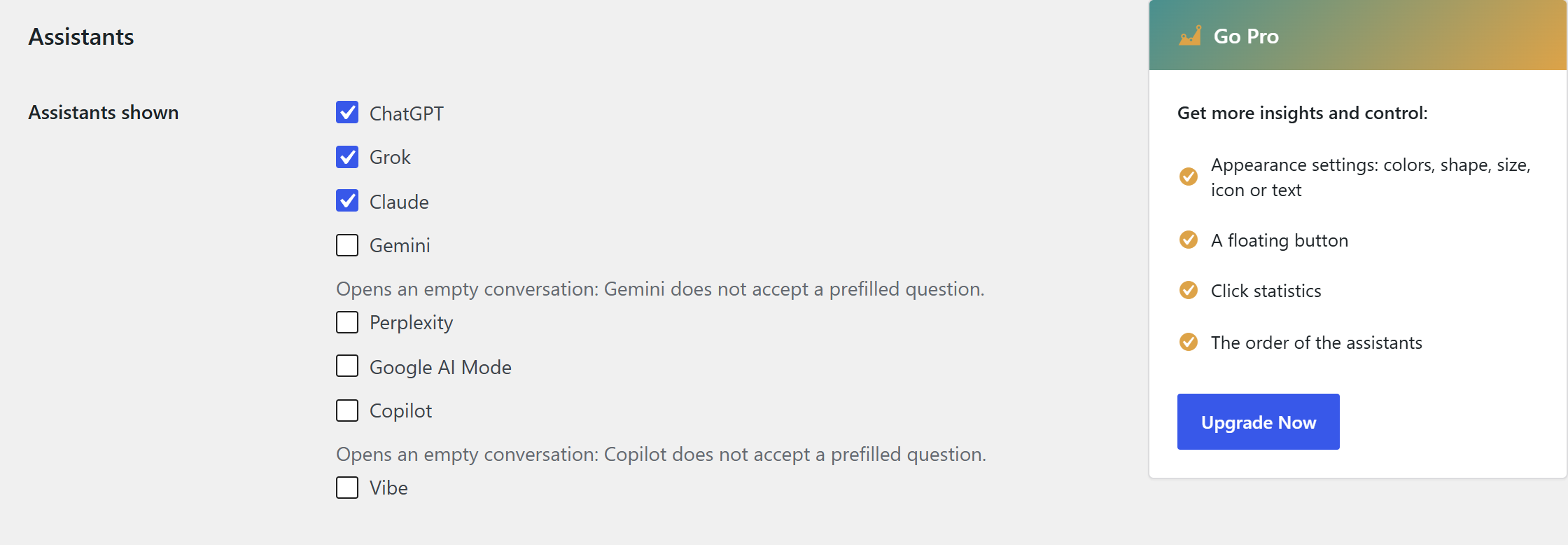
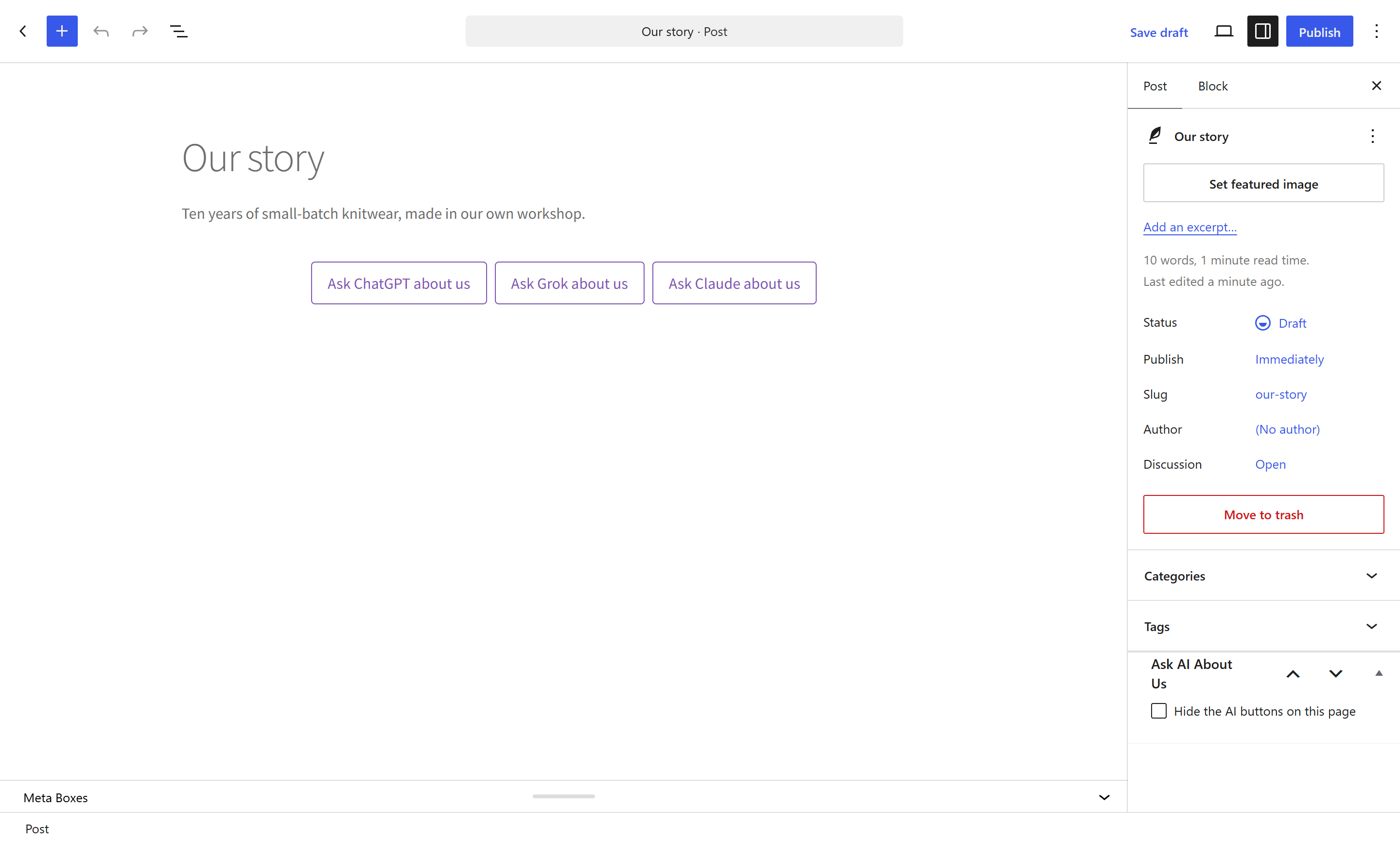
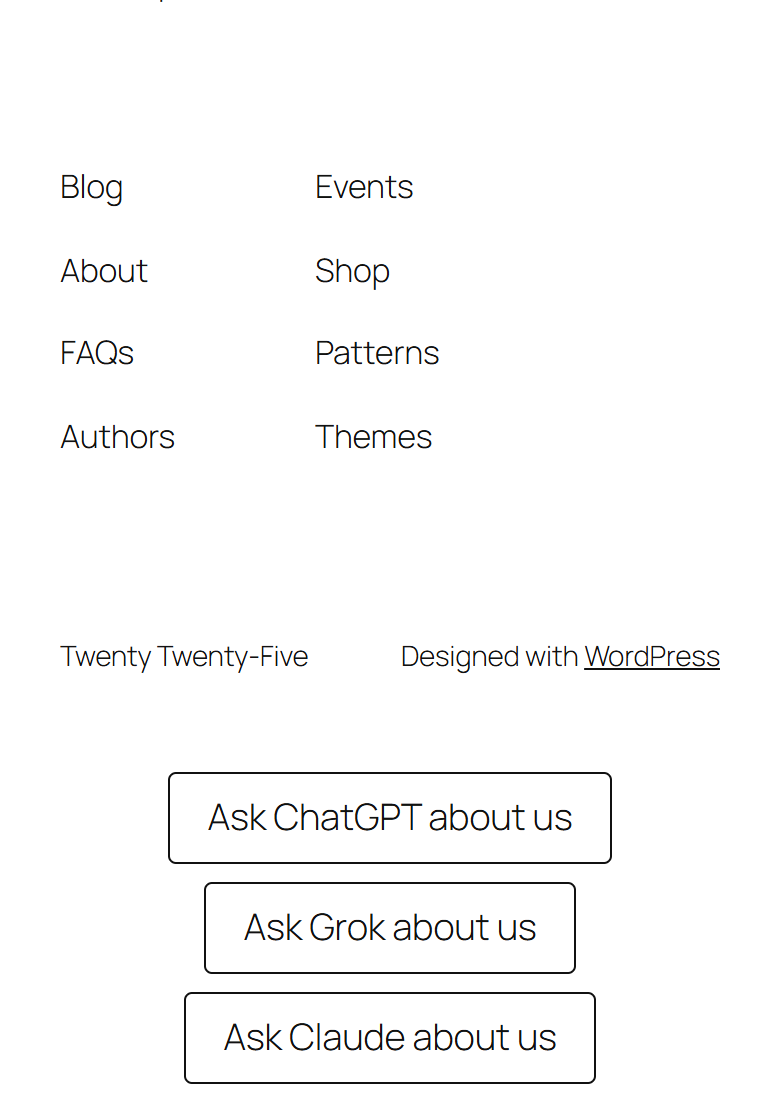
- ChatGPT, Grok and Claude buttons - shown after the footer as soon as the plugin is activated, with no setup
- Five more AI buttons as options - Gemini, Perplexity, Google AI Mode, Copilot and Vibe by Mistral AI
- Choose the AI assistants shown - under Settings > Ask AI
- Gemini and Copilot open an empty conversation - they do not accept a prefilled question
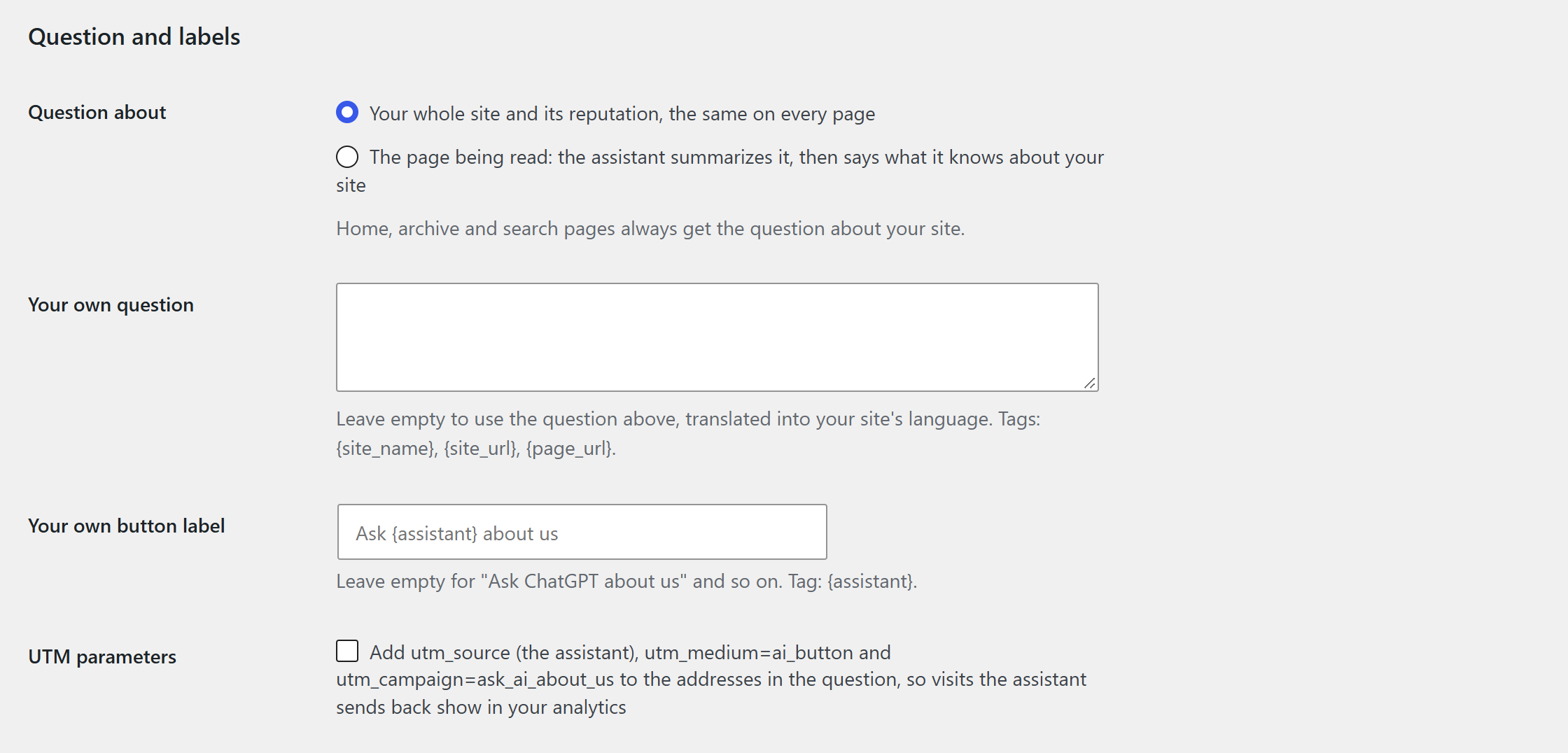
- A question about your whole site - by default, the same on every page: its name, its address, whether it is a reliable company and what its customers say
- Or a summary of the page being read - on a single post, page or product, the assistant summarizes that page, then says what it knows about your site
- Your own question - with the tags {site_name}, {site_url} and {page_url}
- Your own button label - "Ask {assistant} about us" by default
- UTM parameters as an option - the addresses in the question carry utm_source (the assistant), utm_medium=ai_button and utm_campaign=ask_ai_about_us, so the visits an assistant's answer sends back show in your analytics
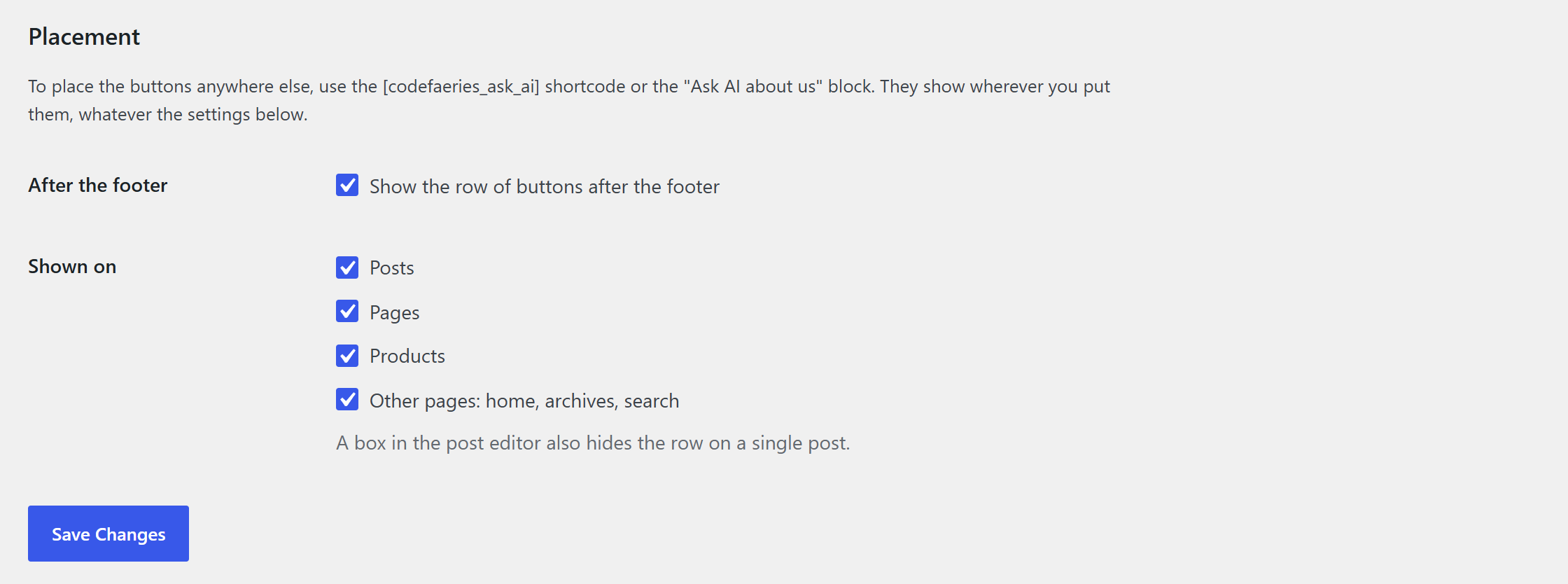
- After the footer - automatic on every page, and one box turns it off
- Shortcode -
[codefaeries_ask_ai]in a post, a page or a widget - Block - the "Ask AI about us" block in the block editor
- Per content type - show the row after the footer on posts, pages, products or any public content type, and on the home, archive and search pages, or not
- Per post - a box in the editor hides the AI buttons on a single post or page
- No API key and no running cost - each AI button is a plain link
- No third-party request - the plugin loads no font, icon or script from another server
- No cookie - the plugin stores nothing about visitors and makes no request of its own
- Works with page caching - every visitor of a page gets the same buttons
- Works with any theme - the row of buttons wraps on narrow screens
- Accessible buttons - reachable with the keyboard, announced with their destination and the new tab they open
- Clean uninstall - uninstalling the plugin deletes its settings and the choices made on each post
codefaeries_ask_ai_footer_enabledfilter: turn the automatic footer output offcodefaeries_ask_ai_button_contentfilter: put an icon before, after or instead of each button label (span, img and svg markup)
- Colours, shape, size, light or dark theme, and each assistant's logo on its button
- A floating button in a bottom corner that opens the row
- Click statistics per assistant over the last 7, 30 and 90 days, without any visitor data
- The order of the assistants in the row
安装:
- Upload the plugin files to the
/wp-content/plugins/codefaeries-ask-aidirectory, or install the plugin from the WordPress Plugins screen. - Activate the plugin from the Plugins screen. The buttons appear after the footer right away.
- Optionally, choose the assistants, the question and where the buttons appear under Settings > Ask AI.
屏幕截图:
常见问题:
Does the plugin use an AI API or need a key?
No. Each button is a link to the AI assistant's own website: the visitor asks the question there, with their own account. There is no API key and no running cost.
Which AI assistants are supported?
ChatGPT, Grok and Claude are shown as soon as the plugin is activated. Gemini, Perplexity, Google AI Mode, Copilot and Vibe by Mistral AI are available as options. You choose the assistants shown under Settings > Ask AI.
What question is sent?
By default, for a site named Example Shop at https://example.com/: "What do you know about Example Shop (https://example.com/)? Is it a reliable company, and what do its customers say?", translated into your site's language when a translation is available. The question is about your whole site, whatever page the visitor is on. You can ask about the page being read instead, or write your own question.
Can the AI assistant summarize the page being read?
Yes. Under Settings > Ask AI, set "Question about" to the page being read. On a single post, page or product, the assistant then summarizes that page and says what it knows about your site. The home, archive and search pages keep the question about your site.
Can I write my own question and button label?
Yes, under Settings > Ask AI. The question accepts the tags {site_name}, {site_url} and {page_url}, the label the tag {assistant}. Left empty, both use the default text in your site's language.
Why do Gemini and Copilot open an empty conversation?
Gemini and Copilot do not accept a question in the link, so their buttons open a new conversation where the visitor types the question. That is why they are hidden by default.
Where do the AI buttons appear?
In a row after the footer of every page, as soon as the plugin is activated. Under Settings > Ask AI you can turn that row off, or show it only on some content types and on the home, archive and search pages or not. A box in the post editor hides it on a single post or page. The row works with any theme and wraps on narrow screens.
Can I place the buttons somewhere else?
Yes, with the [codefaeries_ask_ai] shortcode or the "Ask AI about us" block. They show wherever you put them, whatever the settings of the row after the footer.
Can I track the visits AI assistants send me?
Turn on the UTM parameters under Settings > Ask AI. The addresses in the question then carry utm_source (the assistant), utm_medium=ai_button and utm_campaign=ask_ai_about_us. When an assistant's answer links to your site with that address, the visit shows with these parameters in your analytics.
Can I add an icon to the buttons?
Developers can put an icon before, after or instead of each button label with the codefaeries_ask_ai_button_content filter. Only span, img and svg markup is kept, and an image given as a data: URI is removed: use an image URL or an inline svg.
Does it work with page caching?
Yes. Every visitor of a page gets the same buttons and the same question, the page summary included.
Does the plugin set cookies or collect visitor data?
No. The plugin sets no cookie, stores nothing about visitors and makes no request of its own. When a visitor clicks a button, their own browser opens the assistant's website, under that assistant's terms and privacy policy.
Does it load anything from another server?
No. The plugin loads no font, icon or script from a third-party server.
Are the buttons translated?
The question and the button labels follow your site's language, and the plugin is translation-ready.
What happens when I uninstall the plugin?
Uninstalling the plugin deletes its settings and the choices made on each post.
Is there a Pro edition?
Yes. It adds colours, shape, size, light or dark theme and each assistant's logo, a floating button, click statistics per assistant and the order of the assistants: https://codefaeries.com/product/ask-ai-about-us/
更新日志:
- Fixed: the "Upgrade Now" button of the settings page opens the Ask AI About Us Pro page instead of the codefaeries.com home page.
- New: Perplexity, Google AI Mode, Copilot and Vibe by Mistral AI buttons, hidden until you tick them under Settings > Ask AI.
- New: your own question, with the tags {site_name}, {site_url} and {page_url}, and your own button label, with the tag {assistant}.
- New: the question can ask the assistant to summarize the page being read, on a single post, page or product.
- New: UTM parameters on the addresses in the question, off by default.
- New: the [codefaeries_ask_ai] shortcode and the "Ask AI about us" block place the buttons anywhere.
- New: the row after the footer can be turned off, or shown only on some content types and on the home, archive and search pages. A box in the post editor hides it on a single post.
- Improved: Settings > Ask AI is organised in three sections: Assistants, Question and labels, Placement.
- Improved: uninstalling the plugin also deletes the new settings and the choices made on each post.
- Fixed: the plugin no longer stops with a fatal error when it is installed without its own copy of the bundled CodeFaeries admin library. If no copy is available at all, the Settings > Ask AI page says so instead of failing.
- Improved: the links on the Settings > Ask AI page that open a new tab now tell screen-reader users so.
- Improved: the plugin is renamed "CodeFaeries Ask AI About Us: AI Buttons for ChatGPT, Grok and Claude" and its wordpress.org page is rewritten, with screenshots. No change to features or settings.
- Removed: the bundled CodeFaeries admin library no longer ships its telemetry classes, which this plugin never used.
- Fixed: a second copy of the plugin loaded on the same site, such as one bundled inside another plugin, no longer causes a fatal error. The first copy loaded runs, the other stays inactive.
- New: developers can put an icon before, after or instead of each button label with the
codefaeries_ask_ai_button_contentfilter. Only span, img and svg markup is kept, and an image given as a data: URI is removed: use an image URL or an inline svg.
- ChatGPT, Grok and Claude buttons shown by default, Gemini as an option.
- Choice of the assistants shown under Settings > Ask AI.
- Question and labels in the site's language.
- Accessible, responsive buttons that work with any theme and with page caching.
- Settings deleted on uninstall.