
CodeFaeries Country Based Content for WooCommerce - Redirects and Prices by Country
| 开发者 | lwsdevelopers |
|---|---|
| 更新时间 | 2026年11月21日 04:02 |
| PHP版本: | 7.4 及以上 |
| WordPress版本: | 7.1 |
| 版权: | GPLv2 or later |
| 版权网址: | 版权信息 |
详情介绍:
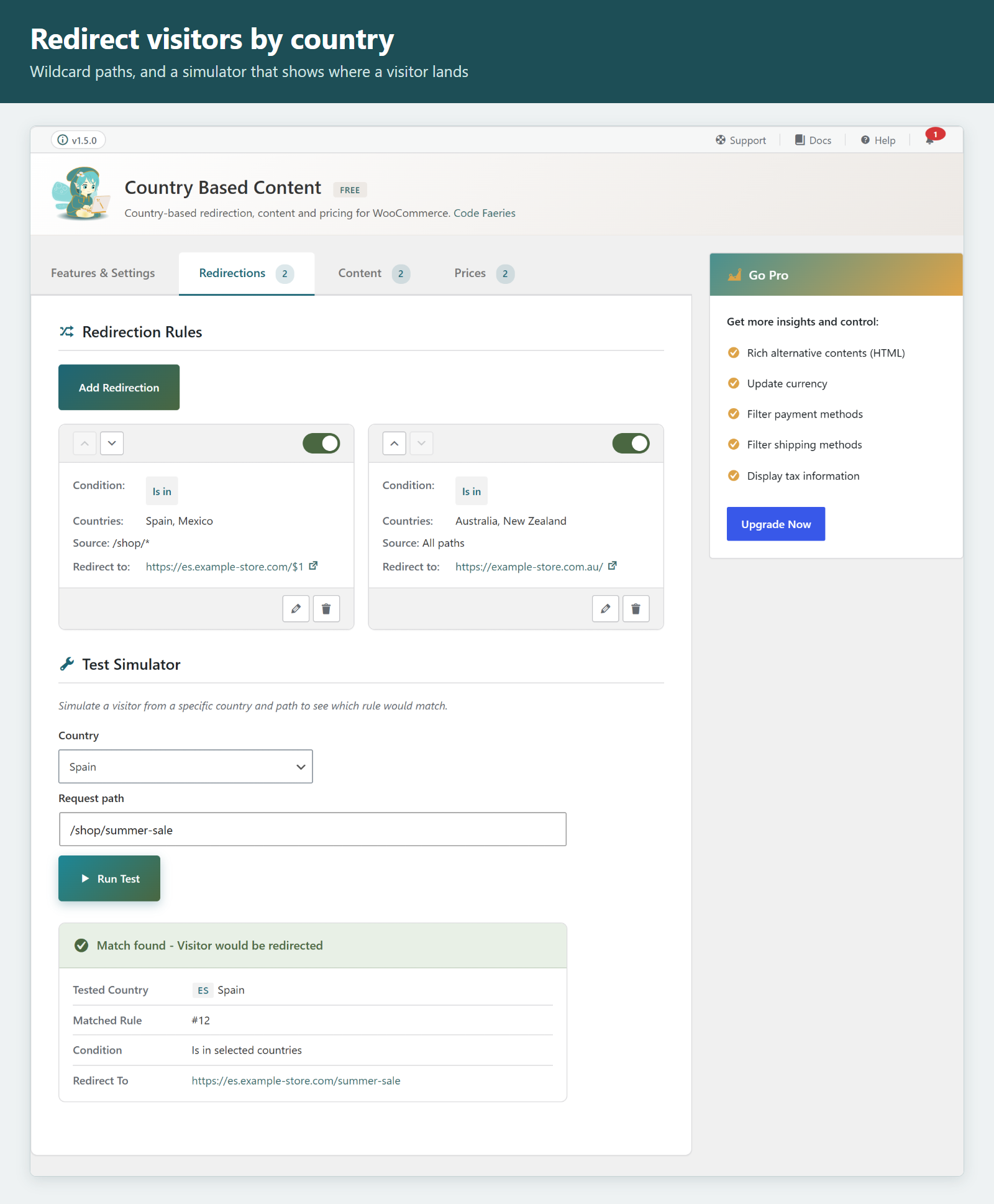
- Redirect visitors to a specific URL based on their country: regional stores, local regulations (GDPR notices, age restrictions), market-specific landing pages
- Source patterns: target a path on your site where * matches any characters, and reuse the matches in the target with $1, $2
- Search engine and ad-platform crawlers are exempted from redirects (enabled by default), so advertising campaign verification is not affected
- Choose the HTTP status of each redirect: 302 temporary (default), 301 permanent or 307 temporary
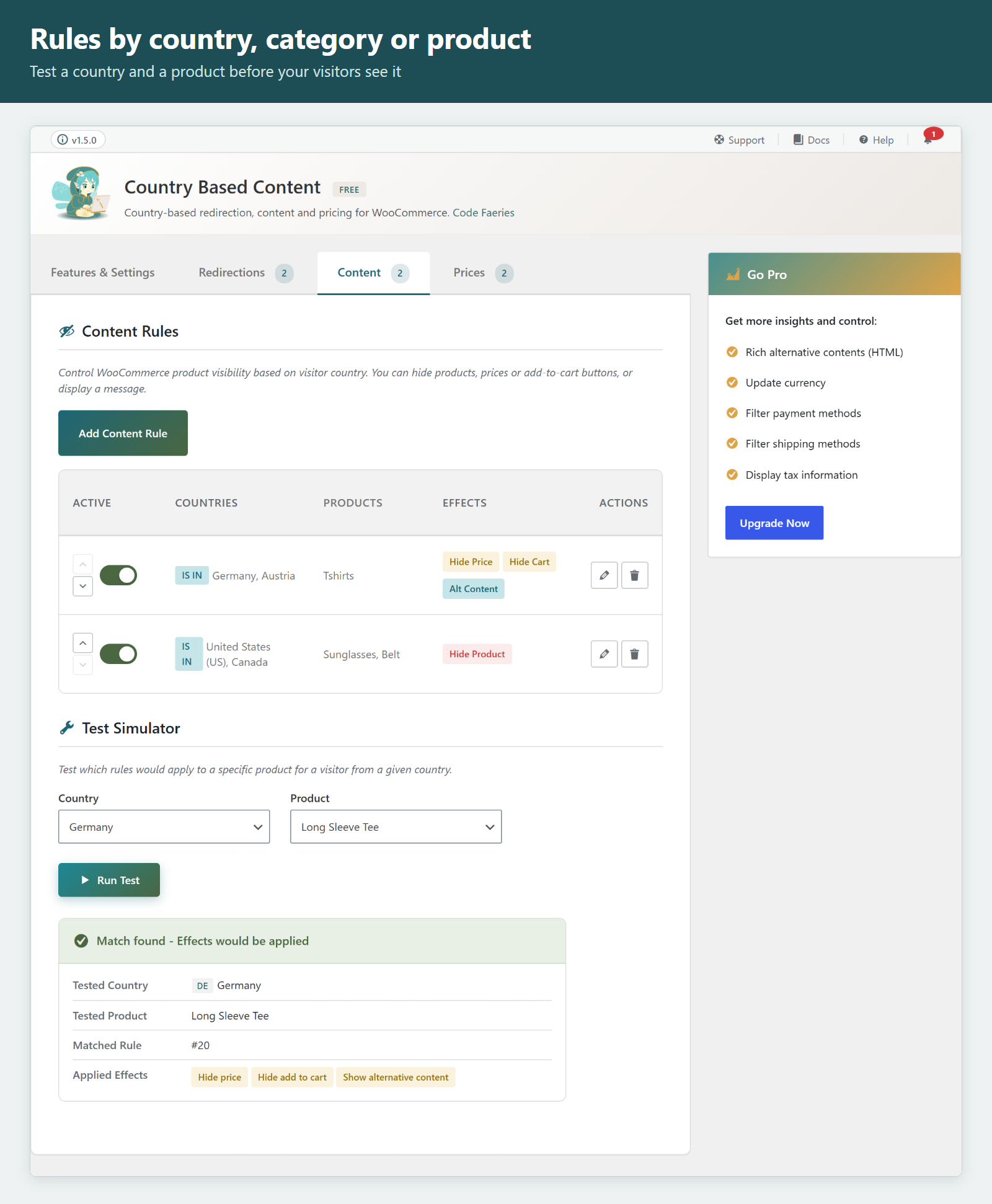
- Hide prices for the countries you choose
- Hide the add-to-cart button to prevent purchases while keeping products visible
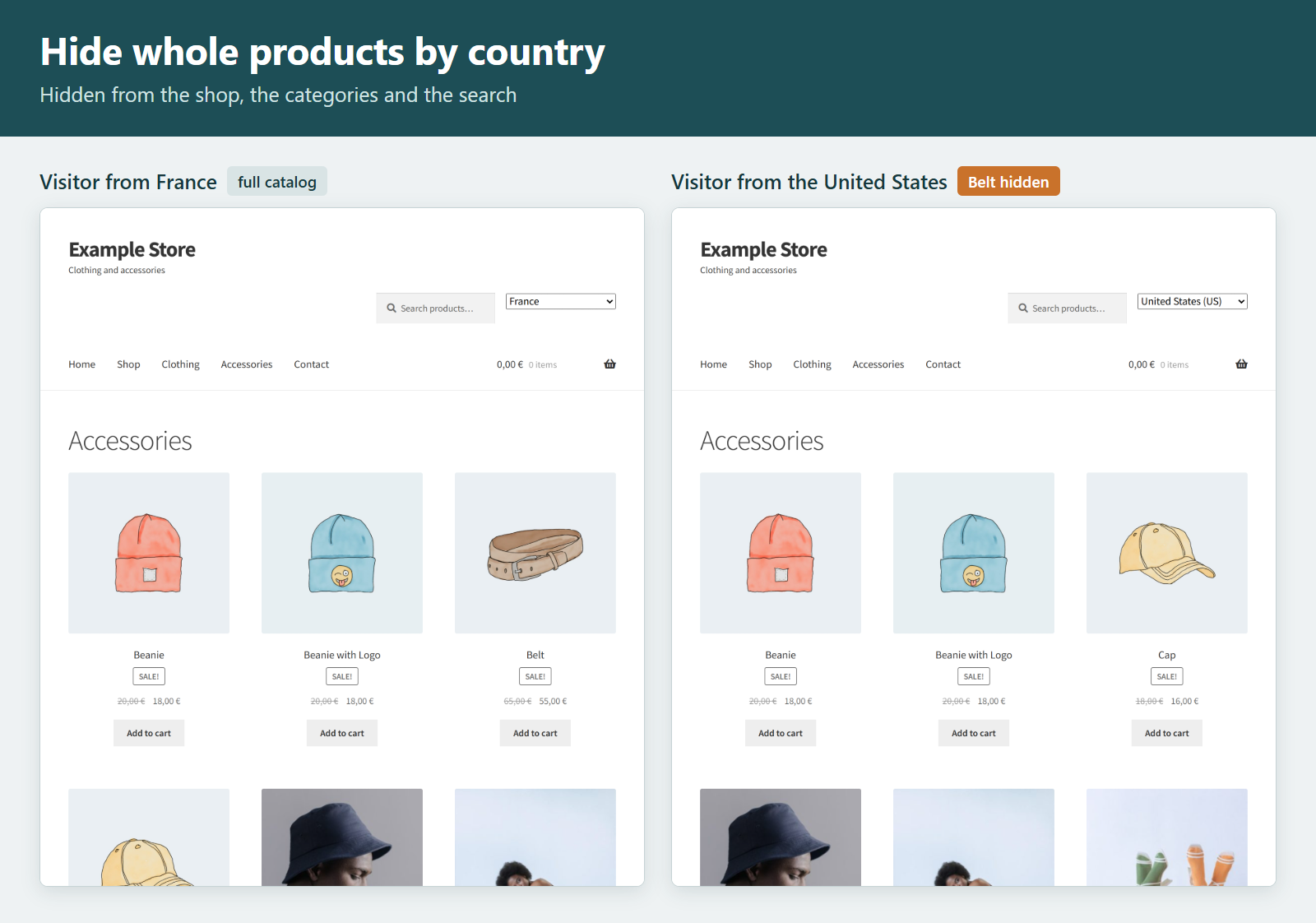
- Hide products completely from the shop, categories and search
- Show a "not available" message in place of what is hidden
- Target all products, specific categories or individual products; a variation follows the rules of its product
- Rules also apply to the block cart and checkout, and to add-to-cart links
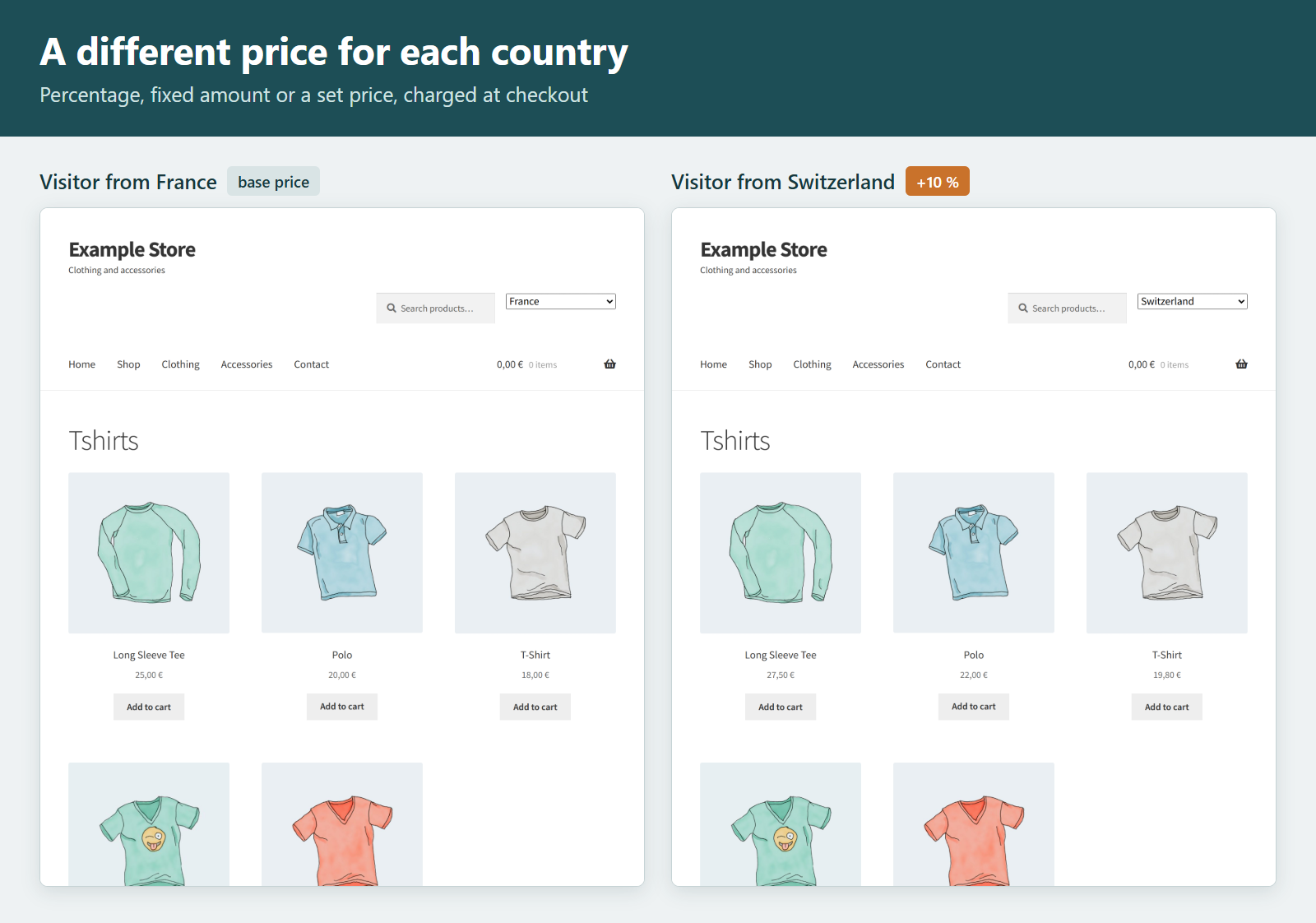
- Percentage increase or decrease
- Add or subtract a fixed amount
- Set a different price per country
- Adjusted prices apply in the cart and at checkout, not only on display
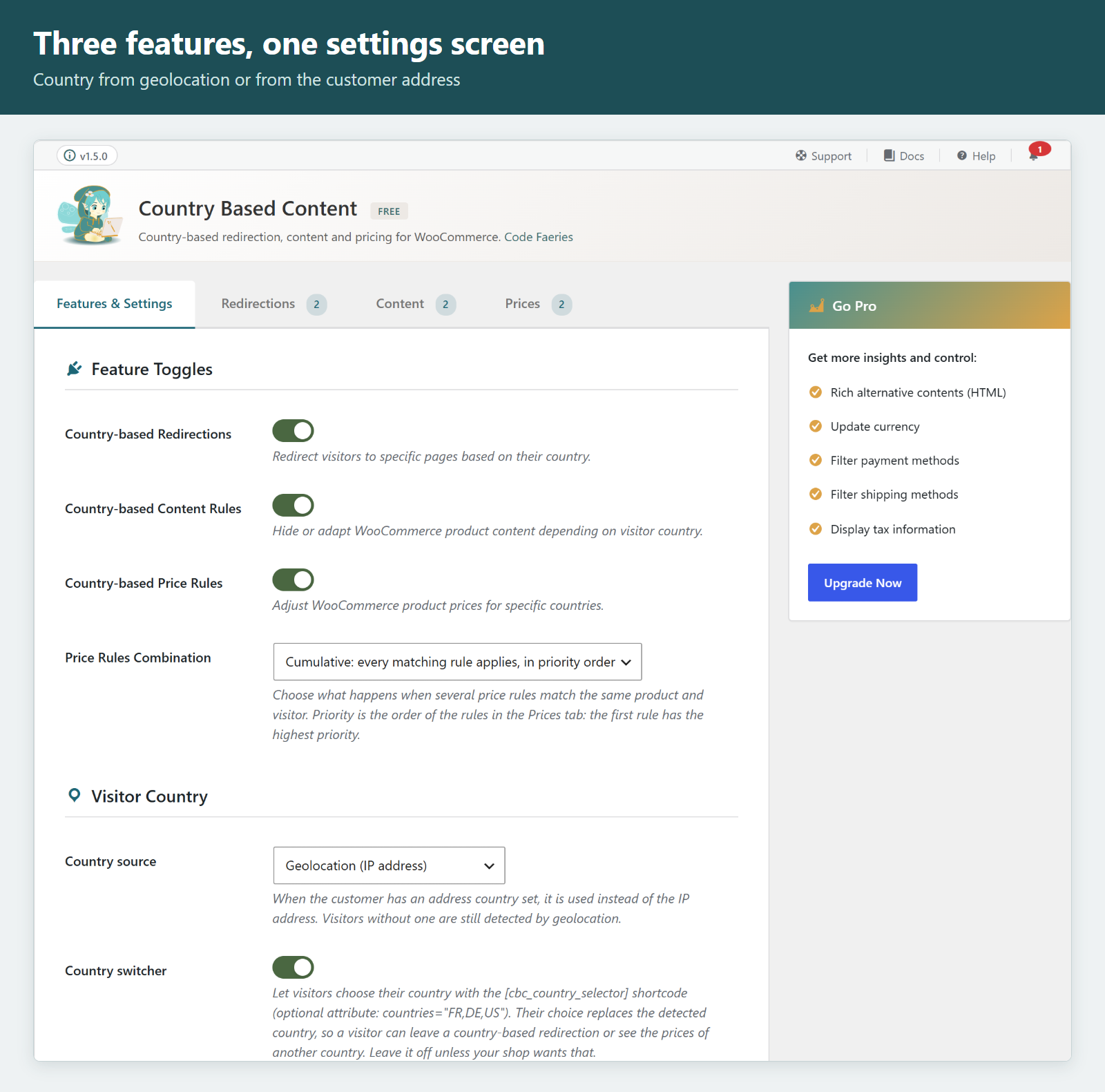
- Choose whether several matching price rules add up in priority order, or only the highest-priority rule applies
- Exempt logged-in users or specific roles, so administrators and shop managers always see the real store
- Test simulator on each rules screen to preview which rule would match
- "Force Country" developer tool to simulate visits from any country, for logged-in shop managers and administrators only
- Export your rules and settings as a JSON file and import them on another site
- WooCommerce HPOS compatible (High-Performance Order Storage)
- Payment and shipping restrictions - Restrict payment methods and shipping methods by country, with country groups
- Currency conversion - Show prices in the visitor's currency, 30+ currencies, automatic exchange rates (ECB reference rates, fetched from the third-party Frankfurter API when Auto-Fetch Rates is enabled) or manual rates, rounding rules
- Content by country shortcode - Show any content to the countries you choose with
[cbc_content countries="FR,BE,CH"], or to every country but some withmatch="exclude" - State and region targeting - US states, Canadian provinces, German Länder, Australian states and more
- Rich alternative content (HTML) in place of hidden products, prices or buttons
- Tax message by country
- Priority support
- WordPress 6.0 or higher
- WooCommerce 8.0 or higher
- PHP 7.4 or higher
- WooCommerce geolocation enabled (WooCommerce > Settings > General > Default customer location)
安装:
- Upload the plugin files to
/wp-content/plugins/codefaeries-country-based-content/or install directly through the WordPress plugins screen - Activate the plugin through the 'Plugins' screen in WordPress
- Ensure WooCommerce is installed and activated
- Important: Enable WooCommerce geolocation:
- Go to WooCommerce → Settings → General
- Set "Default customer location" to "Geolocate" or "Geolocate (with page caching support)"
- Navigate to WooCommerce → Country Based Content to configure the plugin
- Enable desired features in the "Features & Settings" tab
- Create your rules in the respective tabs
屏幕截图:
常见问题:
Is Country Based Content free?
Yes. Redirects by country, hiding prices and the add-to-cart button, price adjustments by country, exemptions and the test simulator are free, with no limit on the number of rules. The Pro version adds payment and shipping restrictions, currency conversion, a content shortcode, state and region targeting and more.
Can I redirect visitors by country?
Yes. Create a redirection rule with the countries and the target URL. A rule can also target a path on your site, where * matches any characters, and reuse the matches in the target with $1, $2.
Can I hide prices for some countries?
Yes. A content rule hides the price, or the add-to-cart button, for the countries you choose, on all products, on specific categories or on individual products.
Can I set a different price per country?
Yes. A price rule increases or decreases the price by a percentage, adds or subtracts a fixed amount, or sets a different price. Customers pay the adjusted price at checkout.
Does it need WooCommerce?
Yes. It requires WooCommerce 8.0 or higher with geolocation enabled (WooCommerce > Settings > General > Default customer location).
How does country detection work?
Country detection is done by WooCommerce's geolocation. When WooCommerce's MaxMind GeoLite2 database resolves the address, detection happens locally on your server with no external API call. Otherwise WooCommerce may fall back to an external service (see "External services").
How accurate is the geolocation?
Country-level detection is typically 99%+ accurate. Users with VPNs or corporate proxies may be detected in a different location.
Does this affect actual checkout prices?
Yes. Price adjustment rules modify the actual product price, so customers pay the adjusted price at checkout. This ensures price consistency throughout the shopping experience.
Does this work with page caching?
Yes. The plugin is designed to work with page caching. For best results, use WooCommerce's "Geolocate (with page caching support)" option.
Can I test rules without affecting real visitors?
Yes. Use the "Force Country" option in Developer Tools to simulate visits from any country: it applies only to logged-in shop managers and administrators, so your visitors keep their own country. You can also use the Test Simulator on each rules page to preview which rules would apply.
What happens if a visitor uses a VPN?
The visitor will be detected based on their VPN exit location. Consider using the "Exempt logged-in users" option so registered customers always see accurate information.
Will redirections break my advertising campaigns?
No. The "Exempt bots and crawlers" option (enabled by default) prevents redirections for search engine and ad-platform crawlers, so campaign verification works as expected.
Is it privacy friendly?
Yes, when WooCommerce's MaxMind GeoLite2 database resolves the visitor's address: the IP address is then used on your server only. The plugin itself does not store personal data and makes no remote request. If the database is not installed or cannot resolve the address, WooCommerce may send the IP address to an external geolocation service (see "External services").
更新日志:
- New: a "Country source" setting can take the country from the customer's billing or shipping address; visitors without one are still detected by geolocation.
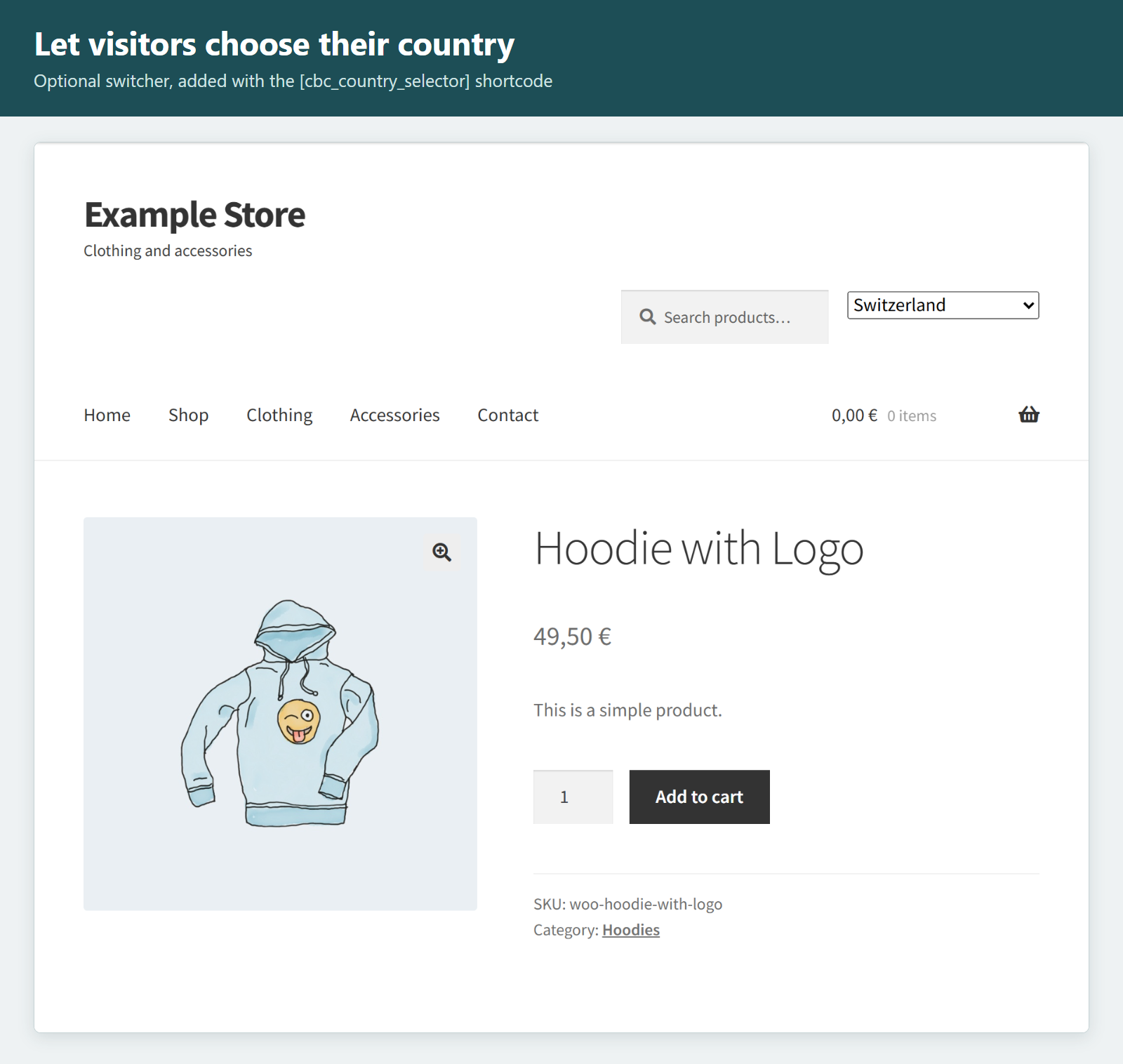
- New: an optional country switcher lets visitors choose their country with the [cbc_country_selector] shortcode (off by default).
- Fixed: editing a content or price rule shows the categories and products it targets at once; before, they could fail to load and saving the rule cleared them.
- New: hide a product completely by country, and show a plain-text "not available" message, now in the free version.
- New: choose the HTTP status of each redirection rule: 302 temporary (default), 301 permanent or 307 temporary.
- New: export your rules and settings as a JSON file and import them on another site; imported rules are added after the existing ones.
- Fixed: content and price rules now apply to the block cart and checkout.
- Fixed: a "hide add to cart" rule now blocks add-to-cart links, and a hidden price no longer shows when a visitor selects a variation.
- Fixed: content and price rules scoped to products or categories now match product variations.
- Fixed: the price range of a variable product follows the price rules, and is refreshed when a rule changes.
- Fixed: a product on sale keeps its regular price struck through under a price rule.
- Fixed: "Force Country" applies only to logged-in shop managers and administrators; real visitors keep their own country.
- Compatibility: the admin header shows the licence status reported by Country Based Content Pro 1.4.2.
- New: a redirection rule can target a source pattern, a path on this site where * matches any characters, and reuse the matches in its target with $1, $2.
- New: a General setting chooses whether several matching price rules add up in priority order (the former behaviour) or only the highest-priority rule applies.
- Fixed: the content and redirect simulators report the same exemptions the storefront applies, and a product-scoped content rule matches the tested product.
- Fixed: the Danger Zone uninstall removes every option the plugin writes.
- Fixed: the tip and warning callouts of the General screen get a box of their own.
- Improved: the free edition announces no rule-count limit: it never had one.
- Improved: the readme states when country detection can send the visitor's IP address to an external service through WooCommerce, and names the exchange-rate source.
- Improved: the bundled admin toolkit is updated and now ships without its telemetry and licensing code.
- Compatibility: tested up to WordPress 7.1.
- Initial public release on WordPress.org
- Country-based redirection rules with bot and crawler exemption
- Content visibility rules (hide price, hide add-to-cart) targeting all products, categories or specific products
- Price adjustment rules (percentage, fixed amount, set price) applied at checkout
- User exemptions by role and for logged-in users
- Test simulator on every rules screen
- Developer tools to force a country for testing