
Codevera AI Content Explainer
| 开发者 | codevera |
|---|---|
| 更新时间 | 2026年5月15日 18:56 |
| PHP版本: | 7.4 及以上 |
| WordPress版本: | 6.9 |
| 版权: | GPLv2 or later |
| 版权网址: | 版权信息 |
详情介绍:
- Visitor highlights text they don't understand
- An explain button appears next to the selection
- GPT-4.1 generates a clear explanation instantly
- The tooltip follows them around the page so they can keep reading
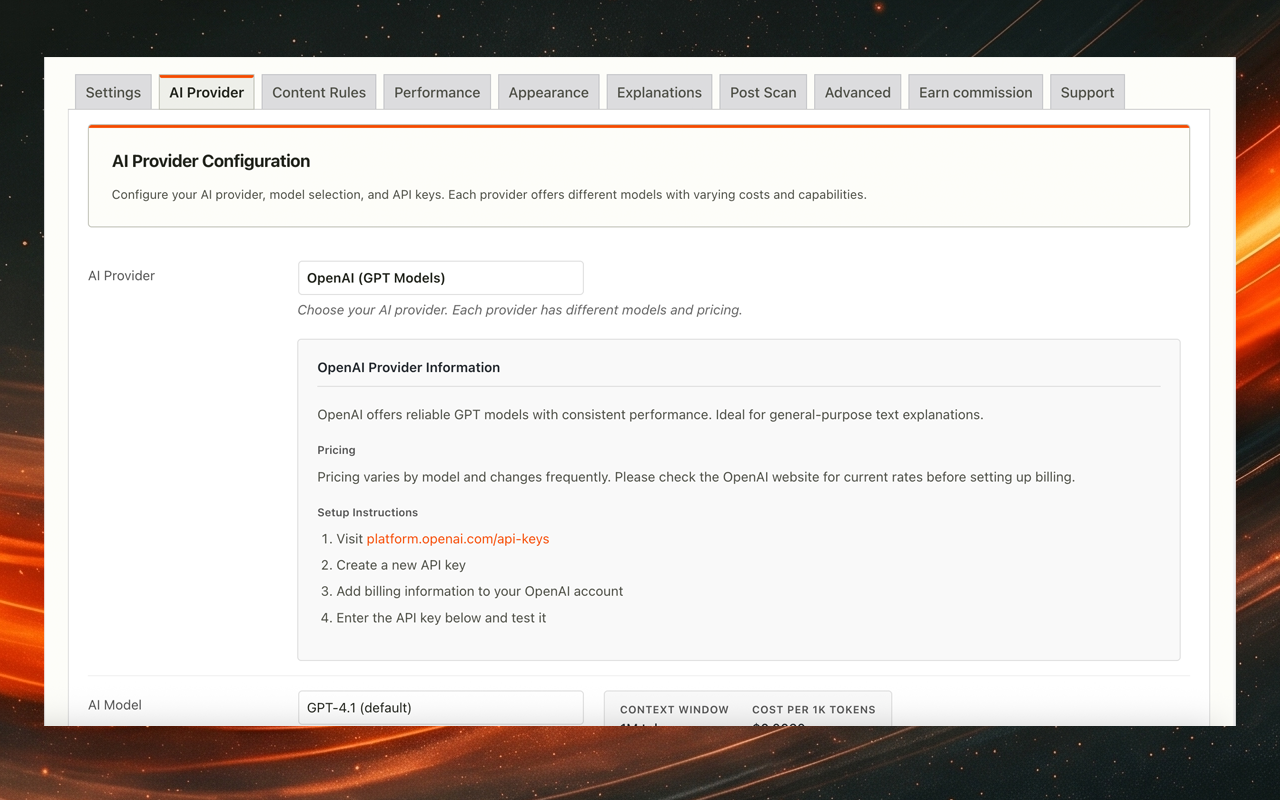
- OpenAI (GPT-4.1) — pre-configured and ready to go, no model selection needed
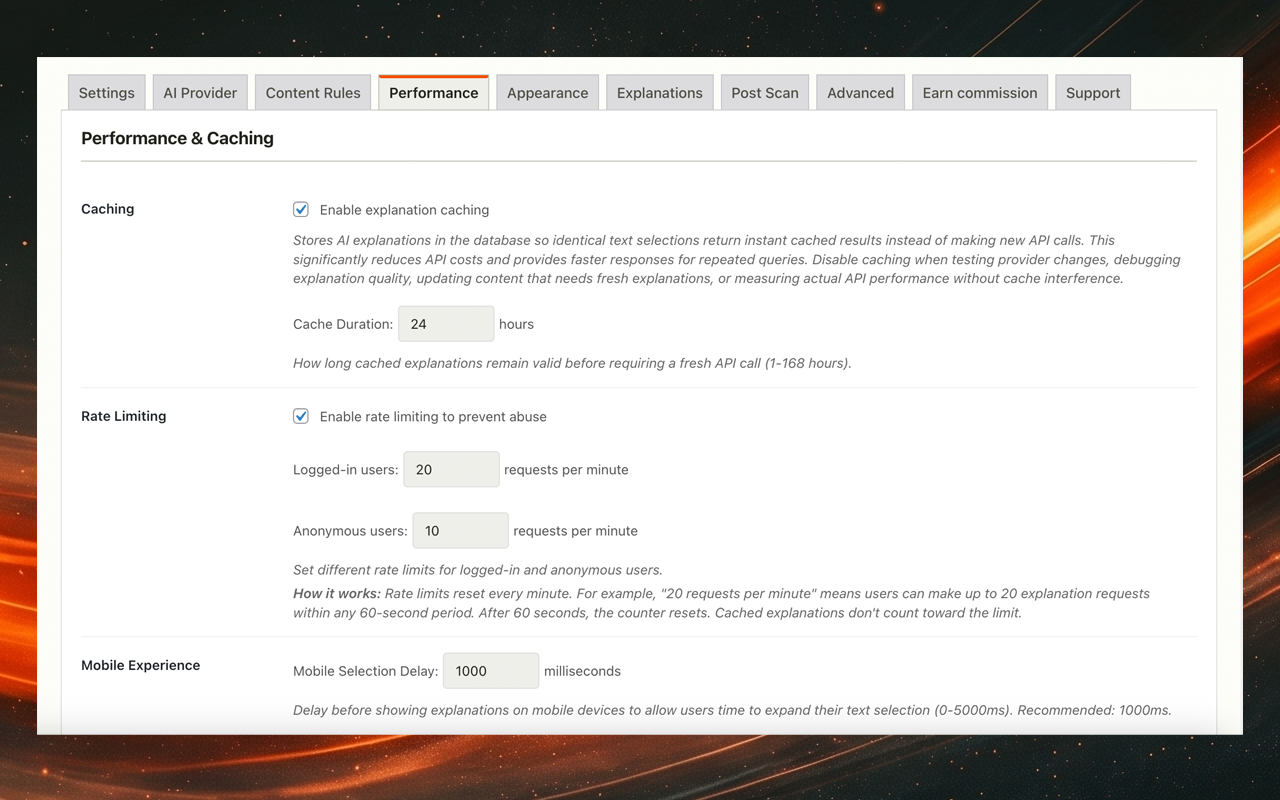
- Smart caching cuts API costs by up to 70%. Repeated questions cost nothing after the first request
- Rate limiting with separate buckets for logged-in and anonymous users
- Tooltip with full viewport boundary detection. It never clips off-screen
- Interface in 7 languages (English US/UK, Spanish, German, French, Hindi, Chinese)
- See which terms your visitors ask about most
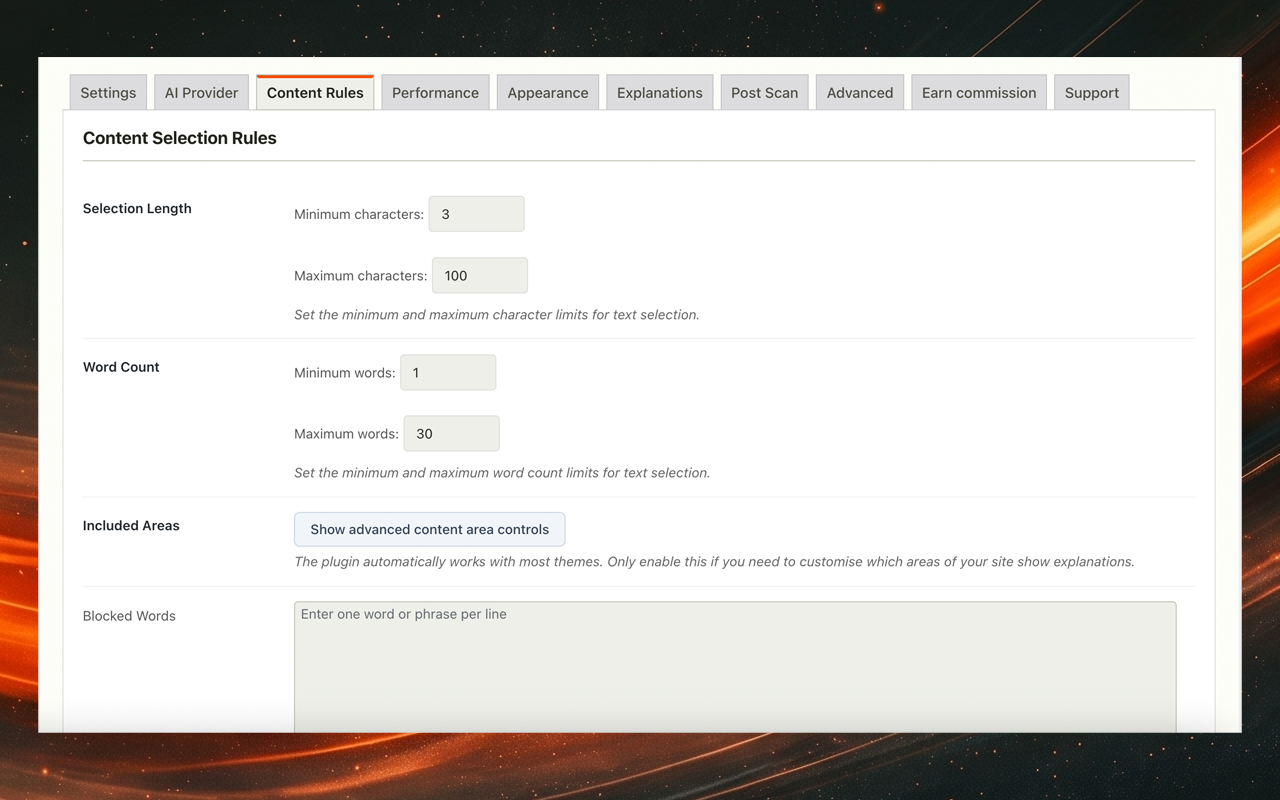
- Target specific page areas with CSS selectors. Include or exclude anything
- API keys encrypted and never exposed to the browser
- WCAG AA compliant with keyboard navigation and screen reader support
- GDPR compliant. Only the selected text leaves the server. Nothing is stored
- Claude (Anthropic) — powerful reasoning for complex, nuanced explanations
- Gemini (Google) — ultra-fast and cost-effective at scale
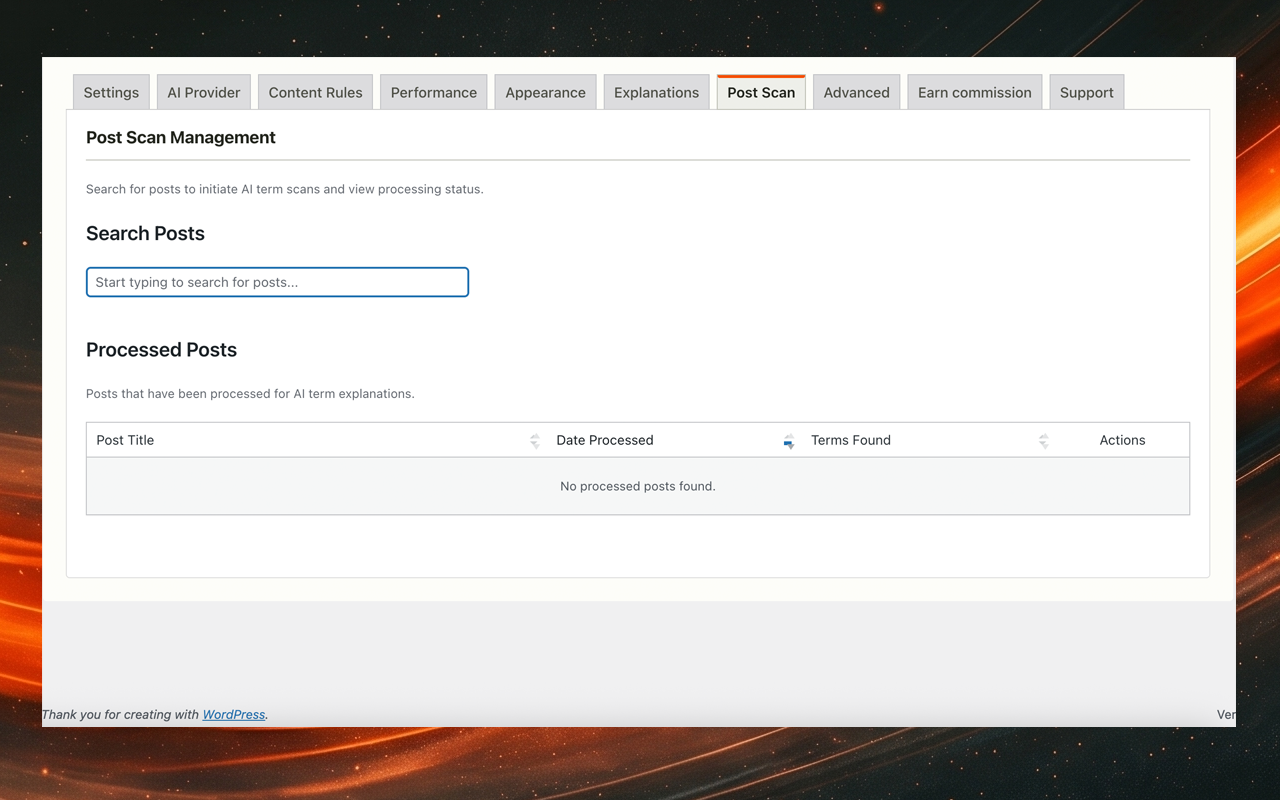
- Bulk post scanning to find every unexplained technical term across your site
- AI blog post generation from selected text
- Term extraction across your whole site
- AI-generated SEO metadata
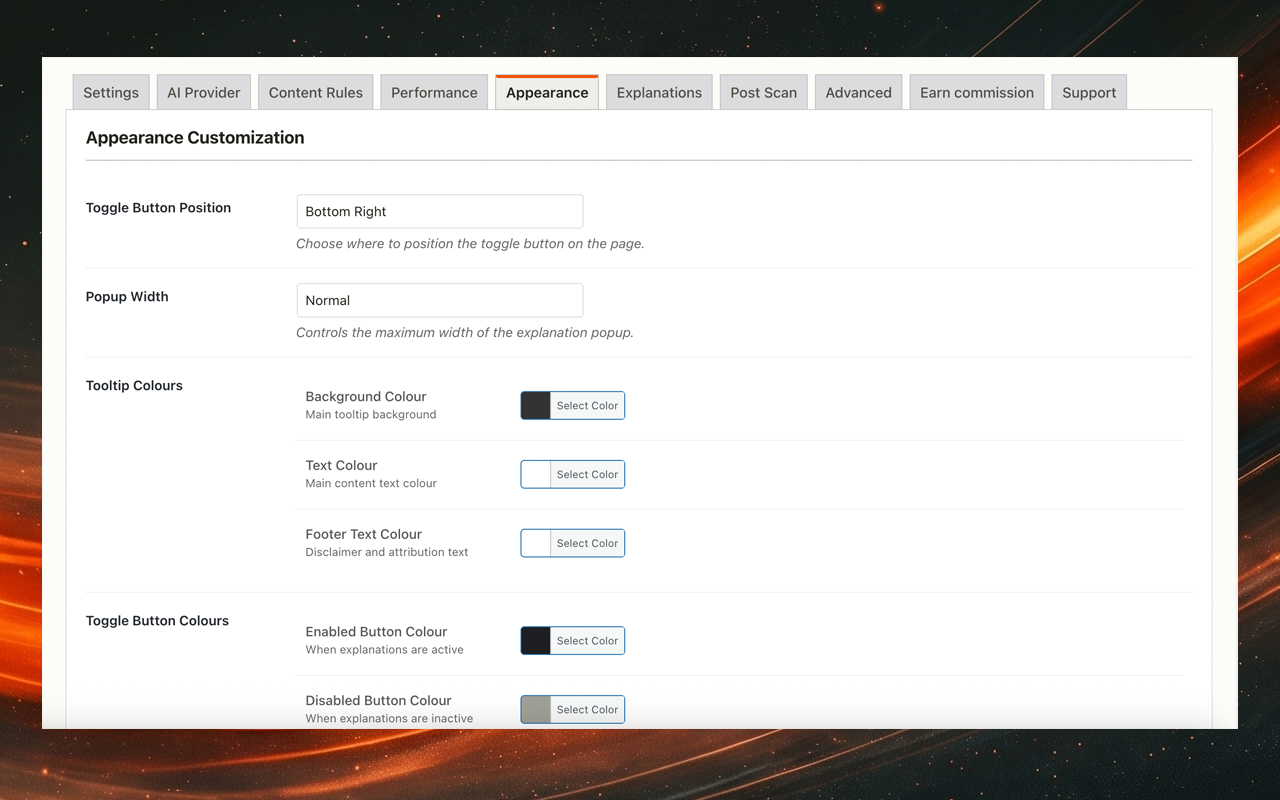
- Full tooltip, button and slider visual customisation
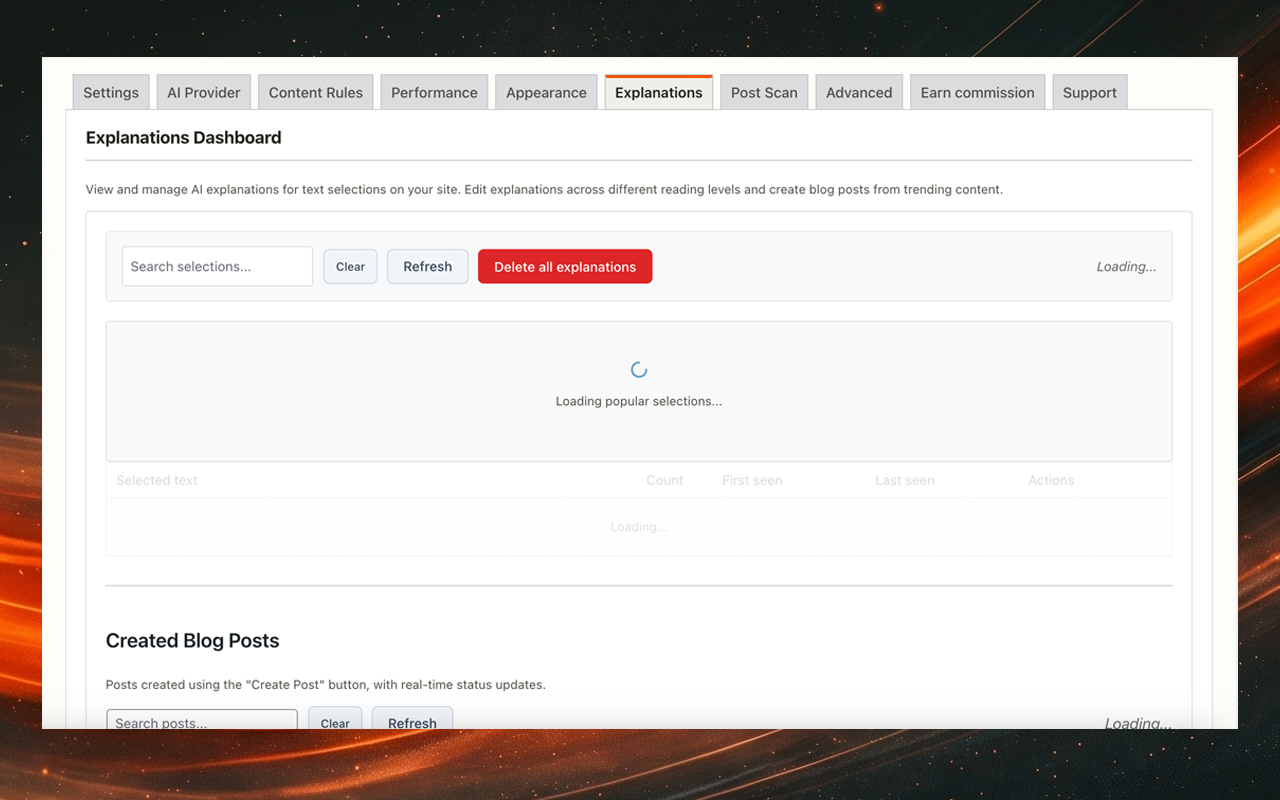
- Explanations dashboard with editable answers across reading levels
- Technical documentation where jargon stops readers mid-article
- Medical or legal sites where specialist terms cost reader trust
- Online courses where confusion becomes drop-offs and cancellations
- News sites covering politics, finance, science, or law
- Any site where reader comprehension directly affects engagement
- Vanilla JavaScript with no framework overhead
- Under 100ms added to page load
- Nonces on all AJAX requests
- Input sanitised, output escaped throughout
安装:
- Go to Plugins → Add New
- Search for "Codevera AI Content Explainer"
- Click Install Now and then Activate
- Go to Settings → Codevera AI Content Explainer
- Enter your OpenAI API key
- Test your API connection
- Customise settings as needed
- Save and test on your site
- Download the plugin zip file
- Upload to
/wp-content/plugins/directory - Extract the files
- Activate through the Plugins menu in WordPress
- Configure settings as described above
- Visit https://platform.openai.com/
- Create an account or sign in
- Navigate to API Keys section
- Click Create new secret key
- Copy the key and paste into plugin settings After activation:
- Enable the plugin site-wide
- Select your language preference
- Enter and test your OpenAI API key
- Set minimum and maximum text selection lengths
- Configure rate limiting to manage API costs
- Customise the prompt template if desired
- Customise tooltip appearance
屏幕截图:
常见问题:
What AI providers does the free version support?
The free version uses OpenAI (GPT-4.1). Claude and Gemini support is in the separate pro plugin available at https://wpaiexplainer.com/pro.
Is there a paid version with more features?
Yes, a separate Codevera AI Content Explainer Pro plugin is distributed from https://wpaiexplainer.com/pro. It adds Claude and Gemini providers, bulk post scanning, AI blog post generation, an explanations dashboard, and full visual customisation of the tooltip. The pro plugin is a separate download and is not bundled into this free plugin.
Do I need an API key?
Yes, an OpenAI API key. Get one free at https://platform.openai.com/. Pro users can use a Claude or Gemini key instead via the separate pro plugin.
How much does it cost?
The plugin is free. You pay OpenAI directly for API usage, around $0.002-0.005 per explanation using GPT-4.1. Smart caching means repeated questions cost nothing after the first request.
Will this slow down my website?
No. It adds under 100ms to page load. Scripts only load on pages where the plugin is active, and API calls happen in the background after a visitor requests an explanation.
Does it work with my theme?
Yes. The CSS uses specific selectors to avoid conflicts with existing styles. It works with any theme.
Is it accessible?
Yes. WCAG AA compliant. Visitors can open, read, and close the tooltip using only the keyboard. Screen readers can access the explanation text.
Can I customise the appearance?
You can change the background colour, text colour, button style, position, and add custom footer text to the tooltip.
What about privacy and GDPR?
Only the selected text is sent to OpenAI. No personal data. No page content beyond the selection. Users trigger requests manually. No cookies are set.
Can I limit usage to prevent high API costs?
Yes. Rate limiting lets you set separate caps for logged-in and anonymous visitors, per minute, per hour, and per day. Caching reduces calls significantly for repeated selections.
Does it work on mobile devices?
Yes. The tooltip works on touch screens, with tap-friendly buttons and a layout that adapts to smaller screens.
What if the API is down?
The tooltip shows a clear error message. Everything else on your page keeps working normally.
Can I use this on a multisite installation?
Yes. Each site in the network can have its own API key and settings.
Can I translate this plugin?
The plugin ships with translations for 7 languages and works with WPML and Polylang for additional locales.
Can I use custom prompts?
Yes. Write a custom prompt template and use {{selectedtext}} to insert the visitor's selection dynamically.
How do I troubleshoot issues?
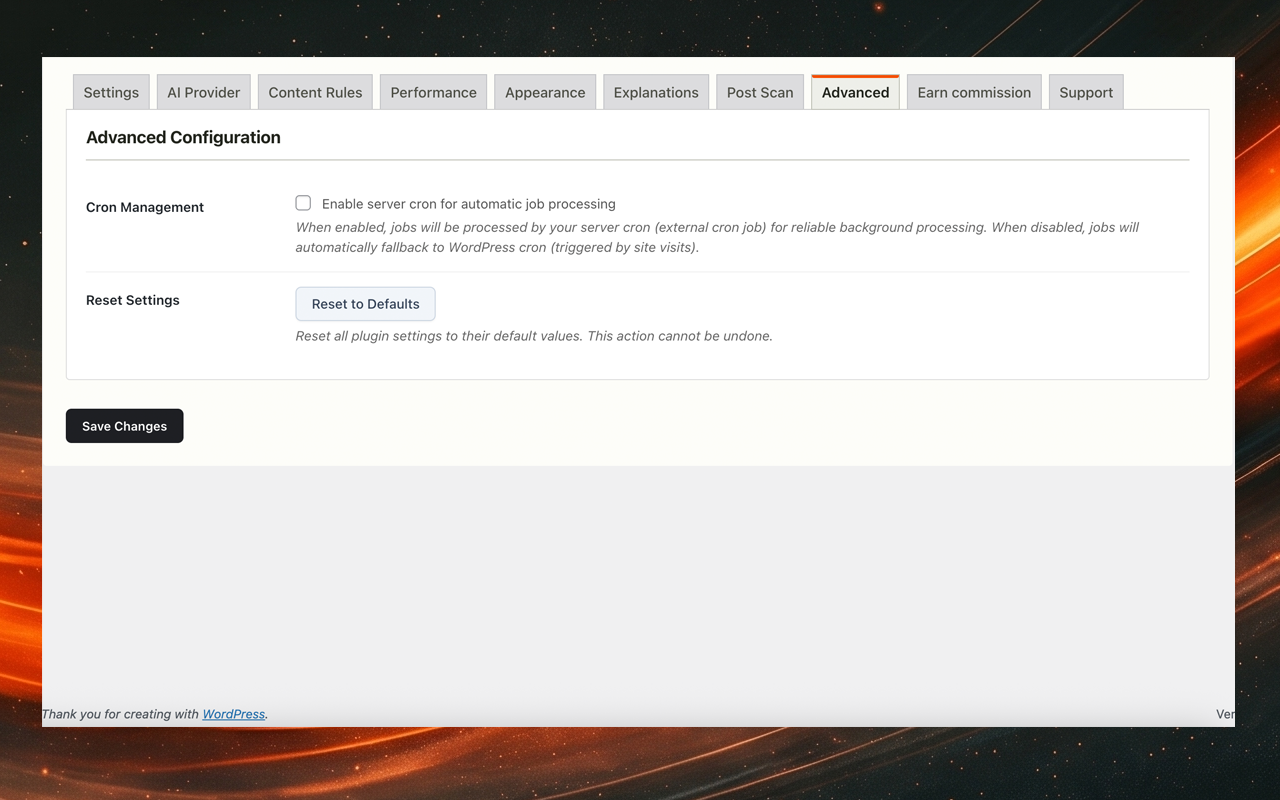
Enable debug mode in the Advanced Settings tab. It writes to a plugin-specific log file rather than the main WordPress debug log. For JavaScript errors, check the browser console.
更新日志:
- Raise the HTTP timeout floor for OpenAI reasoning models so GPT-5.4 Pro requests, which can spend 30 to 45 seconds on internal reasoning before emitting output, no longer abort before the model has finished
- The OpenAI provider now adapts its request payload to the chosen model family: GPT-5 and GPT-5.4 reasoning models use max_completion_tokens with reasoning_effort instead of max_tokens and temperature, and GPT-5.4 Pro is routed to the Responses API endpoint. Selecting a GPT-5 or GPT-5.4 model in the admin now returns explanations instead of failing with a 400 error
- Apply the late-bound nonce fix from 1.3.65 to the request coordinator module as well; the main explanation request was still reading the stale localised nonce on page-cached sites, so 1.3.65 did not fully resolve the "Invalid nonce" error on Breeze and other aggressive caches
- Front end now fetches the AJAX nonce on demand instead of reading it from cached HTML, fixing "Invalid nonce" errors on sites running Breeze, WP Rocket, LiteSpeed or other page caches where anonymous visitors were served stale markup
- Cache duration admin field now accepts up to 720 hours in the client-side validator, matching the server-side limit raised in 1.3.63
- Cache lookup now runs before rate limiting and analytics writes, so repeat lookups skip per-request overhead and return instantly
- Frontend cache now persists across page navigations, reloads and tabs via localStorage, eliminating the round-trip on most repeat selections
- Default cache duration extended from 24 hours to 7 days and admin slider now allows up to 30 days
- Default OpenAI model bumped to gpt-4.1-nano for faster, cheaper free-tier explanations
- Selection tracking now records the correct post id and reading level, fixing duplicate rows and inflated selection counts
- Drop the stale Upgrade Notice section from the readme so the plugins screen no longer surfaces an outdated message during updates
- Fix the Freemius licence activation screen so it reappears after the pro version is installed alongside the free build
- Pro now auto-deactivates the free version on activation instead of erroring out, and both builds guard top-level function declarations so installing one whilst the other is still active no longer triggers a fatal redeclare
- Pro build now identifies itself with a "Pro" suffix in the plugin name and description so users can tell at a glance which version is active
- Preserve stored provider API keys when activating the plugin so upgrading from free to pro no longer prompts you to re-enter them
- Admin panel optimisations
- Selections outside the configured explainable selectors no longer trigger the "selection is too long" message; the plugin now ignores them silently
- Front-end explanation tooltip now uses a neutral black drop shadow instead of the purple brand-tinted one, so the popup reads cleanly against any site colour scheme
- Upgrade CTAs on the Upgrade tab now open the pricing page in a new tab so users don't lose their place in the WordPress admin
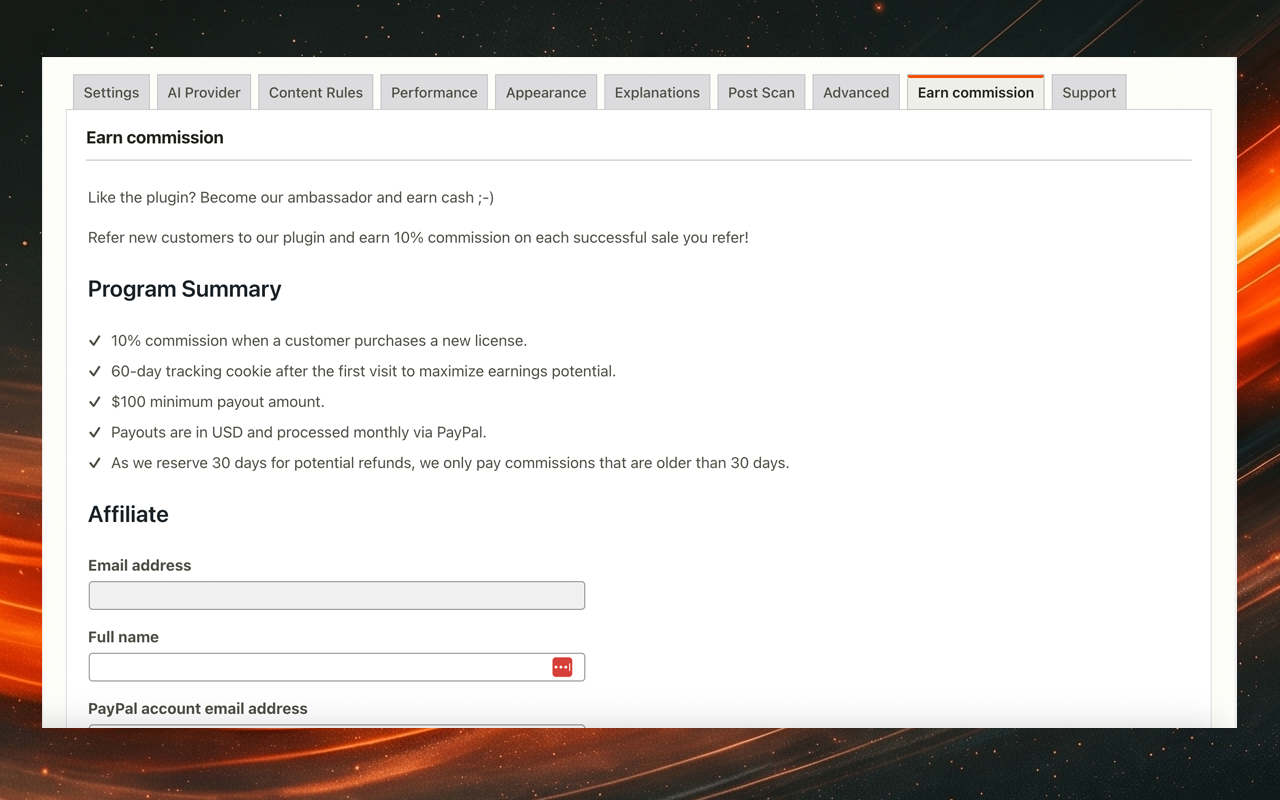
- Added a pro-only Earn commission tab in the plugin settings where pro users can apply to become an affiliate, see their pending or approved status, and pick up their unique referral link without leaving the WordPress admin
- Approved affiliates see a live stats panel covering visits, unique visits, referrals, pending referrals, earnings and click-through rate, with a one-click jump to the full Freemius dashboard
- Submitted application is collapsed into a "View submitted application" accordion once the user has applied, so the status message stays the focus
- Patched a Freemius SDK bug that was silently dropping ticked promotion-method checkboxes from new affiliate applications
- Tab quietly hides itself when the affiliate program is unavailable on the merchant account
- Removed a stale
assets/js/debug.jsenqueue that had been left behind after the custom debug logger was retired, eliminating a 404 on every front-end page load - Fixed the localised-strings AJAX action name in
utils.jsandtooltip.jsso the front end no longer triggers four 400 responses fromadmin-ajax.php
- Fixed the tooltip drifting to the user's current scroll position when text was selected and the page scrolled before the popup appeared. The tooltip now stays anchored next to the selected text.
- Split the public stylesheet so admin-only sections (AI Terms modal, Tailwind buttons, in-page notifications) no longer ship on every front-end page
- Lifted the pro term-highlighter into its own bundle that loads only for licensed users on singular posts
- Added an
apply_filters('codevera_ai_exp_should_load_assets', true)hook so themes can skip the explainer on pages that contain no explainable content - Front-end CSS bundle drops from 102KB to ~36KB minified; minified bundles are now picked automatically when SCRIPT_DEBUG is off
- Dropped the redundant style preload that duplicated the enqueued stylesheet on every page
- Added a defensive guard in tooltip.js to avoid a null read when the tooltip is dismissed during its 10ms reveal animation
- Routed all upgrade clicks through wpaiexplainer.com/pro and removed the in-plugin Freemius pricing tab from the pro build
- Removed the caching plugin FAQ entry, which named third-party plugins without backing integration code
- Removed the GitHub repository link from the Links section of the readme
- Moved admin notice JavaScript out of inline concatenated strings into a static enqueued file with a localised data payload, so all script output passes through wp_localize_script
- Stripped the unused provider attribution feature from the wp.org build. The shared codebase keeps the markers in place so the pro build continues to ship the opt-in checkbox
- Removed all references to Anthropic and Google endpoints from the wp.org build. The free zip now only contains the OpenAI provider config and only emits a dns-prefetch hint for api.openai.com
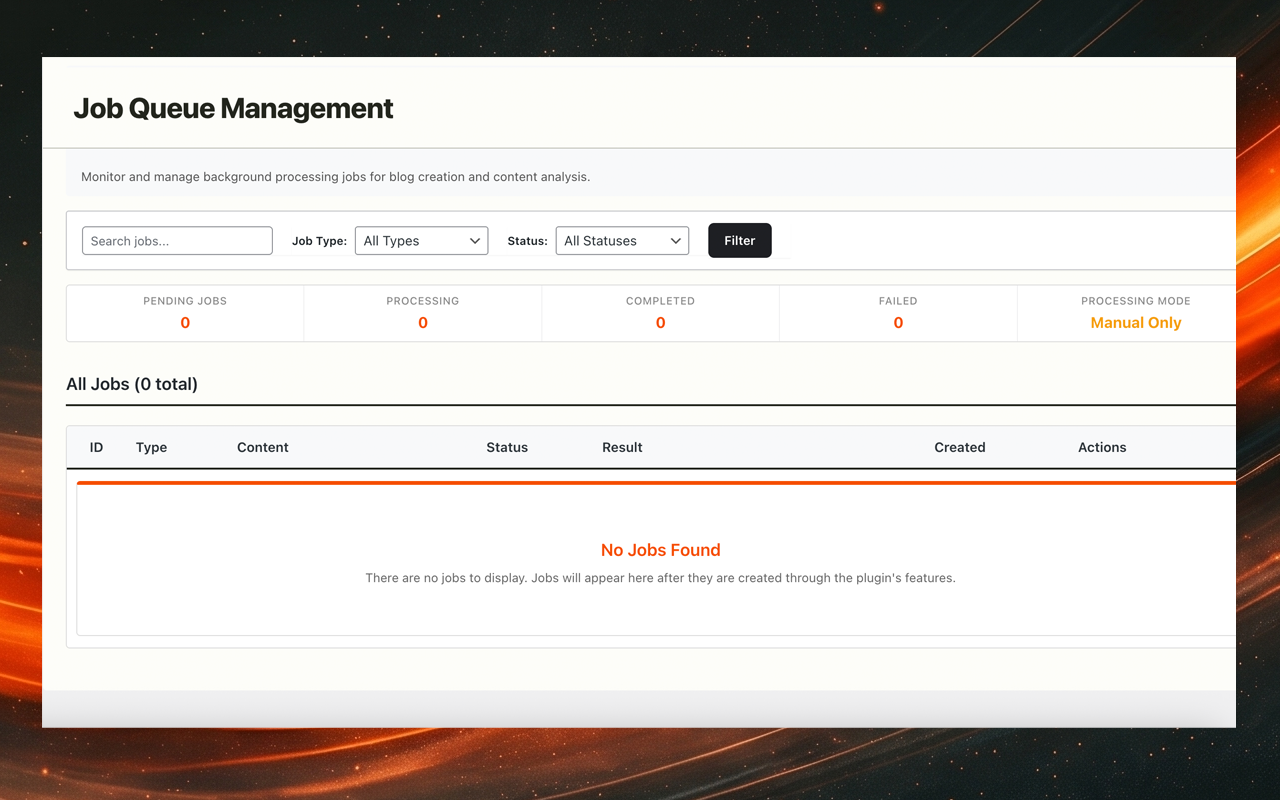
- Strip the job queue scaffolding from the free build. Post scan, post analysis and blog creation are pro-only widgets, so the underlying queue, AJAX handlers, cron endpoint and admin UI are no longer shipped in the free zip
- Replaced output buffer captures with plain string assignments when registering inline admin styles and scripts so plugin review tooling can pair every wp_add_inline_* call with its source string at a glance
- Drove frontend dns-prefetch hints from the AI provider registry instead of a hard-coded list, so the free build follows its registered providers automatically
- Removed the per-tab pro features upgrade banner that was rendered on every settings page. Pro discovery now lives only on the dedicated Upgrade page
- Made the Upgrade tab visible in the settings nav for the wp.org build so users can still find the pro version
- Removed all licence-gated UI from the wp.org build. The free plugin now ships with no premium-locked tabs, fields or job queue handlers
- Removed the Freemius SDK and all remote pricing lookups from the wp.org build. The free plugin makes no remote calls beyond the user-configured AI provider
- Rewrote the Upgrade page as static content. The CTA links to the separately distributed pro plugin at https://wpaiexplainer.com/pro
- Switched all admin styling to a system font stack (no more Google Fonts)
- Set the Show provider attribution option to off by default so users opt in to the frontend "Powered by" label
- Replaced home_url('/wp-cron.php') with site_url('wp-cron.php') and removed the ABSPATH-relative DDEV filesystem probe
- Corrected the bullet list in the upgrade banner so each bullet maps to a feature actually gated behind a pro licence
- Reworked the support help steps and tips to accurately reflect what the free build does versus what pro adds
- Fixed the OpenAI default model reference in the support sections (GPT-4.1, not GPT-5.1)
- Removed unused donate link
- Upgraded Freemius SDK to 2.13.1
- Migrated all internal identifiers (PHP classes, constants, function helpers, hooks, options, transients, post meta, database tables, JavaScript namespace, JavaScript events, PHP namespace) to a unique CodeveraAIExp prefix family
- Renamed text domain to match the WordPress.org slug (codevera-ai-content-explainer)
- Renamed translation files in /languages to match the new text domain
- Updated plugin contributor and translation metadata to Codevera
- Renamed plugin display name to Codevera AI Content Explainer
- Fixed Explanations tab not showing rows
- Reworked job queue page to full width with compact horizontal stats bar
- Fixed Filter button vertical text alignment
- Simplified admin nav to a single Codevera AI Content Explainer link with in-page tab navigation
- Added licence activation link in the sidebar for free users
- Applied brand font to Freemius account, pricing and connect screens
- Fixed tooltip clipping at viewport edges
- Fixed tooltip anchor position drifting from the selection
- Fixed cached explanations not being served correctly
- Removed fade animation so cached explanations appear immediately
- Reworked upgrade tab design
- Gated pro admin assets behind licence check
- Restructured as free/pro split
- Free: OpenAI (GPT-4.1) with tooltip, caching, and rate limiting
- Pro: Claude, Gemini, bulk scanning, blog creation, term extraction
- Each provider now uses a pre-configured model, no manual selection needed
- Licence management improvements
- Account page styling updates
- Stability improvements
- Compatibility checks
- Code cleanup
- Interactive subscription management on account page
- Account menu moved to bottom of submenu
- Fixed full-width button styling
- Fixed alignment between link and button elements
- Added duplicate menu item detection
- Streamlined licence activation
- Fixed uninstall tracking
- Moved cleanup logic to Freemius after_uninstall hook
- Removed uninstall.php to restore Freemius tracking
- Removed broken Freemius deployment workflow
- Fixed release packaging to include readme.txt
- Excluded playwright.config.minimal.js from releases
- Maintenance release
- WordPress 6.8 and PHP 7.4+ compatibility confirmed
- Fixed loading text showing raw translation keys instead of "Loading explanation..."
- Improved localised string fallback
- Updated admin branding
- Fixed PHP error in formatting.php related to timestamp validation
- Readme improvements
- Release process cleanup
- Removed legacy code
- Streamlined JavaScript initialisation
- Defensive CSS overhaul to prevent theme conflicts
- Higher-specificity selectors throughout
- Better error popup styling
- Added inline help for rate limiting settings
- Expanded rate limiting docs in Help tab
- Code structure improvements
- Strengthened input validation and sanitisation
- Settings page organisation improvements
- WordPress Plugin Directory compliance fixes
- Updated support contact information
- Added UK English translation
- Plugin file restructure and rename
- Added blocked words filter
- Removed test code
- Added API usage monitoring
- Automatic disable when quota is exceeded
- Initial release
- OpenAI integration
- Multi-language interface (7 languages)
- Tabbed admin settings
- Custom prompt templates
- Encrypted API key storage
- Rate limiting
- WCAG AA accessibility
- GDPR-compliant design