
CodifyCore Courier Connector
| 开发者 | codifycore |
|---|---|
| 更新时间 | 2026年9月3日 06:47 |
| PHP版本: | 7.4 及以上 |
| WordPress版本: | 7.1 |
| 版权: | GPLv2 or later |
| 版权网址: | 版权信息 |
详情介绍:
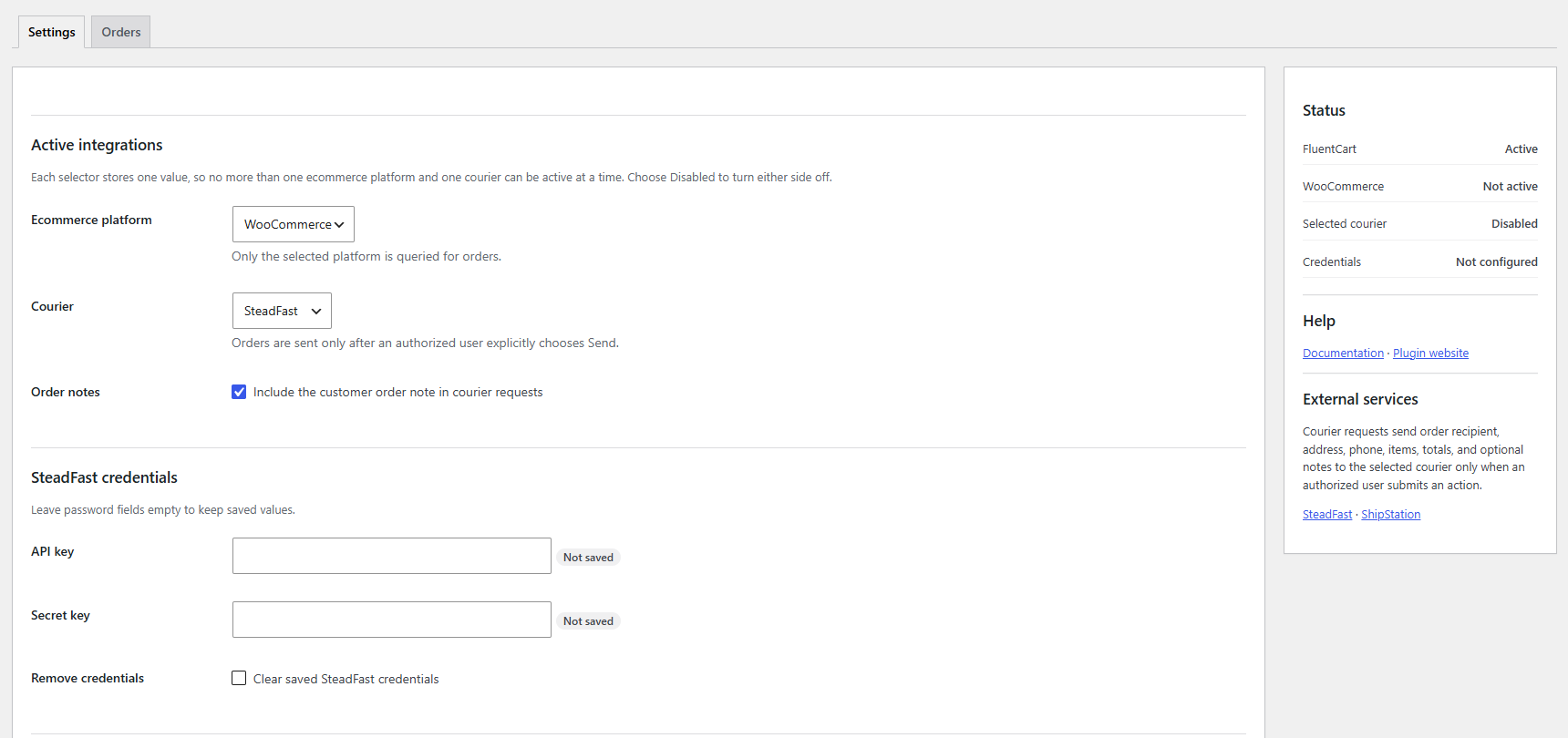
- Select one ecommerce platform: WooCommerce, FluentCart, or Disabled.
- Select one courier: SteadFast, ShipStation, or Disabled.
- Configure courier credentials without displaying saved secrets again.
- Review recent orders on a dedicated CodifyCore > CodifyCore Courier Connector > Orders screen.
- Manually send an order to the selected courier.
- Refresh the saved remote order status.
- Open CodifyCore Courier Connector from supported host order screens.
- Service: https://steadfast.com.bd/
- Terms: https://steadfast.com.bd/terms-and-condition
- Privacy: https://steadfast.com.bd/privacy
- API endpoint contacted:
https://portal.packzy.com/api/v1/ - A SteadFast merchant account and API credentials are required.
- Service: https://www.shipstation.com/
- Terms: https://www.shipstation.com/terms-of-service/
- Privacy: https://www.shipstation.com/privacy-policy/
- API documentation: https://docs.shipstation.com/apis/shipstation-v1/docs/start-here/requirements
- API endpoint contacted:
https://ssapi.shipstation.com/ - Version 1.0.0 uses ShipStation API V1, which ShipStation identifies as legacy and limits to eligible account plans. V1 API credentials are required. The optional store ID assigns orders to a specific ShipStation store.
安装:
- Upload and activate CodifyCore Courier Connector.
- Install and activate either WooCommerce or FluentCart.
- Go to CodifyCore > CodifyCore Courier Connector > Settings.
- Select exactly one ecommerce platform and one courier.
- Enter credentials for the selected courier and save.
- Use Test Selected Courier to verify the connection.
- Open the Orders tab to dispatch or refresh an order.
屏幕截图:

常见问题:
Can I enable WooCommerce and FluentCart together?
No. CodifyCore Courier Connector stores one active platform. You can switch platforms later without deleting courier metadata already attached to orders.
Can I enable SteadFast and ShipStation together?
No. CodifyCore Courier Connector stores one active courier. This prevents an order action from being routed ambiguously.
Does CodifyCore Courier Connector send orders automatically?
No. Version 1.0.0 requires an authorized user to explicitly send each order.
Does the plugin require a CodifyCore license?
No. Version 1.0.0 is completely free and contains no license or Pro feature checks.
Why is the ShipStation store ID optional?
CodifyCore Courier Connector uses ShipStation's Create/Update Order API. Enter a store ID to assign created orders to that ShipStation store, or leave it empty to use the account default.
What happens to saved credentials on uninstall?
CodifyCore Courier Connector removes its settings option, including courier credentials. Courier status metadata remains with ecommerce orders as a fulfillment audit trail.
Where can I find setup instructions?
See the CodifyCore Courier Connector documentation for installation, configuration, and usage guidance.
更新日志:
- Initial free release.
- Added exclusive WooCommerce and FluentCart platform selection.
- Added exclusive SteadFast and ShipStation courier selection.
- Added manual order dispatch, remote status refresh, credential tests, privacy disclosure, and a dedicated operations screen.