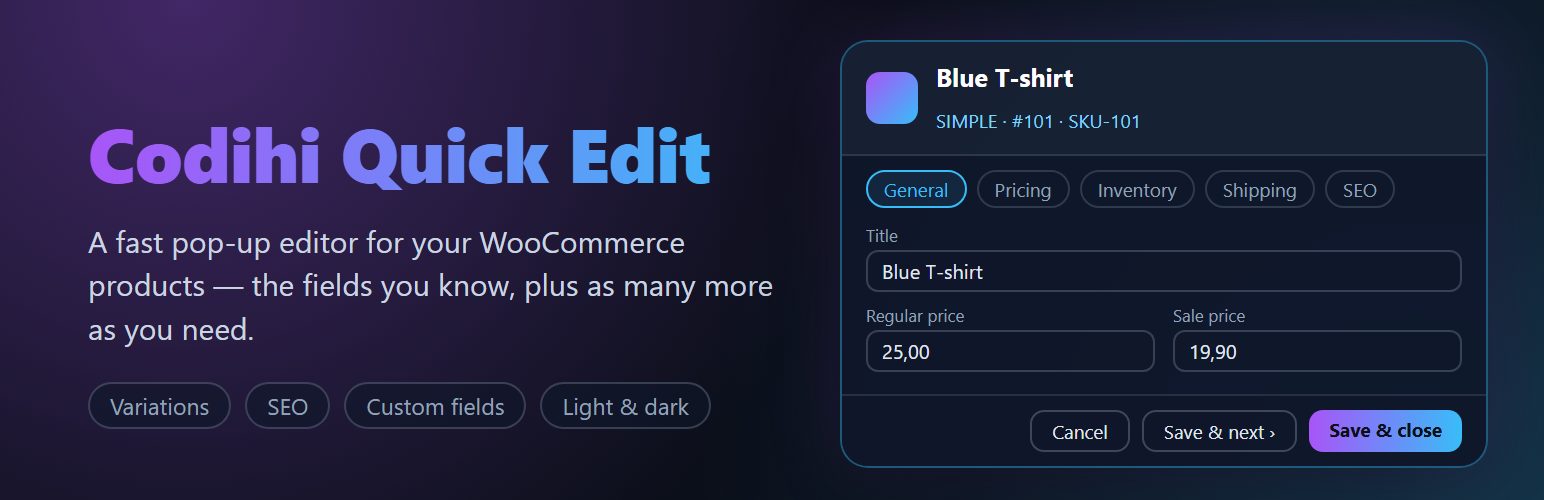
Codihi Quick Edit
| 开发者 | panosrekou |
|---|---|
| 更新时间 | 2026年11月16日 22:12 |
| PHP版本: | 7.4 及以上 |
| WordPress版本: | 7.1 |
| 版权: | GPLv2 or later |
| 版权网址: | 版权信息 |
详情介绍:
On the WooCommerce Products list, "Quick Edit" opens a pop-up instead of squeezing the form into the table row.
Out of the box
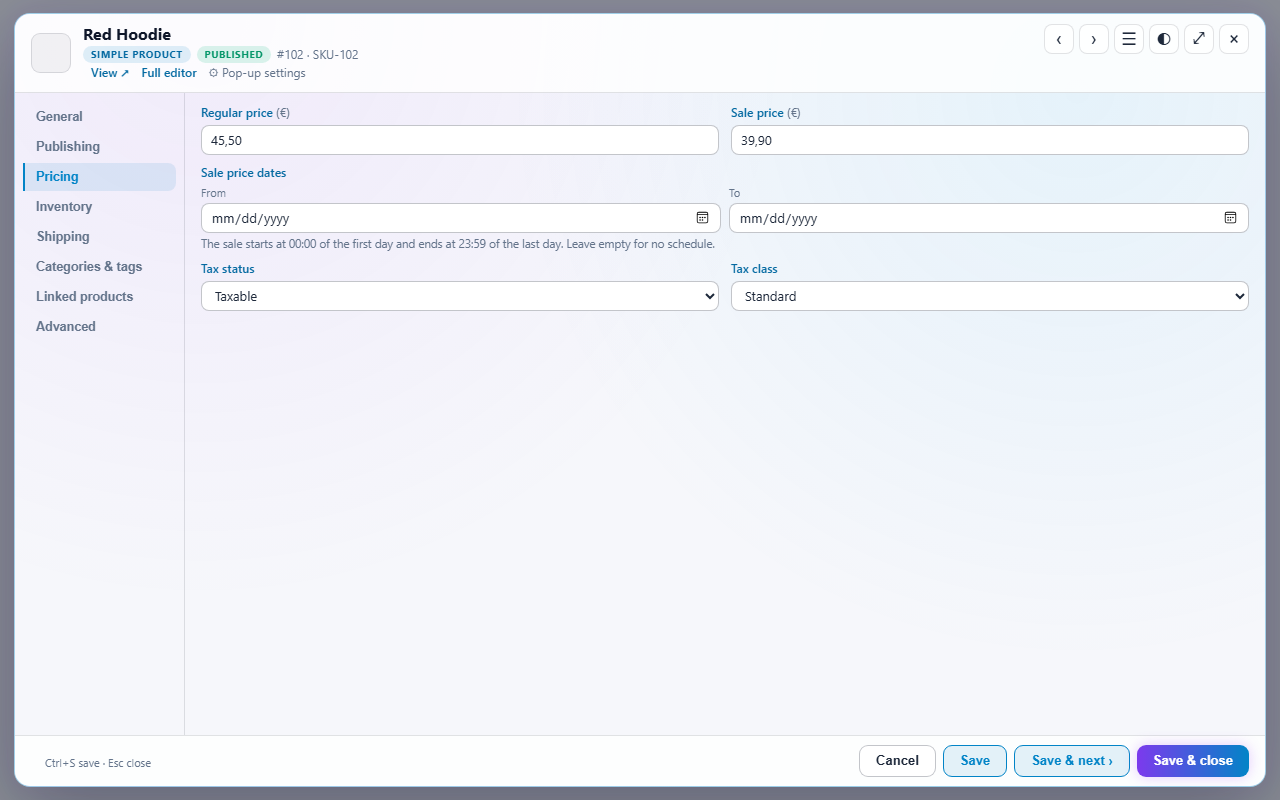
Exactly the fields of the native Quick Edit: title, slug, status, reviews, catalog visibility, featured, categories, tags, SKU, prices, tax, stock, backorders, weight, dimensions and shipping class.
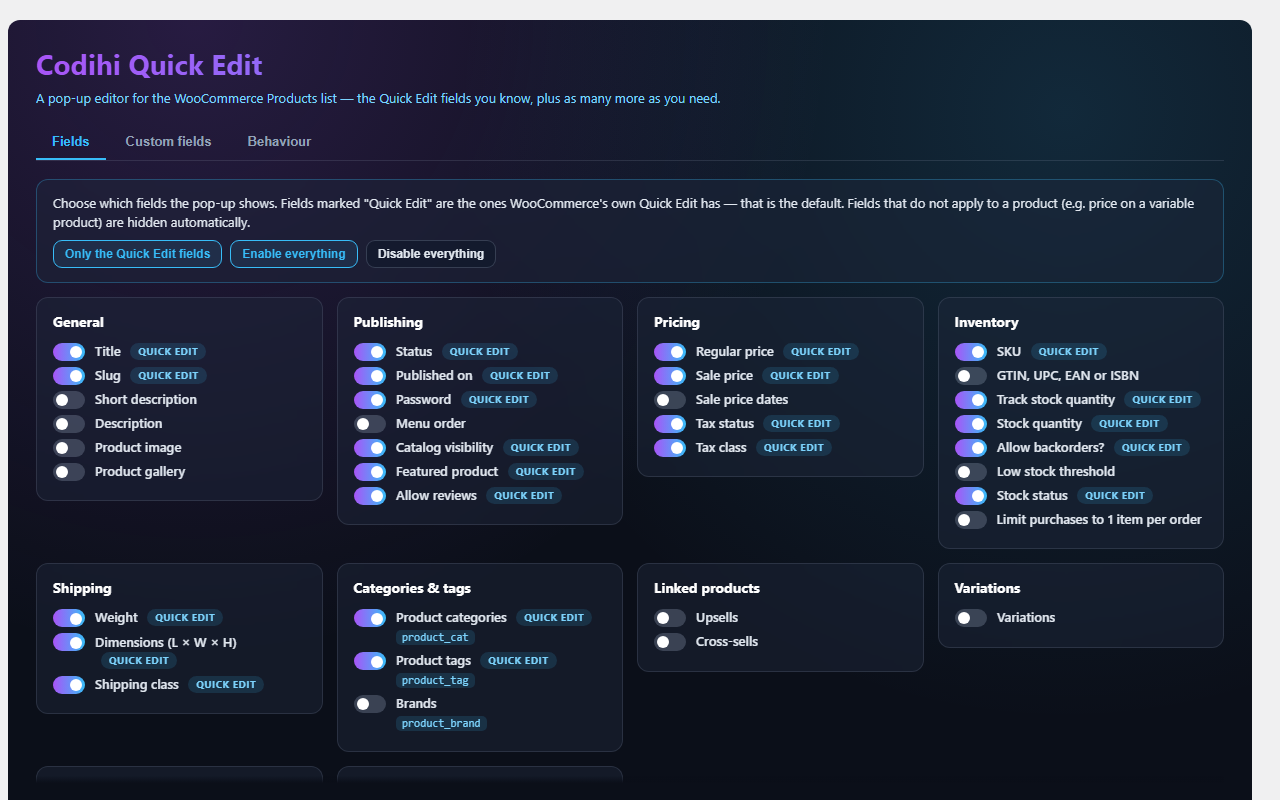
Turn on as many more as you need (Codihi Plugins → Quick Edit → Fields)
- Short description and description (WordPress visual editor with Add Media)
- Product image and gallery
- Sale price schedule, publish date, password, menu order
- GTIN / UPC / EAN, low stock threshold, sold individually
- Upsells and cross-sells (WooCommerce product search)
- Variations table: enabled, SKU, regular/sale price, stock per variation, "apply to all"
- Virtual, downloadable, purchase note
- Brands and every other product taxonomy (WooCommerce Brands, Perfect Brands …)
- SEO title, meta description and focus keyword (Yoast SEO or Rank Math)
- Your own custom fields: any product meta key as text, long text, number, yes/no, drop-down, date or link
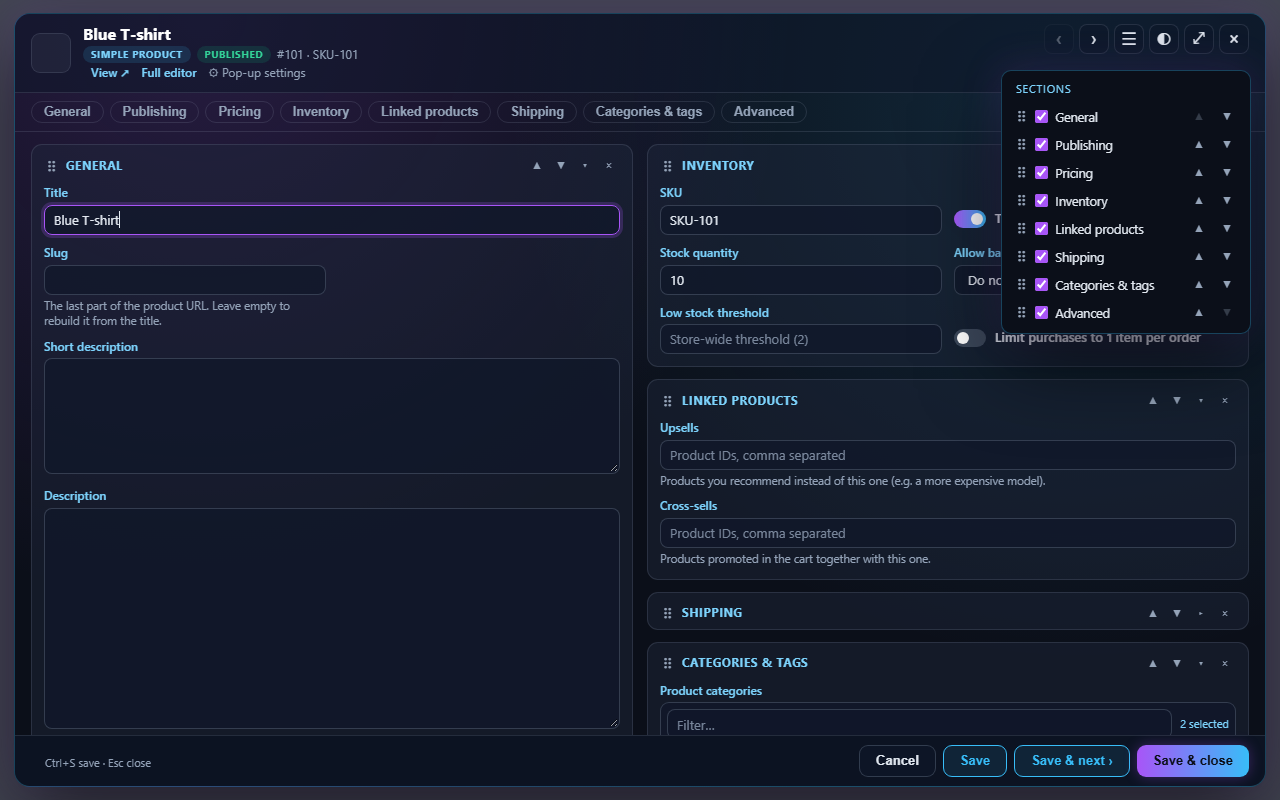
- Every section can be dragged to a new place, moved up or down with the arrow buttons, collapsed, or hidden — like the boxes of the WordPress editor.
- The Sections button in the pop-up header lists all sections: reorder them, hide them and bring them back.
- Your arrangement is remembered per user.
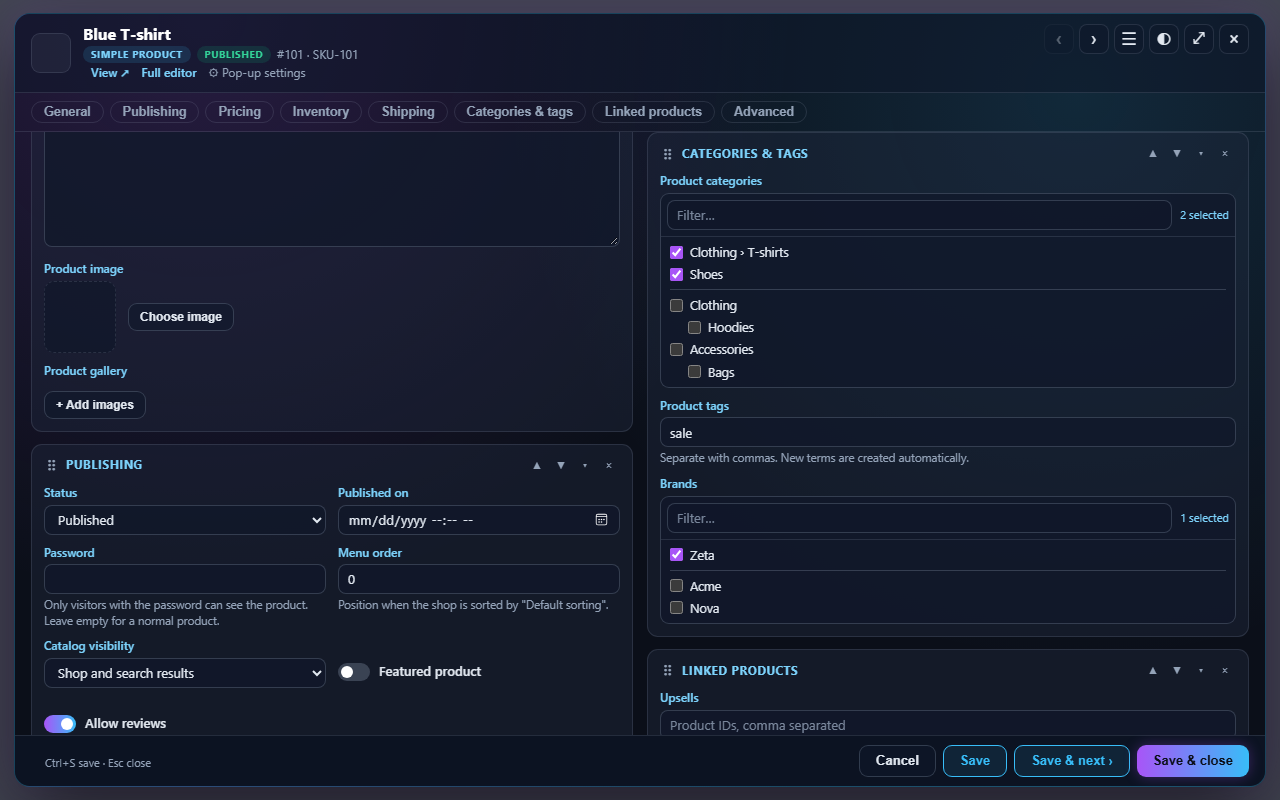
- Categories, brands and other term lists show what is already selected first.
- Only the fields you changed are sent and saved.
- All-or-nothing: if one field is invalid (duplicate SKU, sale price above the regular price …) nothing is written and the field is highlighted.
- If someone else changed the product after you opened it, you are asked before anything is overwritten.
- Every save goes through the WooCommerce product API, so stock sync, price caches, lookup tables and other plugins' hooks keep working.
- Per-product permission checks; descriptions are filtered for users without the unfiltered_html capability.
- The product's row in the list refreshes in place after saving — no page reload.
- Save & next walks down the list; previous/next arrows; double-click a row to open it.
- Light, dark or automatic theme; one-page or tabbed layout; up to full screen.
- Ctrl+S saves, Esc closes (with a warning if you have unsaved changes).
- "Next to Quick Edit" mode keeps the native inline Quick Edit and adds a "Pop-up edit" link instead.
- Filter
codihi_qe_fields— add, change or remove pop-up fields (seeincludes/class-codihi-qe-fields.php). - Filters
codihi_qe_builtin_fields(fields that can be switched on in Settings),codihi_qe_groups(sections),codihi_qe_enabled_fields(final list for the current user),codihi_qe_payloadandcodihi_qe_popup_config. - Actions
codihi_qe_before_save( $product, $changes, $args )andcodihi_qe_product_saved( $product, $changed_keys, $args ). - Actions
codihi_qe_enqueue_popup,codihi_qe_enqueue_settings,codihi_qe_settings_tabsandcodihi_qe_settings_panelsfor add-ons. - JavaScript: the
window.codihiQEApiobject (custom field types, field filters, header buttons) and the jQuery eventcodihi_qe_savedondocumentafter every save.
安装:
- Install and activate WooCommerce, then upload the
codihi-quick-editfolder to/wp-content/plugins/and activate it. - Go to Products and click Quick Edit under any product.
- Choose more fields under Codihi Plugins → Quick Edit.
屏幕截图:
常见问题:
Can I still use WooCommerce's own Quick Edit?
Yes — set Behaviour → How the pop-up opens to "Next to Quick Edit".
Does Bulk Edit change?
No. WooCommerce's own Bulk Edit (several products at once) stays as it is.
Does it work with variable products?
Yes. Enable the Variations field to edit enabled state, SKU, prices and stock of every variation in the pop-up.
Can I change the order of the sections or hide some of them?
Yes. Drag a section by its handle, use the arrow buttons in its header, or open the Sections button in the pop-up header. Sections can also be collapsed or hidden and brought back from the same menu. The arrangement is saved per user.
Is any product data lost when I uninstall?
No. Uninstalling removes only the plugin's own settings and the saved section arrangements; everything saved to your products stays.
更新日志:
1.3.2 — 2026-10-25
- Clean package: only the plugin's own files are included (a leftover temporary file and old files from an earlier build are gone). This edition contains no license or update code and contacts no server other than the one listed under "External services".
- Security hardening: the data sent by the pop-up is sanitized as soon as it is received, before any hook sees it.
- Translations now come from translate.wordpress.org (the bundled translation files and the textdomain loader were removed).
- Admin notices of this plugin only appear on the Plugins screen.
- New: drag & drop the sections of the pop-up, move them up or down with arrow buttons, collapse or hide them, and manage them from the Sections menu. The arrangement is remembered per user.
- New: categories, brands and other term lists show the selected terms first.
- New: developer hooks for add-ons (see "For developers").
- The saving code is now reusable (
Codihi_QE_Ajax::apply_changes()).
- Prepared for WordPress.org: the license key and the custom update checker were removed from this edition; updates now come from WordPress.org.
- Pauses itself when Codihi Quick Edit Pro is active.
- "Requires Plugins: woocommerce" header added.
- One-page layout: every section at once in columns (switchable back to tabs), with a chip bar to jump between sections.
- Light, dark or automatic theme — switchable from the pop-up header.
- Full-screen size and a full-screen button; compact density by default (comfortable optional).
- First release.