
Comblock Login
| 开发者 | wprosario |
|---|---|
| 更新时间 | 2026年1月29日 22:23 |
| PHP版本: | 8.3 及以上 |
| WordPress版本: | 6.8 |
| 版权: | GPL-2.0+ |
| 版权网址: | 版权信息 |
详情介绍:
- Create multiple private areas by assigning each dashboard to specific user roles (RBAC).
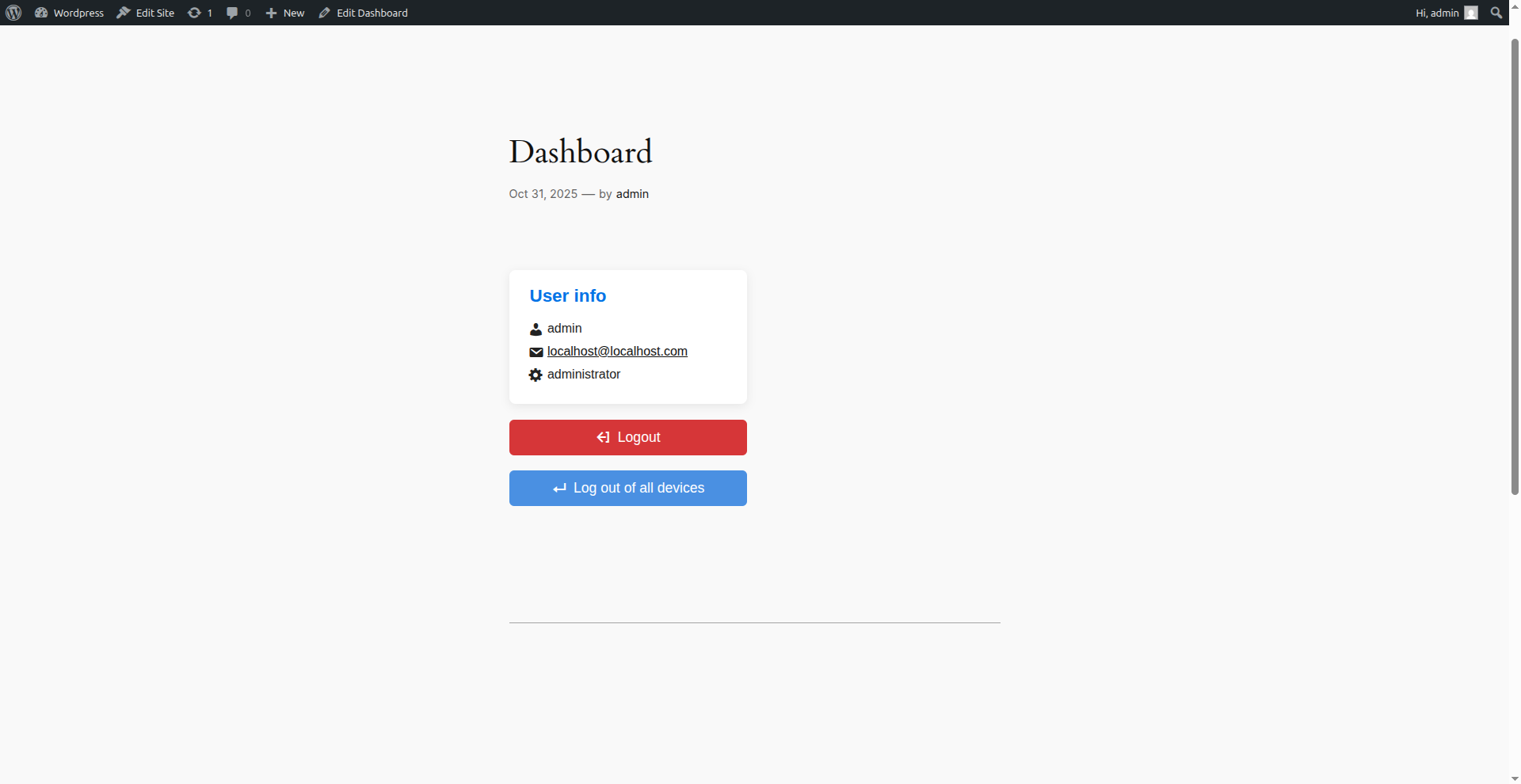
- Manage the entire user journey through dynamic shortcodes (Login, Logout, User Info).
- Protect data privacy by filtering which metadata to display via developer-friendly hooks.
- Monitor site security through integrated logging of access errors and permission violations. This plugin doesn't just hide the backend; it creates a secure, tailored ecosystem for your members, ensuring a smooth transition between public content and private dashboards.
安装:
- Upload the plugin folder to the
/wp-content/plugins/directory. - Activate the plugin via the ‘Plugins’ menu in WordPress.
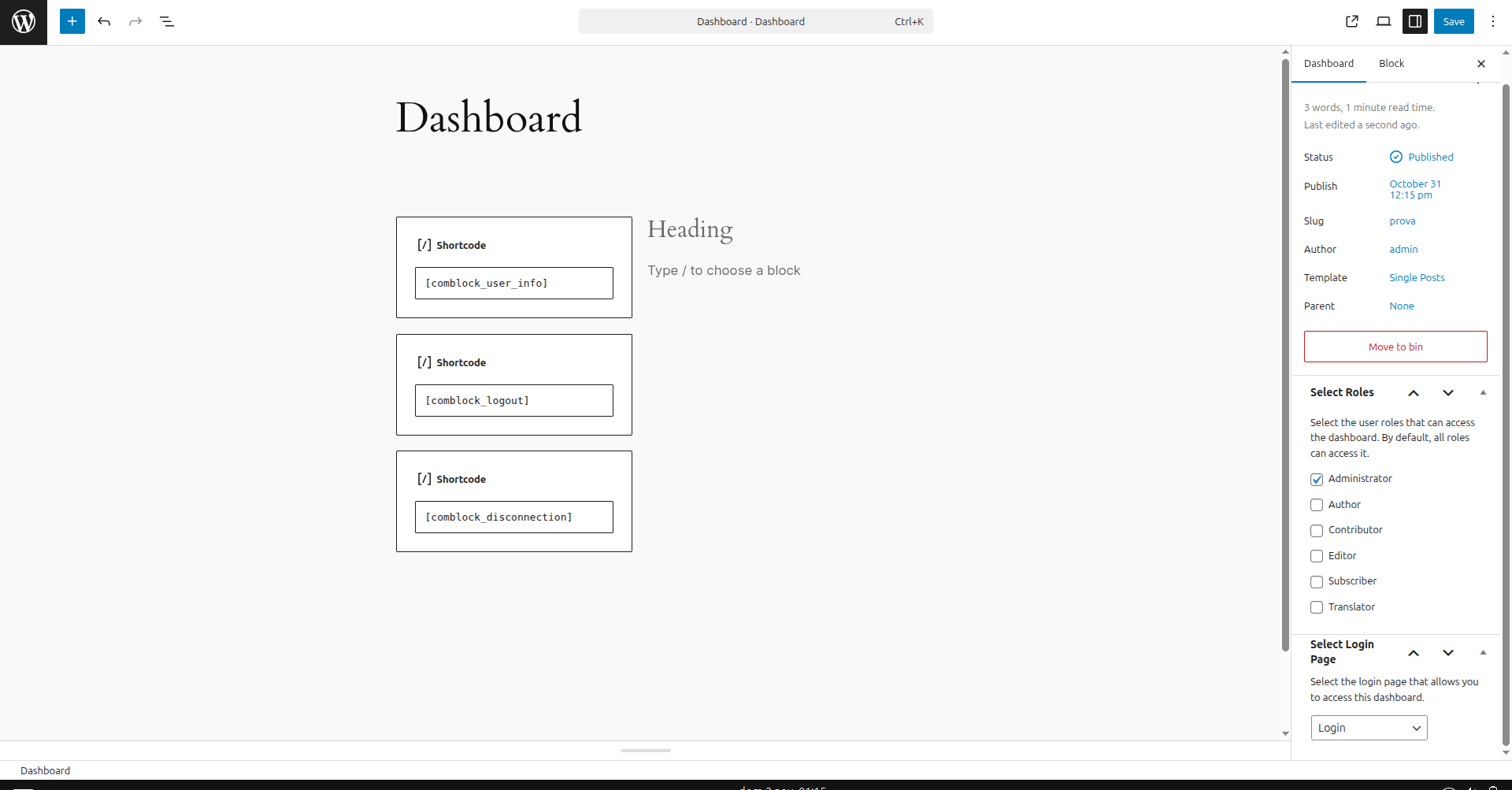
- Configure the dashboards, the user roles that can access them, and the login page to which users will be redirected.
- Insert the shortcodes into pages or posts to display the login, logout, etc. forms.
屏幕截图:
常见问题:
What happens if a user tries to access a dashboard without the correct role?
The plugin automatically checks permissions. If a user lacks the required role or is not logged in, they will be redirected to the login page configured in the settings, and the unauthorized attempt will be recorded in the security logs.
Can I use this plugin alongside other membership plugins?
Yes. Comblock Login works independently using native WordPress roles and sessions. It is designed to be lightweight and won't conflict with plugins like WooCommerce or MemberPress.
Does the "Logout from all devices" feature affect other users?
No. It only terminates sessions for the currently logged-in user who clicks the button. It is a per-user security feature.
How can I customize the look of the login form?
The login form is generated with standard HTML classes. You can easily style it using your theme's CSS or by passing a custom class through the class attribute in the shortcode: [comblock_login class="my-custom-form"].
Are custom meta fields from ACF or WooCommerce supported?
Yes, but for security reasons, they must be explicitly allowed using the comblock_login_user_info_allowed_fields PHP filter. Please refer to the "Usage" section for a code example.
Does the plugin support SSL/HTTPS?
Absolutely. The plugin uses secure session cookie management and follows WordPress best practices for SSL-encrypted connections.
更新日志:
- Initial version with login, logout, multiple dashboards, and integrated security management.